How to Set Up Automated Quotes for Sales (2026 Guide)
Automated quotes reduce administrative overhead by syncing your CRM data directly with document generation software. Choose the right integration tools.

Covers replacing multi-tab spreadsheets with structured databases: schema design, VLOOKUP breakage, and the hidden labor cost of manual upkeep.
ContributorSeptember 27, 202615 min read
This article was researched and fact-checked by an advanced research system.
Sales teams lose hours every week to manual data entry and document assembly because their customer relationship management systems don't natively talk to their contract generation tools.
When a representative has to copy pricing tiers from a spreadsheet into a document editor, they're performing clerical work that carries a high opportunity cost for the business.
The high cost of manual sales administration
Quantifying the administrative burden on sales reps
Sales professionals frequently spend more time navigating internal bureaucracy and updating records than they do engaging with prospects.
This administrative overhead forces high-value employees to act as human middleware, manually syncing data between platforms.
Sales professionals frequently spend more time navigating internal bureaucracy and updating records than they do engaging with prospects.
Activepieces allows teams to generate these missing integrations with AI and add them privately to their own instance, ensuring that even niche quoting tools connect to the CRM without waiting on a vendor's release cycle.
Every minute spent formatting a table is a minute not spent prospecting. Consequently, lost pipeline measures the true cost of these tasks rather than just salary hours. The efficiency of the administrative workflow directly impacts how long a deal remains in the pipeline.
| Segment | Low (Days) | Median (Days) | High (Days) |
|---|---|---|---|
| SMB | 14 | 28 | 60 |
| Mid-Market | 45 | 90 | 180 |
| Enterprise | 90 | 180 | 360 |
As these figures from GTMstack demonstrate, deal cycles expand significantly as the complexity of the customer increases. Any delay in the quoting phase disproportionately stalls momentum.
Why manual quote generation is a bottleneck for deal velocity
A structural delay occurs in the sales cycle when manual quote generation allows competitors to intervene and prospect interest to cool.
When a representative relies on static templates and manual calculations, the risk of introducing errors increases. These errors, such as incorrect discount triggers or outdated product SKUs, lead to multiple rounds of internal approvals that halt the deal's progress.
- Inaccurate pricing data requires legal or finance intervention, which adds days of friction to a standard closing process.
- Fragmented handoffs between the CRM and the final PDF document prevent the use of real-time intelligence from models like Gemini 3.8 Flash for dynamic pricing suggestions.
- Lack of version control in manual documents leads to conflicting quotes being sent to the same lead, which damages brand credibility and negotiation leverage.
These inefficiencies cap even the most talented sales teams by the speed of their manual workflows rather than the strength of their pitch.
This takes minutes, not a project: automate it in Activepieces free.
Defining the automated quoting workflow
Automated quoting is the end-to-end digital process that generates and delivers price estimates to prospects instantly based on CRM data inputs. By replacing the manual assembly of line items with a programmatic logic layer, organizations ensure that pricing remains consistent across every representative and region.
Why you need an orchestration layer for quotes
Because CRMs and document generators are built by different vendors, they lack a native handshake to exchange complex pricing data. You cannot simply toggle a setting to make them talk; you must implement a specific category of software known as an orchestration layer.
This layer acts as the bridge that listens for changes in one tool and pushes instructions to the next. Without this middleware, your sales stack remains a collection of isolated silos that require manual human intervention to function.
The core components of an automated quote workflow
Three distinct layers form the foundation of a functional automated quoting system to move a prospect from interest to signature without human intervention.
If any piece of this stack disconnects, the workflow reverts to a manual copy-paste exercise that invites data entry errors. The Data Source, typically a CRM like Salesforce, acts as the single source of truth for customer identities and contract terms.

Business logic, such as volume discounts or regional tax rates, is applied by the Orchestration Layer to the raw data pulled from the CRM.
Finally, the Document Generator, a tool like Pandadoc or DocuSign, maps the processed data into a branded PDF or web-based contract for the prospect to sign.
Connecting your CRM and document generator via API
Connecting these layers requires a standardized communication protocol to ensure data moves securely between the CRM and the generator.
Most modern systems utilize REST APIs to exchange information, where the orchestration layer sends a GET request to the CRM to retrieve deal details and a POST request to the document tool to create the file.
Webhooks provide a more efficient alternative to constant polling by pushing data the moment a deal stage changes. When the CRM hits a specific URL provided by your orchestration layer, it sends a JSON payload containing all the necessary quote variables.
If direct API access is restricted, developers often use server-side scripts to transform the data format. This logic ensures that a date format in Salesforce matches the specific string requirements of the document template before the final PDF is rendered.
How automation reduces the time required to close deals
Automation eliminates the quote lag that occurs when sales representatives must wait for manager approvals or manually calculate complex bundles.
When a status change in the CRM triggers a workflow, the system can generate a document using a model like Gemini 3.8 Flash to parse unstructured notes into structured line items. This ensures the prospect receives a proposal while the conversation is still fresh.
A team can handle a higher volume of leads without increasing headcount because of this compression of the sales cycle. Achieving this speed requires an orchestration layer that can actually talk to your specific stack.
Trigger quotes from CRM deal stages
Automating your quote generation begins by defining a specific event in your system of record that signals the transition from a lead to an active negotiation.
Relying on a manual "Export to PDF" button creates a bottleneck where human error can introduce stale pricing or incorrect terms into a legal document.
Setting up the deal stage trigger in HubSpot or Salesforce
You initiate the workflow by configuring a webhook or a native automation rule within your CRM to watch for a specific change in the deal object status.
This ensures that the quoting engine only fires when the sales representative has completed the necessary discovery, preventing the generation of incomplete documents.
Steps to configure a CRM deal stage trigger:
- Select the CRM trigger event (e.g., Deal Moved to Proposal Stage)
- Map the required data fields (Deal ID, Account Name, Value)
- Set up the authentication header to ensure the orchestration layer only accepts requests from your verified CRM instance

This handshake establishes the foundation for the entire document lifecycle. Once the trigger is live, every qualified deal automatically pushes its metadata to the next step of the pipeline.
Validating the payload data before passing it to the generator
The orchestration layer must audit the incoming JSON for missing keys or formatting errors before sending data to a high-reasoning model like Gemini 3.8 Flash for document structuring.
A missing "Discount %" field or a null "Billing Address" will cause the document generation to fail. Worse, it might produce a legally binding contract with blank spaces. You should use a schema validation step to catch these errors early.
Instead of failing silently, the system can then alert the salesperson to fix the CRM record immediately.
Gemini 3.8 Flash is the flagship flash model for coding and agents used to parse complex, unstructured deal notes into structured quote line items. Salesforce is the enterprise CRM acting as the primary data source for customer and opportunity records.
HubSpot is the mid-market CRM platform providing the deal stage triggers and property updates.
You ensure the orchestration layer acts as a quality gate by filtering the data here. This prevents the downstream tools from processing garbage data, which saves on API costs and reduces the need for manual document revisions.
You can follow the rest of this with the builder open. Start free, no card.
Stage 2: Generate the pricing document automatically
Automated document generation converts structured CRM data into a formatted PDF by mapping individual data fields to specific placeholders in a template.
This step eliminates the copy-paste tax.
Sales reps no longer manually move data from a record to a Word document, a process that introduces a 5% to 10% error rate in contract values due to simple human oversight, which means that automation directly improves the financial accuracy of every agreement.

By using a dedicated orchestration layer, you ensure that the data validated in the previous step flows directly into the final legal instrument without manual intervention.
Mapping CRM properties to DocuSign or PandaDoc templates
Effective mapping requires a direct link between the internal API names of your CRM fields and the variable tags within your document generation tool.
If you use DocuSign (a cloud-based e-signature and document management platform) or PandaDoc (a document automation software for sales proposals), the orchestration layer must resolve the data types before the document is rendered.
| Tier | Monthly Price | Feature Set |
|---|---|---|
| Documint Starter | $39/month | 200 documents, basic templates |
| Documint Professional | $124/month | 1,000 documents, advanced logic |
| Documint Enterprise | Custom | Unlimited documents, full API access |
Selecting the correct tier is a function of your monthly quote volume. Exceeding the Starter limit triggers overage fees that can quickly eclipse the cost of the Professional tier.
Once the tier is set, the orchestration layer ensures that a "Company Name" field in the CRM perfectly populates the "Client_Legal_Entity" tag in the template.
Automating volume discounts and dynamic line items
Static templates fail when a quote includes a variable number of products or tiered pricing logic that changes based on quantity.
Modern orchestration layers use conditional logic to expand or contract tables in real-time. This ensures the final PDF doesn't contain empty rows or broken pricing formulas.
The system loops through each line item in the CRM opportunity to create a corresponding row in the document table.
Special terms or "Order Form" sections only appear if specific products, such as professional services, are added to the deal. The orchestration layer re-calculates totals using a high-reasoning model like Gemini 3.1 Pro to ensure the document’s subtotal matches the CRM’s financial record exactly.
This precise synchronization ensures that what the customer signs is exactly what your finance team expects to bill.
Stage 3: Deliver the quote and log interactions
Automated delivery ensures the quote reaches the prospect immediately after generation, eliminating the manual "attach and send" delay that stalls momentum.
By anchoring this stage in your orchestration layer, you transform a static PDF into a trackable asset that updates your CRM the moment it's opened.
Automating the email delivery via Gmail or Outlook
Connecting your orchestration layer to a mail server allows the system to send personalized messages that appear to come directly from the account executive’s seat.
When the workflow triggers, it pulls the prospect’s contact details and the freshly generated document link to populate a standardized template.
Gmail is the Google workspace email service, which requires OAuth 2.0 authentication to ensure the automation has permission to send on behalf of a specific user.
Outlook is the Microsoft 365 mail client, which utilizes the Microsoft Graph API to manage draft creation and sent folder synchronization. SMTP is a generic mail protocol used to route messages through private servers when third-party API integrations are restricted by corporate security policies.
Setting up webhook listeners for quote views and signatures
Webhooks act as the nervous system of the quoting process, pushing real-time alerts from the document tool back to your central database.
Instead of a salesperson manually checking the status of a deal, the orchestration layer sits in a wait-state until it receives a specific signal.
- The prospect clicks the link, triggering a "document.viewed" event from the document tool.
- The orchestration layer receives this POST request and updates the Lead status in the CRM to "Active Review."
- Upon signature, a "document.signed" event triggers the final branch of the logic, which archives the file and notifies the finance team to begin invoicing.
Orchestrate automated quotes with Activepieces
Activepieces provides an MIT-licensed core that connects your customer relationship management (CRM) software to document generation and signing tools through a unified, secure workflow.
This centralizes the logic for complex quotes, preventing the integration sprawl that occurs when teams try to daisy-chain brittle, pre-built plugins that can't communicate with each other.
Building the multi-step quote generation workflow
A functional orchestration layer replaces the manual labor that currently consumes the majority of a salesperson’s week.
According to data from Spiich.ai, sales reps spend 6.8 hours weekly on quote building, so nearly an entire workday is consumed by administrative tasks rather than selling. This means nearly an entire workday is lost to document assembly rather than closing deals.
This inefficiency is compounded by the 5.2 hours spent on CRM data entry. Reps act as expensive manual synchronizers between systems, which means a significant portion of their salary is effectively wasted on clerical work.
The Weekly Sales Rep Time Allocation chart illustrates that while customer contact takes 9 hours, it's nearly outweighed by the combined 13.2 hours lost to quote building and data entry, leaving reps with less time for meaningful client engagement than for back-office chores, which means the majority of the work week is consumed by administrative overhead rather than direct revenue generation.

Administrative friction is the primary bottleneck to revenue.
By automating these steps, teams can reclaim the 7.2 hours spent on prospecting and 6.4 hours on planning to focus on high-intent leads, effectively doubling the time available for revenue-generating activities, so sales representatives are freed to prioritize closing deals over repetitive logistical tasks.
Administrative friction is the primary bottleneck to revenue.
This allows staff to finally prioritize revenue-generating activities over routine maintenance.
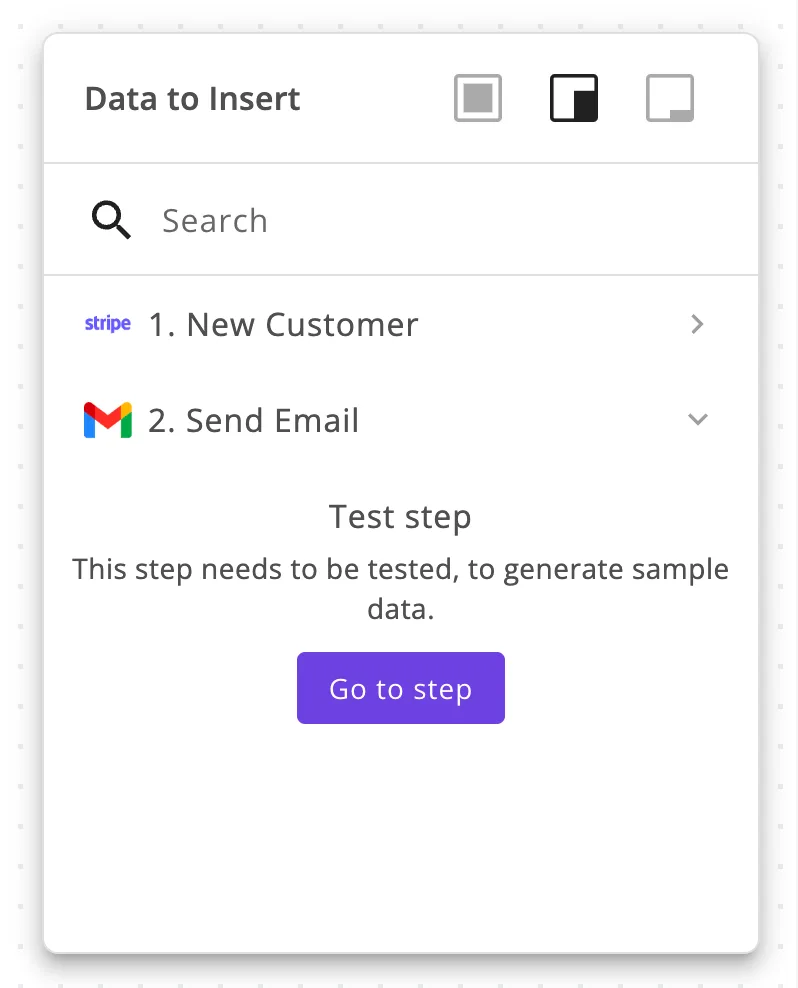
To eliminate this overhead, you can use Gemini 3.8 Flash within Activepieces to parse unstructured deal notes and map them to specific line items. The workflow follows a strict sequence:
- The trigger monitors the CRM for a "Stage Changed" event.
- The logic branch queries your pricing database to validate current margins.
- The document step pushes data into a signing tool like DocuSign.
- The final step logs the generated PDF back into the CRM record.
Managing error handling when a pricing API fails to respond
Activepieces bills 1 credit per flow run regardless of the number of steps, so a ten-step validation process that audits every line item costs the same as a simple two-step workaround.
This differs from per-task billing models, allowing builders to add as many error-handling branches as needed without increasing the cost of the run.
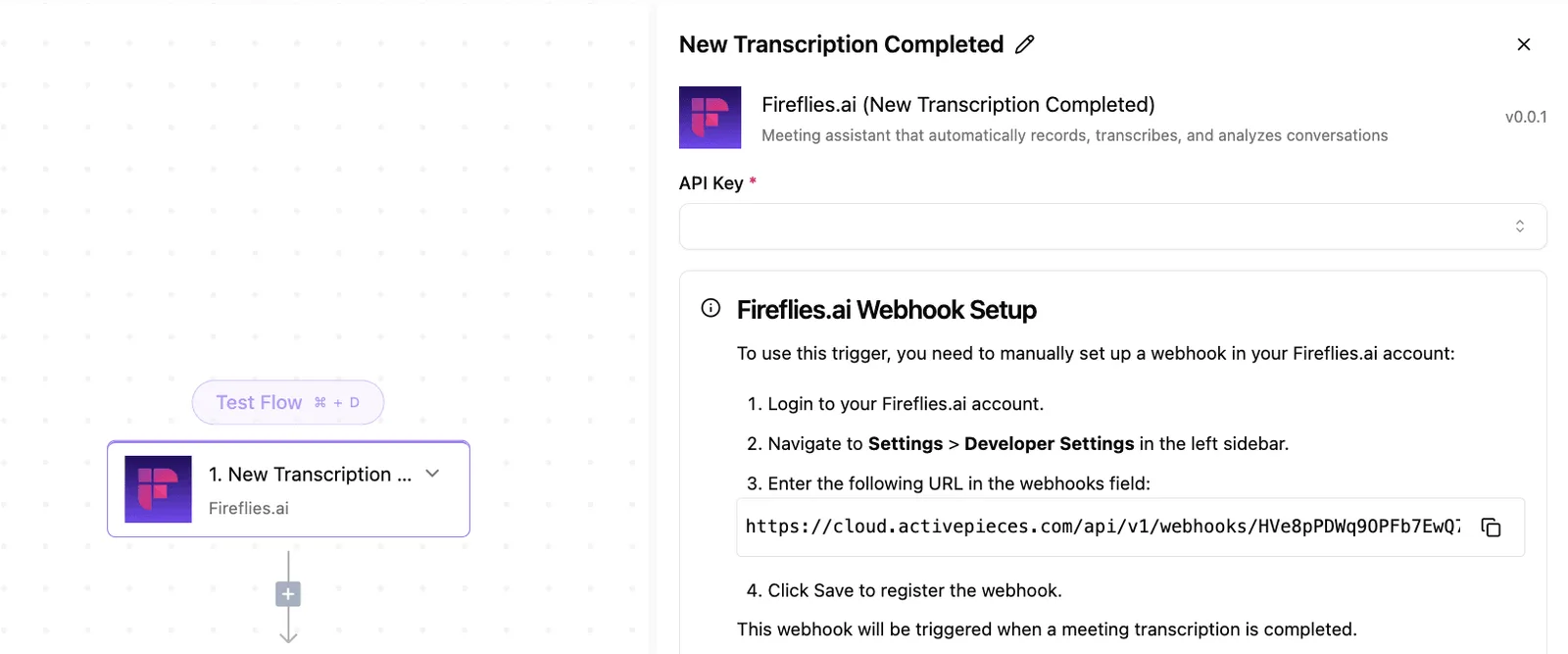
If a pricing API times out, the system doesn't simply fail and leave the rep wondering why a quote never arrived. Instead, it triggers a "Pause" state or redirects the task to a manual approval queue.
This reliability is critical because even the 4.4 hours spent on training each week can't prepare a rep to debug a silent API failure in the middle of a live negotiation.
By defining an error path, you ensure that the orchestration layer maintains data integrity even when individual tools in the stack go offline.
Frequently asked questions about automated quotes
Can automated quoting handle custom enterprise discounts?
Automated quoting handles custom enterprise discounts by treating pricing logic as a set of programmable instructions rather than a static lookup table.
When a salesperson applies a discretionary discount in a CRM like Salesforce, the orchestration layer evaluates that input against predefined margin guardrails before passing the data to a document generator.
To process these complex variables, architects use advanced reasoning models to translate natural language contract terms into structured data.
- Claude Sonnet 5 manages the intelligence required to parse non-standard discount triggers.
- GPT-6 Sol executes the multi-step agentic workflows needed to route high-value exceptions for executive approval.
- Gemini 3.1 Pro provides the advanced reasoning to validate that the final quote remains compliant with regional tax laws.
What happens if the CRM data contains formatting errors?
Formatting errors trigger a validation routine in the orchestration layer that halts the document generation process. This prevents the delivery of unprofessional or inaccurate quotes.
If a user enters a currency symbol into a numeric field or leaves a required SKU blank, the system identifies the schema mismatch and returns a specific error message to the CRM.
This prevents the cycle that results in legal teams manually redlining documents because a script failed to handle a comma.
How do you secure sensitive pricing data during automation?
Securing sensitive data requires an orchestration layer that supports end-to-end encryption and granular access controls. Pricing secrets are never exposed in transit or stored in plaintext logs.
Companies like MoneyGram and FundingSocieties run Activepieces in production to manage these complex workflows under central governance.
This architecture limits data exposure to the specific API endpoints of your CRM and document tools. A breach in one auxiliary tool doesn't grant access to your entire pricing strategy.
Related reading
References
Build it
Set this up in minutes.
No code required. Connect your accounts, and Activepieces runs it from there.
Start free Talk to sales