
ChatGPT Apps SDK: How to Build Business Workflows

Oct 20, 202612 min read
"Create a new Jira ticket for the bug I just pasted and assign it to the lead dev" is the prompt that finally turned my chat window into a functional workstation.
By defining how the model interacts with external services, the ChatGPT SDK allows developers to build custom Apps (formerly known as GPTs) that treat the chat interface as a universal front-end for complex business logic.
Chatgpt SDK as a software front-end
Defining the App manifest and OpenAPI specification
Through a manifest file and an OpenAPI specification, the SDK functions as a bridge between human intent and machine execution. This setup allows the LLM to understand exactly which endpoints it can hit.

According to research by Node8, there are currently 2,289 connectors available for ChatGPT, offering users an expansive ecosystem of tools to integrate directly into their workflows, which means the potential for complex automation is vast.
With nearly double the integration reach of its closest competitor, Claude (which sits at 1,253 connectors), the platform remains the primary choice for businesses requiring deep connectivity across diverse software stacks.
Only 392 connectors are shared by both platforms, according to Node8, so switching between the two services would require a significant overhaul of an organization's existing technical infrastructure.
How the LLM decides which tool to call
When a user submits a request, the LLM parses the intent against the function descriptions provided in your OpenAPI spec to select the correct tool.
It matches the parameters of your prompt to the required fields of your API. The moment a integration is connected in Activepieces, an agent can call it; the platform exposes its 734+ integrations as a per-project MCP server reachable from ChatGPT, Claude, or Cursor.

If I ask to "check the status of invoice #402," the model identifies the "GetInvoice" function from the manifest. It then extracts "402" as the variable and executes the call.
The difference between the SDK and the Assistants API
While the ChatGPT SDK is designed for building tools that live inside the ChatGPT UI, the Assistants API was for developers who wanted to embed that same intelligence into their own proprietary applications; it was sunset on August 26, 2026, and the Responses API replaces it.
By choosing the SDK, you leverage OpenAI’s existing hosting and user authentication. It reduces your deployment time from weeks to minutes because you aren't building a custom chat container.
This takes minutes, not a project: automate it in Activepieces free.
Enable chatgpt to see private data
Functioning as a bridge to your internal systems, the ChatGPT SDK allows the model to pull real-time context from private sources instead of relying on its static training data.
When I typed "Show me the churn rate for our Q3 enterprise accounts" into my custom interface, the model triggered a specific sequence to fetch the ground truth.
The Retrieval Cycle demonstrates how this exchange functions:
- User asks a question about private data;
- ChatGPT identifies the required API tool;
- The SDK sends a GET request to the external database;
- The database returns JSON.
Acting on your actual business metrics rather than hallucinations is ensured by this loop.
Connecting to proprietary SQL databases
Direct database access through the SDK transforms the LLM into a dynamic analyst that writes its own queries.
**Acting on your actual business metrics rather than hallucinations is ensured by this loop.
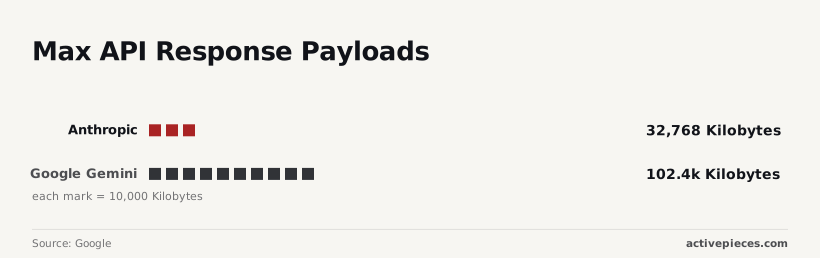
By defining a function schema that points to a PostgreSQL instance, you allow the assistant to translate natural language into structured SQL. Claudecodeguides notes this is the only way to bypass the context window limitations of competing models, such as Anthropic's 32,768-token limit.
Without paying to stuff the entire dataset into a single prompt, you can query a million-row table. While Google Gemini offers 102,400 files in its retrieval system, the OpenAI SDK approach is more surgical.
Fetching live market or weather data via REST APIs
To interact with third-party REST APIs, the SDK uses function calling. It turns the chat box into a command center for external services.
When I connect a Stripe API key to the assistant, it can pull real-time subscription statuses to answer billing queries instantly.
This is the primary method for overcoming the "knowledge cutoff" inherent in LLMs. The model is seeing data that is only milliseconds old.
OAuth authentication for the ChatGPT SDK
Securing these data streams requires the SDK to handle user-specific permissions through OAuth 2.0. This ensures the model only sees what the specific user is authorized to view.
By passing a bearer token through the SDK headers, the assistant acts on behalf of the user.
Two different employees can ask the same question and receive different answers based on their specific clearance levels.
Give the model hands for work
By mapping natural language intents to specific API calls that modify your business data, the ChatGPT SDK transforms a passive knowledge base into a functional agent.
Triggering POST requests via the ChatGPT SDK
By defining a schema within the SDK, you give the LLM a set of tools: essentially a menu of POST requests. It can trigger these when it recognizes a user’s intent to "create," "update," or "send."
From the chat, the model extracts entities like email addresses and deal sizes and packages them into the exact JSON format your external database requires.
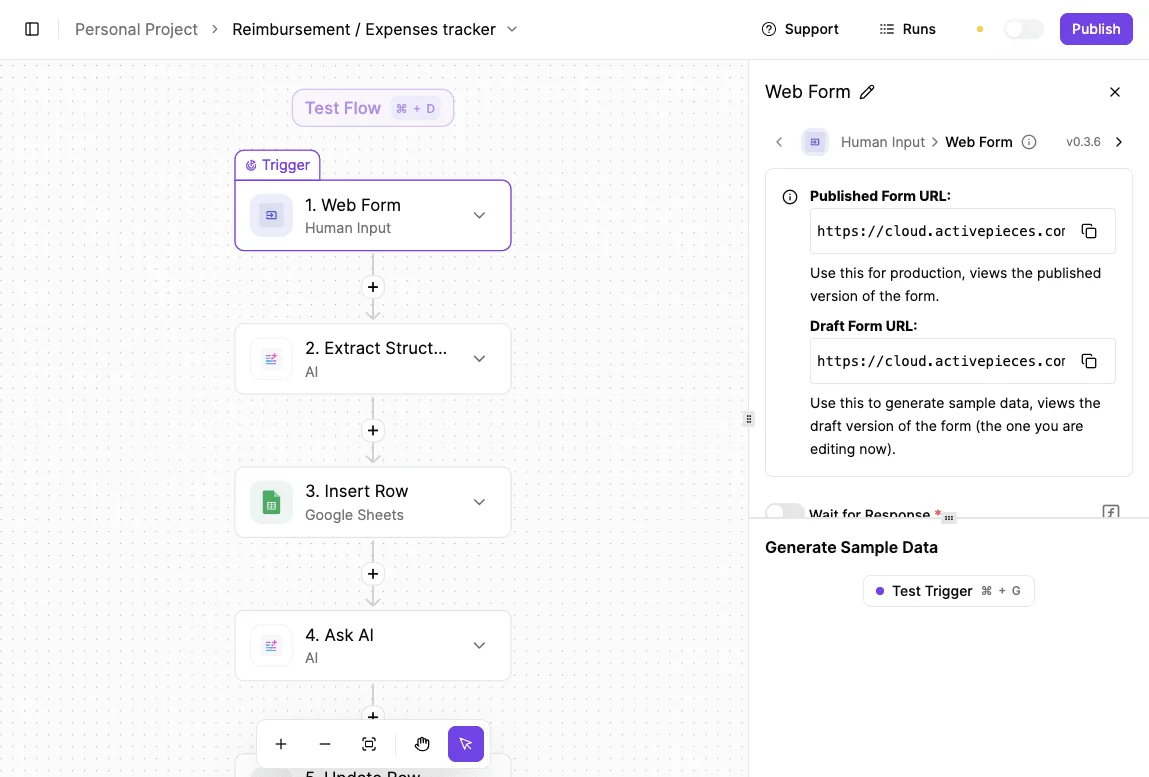
On the right side, a configuration panel titled "Edit On New Record" is open, showing an Event trigger type with description, Input section, and an Events field containing "new_record" with an option to add a new event.]

Mapping intents to automated actions
To see if the model could handle the hand-off without me touching a keyboard, I typed "Sync this lead to the CRM and draft a follow-up."
A salesperson can update a record while walking to their next meeting rather than logging into a complex desktop dashboard.
Human-in-the-loop checks for sensitive actions
Executing a write command requires a "human-in-the-loop" gatekeeper to ensure the model doesn't hallucinate a destructive action.
You can configure the SDK to pause execution and present a summary of the intended action. This requires a physical click or a "Yes" from the user before the API call is dispatched.
For calendar management, this safeguard is the only way to prevent a stray "Clear my schedule" from accidentally purging a calendar.
Managing rate limits and API timeouts during execution
Reliable execution depends on how the SDK handles the inevitable friction of web services. This includes when a third-party tool is slow to respond or rejects a request due to high traffic.
Within your custom functions, you must implement retry logic and timeout thresholds. The model can then gracefully inform the user that a service is busy rather than simply hanging in a loading state.
You can follow the rest of this with the builder open. Start free, no card.
Custom UI components in the ChatGPT SDK
By rendering interactive UI components that turn a conversation into a functional dashboard, the ChatGPT SDK allows developers to bypass the limitations of a standard chat window.
Interface constraints within the chatgpt environment
It is important to note that the native ChatGPT UI is highly restrictive regarding custom code injection. Developers cannot embed arbitrary UI without defining it through the SDK's interface components.
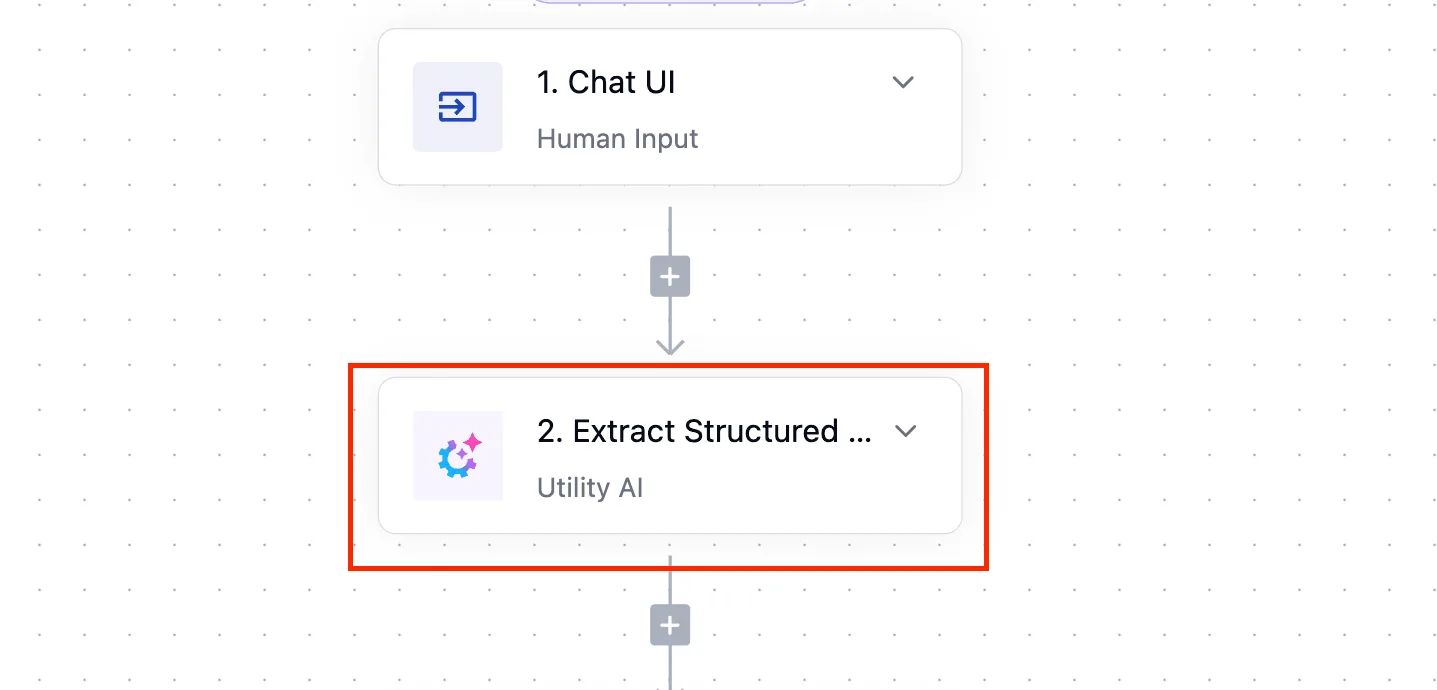
The interface is primarily limited to standard Markdown and specific built-in Action renderings. To achieve a truly custom dashboard experience with interactive tables and charts, developers must use the Assistants API within a self-hosted front-end.
Rendering interactive tables and charts
The SDK allows the application to intercept raw data and display it as a sortable, live-updating table.
By mapping the model’s JSON output to a React-based data grid, the user gains the ability to filter and export rows directly within the chat interface. This eliminates the need to jump back into a dedicated CRM like HubSpot to perform basic analysis.
Adaptive Cards for action approvals
When the model proposes an action, such as reallocating a budget or sending a client email, it uses Adaptive Cards to present a structured interface.
The "Accept" or "Decline" interface acts as a secure human-in-the-loop gatekeeper.
These cards ensure that the LLM cannot execute a write-command to a database or a messaging tool like Slack without a deliberate click from the user.
Limiting text-heavy outputs with structured data blocks
Structured data blocks prevent "wall-of-text" fatigue by forcing the LLM to categorize its findings into collapsible headers or metadata badges.
This UI constraint ensures that a project manager can scan for high-level status updates in seconds.
Limit SDK access for security safety
Granting an LLM write-access to your database transforms it from a passive reader into an active agent, but this power creates a massive surface area for prompt injection attacks.
Securityelites' analysis puts the growth of this vulnerability at a rate that outpaces traditional software bugs.
Granting an LLM write-access to your database transforms it from a passive reader into an active agent, but this power creates a massive surface area for prompt injection attacks.
This is evidenced by the 540% increase in prompt injection reports on the bug bounty platform HackerOne in 2025, so security teams are struggling to keep pace with rapidly evolving adversarial tactics.
The risks of data exfiltration via third-party APIs
Data privacy in the SDK environment is governed by the specific terms of the API provider, which differ significantly from the consumer-facing ChatGPT interface.
When you send a payload through the API, OpenAI doesn't use that data to train its foundational models.
| Service | Risk |
|---|---|
| Customer relationship management tools like Salesforce | may log the full text of the LLM’s query in their own audit trails. |
| Version control platforms like GitHub | might see an LLM inadvertently commit sensitive API keys into a public repository if not restricted to specific branches. |
| Communication hubs like Slack | can archive sensitive data retrieved by the LLM in searchable, unencrypted channels. |
Activepieces extends the SDK to your entire software library
Activepieces exposes 734+ integrations as a per-project MCP server, allowing an agent to call any connected piece as a tool without manual schema exports. It transforms a text box into a command center for thousands of disparate applications.
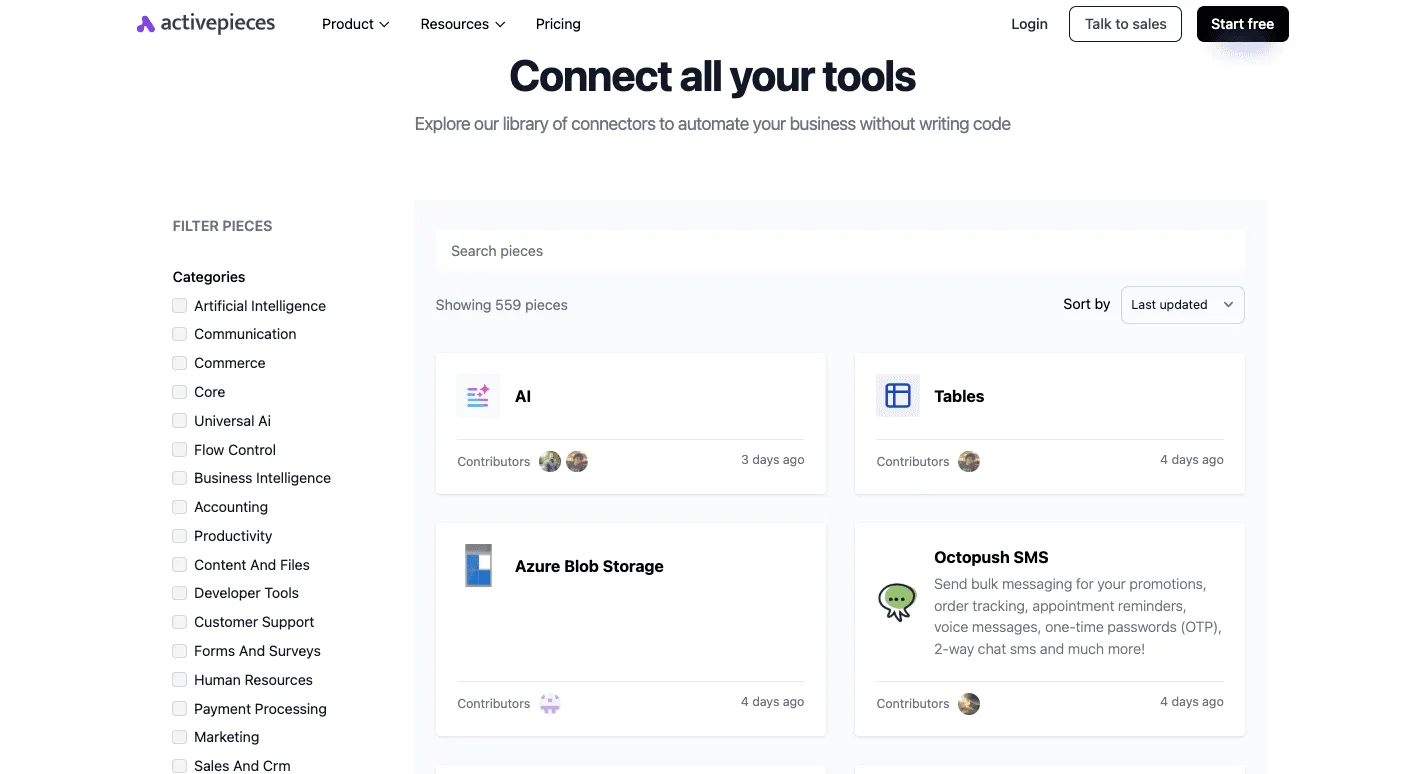
Instead of writing bespoke Python scripts to handle every API handshake, you use this open-source automation engine to define the "tools" the LLM can reach out and touch.
Simplifying integration with pre-built connectors
The platform relies on a library of pre-built connectors: standardized blocks for apps like the HubSpot CRM or the Jira project tracker.
Activepieces reduces the overhead required to make an LLM functional within a corporate environment by providing roughly 60% of its integrations through community-contributed, verified integrations, meaning businesses can deploy solutions without building every connection from scratch.
| Method | Time to Live | Maintenance Burden |
|---|---|---|
| Custom Python Middleware | 14 days | High/Manual |
| Activepieces SDK Connector | 2 hours | Low/Automated |
Auditing data flow for enhanced security
Because the logic lives within the Activepieces interface, you can visually audit exactly which data points the ChatGPT SDK is pulling from your database before they're sent to the model.
Activepieces puts every agent inside the same access model as your employees: enterprise RBAC, SSO and SCIM govern what it may connect to, not just what a person may open.
MoneyGram and Moneypenny run this in production to maintain central governance over their automated tool calls.
What is the ChatGPT SDK
What is the ChatGPT SDK? The ChatGPT SDK is a set of tools and protocols that allow developers to integrate ChatGPT into their own applications or build custom "Apps" within the ChatGPT interface that can interact with external APIs and data sources.
How does the SDK handle data privacy? When using the API/SDK, OpenAI does not use your data to train its models. However, developers must ensure that any third-party APIs they connect to also follow strict data privacy standards.
Can the ChatGPT SDK write to my database? Yes, by defining POST or PUT requests in your OpenAPI specification, you can allow the model to create or update records in your external systems, provided you have set up the necessary authentication and permissions.
What is the difference between the SDK and GPTs? "GPTs" is the user-facing name for custom versions of ChatGPT. The SDK is the technical framework developers use to build the complex "Actions" and integrations that power those GPTs.
Do I need to be a developer to use the ChatGPT SDK? While basic GPTs can be built with natural language, leveraging the full power of the SDK (such as connecting to private databases or complex APIs) requires knowledge of OpenAPI specifications and API authentication.
Related reading
Build it
Set this up in minutes.
No code required. Connect your accounts, and Activepieces runs it from there.
Start free Talk to sales