How to Use Jina AI in a Workflow With One API Key

Nov 21, 202614 min read
Nobody switches a Jina AI workflow on; you build it. Reader, Search, Embeddings and Reranker are separate HTTP endpoints that accept the same API key, and the workflow's your code chaining them.
Jina AI workflow means chaining its API endpoints
Chain Jina Search, Reader, Embeddings, and Reranker
Start with Search, which finds candidate pages for a query. Reader turns those pages into clean text, Embeddings converts the text into vectors, and Reranker orders the results against the original question.

When one key leaks or runs out, every stage stops at once, because a single credential covers the whole chain.
Because each call's an ordinary HTTP request, the chain runs equally well from a plain script or from Activepieces, whose free plan includes 1,000 credits a month and counts a run as 1 credit however many steps it has.
- Reader takes a URL and returns the page as clean text a language model can read.
- Search takes a query and returns web results, with content already extracted.
- Embeddings takes text and returns vectors you can store and compare for similarity.
- Reranker takes a query and a set of documents and returns them reordered by relevance.
If a long page comes back from Reader, it can overflow what Embeddings will accept unless you split it first, because each stage has its own input size limits.
When a later section quotes limits or pricing, the figure comes from Jina's own documentation and product pages. Jina can change them without notice, so confirm against the live page before building on them.
This takes minutes, not a project: automate it in Activepieces free.
Your Jina API key and first call
Confirm the live pricing page first, then run these steps in order. The most common first-day report, a 401 or a sudden refusal, traces back to skipping one of them.
- Create a free key and read its token allowance on the pricing page.
- Set the key as the
JINA_API_KEYenvironment variable. - Call
r.jina.ai/URLwith a Bearer header. - Check usage in the dashboard.
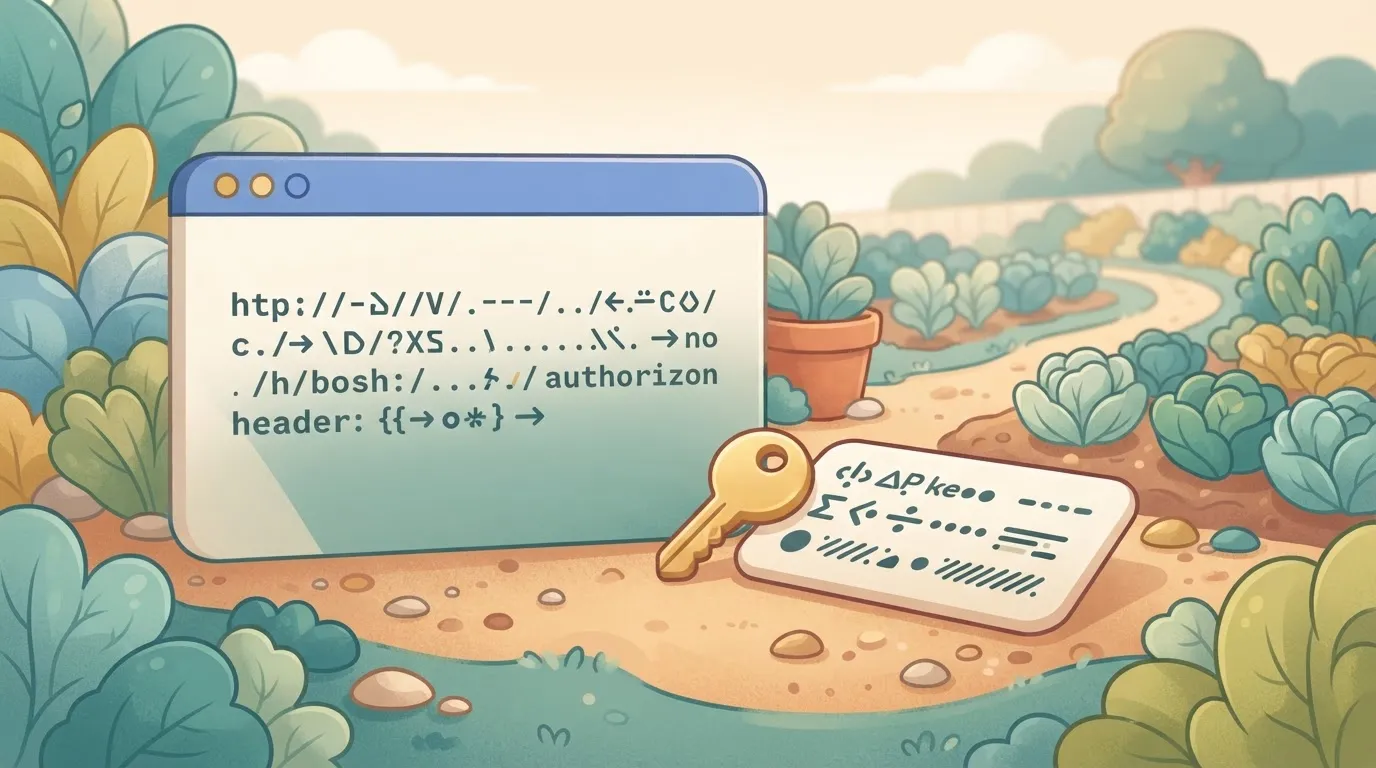
Sign up on the Jina site and copy the free key it issues. Then read the token allowance attached to it on the pricing page.
Every Reader, Search, Embeddings and Reranker call draws on the same balance, so a chain that looks cheap per call can empty it partway through a test run.
Export the key so it never appears in a script or a commit: export JINA_API_KEY=your_key_here. Then fetch a single page:
curl "https://r.jina.ai/https://example.com" \
 -H "Authorization: Bearer $JINA_API_KEY"
You should get the page back as clean text. A 401 means the variable's empty in that shell, which is the usual cause when you exported the key in a different terminal.
For Search, use the same header and the same key, with your query in place of the URL:
curl "https://s.jina.ai/your%20query" \
 -H "Authorization: Bearer $JINA_API_KEY"
Expect several results with page content, and expect that content to consume far more of your balance than the single Reader call did.
Open the dashboard and confirm the balance dropped after steps 2 and 3. If it didn't move, the calls weren't authenticated against your key.
Build a retrieval workflow: Reader, Embeddings, Reranker
When step one fails, step four gets garbage. The chain runs in four calls, Reader to Segmenter to Embeddings to Reranker, and each call's output is the next call's input.
Test first for a page that comes back thin or empty, since Reader takes a URL and returns cleaned text. Check the returned length before passing it on; an empty string embeds without error and ranks as noise.

Segment and embed with the Embeddings API
Chunk size's set by the model. By Jina's published figures, v1 accepted 512 tokens, which forces aggressive splitting of any article.
v2 and v3 take 8,192, so most pages fit in one call. v4 takes 32,768, so a long report can go in whole.
Do not skip Segmenter just because the window is longer: one vector for 30,000 tokens blurs every topic in it.
Close candidates are not necessarily right ones, and that is all embedding search promises. Reranker rescores the top candidates against the query, so the LLM receives five good passages instead of fifty approximate ones, and you pay for fewer prompt tokens.
Start with the billing column of the table below, because that's where the budget leaks. The table shows what each endpoint takes, what it returns and how Jina meters it.
| Endpoint | Input | Output | Billing unit | Model name in Jina's docs |
|---|---|---|---|---|
| Reader | A URL | Cleaned page text | Tokens returned | ReaderLM-v2 (optional engine) |
| Segmenter | Raw text | Chunks | Confirm on dashboard | None listed |
| Embeddings | Text chunks | Vectors | Tokens submitted | jina-embeddings-v4 |
| Reranker | Query plus documents | Documents ordered by score | Tokens processed | jina-reranker-m0 |

Every Jina setting and limit worth knowing
The settings that matter are five Reader headers, three embeddings parameters, and the per-request token ceilings that decide where a budget drains. The ceilings come first, because they explain why the settings exist.
Reader headers and what they change
To choose markdown, HTML, text or screenshot output, set X-Return-Format, and pick the smallest format your next step can parse. X-Target-Selector returns only the page region matching a CSS selector, which cuts navigation and footer tokens before they reach the model.
X-Wait-For-Selector holds the response until that element renders, which fixes empty results from script-built pages.
Set X-Timeout, or a slow page stalls the whole chain; it caps the wait. X-No-Cache skips Jina's cached copy, so you get fresh content at the cost of speed.
To tune vectors for queries or passages, set task, and index and search with matching values. dimensions shortens the vector, which shrinks storage at some accuracy cost.
late_chunking embeds chunks with the whole document's context, which helps long texts. I couldn't confirm reranker-specific parameters, so I list none.
I have no confirmed per-tier request figures, so treat any number you see quoted as unverified and read the limits on your own dashboard.
Jina API token pricing and usage counting
One OCR call can cost twenty searches. A 2026 Jina pricing guide lists 10,000 tokens per Search request, 15,000 for ReaderLM-v2 and 200,000 for jina-ocr-v1, so budget OCR separately.

Price alone won't decide between Jina v3, OpenAI small and Voyage lite, since Infro's comparison puts all three at $0.02 per 1M tokens, so your choice depends on latency and accuracy instead.

Cohere v4 is $0.12 and Google Gemini $0.20, six to ten times more for the same volume, which means budget becomes your primary selection criterion.
You can follow the rest of this with the builder open. Start free, no card.
Common Jina errors and fixes
When a Jina call fails, it's usually one of six symptoms, and each traces to a key, a balance, a request shape or a page that never rendered. Low per-token pricing only holds if calls succeed and spend what you budgeted.
To triage before reading any logs, start with the table, which pairs each symptom with its cause and documented fix.
| Symptom | Cause | Documented fix |
|---|---|---|
| 401 | Key missing, malformed or revoked | Send the key as a Bearer token in the Authorization header; generate a new one if revoked |
| 402 | Token balance used up | Top up the balance in the dashboard |
| 422 | Request body fails validation (wrong field, model name or input type) | Match the endpoint's documented schema |
| 429 | Requests exceed the rate limit for that key | Back off and retry; send inputs in batches instead of one call each |
| Empty output on JavaScript-heavy pages | Content's rendered after the initial page load | Use Reader's wait-for-selector and timeout request headers |
| Surprise token use | Long pages or large batches billed by size | Cap input length and check usage in the dashboard |
When you see a 401, the request never identified you, so look at the header before the key itself.
A 402 means the key's fine and the balance isn't, which in a chained workflow usually surfaces mid-run, on whichever call happened to be the one that drained it.
On a 422, suspect your payload, not Jina; it's almost always that. A 429 is the key hitting its ceiling, and one-call-per-item loops hit it first. Batch inputs and add retry with backoff.
When Reader returns blank markdown from a single-page app, it fetched the shell before the content existed. Tell it which selector to wait for, and allow a longer timeout.
If a key is pasted into client-side code or a public repo, it spends your balance for anyone who finds it. Revoke it, issue a new one, and keep it in an environment variable.
Run a Jina workflow on a schedule with Activepieces
When a Reader call must run unattended each morning, Activepieces is worth adding. MoneyGram, Moneypenny, Alan and FundingSocieties run it in production, and its run trace is the part you can inspect.
Put an Agent step and the HTTP request step that calls Jina into one flow, and the trace records a single execution from the schedule trigger through to the last step, with no callback joining two separate engines.

That trace is what you hold up against Jina's usage, and the comparison exposes a leak.
When to schedule a Jina workflow
If someone other than you needs the output, or you need to see which runs failed, a scheduler pays off.
Activepieces logs each run and its steps, so a missed morning shows up as a failed run instead of a Slack channel that went quiet, and the free plan allows up to 5 users to see it.
Activepieces also keeps the Jina key in a stored connection rather than in a script on someone's laptop. On the Ultimate plan, and in the self-hosted enterprise setup, connection secrets can be routed to your own secret manager.
Setup: trigger, HTTP request, destination
Though the screenshot shows a different flow, a Discord summarizer, the builder has the same shape you need. The shape is a trigger at the top, steps below it, and a configuration panel on the right for whichever step is selected.

Note the Publish button and the unpublished-changes banner. Edits to a flow don't run on schedule until you publish them, and a flow that looks finished but that you never republished is an easy way to lose a morning.
For the Jina version, build it in this order:
- Add a schedule trigger set to the hour you want.
- Add an HTTP request step that sends a GET to the Reader endpoint with your target URL. Put the key in an Authorization header as a Bearer token, taken from a stored connection or secret.
- Add a Slack step that posts the response body, which Reader returns as Markdown.
- Run it by hand once and read the output before publishing.
If you're the only consumer and the job is one call, a cron entry running a short script does the same work with fewer moving parts.
You give up the run history and the visual retry, which the MIT-licensed core of Activepieces gives you back if you later want it self-hosted on your own servers.
Monday checklist for a working Jina setup
Whichever automation tool your team runs, the same seven tasks keep a Jina chain from failing quietly, so without all seven, failures go undetected. The checklist below puts them in the order you should do them.
Jina API setup tasks for the first hour
"The workflow just stopped returning results" is the usual report. The cause, traced back, is almost always one of these steps that you skipped on day one.
Run a single Reader call and a single Embeddings call by hand first.
If either fails in isolation, a failure in the full chain will be much harder to diagnose, because Search, Reader, Embeddings and Reranker errors all look alike from the automation tool's run history.
The checklist, in order:
- Create the API key
- Set a balance alert
- Test one Reader call and one Embeddings call
- Log token usage
- Retry with backoff
- Store the key as a secret
- Recheck pricing and the changelog monthly
The first three are one-time setup. The last four are what you add to the workflow itself, and they're what separate a demo from something you can leave running.
Jina API habits that prevent surprise bills
Log token usage per call; it's the habit that pays back first. Without it, a budget overrun shows up only as a larger invoice, with nothing to say which step caused it.
Retry with backoff, meaning a longer wait before each new attempt, handles rate limits without hammering the API. Immediate retries tend to make a rate-limit error worse, and they can burn through your allowance while the chain appears to be failing.
Keep the key in your tool's secret store, never in a workflow field or a shared document. Anyone who can read the workflow can then spend your balance.
Frequently asked questions
These are the questions most likely to have different answers by the time you read them, so confirm each against Jina's pricing page and model cards before building on it.
Keys and access
Is there a free Jina AI API key? Yes, signing up gives you a key with a starter token allowance.
It's enough to reproduce your whole chain in a test environment, but not enough to assume production volume. Check the allowance on your dashboard before a batch job, because an exhausted balance shows up as failed calls partway through a run.
Can I use Jina Reader without an API key? Yes, Reader accepts unauthenticated requests, but at a lower rate limit than keyed ones.
A chain that works in a single manual test can start returning throttling errors once a loop fires many URLs. Add the key from the start so that your test conditions match production.
Tooling and hosting
Does Jina AI have a visual workflow builder? No. Jina publishes APIs, not a canvas.
The chain of Reader, Search, Embeddings and Reranker calls is assembled in an outside automation tool or in your own code, and the retries, token limits and key storage are yours to design.
Can I self-host Jina models? Partly. Jina publishes weights for many of its embedding and reranker models on Hugging Face, so you can run those yourself.
Those weights are often released under non-commercial terms, so read the license on each model card before putting one behind a paid product. Reader and Search are hosted services, not downloads.
Choosing a model
Which Jina model suits multilingual search? Start with a multilingual embedding model from the jina-embeddings family and pair it with the multilingual reranker.
The embedding model retrieves candidates across languages, and the reranker reorders them. Test both on a sample of your own queries and documents, since language coverage differs between model versions.
Related reading
References
Build it
Set this up in minutes.
No code required. Connect your accounts, and Activepieces runs it from there.
Start free Talk to sales