
Hume AI Automation: How to Trigger Workflows by Emotion

Nov 21, 202613 min read
By integrating the Empathic Voice Interface (EVI) into your operational business logic, Hume AI automation triggers specific actions based on a user's detected emotional state.
It transforms a simple voice conversation into a structured data stream, which can then be routed through Activepieces to synchronize insights across your existing software stack.
Hume AI automation is the practice of integrating empathic voice interfaces into operational workflows to trigger specific business actions based on real-time emotional intelligence data.
Fluctuations in prosody (the rhythm and pitch of speech) are the primary input for your automated decision-making.
Hume AI automation for empathic voice workflows
Core components of a Hume EVI integration
Building a functional empathic workflow requires a persistent connection to the Hume WebSocket API to maintain the low-latency stream necessary for natural conversation. This connection carries both the audio packets and the Prosody Language Model (ePLM) metadata that quantifies human expression.

To move from a conversation to a transaction, you must deploy an orchestration layer, such as Activepieces. This layer listens for specific emotional thresholds in the API response to execute external functions. Without this layer, the emotional data remains a passive log.
Finally, a secure API key authenticates the session and routes the data exchange to the correct project environment.
Hardware and browser requirements for 2026 voice apps
Contemporary voice applications demand local processing power and specific browser capabilities to handle full-duplex audio, the ability to send and receive sound simultaneously without clipping. Modern browsers must support the Web Audio API to manage real-time gain control and echo cancellation.
On the hardware side, a high-fidelity microphone with a flat frequency response is essential. Lower-quality inputs introduce "noise" into the emotional analysis, which leads the model to misinterpret vocal stress as technical distortion.
Outdated hardware lacks the sampling rates required to capture the subtle micro-expressions Hume EVI uses to calculate empathy scores.
Lower-quality inputs introduce "noise" into the emotional analysis, which leads the model to misinterpret vocal stress as technical distortion.
Hume AI pricing and token limits
The duration of the audio processed and the volume of tokens generated by the underlying large language model determine the cost of running an empathic voice system. Hume charges $0.47 per 1 million input tokens, with no commitment.
The platform meters text generation by the million tokens. Models like Claude Sonnet 5.5 or Gemini 3.5 Flash-Lite handle this generation.
The platform applies rate limits at the account level to prevent API exhaustion by restricting the number of concurrent WebSockets a single project can maintain.
Scaling a voice agent from a pilot to a global rollout requires a calculated increase in both the per-minute budget and the concurrent session quota.
This takes minutes, not a project: automate it in Activepieces free.
Step 1: Establishing the real-time empathic socket
Initializing the Empathic Voice Interface (EVI) requires a secure handshake to authenticate the client and open a persistent bidirectional tunnel. This connection captures every phoneme and prosodic shift without the overhead of repeated HTTP requests.
Generating your API Key and Secret Key
Accessing the Hume ecosystem requires unique credentials generated within the Hume Settings dashboard. Every request must include these headers to prevent unauthorized usage from depleting your session limits.
The API Key acts as your public identifier. The Secret Key is a private password. It shouldn't ever be exposed in client-side code because it grants full administrative access to your billing and model configurations.
Configuring the Hume EVI WebSocket URL
Where your local audio stream meets Hume’s emotional processing engine is the WebSocket URL. Unlike standard REST endpoints, this URL maintains a stateful session, preserving the context of the conversation in real-time.

A standard configuration using the Hume TypeScript SDK looks like this:
import { HumeClient } from "hume";

const client = new HumeClient({
 apiKey: "YOUR_API_KEY",
 secret_key: "YOUR_SECRET_KEY",
});

const socket = await client.empathicVoice.chat.connect({
 configId: "YOUR_CONFIG_ID",
});
Bridging the socket to automation logic
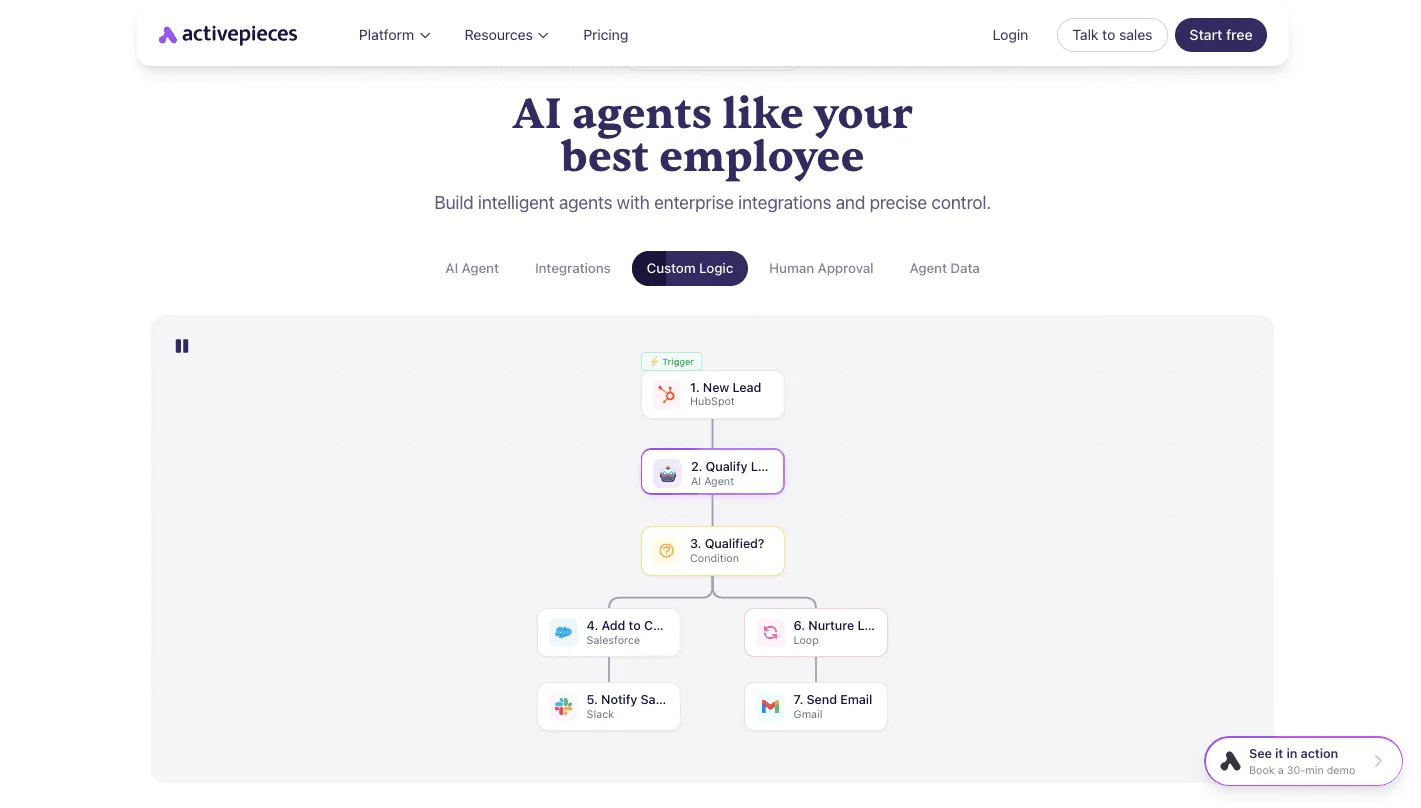
To turn this live stream into an automated action, you must pass the data from the WebSocket's message event to an external workflow trigger.
A common method involves sending a POST request to a Webhook URL provided by your automation platform whenever a specific emotional threshold is met.
The automation platform receives this JSON payload as a trigger event, allowing you to map the emotional scores directly into a visual workflow.
This creates a bridge where the raw prosody data from your code becomes the starting point for complex business logic, such as updating a database or sending a notification.
Handling Hume WebSocket open and message events
Managing the lifecycle of the socket requires explicit listeners for the state of the connection and the incoming data packets.
- The Open Event triggers the initial greeting or a "ready" state in the UI.
- The Message Event parses the JSON payload to extract the
prosodyscores, which represent the emotional intensity of the speech. - The Close Event executes cleanup logic, such as saving the transcript to a database.
By monitoring these events, the system can differentiate between a user who is pausing to think and a user who has finished their thought, allowing your logic to trigger the next step in the automation loop.
Step 2: Defining AI personality and emotional triggers
Defining a configuration via the Hume Config API establishes the operational boundaries for the EVI. This ensures the model maintains a specific role while identifying the precise emotional thresholds required to execute business logic.
This determines if a call requires a human intervention or a specialized offer.
Setting the Hume EVI system prompt
Dictating the vocabulary, tone, and professional boundaries the AI must maintain, the system prompt acts as the primary constraint on the model's linguistic output. Within the Hume Config API, the system injects this prompt into the underlying Large Language Model.
This might be Claude Sonnet 5.5 for fast, cost-efficient reasoning or Gemini 3.5 Flash-Lite for cost-efficient speed. By explicitly naming the role, such as "Senior Billing Specialist," you ensure the AI uses industry-standard terminology, reducing the likelihood of user confusion.
Configuring prosody filters for sentiment detection
Prosody filters allow your system to quantify human emotion by assigning numerical values to vocal characteristics like pitch, rhythm, and intensity.
These values then serve as triggers for automated workflows. The following table maps specific emotional intensities to the required system actions to ensure the automation loop responds correctly to the user's state:
| Emotional State | Threshold | Business Logic Trigger |
|---|---|---|
| High Frustration | > 0.7 | Escalate to Human |
| Deep Confusion | > 0.6 | Simplify Explanation |
| Satisfaction | > 0.8 | Upsell Prompt |
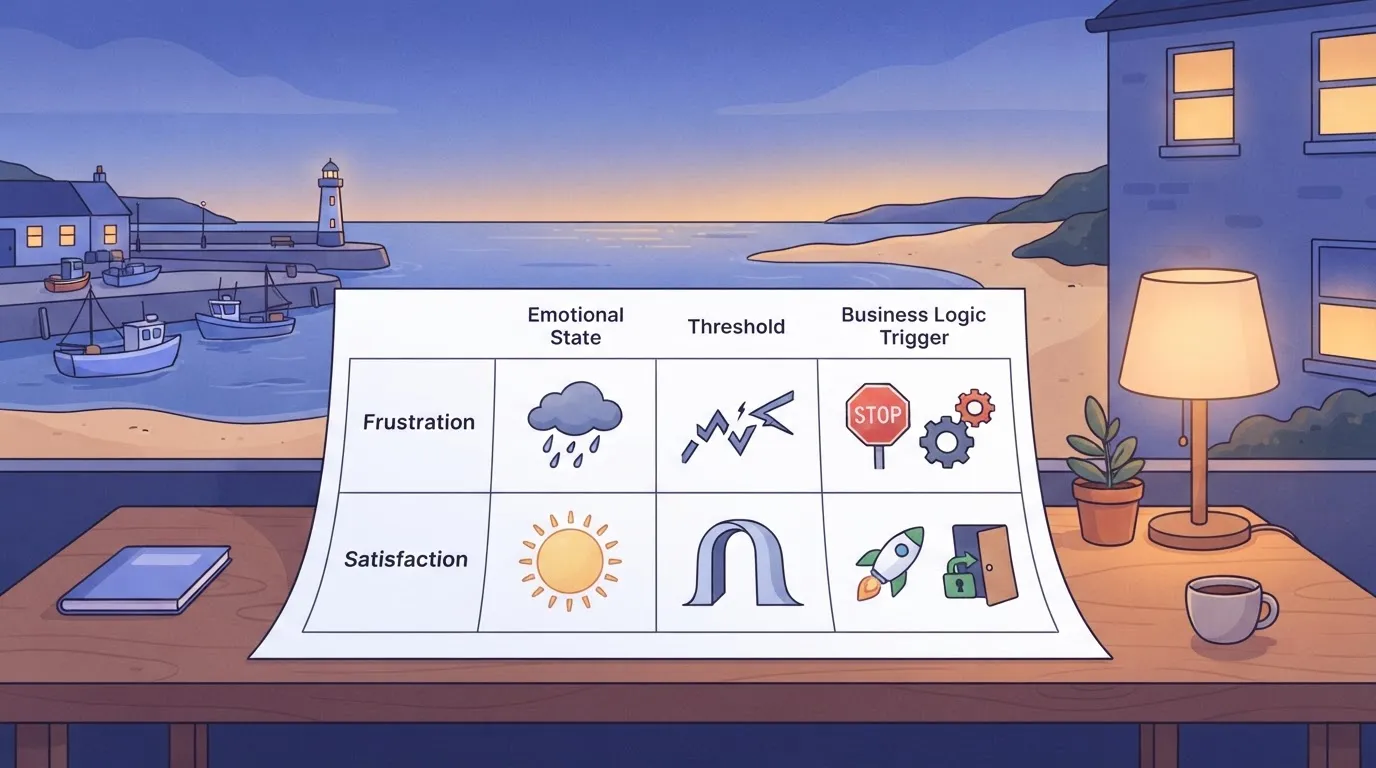
Setting these thresholds too low results in "trigger-happy" logic that interrupts users prematurely. Once the JSON configuration defines these filters, they act as the gatekeepers for the entire closed-loop system.
Testing response latency in the Hume Playground
The Hume Playground provides a visual testing environment where you can simulate real-time interactions to measure the delay between a user's emotional peak and the AI's triggered response.
Testing here reveals how the chosen model, such as GPT-6.2 Astra, handles the overhead of processing both the transcript and the emotional prosody data simultaneously.
If the "Time to First Token" exceeds acceptable limits, you must opt for a faster model like GPT-6.1 Terra or Gemini 4 Neon to maintain the illusion of a fluid interaction.
You can follow the rest of this with the builder open. Start free, no card.
Step 3: Building a persistent memory loop with Activepieces
Activepieces ensures that every connector is an agent tool.
Once an integration is registered, it functions as a workflow step and a tool schema on the per-project MCP server simultaneously, so an agent can call the same logic used in your deterministic flows without a second migration.

Check the Integrations Framework and MCP Server documentation to see how the same action exposed to a flow is reachable from Claude or a custom agent.
Capturing the call_end webhook event surfacing from Hume
The integration begins by configuring a Webhook trigger in Activepieces to listen for the specific event payload sent by Hume when a session terminates.
Because the Message Event already delivers prosody scores live during the call, this webhook instead provides a consolidated JSON summary after the interaction concludes, serving as a backup rather than the only source of prosody data.
The screenshot below illustrates how this logic functions within a scheduled environment, specifically a "Competitor Pricing Change Alert" flow that monitors external shifts to inform future AI-driven sales conversations. This specific flow ensures the AI agent is always equipped with current market data.
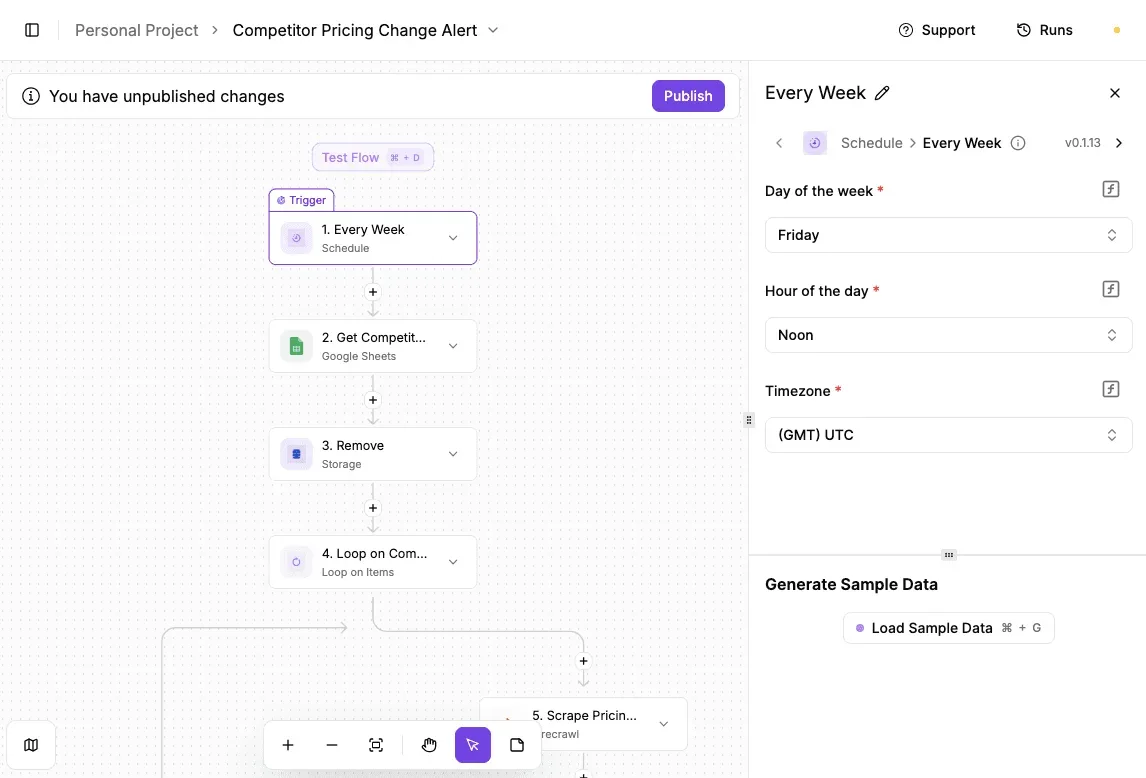
Once the system syncs this background data, it moves to personalizing the record of the interaction itself.
Mapping emotional scores to CRM custom fields
Activepieces parses the complex "Prosody" arrays from Hume and writes them into specific fields within a customer relationship management platform like Salesforce or HubSpot. This makes emotional intelligence useful for long-term account management.
Every agent decision and the emotional data it acted upon is captured in a per-step trace within the Activepieces Debugging UI. These records export directly to your existing SIEM via the event-streaming feature, ensuring that an agent's response to vocal stress is audited.
Companies like MoneyGram and FundingSocieties run this in production to maintain oversight of their automated decision logic.
Salesforce is a cloud-based CRM where emotional scores are stored as custom objects to track sentiment trends over time.
PostgreSQL is a relational database used to store high-resolution emotion logs for training future iterations of the Hume configuration. Slack is a communication tool where high-intensity negative emotion scores trigger immediate alerts to human supervisors.

Automating follow-up actions based on customer sentiment
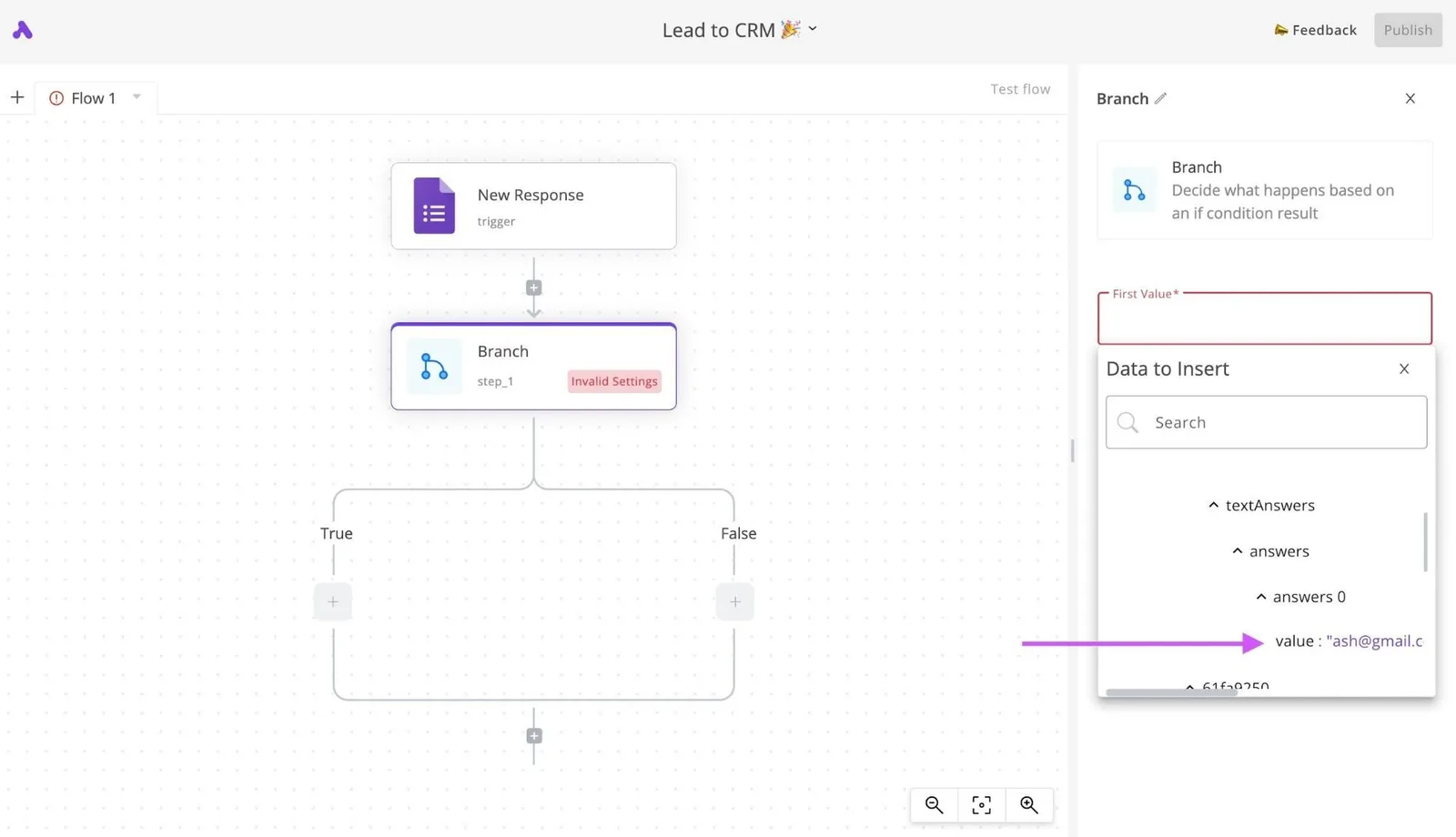
The final stage of the loop uses conditional branching within Activepieces to execute different business workflows based on the emotional state detected during the call.
If the average "Frustration" score exceeds a defined threshold, the system can automatically generate a high-priority ticket in Zendesk to ensure a human agent intervenes. Conversely, a high "Satisfaction" score might trigger a request for a review via an automated email service.
By routing these outcomes through Activepieces, the business logic remains decoupled from the AI model.
Troubleshooting common Hume AI integration errors
Reliable Hume AI implementations require a robust error-handling layer to prevent emotional data streams from stalling business workflows. While the EVI provides a seamless experience, network instability can disrupt the real-time feedback loop.
Fixing Hume socket closed errors and reconnection
The most frequent point of failure is a dropped WebSocket connection, which immediately halts the flow of prosody data. When the socket_closed error occurs, it indicates the link between your client and Hume’s servers has been severed.
To maintain continuity, you must implement exponential backoff. This ensures the API isn't flooded with requests during a local network outage.
| Error Code | Primary Cause | Specific Fix |
|---|---|---|
| message_too_large | Audio chunk exceeds the maximum frame size | Reduce buffer size to send smaller packets |
| socket_closed | Authentication timeout or network interruption | Refresh Token and initiate a new handshake |
| high_latency | Regional bottleneck or slow inference path | Switch to SambaNova for faster processing |
Reducing audio latency in Hume voice conversations
High latency forces users to talk over the AI, which muddies the emotional data. If the round-trip time exceeds the typical human conversational pause, the system fails to feel "empathic."
To mitigate this, you should utilize Gemini 3.5 Flash-Lite as the underlying Large Language Model (LLM) within the Hume configuration. This model is optimized for speed, preventing the text generation phase from becoming a bottleneck that delays the voice synthesis output.
Handling low-confidence emotional scores
Low-confidence scores occur when the audio input is too noisy or too brief for the model to accurately map a specific emotion.
If your logic triggers an automated response based on a score that falls below your defined threshold, you risk executing a high-stakes business action based on a statistical guess.
In these instances, the system should default to a neutral fallback state, prompting the user for clarification.
Frequently asked questions about Hume AI automation
Building a closed-loop system requires moving past the initial novelty of emotional detection to address the structural requirements of a production environment.
Is Hume AI HIPAA compliant for healthcare automation?
Hume AI provides the necessary technical safeguards to support HIPAA compliance. This protection is only active for users on an Enterprise plan who have signed a Business Associate Agreement (BAA).
You cannot use the platform for patient-facing diagnostics or clinical intake without risking a regulatory breach. The platform allows for the redaction of Personal Health Information (PHI) in transcripts and the disabling of audio storage.
This ensures that sensitive patient recordings don't persist on Hume’s servers after the emotional analysis is complete.
Can i use Hume AI for non-English voice interactions?
The Empathic Voice Interface (EVI) supports multi-language interactions by utilizing a language-agnostic approach to prosody. This allows the system to detect emotional intent even when the specific vocabulary varies.
For your global applications, the system can be paired with a translation layer like Gemini 3.5 Live Translate to handle the semantic meaning of the conversation. Meanwhile, Hume focuses on the emotional subtext.
Because the underlying emotional models are trained on diverse vocal expressions, the system can distinguish between frustration and excitement in various dialects.
How do i export emotional data for batch analysis?
Exporting emotional data for large-scale business logic requires calling the Hume API to retrieve the stored expressions and transcripts associated with a specific Job ID. This data is returned in a structured JSON format.
This allows a data engineer to map specific emotional triggers directly to rows in a data warehouse like BigQuery or a customer record in a CRM like Salesforce.
By automating this export, you can move from reacting to individual calls to identifying systemic friction points through aggregate emotional sentiment trends.
Build it
Set this up in minutes.
No code required. Connect your accounts, and Activepieces runs it from there.
Start free Talk to sales