
Raycast Pricing 2026: Full Guide to Plans and Costs

Nov 13, 202612 min read
By functioning as an extensible command palette for macOS, Raycast replaces the native Spotlight search to accelerate your local file navigation and application switching.
While the core utility remains free for your individual use, the platform scales into a paid subscription model to facilitate cloud-based synchronization and integrated large language models.
Raycast pricing tiers for individuals and teams
The Free tier: Core tools and local extensions
For a single user, the Free tier serves as the basic launcher. It keeps tools like the clipboard manager and system commands accessible without a recurring invoice. You can install community-developed extensions from the Raycast Store to integrate with external services.

Bundling a specific model often forces a pre-set AI strategy onto your team, whereas Activepieces runs whichever model you have already selected (using your own provider key at your own rate) so the resulting model spend lands on your own provider account rather than a platform markup.
You can verify this Bring-Your-Own-Key availability by tier on the pricing page, which allows for direct cost control starting at the Plus plan.
Directly from your search bar, Activepieces triggers automated workflows. This tier is restricted to local storage, meaning your snippets and configuration don't follow you if you switch between a MacBook and an iMac.

Raycast Pro: AI access and cloud sync
By centralizing AI interactions and settings across your multiple devices, Raycast Pro introduces a layer of managed services that justifies a monthly fee.
Syncing settings versus advanced data
While the Free plan does not include cloud sync at all, Pro's 256-bit AES encrypted sync covers Snippets, Notes, and Chats but does not cover the heavy data generated by power users. This basic sync ensures your hotkeys and core preferences remain consistent across machines without a subscription.

Upgrading to Pro is required to synchronize more advanced data like your AI chat history, custom snippets, and clipboard history. Without the paid tier, these productivity assets remain locked to the specific Mac where they were created.
Subscribing to this tier grants you access to Raycast AI, which embeds models like GPT-6 Astra and Claude Sonnet 5.5 directly into the interface.
Without maintaining separate browser tabs, you can generate text or refactor code. The inclusion of encrypted cloud sync ensures that your custom snippets and extension settings are identical on every authorized machine.

The following table outlines the current cost structure and resource allocation as defined on the Raycast pricing page.
| Plan | Monthly Price | Annual Price | Included AI Credits |
|---|---|---|---|
| Free | Free | Free | None |
| Pro | Paid Monthly | Paid Annually | Standard AI Access |
| Pro+ | Paid Monthly | Paid Annually | Higher AI Limits & Claude Opus 5.5 |
| Max | Paid Monthly | Paid Annually | Priority AI & Expanded Features |
| Team | Per User Monthly | Per User Annually | Shared Organization Credits |
Prices and plan limits checked against raycast.com on November 13, 2026.
Choosing between local utility and cloud-enhanced intelligence is the primary consequence of this pricing ladder.
Raycast Team: Shared commands and knowledge management
Value shifts from individual speed to organizational consistency under the Team plan. It's a shared environment for your internal scripts and documentation. It allows you, as an operations lead, to publish "Quicklinks" and custom script commands to a private team store.
Choosing between local utility and cloud-enhanced intelligence is the primary consequence of this pricing ladder.
Internal database lookups or project dashboards are handled by every employee using the same standardized shortcuts.
If you are running this arithmetic for your own team, see what the same workload costs on Activepieces.
Raycast plan costs and feature limits compared
By gating advanced models and shared developer tools behind three primary tiers, Raycast scales its utility from a local launcher to a collaborative intelligence hub, which means users can progressively integrate more powerful features into their professional workflows.

You must choose your level of functionality based on your budget and team size.
It's a local tool that lacks the AI features necessary for modern automation workflows.
Upgrading to the Pro tier ($8 per month billed annually) unlocks the AI assistant and unlimited clipboard history, according to Raycast, effectively transforming a simple search tool into a productivity engine that remembers past tasks, which means you can retrieve information without needing to manually archive your work.
For your organization, the Team plan ($12 per user per month billed annually) adds a shared "Organization" workspace, allowing colleagues to centralize their resources and collaborate within a unified digital environment, so team members no longer have to hunt for files across disparate personal accounts.
This workspace allows your developers to push custom scripts and snippets to every colleague’s Mac simultaneously.
"AI Credits" increasingly define the value of these tiers, as Raycast uses them to meter access to frontier models like Anthropic’s Claude Sonnet 5.5 or OpenAI’s GPT-6 Astra.
| Tier | Monthly AI Credits | Primary Consequence |
|---|---|---|
| Pro | 500 | Sufficient for occasional text refinement and basic code explanations. |
| Pro+ | 3,000 | Allows for daily, sustained use of high-reasoning models without throttling. |
| Max | 7,500 | Supports heavy agentic workflows and frequent image generation. |
According to the Raycast Changelog, the Pro+ tier (formerly Advanced AI) has a six-fold increase in credits over the standard Pro plan.
This jump is essential if you're a power user who relies on the "AI Chat" interface for long-horizon coding tasks using Claude Opus 5.5.
Beyond AI, the Pro and Team tiers allow for custom themes and window management presets. These features let you, as an operations lead, standardize the desktop environment across a distributed team.
Hidden costs of high-volume AI usage
Understanding the AI Add-on for Power Users
Casual needs are met by the base level of artificial intelligence in Raycast Pro. If you're a high-volume power user, you must upgrade to the Pro+ plan for higher rate limits and a broader model library.
Without this subscription, the standard Pro tier restricts the number of requests you can send to "Advanced AI" models.
The pricing structure favors predictable monthly billing over pay-as-you-go flexibility. This structure simplifies invoicing, but it forces a flat fee even during low-usage weeks.
The unit cost of every prompt drops when you commit to the higher tier: the Pro+ plan costs $6.67 per 1,000 credits compared to $10.00 for standalone top-ups, meaning your long-term operational expenses decrease as your usage volume grows.
You'll avoid the steep premium of emergency credit refills.
The cost of 'advanced AI' model switching
Toggling between frontier models like GPT-6 Astra for complex reasoning and Claude Sonnet 5.5 for rapid coding assistance is the primary value of the AI Add-on. This flexibility allows you, as an operations lead, to match the specific model's intelligence to the task's complexity.
However, because Raycast bundles these models into a proprietary subscription, you can bring your own API keys from vendors like OpenAI, Anthropic, and Google.
While many tools restrict governance features to their managed cloud, Activepieces includes SSO, SCIM, custom RBAC, and secret manager integration in its air-gapped build just as it does in the cloud.
This level of parity is why regulated organizations like MoneyGram and Moneypenny run it in production today. You can compare the enterprise feature list in the self-hosted documentation against the managed cloud to see the identical capabilities in both environments.
Storage and sync limits for large teams
Standardizing Raycast across your team requires the Teams tier to ensure that custom extensions and quicklinks are synced across every workstation.
Only the Teams plan serves as the centralized management system necessary for you to push updates to a shared library, even though the Pro tier supports individual cloud sync. This centralized control eliminates the risk of team members using outdated or broken internal scripts.
Worth checking against a plan that does not meter every step: one credit covers a whole run on Activepieces.
Raycast alternatives and their relative value
Raycast Max is a cohesive experience if you want frontier models integrated directly into your command bar. Legacy tools and native macOS features are better cost-efficiency options if you already pay for separate AI subscriptions.
The following table compares the current market leaders across the primary dimensions of utility and long-term cost.
| Feature | Raycast Max | Alfred (One-time + Powerpack) | Spotlight |
|---|---|---|---|
| AI Access | Built-in access to GPT-6 Astra, Claude Sonnet 5.5, and Gemini 3.8 Flash | None native; requires third-party workflows and separate API keys | Basic Siri integration and local indexing only |
| Extensibility | Deep React-based API with a centralized community store | Extensive AppleScript and Shell script support via Workflows | Limited to native macOS Shortcuts and file searching |
| Total Annual Cost | Recurring monthly or annual subscription fee | One-time purchase for a lifetime "Mega Supporter" license | Free (included with macOS) |
Paying for the convenience of a managed service is the trade-off when choosing Raycast Max. Alfred remains the standard if you want zero latency in local file searches without a subscription tax.
Automating Raycast workflows with Activepieces
By connecting the command bar to multi-step business automations, Activepieces transforms Raycast from a local file search tool into a global operations hub.
While Raycast Pro handles immediate text expansion, this integration allows you to trigger long-running workflows across external platforms like HubSpot and Salesforce without leaving your keyboard.
How data moves through your organization is clearly mapped in the Activepieces visual builder, as seen in the multi-step lead qualification workflow.
A single command can initiate a chain that qualifies a lead through an AI Agent, updates a database, and generates a Slack notification, as this interface demonstrates.
By selecting specific models like Claude Sonnet 5.5 for intelligence or Gemini 3.5 Flash-Lite for speed within Activepieces, you gain the granular cost and performance control that Raycast’s bundled AI tier lacks.
When to upgrade from Pro to Team plans
When three or more members must synchronize their internal workflows to prevent the fragmentation of institutional knowledge, the transition to a Raycast Team plan is justified.
Centralizing these specific shared resources is how the value of the Team tier is realized:
- Shared Snippets for common code ensure every developer uses the same vetted boilerplate.
- Shared Quicklinks for internal docs reduce the time spent searching for buried Notion or Google Drive URLs.
- Shared Custom Scripts allow your team to deploy internal tools that automate repetitive agency tasks across all machines simultaneously.
- Centralized Billing simplifies expense management by consolidating individual subscriptions into a single invoice.
Moving to this tier ensures that as you scale, your operational speed doesn't degrade due to siloed information.
The Raycast implementation roadmap for teams
To prevent redundant API costs, transitioning your department to a shared Raycast environment requires a systematic migration of individual workflows into a unified organizational structure.
- Audit the connections that are tied to one person's login to identify which community tools are already solving production bottlenecks.
- Check individual AI credit consumption to determine if your users frequently hit the ceiling of the Pro subscription.
- Create a shared Team Organization to act as the single source of truth for proprietary scripts and private extensions.
- Deploy the first shared command to verify that every team member has synced the new organizational environment correctly.
As an operations lead, executing these steps allows you to visualize the total volume of automated tasks across your workforce.
Frequently asked questions
By applying for the Raycast Student Program, individual users can reduce their overhead. This program provides a discount on the annual Pro subscription.
Student and educational discounts
Eligibility is verified through a valid university email address or proof of enrollment.
Raycast provides a discounted rate on the Pro plan for students currently enrolled in an accredited educational institution. This lower price point ensures that you can utilize productivity tools without the full financial burden of a standard commercial license. Raycast requires a valid university email to activate this pricing.
API keys and model switching
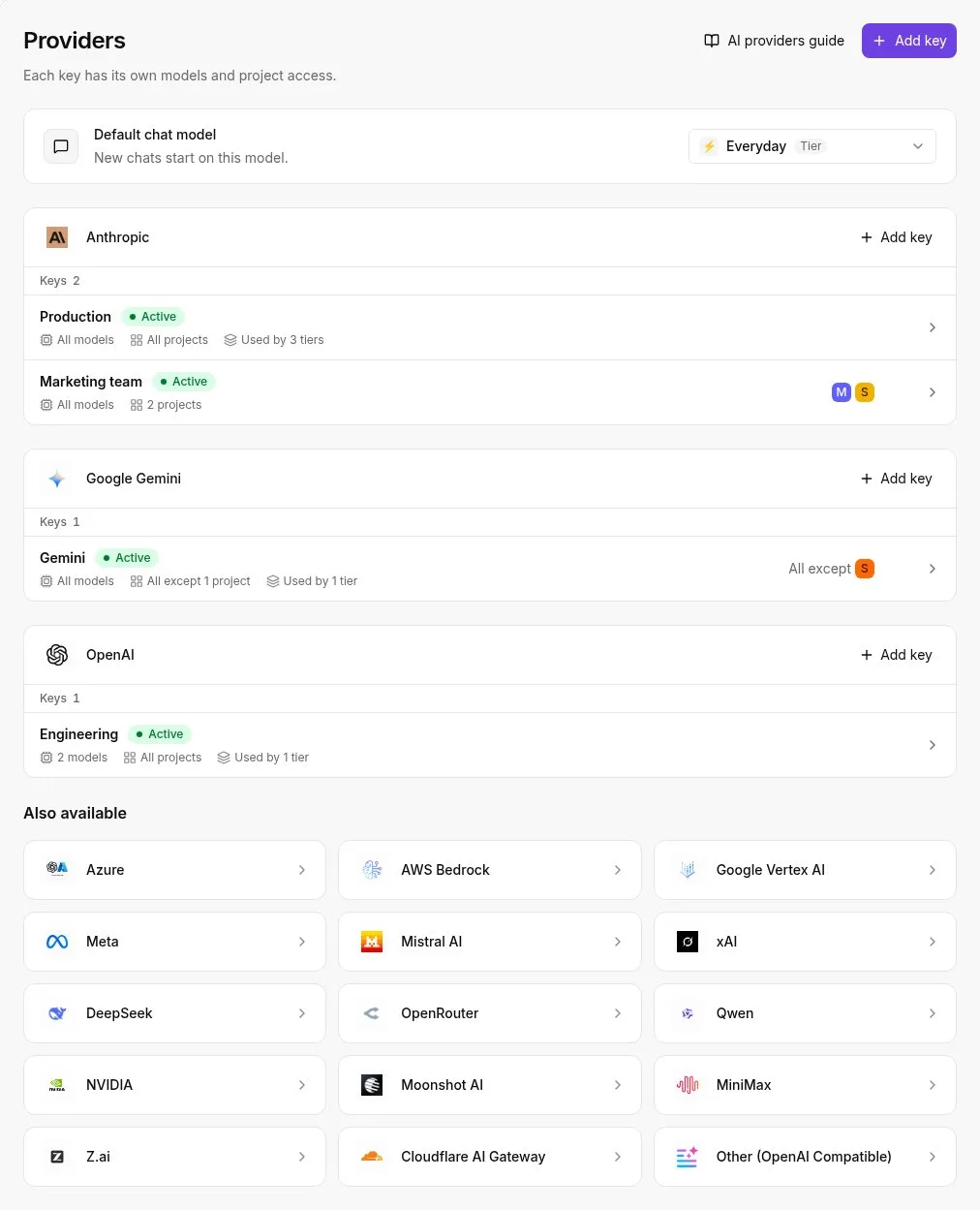
Users can bring their own API keys for the native AI Chat features in Raycast, though doing so now requires a paid Pro plan. The platform operates as a managed service where you pay for tiered access to their selected models.
While community extensions may allow you to connect to external LLM providers, the core Raycast AI experience requires a Pro or Team subscription. This means you cannot bypass Raycast's credit limits or subscription fees by using your own OpenAI or Anthropic credentials for the built-in assistant.
Subscription cancellation and data
Canceling a Pro subscription triggers a transition to the Free tier, which disables cloud-based features like encrypted settings sync. While local data remains on the machine, the loss of synchronization means settings won't update automatically across devices.
Platform availability
Raycast is built as a native macOS application, with dedicated iOS and Windows versions as well. This architecture allows it to integrate deeply with system-level permissions and Apple Silicon.
This platform exclusivity means that teams managing a mixed-OS fleet can't use Raycast as a universal internal tool, as Linux users are unable to run the software, though Raycast does offer a dedicated Windows version.
Running the numbers
See what the same workload costs here.
Free forever plan, and every paid plan self-hosts at no extra cost.
See pricing Talk to sales