
Jotform API Integration in 2026: Key, Limits, First Request

Nov 24, 202614 min read
Jotform's API is a REST interface at api.jotform.com, authenticated by an API key from your account settings.
In about ten minutes you can list your forms, read submissions and create one, and the part worth settling first is who owns the key, since a key tied to one person's login breaks whatever depends on it, whether that's a script or a Activepieces flow, the day that person leaves.
A Jotform API integration is a connection in which your own software uses Jotform's REST API, authenticated with an account-level API key, to list forms, read and create submissions, and receive webhook notifications, within the request limits of your plan.
Jotform API keys and first request
What the Jotform API is and what it covers
If you can see it in the Jotform interface, the API exposes it: forms, their questions, submissions, reports and account details. Requests are plain HTTPS calls that return JSON, so curl is enough to test it.
Stage 1: Create an API key with the right permissions
Create the key under the API section of your account settings, and choose read-only access unless the integration writes data. A key inherits the account's reach, so a full-access key held by a departed employee is a standing risk.
Name each key for the system that uses it and record a named owner.
A key inherits the account's reach, so a full-access key held by a departed employee is a standing risk.
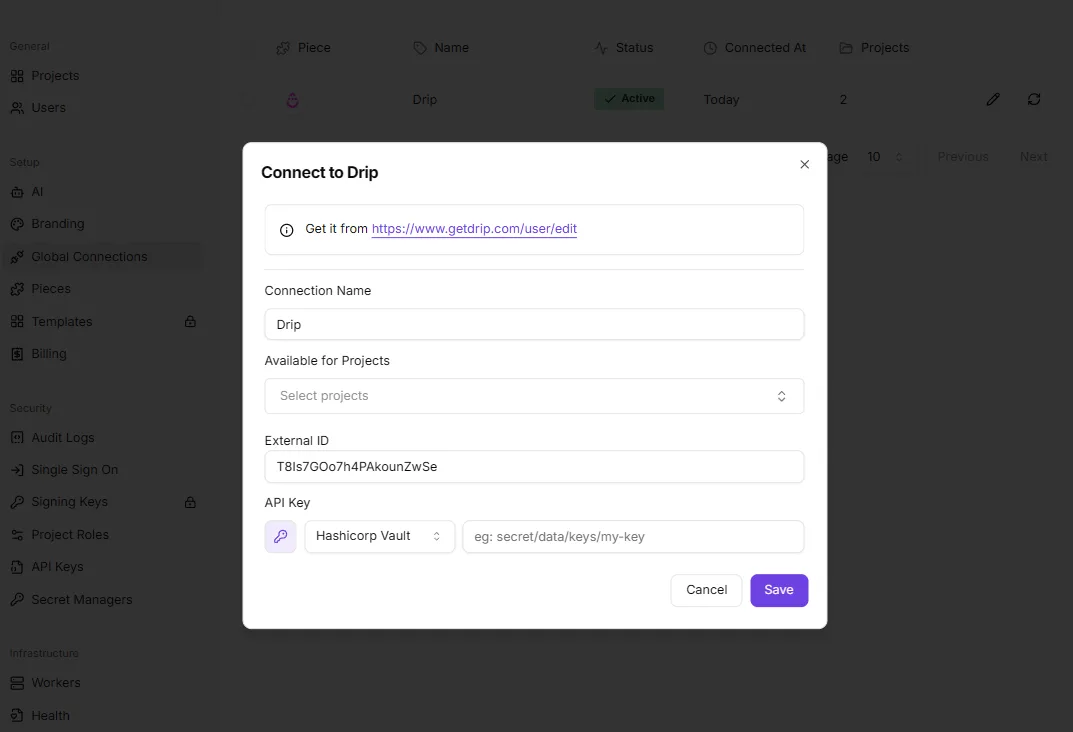
The dialog below, showing a connection to a different service, Drip, has a name, a project scope and a secrets field.
Stage 2: Send a request that lists your forms
Request the forms endpoint at api.jotform.com/user/forms and pass the key in an APIKEY header. Prefer the header to a query parameter, because query strings end up in proxy logs and browser history.

A successful response returns a JSON object whose content holds your forms, each with an ID you'll reuse.
Check the response code and the message field before you parse anything. An expired key, a wrong region and a revoked permission each fail differently, and a script that assumes success will report nothing at 2am while data goes missing.
Read and create Jotform submissions with the API
Read submissions with a GET to the form's submissions endpoint, using a form ID from the previous step. Each answer is keyed by the question's ID, not its label, so fetch the form's questions once and map IDs to names in your code.
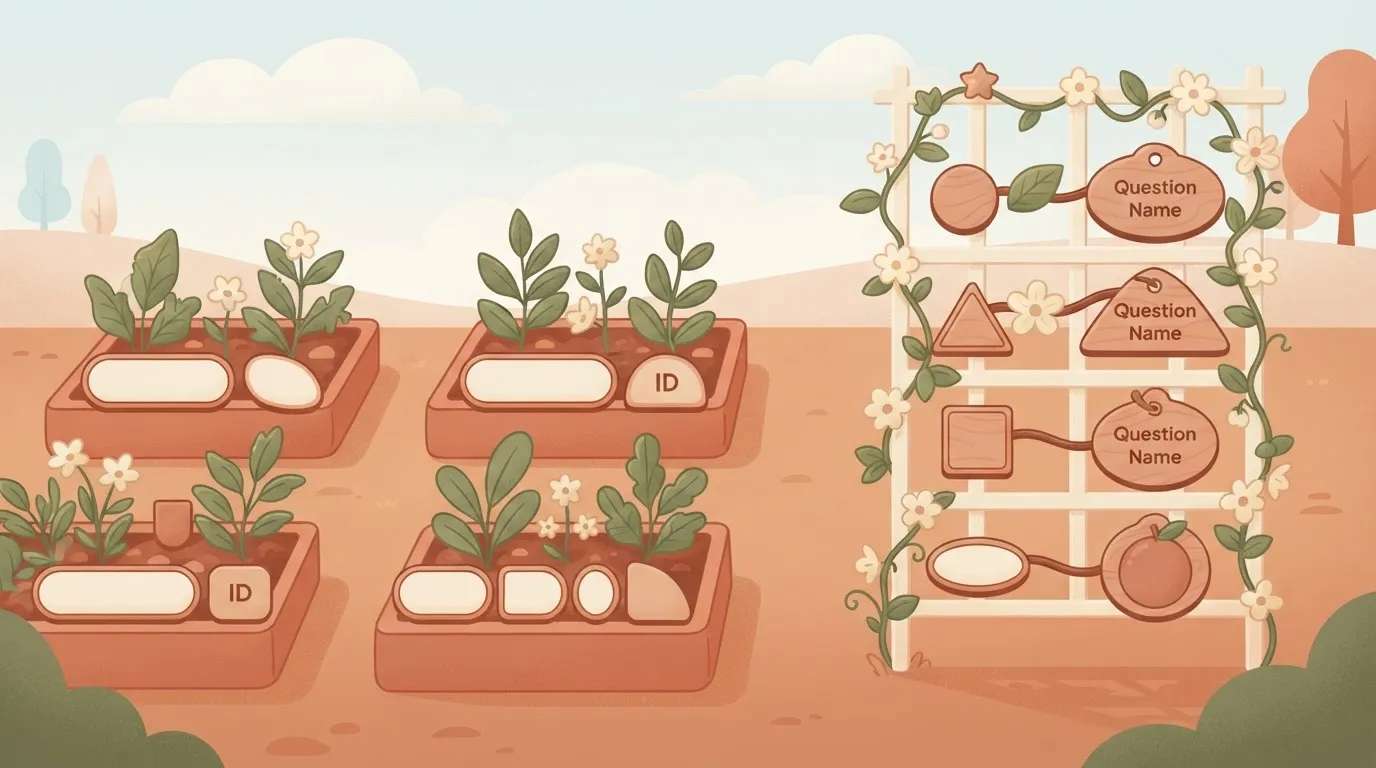
To create a submission, POST to the same endpoint with each answer sent as a submission field keyed by question ID.
Create a test submission on a throwaway form first, because a write against a live form lands in the same inbox and notifications as real customer data. Then re-read it to confirm the stored values match what you sent.
Everything below works on Activepieces' free plan. Start without code or a credit card.
Jotform API endpoints, in the groups builders use
Before you call anything, know that the documented API splits into seven groups, and the group you call decides which ID you must hold and which verbs can change data, so the 2am question of who can delete what starts here.
| Group | What it reads or writes | HTTP verbs | ID required |
|---|---|---|---|
| User | Account details, usage, settings, form lists | GET, POST | None; the API key identifies the account |
| Form | Form properties and the forms themselves | GET, POST, PUT, DELETE | Form ID |
| Questions | Fields on a form | GET, POST, PUT, DELETE | Form ID |
| Submissions | Responses to a form | GET, POST, PUT, DELETE | Form ID to list or create; submission ID to edit or delete |
| Webhooks | Notification URLs registered on a form | GET, POST, DELETE | Form ID |
| Reports | Report definitions built on a form | GET, POST, DELETE | Form ID |
| Folders | Folders that organise forms | GET, POST, PUT, DELETE | Folder ID |
Jotform also publishes client SDKs and an API explorer, and the explorer lets you try a call before writing code.
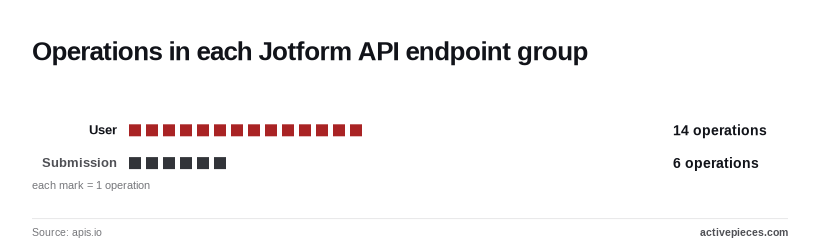
At 14 operations, the user group is the largest, so it's where a key's reach is easiest to underestimate.
A key that can list every form, read account usage and change settings is an account-level credential, not a form-level one. Decide who owns it before you paste it into a script.
Jotform API submission endpoints and filters
With 6 operations, submissions are far smaller than the user group, so the surface is small enough to audit completely. Reads accept filters, so your integration should request only the window it needs instead of pulling every response on each run.
Edits and deletes need a submission ID, which means a retry that recreates a record can leave duplicates unless you store that ID.
With webhooks registered per form, a hundred forms means a hundred registrations to check. List a form's webhooks before adding one, because a second registration means your receiver gets every submission twice.
EU, HIPAA and Enterprise base URLs
Match the base URL to where the account lives. EU-hosted accounts, HIPAA accounts and Enterprise installations each use a different host from the default, and a key sent to the wrong one fails as if it were invalid.
Jotform API pricing and rate limits by plan
Whoever holds the billing relationship sets your ceiling, because Jotform's published limits tie API capacity to the plan, not to a per-call charge.
Daily API call limits by tier
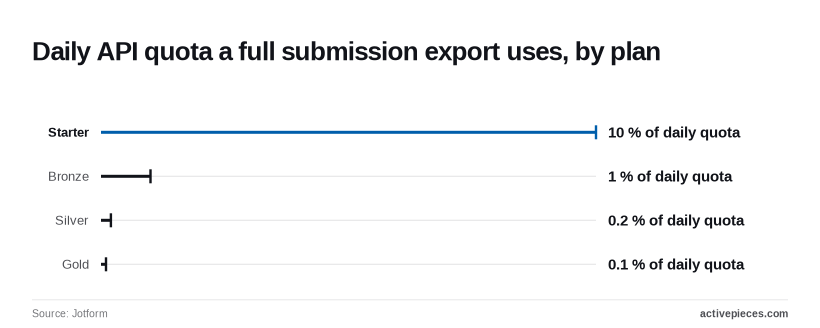
According to Jotform's daily API call limits page, a quota is set per plan, and a full 100,000-entry export uses 10% of a day's quota on Starter, the free tier.
The table below sets the five plans side by side; where I couldn't verify a figure, the cell says so, so you check it before you size anything.
| Plan | Price | Daily API calls | Monthly submissions | Active forms | Behaviour at limit |
|---|---|---|---|---|---|
| Free (Starter) | $0 | Not verified | Not verified | Not verified | Not verified |
| Bronze | Not verified | Not verified | Not verified | Not verified | Not verified |
| Silver | Not verified | Not verified | Not verified | Not verified | Not verified |
| Gold | Not verified | Not verified | Not verified | Not verified | Not verified |
| Enterprise | Quoted | Not verified | Not verified | Not verified | Not verified |
Checked 24 November 2026. Confirm each marked cell on Jotform's pricing page before relying on it.
The export figures show the gap between tiers. The same 100,000-entry export takes 1% of a day on Bronze, 0.2% on Silver and 0.1% on Gold.
On Starter, one backfill consumes a tenth of the day, so a second job running beside it can exhaust the quota. By Gold, the export is background noise and the limit you hit is more likely to be submissions or forms.
Bulk reads are all those percentages cover. Polling loops, retries after errors and several services sharing one key all draw from the same daily count. Log your call volume from the first day, so you know which tier you are actually on.
Submission and storage caps that also stop an integration
Don't stop at daily calls: each plan also caps monthly submissions and active forms, and I've no verified figures for either, so I've left them unstated.
The practical consequence is that an integration can fail while the API is still answering normally. If a form stops accepting entries at the cap, your automation sees silence instead of an error, and nobody is paged.
Record each cap in the same runbook as the API key owner, then alert on submission counts as well as on HTTP errors.
Easier to see it running than to read about it: set it up free, no card.
Jotform API errors in production and troubleshooting
Alert on the HTTP errors below as well, because each has a different cause and a different owner for the fix. The first thing to check for any of them is who holds the API key and which region the account lives in.
- 401: the key is wrong or revoked, or it's read-only and was used for a write. Issue a key with write permission and store it where the key owner can rotate it.
- 403: the key is valid but the account or form isn't permitted to do this. Check who owns the form and what the plan allows.
- 404: almost always a wrong form ID, so copy it again from the form itself.
- Limit exceeded: the plan's API or submission cap has been reached, so back off and reduce calls.
- 5xx: the fault is on Jotform's side. Retry with increasing delays and escalate only if it persists.
- Wrong-region base URL: an account hosted outside the default region fails against the default host, so confirm the base URL matches the account.
Treat 401 and 403 as configuration faults, not transient ones. Retrying won't fix them and will only fill the log.
Fail loudly, page the key owner, and check the base URL before suspecting the key.
Paging the key owner raises the question of where that key physically lives. Activepieces supports external secret managers on its enterprise tiers, so you can manage Jotform credentials centrally alongside SSO and audit logs.
The same secret-manager integration is listed in the enterprise governance feature set beside SCIM, custom RBAC, SSO/SAML and audit logs, and MoneyGram, Moneypenny, Alan and FundingSocieties run Activepieces. Zapier and Make keep your credentials in their cloud, with no self-hosted edition to change that.
When the limit is exceeded, retry with growing delays and a ceiling on attempts. Cache form definitions, which rarely change, so they don't consume your allowance on every run. Polling burns quota whether or not anything happened, which is the main reason to prefer webhooks.
By default, submission listings are paginated, using limit and offset. A script that reads one page will look healthy while silently ignoring older or newer records.
Loop until a page comes back short, and filter on created_at so each run asks only for what is new since the last successful one.
Assume any delivery can arrive twice, so the receiver must be idempotent. Key every write on the submission ID and ignore a repeat.
Acknowledge quickly and process afterwards, so a slow downstream system doesn't provoke redelivery.
Connect Jotform submissions to other apps with Activepieces
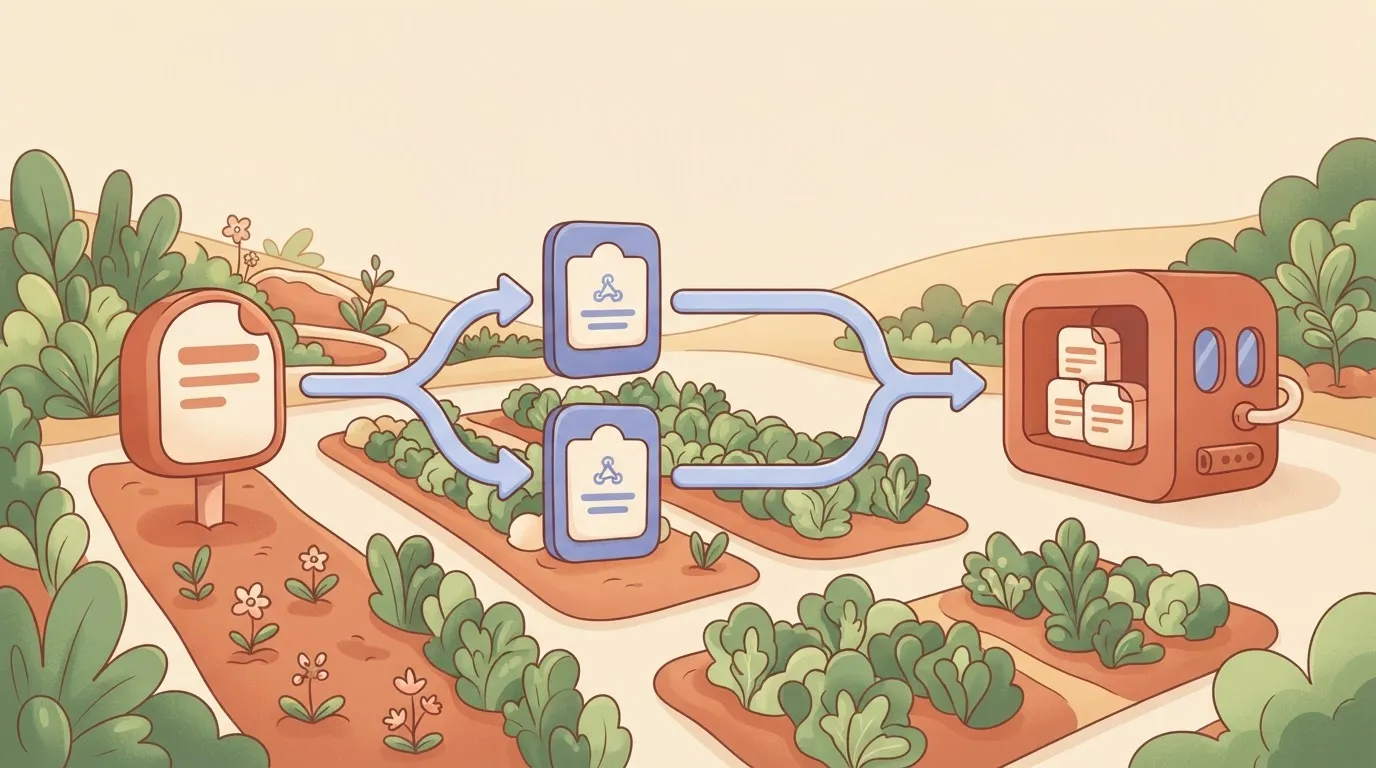
If the reconciliation job is the backstop, Activepieces can own the front line: build a flow that starts from Jotform submissions and passes them on to any of its 750 integrations, with deterministic steps like branches and retries.
Jotform webhooks versus a hosted workflow
When a custom receiver stops accepting deliveries at 2am on a Tuesday, the person paged is whoever wrote it. A hosted flow moves the receiving endpoint to the platform.
What stays with you is the API key behind the connection, the field mapping and the question of who watches failed runs. Name that owner before you publish.
When you need the raw payload verified your way, or logic that doesn't fit a flow, custom code still makes sense.
For the common job of sending each new submission to a CRM, a sheet or a Slack channel, the trigger removes the endpoint and its upkeep.
Set up a Jotform new submission trigger
Nothing needs a server of yours, only a key and a mapping. The steps below follow the flow editor from an empty canvas to a published flow.
- Create a flow and add the Jotform "New Submission" trigger.
- Create the connection with your Jotform API key. Use a key made for this flow, so revoking it affects only this flow.
- Pick the form the flow should watch.
- Run the test step to load a sample submission. Check that the fields you need appear with the names you expect.
- Add the action: a CRM record, a spreadsheet row or a Slack message.
- Map each field from the sample into the action's inputs. Fill any required field the form may leave blank with a fallback, or the run will fail on real data.
- Publish the flow.
After publishing, submit the form yourself and confirm the run appears in the flow's run history and the action fired.
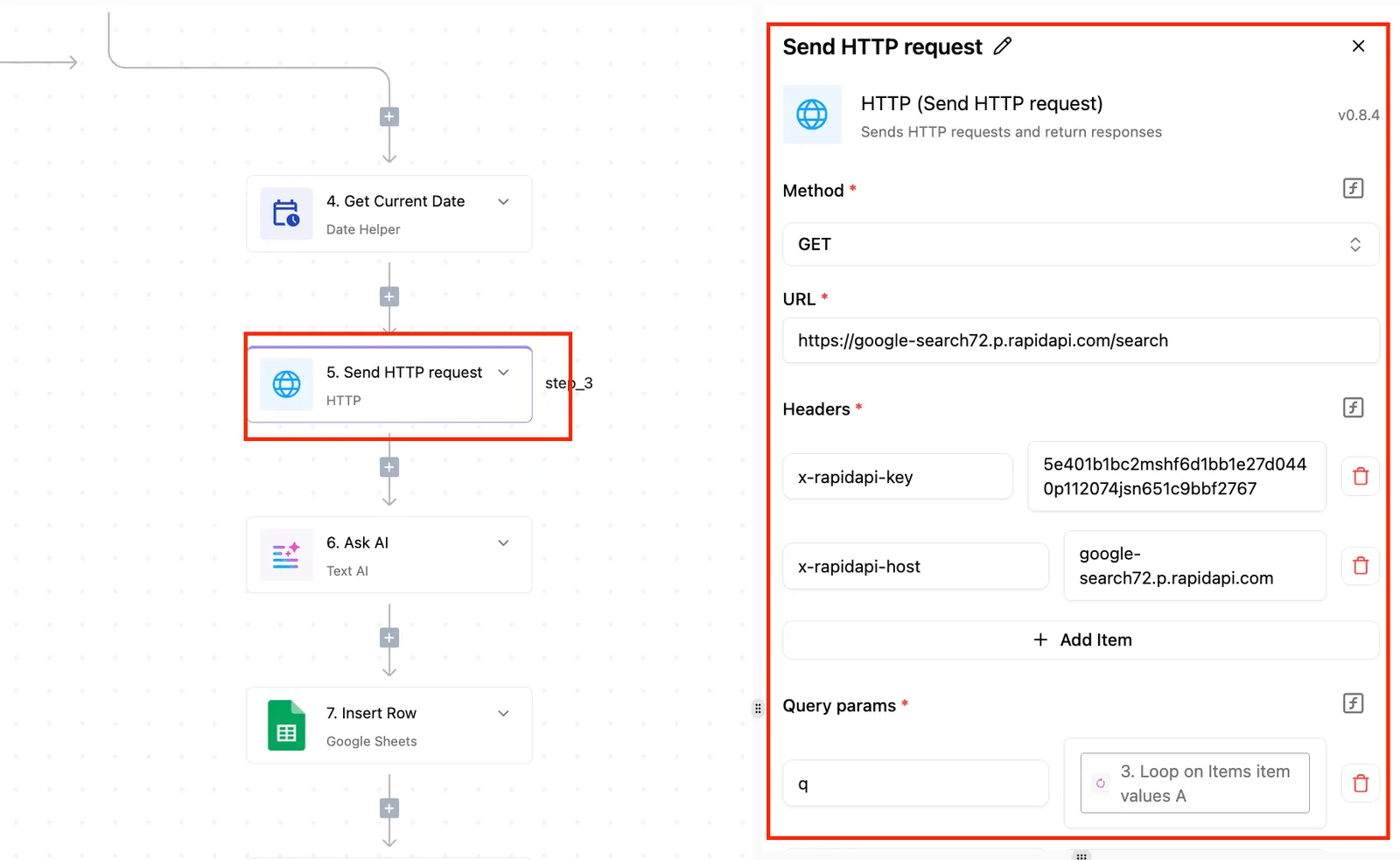
If Jotform offers an endpoint the built-in integration doesn't cover, add an HTTP request step to your flow. It calls the Jotform API with the same key, which suits the created_at lookups your reconciliation job needs.
On Monday, in this order:
- Write down who owns the flow and who receives its failure alerts.
- Generate a dedicated API key for it and record where it is stored.
- Build the trigger flow for one form and test it with a live submission.
- Schedule a second flow that runs the
created_atreconciliation and flags any submission with no matching downstream record. - Review failed runs weekly until the owner trusts the flow.
Frequently asked questions
Is the Jotform API free to use?
Yes, there's no separate charge for API access; it comes with the account. The cost is in the plan's limits, which cap how many API calls you can make per day and how many submissions you can hold.
Read the current limits on Jotform's pricing and API pages before you size a job, because a nightly reconciliation that pages through every submission can exhaust a small plan's allowance and leave the next morning's calls failing.
Can I use the Jotform API with a free account?
Yes. A free account can create an API key and call the endpoints, which is enough to build and test your first request. The catch is that the free tier's quotas are the tightest, so treat it as a development environment.
If production traffic runs on a free account, the person who owns that account owns your outage, and that should be a named person, not a shared login nobody remembers creating.

Does Jotform support OAuth instead of API keys?
For server-to-server work, the documented route is the API key, passed as a header or query parameter.
Jotform's docs also describe an OAuth-style authorisation flow for apps acting on behalf of other users, but check the current developer documentation for what your account type can use.
For an internal integration, create the key with the narrowest permission that works. A read-only key can't delete forms if it leaks.
How do I get submissions from the EU Jotform server?
Point your requests at the EU API host instead of the default one, and use a key created in the EU account.
A key from one region won't authenticate against the other, so a request that works in testing can return authorisation errors once it meets an EU account.
Keep the base URL in configuration, not scattered through code, so the region is a single setting someone can audit.
Does the Jotform API support webhooks for new submissions?
Yes. You can attach a webhook URL to a form, in the form's settings or through the API's form webhook endpoints, and Jotform sends an HTTP POST to it for each new submission.
Your receiver should acknowledge quickly and do the real work afterwards, because a slow response invites retries and duplicates.
If your endpoint was down, nothing replays the gap for you, so webhooks are not a complete record. Pair them with a scheduled backfill that queries submissions by created_at, and alert when either path fails.