Jotform Pricing 2026: Plans, Costs & What You Get

Sep 29, 202614 min read
Jotform remains a powerhouse in the online form space, offering a robust suite of tools that cater to everything from simple contact forms to complex enterprise-level data collection.
As organizations look to streamline their workflows, many choose to connect their forms to external databases using Activepieces to automate lead routing and follow-ups.
However, navigating the 2026 pricing structure requires a keen eye, as the shift toward usage-based limits on submissions, storage, and signed documents can quickly escalate costs for high-volume users.
Understanding these tiers is essential for businesses trying to balance advanced functionality with a sustainable monthly budget.
Jotform pricing plans and usage limits for 2026
Under the hood, Jotform operates as a tiered Software-as-a-Service (SaaS) platform. The cost of entry depends on the volume of data you collect rather than the complexity of the logic you build.
This model forces a choice between paying for unused capacity or hitting hard caps that halt data collection. The run is the meter, not the steps inside it, when using an external automation engine to handle the logic instead.
Because pricing does not rise with granularity, you can build reliable, multi-step flows without being taxed for the discipline of breaking work into smaller parts.
The platform bills a single credit for a flow run regardless of how many steps it contains, which avoids the escalating costs found in Zapier’s per-task or Make’s per-module models.
Starter: The permanent free tier limits
Think of the Starter plan as a restricted testing environment. It's not a viable production tier for any active business process. Jotform caps you at 5 total forms. You can't run a separate intake form for each of your six primary service lines without upgrading.
When a successful marketing campaign goes viral on a Tuesday, the limit of 100 monthly submissions proves dangerously low. You could wake up on Wednesday to find your form disabled, losing all subsequent leads for the rest of the month.
Jotform Bronze, Silver, and Gold plans compared
To accommodate increasing traffic, you have to move into the paid tiers. They function as a series of expensive cliffs where the cost-per-submission fluctuates as you move up. The following table illustrates how the financial burden shifts as your data handling needs grow.
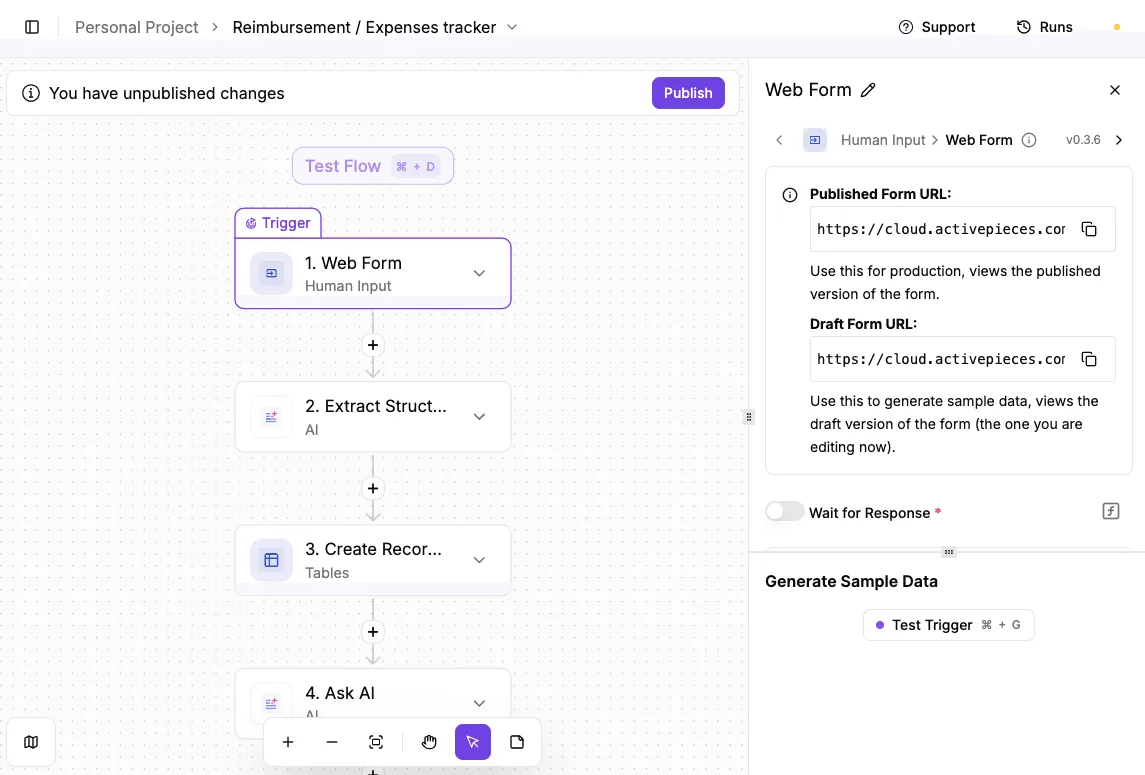
You often pay for a higher tier just to satisfy a single metric like payment processing.
| Plan | Monthly Price (Billed Annually) | Monthly Submissions | Total Submission Storage | Payment Submissions |
|---|---|---|---|---|
| Starter | $0 | 100 | 500 | 10 |
| Bronze | $34 | 1,000 | 10,000 | 100 |
| Silver | $39 | 2,500 | 25,000 | 250 |
| Gold | $99 | 10,000 | 100,000 | 1,000 |
Prices and plan limits checked against jotform.com on September 29, 2026.
By making the jump from Silver to Gold, you take on a 153% increase in monthly overhead, which means your operating costs will more than double. If you only need 2,600 submissions, you're paying for 7,400 submissions you don't use.
Enterprise: Custom pricing for compliance needs
Only on the Enterprise tier do you get a dedicated server environment. If you must isolate your data from other tenants for security audits, you'll require this setup.
It removes the 1 User individual plan restriction found on all lower tiers, which enables your team to collaborate without sharing credentials. Because this tier requires a sales call to determine pricing, the cost-per-run becomes opaque.

This often leads to significant budget variance for your scaling department.
If you are running this arithmetic for your own team, see what the same workload costs on Activepieces.
Hidden costs of Jotform usage limits and compliance
Behind the sticker price, Jotform’s pricing model forces a constant trade-off between monthly throughput and long-term data retention.
While the sticker price suggests a predictable monthly expense, the reality for your growing operation is a recurring cycle of overage anxiety. Hitting a limit results in immediate form deactivation.
The submission vs. storage trap
Even if you pay for a higher tier to handle a seasonal spike, your account remains tethered to a Total Submission Storage limit.
This is the primary friction in Jotform’s architecture: the hard cap on total storage versus monthly submission resets. The Gold plan caps this at 100,000.
By using an open-source workflow orchestrator, you can offload data management from the form builder to external, low-cost databases. The MIT-licensed core allows you to build these bridges without being locked into a proprietary storage engine.
By utilizing a workflow tool to instantly transmit every entry to a tool like Google Sheets or Supabase, you can delete submissions from the primary form builder as they arrive.
This approach leverages the 735+ integrations available in the monorepo to ensure your data lands exactly where your team needs it, bypassing Jotform's storage fees.
The HIPAA compliance price jump
To handle protected health information (PHI) legally, you must subscribe to Jotform Gold. Achieving HIPAA compliance requires a $99 monthly payment, so you must budget for this recurring expense to maintain legal standards. Jotform gates necessary security features behind its most expensive non-enterprise tier.
This adds significant overhead to every single form submission.
Air-gapped means full control, not a fraction, for teams that cannot risk data leaving their perimeter. Regulated organizations run the self-hosted edition of Activepieces in production today to keep sensitive health data within their own infrastructure.
The self-hosted, air-gapped documentation confirms that enterprise features like SSO, SCIM, custom RBAC, audit logs, and secret managers are identical to those in the SOC 2 Type II managed cloud.
Jotform HIPAA compliance pricing and requirements
At $99 per month for HIPAA-enabled forms, Jotform Gold represents the minimum entry point for their Business Associate Agreement (BAA), effectively setting the floor for your platform investment, which locks out smaller practices from accessing necessary compliance features.

It effectively locks out smaller practices from affordable compliance, a steep tax compared to other builders. This represents a significant recurring overhead for your medical entity.
Look at the alternatives: Typeform Business costs $83 per month, yet it isn't HIPAA compliant on this tier, meaning it cannot be used for handling protected health information.
This forces you into an opaque Enterprise negotiation. Tally Pro costs $29 per month, making it a significantly more affordable option for users who do not require medical data security, so those handling non-sensitive information can preserve their margins.
This offers a much lower floor for advanced features, though it lacks the specific HIPAA vaulting found in Jotform.
While Jotform is a clear leader in providing a self-serve compliance path, it demands a 191% premium over standard professional tiers like Tally Pro, forcing a trade-off between specialized security and budget efficiency, meaning you must weigh the cost of legal protection against your operational overhead.
The convenience of an automated BAA is a costly luxury.
Following this jump, you'll often find that the high price of compliance doesn't automatically grant you full control over your brand presentation.
The convenience of an automated BAA is a costly luxury.
Jotform white-labeling and branding removal costs
Even at the highest tiers, you face restrictions on full brand autonomy. If you're a small business on the Bronze or Silver plans, you're paying to advertise for the vendor.
Removing the "Powered by Jotform" footer is only possible on paid plans starting at $34 per month, so you cannot achieve a fully white-labeled experience without committing to a recurring monthly expense.

Whether you have low volume or high, if you're a startup trying to maintain a professional veneer, you're paying for a subscription regardless of your actual volume needs.
Enterprise users reserve true white-labeling. This means using a custom domain without the Jotform URL. You're stuck with a disjointed user experience that can degrade trust during high-value transactions.
Jotform as a unified business operating system
Think of Jotform as a unified operating system where data collection, document generation, and database management share a single, integrated DNA. By consolidating these functions, you eliminate the integration tax. This represents the engineering hours you'd spend mapping fields between disparate tools.
With a single form submission, you can simultaneously update a project board, generate a legal contract, and trigger a secure signature workflow.
Jotform's integrated forms, tables, and PDF workflow
Because of this architectural cohesion, a change in a form field automatically propagates to the PDF template. You can update a service agreement without touching a line of code.
When your high-velocity team utilizes advanced reasoning models like Claude Sonnet 5 to draft complex logic for these forms, the value shifts from simple data entry to agentic workflow automation.
In this ecosystem, the premium price reflects all-in-one convenience.
The cost of a single subscription replaces the cumulative fees of a dedicated e-signature provider, a document generator, and a relational database tool.
If you're prioritizing speed of deployment over granular cost-per-run efficiency, this ecosystem is a good enough version of every essential business tool within one walled garden.
The cost of convenience vs. execution volume
While this all-in-one approach eliminates the need for external middleware, it forces you to pay for the entire suite even if you only need high-volume data collection.
You are essentially paying a premium for the convenience of native automation, which becomes a liability when your submission volume triggers a tier jump.
If your business requires thousands of monthly submissions but only simple logic, the unified operating system model becomes an expensive anchor. You end up paying for PDF editors and signing tools you don't use just to satisfy the submission quota of the Gold plan.
You are essentially paying a premium for the convenience of native automation, which becomes a liability when your submission volume triggers a tier jump.
However, this convenience creates a functional gravity that makes migrating away difficult once your data is distributed across all four spokes.
Worth checking against a plan that does not meter every step: one credit covers a whole run on Activepieces.
Modular stack vs Jotform's all-in-one premium
To escape this functional gravity, you need a modular stack that isolates data collection from backend execution, lowering fixed overhead while preventing platform lock-in. When a single utility platform commands your forms, databases, and logic, you lose the ability to optimize each layer for cost.
A modular approach allows you to use a lightweight form builder for intake and a separate execution engine for the heavy lifting. This prevents the "all-or-nothing" pricing trap where a spike in data volume forces you to upgrade your entire business operating system.
Jotform alternatives compared on value and scale
Before choosing an alternative, you must balance the immediate cost of a submission against the long-term overhead of managing complex logic and brand consistency.
While Jotform provides a broad feature set, its pricing model often penalizes growth by bundling high-end capabilities with restrictive volume caps. If you're prioritizing specific outcomes over generalist utility, the following platforms represent a distinct trade-off.
- Tally decouples standard form features from submission limits.
- Typeform prioritizes the respondent experience through a conversational interface.
- Formstack targets enterprise workflows by offering deeper native integrations and sophisticated logic branching.

Once these platforms are integrated into modern development stacks, the choice of LLM for data processing further defines the total cost of ownership.
You'll often use Claude Haiku 4.5 for its high speed in cleaning incoming form data, or GPT-6 Luna to handle high-volume categorization tasks efficiently.
For workflows requiring complex reasoning based on form inputs, Gemini 3.8 Flash provides the intelligence necessary to route submissions to the correct internal departments without manual intervention.
Reducing Jotform costs with Activepieces automation
To keep the lights on, you must manually delete historical records or pay for an Enterprise seat. This creates a maintenance tax. You'll spend billable hours building local backups to clear space, rather than focusing on product logic.
With this tactical purging, your account never hits the Total Submission Storage ceiling. It prevents the platform from disabling forms or forcing an upgrade to a higher monthly tier just to maintain historical records.
The following modular stack illustrates how you can decouple execution from storage to avoid these legacy pricing traps.
| Component | Function |
|---|---|
| Tally.so | Provides the interface for unlimited forms and submissions without per-response fees. |
| Activepieces | Manages the workflow logic, routing data based on conditional rules. |
| Google Sheets | Primary data storage for easy team access and reporting. |
| DocuSign | Handles formal signature execution only when the workflow requires it. |
By adopting this architecture, you ensure that costs scale with the complexity of your business logic rather than the mere quantity of rows in a table.
MoneyGram and FundingSocieties run Activepieces in production today to manage these types of high-volume, multi-step data flows without the scaling penalties of traditional form builders.
Instead of paying a premium for vendor compliance, Activepieces allows you to maintain data privacy standards by self-hosting the automation engine on your own infrastructure.
Roughly 60% of the integrations used to move this sensitive data are community-contributed, ensuring a broad range of secure endpoints are available without the $99 monthly Gold tier requirement, so users can maintain regulatory standards while avoiding the premium subscription cost.
By treating the form as a headless data source, you can remove third-party logos and establish a professional brand presence through Activepieces. Companies like Alan use this architecture to maintain a seamless user experience while keeping the underlying automation invisible.
You then use Activepieces to handle the backend heavy lifting, an approach that gives you total control over the CSS and user experience. Your brand identity is protected without recurring fees for cosmetic aesthetic changes.
Frequently asked questions about Jotform billing
Behind the plans lies a rigid pricing structure where costs are tied strictly to account-wide volume rather than specific functional needs.
Does Jotform offer a discount for non-profits?
To lower the barrier for charities needing enterprise-grade security, registered non-profit organizations are eligible for a reduced rate on paid plans. This discount applies to the monthly or annual cost of Bronze, Silver, and Gold tiers.
You must submit an application and wait for manual approval before the lower rate is reflected in your billing cycle.
The discount provides a 50% reduction for qualifying organizations, effectively halving the barrier to entry for non-profits and educational institutions, so these groups can allocate more of their limited budgets toward core mission activities.
What happens if I exceed my monthly submission limit?
The moment you exceed the submission limit, Jotform triggers the immediate suspension of all active forms. Potential leads or customers will see a "quota exceeded" error instead of your landing page.
To restore service, you must either wait for the first day of the next calendar month for the counter to reset or perform an immediate plan upgrade to a higher tier with a larger capacity.
Can I get a refund if I cancel my annual plan?
If the cancellation request is submitted within the initial thirty-day window of the purchase, a full refund is available. This is a limited trial period for new subscribers.
After this thirty-day grace period, the payment becomes non-refundable. Your account remains active at the paid level until the end of the pre-paid annual term. This policy applies strictly to the most recent transaction.
Is Jotform Sign included in all pricing tiers?
While Jotform Sign is available on all plans, it is governed by a separate Signed Document limit that is significantly lower than the standard submission limit.
If you're on a mid-tier plan, you might have thousands of standard form slots available but find your forms disabled. This happens because you reached your much smaller monthly allowance for legally binding signatures.

This specific limit resets on the same schedule as the primary account.
Related reading
References
Running the numbers
See what the same workload costs here.
Free forever plan, and every paid plan self-hosts at no extra cost.
See pricing Talk to sales