
Liquid AI Pricing: Models and API Costs (2026 Guide)

Nov 9, 202614 min read
Liquid AI pricing is how Liquid charges for its LFM models.
Liquid AI pricing today, plan by plan

On its pricing page, hosted input prices run from $0.02 to $0.35 per million tokens, as checked on 2026-11-09, so token costs vary by a factor of 17 depending on the model, which matters whether you call the API directly or route it through a workflow tool like Activepieces.
The table lists each way to pay and what Liquid publishes for it. Where a cell reads "contact sales", you can't budget from the page alone and need a quote first.
| Plan or model | Input $/1M | Output $/1M | How billed | Source, checked |
|---|---|---|---|---|
| d1.1 (hosted API) | 0.02 | contact sales | per token | liquid.ai/pricing, 2026-11-09 |
| d1-ultra (hosted API) | 0.042 | contact sales | per token | liquid.ai/pricing, 2026-11-09 |
| LFM2.5-24B-A2B (hosted API) | 0.05 | contact sales | per token | liquid.ai/pricing, 2026-11-09 |
| LFM3-1.7B (hosted API) | 0.08 | contact sales | per token | liquid.ai/pricing, 2026-11-09 |
| LFM2.5-2.6B (hosted API) | 0.35 | contact sales | per token | liquid.ai/pricing, 2026-11-09 |
| Playground | contact sales | contact sales | contact sales | liquid.ai/pricing, 2026-11-09 |
| Console $2 credit | contact sales | contact sales | one-time credit | liquid.ai/pricing, 2026-11-09 |
| Open weights | contact sales | contact sales | license terms | liquid.ai/pricing, 2026-11-09 |
| Enterprise | contact sales | contact sales | contact sales | liquid.ai/pricing, 2026-11-09 |
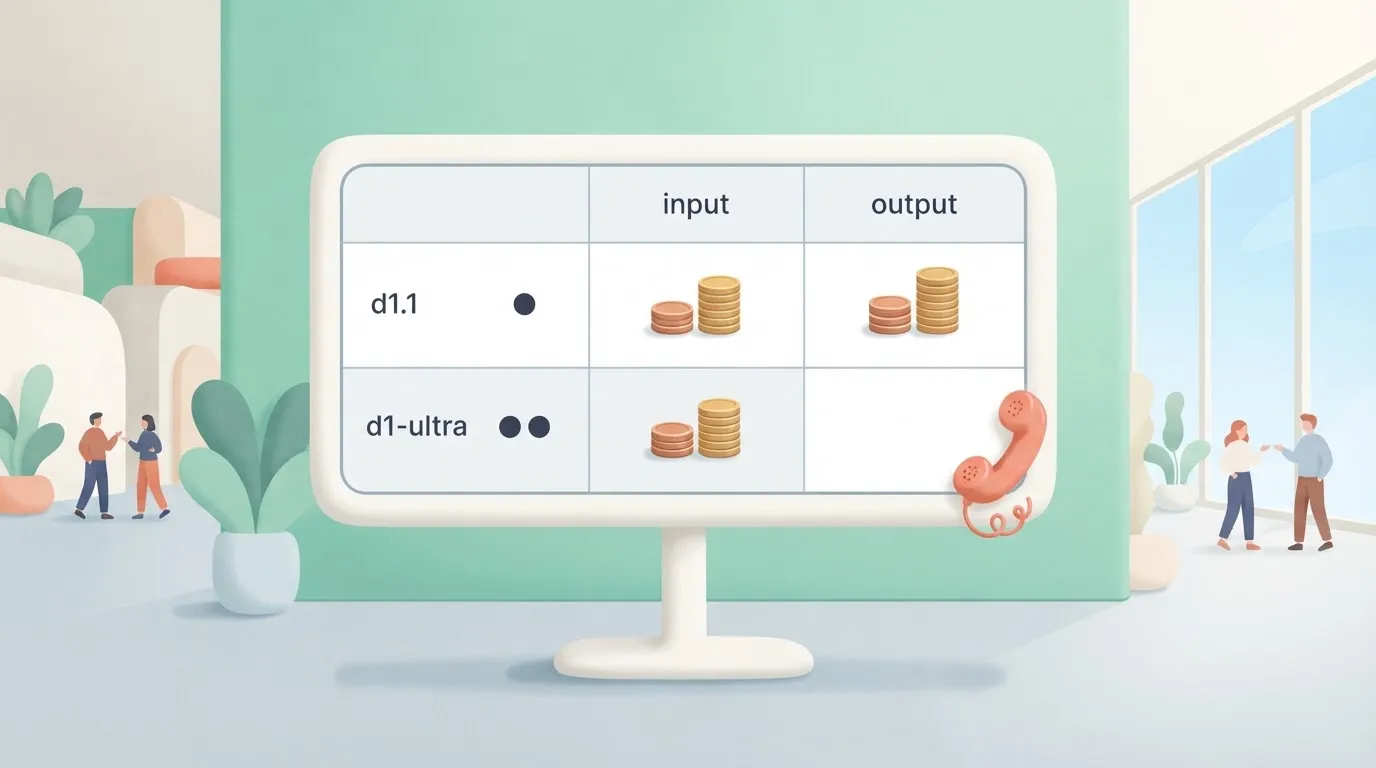
Because output prices are blank everywhere, any bill you model is an input-only floor.
At $0.35, LFM2.5-2.6B is the outlier. It costs 17.5 times d1.1 at $0.02, and seven times the larger LFM2.5-24B-A2B at $0.05.
Model size doesn't predict price, so confirm the model name in your request before you trust any estimate. Downloaded weights put the model on your own servers, and with most vendors that kind of control comes with a stripped-down build.
Activepieces doesn't sell its self-hosted buyers a smaller product: its air-gapped edition carries the same SSO, SCIM, custom RBAC, audit logs, release management and secret manager integrations as the managed cloud, and MoneyGram, Moneypenny, Alan and FundingSocieties run Activepieces in production.
Spend the $2 Console credit on d1.1 and it covers about 100 million input tokens. On LFM2.5-2.6B it covers only about 5.7 million, so you get roughly 18 times fewer tokens on the newer model.

Pick the wrong model and your trial runs out in a fraction of the time. I found no published rate limits, so ask before planning a launch.
Every figure here came from Liquid's own pages on 2026-11-09. Prices there can change, so recheck before you commit.
If you are running this arithmetic for your own team, see what the same workload costs on Activepieces.
Liquid AI costs at realistic monthly usage
Multiply tickets by tokens by the published rate and you have a ticket classifier's monthly bill on Liquid AI's hosted API. The model you pick moves it more than the volume does.
The model you pick moves it more than the volume does.
Liquid AI API cost example workload assumptions
Picture a support-ticket classifier. Each ticket comes in, the model reads it, and it returns one label: billing, bug, cancellation, or "escalate to a human."
Take an angry customer email that says "this is the third time you've charged me, I'm disputing it with my bank." A wrong label here costs more than a slow one.
Send it to a general queue and the customer waits another day, and the chargeback lands anyway.
Fix these before any arithmetic:
- Input tokens per ticket: the email, plus your instructions and label list.
- Output tokens per ticket: the label and a short reason.
- Tickets per month at three levels: low, mid and high.
Count tokens from a sample of your real tickets, not a guess. Long threads with quoted replies run far larger than a one-line complaint.
Monthly bill on the hosted API
For each model, multiply monthly tickets by input tokens, divide by one million, and multiply by the input rate. Do the same for output. Add the two. Run it for LFM3-1.7B, LFM2.5-2.6B and LFM2.5-24B-A2B at each volume.
It shows those three bills at low, mid and high volume, built from the published input and output rates.
Before you accept a cheaper model, test it on your worst twenty tickets. A saving that sends disputes to the wrong queue isn't a saving.
Where licensing or self-hosting overtakes per-token pricing
Once the hosted bill at high volume is steady and large, compare it with running downloaded weights yourself.
Self-hosting swaps a per-token charge for servers, engineering time, and the license terms on Liquid AI's own page, which may limit commercial use depending on your company. Read those terms before you plan around them.
Look at the chart for where per-token pricing's still cheap. What follows from it's a simple test: add your hardware and staff costs, and switch only if that total stays below the high-volume hosted bill.

Hidden costs and limits Liquid AI users hit
Five items fall outside your hardware and staff total, because the pricing page doesn't headline them, and two of them can't be priced without talking to Liquid AI's sales team. Rate limits and fine-tuning and support fees need a sales call.
Three are documented: the 128,000-token context cap, the $10M revenue license threshold and GPU hardware (an L4 runs about $197-$577 a month).
Budget the two sales-call items as unknowns, not zeros. A zero is how a plan gets approved and then reopened.
I couldn't confirm a published rate-limit ceiling, so treat the number as unknown.
If a bulk job of support tickets hits it mid-run, the cost's a stalled queue and a customer waiting a second day for a reply. Ask for the figure in writing before you commit.
Liquid AI license terms and fine-tuning costs
Below the license's $10M revenue threshold, you read the terms and carry on. Above it, you should assume a commercial agreement's required, so have your finance lead check the company's revenue against that line before anyone downloads weights.
Liquid quotes fine-tuning and support fees case by case, so you can't compare them in advance. Nobody invoices you for migration time, and it is still a cost.
Rewriting prompts and retesting against your worst angry-customer emails takes staff days, and a wrong answer in production costs more than the days saved.
Self-hosting and hardware
Renting a GPU is the visible cost. According to Runyard, GPUPerHour and Lightning AI, the cheapest L4's $197 a month and an A10's $270. A T4's $402, and an RTX 4090's $650.

Don't pick by name or age: the T4 costs more than the A10. Compare the monthly price for the card you can actually use. Whichever you choose, someone must still be on call when it fails.
Worth checking against a plan that does not meter every step: one credit covers a whole run on Activepieces.
Liquid AI against the closest alternatives
Run the weights yourself and Liquid AI beats these alternatives. Want only a hosted API and it loses on simplicity, so know that before you spend staff days on a switch.
Before you trust any number, you need to know which page to open, and the table below shows what each option's price, limits and license depend on.
I recorded no dollar figures here because I confirmed none. Read each from the vendor's own page and write down the date, as every row can change without notice.
| Option | Input and output $/1M | Free tier | Rate limits | Batch/cache discount | License | Check date |
|---|---|---|---|---|---|---|
| Liquid | Liquid AI's pricing page | Read its page | Read its page | Read its page | Liquid AI's own license for downloaded weights | 2026-11-09, no figures recorded |
| Mistral small | Mistral's pricing page | Read its page | Read its page | Read its page | Open weights; read the model card | 2026-11-09, no figures recorded |
| Gemma or Gemini 3.8 Flash | Google's pricing page | Read its page | Read its page | Read its page | Gemma has its own terms; Flash is hosted only | 2026-11-09, no figures recorded |
| GPT-6 Luna | OpenAI's pricing page | Read its page | Read its page | Read its page | Hosted only | 2026-11-09, no figures recorded |
| Qwen flash | Alibaba's pricing page | Read its page | Read its page | Read its page | Hosted tier; check terms | 2026-11-09, no figures recorded |
| Llama host | Set by each host and different between hosts | Varies by host | Varies by host | Varies by host | Meta's Llama license plus the host's terms | 2026-11-09, no figures recorded |
Of all the columns, license is the one that most often changes the answer, because it decides whether you can run the model on your own machines at all.
If the model must run where your data already sits, such as a laptop, a phone or a locked-down server, choose Liquid AI. Then the license matters more than the per-token price.
Test it on your worst angry-customer emails first, because a cheap model that misses an escalation costs more than the savings.
With no hardware and no one to run it, a hosted rival's simpler. A Llama host or Gemini Flash gives you an API key and a bill, and you skip the ops work.
Compare the full bill, including staff time, before you call either one cheaper.
Connecting the Liquid API to workflows with Activepieces
Out of Activepieces' 747 integrations, none needs to be Liquid-specific, because Activepieces can call Liquid AI's hosted API through its generic HTTP request step.
Its credit allowance caps how many automated calls you can pay for in a month. That ceiling matters less than the approval step in front of any call that sends text to a customer.
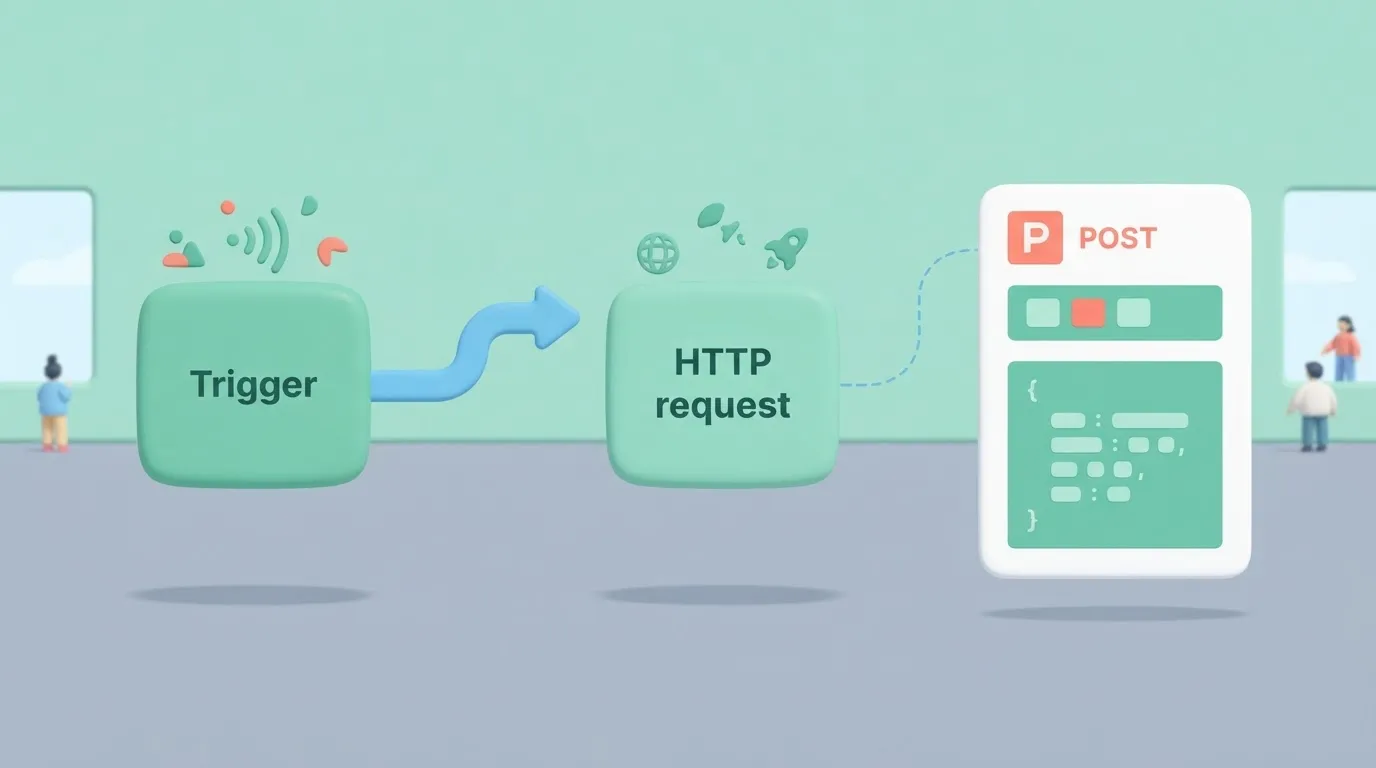
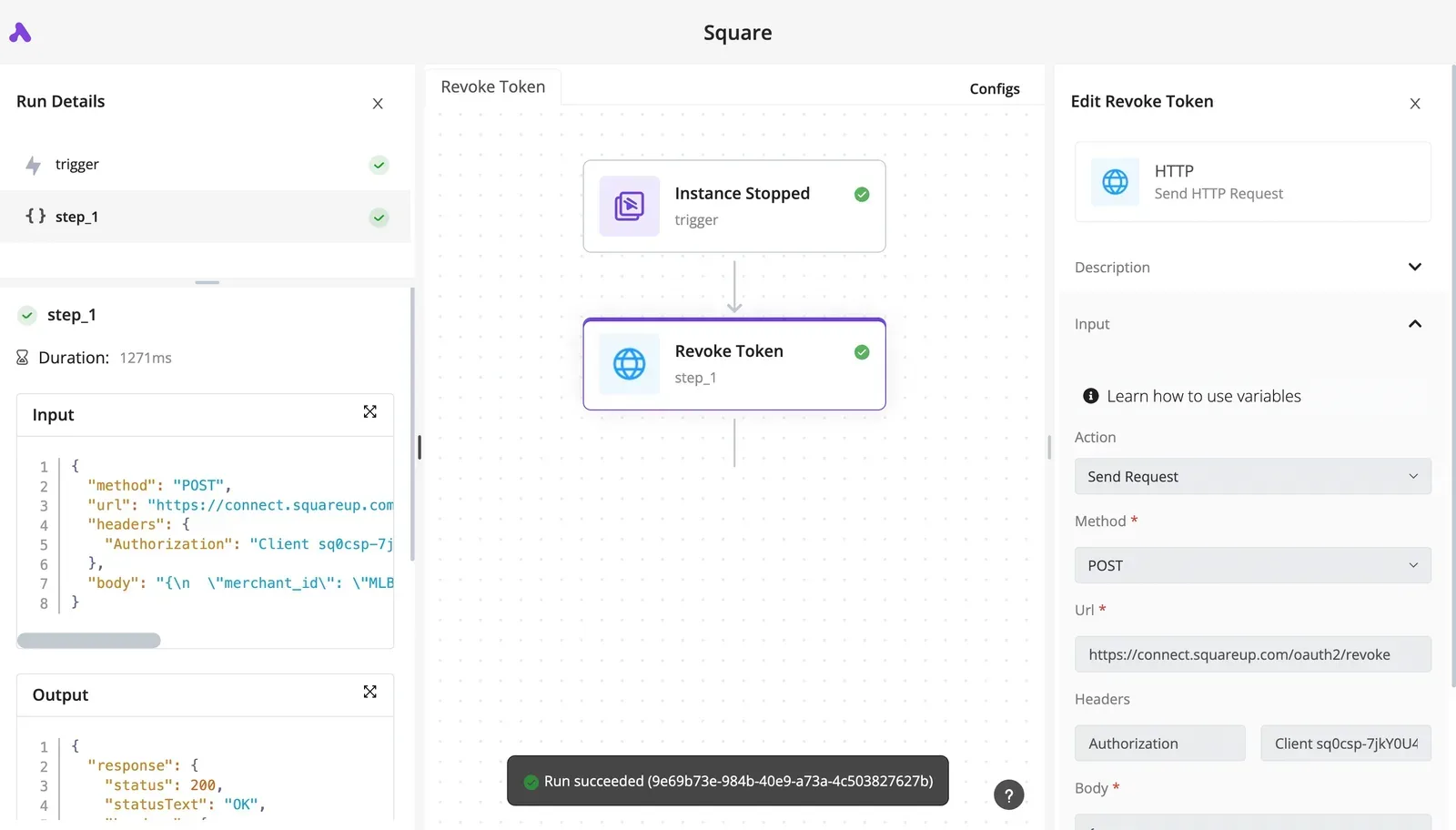
Below is a two-step example workflow: a trigger flows into a single HTTP request that sends a POST with an Authorization header and a body. A Liquid call would be built the same way.
On the left-hand side, the run details show each step's input and output. When a call returns something odd, you can see exactly what was sent and what came back before anyone blames the model.
(screenshot sits here)
What the plan costs
Pick a plan and you've set the monthly ceiling on this automation. According to Activepieces' own pricing guide, Cloud costs $0 a month on Free with 1,000 credits, $20 on Plus with 10,000 credits, and $200 on Team with 50,000 credits.

Anyone needing more than 1,000 monthly credits must therefore pay at least $20. Free's enough to test one workflow against real tickets, but a busy inbox will exhaust it.
Plus works out to $0.002 per credit. Team works out to $0.004, so moving up buys more volume at double the per-credit rate, not a discount. Those totals are Activepieces' fee only, and Liquid's usage charges come on top.
A wrongly worded refund promise sent to an angry customer costs far more than the minutes a reviewer spends checking a draft, so put a human approval step before any action that can't be undone.
Cap the number of runs as well, so a loop or a flood of retries can't drain credits unnoticed overnight.
Figures were read from Activepieces' pages on 2026-11-09.
Capping Liquid AI spend in five steps
Once you measure your own traffic against dated figures, they start to help, so spend one Monday on five steps and cap the result.
- Re-read Liquid AI's pricing page and write down today's date beside every figure. A price with no date's a rumor, and a wrong budget built on it's harder to undo than a slow start.
- Run 100 real requests, not made-up ones, and record input and output tokens for each. Real tickets and documents are longer and messier than test prompts, so a guessed average's how a bill ends up double the estimate.
- Multiply your measured tokens by the page's rates, then by your expected monthly volume. Keep the result as a range, not one number.
- Set spend alerts and hard limits wherever the plan allows them. An alert tells you early, while a limit stops the damage, and a limit set too tight can also cut off a customer-facing feature. Decide which failure you can live with before you set it.
- Send Liquid the questions the pages didn't answer.
Each step needs a different kind of care depending on how you run the models.
| How you run it | What drives cost | What to check first |
|---|---|---|
| Hosted API | Tokens you send and receive | Rate page and any limits |
| Playground | Your usage in a test setting | Whether use is allowed for work |
| Downloaded weights | Your own hardware and staff time | The license terms |
Support, rate limits and commercial use are where surprises hide, so ask what's bundled, not just what's priced.
Treat any free allowance as a test budget. Confirm in writing what happens when you pass it: a throttle's an annoyance, an automatic charge's an invoice.
Read each one yourself from Liquid AI's pages and record the date, because the pages can change after you do.
Frequently asked questions
Is Liquid AI free to use?
Partly, and which part depends on how you run the models. Downloaded weights carry no per-token charge, but they come under a license with conditions.
I couldn't confirm a free tier for the hosted API, so check the pricing page and record the date. Assuming it's free costs you a surprise bill.
Can I run Liquid AI models on my own hardware for free?
You pay no per-token fee, but you still pay for the hardware and the electricity, and the license sets terms.
Its revenue threshold decides whether your company qualifies for free use. Read the license text itself, and don't rely on a summary of it, including this one.
Does Liquid AI offer batch or cached-input discounts?
I couldn't confirm either from Liquid AI's pages, so I won't tell you they exist.
If your workload repeats a long prompt or can wait for results, look for these on the pricing page before you budget. Assuming a discount that isn't there makes your estimate too low.
Price changes and comparisons
How often does Liquid AI change its prices?
I've no published schedule to point to, so treat every figure as true only on the day you read it.
Write the date next to each number in your own notes. When a bill looks wrong, the first thing to check is whether the page changed after you recorded it.
Is Liquid AI cheaper than OpenAI for small tasks?
Not something I can answer without figures from both vendors' pages, and a headline comparison would mislead you anyway.
Take one real task, such as classifying a customer email, and price it both ways on the same day. Count the hosted route and the self-hosted route separately, because they can come out very differently.
Related reading
Running the numbers
See what the same workload costs here.
Free forever plan, and every paid plan self-hosts at no extra cost.
See pricing Talk to sales