Monday API: Rate Limits, Queries and Errors (2026)

Nov 24, 202617 min read
The monday API is a GraphQL API served from a single endpoint, which means tools like Activepieces and your own scripts all talk to it the same way.
You send one query or mutation as a POST request and get back exactly the fields you asked for.
The monday API is the programmatic interface to monday.com boards, items, users and other account data, which you authenticate with an API token and call with GraphQL queries and mutations, and whose usage limits are measured as query complexity budgets rather than simple request counts.
It reads and writes the same boards, items, and users you see in the monday interface.
This guide matches developer.monday.com as of 24 Nov 2026, so treat anything it says about limits as that day's documentation.
Learn what the monday API does
What you can do with the API
If a board is behind it, you can do it: read items and column values, create and update items, move them between groups, post updates, and look up users and workspaces. Because there's one endpoint, a first call is quick.
A script that works on a small test board can fail on a large production one, because a query's cost depends on how much it asks for, not on how many requests you send.

When that script stalls overnight, whoever gets paged is the person who wrote the query, so write it to be cheap from the start.
Which plans and roles include access
Confirm the plan on the developer documentation before you commit a project to it, because plan terms change and this section doesn't state them. Access depends on your account's plan and on the role of the person whose token you use.
If the person who generated a personal token leaves or loses access, the integration breaks with them. The token acts with that user's permissions, so the automation can touch only what that person can touch.

Decide who owns the token before you create it, and prefer an account that will outlast any one employee.
What you'll have working in 30 minutes
You can finish the target in a single sitting, and each integration is something you can test before moving on.
Nobody needs to be hired to wire this up: describe the process to the built-in chat in Activepieces, say which board to read and which item to create, and it builds and publishes a flow you can read, version and approve, in your account, the artifact a builder would otherwise assemble by hand.
That flow runs under the same RBAC and audit logs as any other, and each run leaves a trace anyone can read without certification. MoneyGram, Moneypenny, Alan and FundingSocieties are among the teams that use Activepieces.
Still, the first pass is easier to debug when you can see the raw request.
- A working token that authenticates against the endpoint
- A boards query that returns real data from your account
- A create_item mutation that adds an item to a board
- Retry logic that backs off when you hit a rate or complexity limit
About 30 minutes is realistic because none of these needs infrastructure, only an HTTP client. It also means you can reject the approach cheaply if it doesn't fit. The token comes first, since every later step fails without it.
Everything below works on Activepieces' free plan. Start without code or a credit card.
Get a monday API token or OAuth app
If one script is the only caller, open the Developer Center from your profile menu and copy a personal token. If other people's accounts must authorize your code, register an OAuth app. Both routes end with a credential the API accepts.
Click your profile picture in monday and choose Developers. That opens the Developer Center, where both credential types live.
Do this while signed in as the account that should own the integration. A token inherits the permissions of the person who copied it, and if they leave the company, their token goes with their access.
Copy your monday API personal token
In the Developer Center, open the personal token section (the docs call it My access tokens) and reveal and copy the token. Store it in a secrets manager, not in the repository.

A script that only needs three boards still holds a key to all of them, because this token acts as you, with your access to every board you can see. Treat a leaked token as a full account compromise and rotate it.
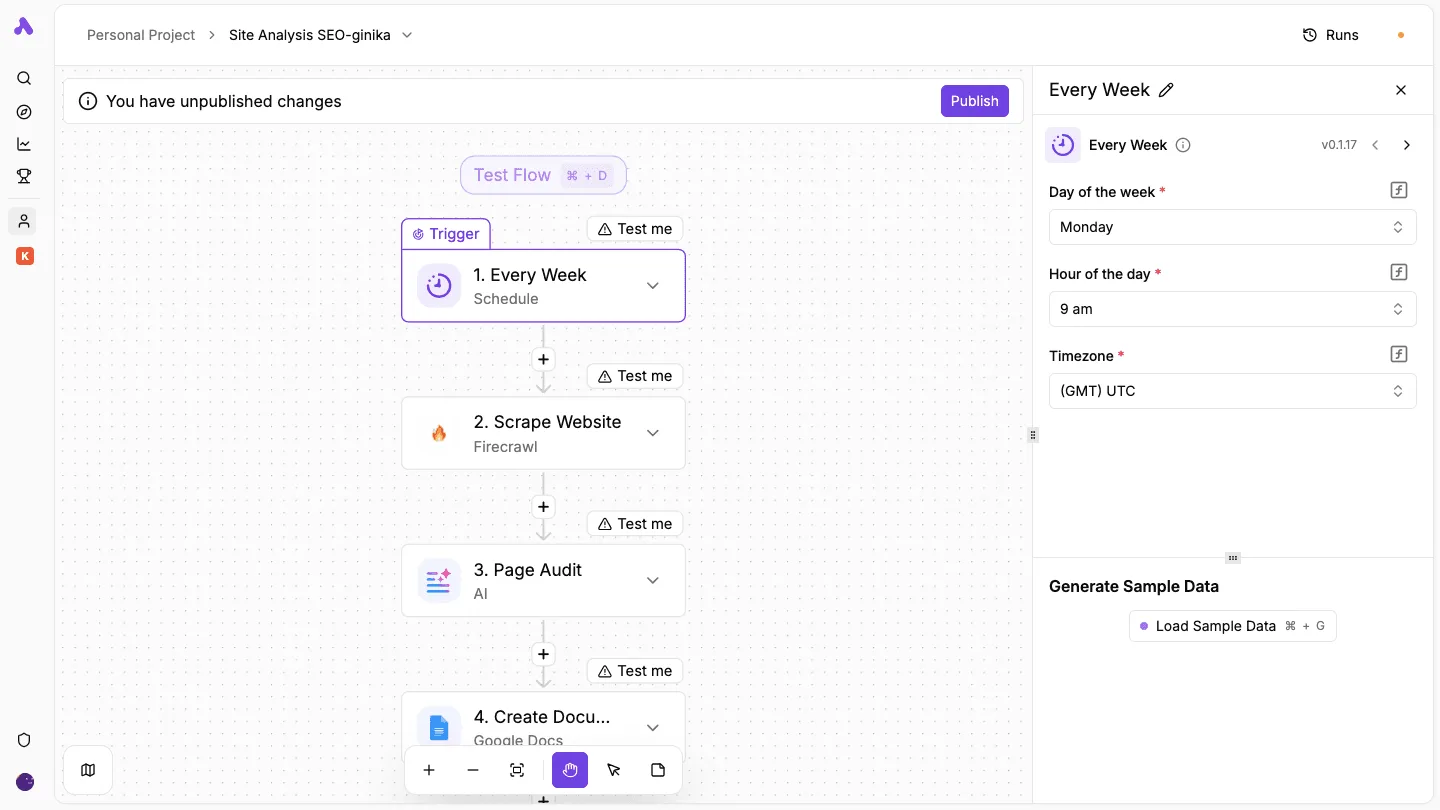
Nobody watches the scheduled flow below run: a four-step job that fires every Monday at 9 am UTC, scrapes a site, audits it and writes a document.
Whatever credential sits inside it keeps working until someone revokes it, and someone will ask whoever owns it why it ran.
Register a monday API OAuth app and scopes
In the Developer Center, create a new app, add the OAuth feature, and set your redirect URL. Then select the scopes your app needs, such as reading boards or writing updates.
Request only what the queries use. Each scope is a permission the installing user sees and approves; the docs list every scope and which API operations it covers. Tokens issued this way act within those scopes, not as a full copy of the user.
Which to pick for a script versus a product
For an internal script, a one-off migration, or a prototype where one named person owns the result, choose the personal token.
Choose OAuth when the code serves several accounts, when customers must approve access themselves, or when you need narrower permissions than a whole user.
If you're unsure, ask who will rotate the credential in a year. An answer of "nobody yet" points to OAuth with explicit scopes and a named owner for the app.
Send your first monday API request and mutation
Send one POST to https://api.monday.com/v2 with your token in the Authorization header and you have the smallest working request.
The person whose token it is becomes the person whose access the automation inherits. Use a token tied to the named owner, not a colleague's personal one.
Step 1: Query your boards with curl
curl -X POST https://api.monday.com/v2 \
 -H "Authorization: $MONDAY_TOKEN" \
 -H "Content-Type: application/json" \
 -H "API-Version: <version from the docs>" \
 -d '{"query": "query { boards(limit: 5) { id name } }"}'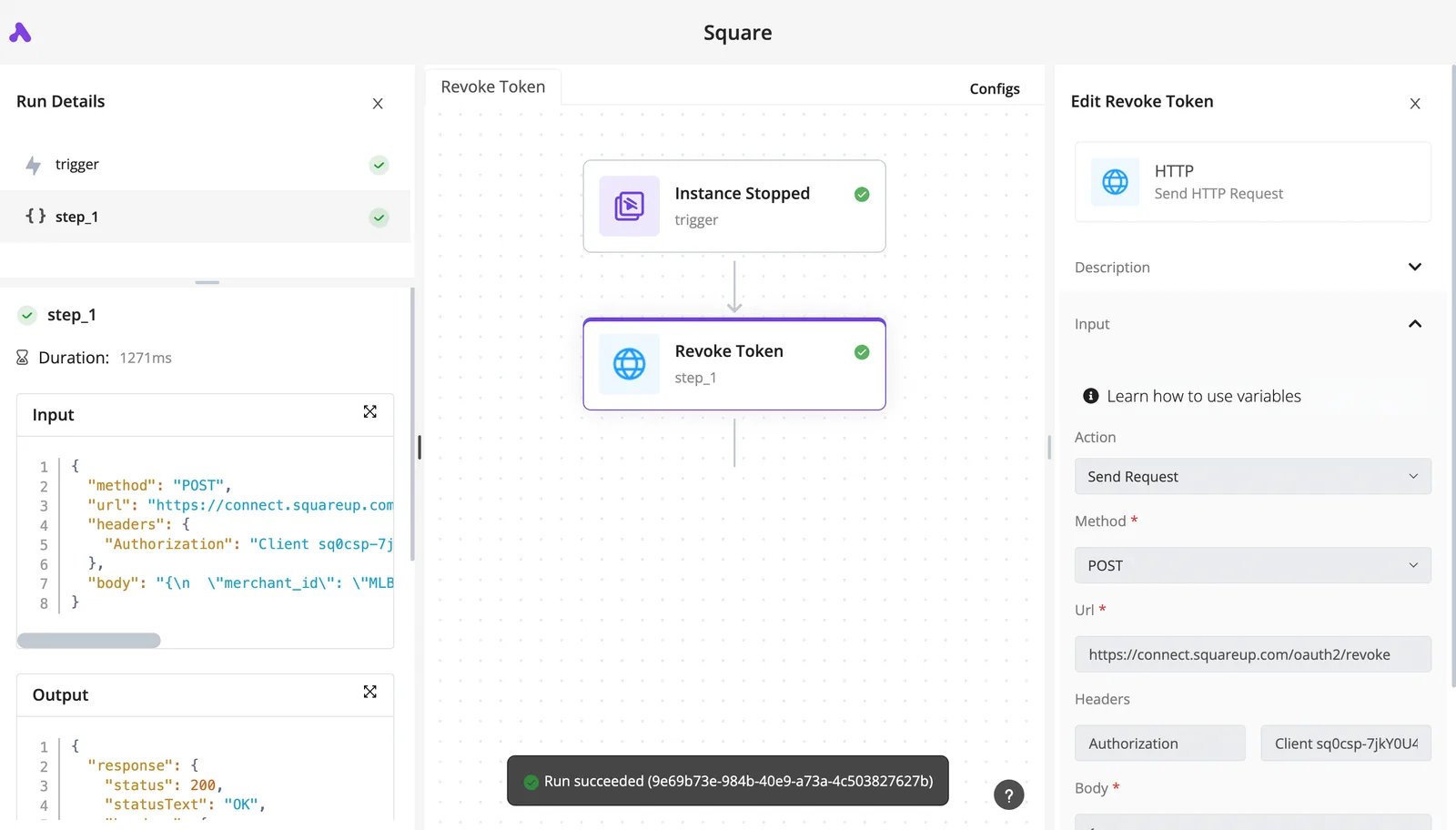
The response is JSON with a data object holding boards, each with an id and name.
Failures can come back with an HTTP 200 and an errors array in the body, so a script that only checks the status code will report success on a failed call.

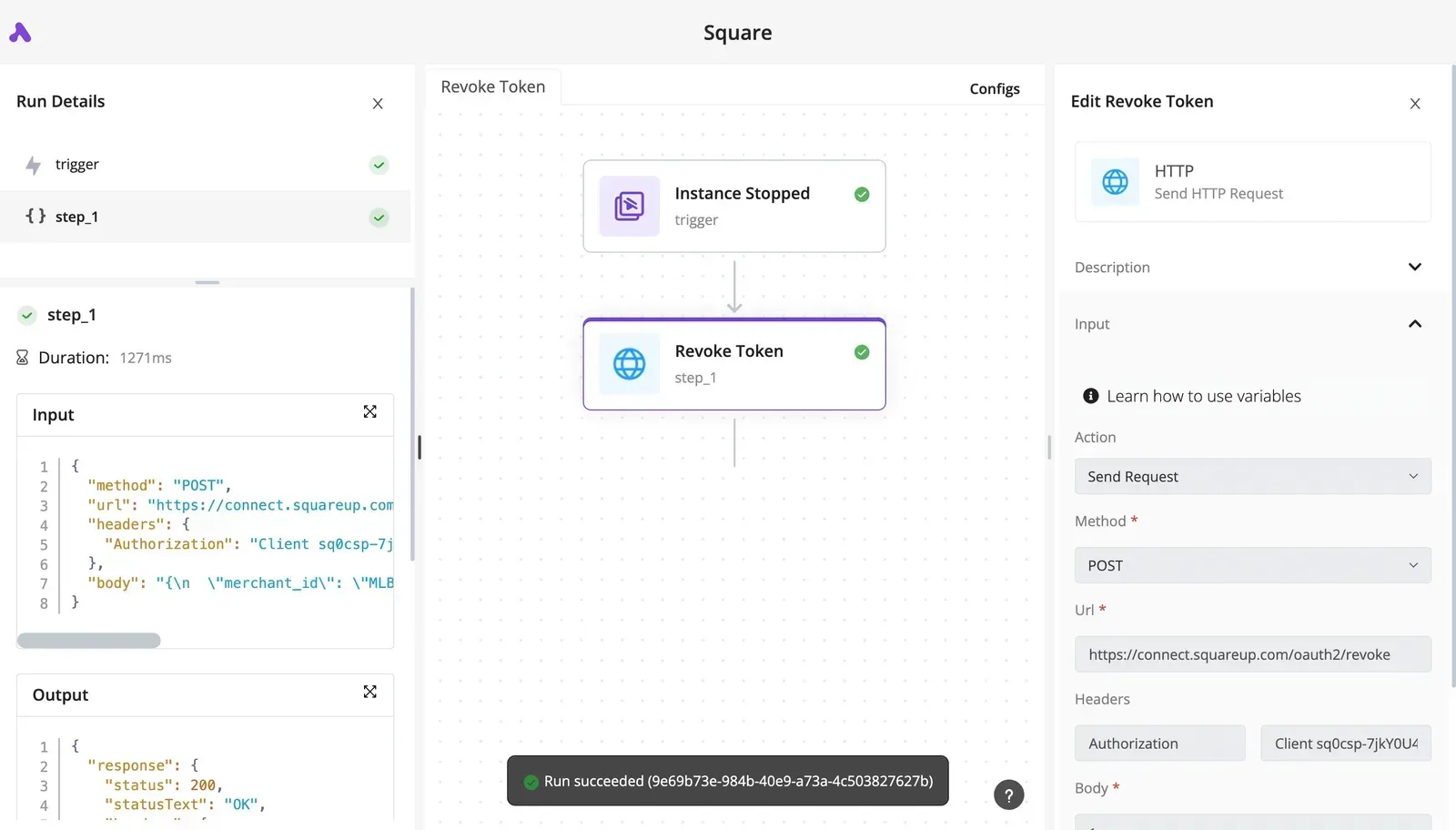
Read the body, not just the status. A completed run record shows both halves of the exchange: the request as sent, with its Authorization header, and the response with its status. Once this returns your boards, copy a board id for the mutation.
Step 2: Pin the API-Version header
Send API-Version on every request, set to a version the developer docs list as current. monday names versions by date and retires them on a published schedule. Check the docs' versioning page for it.
If you leave the header off, the platform chooses the version for you, and a change in that default can alter your query's behaviour without any edit on your side.
Step 3: Create an item with create_item
curl -X POST https://api.monday.com/v2 \
 -H "Authorization: $MONDAY_TOKEN" \
 -H "Content-Type: application/json" \
 -H "API-Version: <version from the docs>" \
 -d '{"query": "mutation { create_item(board_id: 123456, item_name: \"First item\", column_values: \"{\\\"status\\\": {\\\"label\\\": \\\"Working on it\\\"}}\") { id } }"}'
Because column_values takes a JSON object as a string, you escape it inside the query. Most first-mutation failures come from quoting mistakes, so build the string with a JSON library and send variables rather than hand-escaping it.
The response returns the new item's id; store it, because every later update needs it.
Step 4: Page through results with cursors
Fetch items with items_page on a board, which returns a cursor alongside the items. Pass that cursor to next_items_page to get the following batch, and stop when it comes back null.
If a job pauses between pages, it may have to start over, because the cursor is short-lived. Each page costs complexity, so paging belongs inside your budget planning from the first query.
Easier to see it running than to read about it: set it up free, no card.
Understand monday API limits and budgets
Since paging costs complexity, the limit it draws on matters, and your plan sets it, from 200 daily calls on Free to 25,000 on Enterprise. Whoever owns the integration should know which tier it runs on.
How the monday API complexity budget works
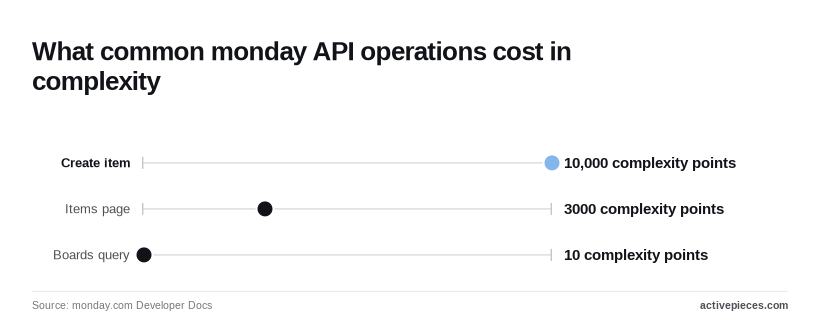
monday charges every query in complexity points, not as one request. According to the monday.com Developer Docs, a boards query costs 10 points, an items page costs 3,000, and creating an item costs 10,000.
monday charges every query in complexity points, not as one request.
Once it pages through items, the same loop that lists boards cheaply becomes expensive. A bulk import of new items drains a budget a thousand times faster than a lookup. Plan write-heavy jobs around the 10,000-point figure, not the call count.
Limits by plan tier
Read the table for the daily call limits we could state and where the sources disagree. Take from it that the Pro row can't be relied on until you check your own account.
Cells that say "Not confirmed" hold figures we didn't verify, so don't size a job against them.
| Plan | Daily calls | Per-minute cap | Complexity budget | 5M query ceiling |
|---|---|---|---|---|
| Free | 200 | Not confirmed | Not confirmed | 5M |
| Basic | 1,000 | Not confirmed | Not confirmed | 5M |
| Standard | 1,000 | Not confirmed | Not confirmed | 5M |
| Pro | 10,000 (conflicting) | Not confirmed | Not confirmed | 5M |
| Enterprise | 25,000 | Not confirmed | Not confirmed | 5M |
Basic and Standard share the same daily figure, so upgrading between them buys no extra headroom on that dimension. Free's 200 calls leave little room for retries, so a failing job can use up the day before anyone is paged.
We didn't confirm a concurrency limit either, so treat parallel workers as untested and add them one at a time.
Next, read the limits from your own account's responses and set alerts below them, not at them.
Is there a price per API call?
The documentation lists no per-call price. The plan sets the limits above; monday doesn't meter them by the call. That's an absence in the sources we read, not a confirmed guarantee, so confirm with monday.com before you assume overage is free.
A hit limit means failed runs, not a surprise invoice. The cost you carry is an outage, and someone has to own the response to it.
Handle common monday API errors
Most production failures with the monday API fall into a few documented groups: budget exhaustion, authentication, malformed column values, and retired API versions. Each one ends up on whoever owns the integration.
Read the table as a triage sheet: match the symptom first, then apply the fix rather than retrying blindly. It lists the errors as monday's developer docs describe them, with the status you'll see, the cause, and the fix.
| Error | Status | Cause | Fix |
|---|---|---|---|
| ComplexityException | Usually HTTP 200 with an errors array | The query cost more than the budget allows | Request fewer fields, lower page sizes, split the query |
| COMPLEXITY_BUDGET_EXHAUSTED | Rate-limit response, often 429 | Your budget for the current window is spent | Wait for the reset, then retry with backoff |
| max complexity exceeded | Rejected before running | A single query is larger than any budget could cover | Break it into smaller queries and use cursors |
| daily limit | Rejected until the day resets | Total calls for the day are used up | Cut polling, batch, move to webhooks |
| invalid token | Authentication failure | Token is wrong, revoked, or from a removed user | Issue a fresh token and update the stored secret |
| missing scope | Permission failure | The token lacks the scope the call needs | Add the scope to the app and re-authorize |
| column_values error | Request-level error | The JSON for a column is not in the shape that column type expects | Match the documented format for that column type |
| old version | Error naming the API version | The version you pinned is deprecated | Move to a current version and retest |
| HTTP 200 | Success code, failed request | GraphQL reports failures in the body | Always inspect the errors array, not the status |
The last row is the one that hides outages. A green status code doesn't mean the mutation happened, so a runner that checks only the HTTP status will report success while writing nothing.
Complexity and rate-limit errors
A smaller query fixes a complexity error, and a slower caller fixes a rate-limit error. The first means a query asked for too much; the second means you have asked too often.
Because the budget is charged by query cost rather than by call count, one broad query over many items can fail where many small ones would pass.
Ask only for the fields you use, page with cursors rather than pulling whole boards, and batch related changes into fewer requests.
On a 429 or a budget-exhausted response, back off and retry with increasing delays and some randomness, so that parallel workers don't retry in lockstep.
Check the complexity field on your queries during development so you learn their cost before production does. The monday developer docs cover the exact error shapes and reset behavior.
Authentication and permission errors
In a failed run, an invalid token and a missing scope look alike, but they have different owners and fixes. An invalid token means the credential itself is no longer accepted, commonly because the person who generated a personal token left or was deactivated.
Tie tokens to a service account someone is named to maintain.
When a scope is missing, the credential is valid but not allowed to do that thing. The fix is to add the scope to the app and have the account re-authorize. Don't loop retries on either; neither will resolve itself.
Bad column values and version errors
Nine times in ten, a column value error comes from sending the wrong JSON shape for a column type, since each type expects its own structure.
Build the payload from the documented example for that type, and log the rejected request body so the failure can be reproduced.
Pin an API version that has since been deprecated and you get a version error. Set the version explicitly in the request header, review the docs' version notices on a schedule, and test against the next version before the current one is retired.
The change is then planned work rather than a Tuesday-night outage.
Use monday webhooks instead of polling the API
Whether or not data moved, polling spends budget to learn that nothing changed, and that spend counts against you.
With a webhook subscription on the board, monday notifies your endpoint when an item or column changes, so you read only what changed.
Treat the notification as a signal and fetch the affected item with a narrow query. Keep a periodic reconciliation pass at low frequency to catch any event your endpoint missed while it was down.
Call the monday API without code using Activepieces
Activepieces, whose MIT-licensed core ships 750 integrations, covers that notify-then-fetch loop without code: it has a monday.com integration for working with your boards, and a custom API call action for anything else.
The first question is who owns the flow once it's live, because a no-code step that fails at 2am still pages a person.
Connect monday.com and create an item
Start a new flow, choose a monday.com trigger such as a change on a board, and create the connection under a service identity your team controls, not one person's login.
If that person leaves, the connection goes with them and every flow built on it stops.
Then add a monday.com action and pick create item.
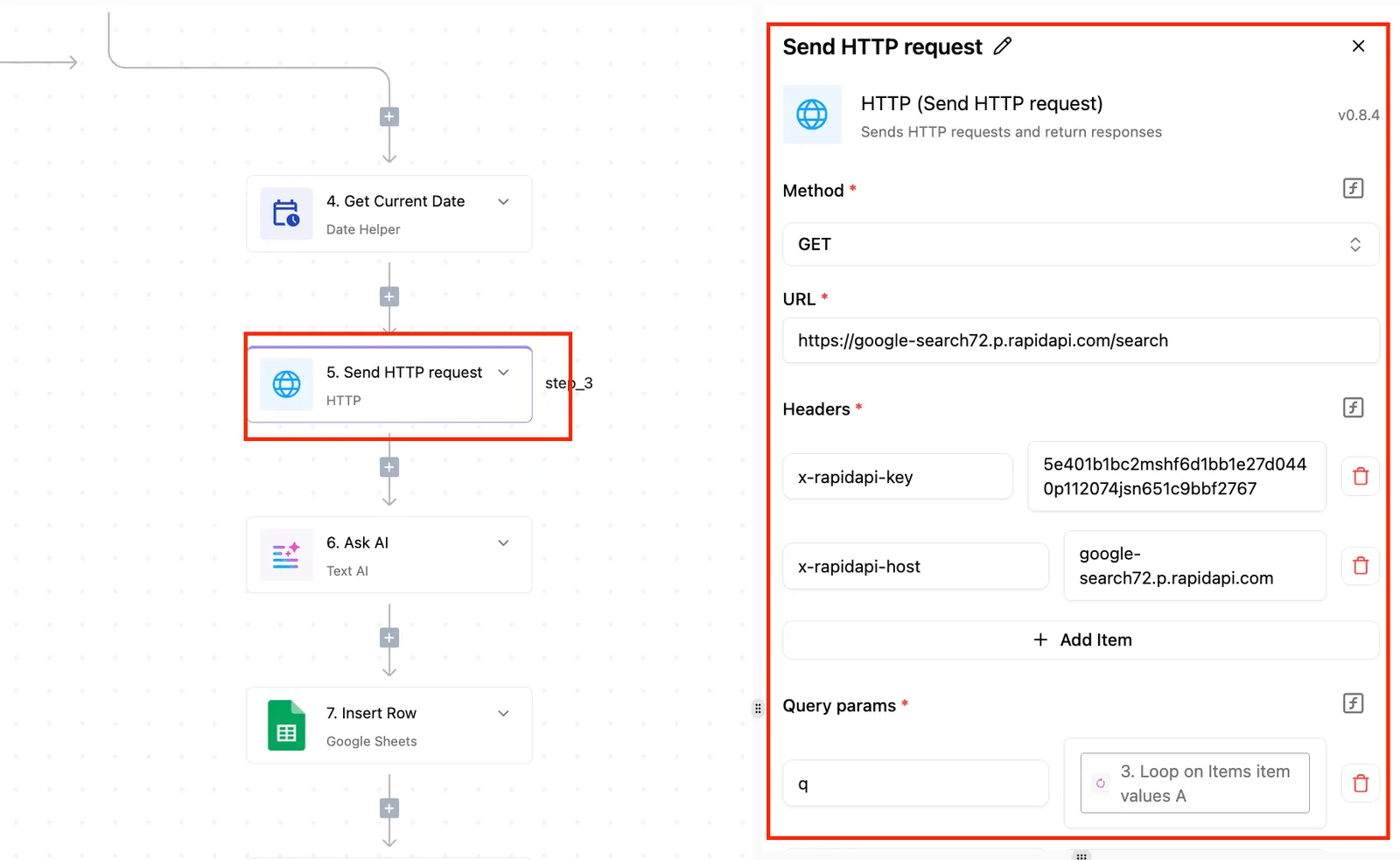
Below is the "AI Blog Writer" flow, which is not a monday flow. It shows the mechanics you'll use: a trigger, two Open AI steps, and a selected Wordpress step whose panel fills Title and Content from the outputs of earlier steps.

Configure a monday create-item step the same way, with board and fields filled from the trigger's output. Where the flow loses data is in those mappings, so test each one with a real event before you switch the flow on.
After the mapping works, run the trigger and the action end to end and read the run history. That history is your first stop when something fails.
When to use the custom API call action
When the prebuilt actions don't reach what you need, such as a narrow query that fetches only the fields you want, use the custom API call action.
You write the request yourself, so the complexity budget described earlier is still yours to manage. The integration doesn't shrink your queries for you, and a wide query will spend budget in a flow as quickly as in a script.
Stay with code when you need fine control over retries and backoff, bulk reads across many boards, or tests that run in version control. A flow canvas is a poor place to review a change to a query.
What to do on Monday morning
Name an owner for each flow and for the monday connection it uses, and write down who gets alerted on failure. Rebuild one existing script as a trigger plus create-item flow, and compare its run history with your current logs.
Replace any wide query in a custom API call step with a narrow one. Keep the low-frequency reconciliation pass, whether it's a scheduled flow or a script. Decide in advance which tasks leave the canvas and move back into code.