
Telegram Bot API: Rate Limits, File Sizes, Errors

Nov 1, 202617 min read
The Telegram Bot API is a free HTTP interface at api.telegram.org. You get a token from BotFather, and any server that can make an HTTPS request can send and receive messages as a bot.

There's no billing page, no OAuth app, and no approval step, so the token is the only credential you manage, and anyone who obtains it can act as your bot.
Whether you call it from your own code or from Activepieces, which has 746 integrations in its MIT-licensed open source repository, the call that goes out is a plain HTTPS request, so you're never locked into understanding a single integration pattern regardless of which of the 746 you adopt.
Your server sends an HTTPS request carrying the token to api.telegram.org, and Telegram delivers the result to the user's chat.
Because nothing sits between you and that endpoint, every limit you hit comes from Telegram's side, and you'll see it as an error response rather than a signup wall. What follows covers those limits.
Use Telegram's free HTTP interface for bots
Because nothing sits between you and that endpoint, every limit you hit comes from Telegram's side, and you'll see it as an error response rather than a signup wall.
What you can build with Telegram bots
If it fits in a chat, you can build it: support bots, alert and monitoring notifiers, approval flows with inline buttons, group moderation, and agents that take a message, call tools, and reply.
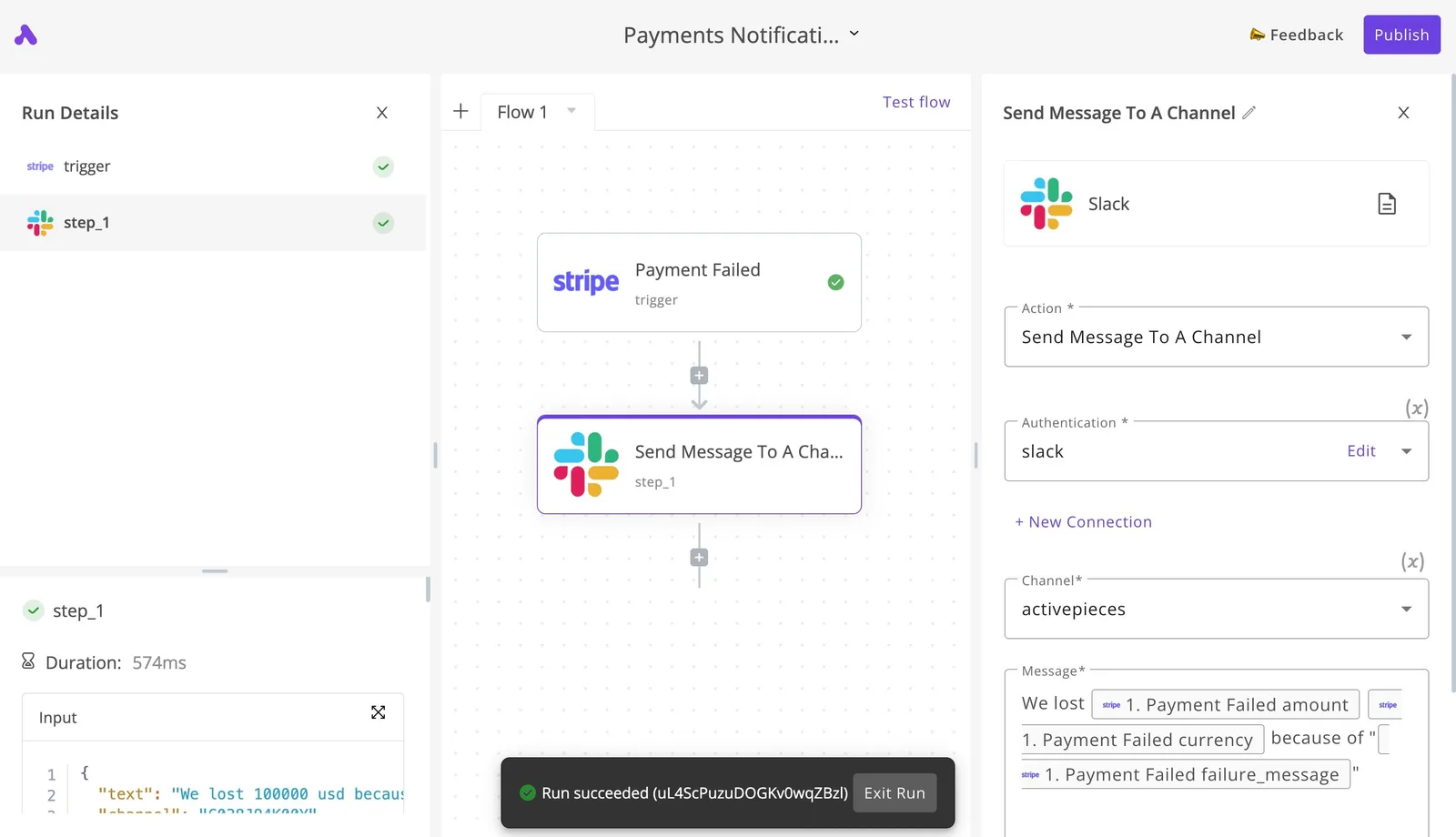
You receive updates either by polling or by webhook, and you send messages, media, and keyboards through plain method calls.
Pick one receiving mode deliberately, because they're mutually exclusive and mixing them is a common cause of "my bot went silent."
Don't expect a bot to behave like a user. It can't message someone who has never started it, read a person's existing chats, or log in as a human account.
Automating a user account requires TDLib or the MTProto protocol, which is a different stack with different rules and different ban risks.
Checked on 2026-11-01 against the official reference at core.telegram.org/bots/api. Versions move, so read the changelog at the top of that page before relying on any newer method.
Everything below works on Activepieces' free plan. Start without code or a credit card.
Get access and a bot token through BotFather
You get access by messaging @BotFather inside Telegram, sending /newbot, and copying the token it returns; there's no plan to buy, no approval queue, and no key request form.
Since the docs date their methods by version, the token is the one thing that stays constant across them. It's the entire credential, which is why how you handle it matters more than how you get it.
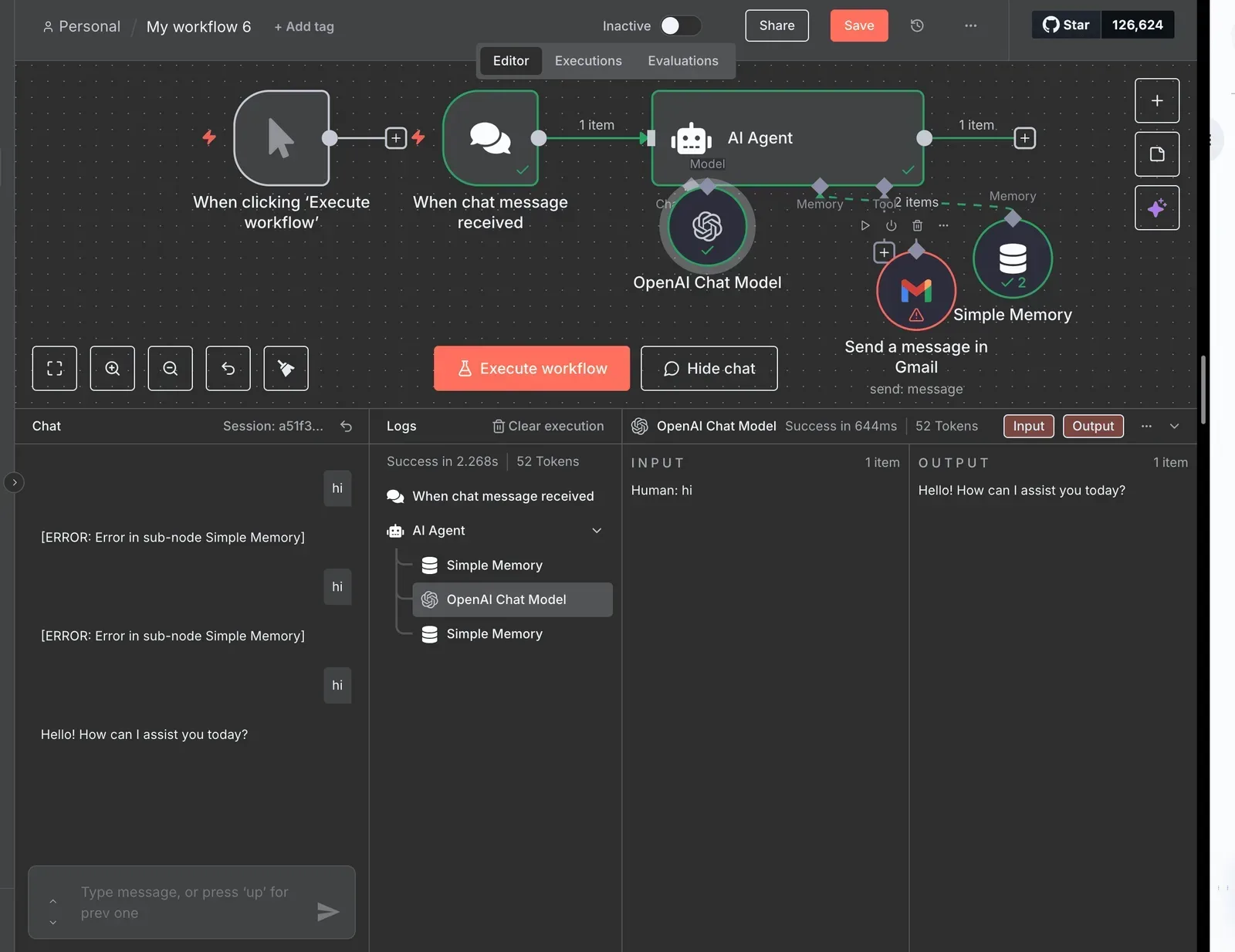
Picture where that token ends up: the example canvas of an automation tool, shown in the flow below.
A three-step agent, a chat trigger feeding an AI Agent step, ran successfully on a first test message, which shows how little sits between a token and a working loop.
Nothing on that canvas is gated by Telegram. The token you paste in is the only thing standing between your workflow and the bot.
- Open a chat with @BotFather and confirm it's the verified account, since lookalikes exist.
- Send /newbot.
- Give the bot a display name, which can be anything and doesn't need to be unique.
- Give it a username, which must be unique across Telegram and must end in "bot". If the name is taken, BotFather asks again, so expect a few rounds.
Once you finish, BotFather replies with the token. Copy it straight into a secrets manager or environment variable.
Don't commit it to a repository or paste it into a shared chat, because anyone holding the string can send messages as your bot and read its updates.
Revoke and rotate a leaked token
If the token leaks, revoke it immediately: message @BotFather, choose your bot, and use the token option to generate a new one.
Once you revoke, the old token stops working at once, so every running process that still holds it will start failing with authorization errors until you redeploy with the new value.

Plan for that: keep the token in one place so rotation is a single config change, not a hunt through scripts.
Nobody bills you for any of this. The Bot API is free to use, with no paid tier that unlocks access and no per-call charge.
What limits you is not cost but the operational rules covered next, such as flood control, which apply to every bot equally.
Authenticate requests and make a first working call
To make any call, send an HTTPS request to https://api.telegram.org/bot<token>/METHOD. The token in the path is the only credential, so a first call is four steps and no OAuth flow.
The list below shows the order, with the one step that fails quietly marked at step 3:
- Call
getMewith the token and confirmok:true. - Send any message to your bot from your own Telegram account.
- Call
getUpdatesand readmessage.chat.idfrom the result. - Call
sendMessagewith that value aschat_id.
If you skip step 2, getUpdates comes back empty, and that's the usual reason a first run looks broken. The subsections below cover each call.
curl "https://api.telegram.org/bot$TOKEN/getMe"When getMe fails, the problem is the token, not your payload, because it takes no parameters. A wrong or revoked token returns ok:false with an Unauthorized description. Fix that before anything else, because every later error will be misleading otherwise.
curl -X POST "https://api.telegram.org/bot$TOKEN/sendMessage" \
 -H "Content-Type: application/json" \
 -d '{"chat_id": 123456789, "text": "hello"}'
You can use either GET or POST. Parameters can go in the query string, as URL-encoded or multipart form data, or as a JSON body. Use JSON for text and multipart only for file uploads.
If getUpdates returns nothing even after you messaged the bot, check for a registered webhook, since the two delivery modes are mutually exclusive.
Read every response as an envelope. On success, ok is true and result holds the payload. On failure, ok is false and you get error_code plus a human-readable description.
Branch on ok first, then log error_code and description together, because the description is what distinguishes flood control from a malformed request.
Choose getUpdates or webhooks to receive messages
Choose by which failure you can tolerate. getUpdates fails quietly when your process stops, webhooks fail loudly when your endpoint is unreachable, and the local Bot API server removes the hosted file and port restrictions.
| Ports and HTTPS | Certificate rules | secret_token | max_connections | Retention | File size limits | |
|---|---|---|---|---|---|---|
| getUpdates | Outbound requests only | None | Not applicable | Not applicable | 24 hours | Hosted API cap |
| setWebhook | Public HTTPS, restricted port list | Valid, or self-signed uploaded with the call | Supported | 1-100, default 40 | 24 hours | Hosted API cap |
| Local Bot API server | Any port, plain HTTP allowed | Not needed over HTTP | Supported | Same parameter | 24 hours | Cap lifted |
Read the retention column first. Unreceived updates are dropped after 24 hours in every mode, so a bot that's down for a day loses messages with no error to log.
Receive Telegram updates with getUpdates polling
You need no public address, certificate or open port to poll, which makes it the right choice for development and for hosts behind a firewall.
The cost is that you own the offset: confirm an update by requesting the next offset, or you'll reprocess the same batch after a crash.
While a webhook is set, getUpdates returns an error until you call deleteWebhook, because polling and webhooks are mutually exclusive.
Receive Telegram updates with setWebhook webhooks
Telegram pushes each update to you, so latency drops and idle polling disappears. Set secret_token, then reject any request missing the matching header, because the URL alone is guessable.
Keep max_connections near what your handler can sustain; the default of 40 parallel deliveries can overwhelm a small worker, and a slow or failing endpoint makes Telegram retry and back off.
When you self-host the local Bot API server, the hosted limits on file downloads and ports lift, which matters for media-heavy bots. You now operate the server, so its uptime and storage become your failure modes.
Easier to see it running than to read about it: set it up free, no card.
Plan for Telegram rate and size limits
Don't expect a published tier table. Telegram's rate limits are approximate, and the figures builders actually plan around come largely from third-party summaries. That matters because you'll size queues and retries against numbers that Telegram can change without notice.
Here are the commonly cited sending limits, who documents each, and the date they were checked; treat each as a ceiling to stay under, not a guarantee.
Per-chat, per-group and broadcast limits
| Case | Approximate limit | Scope | Documented by | Checked |
|---|---|---|---|---|
| Single chat | 1 message/sec | One conversation | Third party | 2026-11-01 |
| Group | 20 messages/min | One group | Third party | 2026-11-01 |
| Bulk broadcast (free) | 30 messages/sec | Across all chats | Third party | 2026-11-01 |
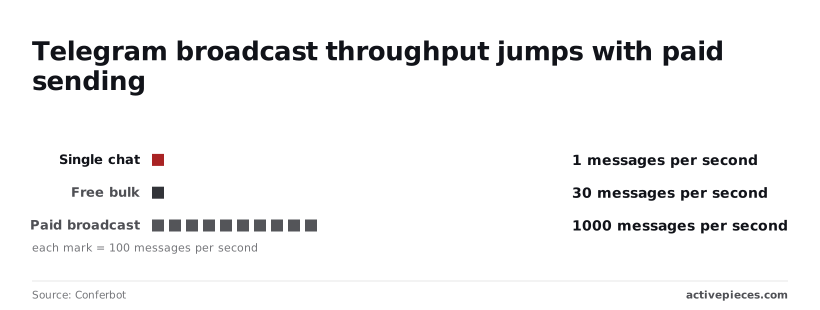
| Paid broadcast | 1,000 messages/sec | Across all chats | Third party | 2026-11-01 |
A bot that replies to one user with five messages in a loop will start collecting 429 errors on the third or fourth, since Conferbot puts a single chat at about 1 message per second.

In groups the limit is tighter, at roughly 20 messages per minute, which means a chatty bot in a busy group needs a per-group queue, not a global one.
Free bulk sending tops out near 30 messages per second, so a 100,000-user announcement takes close to an hour even when nothing fails.
Build your retry logic around the retry_after value in the 429 response, not around these numbers.
Telegram paid broadcast limits for bots
About 1,000 messages per second is the paid broadcast ceiling, per the same Conferbot page. That's roughly a 33-fold jump over free bulk, so the same 100,000-user send drops from about an hour to under two minutes.
Paid sending has a catch: you pay per message and must budget for retries, since a failed send you resend is a send you may pay for twice.
Message and file size limits
According to the python-telegram-bot docs, bots can upload files up to 50 MB and download files up to 20 MB. So a bot can send a user a file it can't later fetch back.
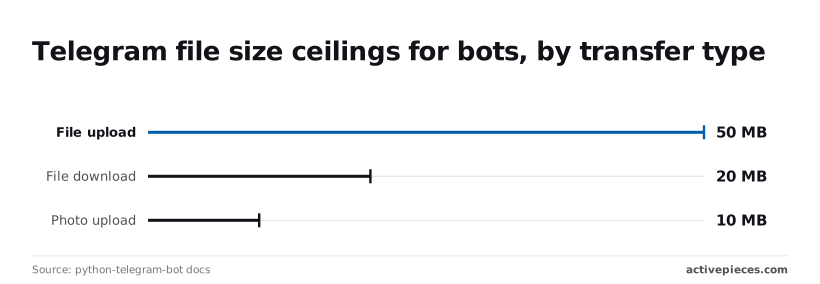
Anything users send you for processing must fit under 20 MB or you need another route for it.
At 10 MB, photo uploads hit their cap, so a high-resolution image should go as a document, not a photo, or be compressed first.
None of these numbers is a contract, because Telegram publishes no limit tiers. Log your own 429s and size rejections, and let those, not this table, set your production thresholds.
Fix common Telegram Bot API errors
In production, eight error responses account for most of what a Telegram bot throws, and each one tells you whether to retry, repair the request, or stop sending.
The table maps each to its usual cause and the fix, so your handler can branch on the code instead of logging a generic failure.
| Error | Cause | Fix |
|---|---|---|
| 401 Unauthorized | The bot token is wrong, revoked, or malformed in the URL. | Re-copy the token from BotFather, and rotate it if it leaked. Do not retry. |
| 400 chat not found | The chat ID is wrong, or the bot has never been in that chat or the user has never started it. | Verify the ID and have the user message the bot first. |
| 400 can't parse entities | Markdown or HTML in the text has unescaped or unbalanced characters. | Escape reserved characters, or send plain text without a parse mode. |
| 400 message too long | The text exceeds the per-message size limit. | Split into several messages before sending. |
| 403 Forbidden | The user blocked the bot, or the bot was removed from the chat. | Mark the recipient inactive and stop sending. |
| 409 Conflict | Two consumers are competing, such as polling with a webhook set, or two polling processes. | Keep one consumer per token and delete the webhook if you poll. |
| 429 Too Many Requests | You hit flood control. The response includes retry_after. |
Wait at least that long, then retry. |
migrate_to_chat_id |
A group was upgraded to a supergroup and its ID changed. | Store the new ID from the response and resend there. |
Of these, only 429 is worth retrying automatically; the rest need a changed request or a changed state.
Handle Telegram 429 errors with retry_after
Honor retry_after exactly, because it's the server telling you how long the block lasts. Retrying sooner just extends the problem and wastes calls.
Put the wait in a per-bot queue rather than sleeping inside a handler, so one throttled chat doesn't stall every other send.
Add jitter on top if many workers wake together, and cap the retry count so a persistent block surfaces as an alert instead of a silent loop.
Fix Telegram 403 and 409 errors
Retrying a 403 is pointless, because it's permanent for that recipient until they act. Flag the user as unreachable and drop them from broadcasts, which also keeps your error rate honest.
Treat a 409 as a deployment bug, not a transient fault. It usually appears during a rolling deploy when old and new instances both poll, or when a webhook is still registered. Fix the topology, not the retry logic.
400 parse and chat errors
Treat 400s as bugs in your payload, never as candidates for retry. Parse errors come from user-supplied text, so escape it for your chosen parse mode before sending, or fall back to plain text on failure.
For "message too long," chunk on paragraph boundaries so formatting does not break mid-entity. For "chat not found," confirm the ID and that the user has started the bot.
When a response carries migrate_to_chat_id, update your stored chat ID and resend, or every later message to that group will fail.
Call the same Telegram endpoints without code in Activepieces
In Activepieces, the Telegram Bot connector wraps the same Bot API methods and uses the same BotFather token, and using it is entirely optional; the curl calls above do the same job.
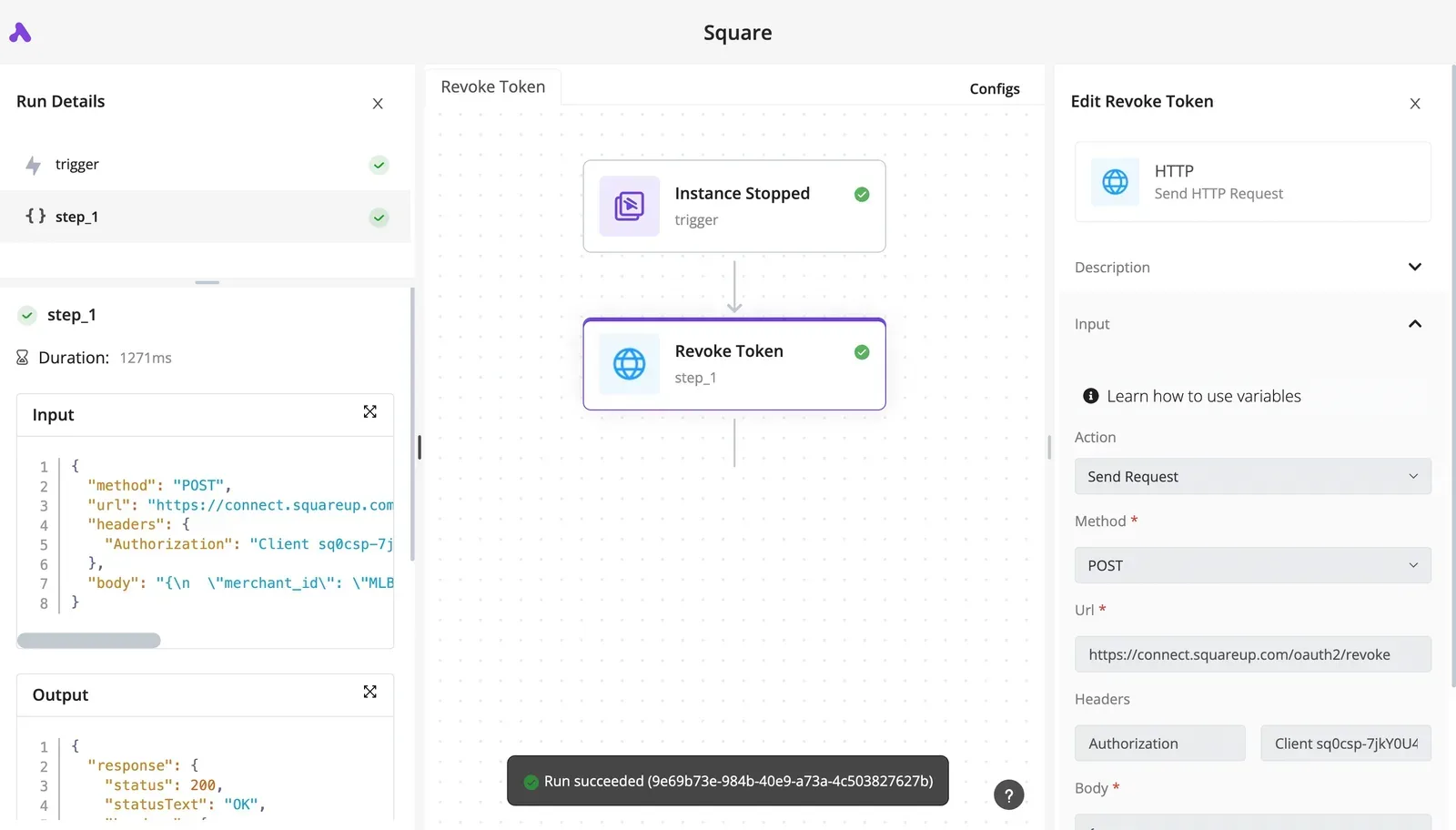
A no-code flow is therefore subject to every limit and failure mode above, including flood control, webhook rules and message size. The builder doesn't remove any of them.
The connector is one of the 746 integrations in packages/pieces/community in the MIT-licensed open source repository, so the Bot API methods it wraps can be read in its public source, next to the rest of the community integrations.
Connect the token
Paste the token BotFather gave you into a new Telegram Bot connection, and the flow now acts as that bot. Nothing else is needed, because the Bot API is token-only.
In Activepieces the token is held centrally as a connection rather than pasted into each flow, and custom RBAC governs who can use it. Treat it as a secret either way.
If you rotate the token in BotFather, the old connection starts failing, so update it there too.
Send and receive without code
For incoming updates the connector offers triggers, and for sending messages it offers actions. Where it has no dedicated action for a method, an HTTP action can call the Bot API endpoint directly with your token, which is useful for methods the connector doesn't wrap.

Reading the example workflow
In the screenshot you can see the shape of a typical flow, here built on Discord rather than Telegram.
It's a "Community Summarizer - Get Messages" flow with a New Message trigger, a Create Record step, an AI "Needs Help?" check, a Router, and a Send Message step.
On the right panel you'll find the trigger's Connection, Limit and Channel fields, and the unpublished-changes notice at the top is a reminder that edits do nothing until you press Publish. Swap in the Telegram trigger and send action and the structure carries over.

Handling failed sends
Next, treat the flow as you would code: check what happens when a send fails. A Router branch that handles an error response, such as a rate limit, is where the retry logic you would write by hand has to live.
When to use code for Telegram bots
For high-volume broadcast, stay in code. There you need control over pacing, per-chat backoff, and honoring the retry delay Telegram returns, and a visual flow gives you less room to enforce that.
A flow suits low-volume replies, notifications and AI-assisted triage, where one message per event keeps you well inside the limits.
Frequently asked questions
Is the Telegram Bot API really free? Yes, there's no charge for the API itself, and a token from BotFather is the only credential. Your costs are hosting, any model calls your bot makes, and engineering time spent on limits and retries, not access.
How do I find a chat_id?
Have the user send your bot a message, then call getUpdates and read the chat id from the message object. Private chats give a positive id, while groups and supergroups give a negative one.
Store the id when the first update arrives. Public channels can also be addressed by their @username, but a private chat can only be reached by its id.
Can a bot message a user first?
No. A user has to start the conversation, usually by pressing Start or sending any message, before the bot can write to them. If you try earlier, or after the user blocks the bot, the call fails with a forbidden error.
Handle that error by marking the user as unreachable and stopping retries. Retrying will never succeed, and a loop of doomed calls burns your own send budget.
How often does the Bot API change?
Changes arrive as numbered releases listed in the official changelog, and they have mostly added methods and fields without breaking existing calls.
Pin your assumptions anyway. Parse responses tolerantly so an unexpected new field doesn't crash your handler, and skim the changelog when you upgrade a client library.
What bites harder is a change to behavior your code leans on, such as how an edge case is validated.
Can I send messages faster than the rate limit?
Not by retrying harder. When you exceed the limit, Telegram answers with a 429 error and a retry_after value, and you must wait that long before sending again.
Ignoring it prolongs the throttling. Put outgoing messages in a queue, space them out, and honor retry_after exactly.
If you broadcast to a large audience, the API offers a paid broadcast option for higher throughput. Check the current docs for its terms before you design around it.