
n8n LDAP Node: How to Set It Up and What It Costs

Oct 26, 202616 min read
The n8n LDAP node is a built-in node that searches a directory and creates, updates or deletes entries in it, much as you might do in other workflow tools such as Activepieces.
It's a separate thing from LDAP login for n8n users, which is an Enterprise feature.
This was checked on 26 October 2026, so confirm against the current docs if you're reading later.
Understand the n8n LDAP node
The node: operations it offers
Think of it as a small directory client that sits inside a workflow. You point it at a directory server, give it a bind account, and it runs the operation you choose against entries.
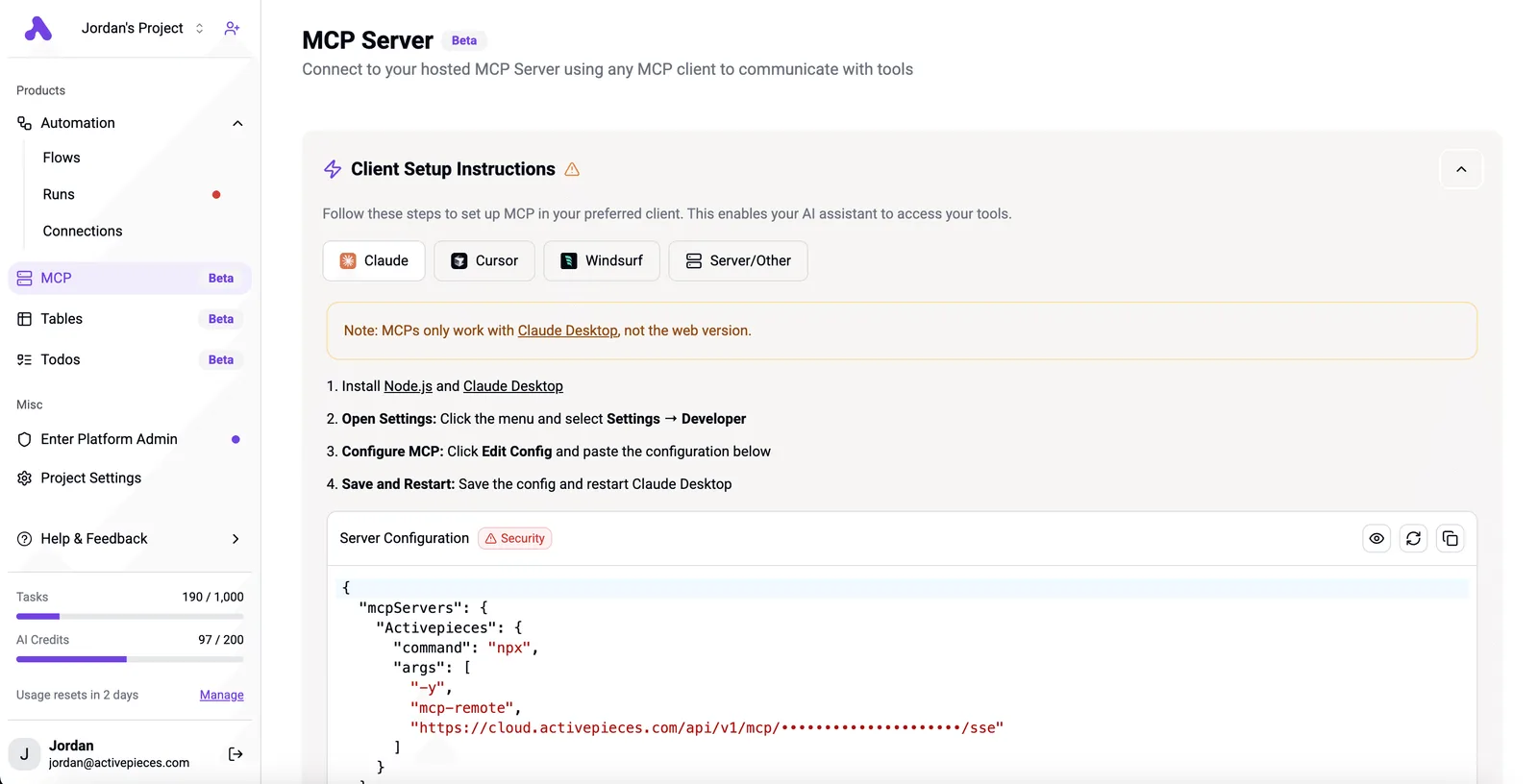
It can search with a filter and a base DN, create an entry, change attributes on an existing one, or remove one.
Don't expect it to sync anything on its own, or to have an opinion about your schema. A workflow has to trigger it, and you supply the DN and attributes every time.
That makes it a good fit for jobs like looking up a user's manager before routing an approval, or adding a new hire to a group from an HR event.
Activepieces meters the run, not the steps inside it: a directory sync split into search, compare, approve and update steps costs one credit, the same as the two-step shortcut, whereas Zapier's per-task billing counts each of those steps separately.
Watch the workflow execution, because it is the metered unit. Each run that touches the directory is one execution on n8n Cloud, and a loop that does one lookup per record multiplies that.
On a self-hosted instance the limit is your own server and your directory's tolerance for bind requests, not a plan quota.
LDAP login for n8n users is a different feature
A workflow talks to a directory through the node; people sign in to n8n itself with their directory accounts through LDAP login. They share a protocol and nothing else: different settings, different purpose, different licence.

Enabling one doesn't give you the other, and a credential created for the node isn't used for sign-in.
The sign-in feature is the Enterprise one. The node isn't. If a vendor page or forum answer says "n8n LDAP" without saying which, assume nothing and check which of the two it means before you budget.
Outside the node is where most of the effort sits. Before you build, settle these:
- Network access: the n8n instance must reach the directory server on its LDAP port. Many directories sit on an internal network, so a cloud-hosted n8n may need a tunnel or an allowlisted address, which is a request to your network team and not a setting in n8n.
- Credentials: a bind account with the narrowest rights that cover your operations. Read-only for lookups, write rights only where a workflow must change entries.
- Transport security: whether the server expects an encrypted connection, and whether its certificate will validate from where n8n runs.
- Licence tier: whether you need only the node or also directory sign-in, since only the second is gated.
Ask for all four first. If the answer to the first is "not without a change request", that's the real timeline for the project.
This takes minutes, not a project: automate it in Activepieces free.
Stage 1: Create the LDAP credential and connect
Filling in the credential takes minutes; whether it tests green depends on the network path and service account you were just asking about, not on n8n.
Hostname is the directory server's address as reachable from the machine running n8n, not from your laptop. Port is whatever your directory team assigned for the security mode you chose.
Binding DN is the full distinguished name of the account n8n logs in as, and Password is that account's secret.
Ask for a dedicated, read-only service account. A node that only searches shouldn't hold rights to modify entries, because if the credential leaks, the damage is limited to what that account can read. Scope it to the branches of the directory you need, too.
In the connection dialog below, which comes from a different automation tool and here connects to an email service called Drip, you can see the shape worth copying:
- a descriptive connection name
- a control over which projects may use it
- a secret field that can point at a vault path rather than hold the value
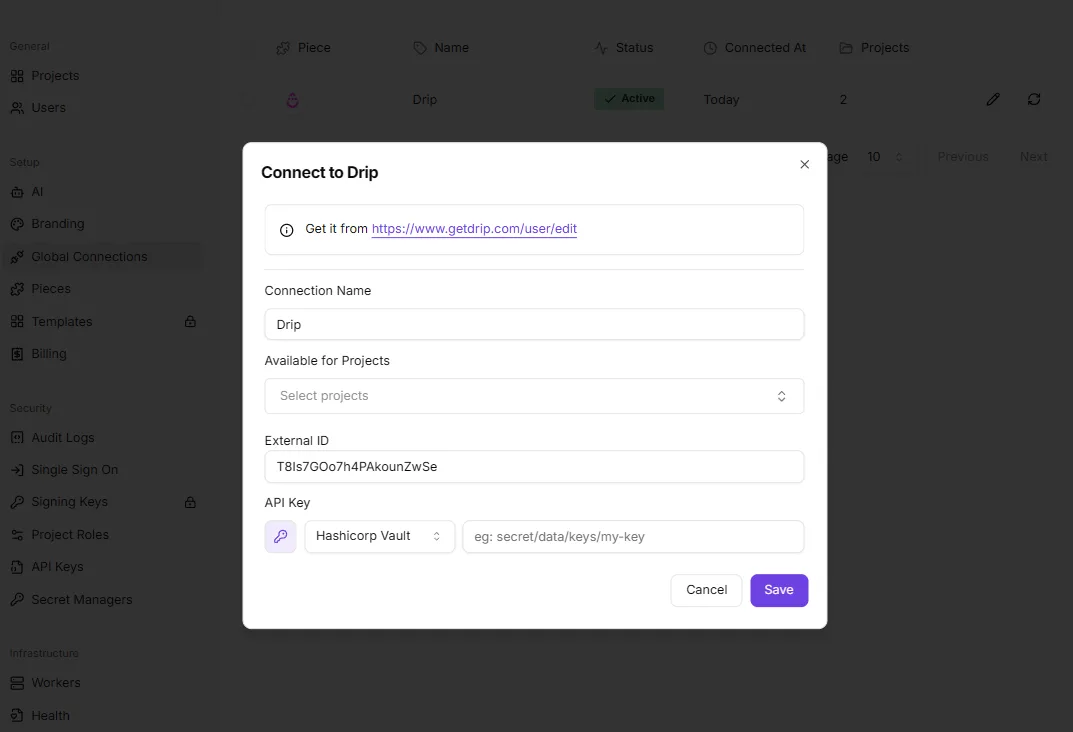
Use the same habits in n8n: name the credential after the directory and its role, and keep the password in your secrets store if your setup supports it.
The last field is Timeout. Leave it generous on first setup, then tighten it once you know how slowly the directory answers under load.
Match the port to the mode. Connection Security offers plain, TLS and STARTTLS; choose the one your directory team enables. A mismatch looks like a hang or an immediate reset, not a clear error.
Avoid plain connections for anything carrying a bind password across a network you don't control.
Turn on Ignore TLS Issues, which skips certificate validation, only briefly, to prove the rest of the setup works against an internal certificate authority. Then turn it off and install the proper certificate chain instead.
When the connection test fails, work from the outside in. A timeout usually means a firewall rule is missing, so go back to the access request. A refused connection means the wrong host or port.
An invalid credentials error means a mistyped Binding DN, often a short username where a full DN is required. A certificate error points to the trust chain, not the password.
Run your first LDAP search
Once the credential connects without a trust error, the first working search takes three nodes. These are a Manual Trigger, an LDAP node set to Search, and a Google Sheets node that appends one row.
Keep it manual until the row lands, so a bad filter costs you a click rather than a scheduled run.
Set Base DN, filter and attributes
Start Base DN at the narrowest branch that holds your users, because it is where the search begins in the directory tree. A search from the domain root walks everything beneath it, and your directory admin will notice.

Set the filter, list only the attributes you need, and switch on Return All so the node doesn't stop at the server's default page.
For most first searches the filters below are enough, and they show the pattern: match on a class, a single account, a group, or an account state.
(objectClass=person)returns every person entry under the Base DN.(sAMAccountName={{$json.user}})looks up one Active Directory login name passed in from an earlier node.(&(objectClass=user)(memberOf=CN=Marketing...))returns users who belong to the Marketing group.(!(userAccountControl:1.2.840.113556.1.4.803:=2))excludes disabled accounts, using a bitwise match on the account-control flag.
Combine them with & when you want an intersection, such as active members of one group. Request attributes like cn, mail and sAMAccountName rather than everything, because each extra attribute is more data carried through every downstream node.
Check the n8n LDAP search output
Run the node and open the output. Each directory entry arrives as one item, and an attribute you didn't request will simply be missing.
A multi-value attribute such as memberOf can come back as an array, so map it deliberately before it reaches the sheet. Point the Sheets node at a single item first and confirm one row appears with the right columns.
Swap the Manual Trigger for a Schedule Trigger once the row looks right. Set the interval to match how fast your directory actually changes, not how fast you can poll it.
On n8n Cloud, executions are the metered unit, so a sync that runs more often than the data changes spends your allowance on identical results.
Stage 3: Create, update and compare directory entries
Write to the directory only after you have compared it with the HR source. The LDAP node has no change trigger, and polling without comparing turns every run into a possible write.
The node can create, update, rename, delete and compare entries, so the risk sits in what you feed it, not in what it can do.
Nothing reaches the directory until a person approves a specific difference; that is what the pattern below shows about where the human sits. Take from it that the Search and Compare steps do the real work, and the write is the last, rarest step.
The node can create, update, rename, delete and compare entries, so the risk sits in what you feed it, not in what it can do.
- Poll the HR API on a schedule.
- Search LDAP for the existing UID.
- Compare attributes between the two records.
- If they differ, send a Slack approval request.
- On "Approve", execute the LDAP Update.
Create new accounts in a staging OU first and move them once approved. A record present in the directory but missing from the HR feed is a probable leaver, so flag it for review instead of deleting it.
Those steps depend on a working connection, covered next.
Connect with a write-scoped credential
You will need the same five credential fields as before: hostname, port, a binding DN, its password and a connection security setting.
Use a dedicated service account as the binding DN, and grant it write rights only on the staging OU and the attributes you update.
A reused admin account makes a mistaken workflow far more costly.
Choose TLS or STARTTLS, not none, since the bind password and every attribute you write cross the network.
Match the choice to what your server offers: TLS wraps the connection from the start, while STARTTLS upgrades a plain one, and each usually expects a different port.
Avoid the option that ignores certificate issues outside a test directory.
If the connection test fails, work from the network inwards. First confirm the n8n host can reach the directory at all, since a firewall rule or a missing VPN path is the usual cause.
Then check that the port matches the security mode, that the certificate chain is trusted, and that the binding DN is written in full, not as a bare username.
You can follow the rest of this with the builder open. Start free, no card.
What you'll pay for n8n LDAP
Nothing extra is charged for the LDAP node itself, because it ships in every n8n edition. What you pay for is the plan around it, the executions it burns and the route your workflow takes to reach the directory.
Plan and price by n8n tier
The metered unit is the execution, one full run of a workflow, however many nodes it touches. The n8n Support page lists four Cloud allowances per month: Starter at 2,500, Pro-1 at 10,000, Pro-2 at 50,000 and Custom at 500,000.

Run a nightly sync once a day and it uses about 30, so Starter is plenty. A workflow that fires on every login or helpdesk ticket can use 2,500 in a week, and that pushes you up a tier.
Using the node is one thing; logging in to n8n itself against your directory is another.
LDAP sign-in is an Enterprise feature, so a team that wants staff to authenticate with their directory accounts is buying a different contract from one that only wants to query users from a workflow.
Reaching your directory, which almost certainly sits behind a firewall while n8n Cloud runs outside it, means a VPN, a tunnel or an open LDAPS port, and each has a price in setup hours, upkeep or exposure.

That cost is real even though no pricing page lists it.
Self-hosted versus cloud for directory work
Put n8n on a VPS and it sits close to the directory, but you take on patching and backups.
The table shows the three routes side by side; read the bottom two rows first, because the base cost barely separates them while effort and risk do.
| Self-hosted VPS ($6.49-$29/mo) | Cloud Starter (€20/mo + Tunnel) | Cloud Pro (€50/mo + Static IP) | |
|---|---|---|---|
| Base Cost | $6.49-$29 per month | €20 per month plus tunnel | €50 per month plus static IP |
| Network Effort | Moderate: you run the VPN or place the host | Moderate: you run and monitor the tunnel | Lower: allow-list one fixed address |
| Security Risk | Lower if you keep LDAP internal | Lower: no inbound port opened | Higher: LDAPS is reachable from the internet |
Pick on who will maintain it, because the monthly fee is the smallest part of the bill.
Common n8n LDAP mistakes and when Activepieces fits
Because most LDAP failures in n8n come from the environment around the node, not the node, the maintainer, not the fee, decides the cost. Seven mistakes cover nearly all of them.
Common n8n LDAP connection mistakes
First comes pointing n8n Cloud at a directory that sits on a private network.
Cloud connects from the public internet, so a domain controller on an internal address is unreachable until you open a firewall rule for n8n's outbound IP or move to a self-hosted instance inside the network.
Expect that to be a ticket to your network team, not a setting.
Second, a wrong Base DN. It must use the DC= format, such as DC=example,DC=com. Point it at the wrong branch and the search returns zero rows with no error, which looks like an empty directory rather than a typo.
Paging and directory size
The third is skipping paging. Directory size decides whether this bites: the AWS tiers below run from 2,000 objects to 500,000, so a test that works on a small directory says little about production.
Per the AWS Directory Service docs, Simple AD small holds up to 2,000 objects and Simple AD large 20,000. Managed Standard reaches 30,000 and Managed Enterprise 500,000.
On many servers a single result is capped at 1,000 entries, so an unpaged search can come back short on any of these tiers. Turn paging on for anything above 1,000 users, or your workflow silently drops the rest.

Change detection and security
Do not expect a change trigger; that is the fourth mistake. The node searches and edits; it doesn't announce that someone joined a group. Schedule a search and compare it with the last run.
Binding with an admin account is the fifth. A search workflow needs read access only, so a read-only service account limits the damage if the credential leaks.
Sixth, leaving TLS certificate checks off lets anyone on the path impersonate your directory. Seventh, unescaped filter input lets a crafted name rewrite your query, so escape special characters.
Reaching private directories without firewall exceptions
Because Activepieces has an MIT-licensed core that you can self-host, it can run inside your network and reach a private directory without a firewall exception for a cloud IP. That addresses mistake one.
It doesn't fix Base DN, paging or escaping, which are LDAP problems wherever the workflow runs. Check that its LDAP integration covers the operations you need before moving.
Run this before you build:
- Service account is read-only for searches
- Firewall allows the n8n IP
- Base DN uses
DC=format - Special characters in filters are escaped
- Paging is on for more than 1,000 users
If all five hold, the node itself is the easy part.
Frequently asked questions
Does the n8n LDAP node work with Active Directory?
Yes, Active Directory speaks LDAP, so the node can search and modify it like any other directory.
What changes is the detail: you need a bind account with read rights on the right organisational units, and you must write filters and distinguished names the way Active Directory expects them.
Attribute names such as sAMAccountName differ from those on an OpenLDAP server, so test your search base before building around it.
Can n8n trigger a workflow when an LDAP entry changes?
Not through the node itself. The LDAP node is an action node: it runs when something else starts the workflow.
To react to changes, schedule a workflow that searches the directory and compares the result with what it saw last time.
The cost of that approach is that you detect changes at your polling interval, not instantly, and you must store the previous state somewhere yourself.
Is LDAP in n8n free on the Community Edition?
On a self-hosted Community Edition install, the LDAP node is available as a regular node, so using it to query a directory carries no separate node fee.
Don't confuse it with LDAP login for signing in to n8n itself, which is a different feature and sits behind a paid licence tier. Check which of the two you actually need before you budget.
Can n8n Cloud connect to an on-premises LDAP server?
Only if the server is reachable from the internet, because Cloud runs outside your network. A directory on a private address can't be reached by default.
Your options are to expose the LDAP port to Cloud's addresses through a firewall rule, to put a tunnel or VPN in front of it, or to self-host n8n inside the network.

Each option is infrastructure work and a security review, and that effort is usually the real cost of the integration.
Does the n8n LDAP node support LDAPS?
Yes, the credentials let you choose a secure connection, so you can use LDAPS instead of plain LDAP.
The practical catch is certificates: if your directory uses a certificate from an internal authority, n8n must be able to trust it, or the connection fails. Settle the certificate and the port with your directory team before you start, not after the first failed test.
Related reading
References
Build it
Set this up in minutes.
No code required. Connect your accounts, and Activepieces runs it from there.
Start free Talk to sales