
Plaid MCP Server vs Plaid API for AI Agents

Nov 12, 202614 min read
As of 2026-11-12 Plaid publishes no separate MCP price, so there's no plan to pick, and teams wiring its data into workflows through tools like Activepieces simply keep paying whatever their existing Plaid agreement says.
Plaid MCP is developer tooling for building and debugging a Plaid integration through an AI assistant. It doesn't let an AI read a customer's bank accounts. Whoever owns the Plaid contract owns the bill and the 2am page when something breaks.
The table below shows what Plaid publishes for each situation, which is nothing for MCP. Treat each row as a question to put to Plaid before anyone commits budget.
Which Plaid MCP plan fits you
| Situation | Plaid's published pricing tier | The catch |
|---|---|---|
| Sandbox learning | Not published | Test data only, so nothing you learn covers real institution behavior |
| Building | Not published | The assistant works under your own Plaid credentials |
| Debugging Link | Not published | Fixes are only as good as the logs and configuration you can show it |
| AI reading customer accounts | Not published | Not what these servers are for |
The four cases below turn those rows into decisions.
For a solo developer in Sandbox, this is where MCP fits best. The catch is that Sandbox tells you nothing about production behavior.
For a team of 5 going to Production, decide who holds the production keys before the assistant touches anything. Activepieces, whose core is MIT-licensed, can take those alerts into a flow later, and the same ownership question repeats there.
For a team of 25 needing admin controls, Plaid hasn't published MCP-specific admin controls or SSO terms. Get them in writing rather than assuming they match the rest of your account.
With high API volume, the question is about your Plaid usage, not the MCP servers. Ask Plaid how it quotes usage, and don't infer an MCP rate from it.
The fastest way to settle a shortlist is to try one. Activepieces is free to try, no credit card.
What the Plaid MCP server is and does
Plaid's MCP offering is two separate servers, Sandbox and Dashboard, that give an AI assistant tools for building and debugging an integration. Neither is a product with its own usage meter, which is why there's no MCP rate to infer.
Model Context Protocol is a standard way for an AI client to call tools that an outside server exposes. The server decides what the assistant can do, so the tool list is the whole permission surface.
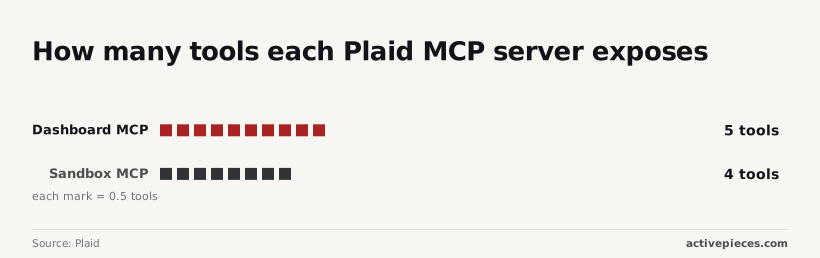
Four is a small surface. Plaid's MCP documentation lists four Sandbox tools, and the assistant works against Sandbox's fake institutions and test data, so a bad call can't touch a real customer's account. If something misfires at 2am, it misfires on test data.

Four Dashboard tools are listed in the same documentation. That's one more than Sandbox, but these act on your Plaid account, not on test data. Decide who owns that account's access before anyone connects an assistant to it.
Setting up Plaid MCP with Sandbox credentials
Sandbox needs only the client ID and secret Plaid issues for Sandbox. Production credentials don't belong in this setup. To connect it:
- Get your Sandbox client ID and secret from the Plaid Dashboard.
- Add the Sandbox server entry to your MCP client's config file.
- Set the credentials as environment variables, so the secret stays out of the config file you may commit.
- Restart the client so it loads the new server.
- Run a test tool call and confirm it returns Sandbox data.
If step 5 fails, the cause is usually steps 2 or 3, and the failing call tells you which one is wrong.
Once it passes, the assistant can reach the Sandbox tools, which is the point at which the limits of what it can and cannot do become testable.
Where teams use Plaid MCP in practice
Teams use Plaid MCP in the work of building and running an integration:
- creating Sandbox test data
- tracing Link and API failures
- checking usage and health
- the developer who owns the integration is still the one answering for the result
Building a first integration
On a first build, the gain is speed. A developer has the assistant create Sandbox items and test data instead of hand-assembling them, then runs the integration against them.
In the workflow canvas below, a chat-driven agent is wired to a language model and a memory sub-node, with an exchange logged in the side panel and errors surfacing from the memory step.
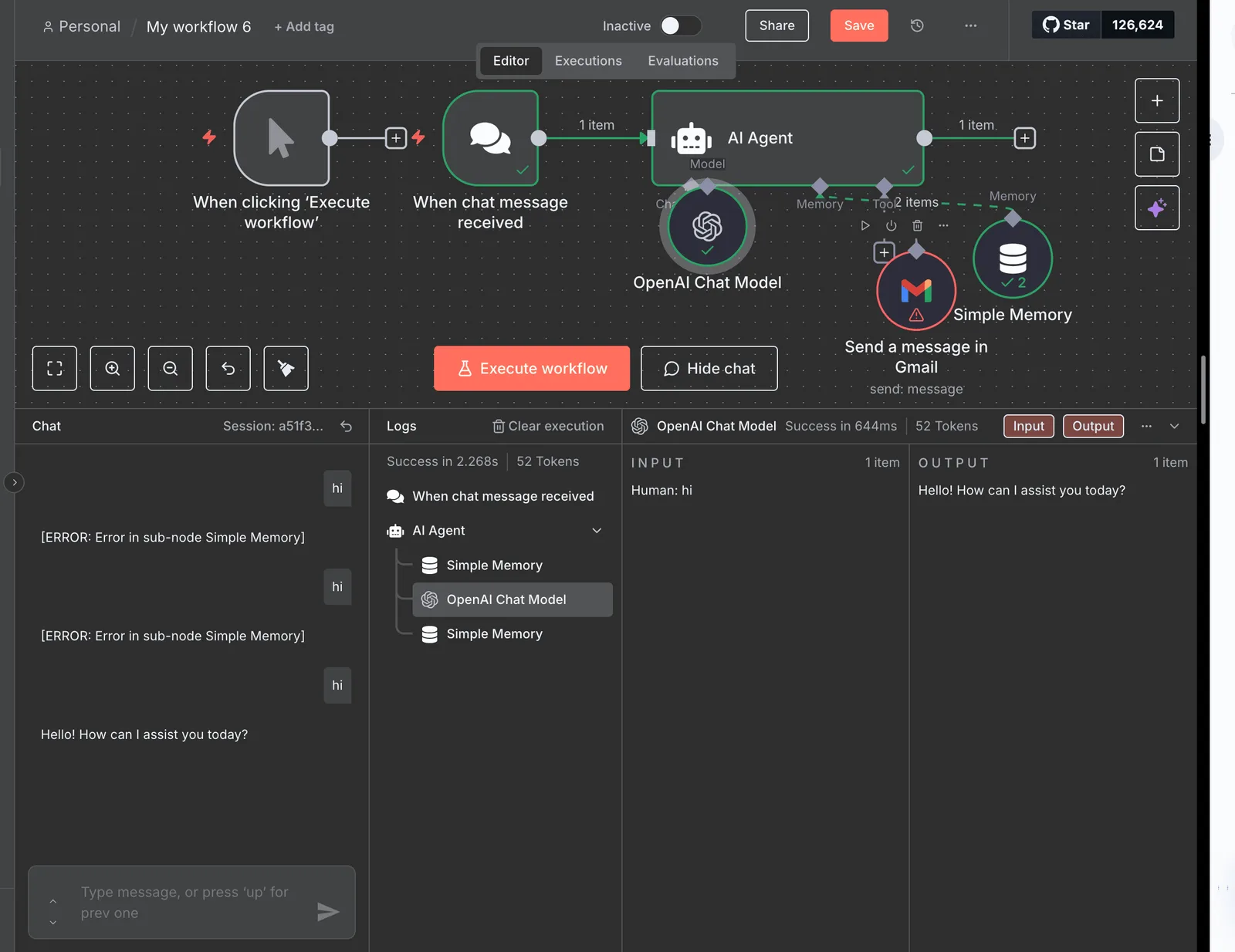
It's a generic agent, not a Plaid one, but the lesson carries: a greeting that works says nothing about the component that is erroring beside it.
Test each tool the assistant can call, and write down who owns the connection when one fails.
Debugging Link and API failures
When Link conversion drops, or an API call returns an error, the assistant can pull the relevant diagnostics and explain them in plain language, which is the failure side of the integration that Plaid's documentation points it at.
The saving is in triage: the developer reaches the probable cause without reading raw logs first.
Whoever is on call should treat its explanation as a lead, not a verdict, because the assistant proposes the diagnosis and a person confirms it before anything ships.
Checking Plaid MCP usage and integration health
Third is a periodic check. Developers can ask about usage and the health of their integration without opening a dashboard. This suits a weekly review or the first look after an alert. It reports on the integration you built, not on any customer's accounts.
What Plaid MCP cannot do
The Plaid MCP servers cannot read a customer's bank accounts:
- They reach test data
- They reach your own integration's configuration
- They don't reach live consumer transactions: Only one row involves real account data, and it is not an MCP. The table shows what each route touches, who can use it, and what it needs.
| Route | Data reached | Who can use it | What it needs |
|---|---|---|---|
| Plaid Sandbox MCP | Simulated test data | Developers building the integration | Sandbox credentials |
| Plaid Dashboard MCP | Your integration's settings and activity | Team members with Dashboard access | An authorized Dashboard login |
| Direct Plaid API calls | Live account data a user has approved | Your backend | Production keys and a Link-issued access token |
| Third-party MCP wrappers | Whatever the wrapper exposes | Whoever operates the wrapper | Your credentials, handed to its operator |
Whoever owns the production row owns the consent problem, so that's where the rest of this section goes.
If an assistant needs a person's balances or transactions, it's the wrong tool, and no prompt changes that. Neither Plaid-run server has a tool that fetches them.
If an assistant needs a person's balances or transactions, it's the wrong tool, and no prompt changes that.
Roughly one in two US bank account holders have connected an account through Plaid. That scale exists because each connection passes through Link, where the user consents.
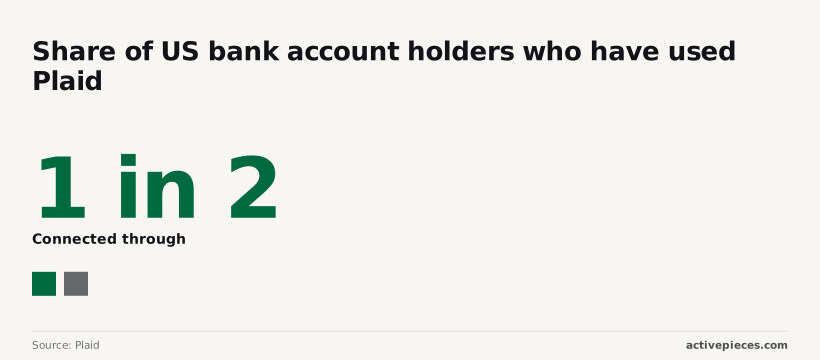
Someone would have to answer for every account read without Link, because a shortcut around it would bypass the step that half the country's account holders have already come to expect.
Someone other than Plaid writes and runs a third-party wrapper. Before you hand it keys, ask who maintains it, where it stores the credentials, and who gets paged when it misbehaves. Plaid doesn't carry that answer for you.
Reading a table only gets you so far. Build the same workflow in Activepieces and compare it yourself.
Common mistakes with Plaid MCP
Five mistakes recur, and in each the cleanup lands on you, not Plaid.
They are treating the server as a view into customer data, starting in Production, putting secrets in shared config, approving write tools unread, and trusting community servers as Plaid-run. The list pairs each with its fix.
- Assuming customer data is exposed: the servers are developer tooling, so use Sandbox data.
- Production keys instead of Sandbox: use Sandbox keys until the integration behaves.
- Secrets in shared config: keep them in environment variables or a secrets manager.
- Unreviewed write tools: read what each tool changes before enabling it.
- Community servers trusted as Plaid-run: install only what Plaid's documentation points to.
Name an owner for each fix before the first session.
With Production keys, a mistaken prompt can touch real items. Sandbox costs nothing and proves the same integration logic, so stay there until it works.
Once a config file is committed to a shared repository, it outlives every token in it. Scalekit puts the MCP access token at 15 minutes, so a leak of that one expires quickly.
30 minutes is how long update Link tokens and public tokens each last, which is a short but real window, so a compromised update Link token works for at most 30 minutes.
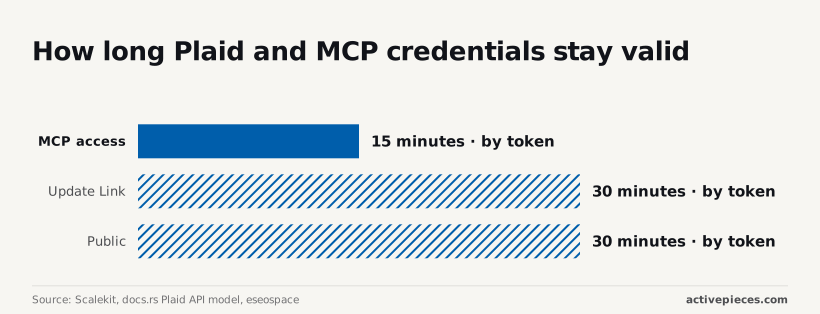
240 minutes is the life of a new Link token, four hours in which a stolen one still works. The client secret and keys in config have no such expiry, so rotate those on a schedule.
On live user data, the server helps you build and debug. It doesn't read a customer's accounts, so a request for their balances will fail or mislead. Ask it about your integration instead.
Write tools alter your Plaid configuration. Review each proposed change, and keep a person named as approver.
Connecting Plaid data to workflows with Activepieces
A workflow tool is the right layer when Plaid data has to land somewhere a person or another system will act on it. Whoever owns the flow should be named before it goes live. That ownership question matters more here than the tool choice.
When a workflow tool is the right layer
Suppose a Plaid webhook announces new transactions and someone wants a row in a spreadsheet and a message in a team chat. That's plumbing, and any general-purpose automation platform can do it: Zapier, Make, n8n, or a small service you write yourself.
Activepieces is one more option in that group, with an MIT-licensed core and 747 integrations in its open source monorepo (which means you won't need to build many connectors yourself) and its flows are built from steps.
For this job the relevant steps are a webhook trigger, which receives Plaid's notification, and HTTP steps, which call Plaid's API with your own credentials and pass the result on.
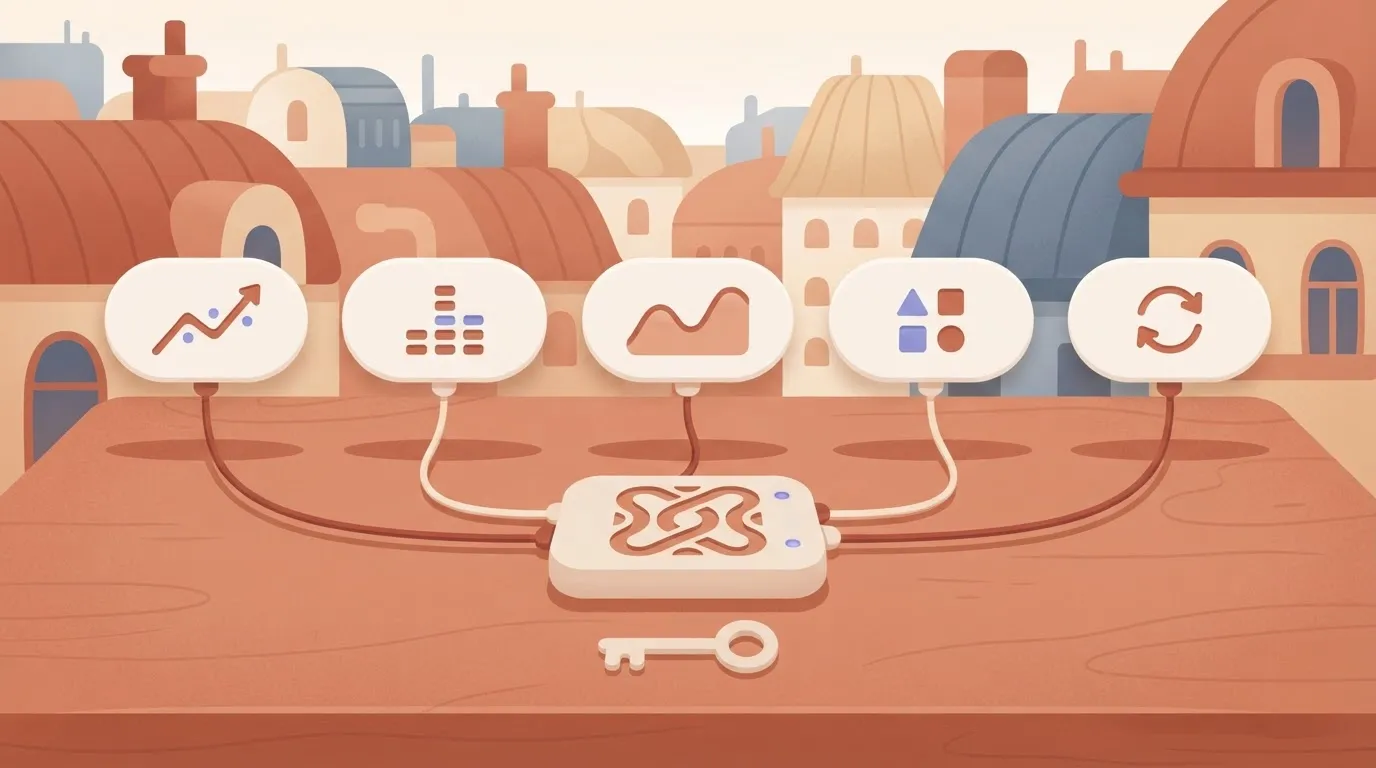
In the illustration below, Plaid's API and webhooks feed into an Activepieces flow, which writes out to a spreadsheet and a chat tool, and a run of that flow costs 1 credit however many steps it has.
The separate Plaid MCP box sits above it, unconnected and labelled developer tooling.
Take from it that the two paths don't meet. The flow moves production data on a schedule or an event, while the MCP server helps you build and debug the integration.
Once a piece is connected in Activepieces, an agent can call it: the same piece action that runs as a step in that flow is registered as a tool on the project's MCP server, so Claude, ChatGPT, Cursor or an agent you wrote yourself reaches it with no separate catalog to publish to and nothing to wire up twice.
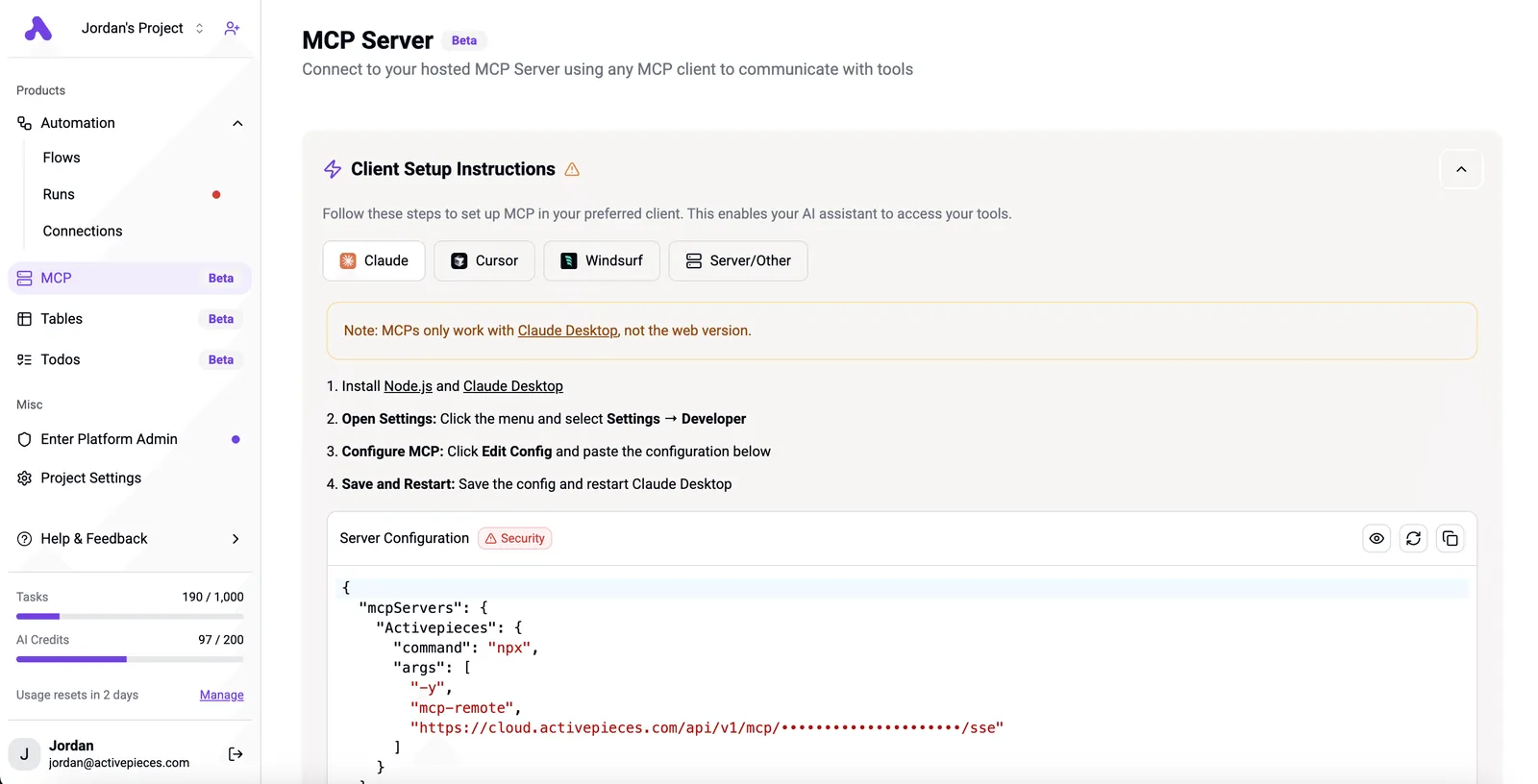
MoneyGram, Moneypenny, Alan and FundingSocieties run Activepieces, and the Integrations Framework and MCP Server documentation describes the mechanism, which you can read in packages/integrations in the open source repo. That's a different thing from Plaid's MCP servers, and it only runs the steps you defined.
Check Activepieces' current pricing page and Plaid's webhook documentation before building, since both change: the Activepieces free plan we saw on 2026-10-23 gave 1,000 credits a month and unlimited flows, and you should record the date you checked.
What the Plaid API and Link still do
It doesn't replace Plaid's MCP server, which exists to help you build against Plaid and doesn't read anyone's accounts. It doesn't replace Link either. Link is where the customer authenticates and grants consent, and no HTTP step can stand in for that.
It also doesn't remove the 2am question. When the flow fails, a named person is paged, holds the Plaid credentials, and decides whether a retry is safe. Assign that before the first run.

What to do with Plaid MCP on Monday
Treat Plaid MCP as build tooling and work through five steps in order, each with a named owner who gets paged when it breaks, so someone responsible knows about every failure in seconds. The list below is the whole week's sequence.
- Decide whether the goal is building against Plaid or reading customer data.
- Set up Sandbox with test keys.
- Confirm access and pricing on Plaid's own pages.
- Decide who may use the Dashboard tools.
- Re-check the changelog.
Until step one is answered, nothing else moves, and the answer should be written down.
Because MCP is a protocol that lets an AI assistant call tools a server exposes, and Plaid's servers expose tools for building and debugging an integration, they help you write and diagnose code, not read a customer's accounts.
Use the Sandbox server first, with test keys only. A mistake here costs a failed test, not a production incident, and whoever runs it can learn what the assistant does with each tool before anything real is within reach.
Because the Dashboard server touches your Plaid account's own configuration and diagnostics, access is a permissions decision, not a convenience. Name the people allowed to connect it, and name the person who reviews what the assistant did with it.
Keep test keys in the assistant's configuration and production keys out of it.
Confirm access and pricing on Plaid's pages rather than trusting a blog post, this one included. Then re-check the changelog on a schedule, assigned to a person, because tool behavior can change under you.
Frequently asked questions
Cost and data access
Is the Plaid MCP server free to use? Plaid's documentation describes no separate charge for the MCP servers themselves, but your costs follow the Plaid API calls they trigger.
Sandbox calls are test traffic. Anything in Production bills under your existing Plaid agreement, so read that before assuming the tooling is free.
Can Claude or ChatGPT read my bank transactions through Plaid MCP? No. These servers help you build and debug a Plaid integration, and they're not a route into a customer's accounts.

Reading real balances or transactions still requires your own app, Plaid Link, and the customer's consent. If that's your goal, the servers were never the route.
Official servers
Is there an official Plaid MCP server on GitHub? Treat Plaid's own developer documentation as the authority on what is official and where it is published.
Community MCP servers for Plaid exist, and some may be named to look official. Before installing one, check who publishes it and who maintains it, because that person won't be paged when it misbehaves.
Production and keys
Does Plaid MCP work in Production or only in Sandbox? Sandbox is the sensible default, and it's where you should start.
Pointing an assistant at Production credentials means it can act on live integration data, so that decision needs a named owner and a review before anyone makes it, not a convenience toggle.
Is it safe to give an AI assistant my Plaid API keys? Sandbox keys, yes, within reason. Production keys, no.
Keep them in a secrets manager and out of prompts, chat history and config files the assistant can read. Rotate any key that appeared in a conversation, and know in advance who owns that rotation.
Related reading
Still comparing
The fastest way to settle it is to build something.
Open source under MIT, so you can self-host the same thing later.
Start free Talk to sales