Power BI Pricing in 2026 and What Each License Costs

Nov 3, 202614 min read
According to MetricOak, Power BI costs nothing to build in, a monthly fee per person to share, and from $263 a month once you buy dedicated capacity, which means you stay free until you need to share with others.

It's Microsoft's tool for turning company data into dashboards and reports, and it sits comfortably alongside workflow tools like Activepieces that move that data around.
Power BI pricing is the licensing structure Microsoft uses to charge for its business analytics tool: a free tier for building reports, a per-user monthly fee (Pro or Premium Per User) for sharing them, and dedicated capacity billed per month for organization-wide distribution.
Free, Pro and Premium Per User
Read the table for each plan's unit of billing and its ceilings.
The takeaway is that the first three plans charge per person, while the last two charge for a block of computing power, so your costs shift from scaling with headcount to scaling with infrastructure.
| Plan | Price and unit | Included | Limits (model size, refresh) |
|---|---|---|---|
| Free | No charge, per user | Building reports for yourself | No sharing; small models; limited refresh |
| Pro | Per user, per month | Publishing and sharing; viewers also need Pro | 1 GB model; 8 refreshes a day |
| Premium Per User | Per user, per month | Pro plus larger models | 100 GB model; 48 refreshes a day |
| Fabric capacity (F SKUs) | Per capacity, per month | Shared compute for a whole organisation | Model size grows with SKU; 48 refreshes a day |
| Embedded A SKUs | Per capacity, billed by the hour | Reports placed inside your own app | Model size grows with SKU |
Limits checked 2026-11-03.
Fabric capacity and the fate of Premium P SKUs
For new buyers, Fabric capacity replaces the older Premium P SKUs. Each size up doubles the price.
According to MetricOak, F2 is $263 a month and F4 is $526. F8 is $1,051, so one step up costs as much as the two tiers beneath it combined. F16 is $2,102 and F32 is $4,205, meaning the second tier costs exactly double the first.

$8,410 a month buys F64, the size where report readers no longer need their own licence, so you don't pay licensing fees for readers at this tier. That makes it the crossover to compare against your Pro headcount.
Before you budget, know where these figures came from: the capacity prices come from MetricOak, and the plan limits were checked on 2026-11-03. Prices move, so confirm against Microsoft's own page before committing.
Activepieces, which can run a refresh-failure alert or an idle-seat check around Power BI, charges 1 credit per flow run on its published pricing page, so a ten-step idle-seat check costs the same as a two-step shortcut and nobody pays extra for breaking the chore into smaller, more reliable integrations.

What Power BI Costs at Realistic Team Sizes
$140 a month for 10 people, $700 for 50, $7,000 for 500: that is Pro at $14 per person, all from Microsoft's published prices, which means any organization can calculate total Pro costs by multiplying headcount by 14.
The annual totals below are our own arithmetic: monthly price times twelve.
At ten seats, Pro comes to $140 a month, or $1,680 a year, making annual budgets straightforward.
Premium Per User, the dearer per-seat tier, costs $240 a month for the same ten, so the upgrade adds $100 a month.

50 people, few authors, many readers
At fifty seats, Pro costs $700 a month, or $8,400 a year. Premium Per User at fifty is $1,200 a month.
Suppose only five of those fifty build reports and the other forty-five just open them. You're then paying the full per-seat rate for people who never build anything.
500 viewers and the capacity crossover
Go per seat and the cost climbs in a straight line. Pro reaches $1,400 at 100 people and $2,800 at 200.
It's $5,600 at 400 and $8,400 at 600. Premium Per User reaches $2,400, $4,800, $9,600, and $14,400 at those same headcounts.
At 500 viewers, our arithmetic puts Pro at $7,000 a month, or $84,000 a year, and Premium Per User at $12,000 a month, or $144,000 a year.
Switch to a Fabric capacity and the bill takes a different shape: you rent a block of computing power at a flat monthly price, however many people look at the reports.
Left of that point, per-seat licensing is cheaper.
If you are running this arithmetic for your own team, see what the same workload costs on Activepieces.
Hidden Costs and Limits People Hit After Buying
Look past the sticker price: it leaves out five things, and any of them can move your bill more than the per-user fee does.
- Viewers need a Pro license unless the content sits on capacity.
- Model size caps are 1 GB on Pro, 100 GB on PPU (Premium Per User) and 25 GB on F64, so you can't deploy models larger than your tier's limit.
- PPU content can be shared only with other PPU users or capacity-hosted workspaces.
- Capacity bills for the hours it's running, even when nobody opens a report.
- Gateways and Microsoft Entra sign-ins carry assumptions about your setup.
Because Forrester finds that hands-on creators are 1% of decision-makers, nearly everyone you want to reach only reads. On Pro, each of those readers needs a paid license, which means your viewer count sets the bill, not your builder count.
Keep growing your sales history and the 1 GB Pro cap will eventually stop it publishing. PPU's 100 GB gives room, but only to PPU readers. F64's 25 GB sits below PPU's, so paying more for capacity doesn't buy you a bigger model.
your viewer count sets the bill, not your builder count.
Pausing stops the meter, but it also stops your reports, so a weekend pause is a decision about who loses access.
If your data sits on your own servers, you need a gateway, which is software on a machine you must keep running and patched. Everyone also needs a Microsoft Entra account, so outside partners need guest accounts set up before they can see anything.
Power BI Against Tableau, Looker Studio and Metabase
For a company already living in Microsoft's tools, Power BI is the cheapest choice, and the Microsoft Entra requirement is part of why. It's a worse choice for a team with many outside viewers or no Microsoft footprint.
To compare how each tool charges, what you get free, and how it treats people who only look at reports, use the table below.
I left out dollar amounts on purpose; check each vendor's pricing page on the day you buy.
| Tool | Entry price per user | Free tier | What paid adds | Viewer pricing model |
|---|---|---|---|---|
| Power BI | Monthly per-user licence | Desktop app to build reports, but no sharing | Publishing and sharing in the cloud | Viewers need paid licences unless you buy capacity |
| Tableau | Per-user licence by role | Public-only version for non-private data | Private data, server hosting, governance | Cheaper Viewer role, still one licence per person |
| Looker Studio | No charge for the standard product | Full product for most uses | Team workspaces and admin controls in a paid edition | Viewers generally need no paid licence |
| Metabase | Paid plans for hosted or managed use | Self-hosted open-source edition | Permissions, support, embedding | Plan-based rather than per viewer, depending on edition |
Where each alternative is cheaper or worse
If your data lives in Google products and you mostly need dashboards, Looker Studio is cheaper. It's worse when you need heavy data modelling or tight access control.
Metabase is cheaper if someone can run a server for you, and the cost of doing nothing there is a tool nobody maintains.
For visual analysis, Tableau is stronger, but you pay for it, and its per-role licences add up fast across a large audience. Power BI wins when most viewers already hold Microsoft licences or you'll cross into capacity pricing.
Worth checking against a plan that does not meter every step: one credit covers a whole run on Activepieces.
Ways to Lower a Power BI Bill
Work through these six fixes in order, because each one saves more than the one after it and most need nothing more than an afternoon with your admin settings.
Each fix ends with a check.
Downgrade unused Pro seats. Every paid seat nobody opens is money wasted monthly.
Pull the usage report from the admin portal and list people with no activity in recent months. Check: the paid-seat count in your Microsoft 365 admin centre drops by the number you removed.
Split creators from viewers. Most people in a company read reports and never build one, yet they often carry the same licence as the analysts.
Give the paid tier only to those who publish, and move the rest to a cheaper route. Check: compare the list of people who published anything against the list of people who hold a paid seat.
Capacity, bundles and duplicate data
Move wide distribution to capacity. Once a report reaches a large audience, paying per reader costs more than renting shared computing power, which lets free-licence viewers open it.
Check: price both routes for your actual viewer count before you commit.
Right-size Fabric. Fabric is Microsoft's bundled data platform, and its capacity bills whether anyone is using it or not. If it sits idle overnight and at weekends, you're paying for empty rooms.

Pause it when idle or drop to a smaller size. Check: the capacity metrics app shows peak load well under what you bought.
Check your Microsoft 365 bundles. Some existing Microsoft plans already include Power BI rights, so you may be paying twice. Check: match each paid seat against the plan that person already holds.
Remove duplicate datasets. Copies of the same data each refresh and consume capacity, and people trust the wrong one. Check: search the workspace for datasets sharing a source and see which still have readers.
Automating Power BI Chores with Activepieces
When one app's events need to trigger another app's actions, Activepieces connects the two, with 746 integrations in its open source monorepo and unlimited flows on every plan, including free.
It won't lower what Microsoft charges you, but it can take over a few chores that otherwise cost staff time or go unnoticed until someone complains.
What changes is how quickly you find out when something breaks; licensing and capacity pricing stay exactly as they were.
Nobody is told when a report refresh fails overnight, and an executive opens a stale dashboard the next morning. The cost of doing nothing here is quiet.
For a single report with one owner, Power BI's own refresh-failure email alerts are enough. Reach for an outside tool only when the alert needs to land somewhere your team actually looks, or when it depends on something Power BI can't see.
That's where three small workflows earn their keep:
- Post a message to a team channel when a refresh fails, so it's seen by the people who can fix it rather than sitting in one inbox.
- Start a refresh once an upstream data load finishes, instead of guessing at a schedule and hoping the timing holds.
- Flag licensed seats that have gone unused, so you can decide whether to reclaim them before the next renewal.
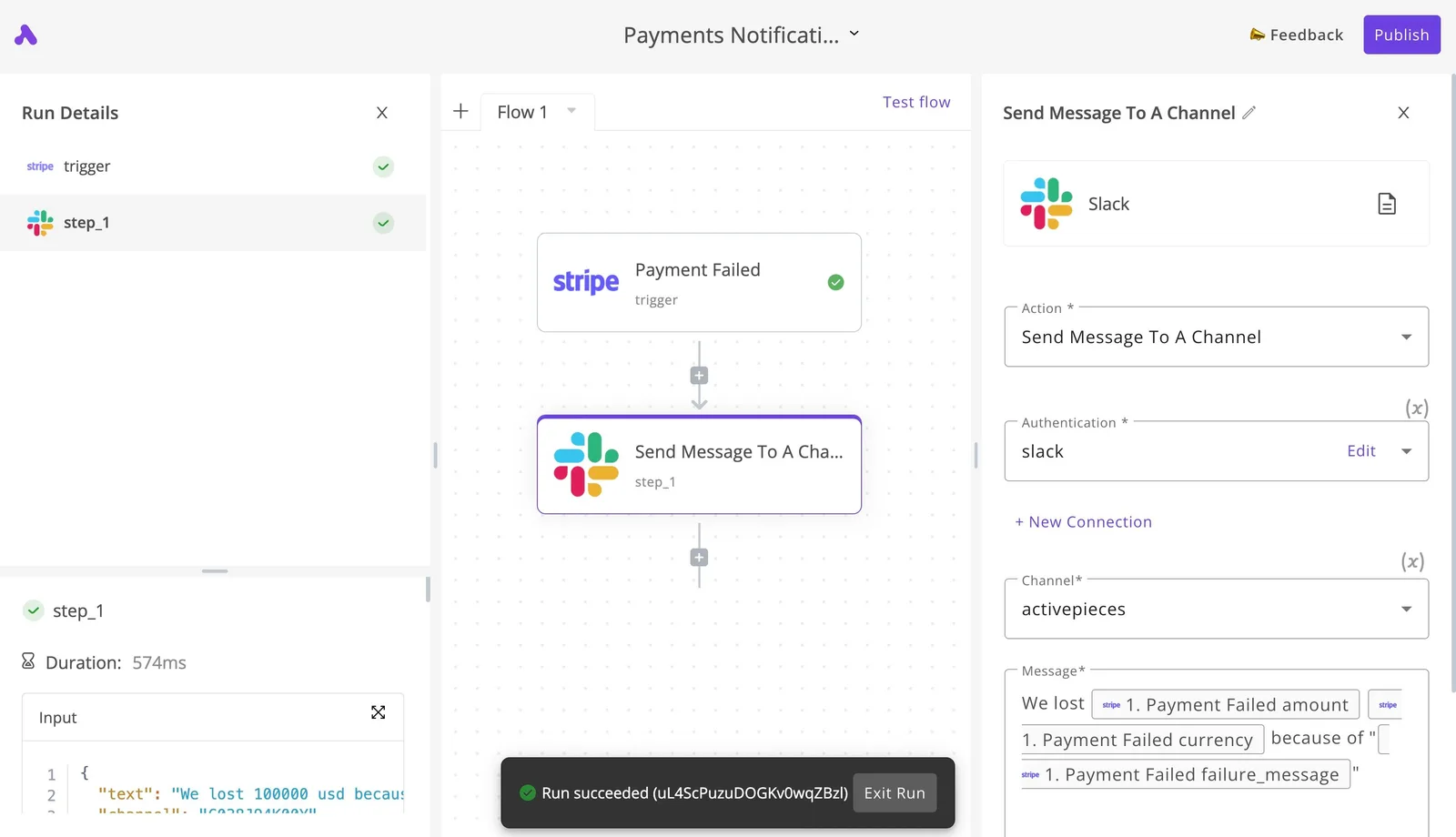
Take the screenshot below as the shape of such a flow, using a payment-failure alert as the example.
A Stripe "Payment Failed" event triggers a Slack "Send Message To A Channel" action, the run details show the first step completed, and the canvas ends with "Run succeeded".
It's not a Power BI flow, but a refresh-failure alert is built the same way: one trigger, one message, one channel.
A Monday Morning Power BI Cost Checklist
Run six checks this week and you will see where your Power BI money actually goes.
- Pull the license report from the admin center. This is the screen where your organization assigns licenses. Export it; later steps work from that list.
- Count active against assigned Pro seats. A Pro seat is the paid license that lets someone build and share reports. Every seat assigned to someone who hasn't opened Power BI lately is a monthly charge for nothing, so reclaim those first.
- List the people who only view reports. They are the group that decides whether per-seat licensing or capacity is cheaper for you.
Capacity, limits and re-checks
- Price capacity using the table. Run your view-only count through it. If you sit near the crossover, note that now, because growth will push you over it.
- Check refresh schedules and model sizes against the limits. A report that outgrows a limit after you buy forces an upgrade you never budgeted, so find that out while changing course is still free.
- Set a reminder to re-check pricing. Licensing terms change, and an estimate that was right in spring can quietly be wrong by autumn.
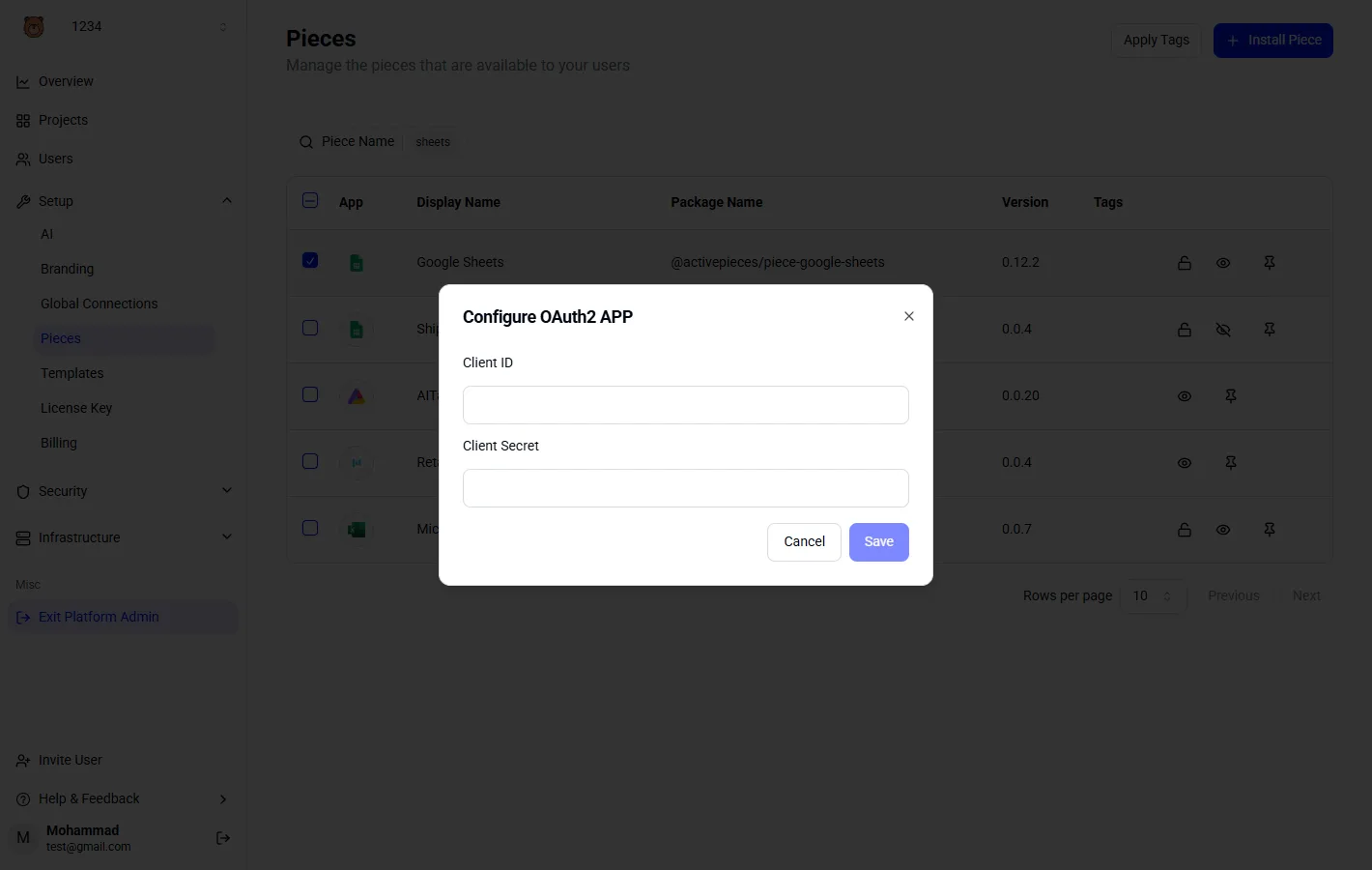
Where a check depends on automation connected to your Power BI account, that connection needs credentials before it works.
The configuration dialog below shows the pattern: a list of connectors with their package names and versions, and a prompt for a Client ID and Client Secret. Gather those from your admin before you start, or the whole checklist stalls on the first login.
Frequently asked questions
Is Power BI Desktop really free? Yes, the Desktop application costs nothing to download and build reports in.
The cost begins when you publish to the online service and share with others, because that step needs a paid licence for the people involved. Treat Desktop as a free workshop and budget for the front door.
Do I need Power BI Pro to view a shared report? Not always. Viewers need Pro when the report lives in an ordinary shared workspace.
If it lives in a workspace on paid capacity of a qualifying size, people with a free licence can view it. With many viewers, capacity can cost less than licensing each of them.
Discounts, government clouds and price changes
Is there a Power BI student or nonprofit discount? If you are an eligible nonprofit, you can get discounted Power BI licences through Microsoft's nonprofit program, and education customers have their own pricing.
Neither is automatic. You apply and are verified first, so start before your renewal date, or you'll pay the standard rate while waiting.
Does Power BI pricing differ for government clouds? Yes. Microsoft runs separate government environments for US public-sector customers, and their pricing and feature availability are listed separately from the commercial service.
Some newer features arrive there later. If you work under one of those clouds, use that price list and check that the features you need exist there.
How often does Microsoft change Power BI prices? Rarely, but it does happen. Per-user prices stayed flat for years before Microsoft raised them with advance notice.
So a budget built on today's sticker price should have some slack, and your renewal date is the moment to check Microsoft's current pricing page rather than last year's quote.
Related reading
Running the numbers
See what the same workload costs here.
Free forever plan, and every paid plan self-hosts at no extra cost.
See pricing Talk to sales