Redpanda Pricing: Plans and Costs Explained (2026)

Nov 21, 202613 min read
Four distinct tiers (Community, Serverless, Dedicated, and BYOC) structure the Redpanda pricing model, which means users must align their specific infrastructure requirements with the appropriate service level.
These range from a free source-available version to managed cloud services, which can be connected to external workflows using Activepieces, starting at a high entry floor for a minimum production cluster.
Redpanda pricing refers to the tiered cost structure of a C++ based streaming data platform that offers a choice between self-managed source-available software and managed cloud services billed via serverless consumption or dedicated cluster reservations.
While the C++ engine has better hardware utilization than Java-based alternatives, the cost of entry for managed instances reflects a premium positioning. The service targets high-volume enterprise workloads rather than small-scale hobbyist projects.
Redpanda pricing plans and core features
The free Community Edition vs. Serverless tier
By using the Community Edition, developers can run Redpanda on local hardware or self-managed containers under a source-available license. This eliminates licensing fees but shifts the entire operational burden of patching and scaling to you.
The Community Edition enforces a dual-constraint ceiling to separate free usage from enterprise scale. Users are limited to a maximum of 50 CPU cores across their deployment, but they must also adhere to a 3-node cluster limit.
This means you cannot bypass the core limit by spreading a small number of cores across a massive distributed fleet.
When teams move to the cloud without managing infrastructure, the Serverless tier offers a consumption-based model where you pay only for the data you ingest and store. This tier removes the need for a minimum cluster size.
It's a viable entry point for Activepieces users or those running lightweight event-driven workflows that don't justify a dedicated environment. Once throughput becomes consistent and high, the variable costs of the Serverless tier can quickly exceed the predictable monthly rate of a fixed cluster.
Dedicated Cloud and BYOC pricing benchmarks
Managed by Redpanda on AWS or Google Cloud, the Dedicated Cloud tier provides a fully managed cluster service. Redpanda handles the infrastructure, but this convenience comes with a mandatory minimum spend that can be prohibitive for testing environments.
The Bring Your Own Cloud (BYOC) model deploys the Redpanda data plane into your own VPC while keeping the control plane managed by Redpanda.
This architecture allows companies to use their existing cloud provider discounts and maintain perimeter security. It requires a more complex initial setup than the standard Dedicated offering.
The 2025 Redpanda pricing comparison table
The following table outlines the trade-offs between self-management and Redpanda's various cloud tiers, highlighting how SLAs and throughput caps scale alongside cost.
| Plan | License Cost | Management | Max Throughput | SLA |
|---|---|---|---|---|
| Community | Free | Self-Managed | Hardware Dependent | None |
| Serverless | $0/mo Base + Usage | Fully Managed | Limited by Tier | 99.9% |
| Dedicated | ~$1,000/mo Min | Fully Managed | Up to 4GB/s | 99.95% |
| BYOC | Annual Contract | Semi-Managed | Up to 4GB/s | 99.99% |
| Confluent Cloud | $0/mo Base + CKUs | Fully Managed | High (Tiered) | 99.95% |
| Amazon MSK | Instance Based | Managed Service | Instance Dependent | 99.9% |
As data volume grows, the cost shifts from human operational hours to direct licensing and management fees through this progression from free local development to high-availability enterprise tiers.
Serverless pricing versus dedicated production costs
The Serverless tier begins at a $0 base fee, charging roughly $0.08 per GB of ingress, which appeals to developers testing the waters by removing the financial risk of initial experimentation.
However, moving to a Dedicated production environment introduces a significant jump to a monthly minimum near $1,000, forcing teams to commit to a substantial recurring expense before scaling. This baseline covers the management of a three-node high-availability cluster and basic support.
The Bring Your Own Cloud (BYOC) tier typically requires an annual commitment starting at $15,000 to $20,000 per year. While this sounds higher, it often results in a lower total bill for high-throughput users because it strips away the cloud infrastructure markup.
Organizations must weigh these fixed entry points against their projected data growth to avoid overpaying for idle capacity.
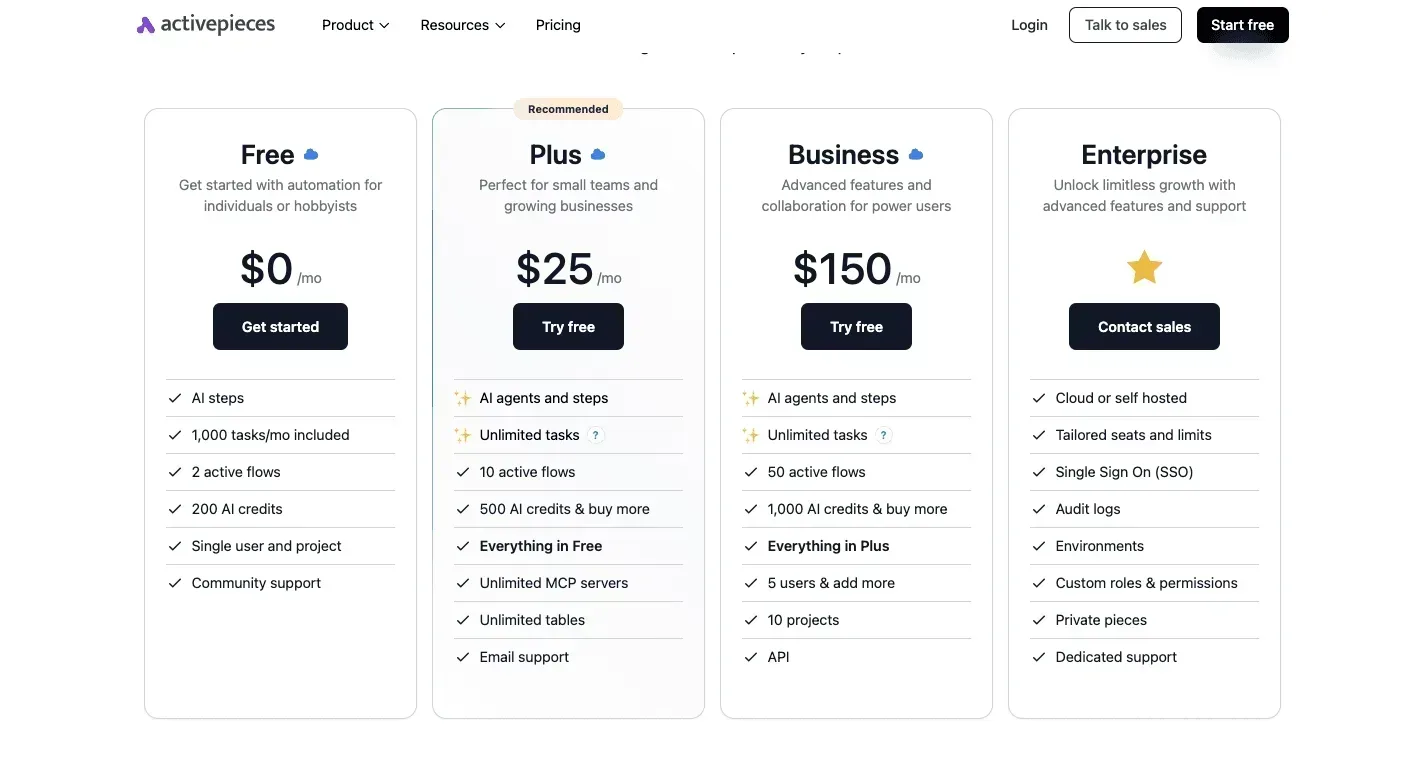
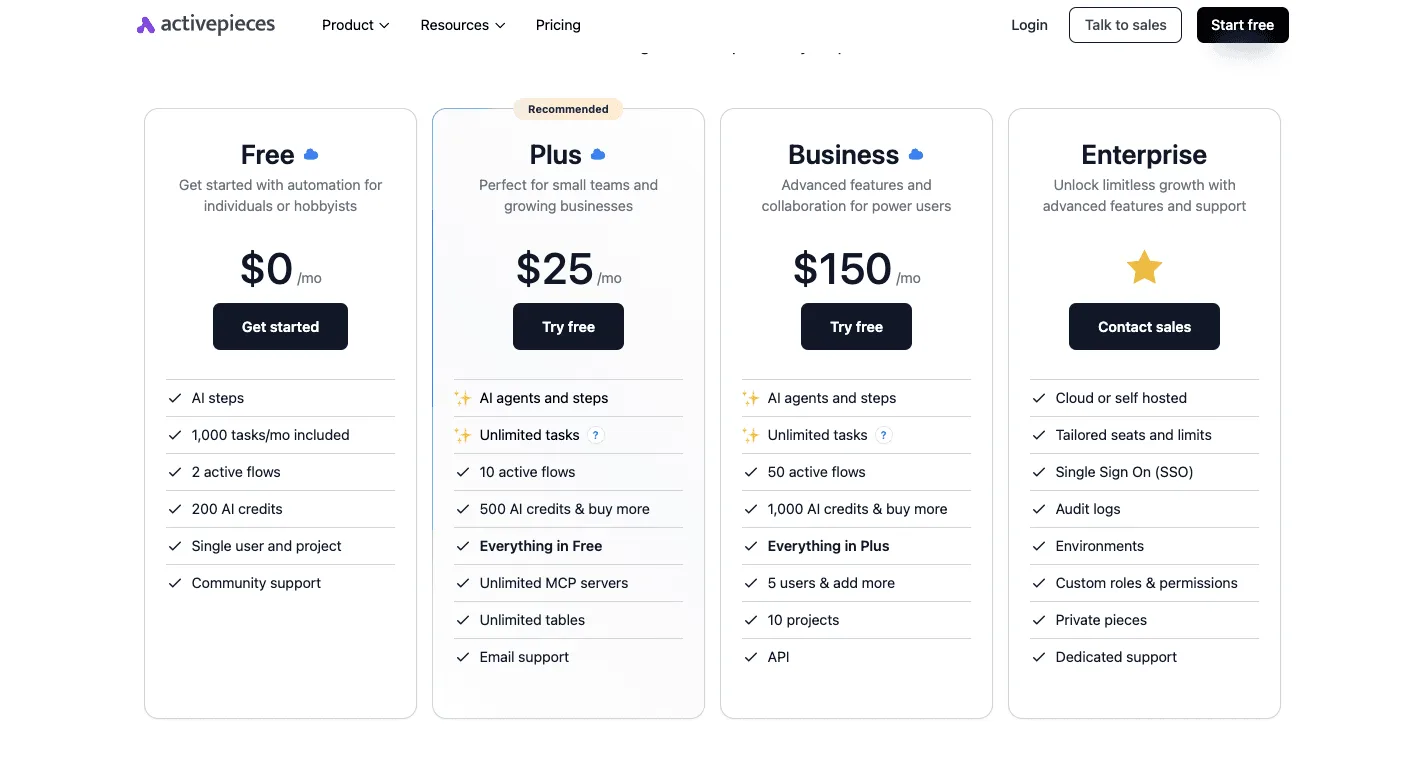
If you are running this arithmetic for your own team, see what the same workload costs on Activepieces.
Why Redpanda claims a lower total cost of ownership than Kafka
Redpanda lowers the total cost of ownership by replacing the resource-heavy Java Virtual Machine (JVM) with a C++ architecture that extracts more performance from each CPU cycle.
How removing the JVM and ZooKeeper cuts costs
When you remove the JVM, you eliminate the unpredictable latency spikes caused by garbage collection. Developers don't have to over-provision memory just to handle background cleanup tasks.
Instead of relying on Apache ZooKeeper as a separate consensus service, the platform integrates metadata management directly into the storage engine. This consolidation removes a distinct layer of infrastructure that would otherwise require its own monitoring, patching, and compute resources.
Hardware efficiency at high throughput levels
The architectural advantage of C++ is most visible when comparing the physical footprint required to sustain identical data volumes.
Only a single server rack is required for Redpanda to process that same workload. Its thread-per-core model prevents the context-switching overhead that throttles Java applications.
Lowering engineering costs with self-tuning clusters
The engine is aware of the underlying hardware topology.
It self-tunes memory and disk I/O. This prevents the "tuning fatigue" common when balancing Kafka's hundreds of configuration parameters. Automation allows a single engineer to manage a larger volume of data, effectively lowering the human capital cost required to keep the production pipeline operational.

Why small teams may not save money
Redpanda's managed service architecture imposes high entry costs that effectively negate the hardware savings promised by its C++ engine for smaller operational footprints.
The hidden cost of minimum cluster sizes
No rigid cost floor exists within the Serverless tier in Redpanda Cloud — you only pay for what you consume. Regardless of actual throughput, the Dedicated tier requires a minimum monthly cluster commitment. A team processing only a few gigabytes per day pays the same base rate as one processing terabytes.
The result is a massive disparity in cost-per-message. This lack of granular scaling at the low end forces engineers to choose between an over-provisioned managed environment or the significant administrative overhead of self-hosting the community edition.
How data transfer and egress fees add up
Often, network costs within the Redpanda Cloud ecosystem eclipse the base compute charges.
The service applies separate charges for internet egress and cross-region data transfers. A geographically distributed architecture or a multi-cloud pipeline will see its monthly bill spike purely from data movement.
These fees are particularly punishing for organizations using Redpanda as a central hub for external integrations. Every byte sent to a third-party analytics tool or a remote data warehouse incurs a per-gigabyte tax that doesn't exist in a localized, self-managed deployment.
Tiered storage costs for long-term retention
Redpanda's tiered storage feature, intended to save money by offloading older data to object storage, introduces a complex secondary billing layer based on API requests and data retrieval. Moving data to a colder tier reduces the cost of high-performance disks.
The subsequent fees for re-hydrating that data for a historical audit or a late-arriving batch process can be unpredictable.
Worth checking against a plan that does not meter every step: one credit covers a whole run on Activepieces.
How Redpanda pricing compares to Confluent and Kafka alternatives
Redpanda managed services trade higher minimum entry costs for lower sustained throughput rates compared to Confluent Cloud. While Redpanda's C++ engine reduces the underlying compute footprint, the pricing structure is designed for high-volume users, which creates a steep cost curve for smaller development teams.
Redpanda managed services trade higher minimum entry costs for lower sustained throughput rates compared to Confluent Cloud.
Activepieces abstracts the complexity of connecting these streaming sources to the rest of the business stack, providing a visual way to route Redpanda events without writing custom consumers.
The platform uses a flat credit model where one run equals one credit regardless of the number of steps, which avoids the granular per-task billing found on the Zapier pricing page.
MoneyGram and FundingSocieties run this in production to maintain predictable costs as their event-driven workflows grow in complexity.
Redpanda Serverless vs. Confluent Cloud KCKUs
Redpanda Serverless is a simplified consumption model based on data ingested and stored. This eliminates the need to manage capacity units during variable traffic spikes.
Confluent Cloud relies on Confluent Units for Kafka (CKUs) and Elastic Confluent Units for Kafka (eCKUs). These require users to pre-calculate ingress, egress, and storage limits to avoid performance throttling.
While the chart shows Redpanda BYOC offering a middle ground between high-touch self-hosting and expensive managed dedicated clusters, the actual savings depend heavily on your cloud provider's networking fees.
Self-hosted Redpanda vs. Amazon MSK
Webcodingcenter reports that self-hosting Redpanda on infrastructure like Amazon EC2 reduces the billable instance count. A single Redpanda node can handle significantly more throughput than an equivalent Amazon MSK (Managed Streaming for Apache Kafka) broker.

Amazon MSK requires provisioning specific instance types that often lead to over-provisioning memory just to satisfy Kafka’s JVM requirements.
Redpanda versus WarpStream and Aiven pricing
Choose WarpStream if your organization must eliminate cross-availability zone egress fees. It separates compute from storage by using S3 as the primary data plane.
Aiven has a more predictable flat-fee structure for multi-cloud deployments. This suits teams that need a unified console for Kafka, PostgreSQL, and OpenSearch without the per-unit complexity of Redpanda's tiered credits.
Automating data workflows with Redpanda and Activepieces
Activepieces reaches Redpanda topics and 750+ other integrations to route event data to external SaaS applications, eliminating the need for custom-coded consumer microservices.
The platform is a low-code bridge. It allows teams to trigger workflows based on new records in a Redpanda stream or produce messages to a topic as the final step of a business process.
This approach bypasses the overhead of maintaining individual connector scripts, which frequently break when third-party APIs update their schemas.
The integration relies on the Redpanda integration within Activepieces, which supports both the consumption of events and the production of new messages via the Redpanda HTTP Proxy.
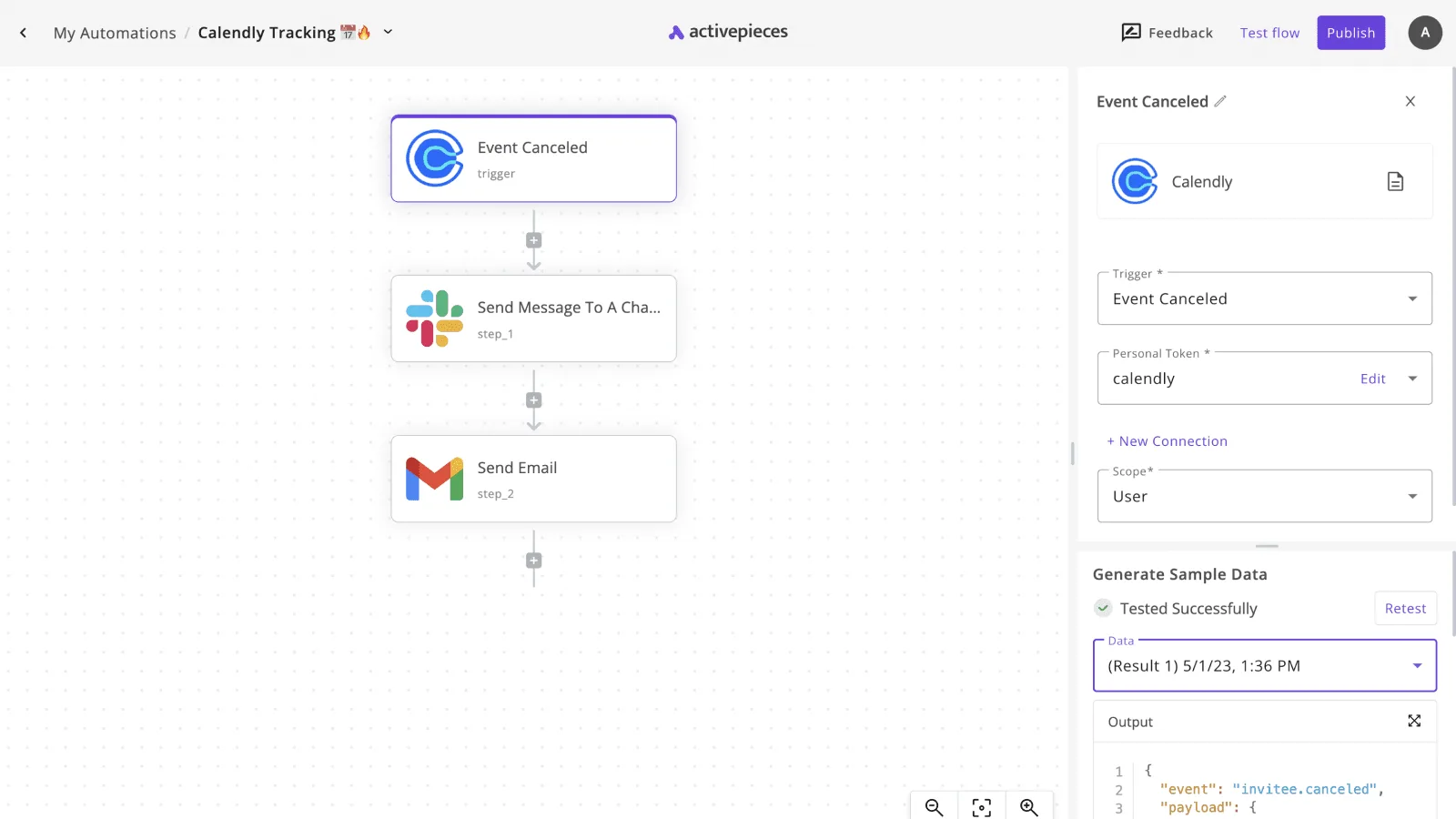
The visual builder allows for the construction of multi-step logic, such as the workflow shown here where a Calendly event cancellation triggers immediate downstream actions in Slack and Gmail.
Adding AI models to Redpanda pipelines
Once these workflows are established, they can be extended to include advanced logic using frontier-class reasoning models. For instance, a developer can insert a step using Gemini 4 Neon to summarize incoming stream data.
By employing Claude Sonnet 5.5, a developer can also categorize logs before they are written back to a Redpanda topic for long-term storage.
For teams requiring strict data sovereignty, the enterprise features of Activepieces (including SSO, SCIM, custom RBAC, and audit logs) are available in the self-hosted air-gapped edition just as they are in the managed cloud. Regulated organizations can verify this by comparing the enterprise feature list in the self-hosted air-gapped docs against the managed cloud, which can be pinned to an EU or US region. This ensures that the control plane for Redpanda automations remains entirely within the user's own infrastructure.

The Monday morning streaming cost audit checklist
Auditing your streaming spend requires a forensic look at the delta between raw hardware utilization and the final invoice.
How to calculate your Kafka tax
Determining your true infrastructure overhead starts by isolating the premium paid for management services over the cost of the raw compute and storage.
- Audit core count against the 50-core free limit to ensure you aren't paying for a license that should be free.
- Compare Managed vs BYOC cloud margins to identify the service provider's markup on your underlying instances.
- Check for cross-region egress spikes which often indicate a misconfigured producer sending data across expensive network boundaries.
- Evaluate Kpow or Lenses ($4k/yr), third-party monitoring tools, against the native Console for visibility to see if external licensing is redundant, potentially saving the organization a significant annual expenditure, which means the team could reallocate those funds toward other critical infrastructure improvements.
Evaluating the Bring Your Own Cloud (BYOC) transition
The BYOC model retains the managed control plane while running the data plane inside your own VPC. This keeps your data sovereign and allows you to apply your existing cloud provider discounts.

The shift eliminates the provider's margin on compute and networking. High-volume users can leverage committed use discounts from Amazon Web Services or Google Cloud.
Setting up budget alerts for Serverless throughput
Serverless tiers offer an entry point with no floor. They replace fixed costs with variable unit metrics that can scale faster than your revenue during a traffic spike.
Establishing hard quotas on throughput ensures that an experimental workload can't exhaust your department's monthly cloud budget in a single afternoon.
Frequently asked questions about Redpanda costs?
Predictability in infrastructure spending requires understanding where the software license ends and the managed service overhead begins. While the binary is available for download, the fiscal implications of scaling that binary depend heavily on which legal and operational guardrails you encounter.
Is Redpanda free for commercial use?
Redpanda is free for commercial use under its Community Edition, but users are prohibited from offering it as a managed service to third parties. This restriction protects the vendor's primary revenue stream from cloud providers who might otherwise wrap the engine in their own interface.
For organizations running internal workloads, you can deploy the core C++ engine on your own hardware without paying a license fee. This applies provided you don't require the enterprise security features (such as Kerberos or OIDC integration) that are locked behind a paid subscription.
What is the difference between Redpanda BSL and Apache 2.0?
The Business Source License (BSL) used by Redpanda is a "source-available" agreement. According to Docs, it eventually converts to the permissive Apache 2.0 license after a set duration.
The standard limit for a free trial is 30 days, the BSL to Apache 2.0 conversion takes 3 years, and the community edition core limit is 50 cores.
Does Redpanda charge for internal data replication?
Redpanda doesn't charge a software-level fee for internal replication. The managed service tiers pass through the underlying cloud provider's networking costs.
In a multi-availability zone setup, every gigabyte of data replicated for high availability incurs cross-zone transfer fees. This can effectively double the networking portion of your bill.
Redpanda uses the Raft consensus algorithm, so a standard three-node cluster writes every message to disk multiple times. Your storage and network throughput costs scale linearly with your replication factor.
Can I switch from Serverless to Dedicated without downtime?
Moving from a Serverless instance to a Dedicated cluster currently requires a manual migration or a support-led transition. These environments sit on different architectural foundations.
Because there is no "one-click" upgrade path, you must plan for a cutover period where producers and consumers are redirected to new broker endpoints.
Running the numbers
See what the same workload costs here.
Free forever plan, and every paid plan self-hosts at no extra cost.
See pricing Talk to sales