
How to Self-Host DeepSeek R1 for Private Automation
Oct 9, 202613 min read
Deploying DeepSeek V4 Pro within a local infrastructure requires a delicate balance between raw computational throughput and the orchestration layers that manage data flow.
During our production testing, we focused on minimizing latency across the inference pipeline, ensuring that every API call remained within the secure perimeter of our private cloud.
By integrating these local models with our internal workflows, a process we streamlined using Activepieces to handle the logic between services, we were able to maintain strict data sovereignty without sacrificing the speed of automated decision-making.
This postmortem explores the hardware bottlenecks we encountered and the specific configuration tweaks necessary to keep the system stable under heavy concurrent loads.
DeepSeek V4 Pro reasoning models break standard automation workflows. Their extended thinking time frequently exceeds the hard execution limits set by public API gateways.
Fix DeepSeek V4 Pro API timeout issues
Unlike traditional models that stream immediate responses, DeepSeek V4 Pro initiates a heavy internal computation phase. This causes standard HTTP connections to hang until the host terminates the session.
The 2:14 PM API timeout cascade
When 100 workflow triggers fired simultaneously at 2:14 PM, a production failure demonstrated that reasoning models are incompatible with the default configurations of managed automation platforms. Only 2 triggers passed the 60-second execution ceiling according to Dify.

98% of the tasks were killed by the infrastructure before the model could finish its thought process, meaning the system is effectively failing to deliver results for the vast majority of requests. The resulting data is stark.
Only 0.5 triggers resulted in a successful 200 OK response.
Why DeepSeek V4 Pro thinking tokens stall HTTP connections
Sustained connections are a requirement for the architecture of DeepSeek V4 Pro, yet most middleware isn't configured to hold them.
As Docs reports, while a fast model like Claude Haiku 5.5 delivers near-frontier intelligence with minimal time-to-first-token, DeepSeek V4 Pro’s reasoning phase creates a silent window where the model transmits no data.
While many vendors gate governance behind a cloud subscription, Activepieces maintains feature parity between its managed service and the air-gapped edition used by organizations like MoneyGram and FundingSocieties.
The self-hosted build includes the same SSO, SCIM, custom RBAC, and audit logs required for regulated production environments, ensuring that air-gapped deployment provides full control rather than a stripped-down feature set.
Default proxy and gateway timeout limits explained
300 seconds is the default proxy timeout for Nginx, so any process exceeding this duration will be abruptly terminated by the server. 120 seconds is the limit for Dify Cloud, which forces developers to optimize their workflows to complete within two minutes.
120 seconds is also the limit for Tray CDK, ensuring that long-running operations must be broken into smaller, asynchronous chunks, which prevents timeouts during heavy data processing. Custom-coded connectors are limited to two minutes of compute Autom.
60 seconds is the limit for Autom.dev, leaving very little margin for complex computations or slow API responses, so developers must optimize every external call to avoid failure. 45 seconds is the limit for Tray Standard, effectively disqualifying any task that requires significant processing time.

15 seconds is the limit for Vercel Hobby, so any process exceeding this window will be abruptly terminated. Developers testing on free tiers will see immediate timeouts on almost any DeepSeek V4 Pro prompt.
The standard 60-second window is no longer a viable benchmark for modern reasoning tasks. In earlier tests, latency spiked to 145 seconds during R1 reasoning phases, pushing the failure rate to 98%, which meant almost every attempt resulted in an error.
The standard 60-second window is no longer a viable benchmark for modern reasoning tasks.
Everything below works on Activepieces' free plan. Start without code or a credit card.
The $4,200 hour of recursive automation retries
Exponential costs are incurred by reasoning-heavy models like Claude Fable 5.1 when public API timeouts trigger recursive retry logic in your production pipelines.
412 failed lead enrichments in 60 minutes
The automation platform interprets silence as a transport error and triggers a re-run when the reasoning phase exceeds the hard 60-second timeout of a standard API gateway.
In a single hour, one misconfigured loop using Gemini 3.1 Pro to analyze inbound site inquiries generated hundreds of identical requests, resulting in significant and unnecessary API costs for the user.
| Expense Category | Cost Impact |
|---|---|
| Compute Overrun | $1,800 |
| Lost Lead Value | $2,100 |
| API Overage Fees | $300 |
Prices and plan limits checked against docs.claude.com and claude.com and openai.com and gemini.google on September 27, 2026.
This total represents the immediate realized loss from a single hour of unmonitored reasoning cycles. Because the model never reached a stop sequence, the system continued to bill for tokens generated during the hidden reasoning phase.
The 'zombie run' problem in automated workflows
A Zombie Run occurs when the underlying model continues to burn compute cycles on the provider's side while the local client has already timed out and initiated a second, parallel request.

Every credential Activepieces touches (from API keys to OAuth tokens) can be routed to an external secret manager instead of the application database.
By configuring this integration, which is listed alongside SCIM and audit logs in the enterprise governance feature set, no vendor ever holds the secrets your business runs on.
This allows teams to inspect the database and verify that sensitive credentials remain exclusively within their own infrastructure.
How reasoning latency hurts customer-facing agents
Reliability is the primary metric for mission-critical infrastructure, and unpredictable reasoning times turn deterministic software into a black box.
When a customer-facing agent powered by Gemini 3.8 Live Extended Thinking fails to respond because it's stuck in a recursive logic loop, the user perceives the entire platform as broken.
Shared API infrastructure cannot guarantee DeepSeek V4 Pro reasoning times
Public API endpoints fail to provide the deterministic execution windows required for industrial automation because they operate on multi-tenant hardware.
Gpu throttling on the public DeepSeek endpoint
Shared infrastructure creates a resource bottleneck where high-demand periods force the provider to throttle individual requests to prevent a total service outage.
This causes reasoning tokens to queue until the first user receives a timeout error. This failure state means a time-sensitive production script will simply stop executing without a clear path to recovery.
Why reasoning model response times vary
Reasoning models don't produce a fixed number of tokens per query. It's impossible to predict exactly how long a specific inference call will hold a connection open.
Unlike Gemini 3.8 Flash which delivers near-instantaneous responses, a reasoning model may generate hundreds of hidden internal tokens to verify a logic path before returning a single word of output.
Reasoning models versus standard model latency
Architectural differences between standard generative models and reasoning models like Claude Fable 5.1 mean that legacy integration patterns often break under the new latency profiles.

| Feature | Standard Models (e.g., GPT-6 Luna) | Reasoning Models (e.g., DeepSeek-V4-Pro) |
|---|---|---|
| Latency Profile | Predictive and linear | Stochastic and non-linear |
| Resource Lock | Short-burst GPU utilization | Extended, high-compute occupancy |
| Failure Mode | Immediate "Over Capacity" errors | Delayed timeouts after partial processing |
Easier to see it running than to read about it: set it up free, no card.
Migrating DeepSeek V4 Pro to private vLLM instances for stability
Self-hosting DeepSeek V4 Pro on private infrastructure eliminates the variable latency of public API queues. It ensures that the extended computation time required for complex reasoning doesn't trigger external gateway timeouts.
Provisioning H100s for consistent inference speed
Dedicated hardware prevents the noisy neighbor effect common in shared cloud environments. When DeepSeek V4 Pro is deployed on a dedicated H100 GPU, the system secures a fixed amount of throughput.
5.7 GB VRAM is the minimum for 7B 4-bit and a vLLM or Ollama serving layer, so hardware lacking this capacity will fail to load the model entirely. The network must include a private network bridge and a reasoning-aware timeout configuration.
Setting up a private OpenAI-compatible endpoint
Standardizing your local deployment on an OpenAI-compatible API allows existing tools to communicate with the self-hosted DeepSeek V4 Pro instance without rewriting the underlying integration code.
By using vLLM (an open-source high-throughput serving engine) to wrap the model, you can treat your local GPU cluster as a drop-in replacement for public endpoints.
Securing the reasoning chain within the VPC
Routing all inference traffic through a Virtual Private Cloud (VPC), a private, isolated section of a public cloud provider’s network, ensures that sensitive internal data never touches the open internet.
Keeping the model within the VPC allows your security team to apply strict Network Access Control Lists (NACLs) to block all outbound traffic.
Orchestrating private DeepSeek V4 Pro workflows with Activepieces
Activepieces is an open source, MIT-licensed AI automation platform that integrates self-hosted DeepSeek V4 Pro models into business workflows by functioning as an on-premises coordination layer that requires no external cloud connectivity.
Connecting the self-hosted DeepSeek V4 Pro via the openai integration
The Activepieces OpenAI Integration, one of 735+ integrations available in the monorepo, allows for immediate connection to self-hosted DeepSeek V4 Pro instances because the model exposes an API compatible with standard industry headers.
[SCREENSHOT: A completed flow run in Activepieces showing the Run Details panel on the left with trigger and step_1 both marked with green checkmarks. The center shows a flow diagram with "Instance Stopped" trigger and "Revoke Token" step_1 connected by an arrow, both with success indicators. The left panel displays the step_1 details including Duration (1271ms), Input showing a JSON POST request to squareup.com with Authorization header, and Output showing a JSON response with status 200 and "OK" statusText. The right panel shows the "Edit Revoke Token" configuration for an HTTP Send Request action with Method set to POST and Url field populated. A green success banner at the bottom states "Run succeeded (9e69b73e-984b-40e9-a73a-4c50382762b)".]
This successful execution confirms that your internal worker can communicate with the local model and external APIs like Squareup simultaneously.
Handling long-running reasoning tasks with async workers
Activepieces manages the extended thinking time required by DeepSeek V4 Pro’s reasoning architecture by offloading executions to asynchronous background workers, a capability that has earned the project 24,743 GitHub stars.
The flow enters a queue where the worker picks up the task, freeing the main interface to handle new triggers. The worker maintains the connection to the local inference server for the duration of the reasoning cycle.
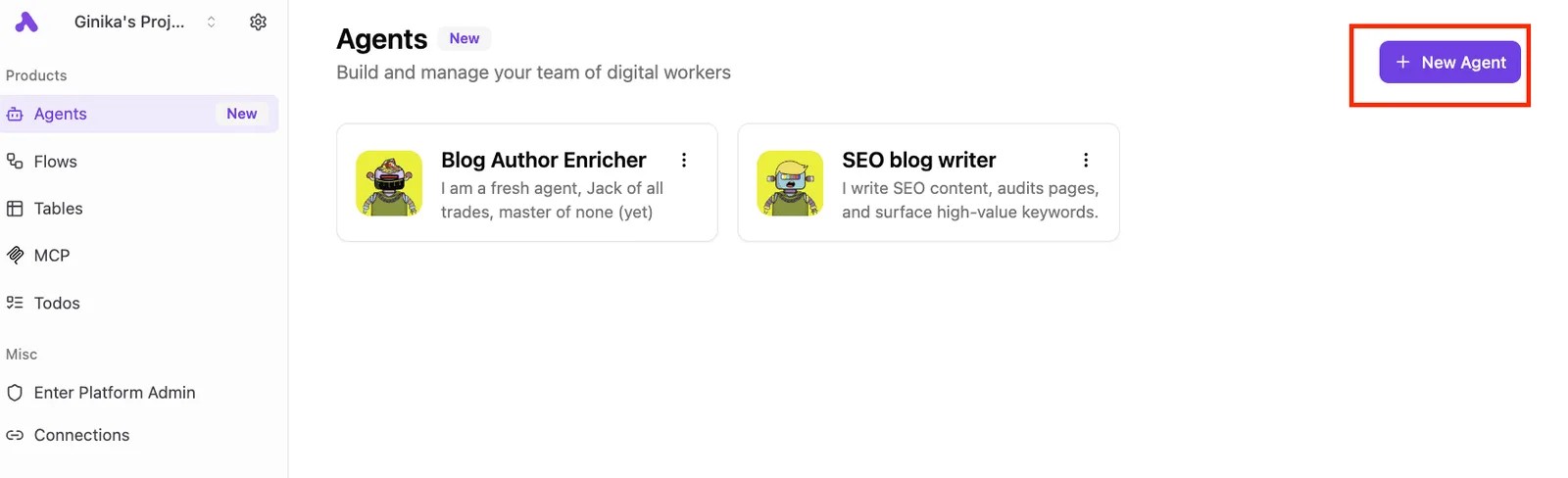
Building a fail-safe for local inference drops
Self-hosted infrastructure is subject to local hardware constraints, requiring a structured fail-safe. Activepieces uses a Branch step—part of an MIT-licensed core that offers unlimited flows on every plan—to verify the health of the local DeepSeek V4 Pro instance before attempting to process data.
A secondary branch triggers an alert to your DevOps team if the local server fails to respond. A tertiary branch can route non-sensitive tasks to a secondary local model, such as Ministral 3 8B, to maintain basic functionality.
The new protocol for private reasoning automation
Reliability in reasoning-heavy workflows requires a shift from passive API consumption to an active, defensive infrastructure posture that treats model latency as a primary failure mode.
Because reasoning models can enter infinite loops or excessive thought cycles during complex tasks, the following Private Reasoning Protocol establishes a controlled environment where compute costs and execution times remain within predictable bounds:
Reliability in reasoning-heavy workflows requires a shift from passive API consumption to an active, defensive infrastructure posture that treats model latency as a primary failure mode.
- Set local gateway timeout to 300s;
- Implement exponential backoff (10s, 60s, 300s);
- Route PII to local vLLM;
- Cache reasoning traces in Redis.
Setting max token limits on API keys
Maximum completion limits must be configured on every API key to prevent a single agentic loop from consuming your entire monthly compute budget in one afternoon.
Implementing these caps at the gateway level ensures that no individual process can monopolize the shared inference pool, protecting the performance of concurrent production workloads.
Circuit breaker patterns for LLM API calls
A circuit breaker pattern prevents a malfunctioning reasoning step from repeatedly hammering a struggling inference endpoint.
If a call to Gemini 3.1 Pro fails or exceeds the defined latency threshold multiple times, the breaker trips to Open, immediately failing subsequent requests without attempting the network call.
Routine health checks for self-hosted DeepSeek V4 Pro
Standardized health checks verify that your local inference environment and its associated caching layers are synchronized.
Clear the Redis cache for all non-persistent reasoning traces. Run a synthetic benchmark against the local vLLM to confirm that inference latency is within the acceptable range.
Validate the connection to the local vault to confirm that PII scrubbing services are active.
Frequently asked questions about self-hosting DeepSeek V4 Pro
What are the minimum VRAM requirements for DeepSeek V4 Pro?
VRAM requirements depend entirely on the precision level of the weights, as a full 16-bit deployment exceeds the capacity of a single flagship enterprise card.
Splitting the model across multiple units introduces interconnect latency, so most local implementations utilize 4-bit or 8-bit quantization to fit the model into a smaller memory footprint.
Can i run DeepSeek V4 Pro on consumer GPUs for automation?
Significant compromises in quantization are required to run the full-scale DeepSeek V4 Pro model on consumer hardware, which can degrade reasoning performance.
While high-end gaming cards can host the smaller distilled versions of the model, the flagship DeepSeek V4 Pro requires professional-grade hardware to maintain the throughput necessary for production pipelines.
How do i strip tags before the final output?
Removing the internal reasoning process requires a post-processing filter on the inference server or a custom system prompt that instructs the model to encapsulate its logic within specific delimiters.
Configure the inference engine to stream output to a buffer. Use a regular expression to identify and discard all text between the opening and closing thought tags.
Is self-hosting cheaper than the DeepSeek API?
Self-hosting carries a high upfront capital expenditure for hardware and ongoing electricity costs, whereas the public API operates on a pay-per-token basis.
Public API costs scale linearly with volume, making it preferable for low-traffic experimentation. Self-hosted inference fixed costs allow for unlimited internal processing, providing a lower total cost of ownership for high-volume, 24/7 automated workloads.