Shopify HubSpot Integration vs Zapier or n8n in 2026

Oct 14, 202614 min read
Install HubSpot's app from the Shopify App Store, connect your HubSpot account, and pick your sync settings; that's the whole setup, and for most stores it's the fastest working connection, even if you later layer on a workflow tool like Activepieces for anything custom.
A Shopify–HubSpot integration is a connection that automatically syncs a Shopify store's customers, orders, and products into HubSpot's CRM, most often through HubSpot's own Shopify app, which follows a fixed set of sync rules.
The catch is that the app's sync rules are fixed, so you're choosing among its options rather than designing a sync.
The app moves five object types between the two systems:
- Customers become HubSpot contacts
- Companies move between the systems
- Product data lands in HubSpot's commerce records
- Order data lands in HubSpot's commerce records
- Abandoned carts become something your marketing and sales teams can act on

That list is also the boundary:
- If the data you care about isn't one of those five, the app won't carry it, and no setting will change that
- If your job fits inside it, stop here
- If it doesn't, you'll be adding a workflow tool, and you'll know why before you start
- Activepieces is one place to build it if that day comes, with 740 integrations in its MIT-licensed open source repository, but don't reach for it yet
What native Shopify HubSpot sync covers
Shopify HubSpot sync requirements before installing
Before you click install, three things have to be true:
- Admin access to the Shopify store
- A HubSpot account whose user is allowed to install apps
- A clear view of which object types the app syncs: contacts, companies, products, orders, and carts
When a first install fails, the cause is usually one of the first two. The Shopify login can open the store but lack the rights to approve an app, or the HubSpot user can see the account but not install anything.
The third item is a planning step, not an access one. Compare the five object types against what you want HubSpot to know about your customers.
Sources and date checked for Shopify HubSpot sync
You can trace the setup steps and the list of synced object types to the app's listing in the Shopify App Store and HubSpot's own documentation for the integration.
Because apps change their sync rules without announcement, confirm the object list on the listing before you rely on it.
The fastest way to settle a shortlist is to try one. Activepieces is free to try, no credit card.
Set up your Shopify HubSpot sync
You install HubSpot's app from the Shopify App Store, connect your HubSpot account, choose what syncs, run the import, and check that one real customer arrived as a contact.
The whole run is four steps, and the last one's the one people skip, which means the workflow never fully completes.
Open the Shopify admin, go to the App Store, search for HubSpot and add the app. Do this as the store owner or a staff user with permission to install apps.
Once the app asks you to sign in to HubSpot and approve access, pick the right HubSpot account, not just the first one in the list.
Agencies with several portals connect the wrong one more often than anything else, and every customer then lands in the wrong CRM.
Choose Shopify HubSpot sync settings and import
Decide what to import before you start it, because contacts cost money. CRM Pricing Guide lists HubSpot Starter at $50 per 1,000 contacts for lists of 1,001 to 3,000, which means a 2,000-contact database costs $100 per month at this tier.


That drops to $45 per 1,000 for 3,001 to 5,000, and $40 per 1,000 above 5,001, so scaling becomes progressively more cost-efficient.
Every imported customer counts toward your tier. A store with years of one-time buyers can cross a tier boundary on the first import. Check your customer count in Shopify before you run it.

Then start the import and let it finish.
Check a Shopify customer synced to HubSpot
Verify with a single record, not the total count.
- Pick a Shopify customer you recognise, ideally one with an order.
- In HubSpot, open Contacts and search by that customer's email address.
- Compare name, email and any order-related properties against the Shopify customer page.
- If the contact is missing, check that the customer has an email address and consented to marketing, since those are the usual reasons a record is skipped.
A workflow builder canvas like this one, a "HubSpot Tickets Categorization" flow with a new-ticket trigger, two AI steps, a router and three Slack messages, lets you branch and add steps after the trigger, which means new tickets are automatically routed and the relevant teams are notified.
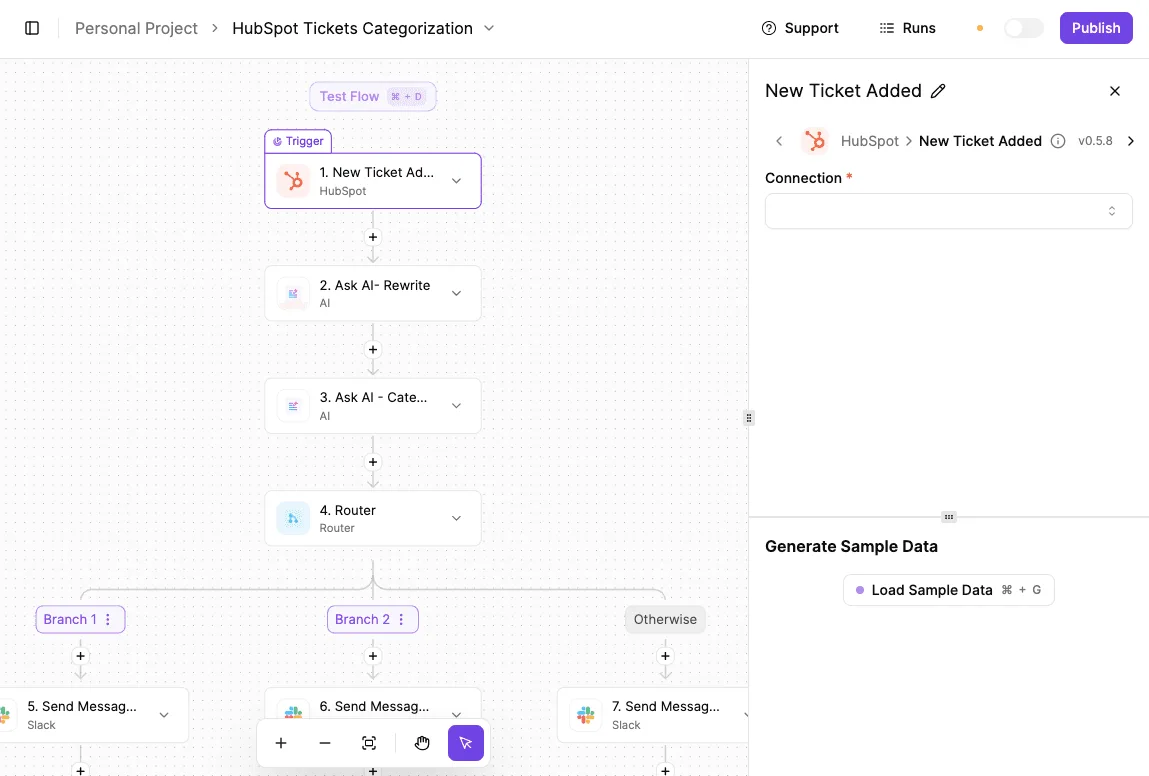
The native app gives you no such canvas.
Map fields and build on synced data
If you expected a deal to become a custom object, you will be disappointed. HubSpot's Shopify app maps each Shopify record to a fixed HubSpot object, and you can adjust which fields fill that object's properties, but not which object a record becomes.
Default Shopify HubSpot contact and order mapping
Read the table for where each of the four Shopify record types lands and how much control you have.
The takeaway is that orders and abandoned checkouts both arrive as deals, so a deal's stage, not its object type, is how you tell a purchase from a lost cart.
| Shopify record | HubSpot object | Default property mapping | Sync direction | Mapping editable? |
|---|---|---|---|---|
| Customer | Contact | Email, first and last name, phone, address | Shopify to HubSpot | Property fields, yes; the object, no |
| Order | Deal, with line items | Order total as deal amount, order date as close date, purchased items as line items | Shopify to HubSpot | Property fields, yes; the object, no |
| Abandoned checkout | Deal in an abandoned-cart stage | Cart value, items left in the cart, link back to the checkout | Shopify to HubSpot | Limited to property fields |
| Product | Product | Name, price, SKU, description | Shopify to HubSpot | Property fields, yes; the object, no |
Because everything flows one way, editing a contact's email in HubSpot doesn't write back to the Shopify customer. Treat Shopify as the source of truth, and keep any HubSpot-only enrichment in properties Shopify never sends.

Lists and workflows built on synced data
Start with one list: contacts who have an open deal in the abandoned-cart stage. It works because the synced deal is associated with the contact, so you filter on the deal's stage and never need custom code.
Then build one workflow on top of it:
- Trigger when a deal enters the abandoned-cart stage.
- Wait long enough that a customer finishing checkout isn't emailed.
- Re-check the deal's stage. If it's moved to a purchase, exit.
- Otherwise send the recovery email, using the checkout link property so the customer lands back in their cart.
Step three is the one people skip, and that's why a customer who just paid gets a "you forgot something" email.
The native app gives you the stage change to branch on, but it won't tell you when the stage update is late. If recovery timing has to be tighter than that, that gap is where a workflow tool earns its place.
Reading a table only gets you so far. Build the same workflow in Activepieces and compare it yourself.
Shopify HubSpot sync errors and fixes
Trace most failures in this pairing and you land on five causes: a stalled first import, contact matching, permissions, API ceilings, and sync direction.
The table lists each symptom with its cause, fix and how well it is documented, so you can tell vendor fact from field folklore.
| Symptom | Cause from vendor docs | Fix | Documented or unconfirmed |
|---|---|---|---|
| Stalled sync | Large initial import still running | Wait, then check the app's sync status | Unconfirmed |
| Duplicate contacts | Matching on email only | Merge in HubSpot; clean data before connecting | Unconfirmed |
| Missing properties | Field not in the app's fixed mapping | Add a workflow step for the field | Unconfirmed |
| Reauthorisation | Expired or revoked permissions | Disconnect, reconnect, accept scopes | Unconfirmed |
| API rate limits | Daily request allowance by plan | Reduce competing integrations or upgrade | Documented (third party) |
| Sync direction | Fixed rules on which side wins | Treat Shopify as source of truth | Unconfirmed |

When a first import sits at a partial count, it is usually still working through history. Check status before reconnecting, because restarting a long import throws away progress.
If properties never arrive, the app's mapping is fixed. A custom Shopify field won't appear, and a workflow tool has to carry it.
When that missing field is the gap, Activepieces can write it for you: a Shopify new-order trigger feeding a HubSpot contact action puts the value into the property the app won't fill.
Its 740 integrations are the entries in the packages/integrations/community directory of the MIT-licensed open source repository on GitHub, a count anyone can reproduce from the monorepo rather than a figure quoted from a marketing page, and roughly 60% were contributed by the community, so if a connector you need isn't there you can generate one with AI and add it privately to your own instance.
MoneyGram, Moneypenny, Alan and FundingSocieties run it in production.
Duplicates appear when the same person checks out with different emails, or when contacts already exist from forms or imports. Merge them in HubSpot and dedupe your list before you connect.
If sync stops after a staff change, suspect the connecting user's permissions first. Reconnect with an account that can approve every scope. Disconnecting stops new data flowing, but I haven't confirmed what happens to records already synced, so export before you test it.
HubSpot API rate limits and sync direction
According to Sam C Barth, Free and Starter accounts get 250,000 API requests per day. That's a shared pool, so every other connected app draws from it, and a busy store can starve a reporting tool.
Professional gets 625,000, roughly two and a half times as much. Enterprise gets 1,000,000, four times the entry tier.
Direction is the other trap. Since the app's rules are fixed, edits made in HubSpot may not flow back to Shopify, so keep customer data edits in Shopify.
When to add Zapier, n8n or Activepieces to the native sync
Stay on the native app until a rule you need is missing: a conditional sync, a custom field mapping, or a retry you can see. Once one is, add a workflow tool beside it rather than replacing it.
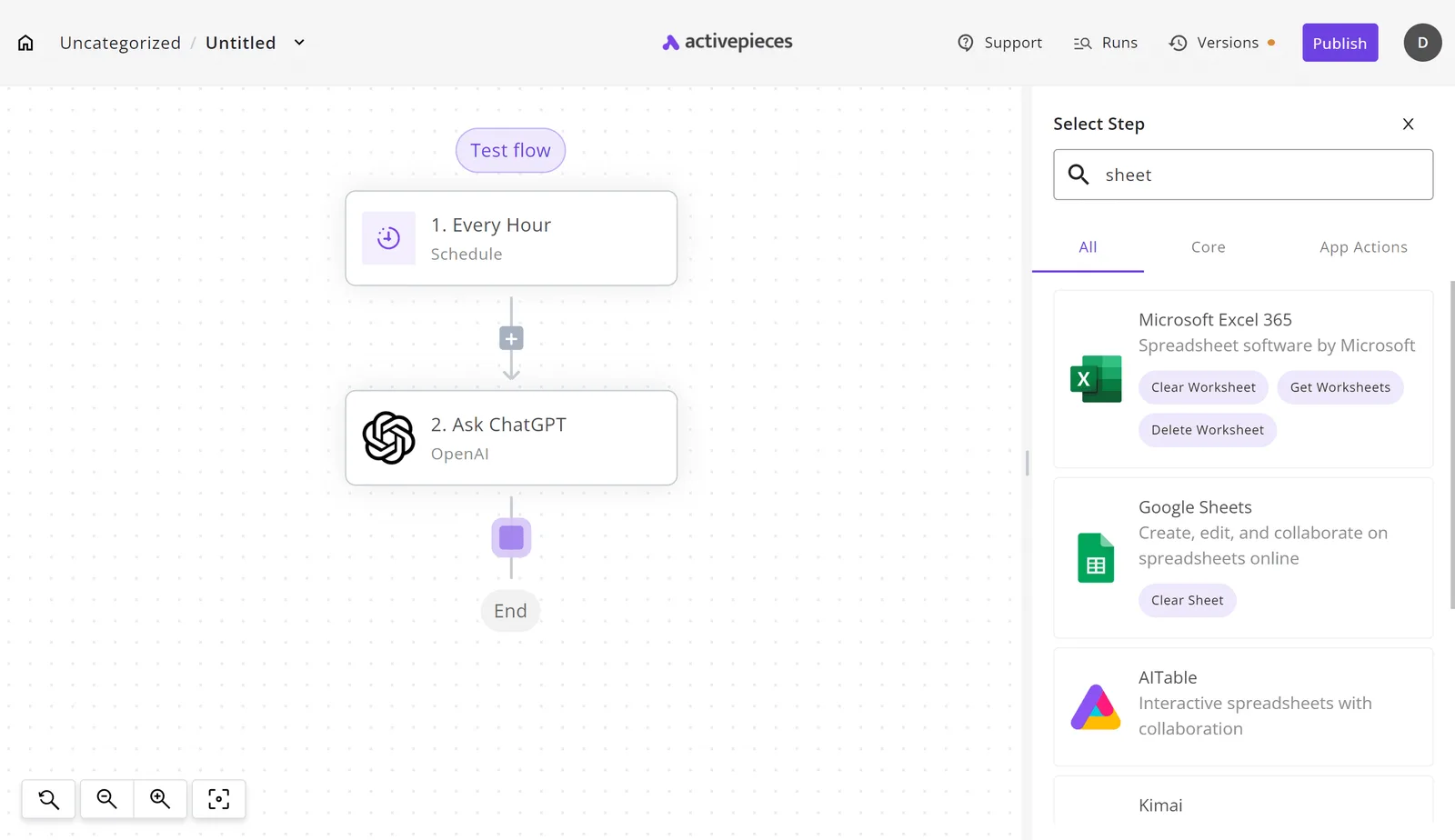
Compare the four options in the table below on the dimensions that decide that. Read it as a map of who owns each decision: the native app makes them for you, the others let you make them.
Cells are qualitative and reflect the products as of 14 October 2026.
| Setup time | Custom mapping | Conditional syncs | Retries and error visibility | Pricing model | |
|---|---|---|---|---|---|
| Native HubSpot app | Shortest: install and connect | Fixed rules | No | Limited to what the app surfaces | Included with the app |
| Zapier | Short: hosted, build a Zap | Per-step field mapping | Yes, through filters and paths | Task history with replays | Hosted, priced by usage |
| n8n | Longer: more to configure | Full control per node | Yes | Execution logs you can inspect | Cloud plans or self-hosted |
| Activepieces | Short on cloud, longer if self-hosted | Per-step field mapping | Yes, through branches | Run history for failed runs | Free cloud plan with unlimited flows, or self-hosted |
If the default contact and order sync already matches what sales needs, and nobody will ask why one customer synced and another didn't, choose native. You get the shortest path to data in HubSpot, and no second system to watch.
Choose a workflow tool when
Choose a workflow tool when you need to sync only some orders, write a value into a property the app doesn't touch, or see why a record failed.
Those are exactly the cases where the native app gives you nothing to change and nothing to read.
Any of the three tools covers them, so pick on pricing model and hosting. Activepieces suits you if you want an MIT-licensed core you can self-host; its GitHub repository has 25,041 stars.
For a Shopify order becoming a HubSpot contact, both integrations are among the 740 integrations in the Activepieces open source monorepo, and the flow has four steps:
- Trigger: a new order in the Shopify piece.
- Branch: continue only if the order meets your condition, such as a tag or a minimum value.
- Map: pass the customer's email, name and order details into the fields you choose.
- Action: create or update the contact in the HubSpot piece, matched on email.
When a run fails, it stays in the run history, so you can see which step broke and retry it. Start the flow free on Activepieces cloud. Unlimited flows are included on every plan, the free one too.
Frequently asked questions
Is the Shopify HubSpot integration free?
The bill doesn't come from the app itself; it comes from HubSpot's plan and its contact count.
Since the sync creates a contact for every customer who checks out, your list grows with your sales, and so does the invoice. Price the plan against the list you'll have in a year, not the one you have today.
If the sync pushes you into a higher contact band for people you never plan to email, filter before you sync, or accept the cost.
Can HubSpot sync more than one Shopify store?
Connecting a second store is where a lot of setups stall, and the failure is quiet: the first store syncs fine, and the second either won't authorize or lands in the same HubSpot account with its orders mixed in.
Open the app's settings, try to connect the second store, and look at where its orders land. If you need each store's data kept apart, or custom routing per store, that's a reason to add a workflow tool.
Does the integration work with HubSpot's free CRM?
Partly, and the limits show up in what you can do with the data, not in whether it arrives.
Contacts and order data can flow into the free CRM, but features that act on that data, like segmented campaigns and automation, usually sit behind paid tiers.
So the sync can succeed while the thing you installed it for stays locked. Before you connect, write down the one workflow you want, then confirm that your tier can run it.
Will uninstalling the app delete my HubSpot data?
Nothing gets erased from HubSpot when you uninstall. Uninstalling stops the sync; it doesn't reach back and remove what was already written. Contacts, deals and order records the app created stay where they are.
What you lose is everything after the uninstall: new orders stop arriving, and any workflow keyed on those records goes quiet without an error. Nothing tells you it stopped.
Export what you need first, and if other automations depend on synced properties, find them before you click uninstall.
Related reading
References
Still comparing
The fastest way to settle it is to build something.
Open source under MIT, so you can self-host the same thing later.
Start free Talk to sales