Slack Twilio Integration: How to Set It Up (2026)

Nov 19, 202616 min read
A Slack Twilio integration is a workflow that watches Slack for an event and sends an SMS through Twilio. You can have the first one running in under an hour with no code, whether you build it in a tool like Activepieces or elsewhere.
Slack Twilio Integration Defined and the Fastest Path
Vendor facts here were checked on 19 November 2026.
What people automate between Slack and Twilio
At the pilot stage, most teams begin with one direction of traffic. A message in a Slack channel, such as an incident alert, becomes a text to whoever is on call.

That's one trigger and two actions, so it's easy to test and easy to explain to a steering committee. Replies and scheduled reminders come later, each as its own small workflow, so every one can be measured and reused as a template.
What you need before you start
You need a Slack workspace where you can add an app, a Twilio account with an SMS-capable number, and a destination phone number. Check the price for that destination first, because it varies more than people expect.
| Destination | Price per SMS (USD) |
|---|---|
| US long code | 0.0083 |
| UK short code | 0.0524 |
| UK mobile | 0.056 |
| Brazil | 0.0599 |
| India | 0.0832 |
| Germany | 0.112 |
Prices and plan limits checked against activepieces.com and activepieces.com on November 19, 2026.

1,000 alerts to a US long code cost about $8.30, going by Twilio's pricing page, which puts it at $0.0083 per message.
According to Twilio, a UK short code is $0.0524 and UK mobile is $0.056, which means the same 1,000 alerts run $52 to $56 once they leave the US. Brazil is $0.0599, so the cost lands close to the UK.

At $0.0832, India is about ten times the US rate. On Twilio, Germany is $0.112, more than thirteen times the US rate, so an on-call rotation texting Germany needs a budget line before launch. Chatty channels are the first thing to filter.
Fastest Slack Twilio integration in four steps
- Get a Twilio number and keep the account SID and auth token to hand.
- Build the workflow and set the trigger to a new message in one Slack channel.
- Add a Twilio action that sends an SMS, and map the Slack message text into the body.
- Send a test message in Slack and confirm the text arrives on your phone.
If a step you need is missing, an HTTP request or webhook action can call the Twilio or Slack API directly, so nothing has to be guessed.
Left to right, the picture below shows the whole chain: a Slack message enters, one trigger and two actions run, and an SMS lands on a phone, so you can see how a single input branches into multiple parallel actions.
That's the full shape of the first build, and every later workflow repeats it with different integrations. The next sections take each block in turn.
This takes minutes, not a project: automate it in Activepieces free.
Five Slack and Twilio Workflows That Work Today
Four of the five workflows below use only listed triggers and actions, and the fifth needs one webhook, so a first build needs no code. The adoption stage to aim for is pilot: one trigger, one or two actions, one team.
14 triggers and 29 actions: that is what Slack offers, while Twilio offers 5 triggers and 6 actions.

Slack's catalogue is wide enough that you'll rarely lack a step, while Twilio's is narrow enough to read in a minute, so its limits are visible before you build.
Check the table for the one row that leaves the listed steps, because that row is where the HTTP/webhook fallback applies. The table shows each workflow's trigger, its actions, the job it does, and whether any step falls outside the listed set.
| Workflow | Trigger | Actions | What it does for your work | Step status |
|---|---|---|---|---|
| Inbound text to channel | Twilio: New Incoming SMS | Slack: Send Message To A Channel | Support sees customer texts without leaving Slack | Listed |
| Channel to text | Slack: New Message Posted to Channel | Twilio: Send SMS | On-call staff get alerts as texts | Listed |
| Mention to call | Slack: New Mention in Channel | Twilio: Call Phone | A mention rings a phone when a text would be missed | Listed |
| Call report | Twilio: New Call | Slack: Send Message To A Channel | Call activity lands in a team channel | Listed |
| Delivery status | Webhooks: Catch Webhook | Slack: Send Message To A Channel | Failed or delivered texts are reported back | Needs webhook |
To measure how many colleagues adopt a workflow instead of guessing, make each one a template your team clones.
Start with the inbound text, because it has the fewest moving parts. Twilio's New Incoming SMS fires on each text, and Slack's Send Message To A Channel posts it.
Map the sender number and message body into the post, and add no filter until a channel gets noisy.
Reverse it for channel to text: New Message Posted to Channel feeds Send SMS. Add a filter here, since otherwise every message in the channel becomes a text. Limit it to one channel, and the cost of an unfiltered build stays in a test channel.
For calls, Twilio's New Call trigger does the watching, and a Slack post reports them. Mention to call works the same way, with New Mention in Channel feeding Call Phone. Reserve it for urgent channels so calls stay rare.
If you want delivery status for a text, you won't find it among Twilio's five triggers. Point Twilio's status callback at a Catch Webhook URL, then post the result to Slack.
If you need a Twilio endpoint no action covers, Custom API Call sends the request. Either way you fill a gap with a documented call, not a guess.
Building One Slack Twilio Workflow Step by Step
When your tool lacks a step, an HTTP request to a documented endpoint fills it. The first flow is one Slack message in and one text message out, built in four steps.
Read the list below before you start, because it gives the build in order and each step leaves one working integration behind it.
- Create the workflow. An empty flow exists, and nothing runs yet.
- Connect Slack. The tool can now read the channel you chose.
- Add the trigger. A new message in that channel starts a run.
- Connect Twilio. The tool can now send from your Twilio number.
- Map the fields. The Slack message text becomes the body of the text message.
- Add a filter. Only messages that match your rule continue to the send step.
- Test. One real message runs through, and a text arrives on your phone.
- Publish. The flow runs on every matching message without you.
Taking these steps in pairs, the four stages below start with the empty workflow.
Name the workflow for what it does, such as "Urgent Slack alert to SMS", so it's findable once a second flow exists. Pick the Slack trigger for a new message in a channel and point it at one channel only.
Scoping the trigger to a single channel keeps early runs predictable, and that matters because the first team to put a busy channel on a trigger will text everyone on the roster by accident.

Stage 2: Connect Slack and Twilio
When you connect each app, a dialog asks for authorization. In Slack, approve access to the workspace and the channel. In Twilio, paste your account credentials and choose the number you send from.
Keep each connection as its own saved entry rather than re-entering credentials per workflow.
A saved connection is the cheapest template you have, because every later flow starts with both apps already authorized, and that's the lever that makes the second build faster than the first.
You don't hire for this, you describe it: in Activepieces, tell the built-in chat you want a new message in one Slack channel sent on as a Twilio text, and it builds and publishes the flow.
That flow is the same artifact you would have assembled by hand in the steps above, and it sits under the same RBAC and audit logs as every flow a person built, with every run leaving a trace anyone on the team can read without special training.
MoneyGram and Moneypenny run Activepieces in production, and you can test the claim by describing your alert in the chat and opening the live flow and run trace it leaves in your account.
Mapping Slack fields to Twilio and testing
Map the Slack message text to the body of the Twilio message, and type the recipient number into the destination field. Then add a filter ahead of the send step so that only messages containing your chosen keyword continue.
Without it, every casual message becomes a text.
If your tool has no Twilio send action, an HTTP request to Twilio's messages endpoint carries the same three fields: destination, sender and body.
Post a matching message in the channel, run the test, and confirm the text reaches your phone. A pass means the trigger, mapping and filter all work together. A failure points to one step, because the test output shows where the run stopped.
Publish, then post one more matching message and one that should be filtered out.
The first should arrive as a text and the second should show as a stopped run in the run history. Seeing both outcomes confirms the filter is doing its job in production, not only in the test.
You can follow the rest of this with the builder open. Start free, no card.
Limits and Errors When Connecting Slack and Twilio
Six errors account for the first failures a Slack and Twilio workflow hits, and each has a one-step fix.
The table below shows the symptom you'll see in run history, its cause and the repair, so a failed run can be matched to a row rather than debugged from scratch.
| Error | Symptom | Cause | Fix | Source doc and date checked |
|---|---|---|---|---|
| Missing Slack scope | missing_scope |
App lacks the permission | Add the scope, reinstall the app | Slack API scopes reference, 2026-11-19 |
| Bot not in channel | not_in_channel |
Bot was never invited | Invite the bot to the channel | Slack API errors reference, 2026-11-19 |
| Twilio trial restriction | Trial-account error on send | Recipient not verified | Verify the number or upgrade | Twilio trial guide, 2026-11-19 |
| Non-E.164 number | Invalid "To" number | Spaces, dashes or no country code | Format as +15551234567 | Twilio phone number docs, 2026-11-19 |
| Unregistered US sender | Message blocked | No A2P 10DLC registration | Register brand and campaign | Twilio A2P 10DLC fees page, 2026-11-19 |
| Rate limit | HTTP 429 | Too many calls too fast | Slow the trigger, retry later | Slack and Twilio API docs, 2026-11-19 |
Nothing in the table needs code: every row is fixed in the workflow's settings, which is why the first build still fits in an hour.
Add the posting scope, reinstall, then invite the bot to every channel it posts in. Both Slack errors are one-time setup gaps. Fixing it in the template means no later team repeats the mistake.
Twilio trial, number and registration errors
If a test works for you and fails for a colleague, the cause is that trial accounts only text verified numbers. Normalise numbers to E.164 in a formatting step before the send.
In the US, registration is where cost appears. Per Twilio, brand registration is $4.50, a vetting appeal $11, an Auth Plus retry $12.50, campaign vetting $15 and standard vetting $41.50.
These are one-off fees, so a rejected submission costs real money each time. Get the brand details right before you submit, and avoid appeals and retries.
When Slack or Twilio returns HTTP 429, the service is telling you to slow down. Honour the retry delay rather than looping.
Twilio caps an SMS body at 1,600 characters, so a long Slack message needs trimming before the text step or the send fails.
Open the failed run, find the first red step and read its response body, not the final error. The code in it maps to a row above. Count failed runs per template each week: a template with a falling count shows the fixes are working.
Starting the Slack Twilio Workflow in Activepieces
Once failed runs are counted per template, you need a first template to count, and it should be one Slack event that sends one Twilio text. Start there, at the earliest stage of adoption, before any second workflow exists to compete with it.
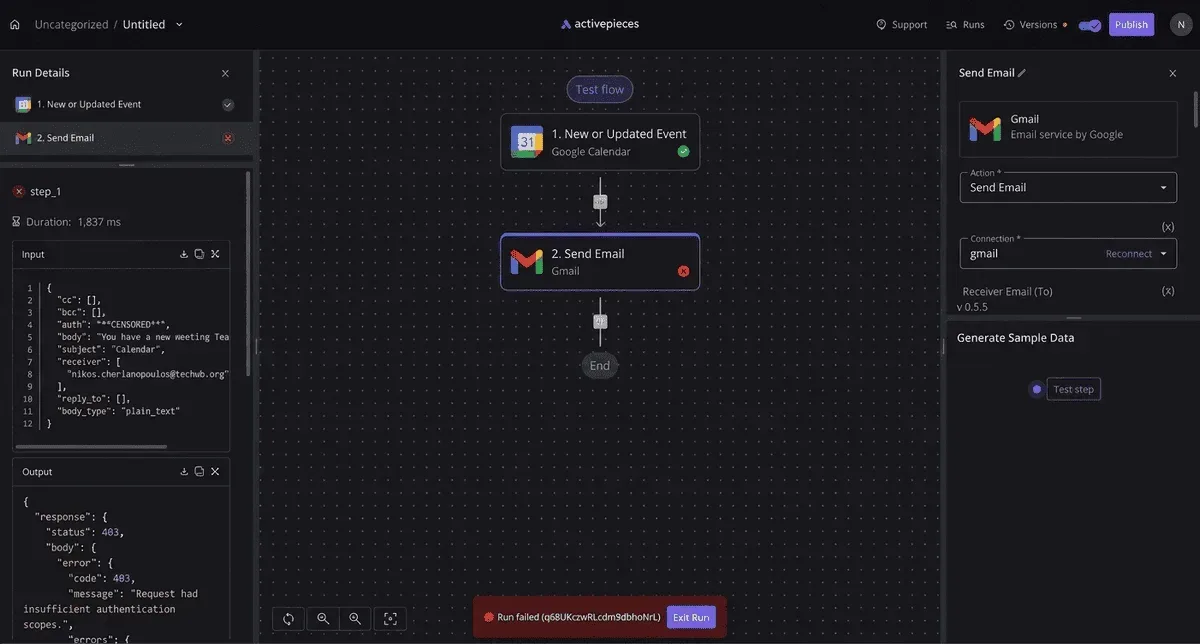
Choosing your first Slack Twilio workflow
Pick the trigger your team already acts on by hand, such as a new message in an alerts channel that someone then copies into a text.
A workflow with one trigger and a short chain of actions gives you a clean failure count later. A sprawling one hides which step broke.
- Choose one trigger, for example a new message in a single Slack channel.
- Create a Twilio account and verify the phone number you will send from or to, so the first message is not blocked.
- Connect both apps in Activepieces, which has integrations for Slack and Twilio, and authorize each one.
- Run one test message end to end and confirm the text arrives before adding anything else.
That sequence is your pilot. If the test text arrives, the connections and the verified number are sound, so any later failure points at the new step you added rather than the foundation.
When Zapier, Make or n8n suit better
For a team that wants a managed service with no server to look after and already has people who know the interface, hosted automation tools such as Zapier and Make are reasonable choices.
Code-first tools such as n8n suit teams that expect to write logic in most steps.
When you want an MIT-licensed core, the option to host it yourself, and unlimited flows on every plan including the free one, Activepieces fits better.
Activepieces has 750 integrations, counted from its open source monorepo, and roughly 60% of them were contributed by the community, which means the platform's ability to offer this breadth depends on participation from outside the core team.
When a Slack or Twilio action you need is missing, the HTTP request step and webhook trigger let you call the API directly instead of waiting for an integration to be built. A gap doesn't force a guess.
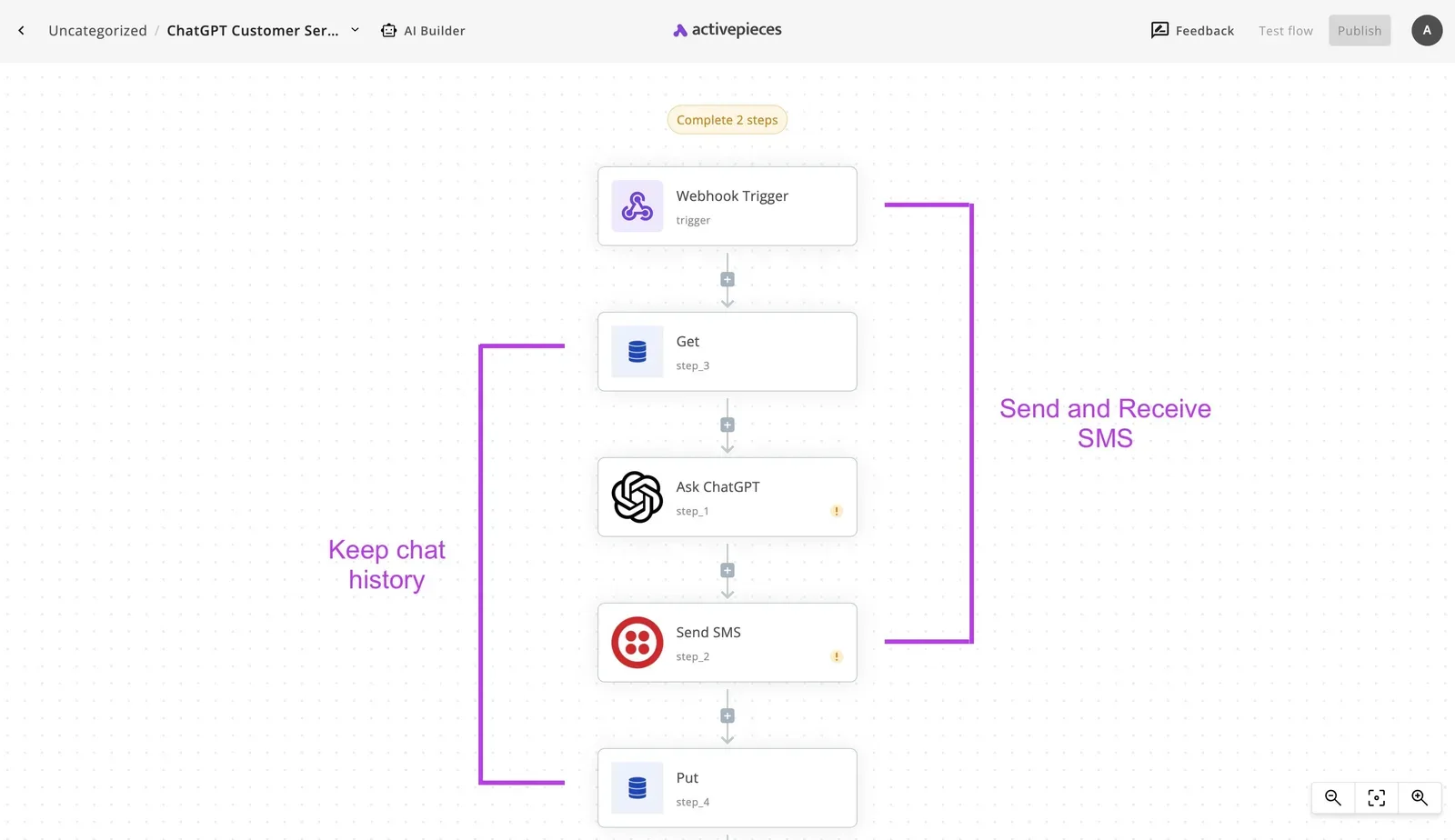
Self-hosting and plan limits
If you self-host, you control where run data lives, but your team now owns the upgrades, backups and uptime. A hosted plan removes that work and brings its own limits on runs and features.
Check the current limits on the plan you are considering before you commit a template to it, because a limit you hit mid-rollout shows up in your failed-run count as noise.
Activepieces Cloud's free plan costs $0 with no card, and it includes 1,000 credits a month and unlimited flows. A run is 1 credit however many steps it has, so that single test message costs next to nothing.

Once it passes, the next workflow can copy its shape.
Frequently asked questions
Once the first workflow passes, a few questions come up before anyone copies it, and each has a short answer.
Can I send a Twilio SMS from Slack without code?
Yes. A Slack trigger, such as a new message in a channel or a slash command, followed by a Twilio send-message action covers it in a no-code builder. You map the Slack text to the message body and a phone number to the recipient.
Start with one channel and one fixed recipient. That's the smallest version that proves the chain, and it becomes the template every later workflow starts from.
Does the Slack Twilio integration work with WhatsApp?
Yes, through Twilio's WhatsApp channel, but it's a different setup from SMS. Twilio addresses WhatsApp messages with a prefixed number, and WhatsApp restricts when a business can start a conversation, so outbound messages usually need a pre-approved template.
Build SMS first, then add WhatsApp as a second workflow once the sender is approved. Check Twilio's current pricing page, because WhatsApp is billed differently from SMS.
You don't need a paid Twilio account to test it: a Twilio trial account is enough for the first build. Trial accounts typically send only to phone numbers you have verified, and messages carry a trial notice.
That suits a pilot with one team on one channel. Upgrade when you want to message people who haven't been verified, which is usually the moment the pilot widens.
Can I run this on my own servers?
It depends on the automation tool, not on Slack or Twilio, which are both hosted services. Some workflow builders can be self-hosted, and if yours is one of them, the Slack and Twilio steps work the same way.
If your builder isn't one of them, a small service of your own can receive the Slack event and call Twilio's API.
That's code, so the no-code route is the faster one to a first result. Decide on hosting after the first workflow works, not before.
What do I do if my step is not in the integration?
Use an HTTP request step or a webhook rather than guessing at a missing action. Twilio's REST API and Slack's Web API are both documented, so any action the prebuilt steps skip can be called directly.
Add the credentials once, send the request, and read the response to confirm it worked. Save the working step as part of the template so the next team doesn't rebuild it, and you can count how often it gets reused.
Related reading
References
Build it
Set this up in minutes.
No code required. Connect your accounts, and Activepieces runs it from there.
Start free Talk to sales