
Slack Zendesk Integration: How to Connect Them Both Ways

Nov 14, 202615 min read
To eliminate context switching, a Slack Zendesk integration functions as a bidirectional data bridge that synchronizes customer support requests with internal communication channels.
Activepieces provides the open-source automation core required to map specific API events between the two platforms without the constraints of rigid, pre-built connectors.
Every customer interaction in Zendesk triggers a corresponding update in Slack under this architecture, maintaining a single source of truth across the engineering and support stacks. The following table outlines the foundational recipes required to maintain this synchronization.
Automating support workflows between Slack and Zendesk
| Recipe Name | Slack Trigger/Action | Zendesk Trigger/Action |
|---|---|---|
| Ticket Mirroring | Send Message To A Channel | New Ticket |
| Threaded Updates | Send Message To A Channel | Updated Ticket |
| Internal Note Capture | New Reaction | Create Internal Note |
| Status Sync | Send Message To A Channel | Tag Added to Ticket |
Prices and plan limits checked against activepieces.com and activepieces.com on November 14, 2026.
Sync new tickets to triage channels
When high-priority issues are created, they become immediately visible to the entire engineering team by automating the delivery of new tickets to specific Slack channels.
When the Zendesk integration detects a "New Ticket" event, the workflow executes a "Send Message To A Channel" action in Slack, which includes the ticket ID and subject line.
By replacing manual monitoring of the support dashboard with this flow, you prevent situations where a single missed notification results in a breached Service Level Agreement (SLA).
Updating Slack threads when customers reply
Visibility on active conversations depends on syncing follow-up communications into the original Slack notification thread. By monitoring for an "Updated Ticket" trigger in Zendesk, the automation uses the "Send Message To A Channel" action in Slack to append the new customer comment to the existing discussion.
Information fragmentation is prevented here, ensuring a single support issue does not generate multiple, disconnected Slack messages.
Pushing Slack messages into Zendesk internal notes
Unless you capture technical context from Slack and push it into the support record, critical troubleshooting steps are often lost in chat history.
A user can apply a "New Reaction" in Slack to trigger a "Create Internal Note" action in Zendesk. This attaches the engineer's diagnosis directly to the ticket, giving the support agent the necessary data to respond to the customer without asking for a summary.

Closing the loop on resolved tickets
The moment a customer's issue is resolved, closing the communication loop notifies internal teams and prevents unnecessary follow-up work.
When a "Tag Added to Ticket" trigger detects a status change to "solved" in Zendesk, the workflow sends a final "Send Message To A Channel" update in Slack to archive the discussion.
This transition signals to the team that they can reallocate the resources dedicated to that specific incident to the next item in the queue.
This takes minutes, not a project: automate it in Activepieces free.
Step-by-step: Building a real-time ticket alert workflow
Automation bridges the gap between customer distress and engineering response by ensuring critical data lands in the exact Slack channel where your team already operates.
This specific workflow maps incoming support requests to a notification engine that filters for urgency, preventing high-priority issues from rotting in an unread inbox.
Step 1: Connect the Zendesk New Ticket trigger
You must authorize a connection to your Zendesk instance before the automation tool can listen for state changes. In the workflow builder, select the Zendesk trigger labeled New Ticket, which initiates the flow every time a customer submits a request.
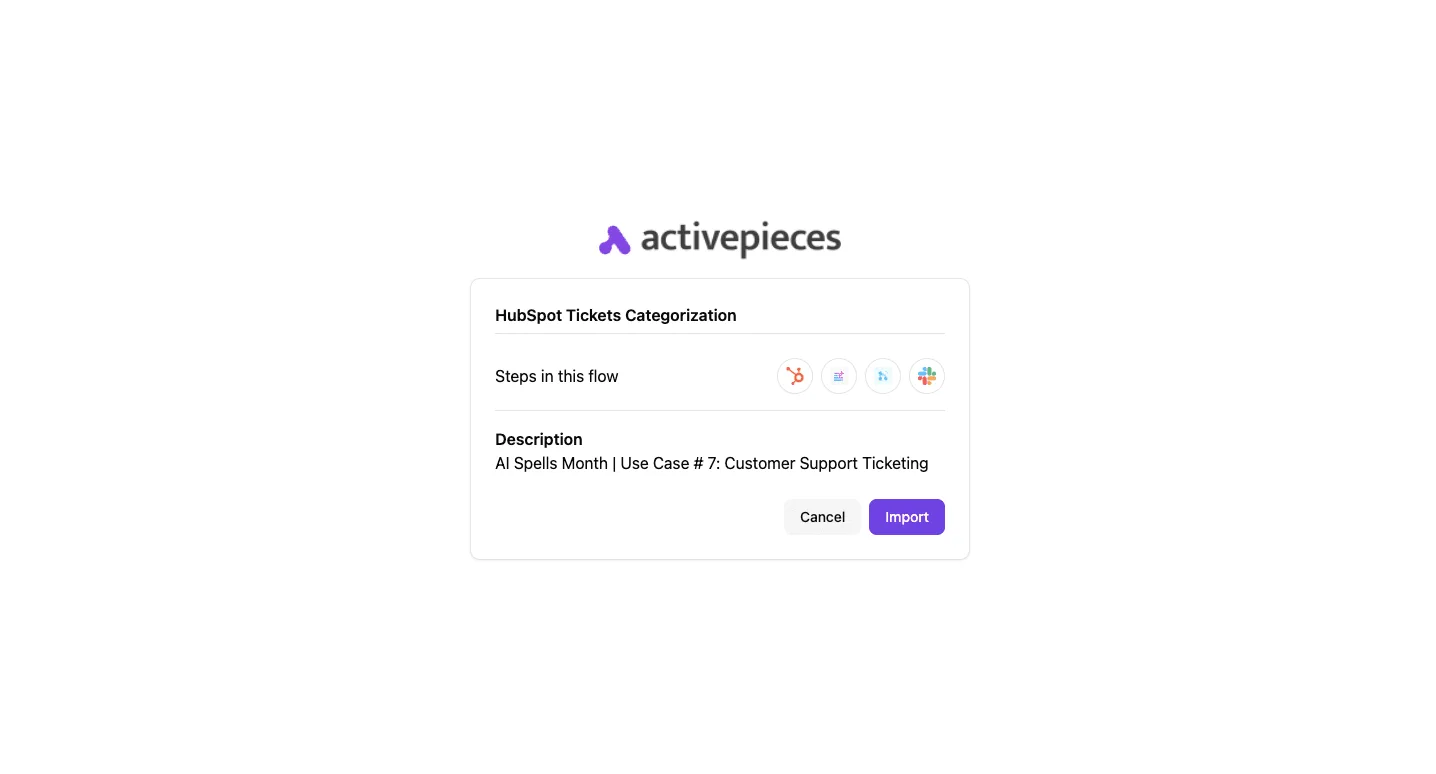
The automation lacks the permissions required to poll your ticket queue without a Zendesk Subdomain and an API Token. Once you verify the connection, the trigger will expose a schema containing the Ticket ID, Subject, and Description.
Filtering Zendesk tickets by priority before alerting Slack
To prevent channel noise, you must insert a logical gate between the trigger and the notification. Add a Filter step immediately after the Zendesk trigger in the builder interface.
Set the condition to check the Priority field from the Zendesk ticket data. Configure the operator to "Equals" and the value to "High" to ensure only critical incidents proceed to the next step.
By applying this filter, you ensure the #urgent-support channel remains a high-signal environment rather than a dumping ground for low-priority feature requests.
Step 2: Format the Slack message action
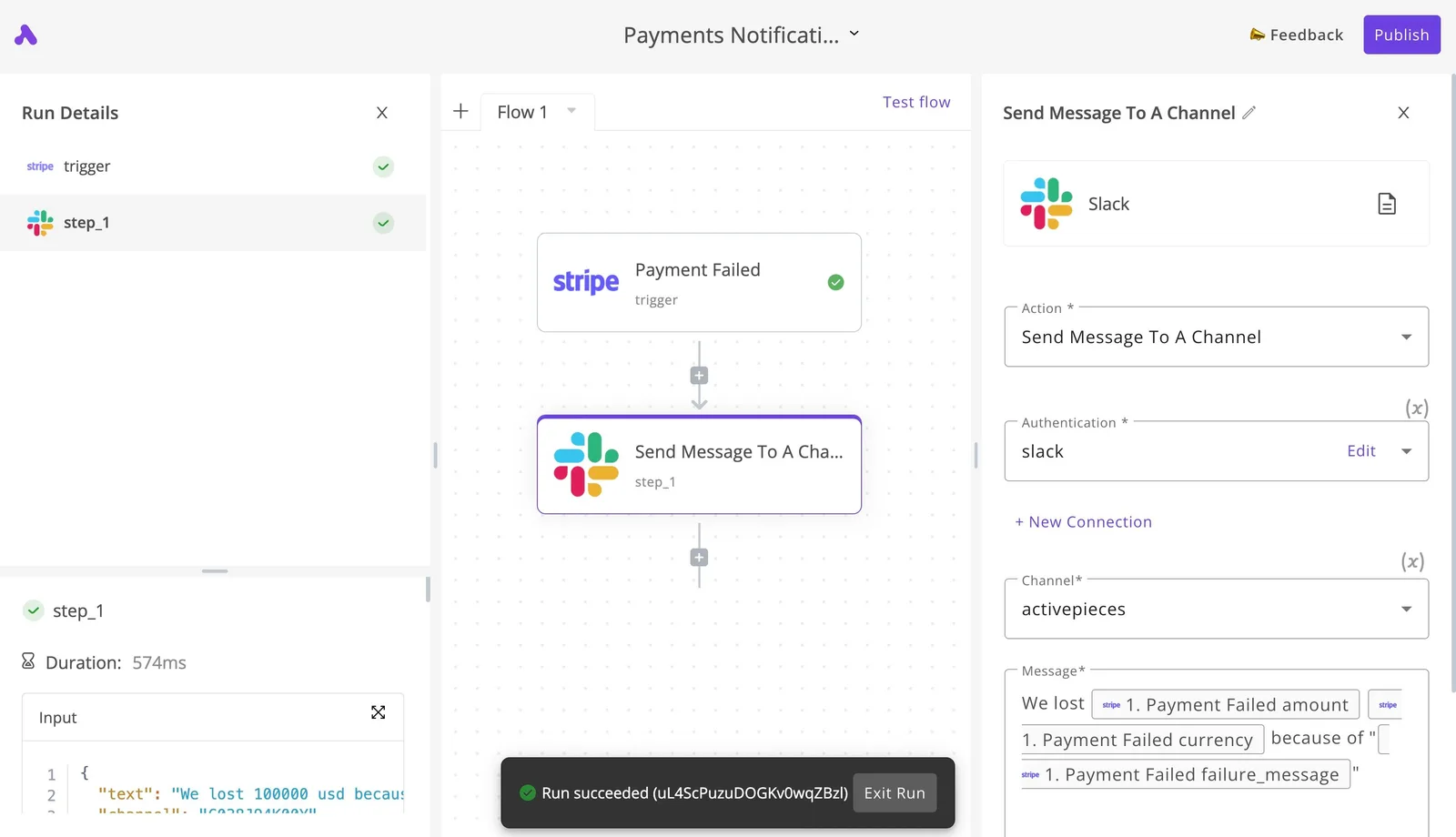
Because a developer needs to assess the issue without leaving their chat interface, you must map the raw JSON output from Zendesk into a readable Slack block. Select Slack as your action app and choose the Post Message method.

Activepieces allows you to generate these specific integration steps with AI and add them privately to your own instance, bypassing the wait for vendor release cycles.
The open-source monorepo on GitHub shows 748 integrations that form the floor of the catalogue, roughly 60% of which are community-contributed, ensuring that the majority of your tools rely on the collective activity of builders rather than a single vendor's roadmap, which means your infrastructure is shielded from the risks of proprietary lock-in.
Use the dynamic data pills from the previous step to include the Ticket Subject and a direct URL to the ticket in the message text field.
Providing a clickable link reduces the time-to-resolution by eliminating the need to manually search the Zendesk dashboard. You should also select the specific Slack channel, such as #ops-alerts, to ensure the notification reaches the correct on-call rotation.
Step 3: Test the connection and go live
Validation is the final gate. It requires you to trigger a mock event in Zendesk to verify that the data payload correctly traverses the bridge and renders in Slack.
Create a test ticket in your Zendesk sandbox (an isolated environment for development) with the priority set to High to satisfy your filter criteria.
Success is the goal in the execution log. A failure here usually indicates a malformed API token or a mismatch in channel permissions. Once the test message appears in Slack with the correct formatting, toggle the workflow to Active to begin processing live customer data.
Choosing the right integration platform for support data
Immediate needs for a Zendesk-Slack bridge must be balanced against the long-term architectural debt of proprietary task limits and opaque data handling.
While closed-source tools offer rapid deployment, they often introduce rigid pricing tiers that penalize high-volume support teams and create compliance hurdles for sensitive customer data.
Self-hosting Slack Zendesk integrations for HIPAA and GDPR
Organizations governed by HIPAA or GDPR use self-hosting to ensure customer support transcripts never leave controlled infrastructure.
MoneyGram and FundingSocieties are among the teams that use Activepieces to run automations across their departments. When you deploy the MIT-licensed core on your own servers, you eliminate the risk of a third-party processor's data breach affecting your Zendesk tickets.
This architectural choice is critical for organizations governed by HIPAA or GDPR. It allows your security team to manage encryption keys and data retention policies directly.
By keeping the "glue" between Slack and Zendesk within your VPC (Virtual Private Cloud), you reduce your attack surface and simplify the vendor risk assessment process.
Comparing unlimited-step and per-task pricing models
On open-source automation platforms, the number of executed workflows is typically decoupled from your monthly bill. This ensures that a sudden spike in support tickets does not result in an unexpected budget overage.

Proprietary tools like Zapier charge based on task volume, which creates a direct financial penalty for every customer interaction your team handles.
Typical support volume can quickly exceed the constraints of standard commercial plans, as illustrated here:
Proprietary tools like Zapier charge based on task volume, which creates a direct financial penalty for every customer interaction your team handles.
| Metric | Volume/Limit |
|---|---|
| Monthly Support Volume | 17,630 tasks |
| Zapier Professional Plan Limit | 750 tasks |
| Zapier Team Plan Limit | 2,000 tasks |
A team reaching its 2,001st task in a month wouldn't be cut off immediately — extra tasks are billed under pay-per-task until usage reaches three times the plan's task limit, at which point workflows stop running.
By moving to a self-hosted or open-source model, you move from a variable cost structure to a fixed infrastructure cost, allowing your automation complexity to grow without financial friction.
Auditing Slack Zendesk data flows with open-source code
Using an open-source codebase, internal security engineers can inspect the exact logic used to route data between Zendesk and Slack, removing the "black box" risk.
In a closed system, you must trust the vendor's documentation regarding how they sanitize inputs or store credentials; in an open system, you can verify the implementation of the OAuth flow yourself.
Transparency is vital when using frontier models like Gemini 3.8 Flash for sentiment analysis or Claude Sonnet 5.5 for ticket summarization.
The engine that runs these agents is public code, not a config panel; you can open the Flow Execution Engine in the public monorepo and match it against the step-by-step trace in the run-details UI.
If a vulnerability is discovered, an open-source framework allows your team to patch the code immediately rather than waiting for a vendor's release cycle.
You can follow the rest of this with the builder open. Start free, no card.
Troubleshooting Slack and Zendesk connection errors
Integration failures are typically caused by rigid API constraints or data schema mismatches, which are often obscured by silent failures in closed-source connectors.
To build a resilient bridge, you must account for the specific throughput limits and formatting quirks that trigger error states when moving data between a structured support environment and an unstructured chat interface.
Handling Zendesk API rate limits
Zendesk enforces strict request thresholds based on your plan level to prevent infrastructure saturation. High-volume ticket spikes can cause your Slack automation to drop events.
When these limits are exceeded, the API returns a 429 "Too Many Requests" error. This signals that your integration must pause and retry using an exponential backoff strategy to avoid a total service lockout.
| Zendesk Plan | API Rate Limit (Requests/Min) | Webhook Limit | Common Error Code (429) |
|---|---|---|---|
| Suite Team | Lower baseline | Standard concurrency | Rate limit exceeded |
| Suite Professional | Mid-tier capacity | Expanded concurrency | Rate limit exceeded |
| Suite Enterprise | Highest baseline | Maximum concurrency | Rate limit exceeded |
Because these limits are fixed per account, a bidirectional sync that polls for updates will exhaust your quota faster than a webhook-driven architecture. Moving to a push-based model ensures you only consume API credits when a relevant event actually occurs.
Fixing broken Slack markdown in ticket notes
Conflicts in data display arise frequently because Slack uses "mrkdwn" while Zendesk relies on standard Markdown or HTML. This leads to ticket notes cluttered with raw syntax like asterisks or underscores.
This mismatch forces agents to manually parse unrendered strings, which increases the cognitive load per ticket and slows down resolution times.
- Identify the source string in the Slack payload.
- Pass the text through a transformation layer, such as a script running on Gemini 3.8 Flash, to map Slack’s specific link and bolding syntax to Zendesk-compatible HTML.
- Sanitize the output to ensure that nested blocks do not break the Zendesk ticket UI layout.
Fixing OAuth2 token expiration in Slack Zendesk sync
Oauth2 authentication failures occur when the refresh token logic in a connector fails to silently update the access credential before it expires.
This results in a 401 Unauthorized error that halts all background synchronization, leaving your support team unaware of urgent Slack pings until a developer manually re-authenticates the app.
By implementing an automated token rotation check within your middleware, you ensure the integration remains active without requiring human intervention every time a session window closes.
What Activepieces does about this
Activepieces provides the open-source automation engine that transforms the Slack Zendesk integration from a simple alert system into a customizable data bridge.
By deploying the MIT-licensed core, teams like MoneyGram and FundingSocieties bypass the rigid constraints of proprietary connectors that often fail to handle complex bidirectional threading.
The platform allows you to self-host the entire automation stack, ensuring that sensitive customer support transcripts and internal engineering discussions never leave your controlled VPC, which is a prerequisite for maintaining HIPAA and GDPR compliance.
The software addresses the "black box" problem of closed-source tools by providing full visibility into the execution logic.
When you map a Slack reaction to a Zendesk internal note, you are not relying on a vendor's opaque configuration; you can inspect the TypeScript-based integrations in the public GitHub monorepo to verify exactly how your data is being sanitized and routed.
This transparency extends to the 748 integrations currently available, many of which are community-contributed, allowing your team to patch a connector or add a custom field mapping immediately rather than waiting for a commercial roadmap update, which means you avoid the typical bottlenecks of vendor-dependent software lifecycles.
To solve the financial friction of scaling support, Activepieces decouples your workflow complexity from your monthly bill.
Unlike proprietary platforms that impose strict task limits (often as low as 2,000 tasks on a team plan) Activepieces allows for unlimited steps and executions when self-hosted, so you are never penalized for scaling your automated workflows.
This prevents service interruptions during high-volume ticket spikes, ensuring that your 17,630th monthly support task is processed with the same reliability as the first, without triggering an automatic and expensive tier upgrade.

The platform also integrates frontier AI models like Gemini 3.8 Flash and Claude Sonnet 5.5 directly into the flow to handle the heavy lifting of data transformation.
You can use these steps to automatically translate Slack's specific "mrkdwn" syntax into Zendesk-compatible HTML or to summarize long Slack threads before they are pushed into a ticket's internal notes.
This ensures that the data moving between platforms remains readable and actionable, reducing the cognitive load on support agents and accelerating the time-to-resolution for every customer inquiry.
Frequently asked questions about Slack Zendesk sync
Mapping data between Slack and Zendesk requires strict adherence to the payload limits of each API to prevent silent dropouts where a message or attachment fails to arrive.
If a payload exceeds these hard-coded thresholds, the integration will return a 413 Request Entity Too Large error. This causes the sync to fail and leaves the support agent without the context needed to solve the ticket.
- 1 GB is the Slack individual file limit, which means users cannot share high-resolution video exports or large project archives directly in the chat.
- High-resolution screen recordings or database dumps often shared by engineers will fail to upload to Zendesk if the middleware does not catch and redirect them to a cloud storage link.
- 50 MB is the Zendesk macro attachment limit, so support agents use external cloud storage links when sending documentation to customers.
- 10 total is the Zendesk Trial Webhook limit.
- 40% is the AI deflection potential, meaning nearly half of all incoming inquiries can be resolved without human intervention.
- Nearly half of incoming Slack queries can be resolved by a model like Gemini 3.8 Flash before a Zendesk ticket is even created, reducing the load on the human support queue.
Can I sync Slack threads back to Zendesk?
Bidirectional threading is possible by mapping the Slack thread_ts to a custom external ID field within the Zendesk ticket. The thread_ts is the unique timestamp of the parent message.
This mapping ensures that every subsequent reply in a Slack thread is appended as a private or public comment to the correct ticket rather than generating a new ticket for every message.
Without this specific ID correlation, a single conversation becomes a fragmented mess of disconnected tickets that no agent can follow.
Does this integration support Zendesk custom fields?
Custom fields are supported as long as the middleware explicitly maps the Slack UI elements to the specific Zendesk Field ID. These elements include dropdowns or text inputs from a Modal.
Because Zendesk identifies custom data by a numeric ID rather than a display name, the integration must include a lookup table or hard-coded mapping to ensure that data like "Product Version" or "Customer Tier" lands in the correct schema location.
How do I prevent notification loops between apps?
Assigning a unique "Actor ID" or "Bot User ID" to the integration and configuring the sync logic to ignore any events triggered by that specific ID prevents notification loops.
If the integration does not filter out its own actions, a message posted to Slack by the bot will trigger a Zendesk update. This in turn triggers a new Slack message, creating an infinite loop that exhausts API rate limits.
Is there a limit to the number of channels I can sync?
Only the rate limits of the Slack Web API and the Zendesk Ticket API limit the number of synced channels.
As you scale to hundreds of channels, you must implement a "Leaky Bucket" algorithm to ensure that a sudden spike in Slack activity does not cause Zendesk to throttle your API token.
This algorithm is a method of smoothing out bursts of traffic to stop all incoming support requests from being blocked.
Build it
Set this up in minutes.
No code required. Connect your accounts, and Activepieces runs it from there.
Start free Talk to sales