Suno MCP: How to Connect It to AI Tools (2026 Guide)

Oct 29, 202613 min read
How to access Suno through MCP
What Suno MCP is and does
Suno MCP is a new, beta connection point that lets AI tools call Suno.
It uses the Model Context Protocol, a shared standard for connecting tools (the same kind of standard that workflow builders such as Activepieces can plug into), instead of a one-off integration built for each client. Everything about the connector comes from Suno's own pages, checked 2026-10-29.
If it breaks at 2am on a Tuesday, someone gets paged, so ask first who owns the connection. A beta label means the owner should expect change and plan for it.
Who released Suno MCP and when
Look to Suno for the record: it released this, and its release notes and its MCP page describe it as new and mark it beta. Nothing here goes beyond what they say.
Because the release is recent as of the check date, treat any third-party summary as secondhand. This article doesn't restate a launch date, because the release notes are the place to confirm one, and they may have moved since 2026-10-29.
When a connection changes, the ownership question matters most. An audit log, like the one Activepieces includes on its Ultimate plan and in its self-hosted enterprise control, shows the shape of the record you want. It records who changed what, such as:
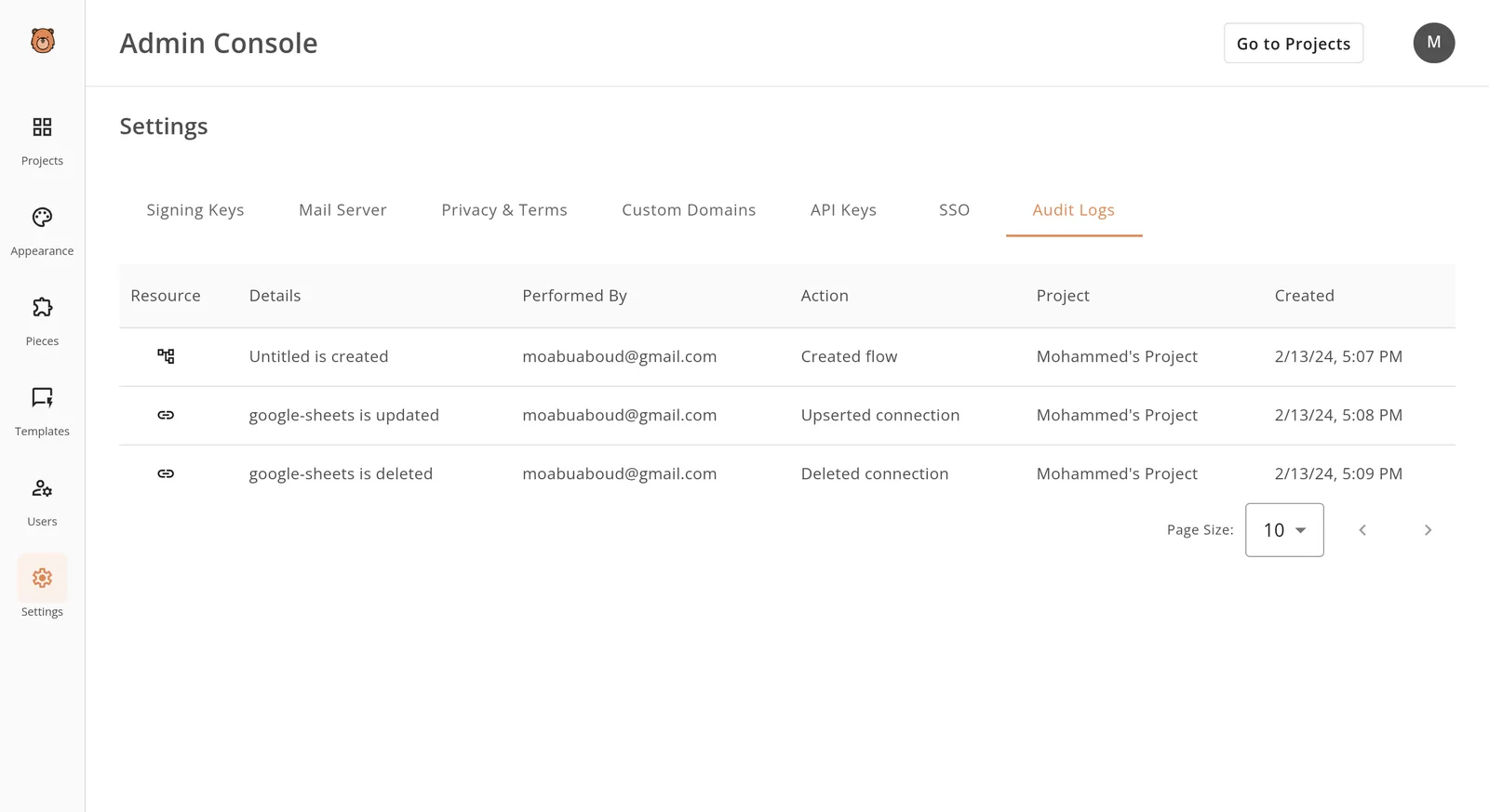
- Someone creates a flow
- Someone updates a connection
- Someone deletes that same connection
That's how you answer "who changed this, and when" without guessing, and it's the standard to hold a Suno MCP setup to.
What logging comes with the connection, Suno's pages don't say, so the record is something your team has to arrange. The sections that follow cover what the connection does and what Suno says it costs.
Connecting a client to a server takes four steps
Any MCP client, whether Claude, ChatGPT or Claude Code, connects to a server the same general way. The client is pointed at the server, you authorize the account behind it, and the client then asks the server which tools it offers.
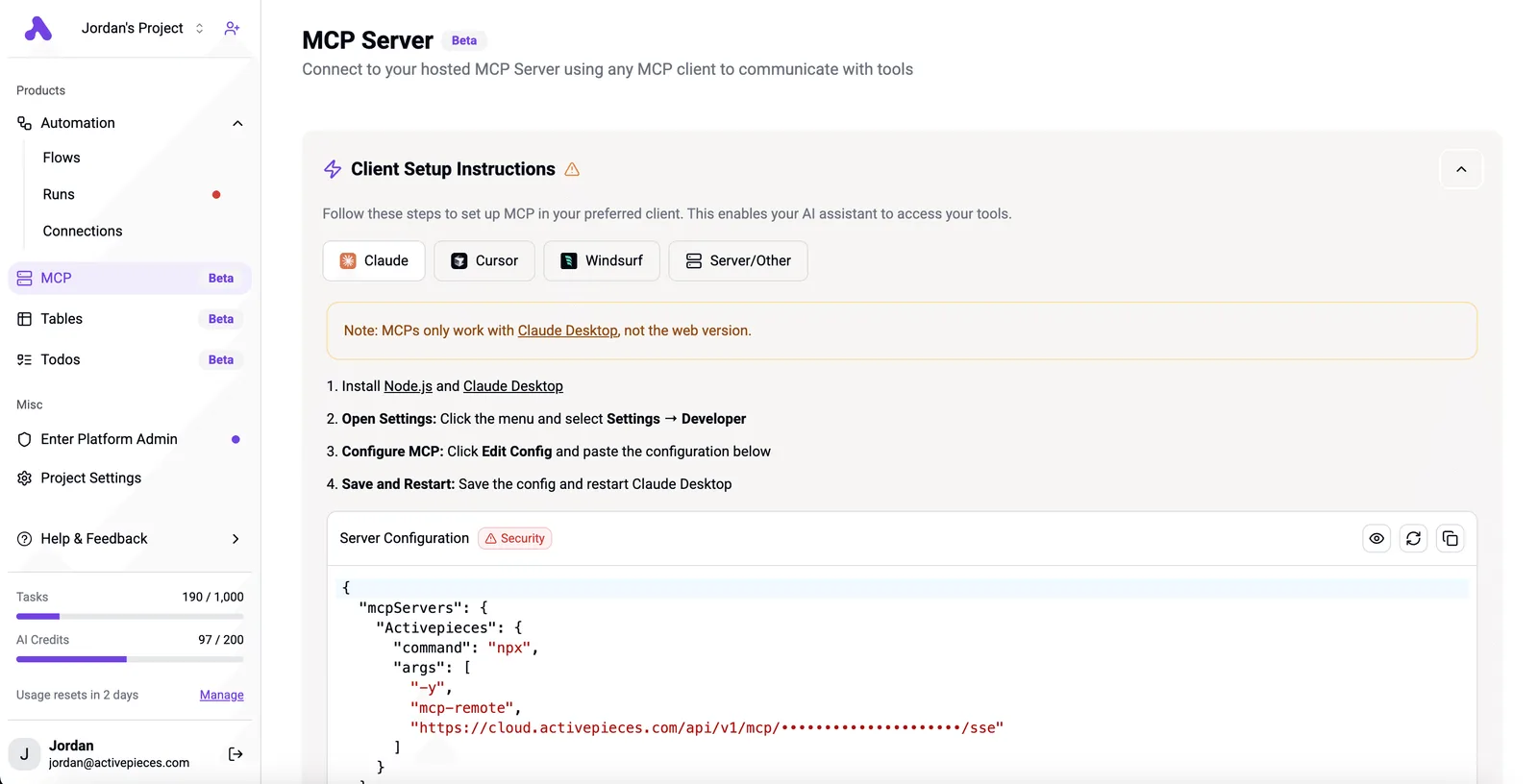
Those are the steps of the protocol, not a Suno-specific procedure, and Suno's pages don't walk through them for its own server.
The first step is choosing where the server runs. One option is a hosted connector, where the client is given an address and nothing is installed on your side.
The other is a locally run server, where your team clones the repository and starts it on its own machine, which is where the Python requirement in the README comes in.
Suno offers a hosted connector address, https://api.suno.com/mcp, so nothing needs to be installed locally; the separate acedatacloud repository is a third-party route.
The second step is authorizing the account. For a hosted connector this is usually a sign-in prompt in the client, and for a local server it is usually a credential placed in the server's configuration.
Suno MCP uses a sign-in: you sign in to your Suno account and approve access, with no API key and no code.
The third step is the check that tells you it worked: the client lists the tools the server exposes. Compare that list against the one in the README, since a missing or extra tool means you are not connected to what you think you are.

The exact menu or command each client uses to add a server differs by client and by version, so follow that client's own documentation and treat any Suno-specific click path as unconfirmed.
Finally, run one low-stakes request before anything scheduled depends on it, and record who authorized the account and on what date. That record is the owner's starting point when the beta changes.
This takes minutes, not a project: automate it in Activepieces free.
What makes Suno MCP critical for work automation
When a music-generation step fails at 2am on a Tuesday, the person paged knows which single integration to open first. That is why Suno MCP matters: it gives a team one standard connection point to own.

This rests only on what Suno's own pages say, checked 2026-10-29. The connection is in beta, so name its owner before anything depends on it.
What an MCP server gives an automation
Each AI tool could carry its own hand-built call to Suno. Under MCP, a shared protocol that lets AI tools call outside services, they all go through one server.
The four points below come from Suno's pages. Together they show a connection you can inspect and bound, which is what an owner needs.
- It's one standard connection point, so the team maintains one integration instead of one per AI tool.
- Suno names the tools the server exposes, so a reviewer can check what an automation may call against a written list.
- It requires Python 3.10 or later, so a build image or host with an older runtime fails before Suno is ever reached.
- The code is in a public GitHub repository, so your team can read it before granting it access.
Because you can check each point, you can audit the connection before trusting it, and that shapes where it belongs in existing work.
Where Suno MCP fits in workflows
The server sits between the AI tool and Suno. It doesn't replace the scheduler, the approval step, or the people who sign off on output.
Whatever already decides when a music task runs and who reviews the result stays where it is. Only the call to Suno changes, and it now goes through one documented path.
When something breaks, the practical gain is a shorter list of things to investigate. The beta label means that list can still change, so whoever owns the workflow should also own the habit of rereading Suno's pages.
What Suno announced and What it costs
Most of what an owner needs is marked "not stated" as of 2026-10-29, because Suno's pages say little beyond describing Suno MCP as a beta connector for making music from inside Claude, ChatGPT, Claude Code and other MCP clients.
To know what you must still ask or test, use the table, which shows what each page covers and where it's silent.
| Item | What the page says | Source |
|---|---|---|
| What it is | Connects Suno to Claude, ChatGPT, Claude Code and other MCP clients so you can create music in the workspace you already use | Suno release notes |
| Maker | The repository is published under the acedatacloud account and uses the AceDataCloud API | GitHub |
| How to get it | Sign up for early access to the beta at suno.com/mcp; available on all Suno plans | Suno MCP page |
| Price | Not stated | Suno MCP page |
| Python version | Python 3.10 or later | GitHub |
| Custom model input (6 to 24 audio URLs) | Not stated | Suno MCP page |
| Stems | Not stated | Suno MCP page |
Prices and plan limits checked against suno.com and suno.com and github.com on October 29, 2026.
Nobody can answer a "not stated" from the pages, so someone has to own getting the answer before the workflow depends on it.
The last two rows are there because they are features a buyer would reasonably ask about. Custom model input would mean supplying your own audio by URL, and stems would mean separating a track into parts.
The Suno MCP page doesn't confirm either one, so neither should be assumed to work through the connection. The only stem figures in this article come from a third-party price list covered below, and they say nothing about what Suno MCP supports.

According to Suno's release note, it's a beta that removes tab-switching. The GitHub repository describes an MCP server for music generation through the AceDataCloud API, so the code path runs through a third party.
Suno's pages don't say how that relates to its own announcement. Whoever gets paged when it fails needs that answered.
Suno's MCP page gives an access route: sign up for early access, add the server URL https://api.suno.com/mcp, and in Claude Code run claude mcp add --transport http suno https://api.suno.com/mcp, then /mcp to sign in. The general steps above show what to look for when you do.
Treat cost as unknown, not free, since no price is stated on the pages checked.
You can follow the rest of this with the builder open. Start free, no card.
How to connect Suno with Activepieces
Whoever builds this flow owns every failure in it, because Activepieces has no native support for Suno MCP as of 2026-10-29. We haven't run any of it ourselves.
Without a dedicated integration, you assemble the connection from general building blocks. The three routes below run from simplest to most involved, and each is untested by us.
- HTTP request step: call Suno's endpoint directly.
- AI step with a custom or OpenAI-compatible provider: point the step at a compatible address.
- Private integration: generate one with AI for Suno's API and add it to your own instance.
For each route, the notes below say what to set up and where it is likely to break.
Use the generic request step and send the call yourself, with the address and credentials taken from Suno's own pages. This is the easiest route to inspect, because every request and response is visible in the run history.
It also leaves you hand-writing the call, so any change on Suno's side breaks your step silently.
For the second route, add a custom or OpenAI-compatible provider and aim it at whatever address Suno documents. This only works if Suno's interface really speaks that format, which we couldn't confirm. Check that first, or the step will fail on its first run.
For the third, generate a private integration with AI for Suno's API and add it to your own instance, then expose the flow as a tool to the MCP client.
This is the route closest to the standard connection point the article is about, and it carries a second benefit: each of the 746 integrations in the MIT-licensed open source repo is a tool on a per-project MCP server, so Claude, ChatGPT or Cursor can call the same piece action a flow runs, with no separate export and nothing wired twice.

MoneyGram, Moneypenny, Alan and FundingSocieties run Activepieces in production. We haven't tested Suno's API through a private integration, so it's the least proven route here. Because the feature is in beta, assign someone to watch for changes.
What Suno MCP cost and speed comparison shows
Whoever owns the beta watch also owns the budget question, and published sources answer only part of it: setup effort and plan prices can be compared, but speed and cost-per-task can't. The table shows that gap, so read the last column as empty by design.
| Option | Setup effort | Listed price | Speed and cost-per-task |
|---|---|---|---|
| Suno MCP | Connect your Suno account to an assistant such as ChatGPT or Claude | No MCP-specific price found in the sources checked | Not measured |
| Manual Suno | Account only | Free, Pro $10, Premier $24 or $30 depending on source | Not measured |
| Hand-built HTTP calls | You write and maintain the integration | Depends on the provider you call | Not measured |
Start with setup, where the rows differ most.
Suno's MCP page describes connecting your account to assistants you already use. That makes setup a connection step, not a build. Hand-built HTTP calls leave you owning every change, and that's who gets paged when a call breaks.
Suno MCP listed price comparison
Check the current pricing page before budgeting; manual plans run from Free to Pro at $10 to Premier at $24 or $30, or you risk planning around outdated rates.
For HTTP calls, TTAPI Docs lists a third-party reference point, not Suno MCP pricing.
Generation, extend, cover and remaster each cost 6 quota units, so any of them is one flat unit of spend. Stem separation costs 12, twice that. Full stems cost 30, five times a generation, so stem-heavy workflows burn quota fastest.

We haven't tested Suno MCP, so we have no speed or cost-per-task figures. Treat any such number you see for it as unverified until someone on your team measures it.
What to watch next with Suno MCP
Recheck four places on Suno's own pages. They show whether the beta label, the price or the code has changed since 2026-10-29, which is when this article's claims were last checked.
Whoever gets paged when a music-generation step fails overnight should be able to say which of these pages changed last. Each check below is a concrete thing to look at, not a forecast.
- The release notes, for any change to the beta label, which tells you whether Suno still treats the connection as unfinished.
- The mcp page, for pricing, since what a call costs is only what that page states.
- The GitHub repository's commits and releases, which show whether anyone is maintaining the code, and how recently.
- The README, for the required Python version and the list of tools, because either can break a working setup after an upgrade.
A quiet repository isn't proof of anything, but it tells you what to ask next.
Questions to settle before building on Suno MCP
Start with ownership: who on your team reads these pages, and how often? A beta connection with no named reader is how a changed tool list reaches production unnoticed.
Next, decide what happens if a tool you rely on disappears from the README's list. A fallback, even a manual one, should exist before the first scheduled run.
A beta connection with no named reader is how a changed tool list reaches production unnoticed.
Then confirm that your runtime matches the README's Python version, and write down the date you checked it.
Finally, agree in advance who approves spend if the mcp page changes its pricing. None of this needs Suno to announce anything; it needs a person with the job.
Related reading
References
Build it
Set this up in minutes.
No code required. Connect your accounts, and Activepieces runs it from there.
Start free Talk to sales