TickTick Alternatives in 2026, Chosen by Complaint

Nov 17, 202615 min read
Todoist suits most people leaving TickTick.
Things 3 suits anyone who only uses Apple devices, and Microsoft To Do suits people who want free or already live in Microsoft 365, though anyone who wants tasks to flow into other tools can wire that up with an automation platform like Activepieces.

Each wins by fixing one specific complaint, not by being a better app overall.
Plans and limits change without notice, so treat 17 November 2026, the date everything below was checked against vendor pages, as the point after which you should reconfirm anything that drives your decision.
Ranking Criteria: Pricing, Platforms, Sharing, Glue
What TickTick is
TickTick is a task manager with a built-in calendar, habit tracker and focus timer, available on phones, desktops and the web. Its appeal is breadth: one subscription covers tasks, scheduling and routines. That breadth is also why people leave.
If you use only the task list, you're paying for features you ignore. If you need something it lacks, such as a platform it handles poorly or a link to another tool, the extras do nothing for you.
Four criteria for choosing a TickTick alternative
You cannot pick by store rating, because ratings put these apps close together. The single frustration will tell you, and it falls into one of four categories.
Price is what you pay to get the features you actually use, and whether the free tier is enough.
Platform fit is whether the app is native on every device you own, including the ones at work.
Sharing is whether another person can be assigned a task or share a list without installing something new.
Integrations are whether tasks move to and from your calendar, email or other tools without you retyping them.
Where a task app has no connector for a tool, Activepieces sits between the two, with 775 integrations counted from its open-source monorepo, making such scenarios increasingly rare.
Read across your own row first and ignore the rest. The table shows what each option offers on those four, and which complaint it fixes.
| App | Starting price | Platforms | Sharing | Integrations | Complaint it fixes |
|---|---|---|---|---|---|
| TickTick | Free tier, paid Premium | Phone, desktop, web | Shared lists | Calendar sync | Baseline for comparison |
| Todoist | Free tier, paid plans | Phone, desktop, web | Shared projects | Broad connector range | Glue to other tools |
| Microsoft To Do | Free | Phone, desktop, web | Shared lists | Microsoft 365 | Price |
| Things 3 | One-time purchase per platform | Apple devices only | None | Apple ecosystem | Platform fit, for Apple users |
| Apple Reminders | Free with Apple devices | Apple devices, web | Shared lists | Apple ecosystem | Price, for Apple users |
| Activepieces | Free to self-host | Web | Not a task app | Connects other apps | Glue |
Once you know which column your frustration sits in, the sections that follow take each one in turn.
The fastest way to settle a shortlist is to try one. Activepieces is free to try, no credit card.
Todoist as nearly complete alternative
Todoist is the closest like-for-like replacement for TickTick, and for most people leaving it, the only things they give up are the built-in habit tracker and Pomodoro timer.
Everything else in the daily loop has a direct counterpart, which is why it works for anyone whose frustration isn't about features at all.
Typing "pay invoice every second Friday #finance p1" into the quick-add box produces a recurring, prioritised task filed in the right project. TickTick parses dates in a similar way, so you keep the habit and lose nothing.
If your TickTick lists have become a pile of smart lists, (source)'s filters are its strongest card. You can write a query that combines label, priority, due date and project, save it, and pin it as a view.
That is the closest thing to rebuilding them.
You can share projects, comment and assign on the free plan too. The paid tier raises the caps, so check the current limits on Todoist's pricing page before you move a whole household or team across.
If your frustration is glue to other tools, the integrations catalogue is also broader than TickTick's. For that case, the dedicated section on automation covers it in more depth.
What you give up leaving TickTick for Todoist
Before you switch, ask whether you use the features that differ. The table shows where the two products diverge on the features people most often cite when they leave, and that Todoist's gaps against TickTick are narrow and specific.
| Todoist Free | Todoist paid | TickTick Free | |
|---|---|---|---|
| Natural-language entry | Yes | Yes | Yes |
| Built-in habit tracker | No | No | Yes |
| Built-in Pomodoro timer | No | No | Yes |
| Shared projects | Yes, with tighter caps | Yes, with higher caps | Yes |
If you open the habit tracker or the focus timer every day, Todoist will feel like a downgrade. In that case, pair it with a separate habit app and a plain timer, or stay put and fix the actual complaint.

If you never touch them, the switch costs you almost nothing, and the sections that follow cover the cases where Todoist is the wrong answer.
Microsoft To Do
Microsoft To Do is the free alternative to pick when your frustration with TickTick is the subscription price or the lack of fit with Outlook and Microsoft 365. It costs nothing to use with a Microsoft account.
Its main selling point is how little setup it needs if your calendar and email already live there.
Each morning the daily workflow starts from My Day, a list that begins empty. You pull in tasks from anywhere, and the ones you don't finish are surfaced again the next day for you to keep or drop.

If TickTick's views and filters were more than you wanted, My Day is often the preferred fix: a deliberate-planning habit rather than a dashboard.
The Microsoft integration is where it earns its place:
- Emails you flag in Outlook appear as tasks, so your inbox and your to-do list stop being two separate places.
- Tasks assigned to you in Planner, Microsoft's team task board, show up in To Do, so work handed down from a team plan lands next to your own.
- Lists can be shared with other people, which covers a household grocery list or a small shared checklist without a paid team tier.
Where it runs out is structure. To Do has lists and groups of lists, plus steps inside a task, but nothing resembling project views, kanban boards, or the filtering that lets TickTick behave like a planning tool.
If you built elaborate repeat rules or layered reminders, expect to simplify them or lose some, because recurring tasks and reminders are also thinner than TickTick's. They cover the common repeat patterns.
That makes the decision fairly narrow. If you leave because of price or because you want your tasks inside the Microsoft tools you already open every day, To Do fixes that and little else.
If your pain is project structure or advanced scheduling, it moves you backward on exactly the thing you were using TickTick for.
Reading a table only gets you so far. Build the same workflow in Activepieces and compare it yourself.
Things 3 as pay-once TickTick alternative
Things 3 is the pay-once answer for people who live entirely on Apple devices, and it trades away Android, Windows, shared lists and habit tracking to get there.
That trade only makes sense if your frustration with TickTick was the subscription itself, so the price comes first.
According to Dayplan, the iPhone app costs $9.99, the iPad app $19.99 and the Mac app $49.99, making a full cross-device setup a significant upfront cost.

On day one, Things 3 costs more. A single Mac license costs the same $49.99 as one year of TickTick Premium, so a Mac-only user pays the same in year one and nothing further afterwards.
The full three-device set costs $30 more than one year of Premium, which means you pass the break-even point partway through the second year and pay nothing further after that.
Because each platform is a separate purchase, an upgrade later means paying for each device again, so count the devices you actually use before you buy.
What Things 3's design gives you
What you'd be paying for is the design. Things 3 splits your work into Areas, which are standing parts of your life such as "Work" or "Home" that never finish, and Projects, which have an end. A project can hold headings and to-dos.
The "Today" and "Evening" views then pull from both, so you plan the day without reading through every project.
It's a deliberately small model. There are no custom smart filters and no time-blocking calendar like TickTick's, so anyone who relied on those will feel the loss.
Three gaps decide whether it works for you:
- No Android or Windows app, and no web app, so one non-Apple device breaks the setup.
- No shared lists or assignments, so it won't help if your frustration was team sharing.
- No habit tracker or Pomodoro timer, both of which TickTick includes.
Quality isn't the reason to hesitate. On the US App Store, AppStro lists TickTick at 4.9 out of 5, Things 3 at 4.82 and Todoist at 4.8.

Those gaps are small enough that ratings won't settle the choice. Your device mix and the three gaps above will.
Apple Reminders as free TickTick alternative
When everyone you share lists with is on Apple devices, Reminders is the free option already installed. It covers shared lists, time alerts and location alerts without an account elsewhere. It falls short for mixed-platform households and for anyone who builds elaborate filters.
Here's what it does out of the box, which is most of the case for staying put if your complaint about TickTick was price:
- Shared lists that anyone you invite can edit, so a grocery or chores list stays in sync across a household
- Time alerts that fire at a date and hour you set, including repeating ones
- Location alerts that fire when you arrive at or leave a place, such as the shop or home
- Siri entry, so you can say "remind me to call the plumber" and the item lands in the right list without opening the app
That list shows a tool built around capture and nudging, not around planning. Take from it that Reminders fixes a price complaint and a platform-fit complaint at once, provided the platform is Apple's.
The gaps follow from the same design. There's no Android app and no Windows app. The iCloud website opens your lists in a browser, but that's a workaround for reading and editing, not a replacement for native alerts on a phone.
With one partner or colleague on Android, they're effectively outside the shared list. That rules Reminders out before any feature comparison starts.
The second gap is structure. Smart Lists can combine a few conditions such as dates, tags, flags and priority, but they aren't the saved, layered filters TickTick users build for a weekly review.
If your frustration with TickTick was that you couldn't see the right slice of tasks at the right moment, Reminders gives you less to work with, not more.
So Reminders suits a household sharing errands across iPhones and Macs. It's a poor fit for someone who needs cross-platform sharing or deep filtering, and that points to the alternatives built for those jobs.
Activepieces
Activepieces isn't a TickTick replacement; it's open-source workflow automation with an MIT-licensed core, and it answers the complaint that TickTick doesn't connect to the rest of your tools with 750 integrations counted from its monorepo on GitHub, so your tool is probably already there.
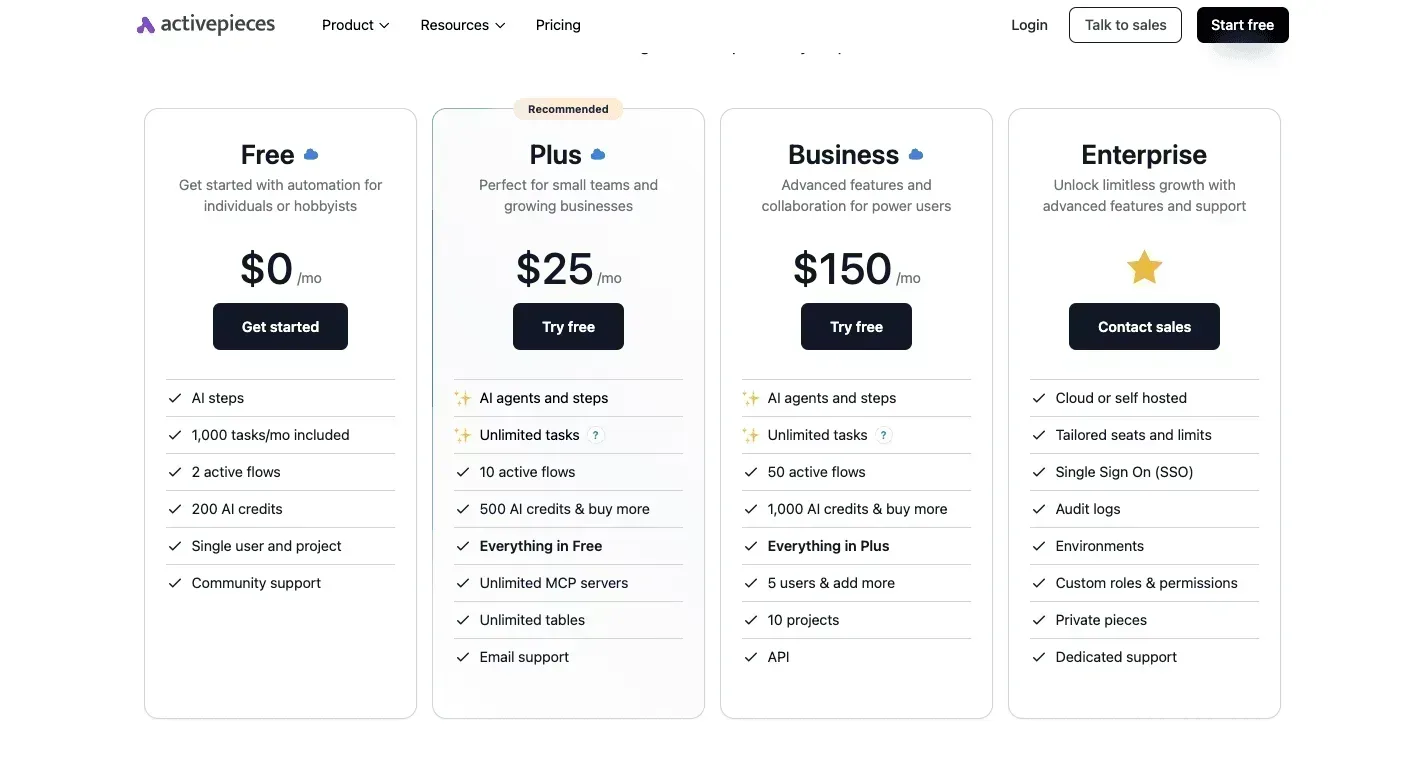
When a form response or a Slack message should become a task, an Activepieces flow can create that task in Todoist or Microsoft To Do without you copying anything by hand, and the free plan allows unlimited flows, with a run costing 1 credit however many steps it has.
The flow has three parts. A trigger fires when a form response arrives or a Slack message matches a rule, the flow reshapes the fields, and an action writes a new task into the app you moved to.

Read left to right, the illustration below shows that path. The point to take from it is that you build the connection once and the to-do app never needs to know where the task came from.
How many connectors exist
Whether your particular pairing exists depends on the catalog of connectors, which Activepieces calls pieces, and it has grown quickly.

Activepieces lists 200 integrations in June 2024 and 280 in March 2025, which means the platform had grown its integration catalog by 40 percent within nine months. The first nine months added about 80.
By September 2025 Activepieces had reached 400, and by November 2025 500, which means 100 integrations arrived in two months. The count was 772 in October 2026 and 775 in November 2026.
In that last month growth is much slower, but the larger point stands: a tool missing from the catalog a year ago is now fairly likely to be there.
The count comes from the packages/integrations/community directory of the open-source monorepo on GitHub, where every integration has its own folder and the core is MIT-licensed, and roughly 60% of the integrations in it were contributed by the community rather than the company, so maintenance of most integrations doesn't depend on a single company.
A count of 775 says nothing about whether your two apps are among them, but their folders in that directory do.
Self-hosting
Because the code is open source, you can also run it on your own server instead of using the hosted version. That's useful if the tasks contain client data you would rather not send through a third party.
The cost is that you maintain the server, apply the updates, and fix the flow when an upstream API changes.
When task automation isn't the answer
When not to bother: if your frustration is price, platform fit or sharing a list with a team, automation fixes none of them.
A flow that fills a task list only helps if you were already doing that copying by hand, and if you do it twice a month, the setup time will exceed the time you save.

What to do before leaving TickTick
Name your one complaint, trial the single alternative that fixes it for seven days with real tasks, and cancel TickTick only after recurring tasks and reminders survive the move. That keeps the switch to a week of testing rather than a project.
Run the seven steps below in order, because the order is the safeguard. Each step produces something the next one needs, and cancelling comes last so that nothing you rely on is ever without a working home.
- Write down your one complaint in a single sentence: the price, the missing platform, the team sharing, or the tool it won't connect to. If you write two, pick the one that made you open this article.
- Match that sentence to one entry in the comparison above. Ignore every feature of that entry that doesn't address the complaint.
- Export your TickTick data before you touch anything else, and keep the file somewhere other than the app. It's your rollback, and it costs nothing to make while your account is still active.
- Trial the free tier of that one app for seven days using real tasks, not a demo project. Seven days is long enough for a weekly recurring task to come due once, which a two-day test will never show you.
- Check that recurring tasks and reminders carried over. Imports are where this most often breaks, because each app encodes rules like "every weekday" or "repeat after completion" differently. Open a few recurring items and confirm the next due date and the reminder time are what you expect. A task that silently resets to a one-off is the failure you're looking for.
- Find your TickTick renewal date in your account settings and write it down. If it falls inside your trial window, you know exactly how long you have to decide before you're charged again.
- Cancel TickTick, but only after steps 4 to 6 have passed and the renewal date is confirmed.
If the trial fails at step 5, TickTick is still intact and paid up, so you can move to the next entry on your shortlist instead of starting over.
Related reading
References
Still comparing
The fastest way to settle it is to build something.
Open source under MIT, so you can self-host the same thing later.
Start free Talk to sales