Twilio MCP Server Setup for Claude and AI Agents 2026

Oct 8, 202613 min read
By bridging the gap between static reasoning and active execution, the Twilio Model Context Protocol (MCP) server exposes the Twilio REST API to large language models, which can also be connected through Activepieces for broader workflow orchestration.
The Twilio MCP server is a standardized interface that allows AI agents to programmatically send SMS messages and initiate voice calls by connecting the Twilio API directly to a Model Context Protocol host.
This standardized interface allows models like Claude Sonnet 5.5 to send SMS notifications or trigger voice calls directly from a chat interface.
Twilio MCP server requirements and setup essentials
Required Twilio account credentials
To establish a secure connection, you must retrieve three specific identifiers from the Twilio Console: the Account SID, the Auth Token, and a verified sender number.
Exposing these in a public repository grants full administrative access to your billing and messaging history. Costs for these identifiers vary by number type, which determines the monthly overhead for maintaining the server's identity.
Exposing these in a public repository grants full administrative access to your billing and messaging history.
| Number Type | Monthly Cost | Cost Characteristic |
|---|---|---|
| Toll-Free numbers | $2.15 - $2.70 | 25% price spread depending on prefix |
| Mobile numbers | $2.50 | Predictable cost floor |
These recurring fees are separate from per-message usage rates but are necessary to keep the API endpoint active.
Why Twilio MCP server uses the Bun runtime
Because it is built on the Bun runtime, the Twilio MCP server uses a high-performance JavaScript engine to handle the server-side execution of MCP commands.
Bun integrates the package manager and bundler into a single binary, reducing the cold-start latency when a model like GPT-6 Astra attempts to call a tool.
Without the bun command available in your system's PATH, the MCP host will fail to initialize the transport layer.
MCP Host compatibility (Claude Desktop vs. IDEs)
The local application that provides the environment where the Twilio server runs and where the LLM interacts with it is known as the MCP host.
Currently, the primary host for these interactions is Claude Desktop, which allows users to toggle the Twilio tools via a configuration file.
You may also use Activepieces to orchestrate these connections within larger automated workflows.
While Gemini 3.8 Flash can process the logic for these tasks, the host application is what actually manages the environment variables and the secure execution of the Bun process.
Everything below works on Activepieces' free plan. Start without code or a credit card.
Step-by-step installation of the Twilio MCP server
To bridge the gap between the LLM and the Twilio API, you must have a local environment capable of executing TypeScript via the Bun runtime.
Server foundation
The following sequence establishes the foundation for a functional communication tool:
- Install Bun runtime
- Clone the twilio-mcp-server repo
- Run 'bun install' and 'bun build'
- Link to Claude Desktop via the config.json file.
By following this sequence, you compile the server into a single executable that the host can invoke. Once you finish these steps, the host environment will have direct access to the Twilio REST API.
Cloning the official Twilio MCP server repository
The first step involves pulling the Twilio MCP Server source code from the official GitHub repository.
This repository contains the Model Context Protocol schema definitions that allow models like Claude Sonnet 5.5 to understand how to structure a 'send-sms' request.
Step 2: Configuring environment variables
To authenticate requests, the server requires a .env file containing your Twilio Account SID and Auth Token. These credentials act as the primary security layer.
If these variables are missing, the Bun process will fail to initialize the Twilio client, preventing any communication with the public switched telephone network.
Step 3: Building the server with Bun
Executing the build command uses the Bun runtime to resolve dependencies and compile the TypeScript source into a deployable JavaScript file.
Bun is a high-performance JavaScript runtime designed for speed. This reduces the latency between an LLM’s decision and the actual API trigger.
This step creates the dist/index.js file, which is the entry point for the MCP host.
Step 4: Registering the server in Claude Desktop
The final step is editing the claude_desktop_config.json file to include the path to your new Twilio server. This registration tells Claude Desktop to include the Twilio tools in its available toolset during a session.
When you save the configuration and restart the application, the model will see 'send-sms' and 'make-call' as native capabilities.
Locating the configuration file
The location of the configuration file depends on your operating system. On macOS, you can find the file at ~/Library/Application Support/Claude/claude_desktop_config.json. You can quickly access this folder by using the Go to Folder command in Finder.
For Windows users, the file is located at %APPDATA%\Claude\claude_desktop_config.json. You can paste this path directly into the File Explorer address bar to open the directory. If the file does not exist yet, you must create it manually in that specific folder.
Configuration structure for local hosts
The registration requires a specific JSON entry within the mcpServers object of your configuration file. You must define the command as bun and provide the absolute path to the build file in the args array.
{
 "mcpServers": {
 "twilio": {
 "command": "bun",
 "args": [
 "/absolute/path/to/twilio-mcp-server/dist/index.js"
 ],
 "env": {
 "TWILIO_ACCOUNT_SID": "ACxxxxxxxxxxxxxxxxxxxxxxxxxxxxxxxx",
 "TWILIO_AUTH_TOKEN": "your_auth_token_here",
 "TWILIO_PHONE_NUMBER": "+1234567890"
 }
 }
 }
}
This block ensures the host knows how to spawn the server process and which credentials to inject. Without the env object, the server will lack authorization.
Execute sms and voice commands via AI
When the Twilio Model Context Protocol (MCP) server maps specific API endpoints to structured tool definitions, model capabilities transition from text prediction to infrastructure management.
Testing the Twilio send-sms tool
Successful SMS delivery requires the model to populate a specific schema containing the recipient's E.164 formatted number, the approved Twilio sender ID, and the message body.
The integrity of this handoff depends on the to field containing the plus sign and country code. Missing prefixes result in immediate 400-series validation errors. The interface manages these credentials through a secure connection modal.
Inputting Twilio credentials in the interface
To authorize the tool, you must provide your Twilio Account SID and Auth Token directly within the connection settings of the host interface. The Account SID serves as the unique username for your API requests, while the Auth Token functions as the password.
Once these fields are populated, the host establishes a persistent link to your Twilio account. This allows the LLM to verify that the sender number is active before attempting to dispatch the message payload.
[IMAGE: A connection setup dialog titled "Connect to Twilio" within the automation interface. The dialog includes text fields for "Account SID" and "Auth Token". The Account SID field contains a placeholder starting with "AC", and the Auth Token field is masked for security. A "Save" button is highlighted at the bottom to finalize the API link.]
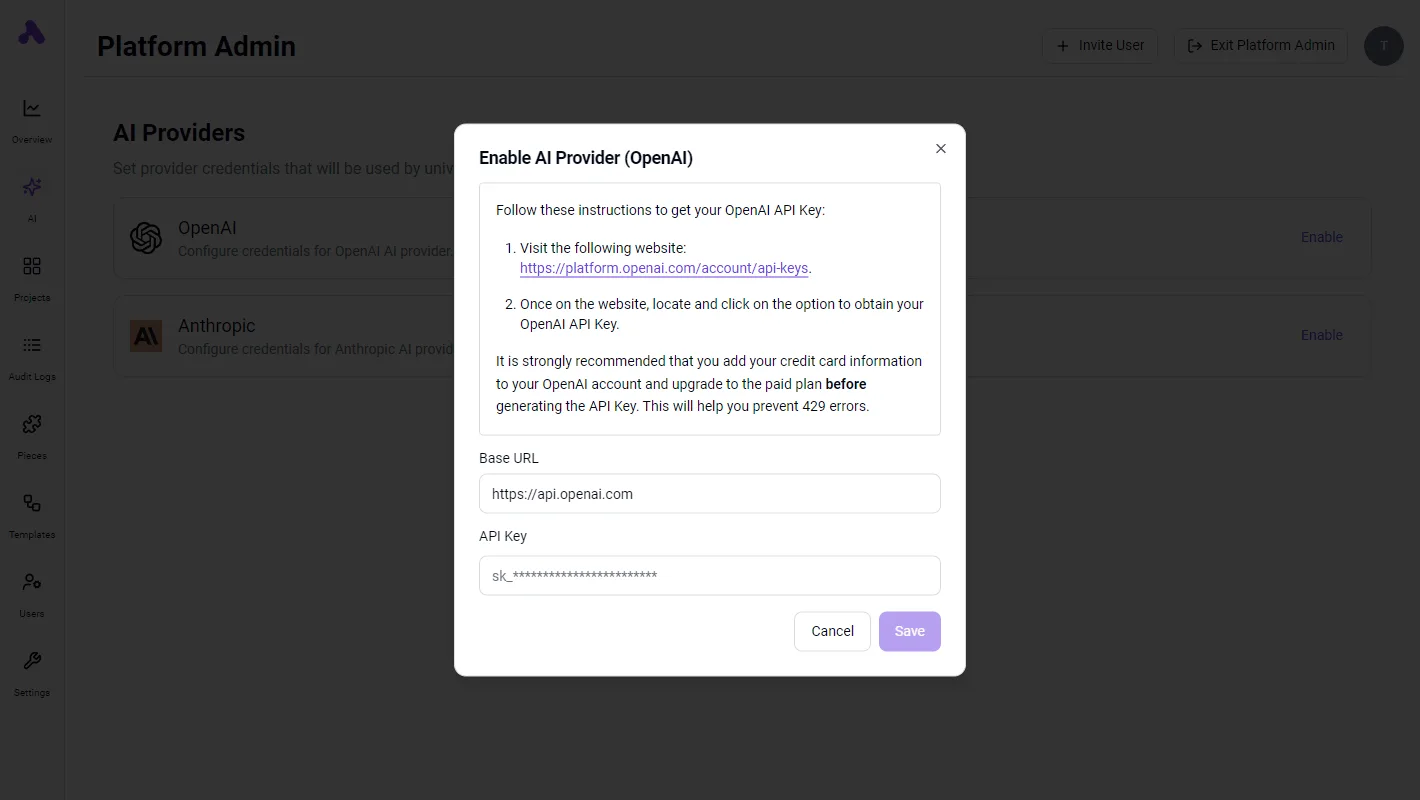
Once the connection parameters are saved, the model can autonomously route messages to the specified external ID.
Making outbound voice calls with Twilio MCP
Executing the make-call tool requires the LLM to provide a valid TwiML (Twilio Markup Language) URL or a Bins-hosted script that defines the call’s logic.
The request must include:
- The destination phone number in E.164 format.
- The Twilio verified Caller ID associated with the account.
- The URL pointing to the TwiML instructions for the call's behavior.
If the model lacks the TwiML URL, it will fail to initiate the handshake, as the Twilio server requires these instructions to know what to say once the recipient answers.
Verifying execution in the Twilio Console
Every tool execution triggered by the LLM generates a unique SID (String Identifier), which is the definitive audit trail for the transaction.
A "Delivered" or "Completed" status in the console confirms that the MCP server correctly parsed the model's JSON output and that the Twilio carrier network accepted the handoff.
Failure to see these logs despite a "Success" message in the AI interface typically indicates a network egress issue or a misconfigured webhook URL.
Easier to see it running than to read about it: set it up free, no card.
Troubleshooting Twilio MCP connection and execution errors
Reliable execution of the Twilio MCP server depends on the host’s ability to locate the Bun runtime and validate outbound payloads against Twilio’s strict API schema.
Fixing 'Tool not found' in the MCP host
A "Tool not found" error typically stems from an incorrect absolute path to the Bun executable within the MCP host configuration file.
To resolve this, locate the exact binary location using which bun on macOS/Linux or where bun on Windows, and paste that full string into the command field.
If the path contains spaces, wrap the entire string in double quotes to ensure the host interprets the directory structure correctly.
Fixing E.164 phone number format errors
Twilio requires all destination and originating numbers to follow the E.164 international standard. This mandates a plus sign followed by the country code and subscriber number.
When an agent attempts to trigger a send_sms tool, it may strip the plus sign or omit the country code based on its training data.
| Error Message | Root Cause | Necessary Correction |
|---|---|---|
| Invalid Phone Number | Missing E.164 + prefix | Prepend '+' and country code to the string |
| Trial Restriction | Unverified recipient number | Verify the number in the Twilio Console |
| Path Error | Incorrect Bun executable path | Map the absolute path in the host config |
Correcting these inputs ensures the API gateway accepts the request.
Fixing Twilio 401 Unauthorized credential errors
A 401 Unauthorized response indicates that the TWILIOACCOUNTSID or TWILIOAUTHTOKEN environment variables are either missing or have been copied with trailing whitespace.
MCP hosts often require these credentials to be explicitly defined within their own internal settings rather than relying on global system variables.
Always use the Primary Auth Token rather than a restricted API Key unless you have specifically configured sub-account permissions.
Scaling Twilio MCP workflows with Activepieces automation
Activepieces provides an MIT-licensed core that transitions Twilio MCP functions from local terminal executions into resilient, cloud-hosted production sequences.
By linking the Twilio MCP server to this automation engine, users can build multi-step flows where an LLM determines the optimal time to dispatch a message based on external triggers.
Handling SMS traffic spikes during peak events
To show why static local scripts fail under pressure, the following data compares message failure rates during standard operations against surges seen during live global events.
[INSERT CHART HERE: SMS Traffic Spikes during events: Baseline failure rate (5.1%) vs. Engagelab reports a baseline failure rate of 5.1%, a peak traffic spike of 2,337%, and a post-match spike of 778% to justify moving to automated workflows.]
Activepieces manages these spikes by providing a centralized dashboard where the Twilio Connection is stored as a global variable.
This ensures that any model in the stack accesses the same verified credentials. To migrate a local Twilio MCP tool to a production-ready Activepieces flow, follow this sequence:
- Generate a new Webhook URL in Activepieces to act as the listener for incoming MCP requests.
- Map the E.164 formatted recipient number from the MCP output to the "To" field in the Activepieces Twilio integration.
- Activepieces treats every connector as a native agent tool. Once a integration is configured, it functions simultaneously as a step in a deterministic flow and as a schema on a per-project MCP server, allowing agents in Claude or ChatGPT to trigger Twilio actions without redundant integration work.
Frequently asked questions about Twilio MCP server
Monthly cost variance for twilio numbers
Depending entirely on the specific regulatory requirements and communication capabilities of the chosen number type, monthly recurring costs for Twilio numbers vary. Local numbers typically carry the lowest monthly overhead, which allows developers to maintain geographic presence for SMS-based notification agents at a minimal baseline.

In contrast, Toll-Free numbers require a higher monthly commitment because they include verified throughput for high-volume messaging across North American carriers. Mobile numbers involve distinct pricing tiers based on the country-specific overhead imposed by local telecommunications authorities.
Does Twilio MCP work with trial accounts?
While they function with the MCP server, Twilio trial accounts impose strict limitations on the destination and formatting of all outbound communications. A trial account restricts the Model Context Protocol (MCP) host to sending messages only to verified phone numbers.

This ensures that an autonomous agent like Claude Fable 5.1 cannot inadvertently contact unapproved third parties during the development phase.
Furthermore, every SMS or Voice call initiated through a trial account includes a mandatory Twilio branding prefix. The recipient is always aware the communication originated from a test environment.
Can i use multiple Twilio numbers with one MCP server?
By utilizing the unique string identifiers assigned to each provisioned resource within the Twilio Console, the Twilio MCP server supports multiple numbers.
When an agent such as GPT-6 Astra initiates a tool call, the from parameter determines which specific sender identity is utilized for that transaction.
The Twilio Account SID acts as the primary identity for the entire MCP connection. Individual Messaging Services allow the server to pool multiple numbers for load balancing. Specific E.164 formatted numbers enable the agent to maintain consistent identity for localized customer interactions.
Is the Twilio MCP server secure for production use?
Production security for the Twilio MCP server relies on the isolation of the environment variables and the scope of the API credentials provided to the runtime. The Twilio Auth Token is the only credential that grants the MCP server permission to execute billable actions.
It must never be hardcoded into the server source files where it could be exposed to the LLM's context window.
For the Twilio MCP server, using a restricted API Key rather than the primary Account Secret is the only way to limit the server's access to specific sub-resources.
This prevents a compromised agent from accessing sensitive account billing or deletion functions.