
Shopify MCP Server: 2026 Setup Guide

Oct 8, 202614 min read
The Shopify MCP server architecture for 2026
What the Shopify MCP server actually does
Think of the Shopify MCP server as a standardized translation layer. It allows an LLM to query your store’s GraphQL API and execute operational tasks directly through a chat interface.
It moves the AI beyond simple text generation by providing a persistent schema of your products, orders, and customer segments, which can then be synchronized across your stack using Activepieces to ensure data consistency.
A central 'MCP Server' node sits at the heart of this architecture, connecting a 'Shopify Store' via GraphQL API to an 'AI Host' such as Claude Desktop or Cursor. The AI Host sends tool calls to the server, which translates them into authenticated Shopify requests.

This means a model like Gemini 3.8 Flash can identify a specific inventory bottleneck and draft the restock order in one turn, rather than asking you to export a CSV first.
Prerequisites for a 15-minute installation
Establishing this link requires three specific technical anchors to ensure the server can maintain a handshake with Shopify’s admin backend.
You must secure a Shopify Custom App Access Token with read_products and write_orders scopes, as missing these specific permissions will cause the LLM to hallucinate "Success" messages while the API actually returns a 403 error.
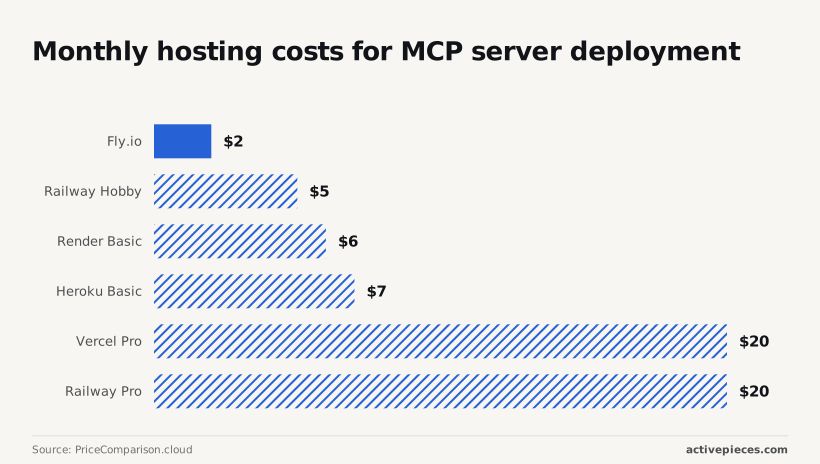
Node.js 22 or higher must be installed locally to run the server runtime, alongside a deployment target for hosting the persistent connection. According to PriceComparison.cloud, monthly hosting costs vary by provider:
| Provider | Monthly Cost | Feature |
|---|---|---|
| Fly.io | $2 | Lowest entry point for hobbyist developers testing a single store. |
| Railway Hobby | $5 | Balance of simple Git-based deployment and predictable billing. |
| Render Basic | $6 | Includes managed TLS certificates to protect API credentials. |
Supported LLM hosts: Claude Desktop vs. IDEs
The "host" is the software where you actually type, and it must support the Model Context Protocol to "see" the Shopify tools.
Claude Desktop is the standard choice for operations managers who need to run agentic workflows using Claude Sonnet 5.5 without touching a code editor.
Activepieces exposes each of its 738+ integrations as an agent tool, meaning a Shopify connector registered for a workflow is instantly available as a tool schema on its per-project MCP server.
This allows an agent in Cursor or ChatGPT to call the same logic used in a structured flow without a second migration or manual export step.
For those requiring the deepest reasoning on 2026-10-07, GPT-6 Astra and Gemini 3.8 Flash are the verified flagship models that currently support these long-horizon tool-calling tasks across both desktop and development environments.
This takes minutes, not a project: automate it in Activepieces free.
Configure your Shopify API credentials
You establish a secure bridge between your store data and an LLM by generating a dedicated Custom App within the Shopify Admin interface.
Creating a Custom App in Shopify Admin
Authorize external Model Context Protocol (MCP) servers to interact with your data from within the Shopify Admin, the central command for your store's backend. By creating a Custom App, you generate a unique set of credentials that act as a digital handshake.
Unlike public apps found in the Shopify App Store, a Custom App is built solely for your internal use, which means your store data never passes through a third-party developer's infrastructure.
To create the app, navigate to the Shopify Admin and perform the following sequence:
- Navigate to the Shopify Admin and create a 'Custom App'.
- Select 'Configure Admin API scopes'.
- Enable 'read_products', 'read_orders', and 'write_inventory'.
- Click 'Install'.
Setting Shopify API read and write scopes
Fine-grained API scopes are the primary defense against an autonomous agent making unauthorized changes to your storefront.
You must manually select each permission to ensure the LLM has the minimum viable access. In a live operations environment, granting 'write_inventory' allows a model like GPT-6 Astra to adjust stock levels after a flash sale.
Fine-grained API scopes are the primary defense against an autonomous agent making unauthorized changes to your storefront.
Omitting 'write_products' prevents the AI from accidentally deleting your entire catalog. If these scopes are not precisely defined, the MCP server will return a 403 Forbidden error.
Securing your Admin API Access Token
The Admin API Access Token is a permanent credential that provides ongoing access to your store, and it is only displayed once during the installation process.
Copy the token immediately into a secure environment variable or a dedicated password manager once you reveal it in the Shopify Admin. After you navigate away from the page, Shopify obscures the token for security reasons.

This token, paired with your .myshopify.com Storefront URL, forms the complete configuration string that your MCP host requires to begin communicating with the Shopify API.
Install and link the MCP server
Installing the Shopify MCP server bridges the gap between your local environment and the Shopify Admin API using a standardized protocol.
Running the server via npx for instant setup
Executing the server through npx, a package runner for Node.js, is the most efficient method for users who want to avoid manual dependency management. This approach pulls the latest stable version of the Shopify MCP server directly from the GitHub repository.
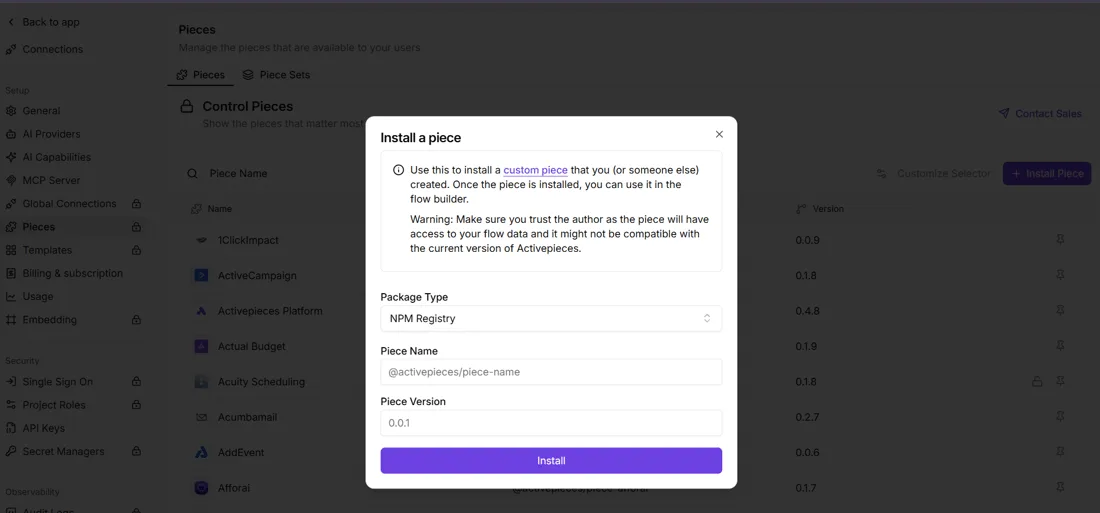
While a manual installation involves cloning the repository, npx handles the execution in a temporary cache so your system remains clutter-free.
Editing the claude_desktop_config.json file
The host application identifies the server by reading a specific configuration file located in your local App Data or Application Support folder.
On Windows, you can find this file at %APPDATA%\Claude\claude_desktop_config.json. If you are using macOS, the path is ~/Library/Application Support/Claude/claude_desktop_config.json. These folders are often hidden by default, so you may need to enable hidden items in your file explorer to locate them.
You must append a new entry to the mcpServers object in claude_desktop_config.json that includes the npx command, your store URL, and the Admin API access token. Environment variables require a dedicated block for SHOPIFY_SHOP_URL and SHOPIFY_ACCESS_TOKEN.
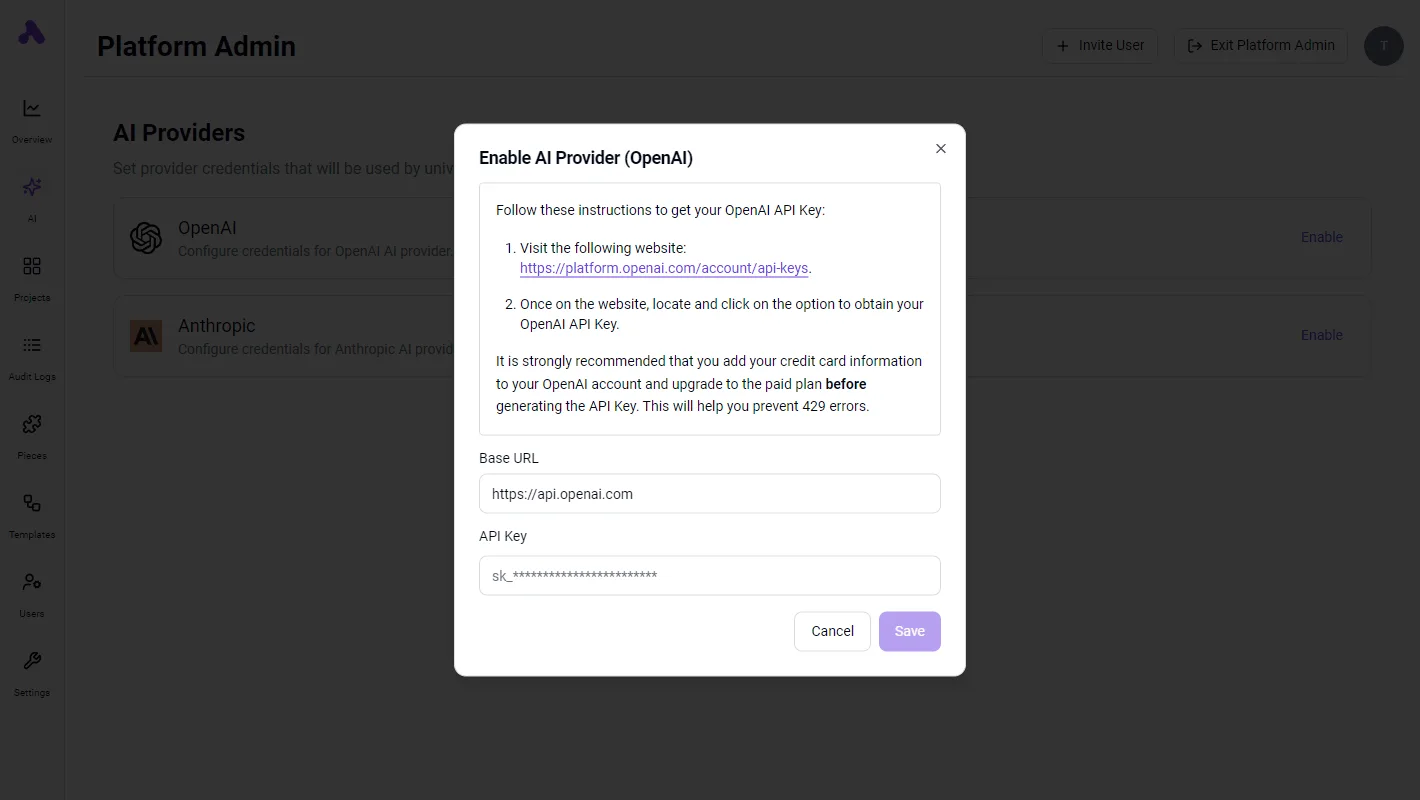
The following JSON block demonstrates the exact syntax required to register the Shopify server. Replace the placeholder values with your actual store domain and the token you secured during the Custom App installation.
{
 "mcpServers": {
 "shopify": {
 "command": "npx",
 "args": [
 "-y",
 "@shopify/mcp-server-shopify"
 ],
 "env": {
 "SHOPIFY_SHOP_URL": "your-store-name.myshopify.com",
 "SHOPIFY_ACCESS_TOKEN": "shpat_xxxxxxxxxxxxxxxxxxxxxxxxxxxxxxxx"
 }
 }
 }
}
Verifying the connection in the host interface
A successful handshake is confirmed when the host interface displays a green status indicator next to the Shopify server entry.
In high-reasoning models like Claude Opus 5.5 or GPT-6 Astra, this connection manifests as a new set of tools appearing in the chat interface, such as get_products or list_orders.
[SCREENSHOT: A completed flow run in Activepieces showing the Run Details panel on the left with trigger and step_1 both marked with green checkmarks. The center shows a flow diagram with "Instance Stopped" trigger and "Revoke Token" step_1 connected by an arrow, both with success indicators. The left panel displays the step_1 details including Duration (1271ms), Input showing a JSON POST request to squareup.com with Authorization header, and Output showing a JSON response with status 200 and "OK" statusText. The right panel shows the "Edit Revoke Token" configuration for an HTTP Send Request action with Method set to POST and Url field populated. A green success banner at the bottom states "Run succeeded (9e69b73e-984b-40e9-a73a-4c50382762b)".]
Once this link is active, the model can begin interpreting store data to suggest restocking levels or draft customer responses.
You can follow the rest of this with the builder open. Start free, no card.
Execute Shopify operations via AI chat
Shopify MCP tools are the bridge between an LLM’s reasoning and the live GraphQL Admin API. They allow models like Claude Sonnet 5.5 to perform specific database mutations instead of just predicting text.
The following core Shopify MCP tools enable the model to bridge the gap between a user’s natural language request and the store’s structured data:
The get_products tool lists store inventory to provide the model with a current snapshot of what is available for sale.
The get_order_details tool retrieves fulfillment status so the assistant can explain exactly where a package is in the shipping pipeline.
The update_inventory_level tool adjusts stock counts to reflect physical changes that haven't yet been synced by other hardware.
The search_customers tool finds profiles to allow the model to link specific support tickets or order histories to a verified identity.
Looking up Shopify products and variants
Product lookups require the model to pass a specific product ID or handle to the get_products tool to return a JSON object containing pricing, SKU, and stock levels.
Because a single product often contains multiple variants, the model must parse the variants array to identify the specific item. When a user asks "Do we have any Large Red shirts left?", the model uses this tool to compare the inventory_quantity across all variant objects.
Searching customers and orders with MCP
The search_customers and get_order_details tools allow the assistant to filter through a store’s history by matching email addresses or order names.
When an agentic model like Claude Opus 5.5 receives a request to "find all unfulfilled orders from last week," it constructs a query that filters by financial_status and fulfillment_status. This allows the assistant to isolate high-priority shipping delays without manual navigation.
Updating Shopify inventory with AI chat
Inventory updates are handled by the update_inventory_level tool, which requires the location_id and the available_delta to modify stock counts.
When a user tells the chat "I just found a box of ten misplaced mugs, add them to the shelf," the model calculates the new total and sends a mutation request to the API.
By requiring a confirmation step in the chat interface before the model executes this tool, the system ensures that a misinterpreted sentence does not lead to phantom stock errors.
Troubleshooting Shopify MCP connection and rate errors
Connection failures between the Model Context Protocol and the Shopify admin interface typically stem from mismatched credentials or restrictive access tokens.
| Error Code | Likely Cause | Resolution |
|---|---|---|
| 401 Unauthorized | Invalid Access Token | Regenerate the Admin API access token in the Shopify Partner Dashboard. |
| 403 Forbidden | Missing API Scopes | Enable specific read/write permissions (e.g., read_products) in the app setup. |
| 429 Too Many Requests | Rate Limit Exceeded | Implement a retry-after delay or reduce the frequency of concurrent tool calls. |
| 404 Not Found | Incorrect Store URL | Verify the SHOP_DOMAIN environment variable matches the .myshopify.com handle. |
Fixing Shopify 401 and scope errors
A 401 error occurs because the Shopify API rejects the identity of the requester. Ensure the Access Token has been copied exactly into your environment variables without extra spaces.
Scope errors (403) indicate the token is valid but lacks authority. You must return to the Shopify Admin, navigate to "Configuration" under your App settings, and manually check the boxes for every resource the LLM needs to touch.
Handling Shopify GraphQL rate limits (Leaky Bucket)
Shopify governs API traffic using a "Leaky Bucket" algorithm. If a model like GPT-6 Astra attempts to sync an entire catalog in a single loop, the bucket will overflow and trigger a 429 error.

To manage this, monitor the extensions field in the GraphQL response to track your remaining cost. Configure your MCP server to pause execution when the available credit drops below a safe threshold.
Fixing 'server not found' in Claude Desktop
When the Claude Desktop client fails to locate the MCP server, the problem is usually a pathing error in the claude_desktop_config.json file.
The application requires absolute paths to the executable and the server script. Verify that your node or python command is globally accessible in your system's PATH. If the server is hosted in a Docker container, ensure the port mapping is explicitly defined.
Maintaining your Shopify AI integration for production
Maintain your Shopify MCP server by auditing the link between your store data and the LLM to prevent permission creep.
A production-ready integration requires a recurring validation schedule to ensure that the "Read Products" or "Write Orders" scopes haven't become a backdoor for unauthorized data exfiltration.
Rotating API tokens and monitoring logs
Security in an MCP environment requires you to treat your Shopify Access Tokens as temporary credentials. If a token is compromised, an attacker gains the same store-aware capabilities as your LLM.
Activepieces brings every Shopify agent under the same RBAC and SSO policies as human staff, ensuring that every tool call is captured in a detailed run history and audit log.
This level of governance is why companies like MoneyGram and Moneypenny run their automation in production environments where auditability is non-negotiable.
To maintain production standards, rotate API Access Tokens every 90 days and audit 'Last Used' timestamps for tool permissions, ensuring that inactive credentials do not remain as potential security vulnerabilities.
Update the @shopify/dev-mcp package to the latest stable version and verify webhook integrity headers in the server logs.
Automating Shopify actions beyond the chat interface
Transitioning from manual chat prompts to automated triggers allows models like Claude Opus 5.5 to function as autonomous store managers.
By connecting your MCP server to Shopify Webhooks you enable the LLM to react to new orders or low stock levels without human intervention.
This shift transforms the AI from a reactive interface into a proactive agent that can draft fulfillment instructions the moment a trigger fires.
Frequently asked questions about Shopify MCP
Claude Fable 5.1 is the preferred choice for demanding reasoning and long-horizon agentic work, such as reconciling multi-location stock levels.
GPT-Realtime-2 is optimized for reasoning with tool use, making it suitable for providing instant order status updates via voice or text.
GPT-6 Luna is the most efficient model for focused, high-volume tasks, and it ensures that bulk product updates do not hit rate limits or cause latency spikes.
What Activepieces does about this
Activepieces simplifies the deployment of Shopify MCP servers by providing a managed environment that eliminates the need for manual Node.js runtime configuration or local hosting.
Instead of managing claude_desktop_config.json files across multiple machines, you can use the Activepieces MCP server to expose Shopify tools to any LLM host through a single, authenticated endpoint.
This approach ensures that the strict API scoping required for store-aware operations is enforced at the platform level, preventing the common 403 errors that occur when local environment variables are misconfigured.
The platform provides a visual interface to map Shopify’s GraphQL API to specific agent tools, allowing you to toggle permissions like read_products or write_orders without rewriting server code.
Because Activepieces is open-source under the MIT license, teams can self-host the entire orchestration layer to ensure that sensitive Shopify store data never leaves their private infrastructure.
This architecture allows an LLM to maintain a persistent handshake with the Shopify backend, even when the local host machine is offline or behind a restrictive firewall.
For organizations scaling beyond a single store, Activepieces offers centralized governance for all MCP tool calls. Every interaction between the LLM and the Shopify API is logged in a searchable execution history, providing the auditability required for production environments.
This visibility allows operations managers to see exactly how a model like GPT-6 Astra interpreted a natural language request before it executed an inventory mutation, bridging the gap between experimental chat interfaces and reliable store automation.
Related reading
References
Build it
Set this up in minutes.
No code required. Connect your accounts, and Activepieces runs it from there.
Start free Talk to sales