What Is Nod by n8n? Explained From n8n's Own Pages

Nov 12, 202613 min read
Nod is a new product from n8n, the workflow-automation company, which sits in a crowded field alongside tools such as Activepieces. This guide describes it only from n8n's own published pages, checked on 2026-11-11, and marks anything n8n hasn't published as unknown.

The authors haven't run Nod.
As of that date, n8n describes Nod as being for one person and their own jobs. Where n8n's pages don't say what Nod does, the gap stays visible.
A definition is only as good as its source, so this guide uses n8n's wording when it exists and adds none of its own.
A claim about behaviour that nobody has tested stays unverified, and a reader who builds on it carries the risk.
Nod by n8n defined in plain terms
On the maker there is no doubt: n8n. The announcement date is another matter, because this guide hasn't confirmed it against a dated n8n page, so it marks the date unknown rather than inferring it from memory or third-party coverage.
Price, licence, hosting and plan limits get the same treatment: each gets a published value and a source page, or the word unknown.
For every entry, record three things:
- the value n8n published
- the page it appeared on
- the date checked
To see at a glance what is safe to plan around, use the table below, which shows which facts n8n has confirmed and which remain open. The fact table leaves out comparisons with other tools, Activepieces among them, because they aren't n8n's claims.
From the open rows comes the next job: how to test Nod before you commit anything to it.
Everything below works on Activepieces' free plan. Start without code or a credit card.
How to verify n8n pricing for Nod
The only prices n8n publishes are for its own platform, and no page I found says they apply to Nod. On that pricing page, a solo user maps to Starter at 20–24 € a month.

A team of 25 needing SSO or admin controls maps to Business at 667–960 €. n8n publishes nothing else for the remaining situations, and no Nod pricing at all, as the FAQ below also records.
Where n8n is silent the cell says so, because a guessed price is an unapproved entry in your budget. The table below sets each reader against n8n's platform pricing page, not against any Nod plan.
| Situation | n8n platform plan | Monthly price | Catch forcing a higher tier |
|---|---|---|---|
| Solo | Starter | 20–24 € | Not published |
| Team of 5 | Starter, if it covers five users (not published) | 20–24 € | Seat limit not published |
| Team of 25 needing SSO/admin controls | Business | 667–960 € | Whether SSO is confined to this tier is not published |
| Heavy API volume | Not published | Not published | Not published |
Read the gap between Starter and Business as a hypothetical. If Nod were sold on these tiers, which n8n hasn't said, moving from five users to twenty-five with admin controls would raise the bill roughly thirtyfold at the low end (20 € against 667 €).
That would be a budget line needing approval, not a seat upgrade. Treat it as a warning about n8n's platform, not a forecast for Nod.
20 to 24 € and 667 to 960 €: that spread within each plan is the cost of billing monthly instead of annually. On Business that's up to 293 € a month for flexibility, so decide the billing term before you decide the plan.
Before you commit, put to n8n in writing whether any of this covers Nod, and whatever else the empty cells leave open.
What Nod does, from n8n's own documentation
If n8n hasn't published it, it is a rumour. Only what n8n has published about Nod goes in the filled cells, and each entry needs the page it came from and the date you read it.
If n8n hasn't published it, it is a rumour.
Take the core job from n8n's announcement, in n8n's wording, and log the page and the date. A summary written by a third party is a second-hand copy, and it can drift from the original without anyone noticing.
If the announcement and the docs describe the job differently, record both, because the gap is a question for n8n.
You need answers on three separate lines: whether Nod depends on n8n workflows, whether you host it yourself or n8n hosts it, and which licence covers it.
Read the licence from the repository's own licence file, not from a blog post. That file decides whether you can run it inside your own environment and what you owe n8n if you do.

A line the repository doesn't settle stays blank, and you ask n8n in writing.
How to check Nod's connections and integrations
If n8n doesn't name the integration point, the connection claim doesn't count. A named trigger or API is something you can test. A phrase like "works with your stack" is not.
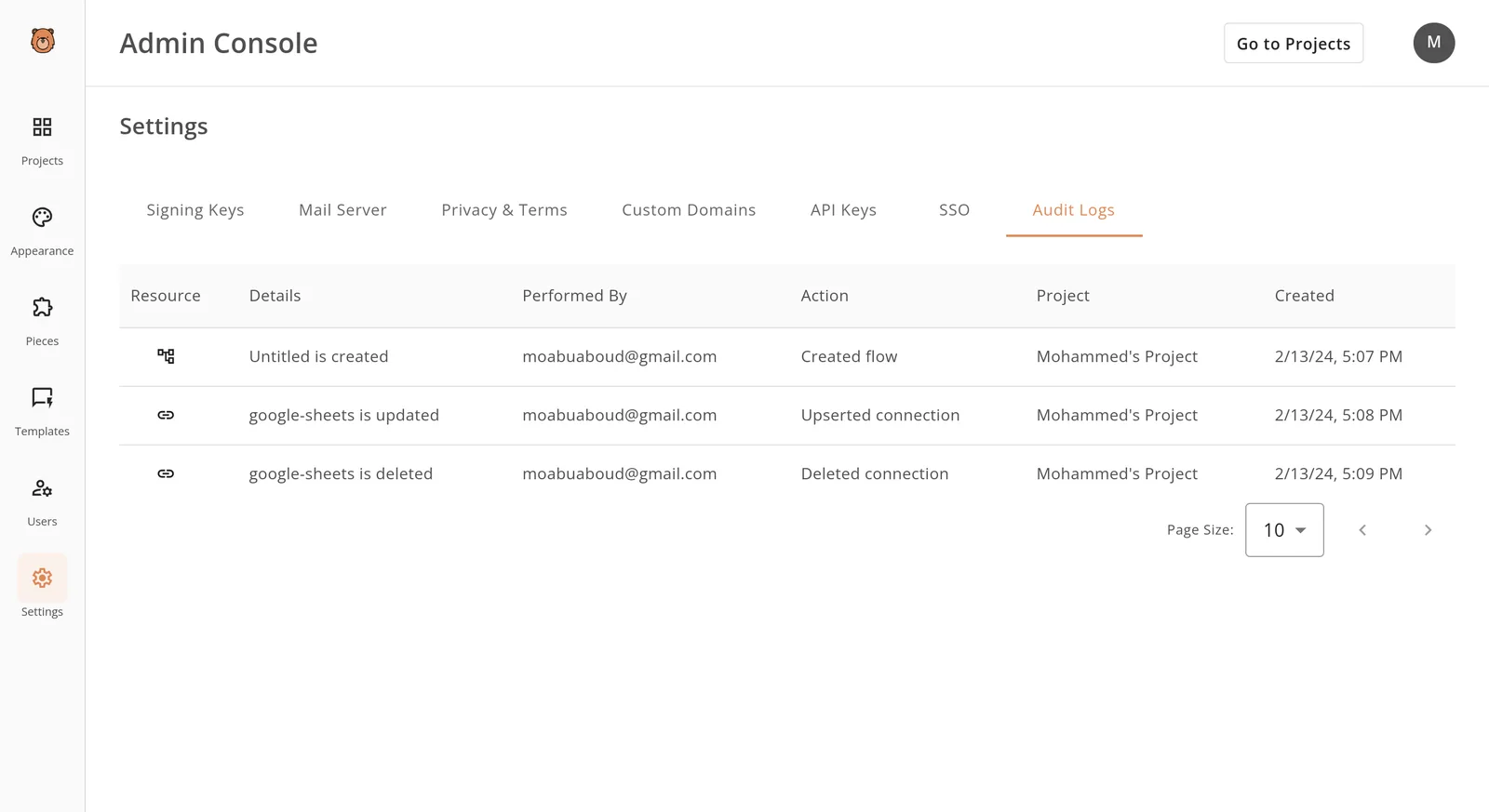
Hold this against an admin console's audit log. Each entry shows the resource, the action, who performed it, the project and a timestamp.
Ask whether Nod leaves a record of that kind, because a connection that changes silently leaves nothing to review afterwards.
How to get access to Nod today
Start at nod.n8n.io. As of 2026-11-11 that address is the only step I can state as documented, so I mark every later step below instead of assuming it.
Until n8n's own published material settles whether that page opens a sign-up or a waitlist, treat any claim of instant access as unapproved, because nothing in the record supports it.
Work the steps in this order and note the date you checked each one:
- Reach nod.n8n.io.
- Sign up or join the waitlist. Gated until n8n states which applies.
- Confirm whether an existing n8n account is required. Unconfirmed.
- Install on a supported platform. Unconfirmed.
- Connect a model. Unconfirmed.
- Connect apps. Unconfirmed.
You can price one cost today, if your current n8n runs on a rented server:
- askgpu lists Vultr at $2.50 a month for 0.5 GB, so the entry price is trivial
- DigitalOcean charges $4 for the same 0.5 GB and $24 for 4 GB, so memory is where the bill grows
- AWS at 4 GB is $30.37, about $6.37 more than DigitalOcean, so the provider choice matters once you outgrow the smallest box

After step 1, nothing is clear. Don't budget for Nod's requirements, or commit workflows to it, until n8n publishes them.
Easier to see it running than to read about it: set it up free, no card.
Nod strengths and gaps so far
Going only by what n8n has published, I can confirm few of Nod's strengths and gaps, and a claim without a dated source should stay off the books. Everything below comes from the documentation, changelog and repository, with no hands-on testing.
I have no documented strength to certify yet. Until you can trace a claim to a specific docs page with a date, it stays a vendor's description and not a finding.
In Nod's favor there is one structural point: n8n's own pages are the right place to look, and that makes each claim checkable.
Until n8n states a limit, it isn't one. Gaps inferred from silence are guesses, and guessing is how a workflow gets committed on a feature that was never promised.
Read the docs for stated restrictions, and treat an absent feature page as unanswered rather than as a no.
To separate what stands from what doesn't, use the list below. It shows how little is settled, so count only the first line as established.
- Fact: this review relies solely on n8n's docs, changelog and repository.
- Open question: does any page carry a beta or preview label, and where is it dated?
- Open question: what release cadence does the changelog show?
- Open question: which open issues in the repository describe missing features?
Nod compared with established automation tools
When a reviewer flags an unsupported ledger entry, the Nod row below gets the same flag. Wherever n8n has published nothing, the cell says "not published" rather than borrowing a number from its neighbours.
The table shows that you can judge Nod only on its purpose so far, while you can judge the other three tools on cost, licence and track record.
| Tool | Purpose | Access and cost | Hosting and licence | Maturity |
|---|---|---|---|---|
| Nod | Not published | Not published | Not published | Not published |
| n8n | Workflow automation with code when needed | Cloud plans or self-hosted, per its pricing page | Self-host or cloud; fair-code licence (source is public, but commercial resale is restricted) | 2,000+ integrations |
| Zapier | Trigger-and-action automation for non-developers | Hosted plans, per its pricing page | Hosted only; proprietary | 9,000+ integrations |
| Make | Visual multi-step scenario builder | Hosted plans, per its pricing page | Hosted only; proprietary | 3,500+ integrations |
| Activepieces | Open source AI automation platform | Free plan at $0 with 1,000 credits a month and unlimited flows; Plus at $20 a month | Self-host or cloud; MIT licence on the core, with enterprise directories under a separate commercial licence | 747 integrations; 25,470 GitHub stars |
Read the integration counts as the only maturity figures here. If your workflow touches an obscure system, Zapier is the ...has a ready connector, and n8n uses an HTTP call you write yourself.
If you need a vendor-documented price, licence or hosting answer before sign-off, wait, because Nod's cells are empty.
If you have a low-stakes workflow and an existing n8n setup, you can try it now, provided you log every run and keep the established tool as the system of record until each open check is closed.
Connecting Nod to an Activepieces workflow today
As of 2026-11-11, Activepieces has no Nod-specific integration. Any connection runs through generic steps that nobody has tested against Nod. Treat each one like an unreviewed journal entry until a log supports it.
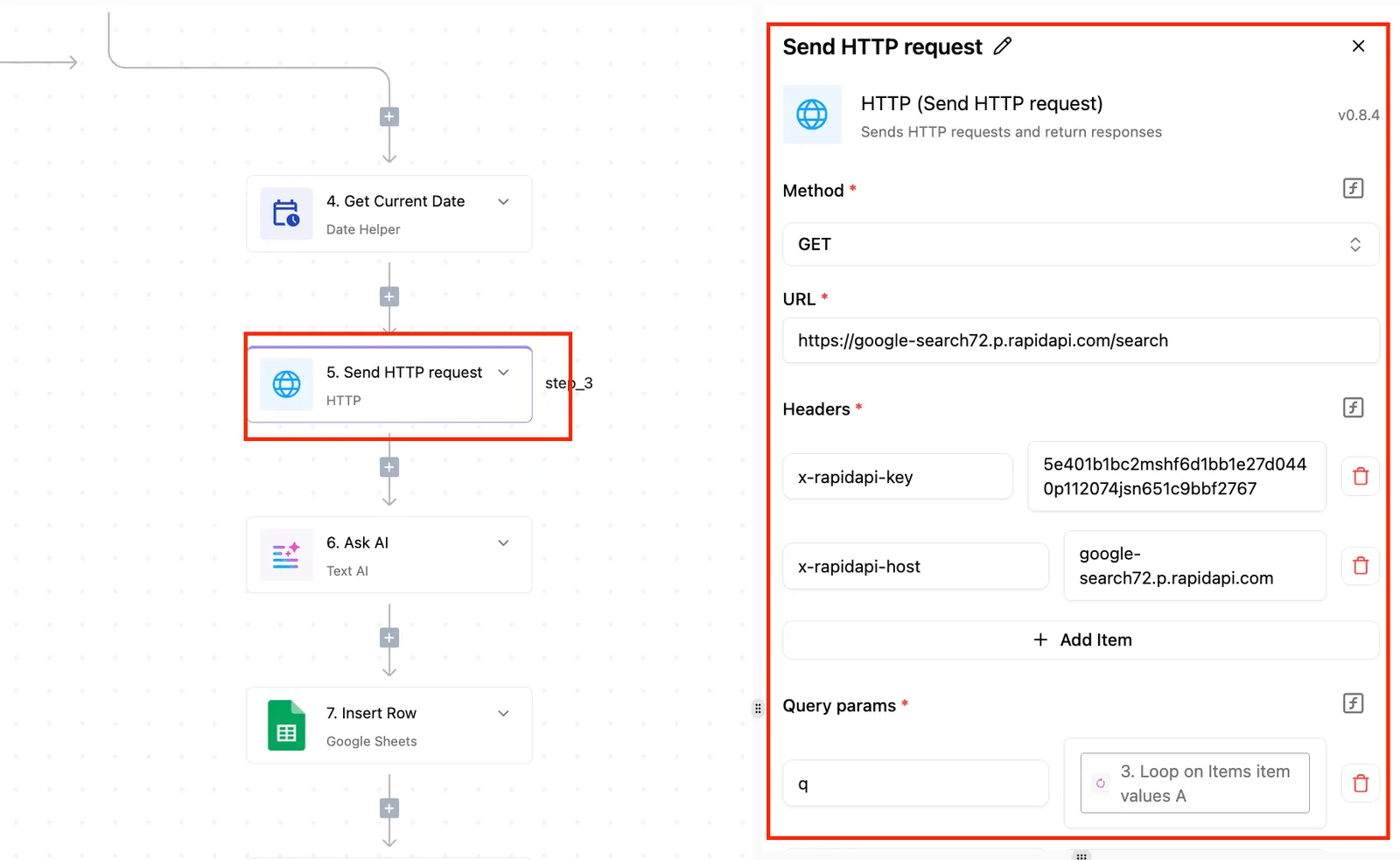
Put the caution at the action step, and keep it in the same flow as the rules around it.
Activepieces places an Agent step next to ordinary deterministic steps inside one flow, so one run trace records the whole execution, start to finish, rather than leaving the judgment in one product and the rules in another joined by a webhook.
The research explains why that matters: arXiv puts 66% of 85 papers on the perception layer and 12% on tool-augmented setups, but only 4.7% on the action layer and 3.5% on code execution.

Start with reversible actions, because the steps that change something in another system are the least studied.
Three ways to connect Nod to workflows
Option 1 is an HTTP request step. This is the simplest route, and it applies only if Nod's docs publish an endpoint. You see every request and response, so each run leaves a record you can check.
Option 2 is an AI step with a custom or OpenAI-compatible provider. This applies only if Nod's docs say it speaks that protocol. If they don't, skip it, because guessing at compatibility produces failures you can't trace.
Option 3 is an MCP server. Use this only if Nod documents one. It lets a model call tools directly, which is the action layer where the 4.7% sits, so grant it read-only access first.
Before any of the three, confirm the endpoint, the authentication method, the supported protocol, any rate limits, and whether Nod keeps its own run history. Until each answer is written down, the established tool stays the system of record.
Monday checklist for evaluating Nod safely
Run these four steps in this order during the coming week, and keep the established tool as the system of record until each one is signed off. The order matters because each step produces the evidence the next one relies on.
- Re-check the pricing and docs pages: open n8n's published pricing and documentation for Nod, note the date you read them, and save a copy or screenshot. A page that has changed since your last visit is a change you can prove, and a page you never recorded is only a recollection.
- Pick non-sensitive test data: use records you could post on a public forum without consequence: invented customers, sample invoices, dummy tickets. Until Nod's data handling is documented to your satisfaction, nothing that would trigger a breach notice belongs in it.
- Run Nod beside the existing tool: feed both the same inputs and compare the outputs line by line. Where they differ, the difference is the finding. Don't retire anything on the strength of a demo, because only matching results on repeated runs count as evidence.
- Record the exit route if terms change: write down how you would export your configurations and revert to the old tool, and who would do it. If pricing or terms shift, a documented way out turns a crisis into a scheduled task.
Frequently asked questions
Is Nod by n8n free? Yes. Nod is free and open source (Apache 2.0); you pay your AI provider for what it uses. Treat it as unpriced until n8n publishes a figure, and record the date you checked.
Is Nod by n8n open source? Yes, under Apache 2.0.
n8n's own platform has a published licence, but that says nothing about Nod, so don't carry it over. Read the licence text itself before you rely on it.
Do I need an n8n account to use Nod? Unknown. No n8n page I found states Nod's account or sign-in requirement. Until one does, assume nothing and test sign-up with a throwaway account before you give it access to anything real.
Replacement and where to check
Does Nod replace n8n workflows? Nothing published says it does. Treat Nod as an addition to your existing workflows, not a substitute, and leave your current automations running.
That's also the safer posture for any audit trail: the old process stays the record until the new one has proven itself.
Where can I check Nod's latest pricing and changes? Start with n8n's pricing page at https://n8n.io/pricing and its release notes at https://docs.n8n.io/release-notes/. Neither is confirmed to cover Nod.
Whether n8n keeps a dedicated Nod page is unknown. Date every check you make, so you can tell later what changed and when.