
What Is Ripple-65B Preview? Open Coding Model Guide

Nov 8, 202614 min read
Treat it as unfinished: Ripple 65B Preview is a 65-billion-parameter dense Transformer from ricursiveAI, published with downloadable weights and labelled Preview, which means anyone wiring it into a pipeline, whether through a script or a workflow tool like Activepieces, should expect behavior to shift between releases.
The Hugging Face model page describes a model pretrained on 12 trillion tokens, with support for up to 1,048,576 tokens of context.
That context size means a large codebase can fit in one prompt. The page doesn't show how well the model uses all of it, so a long prompt proves nothing until you test it.

Ripple 65B Preview is an open-weight coding model
Ripple 65B Preview maker, status and release facts
When a wrong maker or date lands in your notes, it gets repeated in every later decision, so here are the four facts as the maker's page gives them.
The maker is ricursiveAI, the status is Preview, the release date is as shown on the model's Hugging Face page, and the facts were checked on 2026-11-08.
That's everything settled so far.
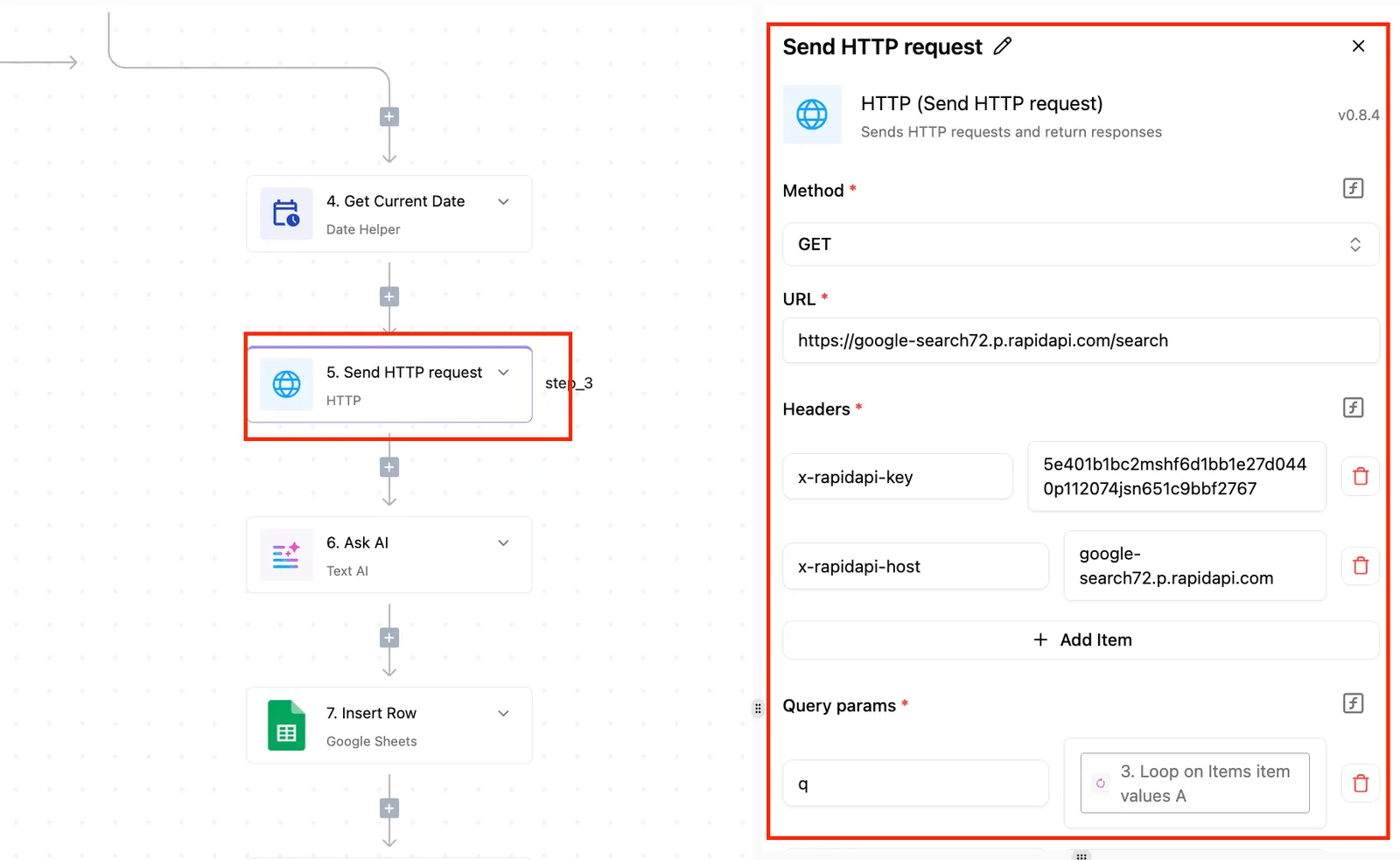
Performance isn't, which is why you'll test it yourself, and why Activepieces, where none of the 747 integrations counted in its open source monorepo is Ripple-specific, lets you generate a integration with AI and add it privately to your own instance.
What open weight does and doesn't allow
You can download the trained model under open weight, but that does not mean you may use it for anything.
In the API Price Index split of open-weight models, 50% are permissive, 24% are open but conditional, and 26% are proprietary, so you can't assume "open-weight" means you can modify the model.
So about half carry some restriction, and a restricted licence found after launch costs more than reading the licence file first.
This takes minutes, not a project: automate it in Activepieces free.
What Ripple 65B Preview does
What the Ripple 65B Preview model card says
The maker, ricursiveAI, presents Ripple 65B Preview as an open-weight model strong at agentic coding, reports its own benchmark comparisons, and says how to run it.
The card boils down to three things, and each tells you what to do next: its capabilities and intended uses as it words them, its variants including the NVFP4 build with its inference folder, and what it leaves unstated.
That's enough to decide whether a test is worth your afternoon, and not enough to skip the test.
Read the card's own wording on coding tasks and intended uses, and copy it into your test plan as the claim you're checking. A claim you haven't tried on your own tickets is marketing, and acting on it early costs you a rework later.
Ripple 65B Preview NVFP4 variant explained
The card lists an NVFP4 build, a lower-precision version made to run on less hardware, with an inference folder holding the files for serving it.
Test the variant you'll actually deploy. A result from one build says little about the other, and finding that out after wiring it into a workflow means doing the wiring twice.
Ripple 65B Preview comparison claims to verify
Any "it is as good as" line you hear about this model is borrowed from somewhere else, because the card reports self-run comparisons against other models and no results on tasks like yours. Treat it as unverified until your own small test says otherwise.
How to get access to Ripple 65B Preview
You can get Ripple 65B Preview two ways: download the weights from its Hugging Face page and run them yourself, or call a host that already serves it.
When you pull the weights and inference code from the Hugging Face model page, put the download in its own empty directory and read the card first.
A preview can change between pulls, so a copy from last week may not match what the card says today.
Before you plan around the model card's context window of 1,048,576 tokens, about a million, remember that it's what the weights were built for, not what your machine will hold in memory.
A 65-billion-parameter model isn't a laptop job, so size your hardware before planning around that figure.
Hosted inference status
Hosts trim that number, and the trim decides which jobs are safe.
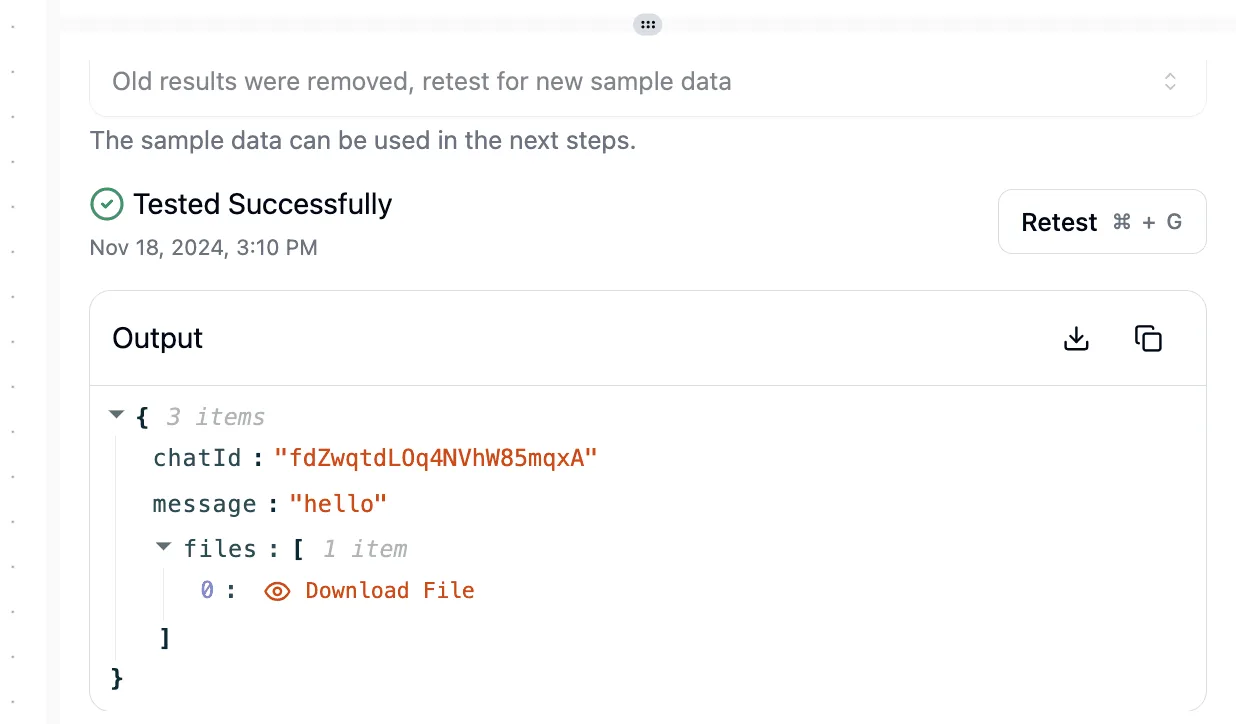
Once you pick a host, send one plain "hello" request. A pass reports "Tested Successfully" and returns a chatId, the message "hello", and one downloadable file:
(screenshot sits here)

That proves the wiring works, not that the answers are good. The chart that follows puts all four context limits side by side.
What Ripple 65B Preview costs to use
Any cost you plan around today is your own estimate, because the maker has published no price for Ripple 65B Preview. The table shows who pays for each route and what the maker states.
viz type=groupedbars title="What rival coding models charge per million tokens" unit="$ per 1M tokens" source="ModelPriceLab - https://modelpricelab.com/cheapest/coding-models" cols="Input,Output".98 to
| Route | Who pays | Price as stated by maker |
|---|---|---|
| Weights download | You | Not published |
| Maker-hosted | You, per use | Not published |
| Self-hosted hardware | You | Not published |
| Third-party host | You, per token | Not published |
Prices and plan limits checked against huggingface.co and huggingface.co and huggingface.co and openrouter.ai on November 8, 2026.
Every row lands on you, and none has a maker figure. Budget with a margin, not a promise.
Read the licence text before a customer-facing ticket tool depends on it: the model card states Apache 2.0.
Self-hosting cost of Ripple 65B Preview
Self-hosting means renting or buying GPUs, and the maker gives no hardware figure. Run your small test first and measure.

For a yardstick, ModelPriceLab lists Ripple 65B at $0.2–0.6 per 1M tokens. That's a third-party listing, not a maker price, so confirm it before relying on it.
The same page lists Qwen3-Coder 480B at $0.22–1.8, which means Ripple's top rate is a third of that model's. DeepSeek V4 Pro is $0.66–1.98, so Ripple's ceiling sits below its floor.
GPT-5.3 Codex runs $1.75–14 and Claude Sonnet 5.5 $2–10, so a bulk job could cost many times more on either. The chart that follows sets these ranges side by side.
You can follow the rest of this with the builder open. Start free, no card.
Where Ripple 65B Preview is strong and weak
Nobody can yet say where Ripple 65B Preview is strong or weak. The maker publishes its own benchmark comparisons, so a small test of your own is still the best evidence.
What to test Ripple 65B Preview on
Send the same three automation tasks to ripple 65b preview (ricursiveai/ripple-65b-preview on OpenRouter, default settings) and to GPT-6 Luna, meaning you'll get direct comparable data on which handles your problems better.
The tasks are sorting a support ticket, pulling fields from an invoice, and summarising an email thread.
Check each output against a known answer. A wrong ticket sort sends a customer to the wrong team and costs a day, so that's the check to weigh most.
Ripple 65B Preview test results, speed and cost
For each task and each model, record three things: pass or fail against the known answer, seconds to finish, and cost per task in USD. Read them in that order.
A fast, cheap model that fails the ticket sort hasn't saved you anything, because someone still has to catch and fix the miss. Speed and cost only matter between models that both pass.
A fast, cheap model that fails the ticket sort hasn't saved you anything, because someone still has to catch and fix the miss.
Limits of a small Ripple 65B Preview test
One pass could be luck, and one fail could be a bad draw. That is why three tasks, run once each on default settings, show only that a model can or can't do those tasks, not how often it succeeds.
Your own tickets, with your odd formats and your angriest customers, are the real test, so rerun it with them before you wire anything in.
Ripple 65B Preview against established coding models
Of the models in this comparison, only Ripple 65B Preview has a quality you can't yet look up. It has to earn its place on your tickets while the others can lean on a track record.
A wrong escalation costs you a customer, so that gap matters more than any download link.
Ripple 65B Preview comparison table
The table below sets Ripple beside a hosted model you may already use and the wider field. Read the Ripple row first: every cell is either sourced from the maker's pages or marked "not published", and the blanks tell you what you must test yourself.
| Access route | Licence / openness | Price basis | Published evidence | |
|---|---|---|---|---|
| Ripple 65B Preview | Download of open weights, per the maker's pages | Open-weight; Apache 2.0 licence | Not published | Maker-reported Terminal-Bench chart, self-reported and not independently checked |
| GPT-6 Luna | Hosted API through an AI-provider step | Closed weights | Per-token billing by the provider | Provider documentation and wide third-party use |
| Other open-weight and hosted options | Hosted API or self-hosted download, depending on the model | Varies by model; check each licence | Per-token if hosted, your own hardware if self-hosted | Varies; independent reports exist for many |
Treat the Terminal-Bench chart as a claim to check, not a result, since it comes from the maker.
It tells you what Ripple's team chose to show, not how it handles your formats. Your next step is to run it against your own tickets, as above.
When an established model is the safer pick
Choose an established model when a bad answer is expensive and you need a known failure pattern. If the model drafts a reply to an angry customer, or decides whether a ticket goes to a senior engineer, a surprise costs more than the savings.
A hosted model with a public record gives you someone to blame and a place to look up what went wrong.
Keep Ripple in a side-by-side trial until your own tickets show it matches. Switch only when it does, and keep the old model one setting away.
Connect Ripple 65B Preview to a workflow in Activepieces
You won't find a native Ripple integration in the Activepieces catalogue. You connect it through one of three routes, and the first is the one that costs you least if it goes wrong.
Start at the top and move down only when the simpler route stops being enough.
For the first two options, assume you or a host serves Ripple behind an HTTPS endpoint you control.
Option 1: HTTP request step
Generate a Ripple integration with AI and add it privately to your own instance, with no public contribution.
Ripple can also run on your own provider key, so the spend lands on your provider account.
Run the integration against one real task from your test set before wiring anything downstream. A wrong response here only lands in the step output, not in a customer's inbox.
Option 2: AI step with custom provider
Reselling you a model settles your AI strategy before you open the product, whereas Activepieces runs the model you already chose, so Ripple goes in on your own provider key and the spend lands on your provider account, not ours.
If your endpoint speaks the OpenAI chat format, add a custom OpenAI-compatible provider in the AI settings with a display name, base URL, key and the model name as your host spells it.
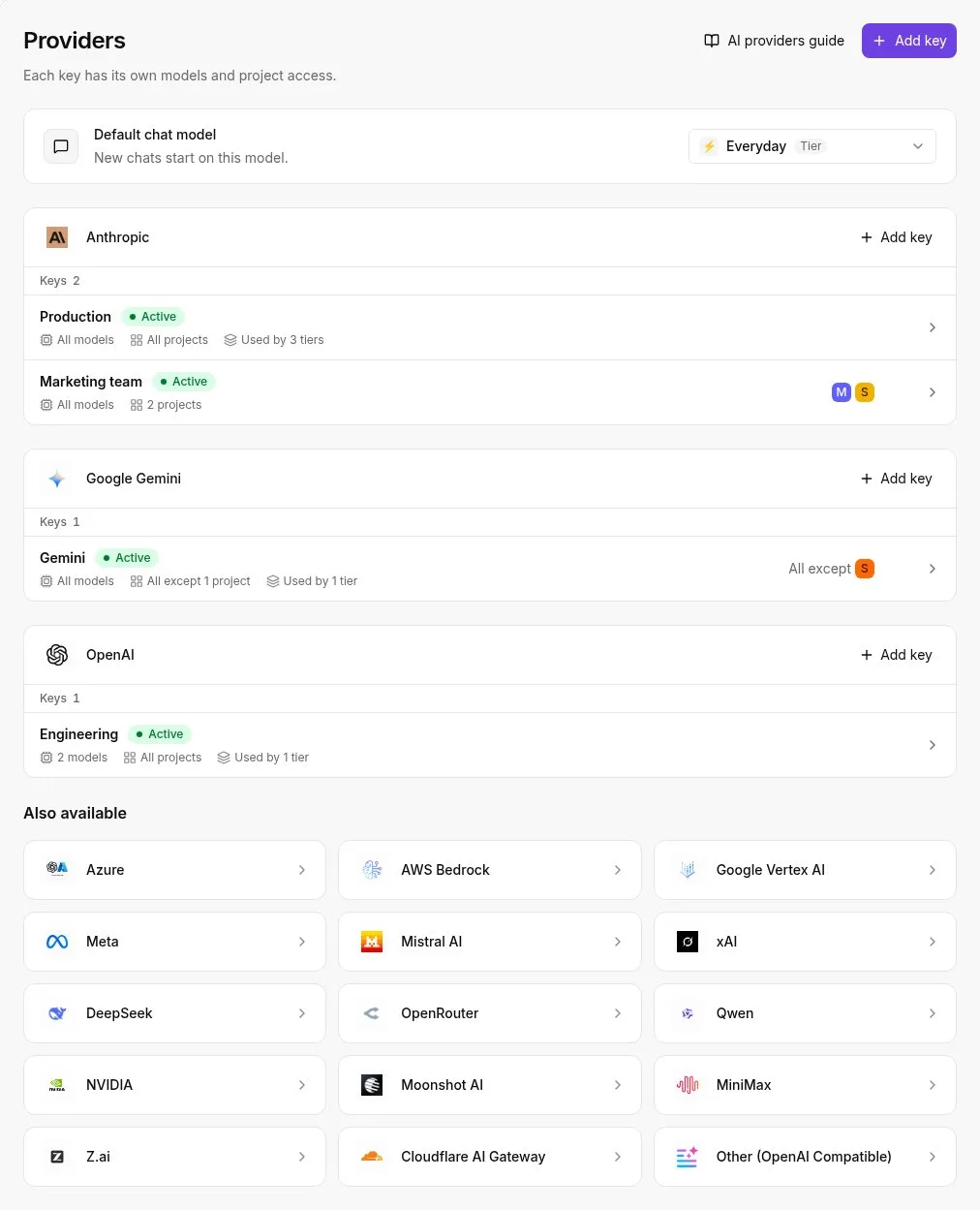
Bring-your-own-key starts on Plus at $20 a month, where every AI step is 1 credit, against 2, 10 or 20 credits when a fast, smart or frontier model is billed through the platform, so you save 50% to 95% per operation.
After that, any AI step can pick Ripple from the model dropdown. Keep your current model in that same dropdown so rolling back is one selection, not a rebuild.
Option 3: MCP server
Use this route only if Ripple sits behind a server that exposes tools over the Model Context Protocol (MCP). Add the MCP integration to your flow and enter the server's URL and whatever authentication it requires.
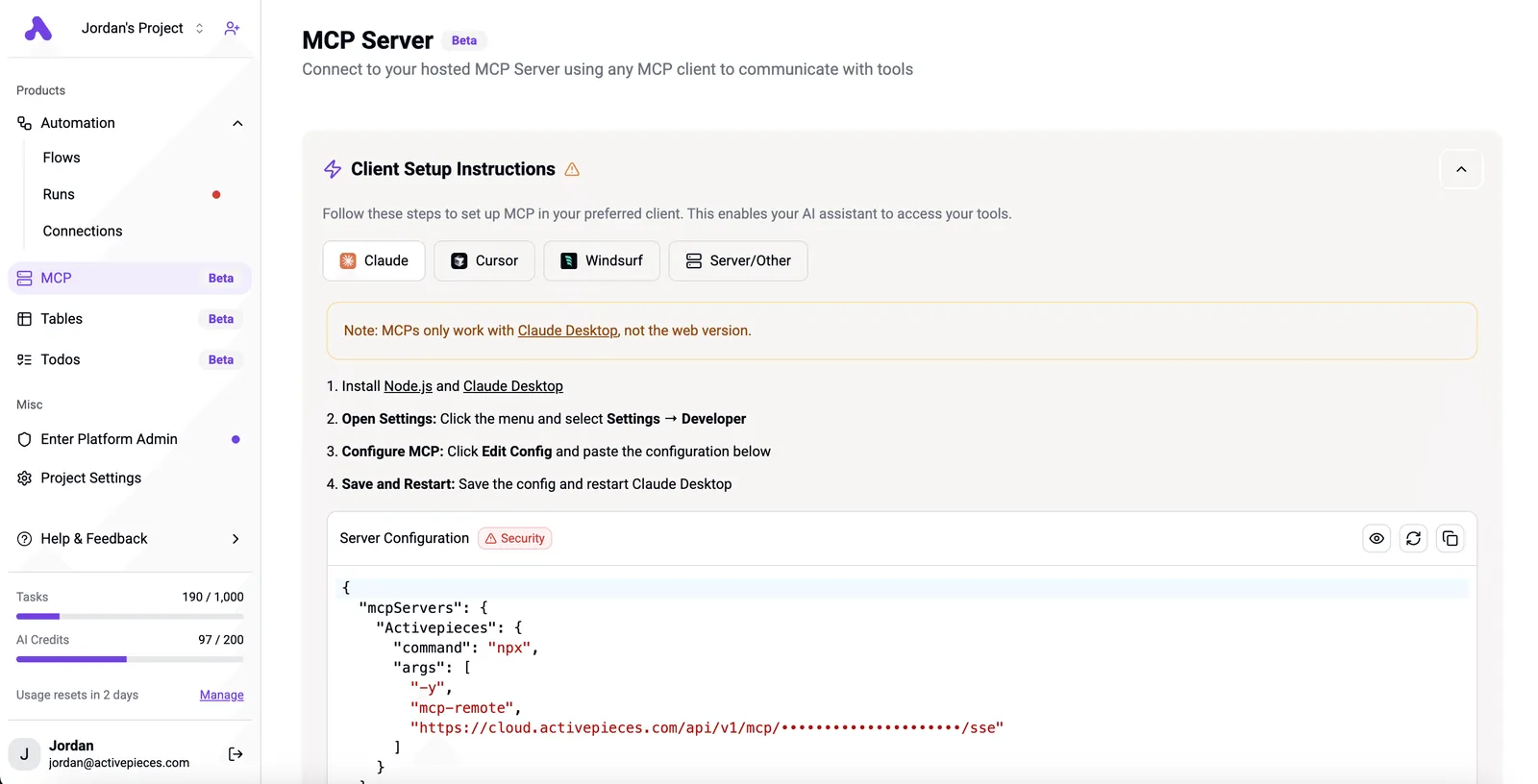
This is the most moving parts of the three, so it's the hardest to debug when a run fails. Choose it when you need the model to call tools, not just return text.
What to do with Ripple 65B Preview
If tool calling is why you want it, spend Monday proving that on three of your own tasks, side by side with the model you use now.
A wrong switch costs more than a slow one, because a bad answer reaches a customer before anyone notices.
Because the first step can rule the model out before you write any code, the steps below run in the order that saves the most time.
- Read the model card and the licence. If the licence bars your use, such as hosting it for clients, you can stop here and lose nothing.
- Pick three tasks from your real work: a ticket you triaged last week, a script you had to fix, and one tool call that has to fill its fields correctly, giving you results you can actually act on, meaning you're stress-testing against the complexity you actually encounter. Include the messy one, like the angry email with three problems in it.
- Run each task through Ripple and your current model with identical prompts. Changing the prompt for one model tells you about the prompt, not the model.
- Record response time and cost per run next to each result. A model that is right but too slow or too dear for your volume is still the wrong choice.
- Decide whether to wait. If it missed on any task that matters, note why and check again when the maker publishes comparison results.
Ripple is ready when it matched or beat your current model on the messy task, not just the easy ones.
Its tool calls came back well formed every time you ran them. Its speed and cost fit your volume. Until all three hold, keep it out of anything a customer sees.
Frequently asked questions
Is Ripple 65B Preview free to use? The weights are open under an Apache 2.0 licence, but the maker's pages state no hosted price, so check the licence text before commercial work.
Read the licence text before anyone builds on it, because finding a restriction after launch costs more than reading a page now.
Can I run Ripple 65B Preview on my own hardware? Probably, since it's open-weight and the maker says the 65B model can fit on consumer hardware such as the NVIDIA DGX Spark. Don't order a server or book a GPU until you've confirmed what the model needs.
Hosted availability is also not stated, so you can't yet count on a ready-made endpoint.
Does Activepieces support Ripple 65B Preview? Not stated. The maker's pages mention no ready-made integration, so generate a private integration with AI or use an AI-provider step pointed at wherever you host the model.
That route works without waiting for anyone to add support, and your small test will show whether it holds up.
Is Ripple 65B Preview ready for production? Not stated, and the "Preview" label tells you how to read the silence.
The maker's pages explain how to get it but give no comparison with other models, so treat it as untested until it passes your own tasks. Until then, keep it away from anything a customer sees.
Related reading
References
Build it
Set this up in minutes.
No code required. Connect your accounts, and Activepieces runs it from there.
Start free Talk to sales