

Overview
Concurrency limits control how many flow runs can execute simultaneously within a project. When a project reaches its limit, new runs are queued and retried automatically with exponential backoff until a slot becomes available. This is useful to:- Prevent a single project from consuming all available workers.
- Protect downstream APIs from being overwhelmed by too many parallel requests.
- Ensure fair resource distribution across projects on your platform.
Setting a Per-Project Limit
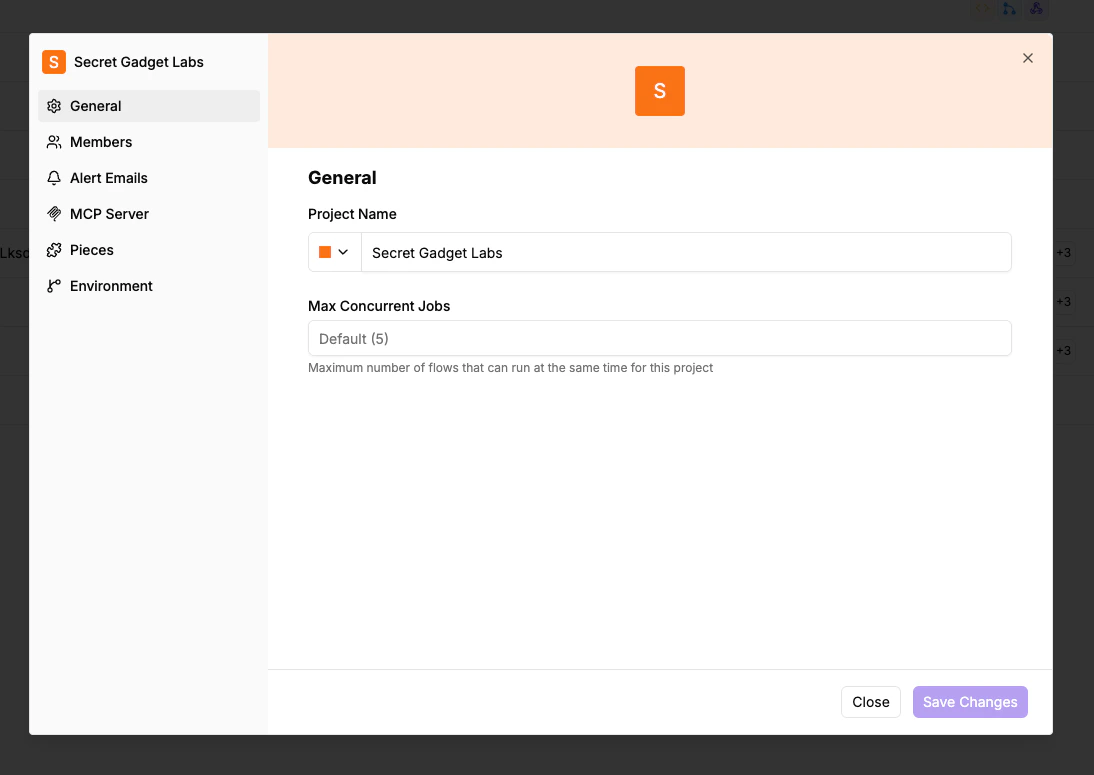
- Navigate to Project Settings > General.
- Find the Max Concurrent Jobs field.
- Enter the desired limit, or leave it empty to use the platform default.
- Click Save.
What Happens When the Limit Is Reached
When a project hits its concurrency limit:- New flow runs are not dropped — they are queued.
- The system retries queued runs with exponential backoff.
- Once an active run finishes and a slot opens, the next queued run starts.
Programmatic Management via Embedding
If you are embedding Activepieces, you can manage concurrency limits programmatically through the JWT token used to provision users. This allows you to group multiple projects into a shared concurrency pool so they share the same limit. See Provision Users for theconcurrencyPoolKey and concurrencyPoolLimit JWT claims.