
Automate Oracle Fusion Cloud ERP: A 2026 Guide

Nov 24, 202616 min read
Start with the REST APIs for single records and event-sized work, and FBDI with scheduled jobs for bulk loads. Both typically ship with your Fusion subscription, so you may not pay anything extra to start; confirm in your order document.
Reach for Oracle Integration only when one of them hits a limit, and if the gap is just a lightweight hand-off between systems, a workflow tool like Activepieces can sometimes cover it first.
You should have a first working automation in 60-90 minutes, so you can validate the approach quickly. The details below were checked against Oracle's documentation on 2026-11-24.
Oracle Fusion Cloud ERP automation: the fastest path
What counts as automating Fusion ERP
Nobody keys the data and nobody presses the button. That is automating Fusion ERP: data moving into, out of, or between Fusion modules, and recurring processes running, without a person. In practice that's four mechanisms.
To create or read a record on demand from an outside system, you use REST APIs. FBDI (File-Based Data Import) loads zipped CSV files through import jobs.
The Enterprise Scheduler runs those jobs and other processes on a timetable. Oracle Integration is Oracle's separate integration service, with prebuilt adapters and visual flows.
Oracle Fusion ERP automation routes compared
You get two of these routes with your subscription, and they cover opposite ends of the volume range. The paid route mainly buys convenience and orchestration. The table below ranks the routes on the four questions that decide most projects.
| Route | Setup effort | Data volume | Real-time vs batch | Licence needs |
|---|---|---|---|---|
| REST APIs | Low: a service user with the right roles, then HTTP calls | Suited to individual records and small sets | Real-time, one call per request | Included with Fusion |
| FBDI with scheduled jobs | Moderate: fill the template, upload the file, schedule the import | Built for large loads | Batch | Included with Fusion |
| Oracle Integration | Highest: separate instance, connections, flows to build and maintain | Wide range, bounded by the service tier you buy | Either, per flow | Separate subscription, metered by message volume |
| Built-in Fusion tools | Low: scheduled processes, report schedules, approval rules | Whatever the underlying process handles | Mostly batch, some event-driven | Included with Fusion |
Because Oracle Integration is metered by messages, every record you route through it adds to the bill. Calling the REST API directly adds nothing to your Oracle invoice.
Choose between REST, FBDI and other routes
Decide by the shape of the work. If a person or another system needs an answer in seconds about one invoice or supplier, use REST.
If thousands of rows arrive overnight, use FBDI and schedule the import. If the job is a recurring report or process inside Fusion, use the built-in scheduler and stop there.
Move up only for a concrete reason, such as many systems needing orchestration or a prebuilt adapter you can't reasonably replace.
Even then, Activepieces, whose MIT-licensed core sits in a public GitHub monorepo, can reach Fusion too: when an integration you need is missing, you can generate it with AI and add it privately to your own instance, so the licence question comes before the architecture question.
This takes minutes, not a project: automate it in Activepieces free.
Create integration user and call REST API
Create one dedicated integration user with a narrow job role, then call a finance REST resource as that user. If JSON comes back, the first layer of your automation already works, with nothing else installed.

If you run the six steps below in order, each failure tells you exactly what is wrong. A rejected login points at the user, a refused call points at the role, and an empty result points at the data.
- Sign in as an administrator and open the Security Console from the Tools menu.
- Create the user under Users, using a service-style name rather than a person's.
- Create a job role under Roles, and add only the duty roles and privileges that cover the one resource you will call.
- Assign that job role to the new user.
- Send an authenticated GET to the finance REST resource, for example the payables invoices collection.
- Read the JSON that returns.
Once that works, the remaining steps only change which resource you call and which verb you use.
Create an Oracle Fusion integration user and role
Keep the integration user separate from any employee account. When a person leaves or a password policy forces a reset, an automation tied to their login stops without warning. A dedicated user also gives you one audit trail to read when a record looks wrong.

Build the role from nothing rather than copying a broad one. Every privilege you leave off is one fewer thing a leaked credential can do.
If a later call comes back forbidden, add the single missing duty and retest, so the role grows only when a real call demands it.
Send your first authenticated REST API GET
Build the URL in a fixed pattern: your environment's host name, then the REST path for the finance application, then a version segment, then the resource name.
Copy the version segment from the REST API documentation for your release rather than guessing it, because it differs between releases.
For this first test, basic authentication is the quickest of the several ways Oracle documents to authenticate. Token-based options, including JWT and OAuth, are the better choice once the call runs unattended, because you can rotate or revoke a token without changing the user's password.
If your script ignores the paging flag, it'll quietly process only the first page and report success. Collections come back in pages, and the response carries a flag showing whether more records exist.

You request the next page with the limit and offset query parameters, so any script you write must follow that flag.
Create a record with POST
When you send a POST to the same collection URL with a JSON body describing the new record, under the same user, your read-only role will refuse it. That's the role working as designed.
Add the duty that permits creation only when a real workflow needs to write, then send the body and check the response for the new record's identifier.
Load bulk files and schedule jobs
Stop posting JSON once a workflow has to write thousands of rows instead of one record, as it creates file bloat and performance delays. Load an FBDI (File-Based Data Import) spreadsheet, then set the import job to recur in Scheduled Processes.
Prepare and upload an FBDI file
Load 50,000 rows through REST and you make 100 separate calls, each with its own failure handling, because a REST create call accepts 500 records per request. An FBDI file carries the same 50,000 records in one upload.
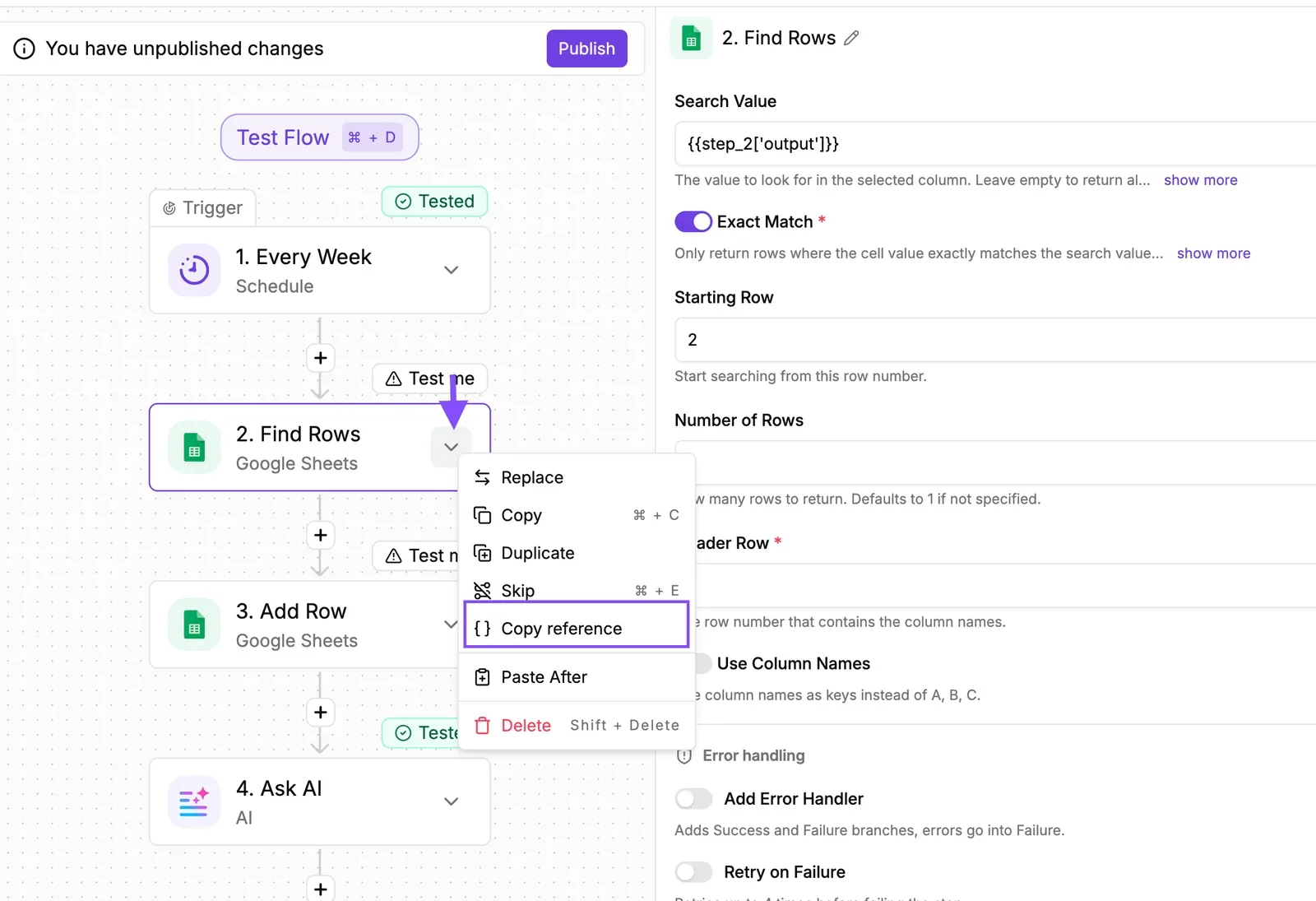
Past the per-file limit, a feed has to be split across several files. The size cap is 500 MB per file, which wide rows with long text fields can reach before the record count does.
Plan your batch size from whichever limit you reach first.
Then prepare the file:
- Download the FBDI template for your object from Oracle's File-Based Data Import guide and open it in Excel.
- Fill the sheet, run the macro that generates the zip, and keep the file under 500 MB, as this prevents transfer timeouts and exceeding platform limits.
- Upload the zip through File Import and Export, or call the
importBulkDataservice from your script if the upload must be unattended.
Run the FBDI import and check job status
Run Load Interface File for Import from Scheduled Processes, choosing your import process and the uploaded file. This job moves rows from the zip into interface tables, and a second import job then validates them and writes them to the application tables.

Treat them as two checks, because the first can succeed while the second rejects rows.
Read the status in the process monitor. Succeeded means the job finished, not that every row loaded.
Warning and Error mean some or all rows failed, and the log and output files list the rejected rows by line. Read those before you schedule anything, since a recurring job will repeat the same rejections every night.
Schedule recurring Oracle Fusion import jobs
Once one manual run loads cleanly, submit it again from Scheduled Processes with Advanced selected, then open the Schedule tab and choose Using a schedule. Set the frequency (hourly, daily, weekly, and so on), the start time, and an end date.
Leave the end date blank only if you'll monitor the job, because an unattended job that keeps failing keeps filling interface tables.
If there's no fresh file at the upload location, the run loads nothing or reprocesses old data.
Have your script upload the new zip shortly before the scheduled start, and keep each batch under the 50,000-record file limit so a growing feed doesn't break the job unannounced.
You can follow the rest of this with the builder open. Start free, no card.
Step 5: connect Fusion to other apps with Activepieces
Telling your team how the batch went is a job for Activepieces.
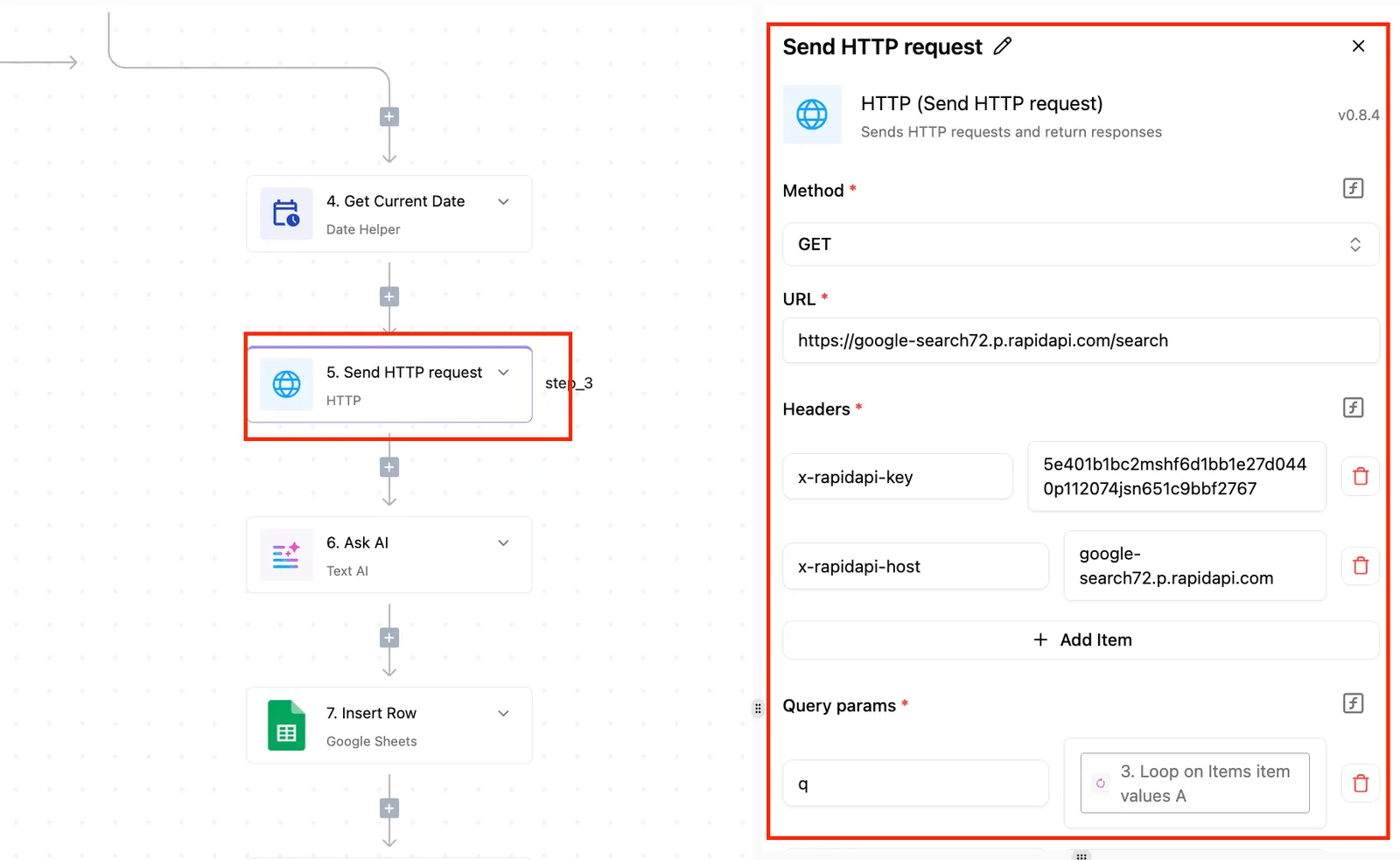
It's an MIT-licensed, open-source workflow tool whose 750 integrations, roughly 60% of them community-contributed and counted straight from its public GitHub monorepo, so you have both breadth and community-driven coverage, and the flow's a schedule trigger, an HTTP step calling the Fusion REST endpoint from Step 2, and a Slack or Google Sheets step after it.
When Oracle Integration is the better choice
Choose Oracle Integration when the flow has to live close to Fusion:
- it ships a prebuilt adapter for Oracle ERP Cloud
- can react to Fusion business events as they happen
- keeps monitoring and error handling inside Oracle's own tooling
If your integration needs those, building them by hand in a general tool means rebuilding what you'd be licensing.
If the job is "ask Fusion a question on a timer and tell someone the answer," none of that is needed, and you'd be paying in setup time for capability you never use.
- Add a schedule trigger set to the same cadence as the job it reports on. Triggering more often than the data changes only spends runs on empty checks.
- Add an HTTP step that sends a GET to the Step 2 endpoint. Use Basic authentication if your Fusion pod allows it for integration users, or OAuth if your security team requires tokens. Either way, store the credential in the connection, not in the flow.
- Add a branch that checks the response, such as whether the status shows an error or the item count is zero.
- Add a Slack step to post the result to a channel, or a Sheets step to append a row for a running log.
Expect to write the URL, headers and paging yourself.
Activepieces has 750 integrations, each usable as an AI tool, and when the one you need is missing you can generate it with AI and add it privately to your own instance, which is how Fusion gets reached without waiting on a vendor release.
What to leave inside Fusion
This stops being the right tool at four limits, and each ties back to a step you have already built:
- FBDI loads past 50,000 records per file
- Approvals that must live in Fusion
- No dedicated Fusion connector
- A Free plan cap of 1,000 credits a month
Splitting batches is your script's job, not the workflow's, because the 50,000-record file limit is Fusion's, not Activepieces'. Approvals belong in Fusion because the approval record is the audit trail; a Slack reply in an outside tool leaves Fusion unaware of who signed off.

The missing connector means upkeep stays with you. The credit cap matters because each run draws on it, so a frequent schedule can exhaust the Free plan's allowance before the month ends and silently stop your reporting.
When you hit one of these, move that integration to Oracle Integration and leave the rest where it's.
Fix Oracle Fusion automation errors
When a REST or file-based automation fails, seven causes sit behind most of the failures, and each has a fix you can apply without adding another integration layer. The table pairs what you'll see with the cause behind it and the repair.
| Symptom | Cause | Fix |
|---|---|---|
| 401 Unauthorized | Wrong, expired or locked credentials on the integration user | Reset the password, update the stored secret, and unlock the account |
| 403 Forbidden | The user authenticates but lacks the role or privilege for that resource | Assign the duty role the resource needs to the integration user |
| Throttling or slow, timed-out calls | Too many concurrent or oversized requests | Queue requests, back off and retry, and move bulk work to file exports |
| Truncated or missing records, oversized responses | Reading one page and stopping, or requesting too much in one call | Page through with limit and offset until the response says no more rows remain, and trim fields |
| FBDI rejections | Rows fail validation when loaded into interface tables, or the template is out of date | Read the load job log, correct the rejected rows, and use the current template |
| Job shows Warning, script treats it as success | Warning means the job finished but some records failed | Treat Warning as a failure to inspect, and read the child process logs |
| File not found in UCM | The content was purged or never uploaded under that ID | Re-upload, and pass the new document ID to the job |
| Calls that worked now fail | A quarterly update changed a resource, field or behavior | Retest in a non-production pod before each update and read the release notes |
Fix the cause in the first column of your own logs before reaching for a heavier tool; none of these rows needs one.
When you see a 401, Fusion doesn't accept who you are. A 403 means it does, but that user can't touch the resource.
Teams lose time rotating passwords for a 403, when the repair is a role assignment on the integration user. Give that user only the roles the calls need.
If you send bursts of requests, Fusion slows or refuses them, because it protects shared capacity. Page every collection request and read the more-rows indicator rather than assuming one response is the full set.
When a payload keeps growing, that's the signal to export a file instead of paging harder.
Fix Oracle Fusion FBDI import job failures
When an FBDI load accepts the upload and still rejects rows later, the failure lives in the job log, not the upload response. Poll the job status and branch on Error, Warning and success separately.
A Warning that your script reads as success is how bad data reaches the ledger unnoticed. Expired UCM content fails the same quiet way: the job points at a file that no longer exists.
**A Warning that your script reads as success is how bad data reaches the ledger unnoticed.
Because updates arrive on a schedule, you can plan around them. Run your calls against a test environment as soon as it's updated, and keep a short regression set of one call per integration.
A failure found there costs an afternoon; found in production, it costs a close cycle.
Frequently asked questions
Can you automate Oracle Fusion Cloud ERP without coding?
Yes for batch work, because file-based data import and the built-in scheduler run from the Fusion screens with no code, while REST calls need at least a short script. You fill in the import template, upload it, and schedule the load and import jobs.
That covers most recurring loads. Code only becomes necessary when another system has to push or pull data on its own trigger.
Does Oracle Fusion Cloud ERP have RPA or an AI agent option?
Inside Fusion applications, Oracle ships some embedded AI features, and robotic process automation exists in the wider Oracle stack. Availability depends on your release and subscription, so confirm both before planning around them.
Screen-driving RPA is a fallback for the rare task that has neither a REST resource nor an import path. Where an API exists, calling it is more stable than clicking through a page that changes with each update.
Is the REST API included in the Fusion licence?
In the usual subscription, the REST APIs come with the Fusion application itself, and we know of no separate per-call charge. Confirm that in your order document, because contracts differ.
The metered units to watch sit elsewhere. Oracle Integration is billed by messages processed, a unit you never incur when your own script calls REST directly.
Fusion can also throttle heavy request volumes, so design bulk work as file imports rather than thousands of single calls.
How often does Oracle change the Fusion APIs?
On a regular release cadence, Oracle updates Fusion, and each update can add resources and fields. Deprecations are announced in the release notes ahead of removal.
Because resource paths carry a version, pin the version in your calls and read the release notes before each update reaches your environment. Run your scripts against a non-production instance first, so a changed field breaks a test run and not a close.
What should you do on Monday?
Create a dedicated integration user in a non-production environment and give it a role that can read one business object, such as invoices or suppliers. Then make a single GET request against that REST collection with basic authentication and ask for the data only.
If it returns records, you have confirmed the credentials, the role, and the network path. Every later automation step relies on those three.
Related reading
References
Build it
Set this up in minutes.
No code required. Connect your accounts, and Activepieces runs it from there.
Start free Talk to sales