
Best Managed OAuth Providers for SaaS Integrations

Nov 23, 202616 min read
Managed OAuth is a service that runs consent, token exchange, encrypted storage and refresh for the apps your customers connect, much as Activepieces users see when they link an account. Your code asks for a valid token instead of owning the flow.
Managed OAuth for SaaS integrations, in short
The short answer: top picks and who each is for
Read this list for the buyer each one suits, not as a ranking. It was checked on 23 November 2026 and sorts the options by who owns the user experience and where tokens live.
- Nango: engineering teams that want to write integration logic as code and keep control of the API calls.
- Pipedream Connect: developers who want to put connected-account flows inside their own product on top of an existing workflow runtime.
- Paragon: product teams that want a ready-made, embeddable integration experience for end users.
- Composio: teams building AI agents that need authenticated tool access on behalf of many users.
- Identity-provider token vault: companies that already centralize identity and want third-party tokens stored in that same layer. teams that build integrations as workflows rather than as product code, on an MIT-licensed core with 750 integrations, so your team orchestrates existing integrations rather than building them.
What managed OAuth takes off your plate
You stop hand-building the redirect, the state check, the code-for-token exchange, encrypted storage and the refresh loop. Each is small on its own. Together they're a long list of places to get security wrong, once per provider, and every provider has its own quirks.
Start with where attackers go. An analysis of third-party SaaS token breaches from Start With Identity counts 14 breaches that abused a non-human identity, against 5 in every other category.

That means roughly three in four of the incidents it tracked came through a token or service credential, not a stolen password.
When tokens sit unencrypted in your database, with no owner and no expiry, they are the usual target.
OAuth token failures a managed platform must handle
Skip the happy path, which is a solved problem. The boring failures are what you're paying for:
{"error": "invalid_grant", "error_description": "Token has been expired or revoked."}That one response covers three different situations:
- A refresh token that aged out
- A user who revoked consent
- A provider that rotated credentials
Only the first can be fixed silently, so your integration has to tell them apart. The other two need the customer to reconnect, so something must flag the connection as broken and surface a prompt in your UI.

Then there are provider rate limits, the third case. A platform that refreshes tokens or retries calls without backoff can burn a customer's quota and cause the outage it was meant to prevent.
When you evaluate any option, test these three failures before you count connectors.
Everything below works on Activepieces' free plan. Start without code or a credit card.
Comparison table of managed OAuth platforms
To run the three failure tests against each option instead of comparing connector lists, use the table below, which puts six options through the same columns.
Where a vendor's own documentation didn't give us a figure, the cell says "not confirmed", and you should treat that as a question to put to the vendor.
| Option | Price | Strength | Limit | Best for | Self-hosting | Check date |
|---|---|---|---|---|---|---|
| Nango | not confirmed | Auth plus an API proxy, built for developers | not confirmed | Teams that want tokens in their own stack | not confirmed | not confirmed |
| Pipedream Connect | not confirmed | Managed auth tied to a workflow runtime | not confirmed | Teams that want auth and execution together | not confirmed | not confirmed |
| Paragon | not confirmed | Embedded, user-facing integration flows | not confirmed | Products where the vendor-supplied UI is acceptable | not confirmed | not confirmed |
| Composio | not confirmed | Tool authentication aimed at AI agents | not confirmed | Agent products that need many tool logins | not confirmed | not confirmed |
| Identity-provider token vault | not confirmed | Tokens sit beside your existing identity controls | You build the consent screens and the connector logic | Teams that already centralize identity | not confirmed | not confirmed |
| Activepieces | Free plan at $0 with unlimited flows; Plus at $20 a month | 750 integrations, with connections stored by the platform | No standalone token API confirmed | Teams whose integrations are workflows | Yes: MIT-licensed core, or fully air-gapped | not confirmed |

Nothing here is a ranking, because none of these rows has been tested against the failures above.
Pick by who owns the user experience and where tokens live. If your product shows the consent screen, favor Paragon or Nango.
If an agent calls many tools, look at Composio. If your security team wants one place for credentials, look at the token vault. Pipedream Connect suits teams that also want the workflow runtime.
You stop writing redirect handlers and per-provider token exchange code. You also stop running the refresh job that quietly keeps tokens alive. Each of those is small, but each one fails in a different way for each provider.
Otherwise you'll meet this error in production:
{"error": "invalid_grant", "error_description": "Token has been expired or revoked."}It means a refresh token died, or the user pulled consent. Ask each vendor what your app sees at that moment. A good answer is a typed event you can route to a re-authorize prompt, not a silent retry loop.
Then ask how provider rate limits surface: as a backoff the platform handles, or as a raw 429 that lands in your code.
Once those answers are on the page, the cells marked "not confirmed" are the ones to resolve first. Resolve them before the sales call, not after.
Profiles of each shortlisted OAuth platform
On who owns the connect screen and where the tokens sit, each of the five tools below makes a different bet, and that second question carries the security risk.
14 fan-out breaches, by the count of Start With Identity, abused a non-human identity, meaning the attacker used a stored token or key rather than a person's password. So a vault you can't inspect or relocate becomes part of your breach surface.
Look for the pattern in a platform admin form that takes a provider's base URL and a masked API key. You paste a credential once, and from then on the platform holds it for you.
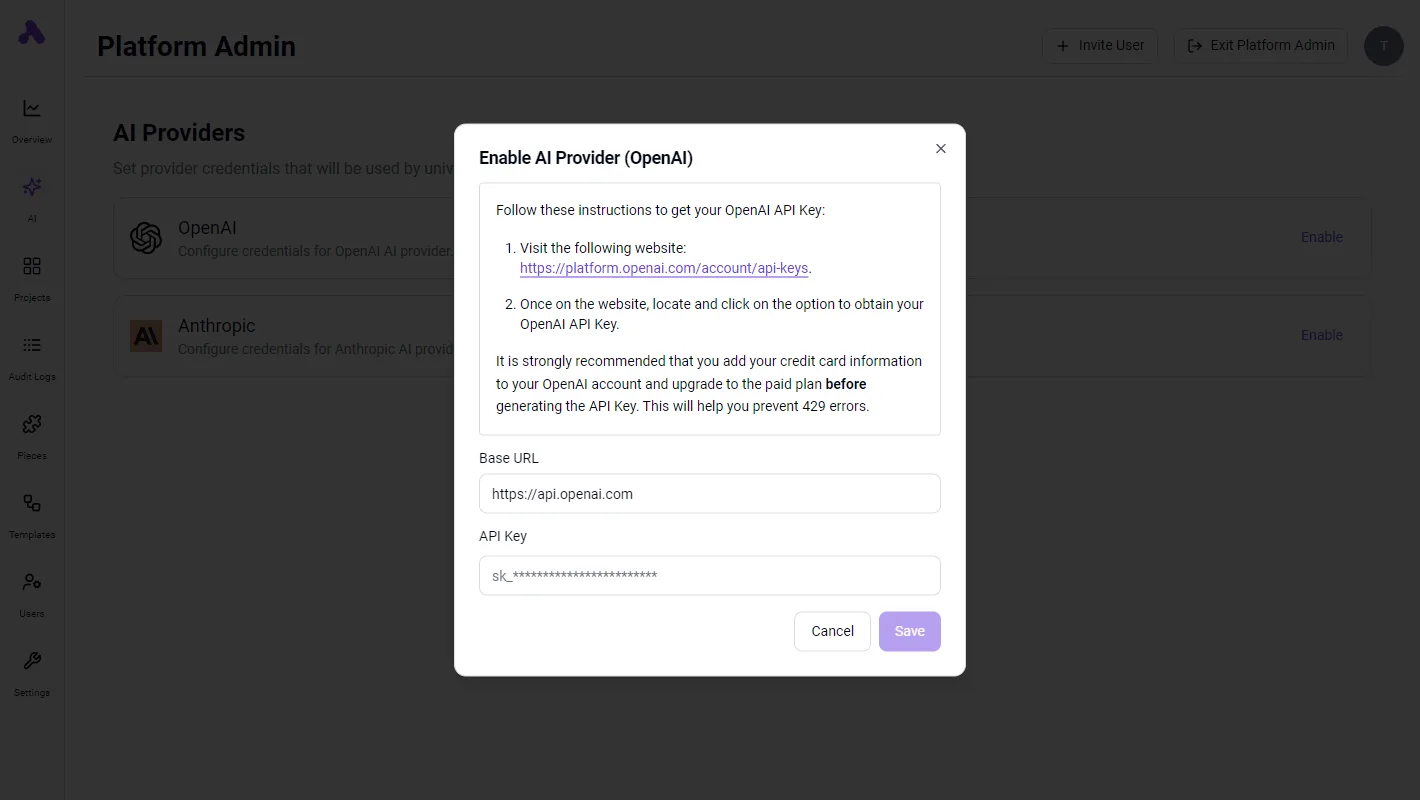
Ask the same question of every vendor below: who holds the credential, and can you move it?
Nango: token API and open-source self-hosting
For a fresh access token on request, Nango gives you an API, and it can be self-hosted. That puts tokens in your own infrastructure, so a vendor breach doesn't expose them.
You operate the service, including its database and upgrades, and that is the cost. Choose it if your security team won't accept third-party token custody and your engineers will build the connect UI themselves.
Pipedream Connect: hosted custody on a workflow runtime
Where you need tokens inside your own network, Pipedream Connect stops short, because the credentials live with the vendor.
It handles authorization for your users and runs the resulting actions on Pipedream's workflow runtime. Choose it if you want embedded automations quickly and accept hosted custody.
Paragon for prebuilt in-app OAuth integrations
When the customer-facing experience is the product, Paragon helps: it ships a prebuilt in-app integration experience, so product and design teams don't write the connect flow.
It stops where you want full control of the UI or of token location. Choose it when a product team, not the platform team, owns the integration roadmap.
Composio: authentication for agents
For an agent calling tools on a user's behalf, Composio manages authentication. Agents retry aggressively, so check how it behaves on expired refresh tokens and revoked consent before trusting it with production traffic.
Choose it when the caller is an agent rather than a human clicking through a workflow.
Identity-provider token vault
If every integration targets providers your identity provider already supports, its token vault may cover storage and refresh without another vendor.
It stops at long-tail connectors and at any custom consent UI. Choose it when your connector list is short and your security team already trusts the vault.
Easier to see it running than to read about it: set it up free, no card.
Where Activepieces fits in managed OAuth
Think of Activepieces as a workflow platform that manages OAuth connections for its 750 integrations, meaning your existing tools are probably already supported, not a standalone token API.
It fits when the workflow is the product rather than when you only want a vault with a refresh endpoint.
At the architecture level the difference matters, so here's the shape of each side by side.
On the left, a token API sits between your app and the provider. On the right, a workflow platform keeps the connection store inside the engine, embedded in your host app.

Take from it where the refresh logic runs and who your code has to call when a token dies.
(illustration here)
What the docs confirm
When a flow's steps run, Activepieces uses the connections it stores for its integrations (it calls them pieces, and roughly 60% of them are community-contributed). Users create a connection once, and steps reference it by name instead of carrying credentials around.
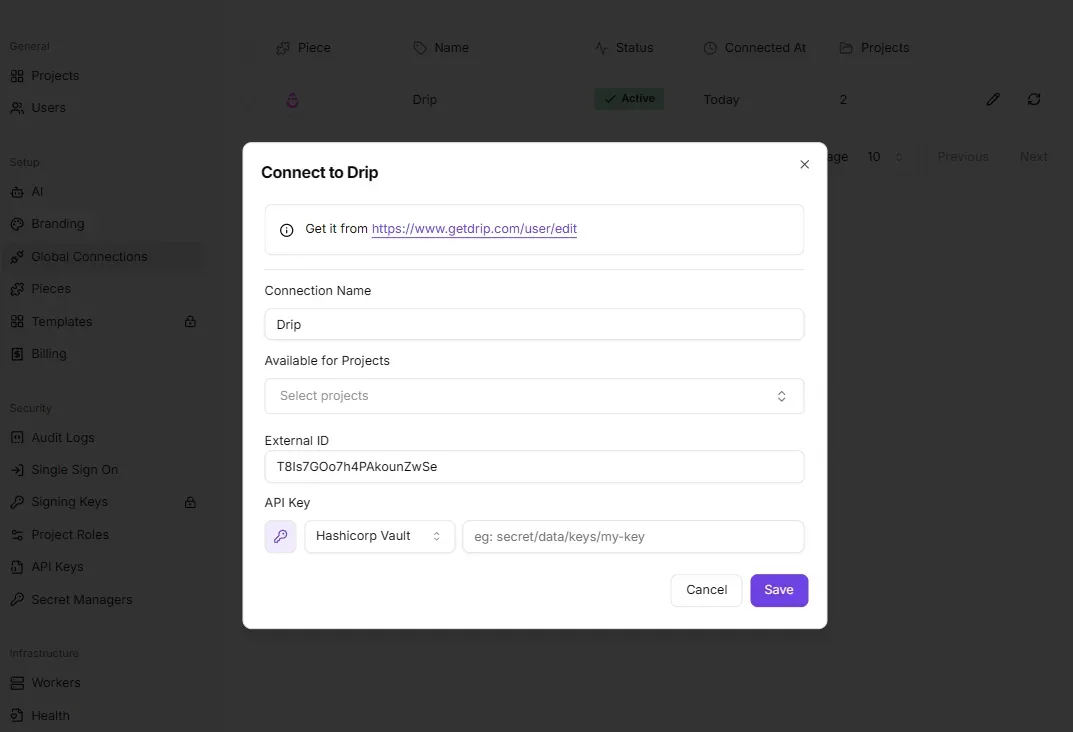
You can also embed it: the product documents an option to put the builder and connection setup inside your own app and have your customers connect their own accounts.
That's the part that speaks to the "who owns the user experience" question: your app can own the surrounding screens while the platform handles the consent flow and holds the connection.
Where the credentials sit has a second answer. Enterprise plans support secret managers, and credentials are held centrally rather than by each team.
The feature is on the published list, not just in the docs: the Ultimate plan names secret managers alongside SCIM, custom RBAC, audit logs and event streaming, and the enterprise governance feature set lists them next to SSO/SAML.
MoneyGram, Moneypenny, Alan and FundingSocieties run Activepieces in production. Zapier and Make keep credentials in their own cloud, and neither has a self-hosted edition.
What it doesn't do
I can't point to docs that describe a standalone endpoint where your backend asks for a fresh access token for an arbitrary provider and gets one back. Treat that as not confirmed, and don't design around it.
If your app code needs to call a provider's API directly, outside a flow, you're working against the grain of the product.
I also can't confirm how it behaves on the boring failures this article cares about.
Check the docs and test, in a staging environment, what happens when a refresh token expires, when a user revokes consent at the provider, and when the provider rate-limits a step.
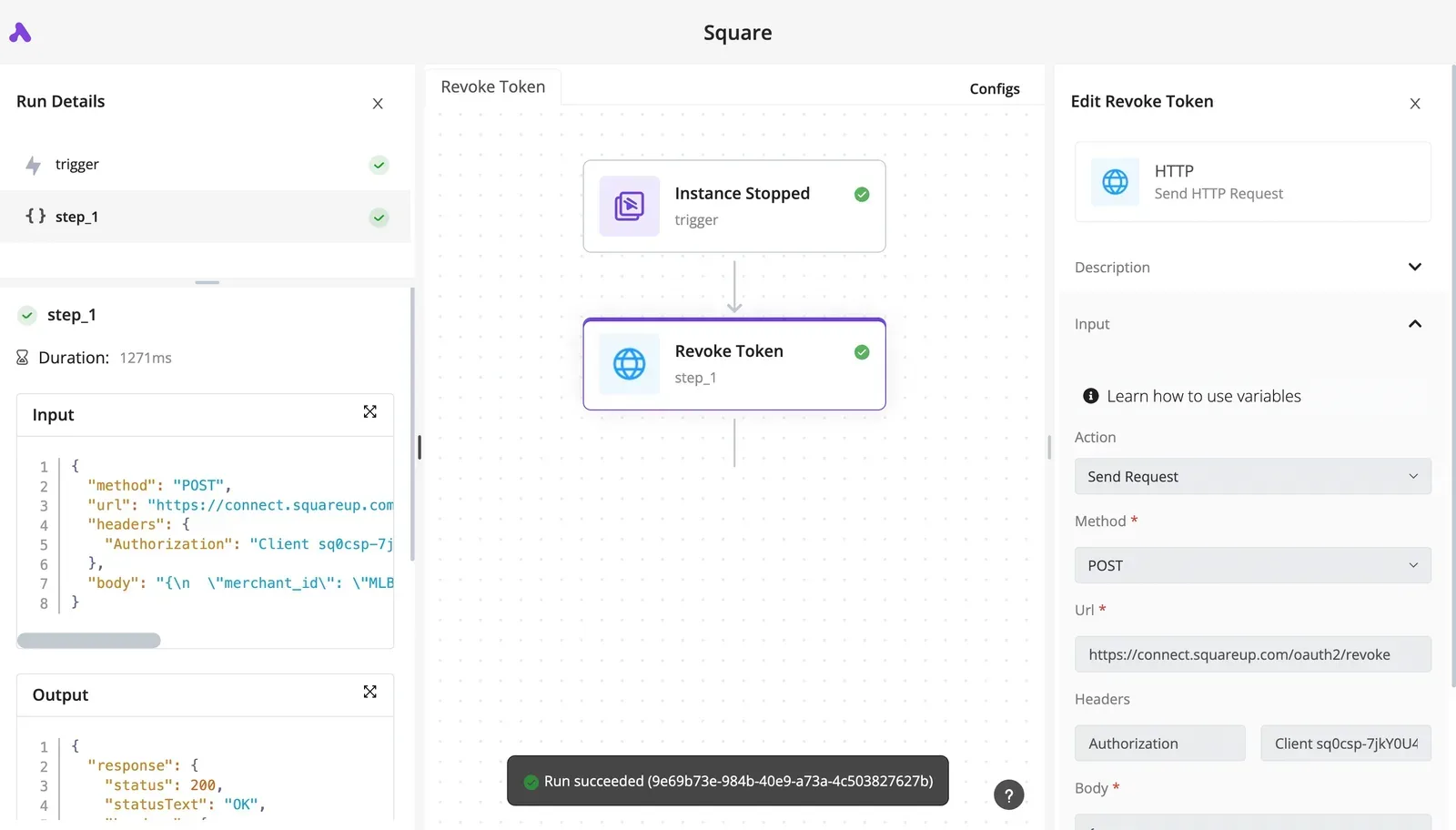
Look for whether the flow fails loudly, whether the connection is marked broken, and whether anyone is told. Until you've seen that, assume you must build the alerting yourself.
Who should pick it
Pick it if your integrations already are workflows: a trigger and some steps that use a connection.
It suits teams that want to ship customer-facing automations inside their product without writing each provider's OAuth plumbing, and that are comfortable with tokens living in the platform's store, or in a secret manager they've connected, rather than in their own database.
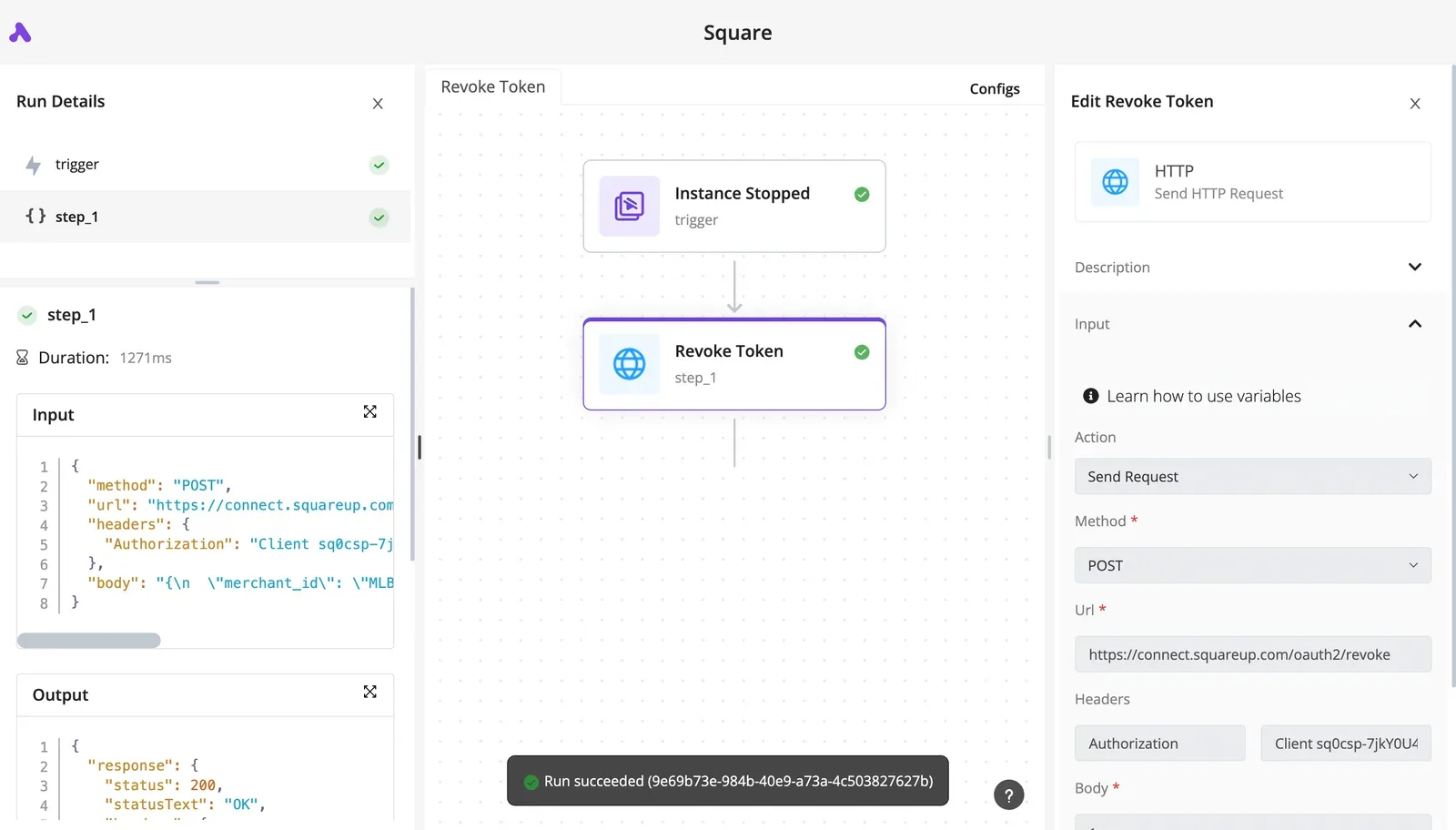
Skip it if your security team requires tokens in a vault you control and you're not on a tier that supports your own secret manager, or if you need token retrieval as a plain API call.
Those needs point to the standalone token API on the left of the illustration.
Checks to run before committing to a platform
Run the same seven steps against every shortlisted platform, with one real provider, before you sign anything, which means you'll catch integration issues before committing.
Each step below is a failure you'll otherwise meet in production, and the illustration above shows which of them land on your side of the line.
- Connect one provider end to end, using a real account rather than a demo tenant.
- Force a refresh-token expiry.
- Revoke consent from the provider's side.
- Trigger rate limits.
- Find where the tokens are stored.
- Swap in your own OAuth app.
- Export the tokens.
That order matters, because steps 2 and 3 tell you most about whether the platform's error handling is real.
Test revoked and expired OAuth connections
Watch for invalid_grant in the platform's logs, because that's what a dead refresh token returns, and the question is what happens next.
Either the connection flips to a visible "needs reauth" state and your user gets a prompt, or the workflow keeps retrying a token that will never work.
When the second case happens, a healthy run with empty output is what you see.
Shorten the token lifetime if the provider allows it, or edit the stored refresh token to garbage. Then revoke the app in the provider's own connected-apps screen. Confirm the platform tells you and lets you trigger reauthorization without rebuilding the workflow.
Then test rate limits, since they fail differently. HubSpot's burst limits vary by plan, according to Jetstack: 100 requests per 10 seconds on Free and Starter, 110 for a marketplace app, and 190 on Pro and Enterprise.

So a loop that passes on a Pro test account can get throttled for a customer on Starter, at nearly half the headroom.
Send a burst past 100 and check that the platform honors 429 and Retry-After rather than failing the run or hammering the API.
Confirm you can use your own OAuth app
Ask whether you can register your own client ID and secret with the provider, or whether every user consents to the vendor's shared app.
With a shared app, the consent screen shows the vendor's name and the vendor's quota is split among all its customers. That also makes you dependent on the vendor's approval status with the provider.
Do the swap in the test: create the app and paste in its credentials, then reconnect and confirm the old connection isn't silently reused.
Confirm token export before you sign
Find where tokens live: your database, the vendor's vault, or both. Then ask for an export of refresh tokens in a form your own code can use.
If you can't get them out, leaving means every customer must reconnect, which is a support burden you should price in now. Get the answer in writing, because a docs page rarely covers it.
Frequently asked questions
Is managed OAuth the same as a unified API?
No. Managed OAuth handles the authorization dance, token storage and refresh, and then hands you a valid access token to call the provider's own API.
A unified API goes further and maps many providers onto one normalized schema, so you call a single "contacts" endpoint instead of each provider's.
You can buy one without the other, and the unified layer is where field mapping gets lossy. Check which one you're actually evaluating before you compare prices.
Can I self-host managed OAuth?
Sometimes, and it depends on the vendor and the plan. Some platforms ship an open-source or self-hostable edition, and others only run tokens in their own cloud. The question that matters is where the refresh tokens sit at rest and who holds the encryption keys.
Read the vendor's own deployment docs rather than a feature grid, because "self-hosted" can mean the workflow runner is yours while the token vault is still theirs.
Who is liable if a platform leaks customer tokens?
Check the contract, because by default you carry more of it than you expect. Your customers granted consent to your product, so they'll come to you first, whatever the vendor's terms say about their own limits.
Look for a data processing agreement, the vendor's liability cap, breach-notification duties, and, if you handle health data, whether a business associate agreement is offered and on which plan. Have counsel read these before you sign, not after an incident.
Do I still need my own OAuth app registrations?
Often yes, and it's the gotcha that bites late. If the platform's shared app is used, the consent screen shows the vendor's name and your users' grants depend on the vendor's standing with each provider.
Registering your own app puts your brand on the screen and keeps grants portable if you leave.
The cost is that you go through each provider's review yourself, and for sensitive or restricted scopes on some providers, such as Google, that review can take weeks. Start it before you need it.
How often should I re-check vendor pricing?
Re-check before every renewal and whenever your connection count or usage shape changes materially. Per-connection, per-task and per-execution pricing scale differently, so a plan that was cheap at a pilot can become the expensive option at production volume.
Always pull the figure from the vendor's current pricing page, not from an older comparison, this article included. Confirm which plan carries the features you depend on, such as self-hosting, audit logs or compliance terms, since those are often gated to higher tiers.