
ChatGPT for Sales: Pricing and Integrations (2026)

Nov 18, 202611 min read
ChatGPT for sales is a new OpenAI product, confirmed on OpenAI's own page on 2026-11-18. For teams that automate work, whether through scripts or open-source tools like Activepieces, its value turns on whether it connects to the apps they already run.

ChatGPT for Sales Is OpenAI's New Sales Product
What OpenAI released with ChatGPT for Sales
You will see the catalogue wall first, because it is the usual way vendors in this space sell connectivity. They show a grid of 16 tool icons.
That tells you a name appears, but not whether the trigger or field mapping your workflow needs exists.
Apply the same test to OpenAI's product: the question is which actions it can take in your systems, not how many logos it can show.
Who ChatGPT for Sales is for
Sales roles vary, and each needs something different from an AI tool. Salesforce surveyed 1,417 sales leaders, 1,032 reps, 1,022 sales ops staff and 579 sales support staff. That's 4,050 respondents in all.


Reps and leaders want output they can use in a deal. The 1,022 in sales ops are the people who wire tools into the CRM and own the field mappings.
For them, a sales assistant that can't write back to records is a chat window.
Before you plan a rollout, check OpenAI's page again. Read on 2026-11-18, it confirms the product and its availability, but availability and plan terms can change.
For them, a sales assistant that can't write back to records is a chat window.
If you are running this arithmetic for your own team, see what the same workload costs on Activepieces.
Why the Launch Matters to Teams Automating Work
If it doesn't plug into the CRM, email and enrichment steps a team already runs, a sales AI isn't worth adopting. The hours it could recover sit in that plumbing, not in the pitch.
Those hours are the prize. Landbase, citing Salesforce State of Sales research, puts non-selling work at 7 hours in every 10, so less than a third of their time is spent selling.
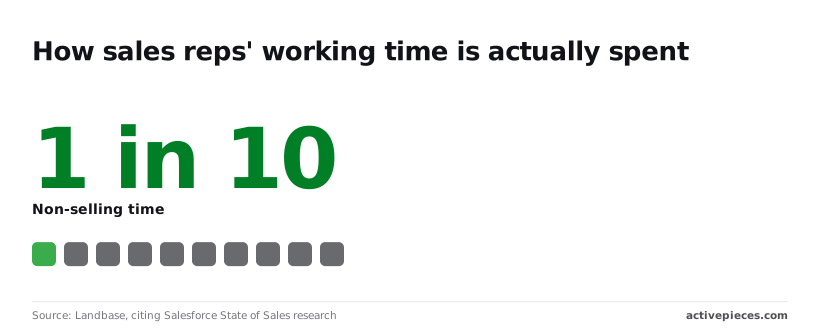
On a 40-hour week, a rep sells for about 12 hours and spends 28 on research, record updates, drafting and admin, meaning administrative work takes more than twice as long as selling.

If a tool only writes text inside its own window, it saves a slice of that.
If it reads from and writes to the systems holding the work, it can take on far more. Which of those ChatGPT for sales turns out to be decides everything else.
Four questions settle it. The list below marks each answered or open. As of this writing all four are open, so none of them can yet carry a workflow.
- Where does the input come from? Open: no documented source for call notes, emails or account data.
- Where does the output go? Open: no confirmed destination beyond the chat window.
- Does it fit the CRM, email and enrichment steps already running? Open: no named trigger, action or field mapping to check.
- Is there a documented API or connector? Open: nothing published that a team could build against.

ChatGPT for Sales claims that can be checked
None of the page's claims is yet confirmed here to the level you would wire a workflow against. It makes a handful of checkable ones about a sales plugin, partner plugins, listed apps, a customer result and seat pricing.
That's why each one gets read against the page before anything's built.
ChatGPT for Sales plugins and listed apps
The page describes a sales plugin and a set of partner plugins that connect it to other tools, plus a list of apps it works with.
A catalogue count tells you nothing about the trigger that starts a run, the action that writes back, or which fields map across. Until the page names those, treat the list as a menu of logos.
It also cites a result from a customer, NeoBid. That's the vendor's own framing of one deployment, so it says little about your pipeline, and nothing about what the customer automated to get it.
If a plugin sits behind a particular plan, or the connected apps need admin approval, a pilot can stall at the first permissions screen. Availability is the line to pin down before anything else.
The page as read on 2026-11-18 doesn't give me a plan-by-plan breakdown I can confirm, so I won't invent one.
The page gives seat pricing: $20 per user per month billed annually or $25 billed monthly for a standard seat. Seat pricing also leaves open whether connected apps, automated runs or API calls carry separate charges.
A per-seat quote covers the person typing, not the workflow running overnight. Get the metering terms in writing before costing a rollout.
Worth checking against a plan that does not meter every step: one credit covers a whole run on Activepieces.
What Activepieces Has Already Shipped for It
The shipped support, with date and link
We found no Activepieces integration, template or announcement specific to ChatGPT for sales, so there's no release date or link to cite, and a rollout costing should assume nothing prebuilt.
Activepieces is an MIT-licensed automation platform, and its connectors are called pieces.
Every connector is an agent tool: a integration action defined once under packages/integrations in the open source repo runs as a flow step and is also exposed as a tool on the per-project MCP server, reachable from Claude, ChatGPT or Cursor, and the Integrations Framework and MCP Server documentation describe that mechanism.
MoneyGram, Moneypenny, Alan and FundingSocieties run Activepieces. A ChatGPT for sales integration would therefore need no second integration, but none turned up.
Activepieces hasn't tested the product, so nothing in it vouches for how ChatGPT for sales handles authentication or load. Treat any claim of a ready-made integration as unverified until a named piece appears in packages/pieces/community.
Connecting it in a workflow today
When there's no native integration, the generic route is the Webhook or HTTP step, which works with any service that exposes an endpoint.
The sequence below is what you'd build, and the point to take from it is that every stage is yours to configure, which makes every stage yours to debug.
- Add a Webhook/HTTP step to the flow.
- Set the endpoint and the auth header.
- Map CRM fields into the body. The CRM is the system where your reps keep accounts and deals.
- Route the response to a CRM update step or an email step.
- Test, then read the run log.
If a field name doesn't match what the endpoint expects, it either fails or sends junk, and the run log from step five is where you see which. Step three decides whether this works.
What follows is the question that gates all of it: whether OpenAI exposes an endpoint for this product at all. Without one, this route doesn't work.
ChatGPT for Sales cost compared with alternatives
Published prices are all there's to compare: no speed or cost-per-task test was run, so the table shows price, setup effort and automation hook, not measured results. The seat prices come from the OpenAI Help Center.
At $20 to $25 per user per month depending on billing choice, a standard ChatGPT Business seat costs a 100-person sales team $2,000 to $2,500 a month.
A premium seat runs $100 to $125, five times the standard price, so the same team would pay $10,000 to $12,500.
The table puts those figures beside the other routes. The takeaway is in the last column: the cheapest option isn't the one with a hook you can wire.
| Route | Price | Setup effort | Automation hook |
|---|---|---|---|
| ChatGPT for sales | No separate price found | Enable plugins | Sales plugin and partner plugins |
| General ChatGPT plan | $20/$25 standard, $100/$125 premium per seat | Low | None specific to sales |
| API workflow | $8 in, $40 out per million tokens | Highest | Whatever you build |
| Manual | No software cost | None | None |
Prices and plan limits checked against openai.com and activepieces.com on November 18, 2026.
viz type=dumbbell title="What a ChatGPT Business seat costs by billing choice" unit="$ per user per month" source="OpenAI Help Center - https://help.openai.com/en/articles/8792536-managing-billing-and-seats-in-chatgpt-business" before="Billed annually" after="Billed monthly"00 to The API's output rate is five times its input rate, so long generated drafts cost more than long inputs read.
ChatGPT for sales is OpenAI's Sales plugin plus more than 30 new and enhanced partner plugins. That count is catalogue size, not proof of fit.
What follows is checking whether those plugins expose the trigger and field mapping your workflow needs.
What to watch next for ChatGPT for Sales
Watch three things. Those are changes to OpenAI's product page and pricing, any documented connector or API access for ChatGPT for sales, and whether your automation platform's OpenAI integration gains the trigger your workflow needs. Everything else is noise until those move.
You learn from the page and pricing whether the product is a seat-based app or something you can call. A seat-based app with no documented access means your flows can't reach it, however good the demo looks. Documentation is the only thing that counts here.
When a launch post says "integrates with your tools", it names no trigger, no action and no field mapping, so it commits to nothing.
The platform side matters just as much.
A catalog entry can list many actions and still have no triggers, which means it can send work to a model but can't start a flow when something happens in your CRM. Check for that gap before you plan around it.
Here's the order for Monday, each step ruling out something before you spend time on the next:
- Reread OpenAI's product page and pricing, and note anything that changed since launch.
- Search the documentation for a named connector, API endpoint or authentication method for ChatGPT for sales.
- Check the status of the OpenAI integration in your platform's catalog and its open pull requests, looking for triggers rather than action counts.
- Build a flow that starts from a webhook, a URL your flow listens on for incoming events, and send it a test payload.
If step 4 passes, you have a working path and can judge the product on its merits. If it fails, you know which gap to report.
Frequently asked questions
Vendor pages leave all four questions below only partly answered, so each answer says what's documented and what isn't.
Is ChatGPT for sales free to use? The vendor pages publish seat prices for ChatGPT Business, though I can't confirm a free tier. Treat it as a paid product until OpenAI says otherwise.
Ask what costs sit beyond seats, such as usage limits or charges for connected tools, because those decide the real bill for a team running automation.
Does ChatGPT for sales have an API?
No API or developer documentation for this product turned up on the vendor pages. OpenAI's general models are available through its platform, but that's not the same as a documented endpoint for this product.
Without one, you can't trigger it from a workflow or read its output back into another app. Check for an endpoint before you plan around it.
Can I connect ChatGPT for sales to my CRM? The vendor pages name no CRM connector. Look for the specifics: which records it reads, which fields it writes, and what event starts it. A catalogue line saying "integrates with CRMs" settles none of that.
Did Activepieces test ChatGPT for sales? No: no Activepieces integration targets the product, and no test result is published on the vendor pages, so this article reports none.
Any claim about speed or reliability would be a guess, and no speed data has been published either.
Related reading
Running the numbers
See what the same workload costs here.
Free forever plan, and every paid plan self-hosts at no extra cost.
See pricing Talk to sales