
Claude Google Workspace Integration Without Code

Nov 17, 202617 min read
The integration is a no-code flow, built in a builder like Activepieces, where a Gmail, Docs, Sheets or Slides event triggers a Claude step, and the result is written back into Google Workspace.
Build one flow, test it on a real email, and fall back to a plain HTTP request for anything the connectors skip.
Claude and Google Workspace integration setup
What people automate between Claude and Google Workspace
In the most common flow, the filter looks like is:unread label:support -from:me has:attachment. Claude reads the matching message, classifies it or drafts a reply, and the output lands in a Sheets row or a Docs file.
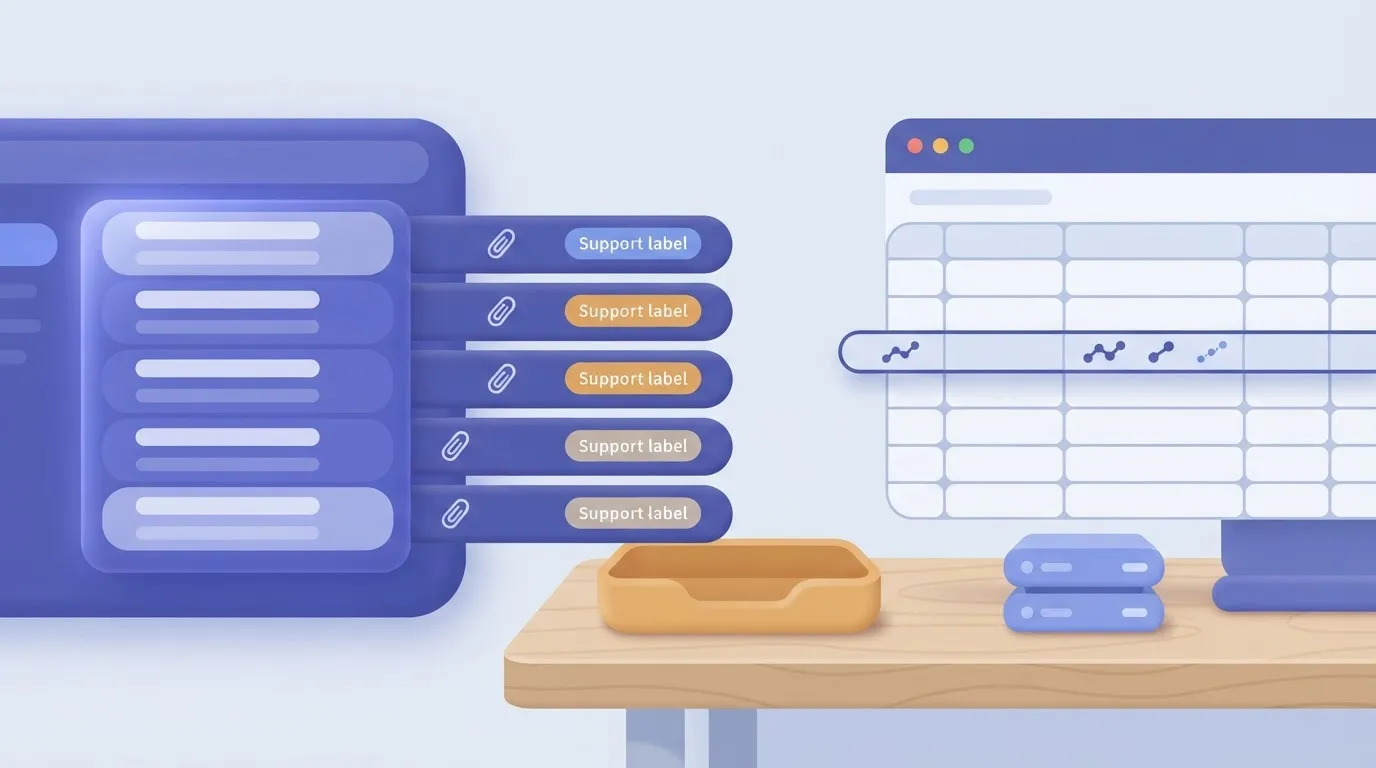
The same shape covers summarizing long threads, extracting invoice fields into a spreadsheet, and turning meeting notes into a Slides outline.
Each of those flows depends on one rule: Claude should write drafts and rows, shouldn't send mail on its own. A bad classification that creates a draft costs you a glance. One that sends costs you a customer.
Requirements for Claude and Google Workspace integration
You need four things in place:
** A bad classification that creates a draft costs you a glance. One that sends costs you a customer.
- A Google account with access to the mailbox, sheet and document you'll touch
- An Anthropic API key with billing enabled
- An automation builder that offers both Claude and Google Workspace connectors, such as Activepieces, which counts 750 integrations in its open source repo
- One real example email that matches your filter, so you test against actual messages rather than invented ones
Know the limits before you build. A Gmail trigger polls on a schedule, so it fires after a delay rather than the moment a message arrives.
Plan to pass text, not whole files, because large attachments and long threads can exceed what a single Claude step should receive.
And Google asks you to approve each connection's scopes, so a flow that "can't see" a sheet usually means the sheet was never shared with the connected account.
Connecting Claude to Google Workspace in four steps
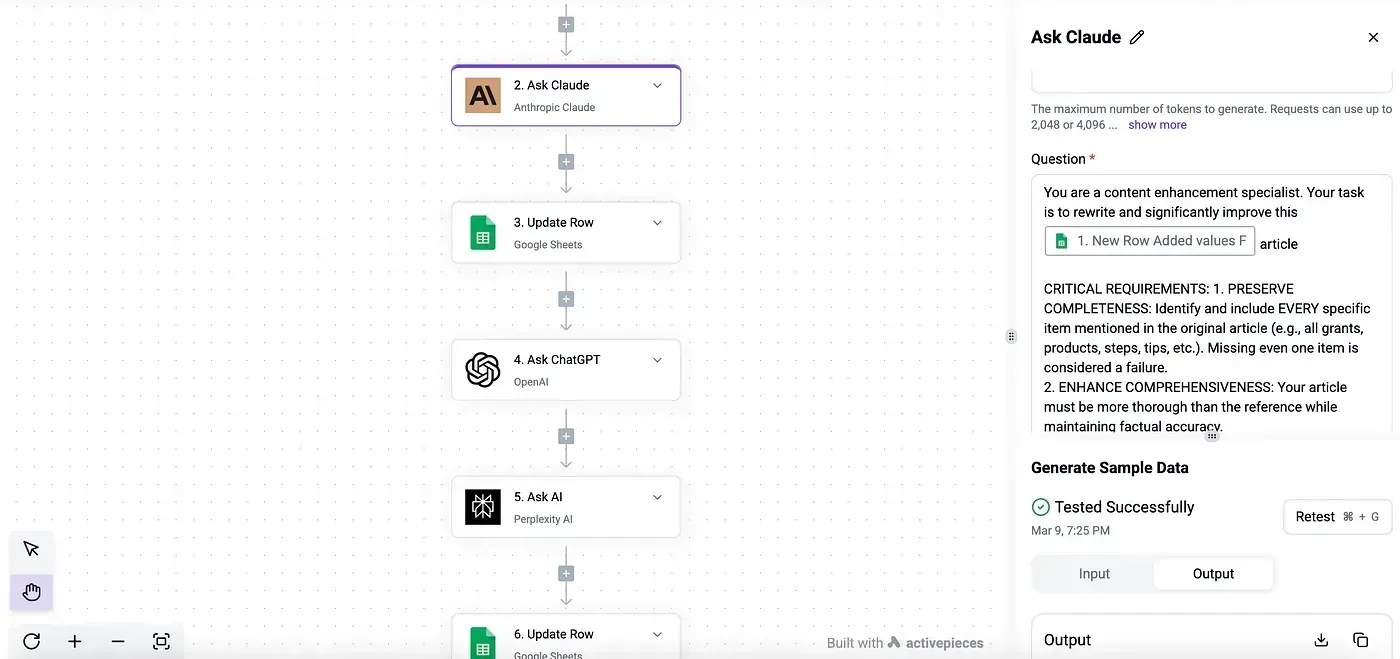
Read the flow left to right. A Gmail trigger catches the message, a Claude step interprets it, and Sheets and Docs steps record the result, with a plain HTTP request branching off for anything the connectors lack.
Once you have the layout, the build itself is short.
- Create the trigger. Choose the Gmail new-email trigger and apply your filter or label so only relevant messages start the flow.
- Add the Claude step. Pass the subject and body, and tell Claude to return fixed fields such as category, summary and suggested reply, so later steps can map them.
- Add the Google Workspace actions. Map those fields into a Sheets row, and optionally into a Docs file or a Gmail draft.
- Test with your sample email, then check each step's output before you turn the flow on. If a step you need has no connector action, add an HTTP request to the relevant Google or Anthropic API endpoint.
The next sections take each move in detail, starting with the trigger.
Everything below works on Activepieces' free plan. Start without code or a credit card.
Five Claude and Google Workspace workflows
Five workflows are buildable now, but only one starts from a listed Google Workspace trigger; the Gmail, Sheets, Docs and Slides ones need an HTTP request for the Google step.
The public listing for the Claude connector shows no triggers, only three actions: "Ask Claude", "Extract Structured Data" and "Custom API Call".
Over on the listing for the Google Workspace connector, the triggers are "New Admin Activity Event", "New Application Activity Event" and "New User Event". Its actions are directory and device tasks such as "Get Record", "Search Records" and "Suspend User".
That means Claude never starts a flow, and the Google side is built for administrators rather than mailboxes or documents.
Read the last column of the table first: it tells you which flows need the extra step before you commit. The table shows what each flow uses and where the gap falls.
| Workflow | Trigger and app | Claude action | Google Workspace action | Job done | HTTP request needed? |
|---|---|---|---|---|---|
| Summarise incoming mail | New-email trigger from a Gmail connector | "Ask Claude" | Create a draft through the Gmail API | Short summary and suggested reply waiting in drafts | Yes |
| Classify sheet rows | New-row trigger from a Sheets connector | "Extract Structured Data" | Write the result back through the Sheets API | Each row gets a category and fields | Yes |
| Generate a document | Form or schedule trigger | "Ask Claude" | Create a Doc through the Docs API | First draft of a report or brief | Yes |
| Generate a slide | Same trigger type | "Ask Claude" | Add a slide through the Slides API | Draft slide text from a request | Yes |
| Welcome a new user | "New User Event" in Google Workspace | "Ask Claude" | "Get Record" | Personalised onboarding note | No |
Prices and plan limits checked against activepieces.com and activepieces.com and docs.claude.com and claude.com and openai.com and gemini.google on November 17, 2026.
Building each workflow
For Gmail, start from a new-email trigger, then pass the body to "Ask Claude" and ask for a summary plus a suggested reply. Write the result as a draft, never a sent message.
Because the Google Workspace connector lists no mail action, the draft step is an HTTP request to the Gmail API. Keep a human sending step: a misfiring flow that sends mail is the disaster you can't recall.

For Sheets, use "Extract Structured Data" so Claude returns fixed fields instead of free text, which keeps the write-back predictable. Writing those fields into the sheet is again an HTTP request, this time to the Sheets API.
For Docs and Slides, a form submission or schedule feeds "Ask Claude", and the output goes into a new Doc or slide through the matching API. The text step is native; document creation isn't.
When the step you want is not listed, use an HTTP request. The Claude connector's "Custom API Call" covers any Anthropic endpoint it lacks, and a generic HTTP step, authorised with your Google credentials, covers the Google side.
Build one flow end to end this way before adding a second.
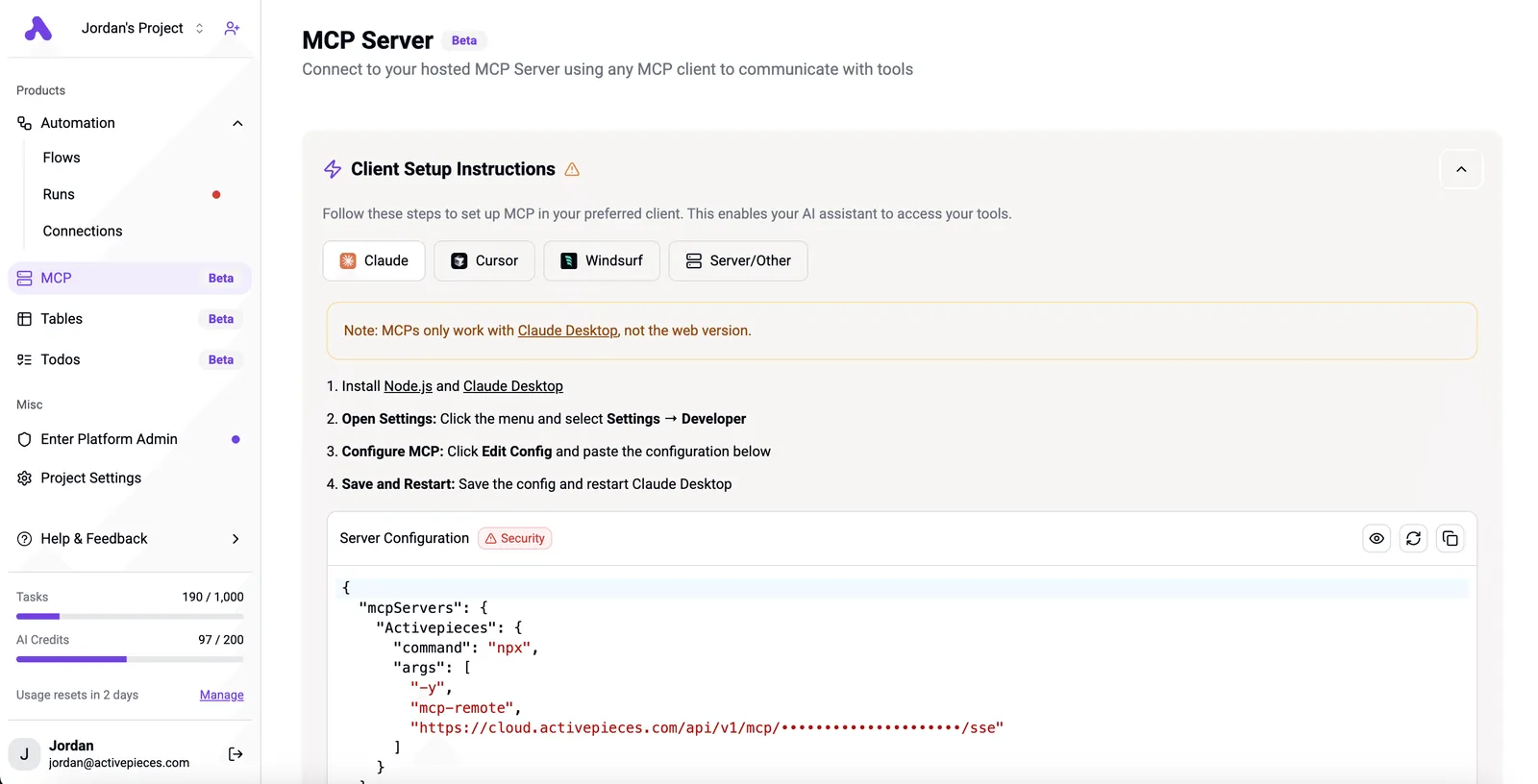
The "Ask Claude" and "Custom API Call" actions you wire in here are pieces, and on a platform built this way a piece that runs as a flow step is also a tool on the project's MCP server, so Claude, ChatGPT or Cursor can call the same action with no second integration.
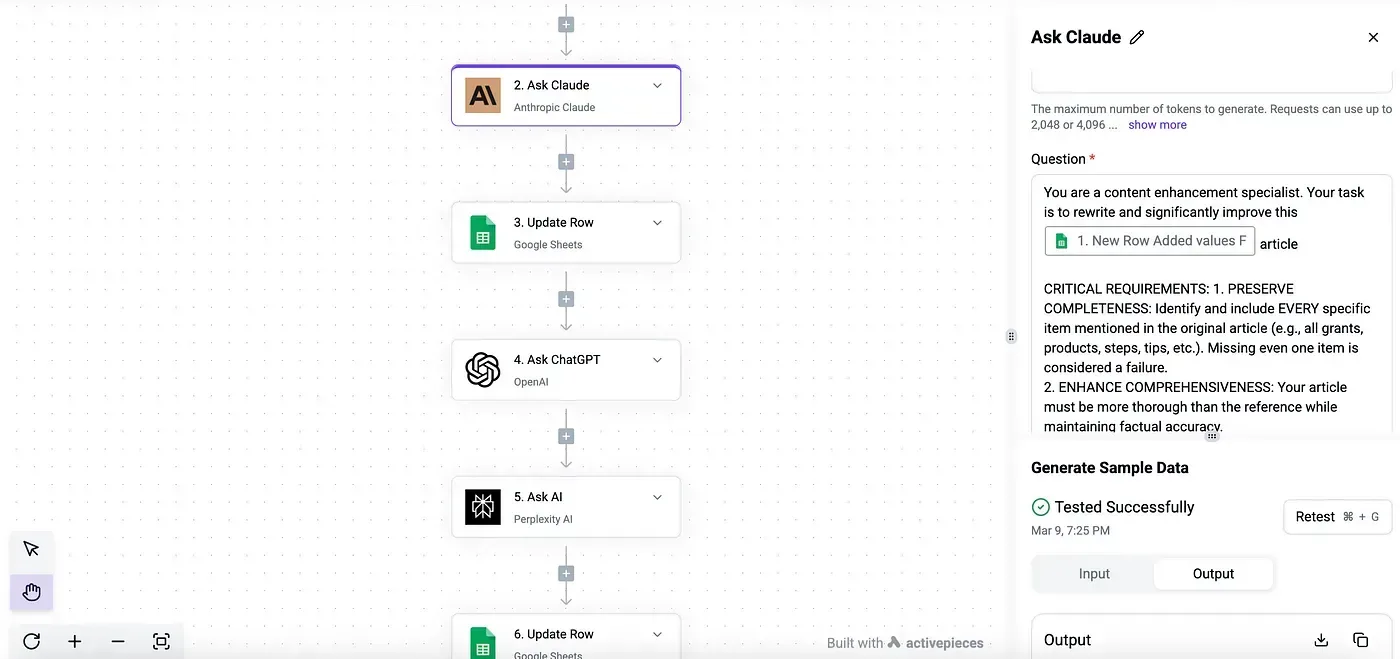
In packages/pieces of the open source repo, which holds 750 integrations, the action in your flow and the MCP tool are one definition, and the Integrations Framework and MCP Server documentation describe that same arrangement, meaning this unified definition scales across all 750.
MoneyGram, Moneypenny, Alan and FundingSocieties run this open source platform.
Building a Gmail to Claude to Sheets workflow
You can build this flow in six steps, and each one leaves something that already works, so you never debug more than one new thing at a time.
Before you start, create a Gmail label such as claude-inbox and a filter that applies it to the mail you want processed, for example to:[email protected] -from:me.
Because the trigger reads the label, the filter decides what Claude sees. The steps below run in order and each ends with what you should be able to confirm.
Create the trigger and connections
Step 1 is to create a new flow and pick the Gmail "New Email" trigger. Set the label to claude-inbox so the trigger ignores the rest of the inbox. What works after: the trigger is saved and scoped to one label.
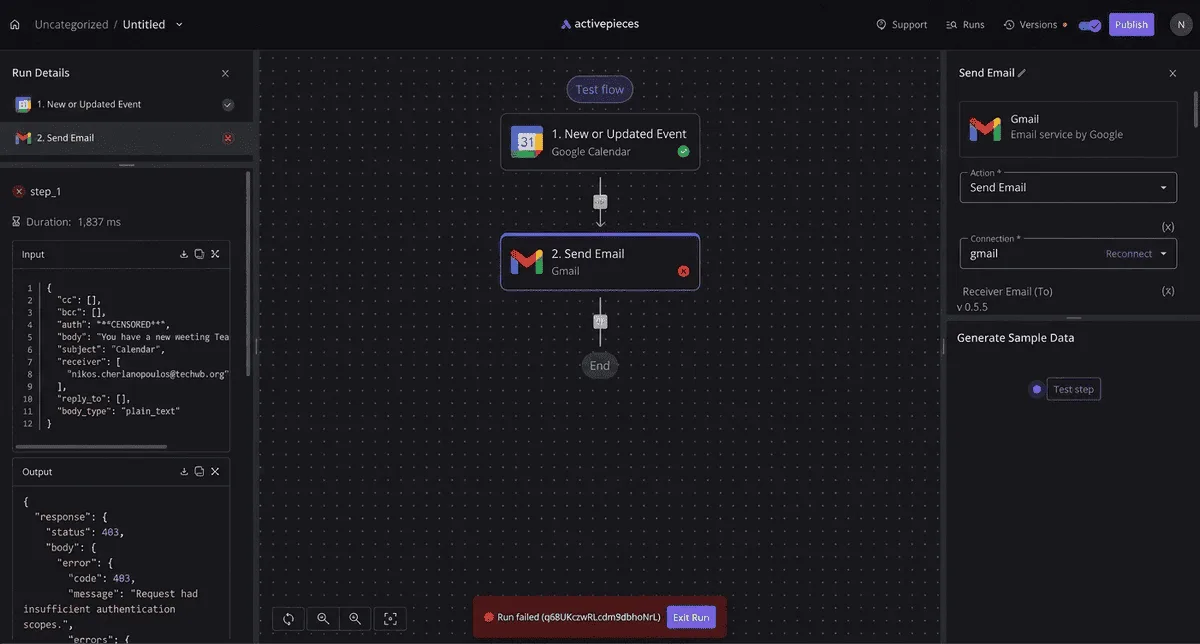
Now create the connections (step 2). Click Connect in the Gmail step and approve the Google sign-in, then add the Anthropic connection by pasting an API key from your Anthropic Console account.
What works after: both connections show as connected, and you won't be asked again.
Treat the Gmail trigger as a scheduled check rather than an instant push. A message can sit for a while before the flow sees it, so don't test by sending one email and staring at the screen.

Add the Claude step
Next comes step 3: add the "Ask Claude" action and choose a model. Claude Haiku 5.5 suits high-volume mail like this, and Claude Sonnet 5.5 is the step up if the replies need more judgment.
In the prompt field, insert the trigger's subject and body fields from the mapping panel. Add an instruction such as "Classify this email as billing, bug or other, then summarize it in one sentence."

What works after: the step can read the real email fields instead of fixed text.
Keep the instruction narrow. A prompt that asks for a label plus a sentence gives you clean columns later, while an open-ended prompt gives you paragraphs.
Write the result to Sheets
For step 4, add the Google Sheets "Insert Row" action, connect your Google account, pick the spreadsheet and tab, and map columns: sender, subject, and Claude's answer.
Put headers in row one first, or the column mapping will have nothing to show. What works after: the flow has a destination and every field has a column.
Testing and publishing your Claude Workspace workflow
Send yourself an email that matches the filter (step 5), then run Test Step on the trigger and on each action in turn.
Read Claude's raw output before trusting the sheet, because a wrong label here becomes a wrong row there. What works after: you've seen one real email travel from Gmail to a spreadsheet row.
Last, click Publish (step 6). What works after: the flow runs on its own, and the next matching email lands in the sheet without you.
If a later step needs something the connectors lack, a plain HTTP request step covers it. Get this one flow publishing cleanly first.
Easier to see it running than to read about it: set it up free, no card.
Claude and Google Workspace workflow limits, costs, errors
Most failed runs trace to six causes: a bad API key, a billing lapse, a rate limit, a token limit, a missing Google scope, or a Gmail or Sheets quota. Each has a one-step fix. Read the error code before you rebuild anything.
To match the error text in a failed run to a repair, use the table below. It pairs each cause with its fix and the vendor figure that applies.
Where a vendor publishes no fixed number for that error, the cell says so rather than guess.
| Error | Cause | Fix | Vendor-doc figure (checked 2026-11-17) |
|---|---|---|---|
| 401 invalid key | Key pasted with a space, revoked, or from another workspace | Create a new key and re-save the connection | None; the key is checked on every request |
| Billing error | No credit or a lapsed payment method | Add credit in the Anthropic console | Sonnet 5.5 costs $2 to $10 per million tokens |
| 429 rate limit | Too many requests for your tier | Add a delay and retry | Set by your tier; read it from the response headers |
| Token limit | Input plus requested output exceeds the model's window | Trim the input or lower the max output | File limits below |
| Google insufficient scope | Connection approved without Gmail, Docs, Sheets or Slides access | Disconnect, reconnect, tick every box | None; scope is granted per consent |
| Gmail or Sheets quota | Per-minute or daily Google limit hit | Batch reads and writes, and filter the trigger | Varies by account type |
Fix the top of the table first, because a 401 or a billing error stops every later step.
Claude API errors and rate limits
When you see a 401, the key is wrong, not the flow. Paste it fresh. Pricing, per Anthropic, is listed from input to output per million tokens. Haiku 5.5 runs $0.1 to $0.5, Sonnet 5.5 $2 to $10, Opus 5.5 $4 to $20.
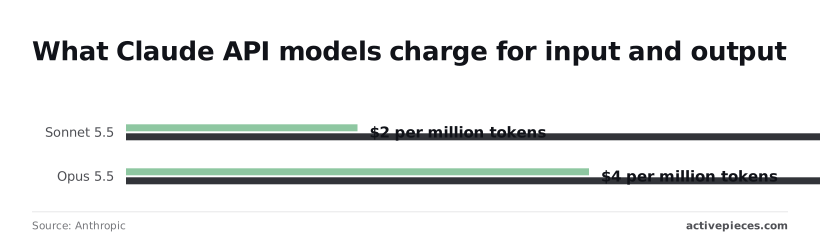
On each model, writing costs five times reading, so a long reply into a Doc costs more than the email it summarises. Use Haiku 5.5 for sorting and Sonnet 5.5 for drafting. On a 429, wait and retry; don't loop instantly.
On the Google side, "Insufficient scope" means the connection was approved before you added a step. Reconnect and grant everything the flow touches.
For quotas, narrow the trigger instead of raising limits: is:unread label:inbox -category:promotions has:attachment stops newsletters burning runs, which means fewer Sheets writes per hour.
Claude prompt and output errors in Workspace workflows
Check file size before the model sees it. Anthropic lists 500 MB for chat uploads, 128 MB per API request and 30 MB per project file, so your maximum upload size depends on where you're storing it.
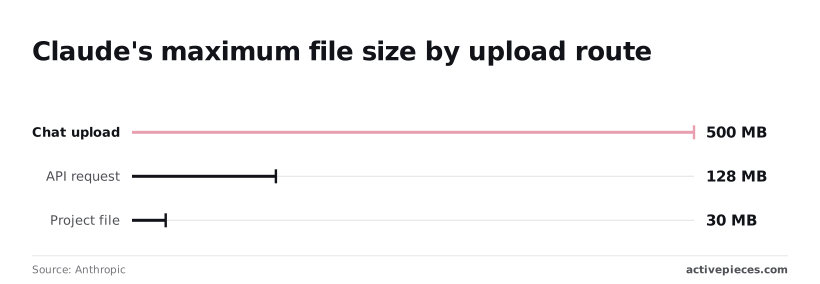
A flow built on a chat-sized attachment can therefore fail at the API step, and anything over 30 MB can't live in a Project.
If the reply is cut off, raise the max output, or ask for a fixed format so the next step can parse it.
Why Activepieces suits Claude and Google Workspace workflows
If you want the Claude and Google Workspace steps on infrastructure you control, Activepieces suits the job: its core is MIT-licensed and every plan, including free, allows unlimited flows. It's not the only tool that can make the connection.
When Zapier or Make suit Claude and Workspace
Zapier and Make, two hosted automation services, also connect Claude to Gmail, Docs, Sheets and Slides. If you already pay for one of them and your flow is a short chain, stay where you are.
A typical case is a new Gmail message going to Claude and a summary landing in a Sheet.
Rebuilding a working flow in a new tool is time spent for no gain.
The same goes if nobody on your team wants to run software. A hosted service means someone else patches it, backs it up and answers when it goes down. That's a real saving, and you should count it before you count anything below.
Self-hosting and open source for Claude Workspace workflows
Because Activepieces has an MIT-licensed core and can be self-hosted, your Gmail content and Claude prompts pass through a server you run rather than a vendor's.
If the emails you process contain customer data, that decides the matter for many support teams, because you can answer "where does this go?" with a hostname.
Step limits
Step limits are the second reason. On Activepieces a run is 1 credit however many steps it has, though AI steps such as Claude's cost more.
A flow that reads a thread, asks Claude to classify it, branches on the answer, writes to Sheets, and posts to Slack burns through steps quickly.
On a plan that meters them, a busy inbox turns into a bill or a throttled flow. Here you aren't counting steps.
Catalogue size
The third reason is catalogue size. Activepieces calls its connectors "pieces," and its open source repo counts 750 of them, roughly 60% contributed by the community.
With 750 integrations, the Anthropic Claude and Google Workspace integrations you need are there now, with live triggers and actions you can pair without code, meaning your team can wire them together without engineering overhead.
Where an integration lacks a step, a plain HTTP request fills the gap, as covered earlier.
Because the catalogue is still growing, integrations are still being added, so check the integration's action list before you design around a specific step.
Building your first Claude and Workspace workflow
Pick one flow that you currently do by hand: a Gmail label that triggers a Claude summary into a Sheet is a good first candidate.
Build it in Activepieces, where the free plan's 1,000 credits a month and unlimited flows cover a test run, run it against five real messages, and read every output before you switch it on.
If it holds, add the Slack step. If you hit a missing action, use the HTTP request and move on.
Frequently asked questions
When an action is missing, a plain HTTP request usually covers it, and the questions below are the ones that come up after the first flow is running.
Can Claude read my Google Docs directly from a workflow? Not by itself. Claude reads only what the workflow hands it. Use the Google Docs action to fetch the document's text, then map that output into the prompt field of the Claude step.
If the doc is long, pass only the section you need, because everything you send is text Claude has to process on every run.
Do I need a Claude API key, or does a Claude subscription work?
Plan on an API key. A chat subscription covers the Claude app, while workflow connectors call the API, which is billed separately through an Anthropic Console account.
Create a key there, paste it into the connection once, and every Claude step in the flow reuses it.
Set a spend limit on that account before you turn on a Gmail trigger, since a busy inbox can fire the flow far more often than you expect.
Is it safe to send Gmail content to Claude?
It's safe if you decide what leaves the inbox. The workflow sends only the fields you map, so send the subject and body, not the whole message with headers and attachments.
Filter the trigger first, with a Gmail search such as label:support -from:me newer_than:1d, so personal mail and noise never reach the model.
Check your company's data policy and Anthropic's current API data terms before routing customer messages, and keep anything regulated out of the flow until someone has signed off.
Can I run this without writing any code? Yes. A Gmail trigger, a Claude action, and a Docs, Sheets or Slides action are all configured in forms and dropdowns.
You may touch anything code-like only in the HTTP request fallback. That's a URL, a method, a header and a JSON body copied from the vendor's documentation, not a program.
What do I do if the step I need is not available?
Add an HTTP request step and call the service's API directly. Copy the endpoint and body shape from its docs, authenticate with the same Google or Anthropic credentials you already set up, and map the earlier steps' outputs into the body.
Test that one step on its own with sample data before connecting it to the rest of the flow. A bad field then shows up there and not in the middle of a live run.