
Clay API Pricing, Rate Limits and Access in 2026

Nov 24, 202616 min read
Clay's docs describe tools for sending data into Clay and calling other services from Clay, not one general REST API for controlling your workspace, so teams that wire it into automation platforms like Activepieces end up relying on those entry points.
Anything beyond that is tied to your plan.
If you skip this check, you can build a whole integration against an endpoint that was never promised to you. The list below separates what the docs describe from what they leave out, so you know what's safe to build on.
Clay API scope and key access
- Webhook sources: a table can receive records at a unique URL. Docs page: the Webhooks guide.
- HTTP API column: a table column can call any outside API and write the response back. Docs page: the HTTP API integration overview.
- Enrichment provider keys: you can connect your own keys for supported providers. Docs page: the integrations and connected accounts guides.
- Not published: a documented, general-purpose endpoint for reading or editing tables, rows or workflows from your own code. I've found no such reference page.
- Plan-gated or unclear: any limits on webhook volume or key access that depend on your plan. Where the docs are silent, ask Clay support and get the answer in writing.
Treat the first three as your foundation. Treat the last two as open questions until Clay answers them.
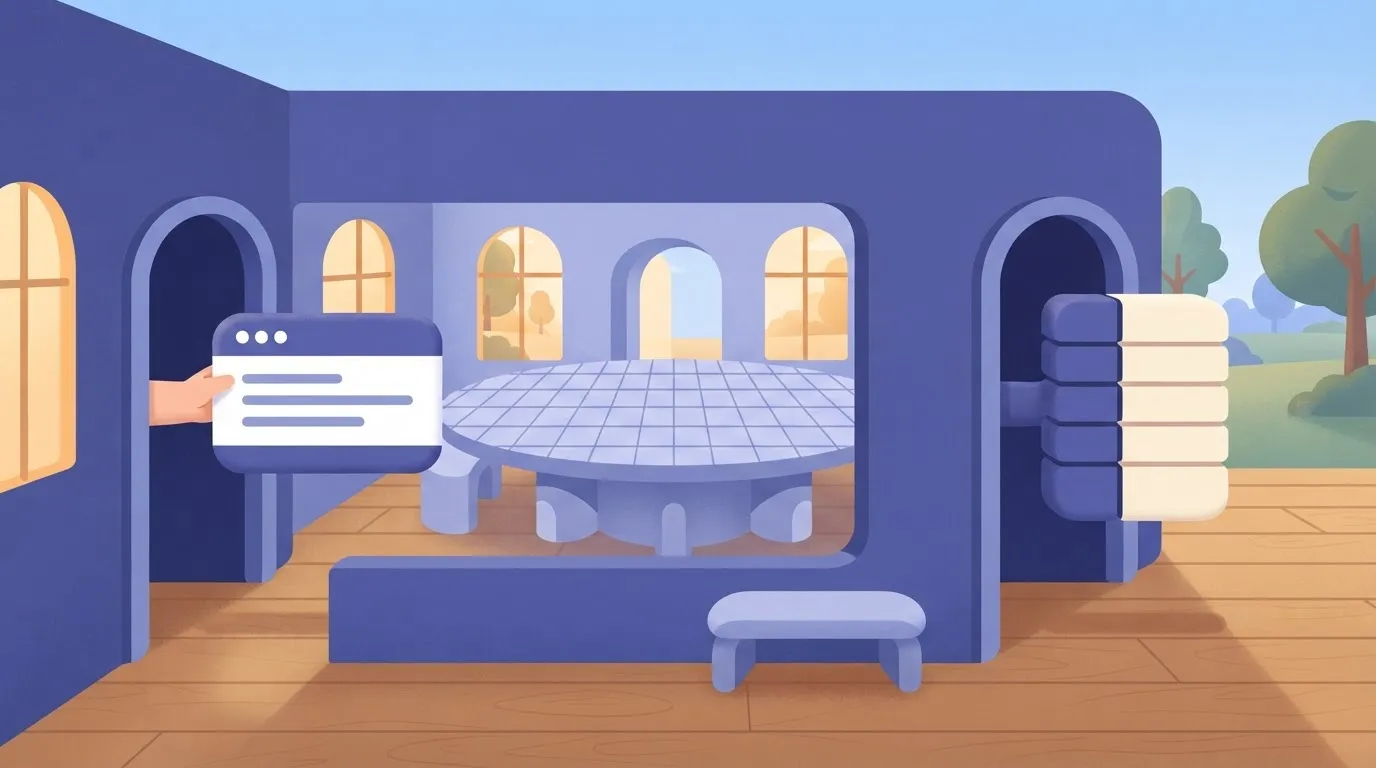
In practice the Clay API is a pair of doors. Data comes in through a webhook, and data goes out through an HTTP API column. Everything else happens inside Clay's own interface.
How API keys and public APIs work
Start with the plain definition: a key is a password that proves a request comes from you. A public API is a set of published addresses you can call with that key.
In practice the Clay API is a pair of doors. Data comes in through a webhook, and data goes out through an HTTP API column. Everything else happens inside Clay's own interface.
Clay uses keys mostly in the second direction: you hand Clay your keys for other services, and it calls them for you. I've found no page promising a Clay-issued key that unlocks the whole workspace.
Which plan gives access, and where the key lives
You won't find one plan-by-plan access table in the docs I reviewed, so I won't guess at one.
Open your workspace settings and look at the connected accounts area, which is where Clay's docs point for provider keys. If a feature you need is missing there, your plan may not include it, and asking Clay before you build is cheaper than rebuilding afterward.
Keep keys in your secrets manager or environment variables, never in a spreadsheet, a chat message or code you commit. A leaked key lets a stranger spend your credits and read your data.
If you are running this arithmetic for your own team, see what the same workload costs on Activepieces.
A Minimal Working Clay API Request
Make the first request small: one JSON body sent to a Clay table's webhook URL, ending with a new row you can see. That holds whether the call comes from a workflow tool or your own terminal.
Skip the big batch. If the first request is wrong, a small one costs you a few minutes, while a large one can fill a table with junk you then have to clear out.
Stage 1: create the table and copy the endpoint
Create a new table in Clay and add a webhook as its source. Clay then shows you a URL that belongs to that table alone.
Copy it, and treat it like a password. Anyone holding it can push rows into your table, and rows can trigger enrichments that spend your credits.
If your workspace asks for an auth header on the webhook, copy that value too, and take the header's name from Clay's docs rather than from memory. Guessing here is the usual cause of a first failure.
Stage 2: send one request with curl
Use curl, a plain command-line tool that sends a web request and prints what comes back.
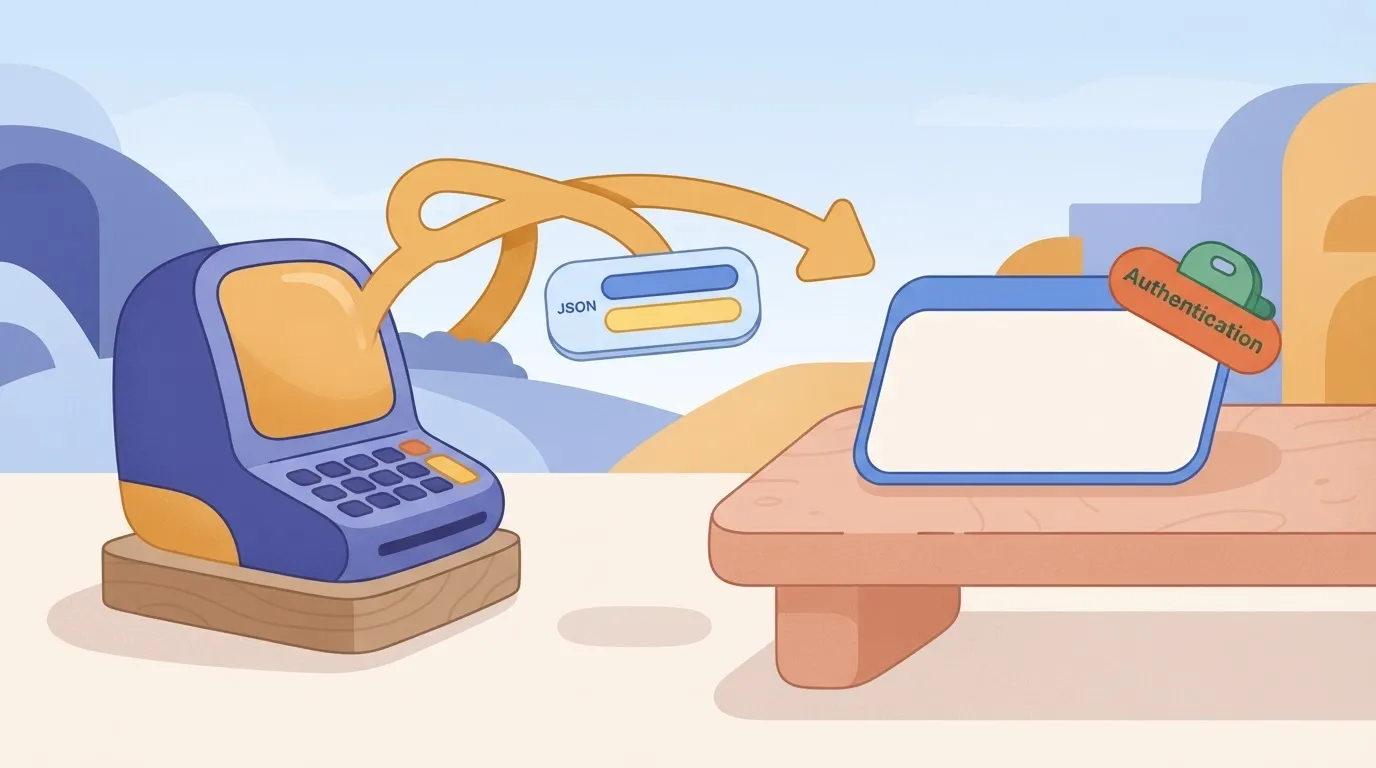
Send a POST to the webhook URL with a JSON body of two or three fields, such as a company name and a domain. Add the auth header if Clay gave you one.
Use made-up but realistic values, because you'll be reading them back in the table.
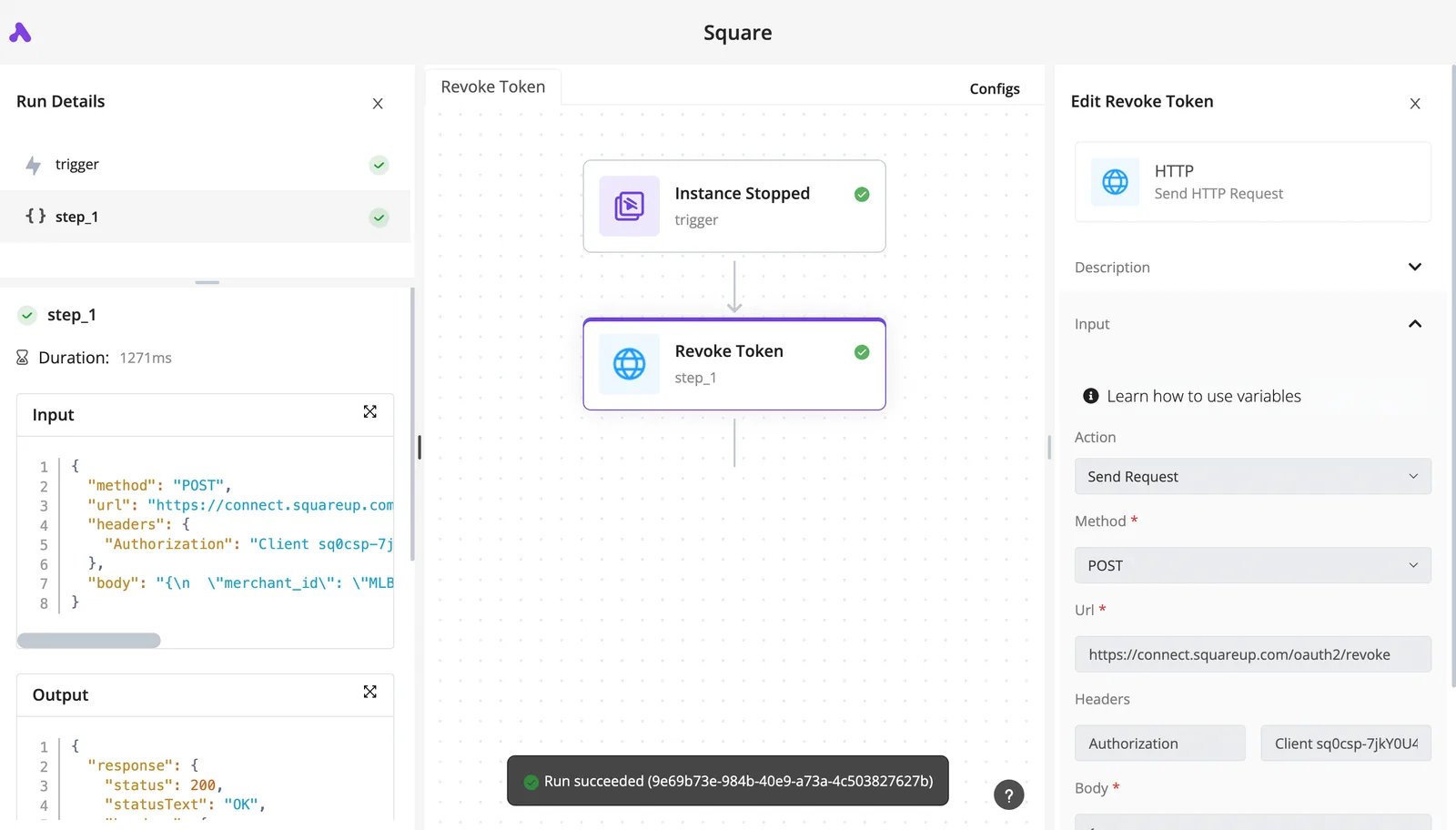
When a call succeeds, it looks the same in most tools. This completed workflow run shows one step that sent a POST with an Authorization header to an outside payment service.
Its input panel holds the request, its output panel shows status 200 with the text "OK," and both the trigger and the step carry green checks.
Your curl output should read the same way, though the service is different. A 200 means Clay accepted the request. It doesn't yet tell you the data landed where you wanted.
With the request accepted, the table is the next place to check.
Reading the Clay API response and enriched row
Go back to the table. A new row should appear with one column per field you sent. If it doesn't, check the status code first.
An error about authorization usually means the header is missing or misnamed. An error about the body usually means the JSON is malformed.
Once the row appears, add one enrichment column and run it on that single row. Watch what it returns and what it uses up.
Seeing one row go through end to end is what tells you whether the later retry handling should be strict or relaxed.
Clay API pricing and rate limits
2 to 25 Data Credits: that is what one mobile number costs, depending on the provider, so the provider you pick sets your bill before any plan does. Clay charges per lookup in credits, and its rate limits, by contrast, are mostly unpublished.
Clay API credits and per-lookup cost
On Clay's credits FAQ, a mobile lookup through the following providers costs:
- People Data Labs costs 5 Data Credits
- Selligence costs 13 Data Credits
- ContactOut costs 15 Data Credits
- Datagma costs 25 Data Credits
More than tenfold: that is the gap between the cheapest provider and the most expensive, so choosing without checking is the costliest mistake available.
Look at the other lookups and the same pattern repeats.
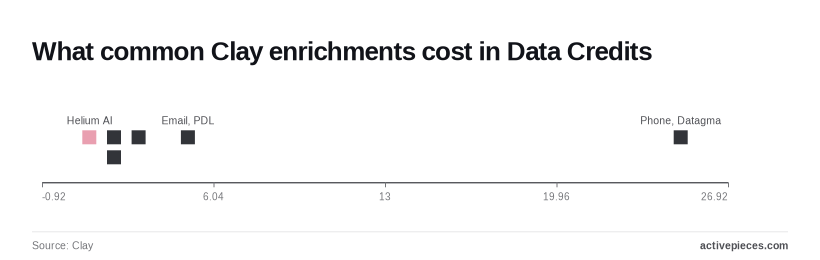
Email through People Data Labs costs 5, and phone through Datagma costs 25. The same job can land at 2 credits or 5, depending on who answers it.
Take 1,000 rows needing a mobile number. At 5 credits each, People Data Labs uses 5,000 credits. Datagma uses 25,000.
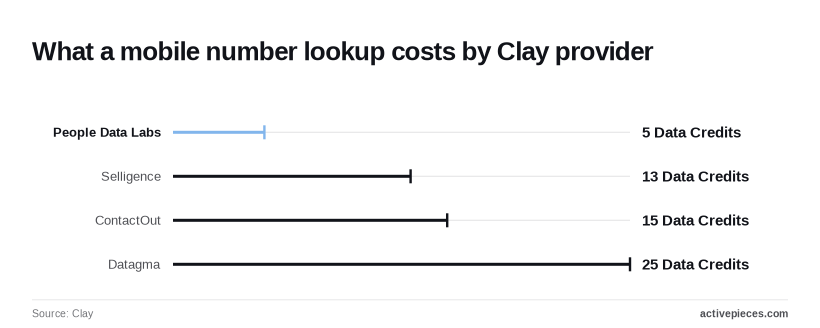
That's 20,000 credits of difference for the same column, and a test run against the wrong provider can burn a month of allowance in an afternoon.
Rate limits and payload limits by plan
To design a first request you need the figures in the table below, listed plan by plan. Read it for the gaps: every cell I couldn't confirm says "not published," and the only source I can point to is the credits FAQ.
| Plan | Monthly credits | Cost per credit | Webhook/API access | Row limit | Requests per minute | Overage | Source |
|---|---|---|---|---|---|---|---|
| Free | not published | not published | not published | not published | not published | not published | https://www.clay.com/faq/what-are-clay-credits-and-how-do-they-work |
| Starter | not published | not published | not published | not published | not published | not published | https://www.clay.com/faq/what-are-clay-credits-and-how-do-they-work |
| Explorer | not published | not published | not published | not published | not published | not published | https://www.clay.com/faq/what-are-clay-credits-and-how-do-they-work |
| Pro | not published | not published | not published | not published | not published | not published | https://www.clay.com/faq/what-are-clay-credits-and-how-do-they-work |
| Enterprise | not published | not published | not published | not published | not published | not published | https://www.clay.com/faq/what-are-clay-credits-and-how-do-they-work |
Treat those cells as open questions, because a retry loop built on a guessed requests-per-minute figure will either trip limits or crawl.
Unpublished Clay API rate limits and terms
You get per-lookup costs from the credits page, but not a per-minute ceiling, a payload size or an overage rule. Until you have them in writing from Clay's pricing page or your account contact, assume the strictest case.
Send one row at a time, back off on any refusal, and cap daily spend yourself. Doing nothing means finding the limit by hitting it, with credits already spent.
Worth checking against a plan that does not meter every step: one credit covers a whole run on Activepieces.
Common Clay API errors and solutions
Before launch, plan for six failures:
- Rejected credentials
- Throttling
- Size caps
- Empty credit balances
- Duplicate rows
- Results that arrive late
For each one, the table below shows the symptom, cause and fix. It also says whether Clay documents it or it's general practice; treat the general-practice rows as habits to adopt, not promises from Clay.
| Failure | Symptom | Cause | Fix | Source |
|---|---|---|---|---|
| 401/403 | Request refused | Missing, wrong or revoked key or token | Re-check the credential and the plan's access | General practice; confirm in Clay's docs |
| 429 | Requests refused in bursts | Sending faster than allowed | Slow down, wait, retry | General practice |
| Payload or row cap | Rows rejected or dropped | Table or source limit reached | Split batches, start a new table | Check current limits before relying on them |
| Credit exhaustion | Enrichments stop or come back empty | Balance used up | Alert on balance, pause sends | Clay documents credits; alerting is general practice |
| Retry duplicates | Same record twice | Resending after a timeout | Send your own unique ID, dedupe | General practice |
| Late async enrichment | Blank fields at first | Provider still working | Wait for the result, don't re-send | General practice |
A 401 usually means Clay doesn't recognise who you are, and a 403 means it does but won't allow the request. Retrying either one changes nothing, so stop and fix the credential or the plan's access. Never loop on these.
When Clay answers 429, slow down. Wait, then retry with growing pauses and a little randomness, so a dozen stalled jobs don't all return at once. Read Clay's current limits yourself instead of trusting a blog post, this one included.
If the rows come from a CRM or a form rather than your own code, you don't hire someone to build the sender, you describe it to Activepieces.
Tell its built-in chat that new CRM rows should go to the Clay webhook with a retry on 429, and it publishes a live flow, the same artifact a builder would have assembled by hand, under the same RBAC and audit logs as every flow built manually.
Each run leaves a trace with every attempt and its status code, readable without any certification. MoneyGram, Moneypenny, Alan and FundingSocieties run it in production, and it covers the sending side only, so Clay's own limits still apply.
Handling duplicates, caps and exhausted Clay credits
A timeout doesn't tell you whether Clay received the row. Resend blindly and you may pay for the same enrichment twice.
Put your own unique ID on every record and check for it before resending. For late enrichments, wait for the result instead of re-sending. Caps and credit balances are the expensive surprises, because each failure costs money or lost rows.
- Read Clay's current limits and credit pricing, and write them down with the date.
- Send one test row before any batch.
- Add a unique ID to every record.
- Retry only on 429 and server errors, with growing pauses, so temporary issues have a chance to clear up.
- Alert when the credit balance runs low.
Feeding Clay from Other Apps with Activepieces
Send data to your webhook on schedule
If your rows live in a CRM, a form or a database, Activepieces can push them into Clay's webhook or an HTTP endpoint. It works on a trigger or a schedule, and retries when Clay answers 429.
That's the whole fit, and it covers the sending side only. Clay's own limits still apply to everything you send.
Skip this and the cost is plain. If someone copies rows into Clay by hand, or a script fires with no retry, a busy hour drops rows and nobody notices until a sales rep asks where the leads went.
A flow that retries and flags failures turns that silent loss into a visible one.
Reading the screenshot
You've started describing a task (1,000 rows, Activepieces workflow) but haven't provided: They run from a webhook trigger through a database lookup, an "Ask ChatGPT" step, an SMS and a database write, with the ChatGPT step open on the right.
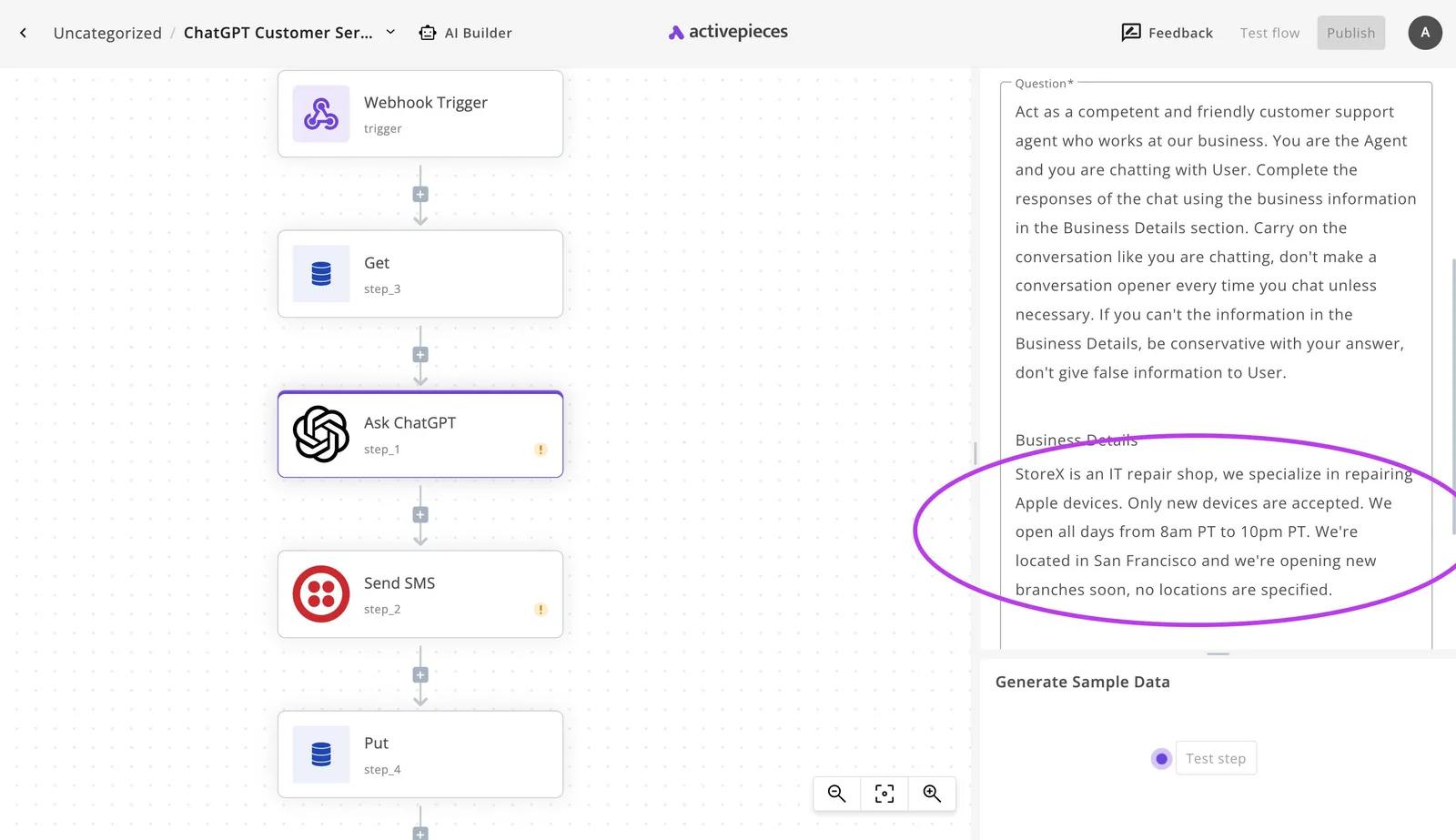
The screenshot is a customer-support example for an Apple repair shop, not a Clay flow.
Use it to see how a step's settings panel works: each step has its own fields, and the output of earlier steps can be dropped into them. You'll build the same shape, with an HTTP step where the ChatGPT step sits.
Building the workflow
After the screenshot, the two parts that matter are the setup and the failure handling.
- Create a new flow and choose the trigger that matches where your data lives: a new-record event from your CRM, a form submission, or a schedule if you would rather send in batches.
- If the data sits in a database, add a step that reads the rows you want to send. Keep it to the rows Clay needs, because every extra row is one more request you must fit inside Clay's limits.
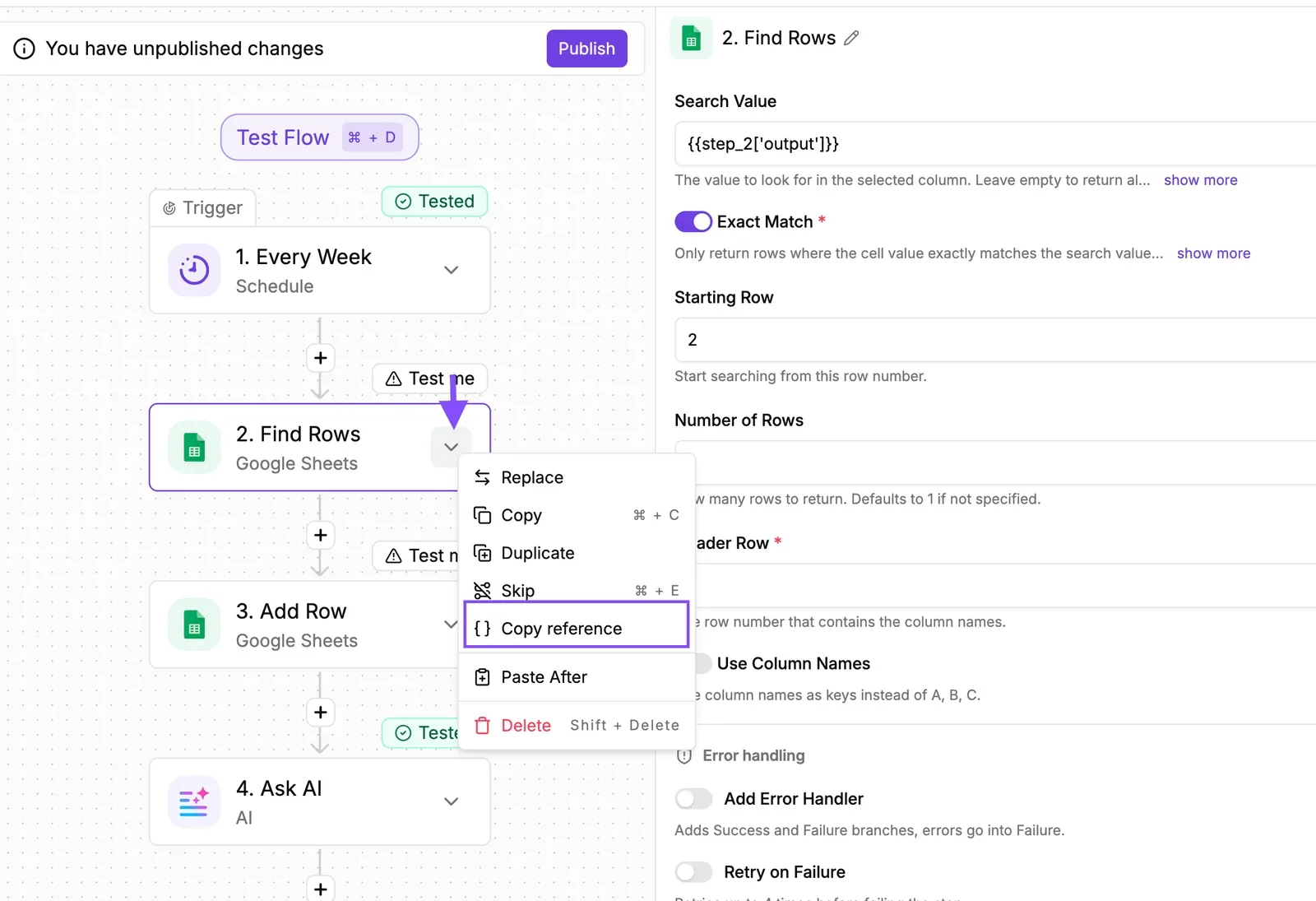
- Add an HTTP step and set the method to POST. Paste the webhook URL from your Clay table as the address. Check Clay's current docs for what that webhook accepts before you rely on any behavior.
- Build the body as JSON, mapping each field from the earlier step into a named key. Use the same key names as the columns you want filled in Clay.
- Run a test with a single row and confirm it lands in the table before you turn the flow on.
Clay API retries and error branches
When Clay responds with a 429, it is asking you to slow down. Set the HTTP step to retry on failure, and if your version lets you add a delay, spread the attempts out rather than hammering again at once.
Retrying instantly makes the problem worse.
Then add an error branch. When retries run out, send the failed row somewhere a person will see it: a message to a channel, or a row in a "failed" table.
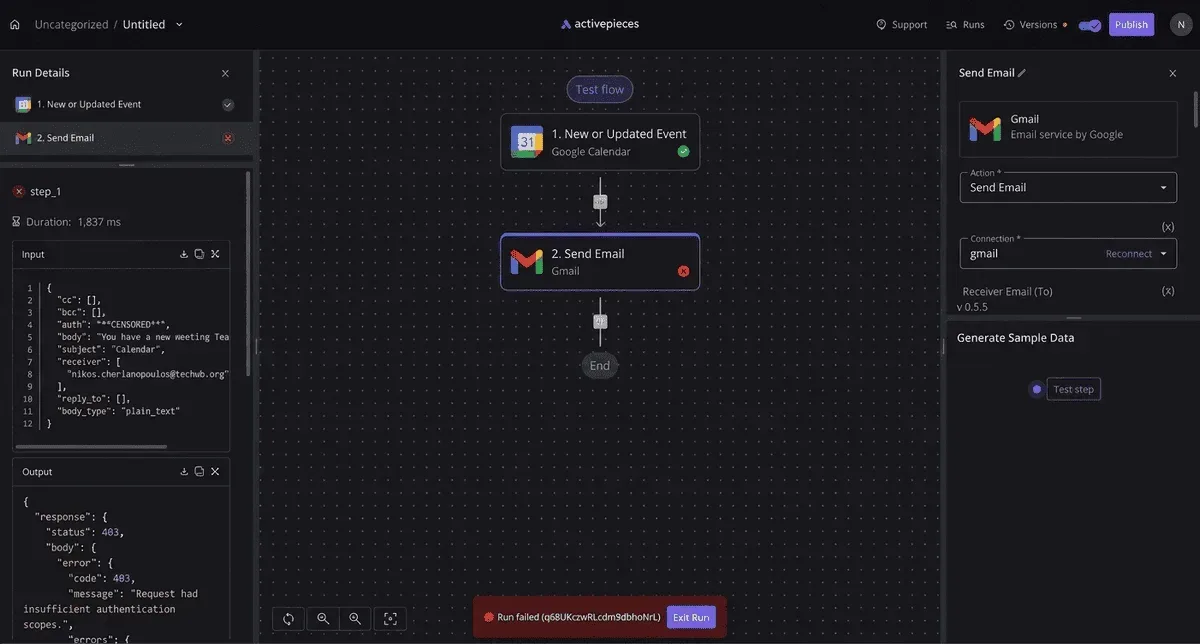
A failed send you can see is a ten-minute fix. One you can't see is a gap in your pipeline.
Frequently asked questions
Before anyone writes a first request, five questions come up, and a wrong guess on any of them is a gap you find after the pipeline is live.
The answers below reflect Clay's documentation as of late November 2026, and each points to the docs area that settles it, since plans and limits change.
Does Clay have a public REST API?
Not in the classic sense of a documented set of endpoints for creating tables, reading rows and managing workspaces.
Clay's documented integration points are its webhooks, which send data into a table, and its HTTP API column, which calls other services from inside a table.
If you plan around a full REST API, you'll build against something that isn't there. Check the API and webhook pages in Clay's docs for what is offered today.
Can I pull enriched data out of Clay programmatically? Yes, but through the table, not a read endpoint.
Clay's docs describe sending rows onward with an HTTP API column or a native integration, so the enriched result gets pushed to your system.
That means your retry handling has to live on the receiving side too, because a push that fails isn't automatically replayed for you.
Do failed API requests still use credits?
It depends on the column and the provider, so don't assume either way.
Clay's credits documentation explains when a credit is spent, and the safe habit is to run a handful of rows, including some you expect to fail, and compare your credit balance before and after.
A retry loop that fires blindly could cost you money on every pass.
Can I use Clay's API on the free plan? Check the plans page before you commit.
Clay ties some integration features, webhooks among them, to particular plans, and the pricing and plan-comparison pages are the authority.
If your whole design rests on a webhook, confirm your plan includes it first. Otherwise you're paying to find out.
Does Clay enrichment need separate provider keys?
Often not, because Clay's built-in providers bill through Clay credits. Many providers also let you connect your own account key, in which case the provider bills you directly and Clay credits aren't spent on that lookup.
The integrations pages in the docs say which providers work which way, and that choice decides where your costs show up.
Related reading
References
Running the numbers
See what the same workload costs here.
Free forever plan, and every paid plan self-hosts at no extra cost.
See pricing Talk to sales