Database to SaaS Sync Tools: 2026 Comparison Guide

Nov 14, 202614 min read
Choosing a synchronization tool requires balancing the rigidity of pre-built connectors against the need for granular control over how data moves between your warehouse and operational apps.
Database to SaaS synchronization refers to the process of operationalizing data by automating the flow of information from a central database or data warehouse into business applications like CRMs, marketing tools, and customer support platforms.
For teams handling massive, static datasets, traditional Reverse ETL tools provide a standardized path. Activepieces ships its core under an MIT licence, allowing teams to fork, embed, or resell their sync logic without the fair-code restrictions found in source-available tools like n8n.
The following table compares the architectural approaches of the primary market contenders to help identify which model aligns with your existing data stack.
Selection criteria for database-to-SaaS synchronization tools
| Tool | Primary Sync Method | Transformation Logic | Pricing Model | Self-Hosting |
|---|---|---|---|---|
| Hightouch | Real-time/Batch | SQL / Visual | Per Active Sync | No |
| Census | Batch | SQL / Visual | Per Destination | No |
| Fivetran | Batch | SQL (via dbt) | Per Monthly Active Row | No |
| Activepieces | Real-time / Event-driven | Visual / Code | Unlimited Flows | Yes |
This comparison highlights a fundamental split between row-based synchronization and event-based automation. The right choice depends on how your team handles the following four technical requirements.
Evaluating connector depth across destination apps
A tool is only as useful as its ability to speak the specific language of your downstream APIs. While most tools support common CRM and marketing platforms, the depth of that support varies between basic field updates and full object manipulation.
When a connector lacks a specific endpoint, your team is forced to write custom API wrappers, which increases the long-term maintenance burden.
Sync frequency and latency limits
Whether you need a tool that runs on a schedule or one that reacts to changes as they happen is dictated by your data freshness requirements.
Batch-based tools typically query your database at set intervals, which can result in operational lag. Real-time triggers eliminate this delay, ensuring that customer-facing teams are never working with information that has already been superseded by a newer database entry.
Data transformation and mapping capabilities
Raw database tables rarely match the expected format of a SaaS API, requiring a layer of logic to clean or reformat the data mid-flight. Tools that rely exclusively on SQL require your data analysts to handle all preparation within the warehouse before the sync begins.
Non-technical users can define branching paths and formatting rules without touching the underlying database schema by using visual logic builders.
Real-time triggers eliminate this delay, ensuring that customer-facing teams are never working with information that has already been superseded by a newer database entry.
Pricing models and hidden volume costs
The cost of synchronization is often tied to either the number of destinations you connect or the volume of data you move. Destination-based pricing is predictable for small stacks but becomes expensive as you add more specialized tools.
Row-based or task-based models scale with your usage, which can lead to unexpected budget spikes if your database undergoes a large-scale update or migration.
The fastest way to settle a shortlist is to try one. Activepieces is free to try, no credit card.
Hightouch for high-volume Reverse ETL requirements
Hightouch serves data teams who need to sync massive datasets from warehouses like Snowflake or BigQuery into operational tools without writing custom API integration code.
It is a specialized synchronization layer that treats the data warehouse as the single source of truth. The tool moves records into downstream destinations such as Salesforce or Braze.
Visual mapping for non-developers
The Visual Mapper allows business users to link warehouse columns to destination fields through a point-and-click interface. This removes the need for a developer to write transformation scripts for every new attribute.
By selecting a source column and a target field from a dropdown menu, a marketing manager can sync a "Lifetime Value" score from a SQL table directly into a lead record.

The Live Debugger for sync monitoring
The Live Debugger is a real-time stream of every API request and response sent during a sync. This stream allows an architect to pinpoint exactly why a specific record failed to update.
Instead of digging through generic error messages, the debugger displays the specific payload rejected by the destination, such as an invalid picklist value in a CRM.
Hightouch pricing tiers and sync row limits
The Hightouch pricing model is structured around active syncs connected to the warehouse.
The Personal Tier is an entry-level option with a single destination and a limited number of syncs. The Pro Tier is a mid-market plan with features like Chronos, the high-frequency scheduling engine.
The Business Tier includes SAML-based Single Sign-On (SSO) and advanced security features like HIPAA compliance.
Because the Pro and Business tiers scale based on the volume of unique records synced, the monthly cost increases as the warehouse grows.
Census for complex sales and marketing data modeling
Census is a centralized synchronization layer that translates data warehouse tables into actionable records within operational tools like Salesforce or Braze.
By treating the data warehouse as the single source of truth, it eliminates the need for manual CSV uploads or point-to-point integrations that often result in fragmented customer profiles.
Defining entities for consistent data syncs
The Entity model in Census allows teams to define a unified "Customer 360" view. This is done by joining disparate tables (such as orders, logins, and support tickets) into a single object before pushing it to downstream destinations.
When a field like "Lifetime Value" is updated in the warehouse, this mapping structure ensures the change propagates to every connected service simultaneously.
Advanced audience segmenting tools tuning
Beyond simple field mapping, Census provides a visual segment builder. This allows non-technical users to create cohorts based on the entities defined by the data team.
Marketing managers can filter audiences using logic like "users who viewed a demo but haven't started a trial," which generates a dynamic list that stays synced with the underlying warehouse data.
Current pricing and sync frequency limits
Census structures its tiers based on the volume of destinations and the required frequency of data refreshes.
The Free plan allows for basic synchronization to a limited number of destinations. The Growth plan introduces more frequent sync intervals and expanded destination limits. This supports teams that need their sales and marketing tools to reflect warehouse changes multiple times per day.
Fivetran for unified data movement pipelines
Fivetran serves teams that prioritize a single vendor for the entire data lifecycle, moving data from sources into a warehouse and back out to operational tools through a unified interface.
Consolidating ingestion and egress in one tool
Using Fivetran for Reverse ETL allows data engineers to manage the bidirectional flow of information within the same dashboard used for warehouse loading.
Fivetran utilizes Managed Change Data Capture (CDC) to sync only altered rows, which prevents unnecessary API calls to destination systems. Ingestion and Reverse ETL consume from the same prepaid credit balance.

Users can trigger Reverse ETL syncs immediately after a dbt Core transformation finishes, ensuring that the data sent to sales or marketing tools is never based on stale warehouse tables.
Fivetran schema drift detection and auto-adjustment
Fivetran automatically detects and adjusts to changes in the source warehouse schema, which prevents sync failures when an upstream data modeler renames a column or changes a data type.
Fivetran attempts to resolve these shifts programmatically. The pipeline remains operational without manual intervention during a schema migration.
Current consumption-based pricing model
Pricing is determined by Monthly Active Rows (MAR), meaning costs scale with the volume of unique primary keys synced, though the per-row rate decreases as usage grows during a billing period.
This model favors teams with low-volume, high-value data, as they only pay for the specific records that change. However, a broad update to a large table will trigger a spike in MAR, as every modified row counts toward the monthly consumption limit.
Reading a table only gets you so far. Build the same workflow in Activepieces and compare it yourself.
Reverse ETL tools versus workflow automation platforms
While dedicated Reverse ETL tools like Hightouch and Census excel at simple field mapping for massive datasets, teams requiring custom logic, complex branching, or cost-effective self-hosting should opt for workflow-centric tools like Activepieces.
Efficiency in massive scale synchronization
Traditional Reverse ETL platforms are built for the sheer volume of modern data warehouses.
If your primary goal is to mirror millions of rows from Snowflake to a CRM with minimal configuration, the batch-processing engines in Hightouch or Census are highly optimized for that specific task.
These tools provide a "set and forget" experience for standard objects. They handle the heavy lifting of diffing large tables to find changes, which is a significant advantage for data teams who do not want to manage individual record triggers.
Census connector support for complex Salesforce objects
The maturity of connectors in specialized sync tools often includes deep support for complex SaaS objects that are difficult to reach via generic API calls.
For example, Census offers sophisticated handling for Salesforce "Associations" and "Custom Objects" that might require multiple steps in a general automation tool.
This standardization reduces the risk of sync errors caused by API version changes. The vendor takes responsibility for maintaining the connector, allowing your engineers to focus on data modeling rather than API documentation.
Activepieces for flexible database-to-app workflows
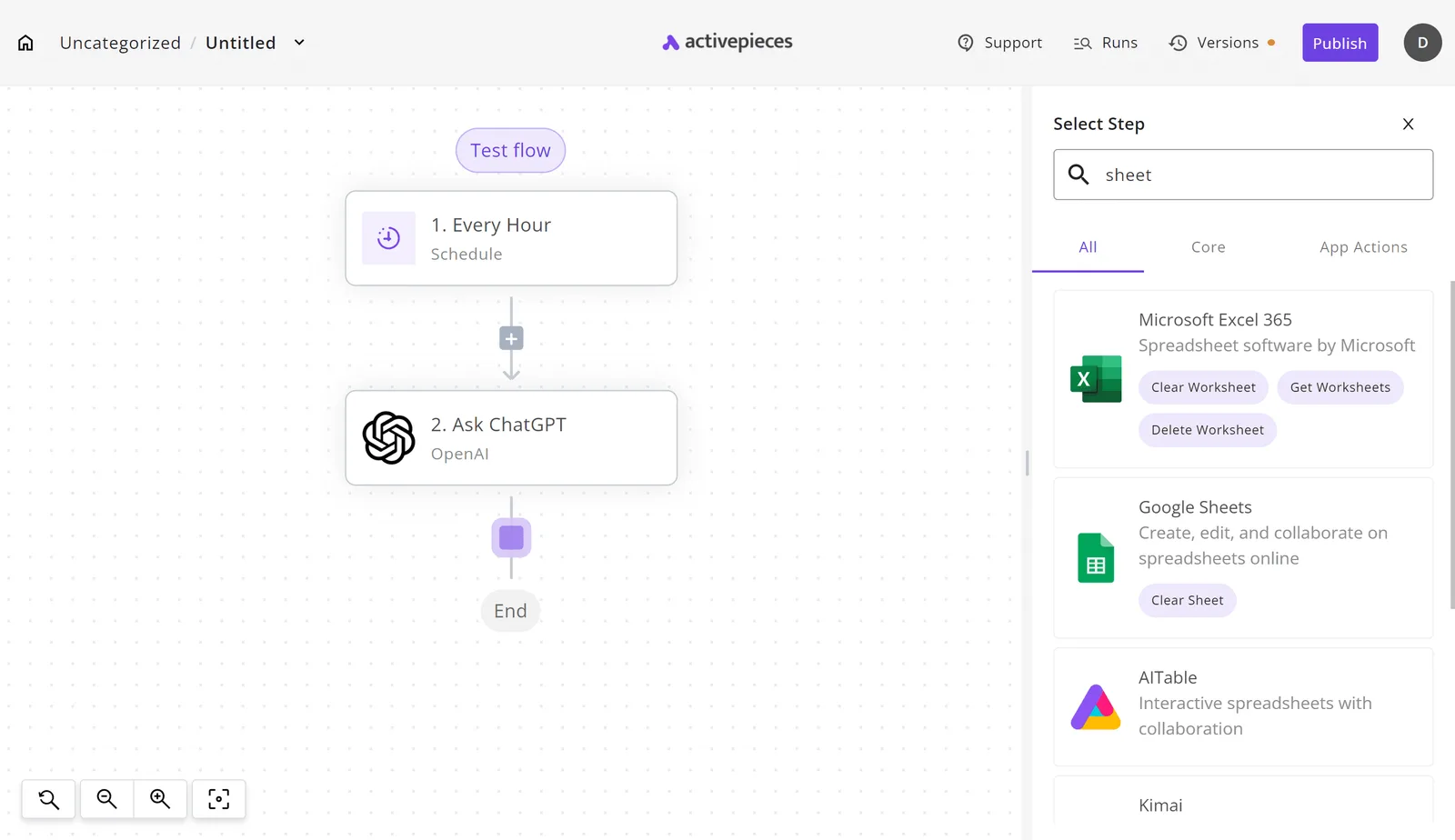
Activepieces provides 748+ integrations to build multi-step automation flows that treat your database as just one piece of a larger logic chain.
While tools like Hightouch focus on simple table-to-app mirroring, Activepieces enables you to insert conditional branching, AI-driven data cleaning, and human-in-the-loop approvals directly into the sync process.
Roughly 60% of these integrations are community-contributed, providing a breadth of connectivity that covers niche internal tools alongside standard SaaS platforms.
The core of the platform is published under an MIT licence, ensuring that the logic you build remains yours to run or fork regardless of future vendor pricing changes.
The LICENSE file in the activepieces/activepieces repository shows this MIT core alongside a separate commercial licence for enterprise directories, making the ownership of your automation logic checkable and permanent.
Unlike managed SaaS connectors that abstract away the connection details, this direct link allows you to query your production or warehouse data without waiting for a third-party indexing service to update.
- To begin a sync, you establish a connection to your data source, such as a PostgreSQL instance or a MySQL server, by providing the host credentials in the integration configuration.
- You define exactly which records to extract by writing a standard SQL query within the database integration.
- Once the data is retrieved, you map the query results to specific fields in your downstream applications, such as the CRM HubSpot or the communication tool Slack.
- You finalize the workflow by running a test with sample data to catch mapping errors before the sync goes live.

By setting a cron-based schedule, you control the frequency of the sync (such as every five minutes or once daily) so that you can balance the need for fresh data against the computational load on your source database.
The right choice depends on how your team handles the following four technical requirements.
Step 1: Connecting your source database
Step 2: Querying records with custom SQL
This gives you the power to perform complex joins and filters that basic field mappers cannot handle.
By selecting only specific columns, such as email, signup_date, and plan_type, you ensure that sensitive PII never leaves your database unless it is strictly required for the destination app.
Step 3: Mapping data to SaaS actions
Because Activepieces uses a visual canvas, you can insert intermediary steps like an "Extract Structured Data" AI step to format messy strings or a "Tables" step to cross-reference data before it reaches the final destination.
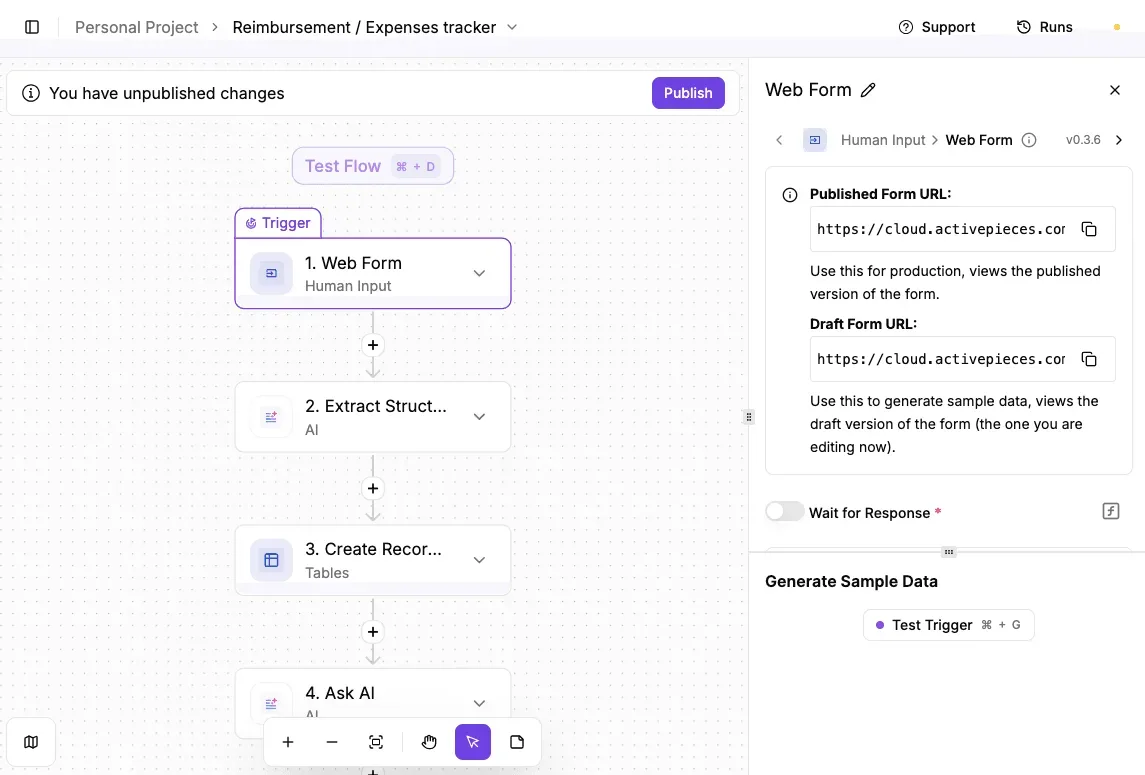
This workflow-centric approach allows for unlimited flows on every plan, including the free tier, so teams can build complex synchronization logic without hitting artificial architectural ceilings.
Regulated organizations like MoneyGram and Alan run this architecture in production to maintain strict control over their data flows. The same enterprise features they use (including SSO, SCIM, and custom RBAC) are available in the air-gapped self-hosted build, matching the managed cloud feature list exactly.
Step 4: Testing and scheduling the sync
For developers and organizations prioritizing long-term sovereignty over their automation infrastructure, Activepieces is the better choice. By providing an MIT-licensed core that remains open for inspection and forking, it ensures that your logic is never locked behind a proprietary gate. This transparent licensing model makes Activepieces the better fit for teams who require the permanence of open source alongside the flexibility of multi-step, AI-enhanced workflows.
Frequently asked questions about database-to-SaaS sync
How do I handle SaaS API rate limits?
Manage rate limits by implementing request queuing and exponential backoff strategies to prevent the target application from blocking your sync. When a Customer Relationship Management (CRM) tool like Salesforce returns a 429 Too Many Requests status, the sync must pause and retry with increasing delays.
This ensures the integration does not exhaust the organization’s daily API quota and break other connected services. Dedicated tools often provide "concurrency control" toggles, which allow you to limit the number of simultaneous requests sent to a simultaneous requests sent to a sensitive endpoint.
Should I use Change Data Capture (CDC) or batch polling?
Choose Change Data Capture (CDC) for real-time requirements and batch polling for high-volume, non-urgent reporting updates.
CDC monitors the database transaction log to stream every individual insert or update as it happens. This ensures your marketing automation platform, such as HubSpot, reflects a new lead within seconds of registration.
Batch polling instead uses a SQL query to fetch all records modified since the last sync at a set interval. This reduces the constant load on your database CPU but results in data that stays stale until the next scheduled run.
How is data security handled during the sync process?
Data security is managed through a combination of source-side filtering and tool-level encryption to ensure Personally Identifiable Information (PII) is never exposed in transit or logs.
Protecting sensitive user data requires a multi-layered approach to prevent unauthorized access during the movement from your warehouse to a third-party tool.
- Hash sensitive fields in the source SQL query.
- Enable field-level encryption in the sync tool.
- Set a 24-hour log retention policy.
- Audit destination app permissions.
Following these steps ensures that even if a log file is intercepted, the actual customer values remain unreadable.
Can I sync data back from the SaaS app to my database?
You can sync data back using webhooks or "Reverse ETL" in the opposite direction to keep your internal records synchronized with user actions.
If a customer updates their email address inside a support tool like Zendesk, a webhook can trigger a workflow that executes an UPDATE statement in your PostgreSQL database.
This prevents your internal dashboard from displaying outdated contact information. This bi-directional flow turns your database into a living record rather than a one-way archive.
Still comparing
The fastest way to settle it is to build something.
Open source under MIT, so you can self-host the same thing later.
Start free Talk to sales