
EU Hosted Workflow Automation: Best Platforms 2026

Oct 18, 202616 min read
EU hosted workflow automation means the platform runs, and stores your workflows, credentials and run history, in EU data centres.
A vendor that only says "EU region" hasn't told you which of those parts qualify, and that includes open source tools such as Activepieces when you self-host them.
Four things have to stay in the EU, and vendors differ on each. The list below is what every vendor check in this article tests, and a platform can pass one line while failing another.
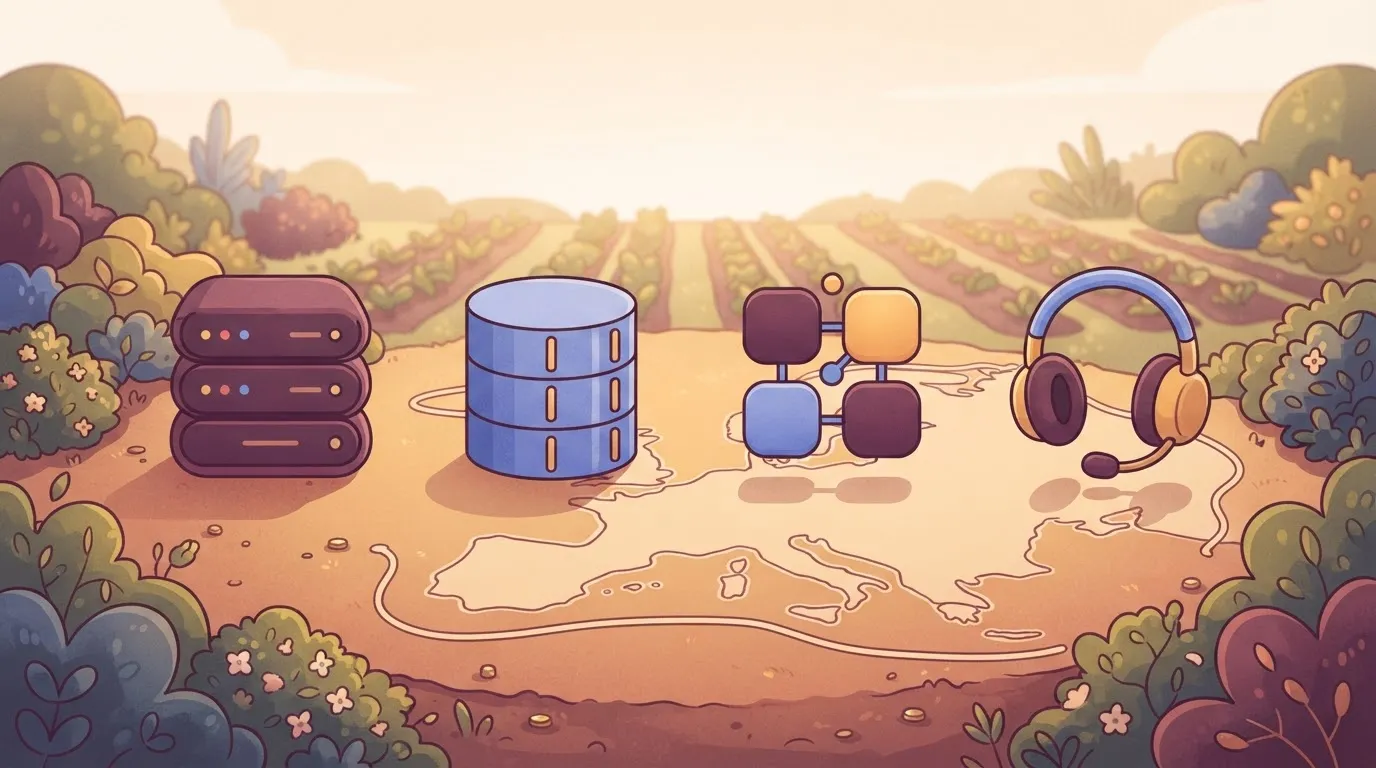
EU hosted workflow automation requirements
- Workflow engine: the servers that execute each step of a run.
- Stored run data: workflows, credentials, inputs, outputs and run history kept after a run ends.
- Connected apps: the third-party services your workflows call, which hold their own copy of the data.
- Support access: who at the vendor can open your account, and from where.
Even with the engine in Frankfurt, a vendor can still pull logs to a support desk outside the EU. Ask about all four separately.
Hosting region versus data residency versus sovereignty
A hosting region is a map location. Data residency is a promise about where data is stored. Sovereignty is about whose law can reach it, whatever the location.
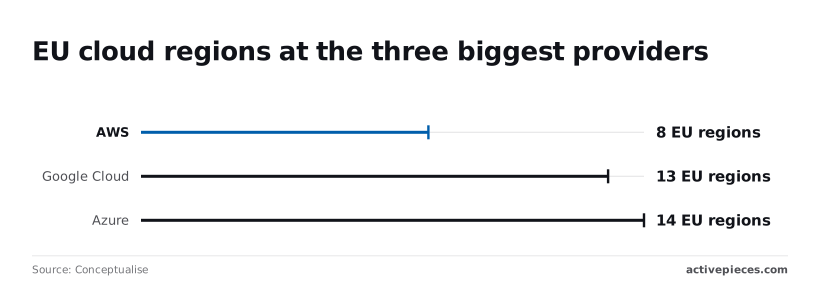
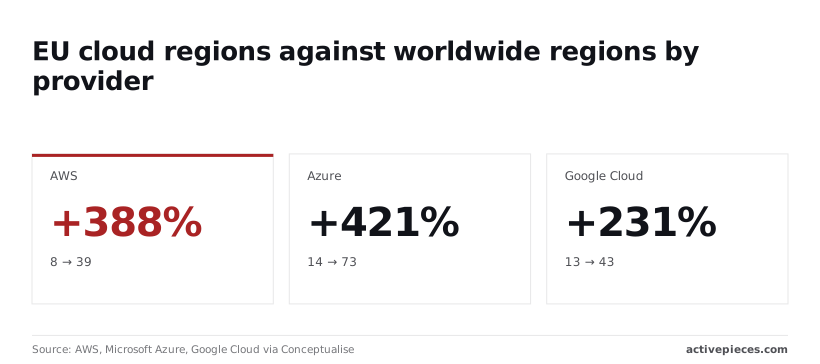
Regions alone tell you little. On the AWS, Microsoft Azure, Google Cloud via Conceptualise figures, AWS has 8 European regions out of 39 and Azure 14 out of 73, which means Azure offers more geographic choice for European workloads.
A hosting region is a map location. Data residency is a promise about where data is stored. Sovereignty is about whose law can reach it, whatever the location.
Google Cloud has 13 out of 43.
So most of each provider's footprint sits outside Europe, and a vendor that hasn't pinned your tenant to an EU region could be running you elsewhere. Even a pinned tenant tells you nothing about backups, logs or support tooling.
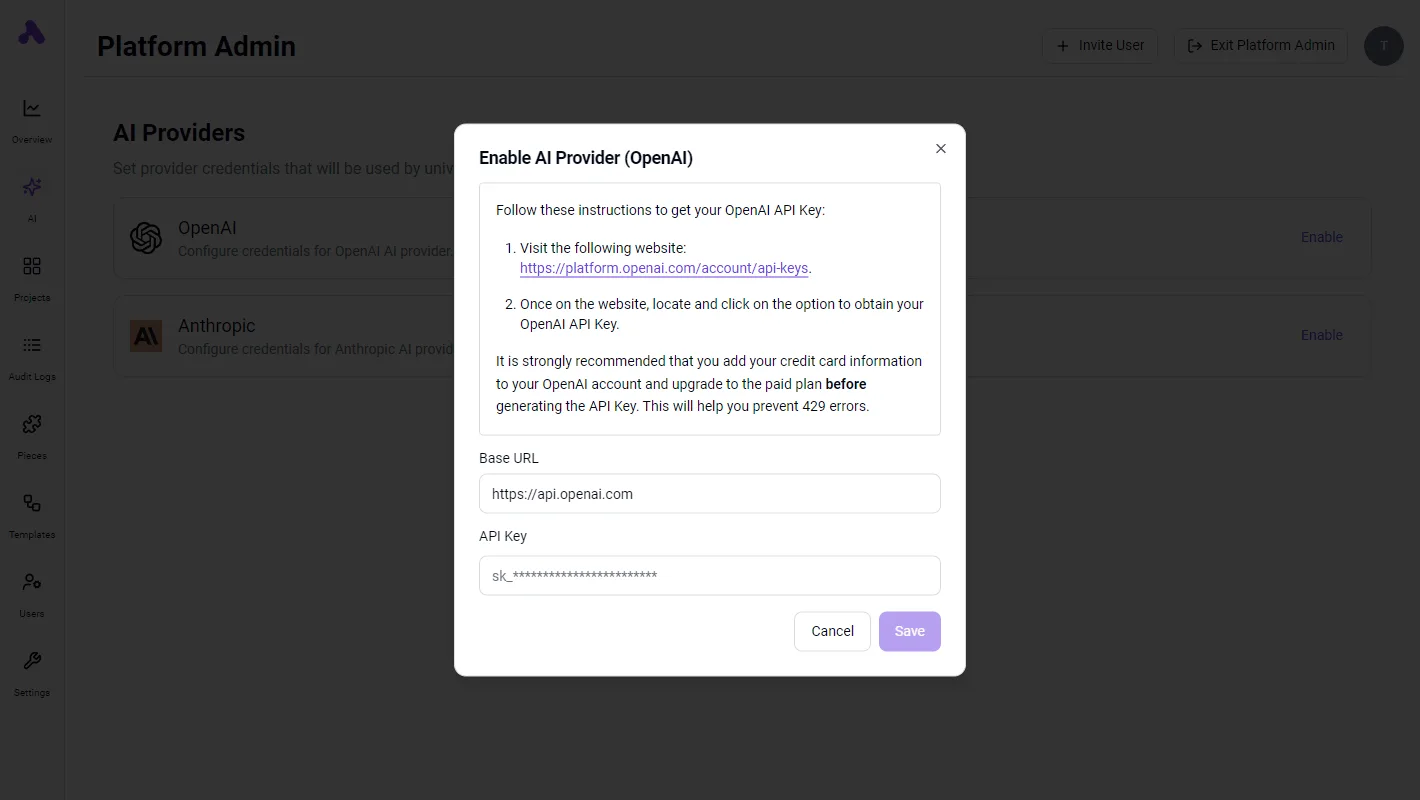
If you self-host, the question mostly disappears, since the data stays in your own environment. Activepieces supports that route with an MIT-licensed core you can run in your own infrastructure.
GDPR transfer and processor requirements for automation
Nothing in GDPR requires data to stay in the EU. It restricts transfers outside it, and requires a transfer mechanism when one happens. It also requires a processor agreement with any vendor handling personal data for you.
Under that reading, remote support access counts as a transfer. So a vendor whose stored data is in the EU but whose support staff can view it from elsewhere still has to show a lawful basis for that access.
Everything below works on Activepieces' free plan. Start without code or a credit card.
Five platform qualification criteria
To qualify, a platform has to pass five checks:
- where the engine executes
- where run logs and payloads are stored
- which plan includes the EU region
- who the sub-processors and support staff are
- whether you can self-host
Each check runs against the vendor pages mentioned above.
The EU border encloses only the engine.
So take from it that "EU hosted" can describe one box while the data in the others sits elsewhere. The criteria below follow that chain.
Workflow engine execution location in the EU
Here the engine process runs, and the data in flight is handled here too. Azure has 14 EU regions, Google Cloud 13 and AWS 8, according to Conceptualise.
Every big cloud has plenty of EU capacity, so a vendor saying it "runs on AWS" tells you nothing about residency. You need the named region and whether failover stays inside the EU.

Stored run data and credentials
After execution, the platform stores run logs, step inputs and outputs, and error payloads, often in a different system from the engine. Those payloads can hold customer records and API tokens.
Ask where each is stored and for how long, and whether you can shorten retention.
On some vendors the EU region comes only on a higher tier, or only on request. Get the plan name and the monthly price in writing, because a free-tier trial may run in a different region from the plan you would buy.
Read the published sub-processor list for the logging, email and monitoring services that touch your data. Then ask whether support staff outside the EU can open your runs.
A vendor can keep storage in Frankfurt and still let a support engineer elsewhere read a failed run.
Whether self-hosting is an exit option
When you self-host, all four earlier questions move into your own environment, and the cost is that you run the infrastructure. Check whether the self-hosted edition is on the same code base as the cloud one, and which features sit behind a paid license.
Zapier, Make, n8n and Workato compared
Whether the page names an EU region at all, or leaves you to infer it, is where the vendors' answers split. That's what you find when you run the five checks against each vendor's own pricing, trust and docs pages.
The table below shows what each vendor states, as checked in October 2026. Read "not published" as a gap you must close in writing before signing, not as a no.
| Vendor | EU region option | Plan required | Published price | Self-host available |
|---|---|---|---|---|
| Zapier | Not published | Not published | Yes, on pricing page | No |
| Make | Yes, EU zone | Not published | Yes, on pricing page | No |
| n8n Cloud | Yes, EU-hosted cloud | Not published | Yes, on pricing page | Yes, separate from Cloud |
| Workato | Yes, EU data center | Not published | Not published | No |
| Activepieces | — | — | Yes, on pricing page: Free $0, Plus $20 a month, Team $200 a month, Ultimate through sales | Yes, MIT-licensed core; packages/ee/ is under a separate commercial licence |
What the comparison table leaves out
The table covers only the first layer, where the engine runs. It says nothing about stored run data, connected apps or support access, which the sections above treat separately. The notes below cover what the table cannot.
EU hosting options for each automation vendor
On Zapier's pages you find security controls and compliance reports, but no region you can pick for the engine or the task history. Until Zapier states one, treat engine location as an open question for their sales team.
Make documents regional zones, and an EU zone is one you can select. What the docs leave open is which plan unlocks which controls. Ask whether the EU zone covers execution logs and stored scenario data, not just the account.
n8n Cloud lists an EU-hosted option, and the software can also be self-hosted. Those are two products with two sets of guarantees. The self-hosted version keeps data where you put it, but then patching, backups and access control are yours.
Cost is the gap with Workato: its documentation names an EU data center, but it publishes no price. Without a quote you can't compare cost, so request one that states the region and the plan together.
Gaps in vendor EU hosting documentation
You will usually find the silence in three places: the plan that gates the region, support staff access to customer data, and where connector traffic is processed. Put each into a written question and keep the answers with the contract.
Easier to see it running than to read about it: set it up free, no card.
Self-hosting and EU-based vendors as the alternative route
Run the tool yourself, or buy from a vendor headquartered in the EU, and you get more say over where data sits. You pay for it in patching, backups and uptime that someone on your side must own.
Self-hosting on EU infrastructure
Self-hosting means running an open-source or source-available engine on your own EU cloud account or your own servers. Read the licence first.
Open-source licences generally let you modify and redistribute. Source-available ones let you read the code but may restrict commercial use, resale or which features you can switch on without a paid key.
Then check how much of "your own EU cloud" is actually European. Of AWS's 39 regions, 8 sit in Europe according to Conceptualise. Conceptualise's analysis puts Google Cloud at 13 of 43.
Pin the deployment, its backups and its failover to EU regions on purpose. A default or a cross-region replica can quietly leave.
If the head office is in the EU, EU law governs the vendor, which answers a different question from where the servers are. Ask whether its hosting, subprocessors and support staff are also in the EU. Headquarters says nothing about those three.
Staff workload of self-hosted workflow automation
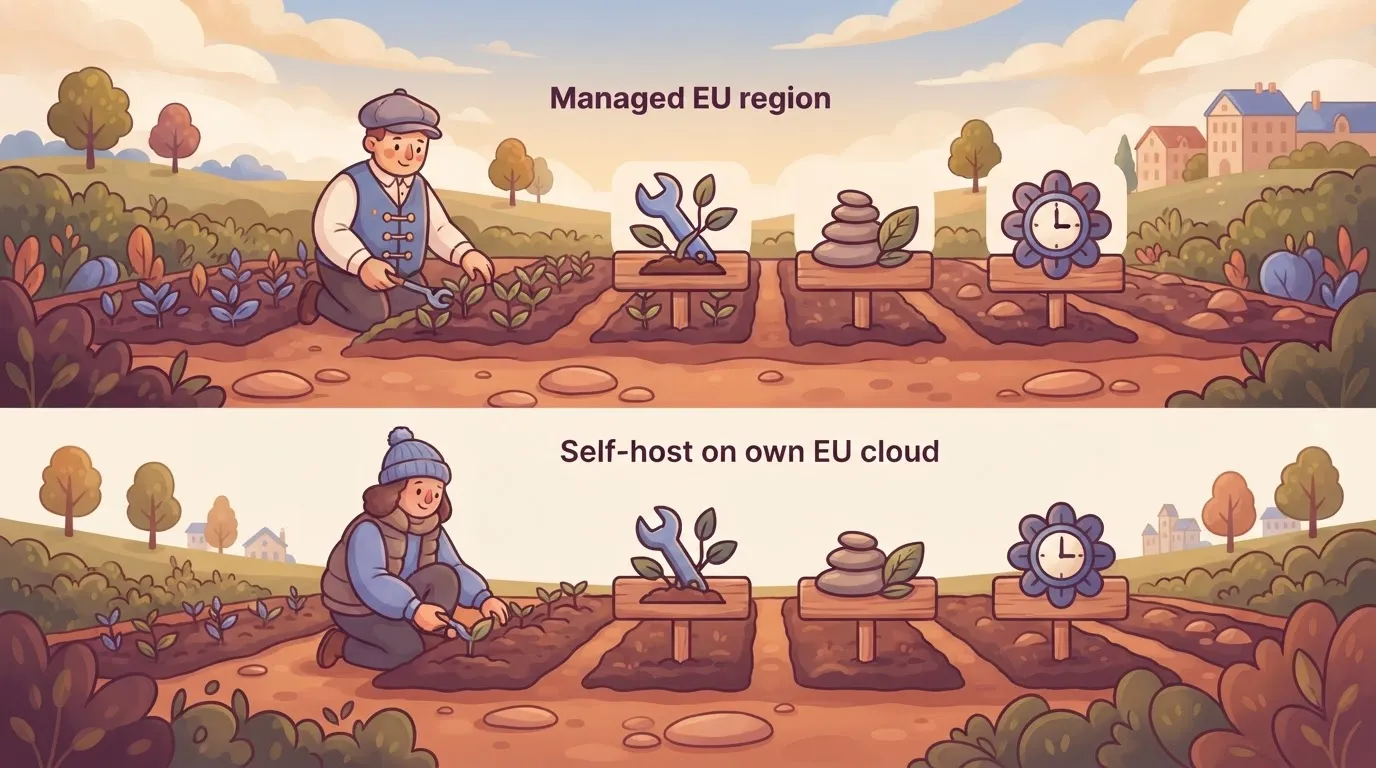
The table shows who carries each duty under four setups. What to take from it: every step toward control moves a duty onto your team.
| Setup | Who patches | Who backs up | Who owns uptime | Control over data |
|---|---|---|---|---|
| Managed EU region | Vendor | Vendor | Vendor | Region choice only |
| Self-host on own EU cloud | You | You | You, on the provider's infrastructure | High |
| Self-host on own servers | You | You | You, including hardware | Highest |
| EU-headquartered vendor | Vendor | Vendor | Vendor | Depends on contract and subprocessors |
Even if the licence is free, someone has to apply security updates, test restores and answer the page at 3 a.m. Price that as a share of an engineer's week, then compare it with a managed plan.
Where Activepieces fits for EU data requirements
Activepieces meets an EU residency requirement in two ways: its managed cloud can be pinned to an EU or US region and carries SOC 2 Type II, or you self-host the MIT-licensed core.
In both cases you still have to check the connected apps and support access yourself.
The engine and the stored run data are the part it can put in your hands.
Managed cloud in an EU region
On the managed cloud you pick an EU or US region, so the workflow engine and the stored run data sit where you chose. That settles two of the four things this article keeps separating. It doesn't settle the other two.
Activepieces has 741 integrations, and each one you add, such as a spreadsheet action like Insert Row or Find Rows, talks to a third-party app, so if any of those 741 vendors changes their API, your workflow could break.
Where that app keeps its data is the app vendor's decision, not the region you selected in Activepieces.
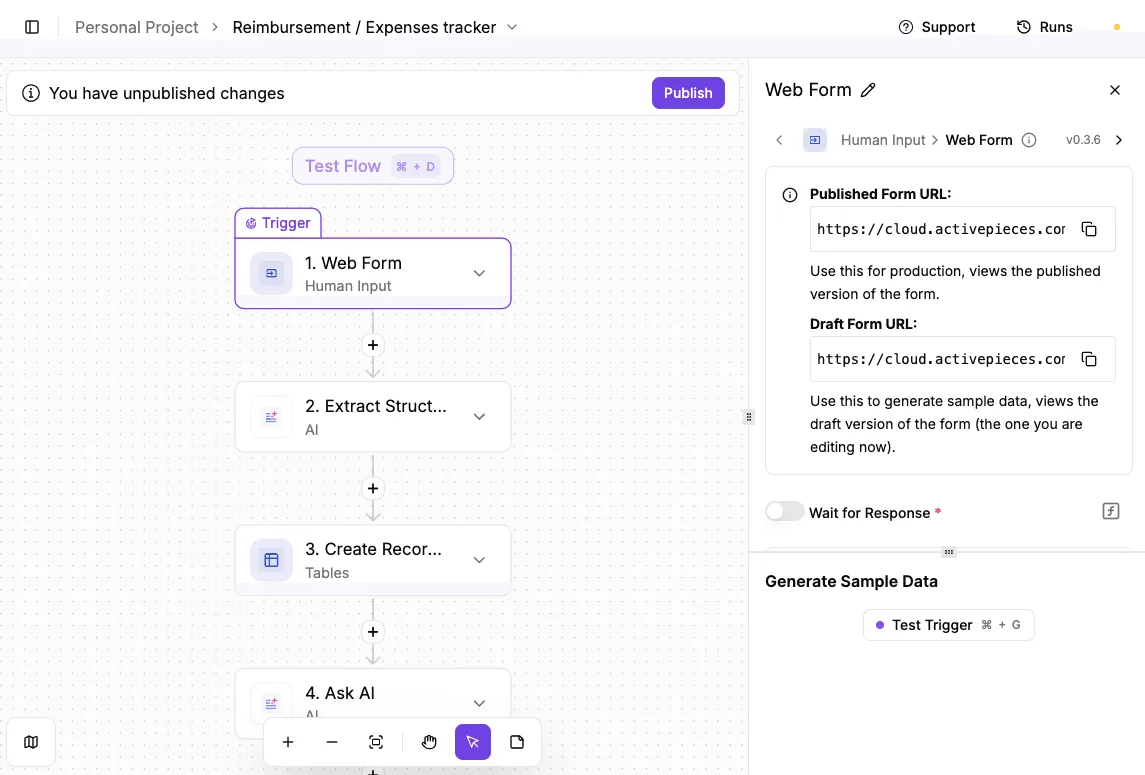
Look at the integration selector in the flow builder and the problem is plain: Google Sheets, Microsoft Excel 365, AITable and Retable sit side by side, and each of those is a separate vendor with its own hosting.

Choosing an integration is a residency decision, so read the catalogue that way and not as a count of logos.
Self-host or air-gap
If the requirement is that data never leaves your network, self-hosting is the answer, and air-gapping goes further by cutting the instance off from the outside entirely.
Then the engine, the run data and the support access are all yours, because nobody at the vendor has a path in unless you build one.
You pay in operations: your team patches, backs up and upgrades the instance. A regulated team, in healthcare for instance, can self-host to keep data in its own environment, but I wouldn't read that as a certification claim, because none is made here.
Controls around the data
Region is only half a review, and the other half stalls when a security team has to take a vendor's maturity on trust.
Activepieces has an MIT-licensed core, so a reviewer can clone the repository and inspect the code before deploying it with Docker, Compose or Kubernetes, or running it air-gapped. On top of that sit SSO and SCIM, custom role-based access control and audit logs.
In practice that means you can provision and remove people from your identity provider, limit who can edit flows that touch personal data, and trace who changed what afterwards.
It's not the fit if you need a HIPAA BAA or an ISO certificate, since neither is among the facts I can point to.
If you can't spare anyone to run a self-hosted instance and the managed regions don't match your rules, it's also the wrong tool.
For the security documents and enterprise pricing, go to the sales page.
Activepieces is the better fit for EU teams that decide a data-residency review by inspecting the system itself rather than trusting a vendor's statement.
Its MIT-licensed core lets a reviewer clone the repository, read the queue and worker architecture, and run it self-hosted or fully air-gapped before signing off, while the managed cloud can be pinned to an EU region for those who prefer not to operate it.
That evidence covers the engine and the stored run data, and the connected apps and support access still need separate checks under either option.
Common EU data residency mistakes in workflow automation
Where EU data residency breaks down
Even with the security documents in hand, EU residency usually breaks because the region label covers less than the buyer assumed. Five mistakes account for most of the damage.
They are treating a marketing page as a contract term, forgetting that connected apps and AI calls leave the EU, ignoring retained logs and error payloads, buying a plan without the EU region, and skipping the sub-processor list.
To see which ones are paperwork errors and which are architecture errors before you sign, set them side by side in the figure here.
Paperwork errors get fixed in negotiation. The architecture errors only show up once a workflow runs, so the subsections below take them in the order they tend to bite.
EU hosting wording in contracts and plans
On a pricing page, a "hosted in the EU" line is marketing copy until the same wording appears in your order form or data processing addendum.
Check that the region is a feature of the exact plan you are buying. Some vendors offer it only on a higher tier, which means the cheap plan quietly runs elsewhere.
Connected apps and AI calls outside the EU
While the workflow engine sits in Frankfurt, a step can send a customer record to a US-hosted model API or a CRM. Each connected app is its own data controller with its own region.
Map every step that sends data out, and list where each destination processes it.
Run data retention and error payloads
Where the engine executes is one question; stored run data is another. Failed runs often keep the full input and output of the failing step, which can mean a complete customer record sitting in an error log.
Ask how long run history is kept, whether you can shorten it, and whether support staff outside the EU can open those payloads.
Put these questions to the vendor in writing:
- Is the EU region included in the plan I am buying, and where does the contract say so?
- Which sub-processors touch run data, and where are they located?
- Where are logs and error payloads stored, and for how long?
- Who can access my data for support, and from which country?
- Which connected apps and AI calls leave the EU by default?
If the answers hold up, choose the vendor whose EU region sits on a published plan. If you need full network isolation, self-host.
Frequently asked questions
Is EU hosted the same as GDPR compliant?
No. "EU hosted" tells you where some servers sit. GDPR compliance covers the lawful basis for processing, the terms with your processors, access controls, and what happens when a support engineer outside the EU opens your run logs.
A vendor can run the workflow engine in Frankfurt and still send stored run data, connected-app calls or support tooling elsewhere. Ask about each of those four separately.
Can I move an existing US workspace to the EU region?
Often not in place. Many platforms fix the region when the workspace is created, so a move means exporting workflows, rebuilding them in a new EU workspace and re-authorizing every connection. Stored run history may not travel with it.
Ask the vendor in writing whether a migration is supported, whether run data comes across, and when the copy in the old region is deleted. Until it is deleted, you have data in two places.
Does self-hosting automatically satisfy EU data residency?
No. Self-hosting puts the engine and the run data where you choose to put them, so residency depends on that choice. A server in a US cloud region isn't EU resident just because you operate it.
Connected apps still send and receive data wherever they run, and telemetry, error reporting or update checks can leave your environment unless you turn them off. Only a setup with no outbound path, an air-gapped one, removes that last category.
Do I still need a data processing agreement with an EU host?
Yes. GDPR requires a written agreement with any processor that handles personal data for you, wherever its servers are. Read the agreement for three things: the list of subprocessors, whether it covers support access to your data, and how transfers outside the EU are handled.
If you self-host, the automation vendor may drop out of the picture, but your cloud or hosting provider is now the processor and needs the same agreement.