Gamma API: How It Works, Pricing and Credits (2026)

Nov 23, 202616 min read
Submit a request for a presentation, document or page and you receive an ID rather than a finished result, because the Gamma API is an asynchronous generation service, much like the long-running steps you might chain together in a workflow tool such as Activepieces.
Starting takes moments, but the result arrives later and has to be fetched.
Because the POST only starts a job, a successful response means "accepted", not "done". Any workflow that treats the first response as the deck will break.
Accessing the Gamma API with your first key
Because the POST only starts a job, a successful response means "accepted", not "done".
The key you create is also tied to a person's account, so decide who owns it before anyone pastes it into a script or a workflow.
Which plans include access and how to create a key
To get a key, you pay for a seat, so the cost of the plan is the cost of the key. According to Usethissi, Plus runs $9 to $12 per seat per month, the lower figure being yearly billing.

That's the cheapest entry point, but a seat is a person, so a key created on one person's seat leaves when they do.
Step up to Pro and the price is $18 to $25, which roughly doubles that exposure for every seat you hold. Ultra is $90 to $100, so it makes sense only if one named owner will use the key heavily.
Confirm on Gamma's pricing page that your plan includes API access before you pay for anything.
The sequence below is the whole integration. Each step depends on the one before it, and the last step repeats until the job finishes.
- Confirm your plan includes API access.
- Create a key in your Gamma account settings.
- Send the key in the request's auth header, which Gamma's docs name as
X-API-KEY. - POST a generation request with your input text.
- Take the ID returned in the response.
- GET that generation by ID, repeating until its status is
completed.
viz type=groupedbars title="What a Gamma seat costs on each paid plan" unit="$ per seat per month" source="Usethissi - https://www.usethissi.com/tools/gamma/pricing/" cols="Billed yearly,Billed monthly"00 a seat each month, and yearly billing is cheaper on all three." Plus: 9, 12 Pro: 18, 25 Ultra: 90, 100
At step 6, production habits start. Polling in a tight loop spends your rate allowance on waiting, so space the requests out.
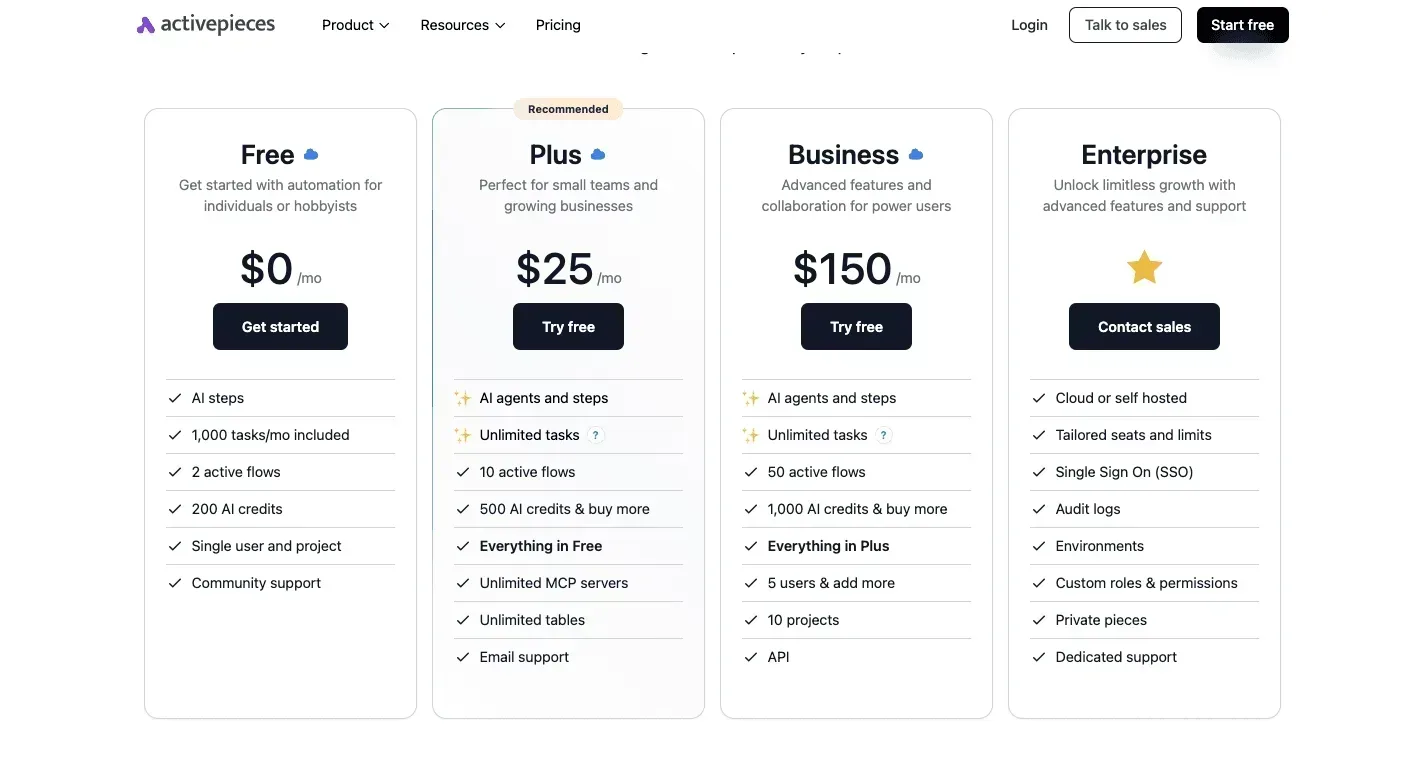
If you are running this arithmetic for your own team, see what the same workload costs on Activepieces.
Gamma API pricing, endpoints and rate limits
What a generation costs
Before you count a single request, know that every Gamma API generation draws credits from the plan behind your key.
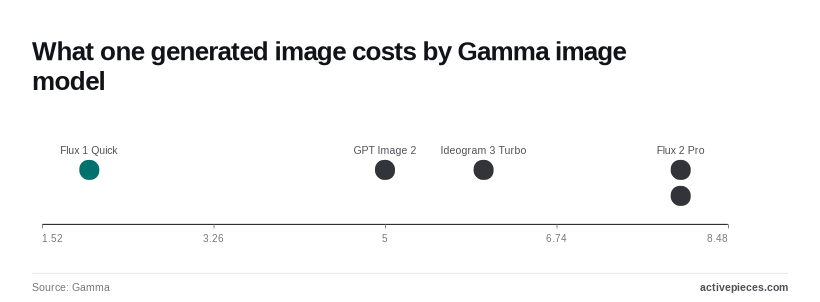
Image model choice moves the cost from 2 to 8 credits per image, and no per-tier rate limit figure was found in the pages checked on 23 November 2026.
I won't guess at endpoint paths or parameter names to list here. What matters for budgeting is the shape: you submit a generation request, then collect the result later.
Before writing code, confirm which account owns the API key. Its plan allowance is the pool you're spending.
Image model costs
If you are choosing an image model, Gamma's image model reference lists a per-image price for each accepted model. Gamma's Flux 1 Quick costs 2 credits per image, so it's the cheapest option for drafts.
According to Gamma, GPT Image 2 Mini costs 5 credits per image and Ideogram 3 Turbo costs 6.
Eight credits per image is what Gamma reports for both Flux 2 Pro and Mini Medium, four times Flux 1 Quick, so a deck of ten images costs 20 credits on one and 80 on the other.

Gamma API credit allowances by plan
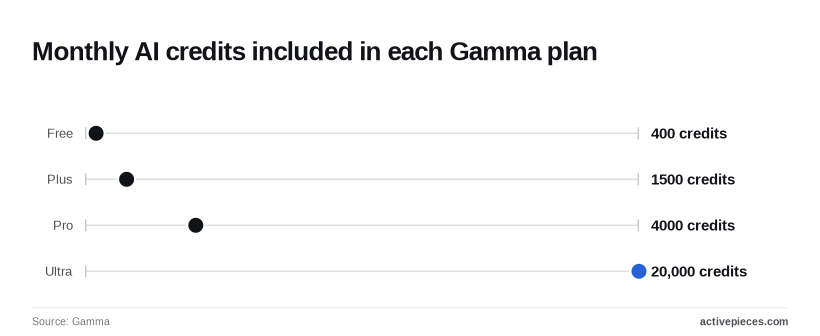
Free has 400 credits, Plus 1,500, Pro 4,000 and Ultra 20,000. Those are the allowances the credits come from, as set out on Gamma's pricing page.
At 8 credits per image, Free covers 50 images before any text is counted, and at 2 credits per image it covers 200.
Rate limits by tier
From Free to Ultra the credits differ fiftyfold, yet the limit column is "not published" for every tier. The table sets each plan's allowance beside its API rate limit, so the allowance is the only ceiling you can plan against.
| Plan | Monthly credits | API rate limit |
|---|---|---|
| Free | 400 (one-time) | Not published |
| Plus | 1,500 | Not published |
| Pro | 4,000 | Not published |
| Ultra | 20,000 | Not published |

Without a stated limit, build for refusals: back off on a rate-limit response and cap concurrent jobs. Check the live response behaviour on your own key before relying on any throughput figure.
Handling common Gamma API errors
You will mostly meet four classes of Gamma API error: rejected credentials, an empty credit balance, rate limiting, and generations that run long or fail. Only the first is fixed by changing the request itself; the rest are handled by the code around it.
Retrying is correct for only some of these. The rest need a person or a changed input, and each class has its own cause and handling.
When the API key is missing, revoked or belongs to a different workspace than you assumed, that is an auth failure; don't retry, and alert the key's owner.
Insufficient credits means the workspace balance can't cover the generation; check the balance before queuing work and stop the queue rather than retrying.
Too many requests, or too many generations running at once, show up as a 429 or workspace_concurrency_limit_exceeded; back off and retry. Bad input means the request body fails validation; fix the payload, because retries repeat the same failure.
A failed or slow generation means the job started but didn't complete in a reasonable time; poll within a bound, then log and escalate.
Gamma API authentication and credit errors
Before anything else, establish who owns the key. An authentication failure usually means the key was rotated, revoked or created by someone who has since left, so the handling is to stop and notify the owner, not to retry.
From the caller's side, a credit failure looks similar, but the cause is different: the workspace balance, not the credential.
Check the balance before a batch starts, and halt the batch on the first credit error. Retrying a create request can spend credits twice, and it also fills your logs and hides the real problem.
When a 429 or a workspace_concurrency_limit_exceeded response comes back, you're sending work faster than the workspace allows. Retry with exponential backoff and some randomness, and cap the number of attempts.
The concurrency error also tells you something specific: generations are still in flight, so lowering your parallelism fixes it more reliably than waiting longer.
Slow or failed generations
Poll with a ceiling on both interval growth and total wait time. When the ceiling is reached, stop and record the generation ID instead of polling forever.
If you receive results by webhook, keep the same ceiling as a fallback timer, because a missed callback otherwise looks identical to a slow job. Log every generation ID, since support and your own audit trail both depend on it.
A retried create request can start a second generation and spend credits twice. Before retrying a create call that timed out, look up whether a generation already exists for that work item, using the ID you logged or a key you store against the item.

Retry only when none is found. Space out your polling requests, since polling counts against your rate allowance.
Worth checking against a plan that does not meter every step: one credit covers a whole run on Activepieces.
The strongest case for calling Gamma synchronously
At low volume, a script that sends a request and waits for the result is enough, and it only stops being enough once runs are unattended or batched. Polling costs nothing, so the objection runs: why not let one request simply wait?
When synchronous Gamma API calls work fine
When a person runs the script by hand a few times a week, they are watching the terminal. If a generation stalls, they see it and run it again.
One owner, one connection, one set of credentials, and the person who holds them is the person who notices a failure.
There's no queue to build, no callback address to expose and no receiving endpoint to secure. The code is shorter, and shorter code has fewer places to leak a token.
For that workload, the asynchronous machinery is more to maintain than the problem warrants. If this is your situation, stop here and keep the script.
Why synchronous Gamma calls fail in batches
The illustration below shows the difference. The top lane is a script holding one open request line to Gamma for one to three minutes, ending in a timeout marker.
The lower lane submits, gets an ID back at once, and leaves a queue to deliver the result to a webhook box later.
Take from it that the first design ties success to a connection staying alive, while the second doesn't.
Start with timeouts. Generation is a job, not a lookup. A blocked request that is cut off by a proxy, a load balancer or your own client gives you no result and no way to tell whether the job ran.
Then there is the retry. A script that retries on timeout may submit the same generation again, and each submission can spend credits. Nobody is watching an unattended run, so the duplicates go unnoticed until the balance is gone.
Sent together, many blocked requests reach rate limits, and the script's answer to a rejection is usually another retry, which compounds the second problem. That is the third failure, the batch.
Before you accept the synchronous design, ask who owns the connection that will be retrying at 3 a.m. If the answer is nobody, the objection no longer holds.
Connecting the Gamma API to workflows with Activepieces
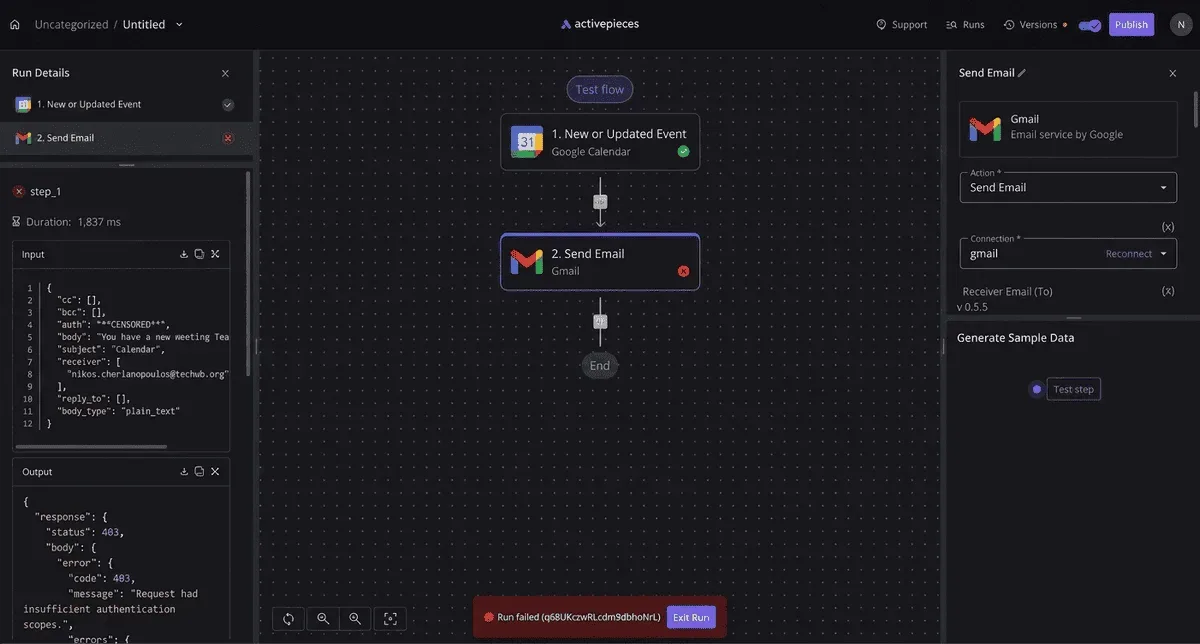
When the Gamma call is one step in a wider process, Activepieces keeps it in one flow: in the flow builder, the CRM trigger, the HTTP submit-and-poll steps and an Agent step that decides what to do with the finished deck sit side by side as steps of a single flow definition.
The run trace logs one execution from the CRM trigger to the delivered link, where an agent framework bolted to a workflow tool would leave two logs joined by a webhook callback. MoneyGram, Moneypenny, Alan and FundingSocieties run Activepieces in production.
It changes nothing about Gamma's pricing or limits.
When to use a workflow tool with Gamma
If all you have is a single script that posts a prompt and saves the result, you don't need a canvas.
A flow does earn it when something upstream starts the job (a form submission, a CRM record changing stage) and something downstream consumes it (a message to the account owner, a file attached to a record).
Those hand-offs, plus waiting, retrying and alerting, are what the tool already provides as steps: an HTTP request, a loop, a branch, a notification.
Before you build, check the integration catalogue for a Gamma connector. If one exists, confirm which Gamma operations it exposes and whether it returns a job identifier you can poll.
If it doesn't, the generic HTTP step covers the same ground, and the rest of this section assumes it.
Settle ownership first. The Gamma API key should be issued under a team or service account, not a departing employee's login, and stored once as a connection in the workflow tool.
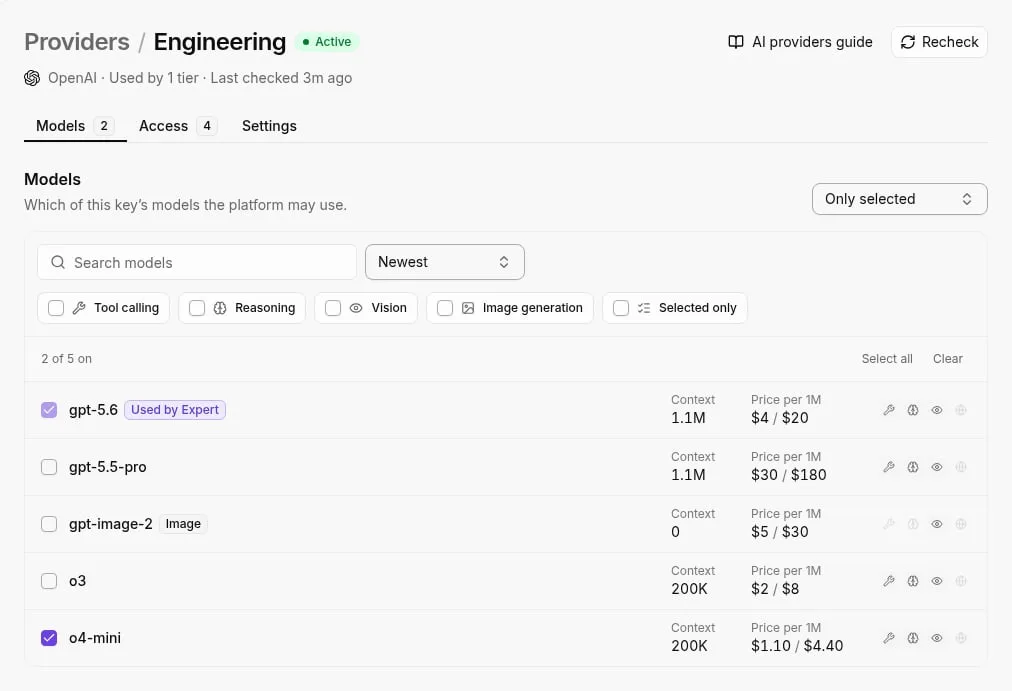
Whoever owns that connection owns every deck the flow generates, and every credit it spends.
Calling Gamma through an HTTP step with polling and error branches
In the flow below, a trigger starts the run, one HTTP step submits the generation request, a loop checks the job until it finishes, a failure branch routes to an alert, and the success branch sends the deck link by Slack or email.
Take from it that the generation request returns before the deck exists, so the wait and the failure path are built-in parts of the flow, not afterthoughts.
Build it in that order. Submit the request with the API key in the header Gamma specifies. Poll with a pause between checks, so the loop doesn't burn through rate limits.
Cap the number of attempts, so a stuck job ends in the alert branch, not in an endless loop.
Planning your Gamma API setup
Start by deciding who owns the key, then work through six steps in order; each one removes a surprise before the next one can cost you anything.
Whoever owns the Gamma account owns the credits, so name that person before the key exists, not after the first invoice question.
The sequence below shows the order and what each step leaves behind. Take from it that nothing is optional: skipping the credit record makes the balance alert meaningless, and skipping the alert makes polling a silent spend.
- Create the API key on a plan that includes API access, under an account a named person owns, and store it in a secrets manager rather than in a workflow field anyone can copy.
- Run the smallest request that returns a finished deck, so you learn the real request shape before building around it.
- Record the credits consumed by that one deck, then by a few differently sized ones. Your per-deck cost is now an observed number, not a guess.
- Set an alert on remaining balance, and decide in writing who receives it and what they do when it fires.
- Add polling with a bounded retry count, a five-second interval, and backoff when the status is still pending or the API signals you're over its limits. Past the bound, stop and report a failure; don't poll forever.
- Re-check the documentation and changelog before you widen use, and again on a schedule, because limits and fields can change under a working flow.
In week one, measure credits per deck and how many polls a typical job needs. Also measure how often a job ends in failure, and how long the balance lasts at your real volume.
Those four readings tell you whether the flow is safe to hand over.
When the job around the deck matters more than the call itself (a trigger, an approval, a place to send the finished link), a workflow tool is worth it.
If the only task is one script run by one person, plain code with the same bounded polling is simpler and has fewer connections to own. Each tool you add is another credential holder, so confirm whose login it runs under before you adopt it.
Use one HTTP step to submit the job and a second to check status, with a loop that exits on completion, on failure, or on reaching your retry bound.
Give each outcome its own branch: success passes the link on, a rate-limit response waits longer and retries, and exhaustion or an error raises the balance-style alert to the named owner.
A flow that has no failure branch will report success it never verified.
Frequently asked questions
Once a flow has a failure branch, five questions come up. Each answer below points back to Gamma's own documentation, which is the place to confirm anything that may have changed.
Is the Gamma API free to use?
No: API access is tied to your plan and spends the same credits as the app, so treat it as a metered service. Check which plan your account is on before building, because the connection belongs to that account.
If the person who owns it changes plans, your flow's access changes with it. Gamma's pricing and API access pages state which plans include the API.
Plan on regenerating rather than patching, because the API is built around generating a new presentation from input. The practical consequence is that a revision costs credits like any other job.
Keep the source content in your own system so you can resubmit it. Gamma's API reference lists what the generation endpoint accepts.
Does Gamma offer webhooks instead of polling?
Don't design around webhooks unless the current API reference documents them. Polling is the pattern the generation endpoint is documented for: submit the job, keep its identifier, and check status until it finishes or fails.
Use sensible intervals so the polling itself doesn't hit your rate limit. If the docs add a callback mechanism, switch to it and keep polling as the fallback.
If you need files, Gamma's documented export options are PDF and PowerPoint, requested as part of the generation job. Exported files come back as links, so download and store them in your own system rather than relying on Gamma to host them indefinitely.
The API reference lists the current export parameters.
How do I check my remaining Gamma API credits?
To see the credit balance, open your account's usage and billing area; the API's generation responses also report credit usage for each job. Record that figure per request in your own logs.
That gives you a running budget without opening the dashboard, and it lets a flow stop before it runs dry rather than after. Gamma's API documentation describes where the usage fields appear.
Related reading
Running the numbers
See what the same workload costs here.
Free forever plan, and every paid plan self-hosts at no extra cost.
See pricing Talk to sales