
How Do BambooHR API Keys and Rate Limits Work?

Nov 24, 202614 min read
Confirm your plan and any per-call price with BambooHR before you build, because access depends on the plan and the price is unpublished.
The BambooHR API's a REST interface to your HR data: employees, time off, reports and files, which you can reach from code or from an automation tool like Activepieces.
Someone on your team generated an API key last spring, the integration has run quietly since, and nobody remembers whose account it belongs to. That's the usual way this API goes wrong, and it starts with how the key's defined.
Get BambooHR API access and plans
What the BambooHR API is
It's an HTTPS API that reads and writes the same records your HR team sees in the web app. You authenticate with an API key, or with an OAuth app if you're building for several customers.
Which plan includes API access and what it costs
You can't assume API access on every tier. BambooHR sells tiers, and the pricing page is the only source for which one includes it, and it changes. Per-employee pricing depends on headcount and is quoted by plan.
If you're wondering about metered billing, assume nothing: BambooHR doesn't publish a per-call price, so ask your account rep.
I'm not printing a plan-by-plan table here: I can't confirm every cell against the pricing page, and a half-filled one would mislead you. Check BambooHR pricing directly.
Roughly, the developer documentation groups endpoints like this:
- Employees, including directory and individual records
- Tabular data, such as job history and compensation rows
- Time off, covering requests, balances, policies and who is out
- Reports, both custom and standard
- Employee and company files
- Applicant tracking
- Webhooks for change notifications
- Metadata, such as fields, lists and users
Treat the docs as the source of truth, because families can differ by plan and change over time.
This takes minutes, not a project: automate it in Activepieces free.
Authentication with an API key or OAuth app
For an integration against your own company's BambooHR account, use an API key sent as the Basic Auth username. Build an OAuth app only when other companies' accounts will connect to your code.
You need four steps to get a usable credential, and the order matters because the key's shown once:
- Sign in as the person who'll own the key and open the API Keys page from your profile menu, then choose to add a new key.
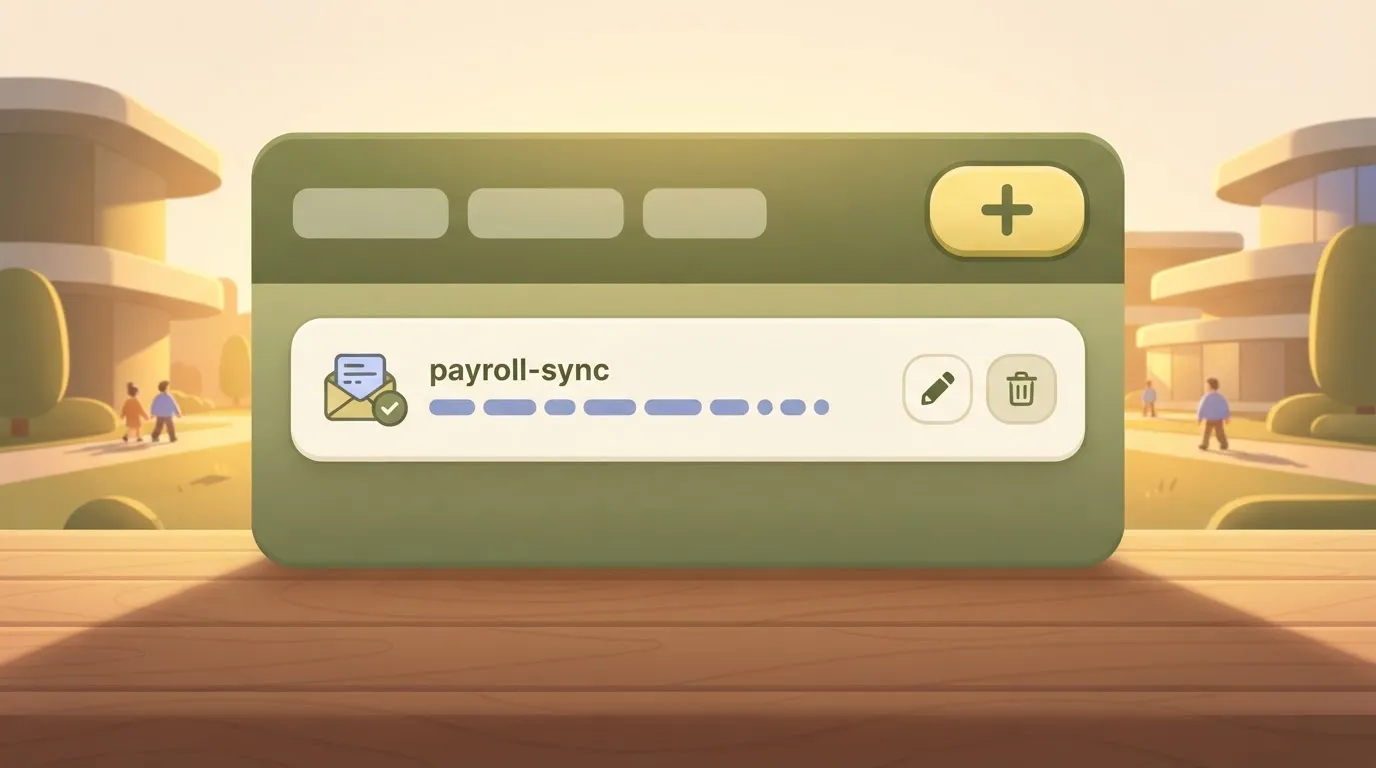
- Name the key after the job it does, such as "payroll-sync", so that someone auditing the list a year from now knows what breaks if they delete it.
- Copy the key immediately into your secrets store. Treat the copy as the only one you'll get, and generate a fresh key if you lose it.
- Read the subdomain from your login URL: if you sign in at
acme.bamboohr.com, your subdomain'sacme. Every API path carries it, so a wrong value fails before authentication even matters.
Send your first authenticated BambooHR API request
Put the key in as the Basic Auth username. The docs let you put any string in the password field, so a placeholder works. Ask for JSON, because the API can return XML otherwise:
curl -u "YOUR_API_KEY:x" \
 -H "Accept: application/json" \
 "https://api.bamboohr.com/api/gateway.php/acme/v1/employees/directory"
If you get a directory of employees back, the key, the subdomain and the plan are all working. An authentication error usually means a mistyped key or subdomain, and a permission error means the owner can't see that data.
Stage 3: When to use an OAuth app instead of a key
If you're building a product that many BambooHR customers will install, you shouldn't ask each of them to paste a key into your settings page, because a key belongs to one company's account.
With an OAuth app, each customer approves access with their own login and revokes it themselves. For a script that only touches your own employee data, a key's less work to run.
Which user should own the key
Don't mistake a key for a service account: it acts as the user who created it and sees only what that user can see.
If an HR admin generates it, every report and field they can open's open to your script. If that person leaves or loses access, the integration quietly returns less data or stops.
Don't mistake a key for a service account: it acts as the user who created it and sees only what that user can see.
Create the key under a dedicated user whose permissions match the job, and keep that account active.
BambooHR time off endpoints with working requests
For time off, six endpoints do the work. Each answers according to the permissions of the user who owns your key, so the same call can succeed for one key and return nothing for another.
The table shows the method, path and required inputs for each; dates are always YYYY-MM-DD.
| Method | Path | Purpose | Required parameters | Permission |
|---|---|---|---|---|
| GET | /time_off/whos_out/ |
Who is away | start, end optional |
Visibility of the people listed |
| GET | /time_off/requests/ |
Requests in a range | start, end |
Time off access to those employees |
| GET | /meta/time_off/types/ and /policies/ |
Types and policies | none | Any API user |
| GET | /employees/{id}/time_off/calculator/ |
Balance estimate | end |
Access to that employee |
| PUT | /employees/{id}/time_off/request/ |
Create request | status, start, end, timeOffTypeId, amount |
Permission to submit for that employee |
| PUT | /time_off/requests/{id}/status |
Change status | status |
Approver rights |

Paths sit under https://api.bamboohr.com/api/gateway.php/{companyDomain}/v1. Every call below sends your key as the basic-auth username with any password, plus Accept: application/json.
curl -u "API_KEY:x" -H "Accept: application/json" \
 "…/v1/time_off/whos_out/?start=2026-11-23&end=2026-11-29"
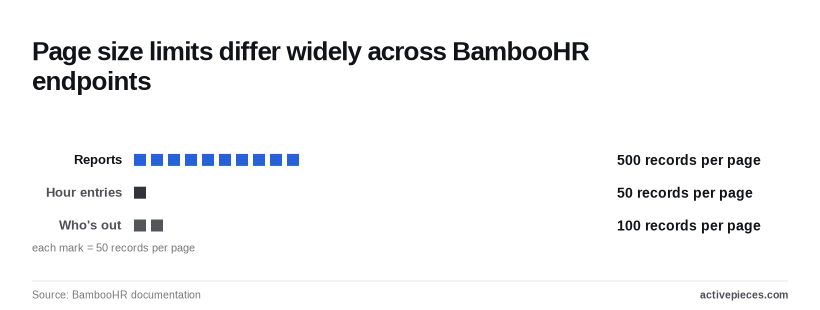
In a large company's busy week, the response can spill past the first page, since the BambooHR documentation sets who's out at 100 records per page, which means users checking availability must navigate beyond the first screen.
Check for more before you tell a manager nobody else is away.
curl -u "API_KEY:x" -H "Accept: application/json" \
 "…/v1/time_off/requests/?start=2026-11-01&end=2026-11-30&status=requested"
Send both dates, since both're required. Filtering by status keeps the response to what needs a decision.
Reports return 500 records per page, per the same documentation, while hour entries return only 50, so accessing hour entries requires ten times as many pages as equivalent reports. A sync loop sized for reports will miss rows if you reuse it unchanged for hours.
curl -X PUT -u "API_KEY:x" -H "Content-Type: application/json" \
 -d '{"status":"requested","start":"2026-12-22","end":"2026-12-24","timeOffTypeId":"1","amount":3}' \
 "…/v1/employees/123/time_off/request/"
Take timeOffTypeId from the types endpoint, because type IDs differ between companies. To decide the request, PUT {"status":"approved"} to /time_off/requests/{id}/status. Denied and canceled are the other values.
curl -u "API_KEY:x" -H "Accept: application/json" \
 "…/v1/employees/123/time_off/calculator/?end=2026-12-31"
Pass the last day of the requested leave, not today, because the result's an estimate as of the end date. Otherwise you approve against a balance that ignores accruals or deductions between now and then.
You can follow the rest of this with the builder open. Start free, no card.
Understand BambooHR API rate limits and errors
BambooHR publishes no per-tier request limit, so your real ceiling's whatever the API tells you when it pushes back.
Per-tier limits aren't published, which means a number from a forum post's a guess. Design for the signal: when you get a 429 or 503, slow down and read the Retry-After header if it's present.
BambooHR API pagination and page sizes by endpoint
On one endpoint a loop works; on another it silently truncates. BambooHR lists 1,000 records per page for reports, so a mid-sized company fits in one or two calls.
For a month of timesheets on a large team, you'll need several calls, because hour entries return 200 per page, and stopping after the first undercounts hours.
Because who's out returns 100 per page, a busy holiday week can overflow one call and show fewer absences than exist. Paginate every list endpoint, whatever its size today.
Only 429 and 503 carry a retry hint, so the first four are bugs to fix, not conditions to wait out. The table shows what each status means and what to do about it.
| Status | Documented cause | Fix | Retry-After sent |
|---|---|---|---|
| 400 | Malformed request or bad parameters | Check the body, field names and date formats | None |
| 401 | Missing or invalid API key | Regenerate the key and re-check how you send it | None |
| 403 | The key's user lacks permission, or the plan lacks that feature | Check the user's access level and your plan | None |
| 404 | Resource, employee ID or company subdomain not found | Verify the ID and the subdomain in the URL | Not documented |
| 429 | Too many requests (limit unpublished per tier) | Back off and retry | Yes |
| 503 | Service unavailable or throttled | Wait, then retry | Yes |
Retrying a 403 will never help, because it's a permissions answer and not a capacity one.
Wait for the Retry-After value when it arrives, and use exponential backoff with jitter when it doesn't.
Cache slow-changing data such as the employee directory, and refresh it on a schedule instead of per request. Use webhooks where your plan includes them, so changes reach you without polling.
If you'd rather skip hand-written HTTP calls, Activepieces has a BambooHR integration, and when a call you need isn't in it, you can generate the missing integration with AI and add it privately to your own instance, with no vendor release to wait on.
The catalogue is 750 integrations, counted directly from the packages/pieces/community directory of the open-source monorepo, and roughly 60% of them are community-contributed, meaning most of the integrations users access are maintained outside the core development team. MoneyGram, Moneypenny, Alan and FundingSocieties run it in production.
Call BambooHR time off endpoints without code in Activepieces
If you'd rather not host a script just to poll BambooHR, Activepieces can do it. The flow's a schedule trigger, the BambooHR integration or an HTTP step carrying the same API key, and a Slack or email step at the end.
Your plan may not have webhooks, so a scheduled flow's the polling fallback, and running it once a day keeps the load on your throttling budget small.
Generate and secure your API key
Create the connection once and reuse it. You need your company subdomain and an API key. Generate the key under a dedicated user whose permissions you've deliberately limited.
Under an HR admin's login, a key carries the admin's reach into every flow that uses it, because the key inherits that user's access. If that person leaves, the connection breaks with them.
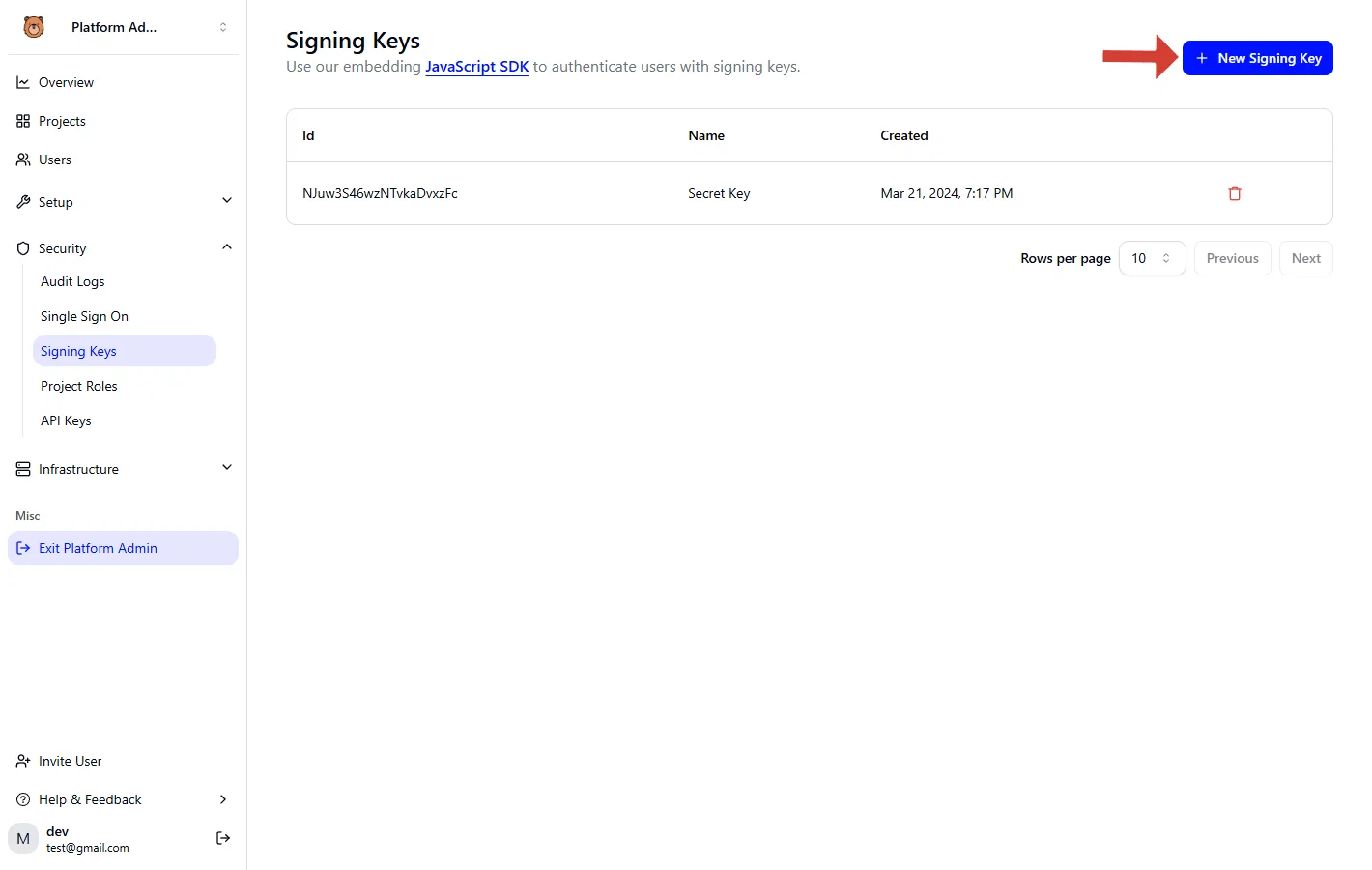
For an HTTP step, BambooHR expects the key as the basic-auth username, with any string as the password. Send an Accept: application/json header or you'll get XML back.
Build a daily who's-out workflow
Start with a schedule trigger set to early morning in your own time zone. Add a BambooHR action, or an HTTP GET to the time_off/whos_out endpoint under your company's gateway URL, with start and end set to today.
Each returned entry carries the employee name, the start and end dates, and the type of leave. Then add a Slack message or email step that lists them.
What the builder looks like
A trigger, a few steps, and a Router splitting into branches that each end in a Slack "Send Message": that's the builder's shape in the screenshot. A side panel holds the Connection field.
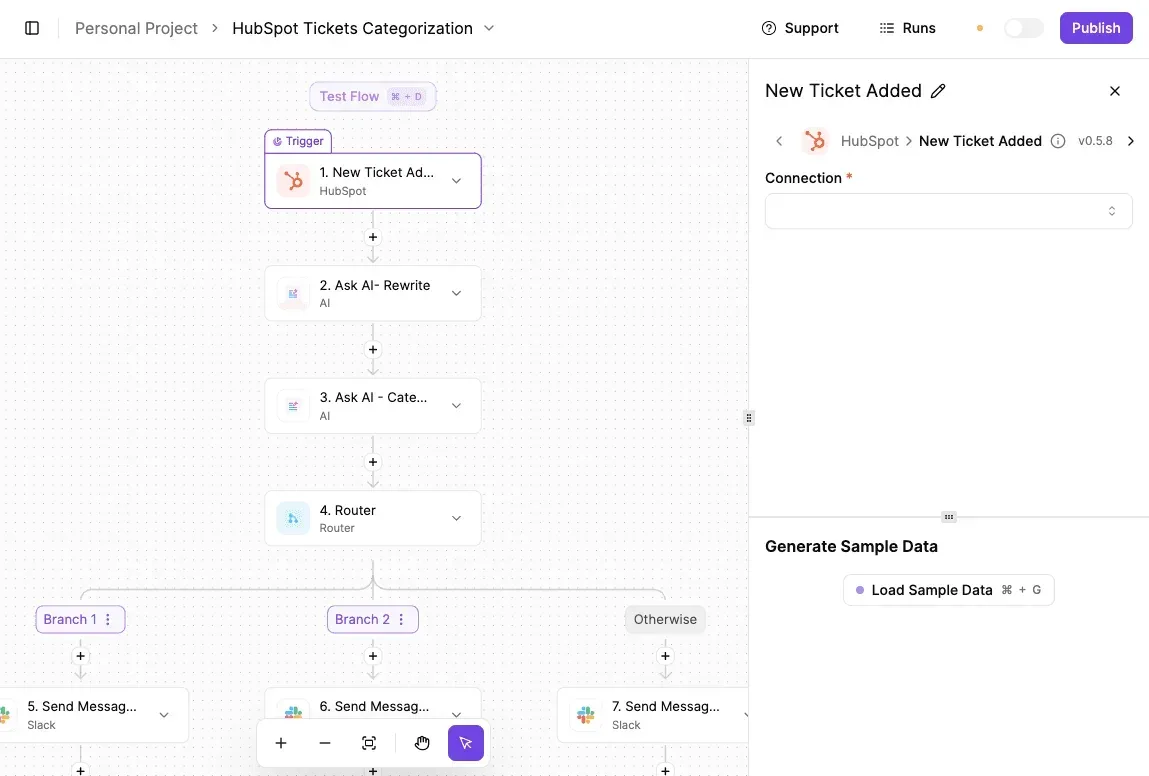
That layout's a HubSpot ticket flow, not a BambooHR one, but yours uses the same integrations.
The trigger and connection're configured on the right, and Test Flow runs it before you press Publish.
Add a Router for quiet days
After that comes a Router, if you want one. Route by leave type, or send an empty-day result to a different channel so a quiet Monday doesn't read as a broken flow.
Check the integration's action list in the builder before you commit. If the time off call you need isn't there, the HTTP step reaches the same endpoint.
When to use code for BambooHR API calls
Choose code when you need to page through large result sets, back off and retry on throttling responses, or compare time off requests against your own database.
A flow gives you a visible run history, which's worth a lot at 2am. It gives you less control over retry timing than a script you own.
Frequently asked questions
Is the BambooHR API free to use?
Whether your account can use the API depends on your plan, though BambooHR doesn't publish a separate per-call charge. Confirm API access with your account representative before you budget a project around it.
Check the BambooHR API documentation for the current terms, because a script that quietly depends on a feature your plan lacks will fail the day someone renegotiates the contract.
Can I use the BambooHR API with a trial account?
Possibly, but don't assume a trial behaves like your production account. Trials can have different features enabled and different data, so a script that passes there may hit access errors once it meets real employee records.
Ask BambooHR what your trial includes, and treat a first run against the production account as a new test.
Does BambooHR support webhooks for time off changes?
Yes, BambooHR has webhooks, but they're built around employee record changes, and the documentation's the place to check which events they cover.
For time off, the dependable pattern's to poll the time off requests endpoint, filtering by date range and status, and compare the results with what you stored last time.
Polling on a schedule also lets you control your own request pace, which matters once throttling signals start appearing. The webhooks documentation lists the supported events.
Why does my API key return 403 on some employees?
Your key acts with the permissions of the person who generated it, so a 403 usually means that person can't see those employees or fields.
This is the service-account trap from earlier in the article: the key looks like a neutral credential, but it's really one user's access level.
Under a manager-level user, the key works for their reports and fails everywhere else.
Regenerate the key from a user whose access level covers the data you need, and use a dedicated user for it so the key doesn't break when a person leaves or changes role. Permissions are described in the API documentation.
Does the BambooHR API have an official SDK?
Check the documentation for the current list, because I won't claim a supported library for your language that may not exist.
Writing a small wrapper of your own that handles authentication, retries and response parsing's a reasonable choice, since the API's plain HTTP with JSON or XML responses. That wrapper's also where your throttling and time off handling should live.
Related reading
References
Build it
Set this up in minutes.
No code required. Connect your accounts, and Activepieces runs it from there.
Start free Talk to sales