
How to Build a Glean Workflow

Nov 21, 202611 min read
A Glean workflow is a programmable bridge that transforms static enterprise search results into automated triggers for downstream applications. In my early setups, I wasted weeks trying to scrape internal wikis manually. It's a tedious process.
A Glean workflow is the practice of using Glean’s API to programmatically transform enterprise search data into automated triggers for downstream applications while maintaining distinct identity and access controls for AI agents.
Moving to the native API allows a model like Claude Sonnet 5.5 to receive verified internal context the moment a document changes.
By treating the search index as an active event stream rather than a passive library, you can feed live data into Activepieces to synchronize knowledge across your stack. Companies like MoneyGram and FundingSocieties run this in production to manage data flows across their departments.
What defines a glean workflow
By treating the search index as an active event stream rather than a passive library, you can feed live data into Activepieces to synchronize knowledge across your stack.
The two types of Glean API interactions
The architecture of a workflow depends on whether you need the system to react to new information or hunt for specific answers.
- Push Triggers fire when the system indexes a new document or updates an existing one.
- Search Triggers initiate a query based on an external event, such as a customer ticket, to pull relevant snippets from the index for summarization or routing.
Prerequisites for building your first automation
Before you can move data out of the index, you must satisfy four structural requirements that define how the system identifies your agent and where it sends the payload.
- A Glean Admin Account is required to generate credentials and oversee the activity logs of the automated agent.
- The Generated API Key is the unique identifier that authenticates your workflow's requests to the Glean servers.
- The Defined Trigger Type is a selection between Push or Search that dictates the direction of the data flow.
- The Target Destination URL is the specific endpoint (a webhook or middleware address) where the system delivers the processed data.
Current API rate limits and authentication standards
Strict quotas govern every request to the Glean API to prevent automated agents from degrading search performance for human users. If your workflow exceeds the allowed number of calls within a specific window, the API returns a standard error code.
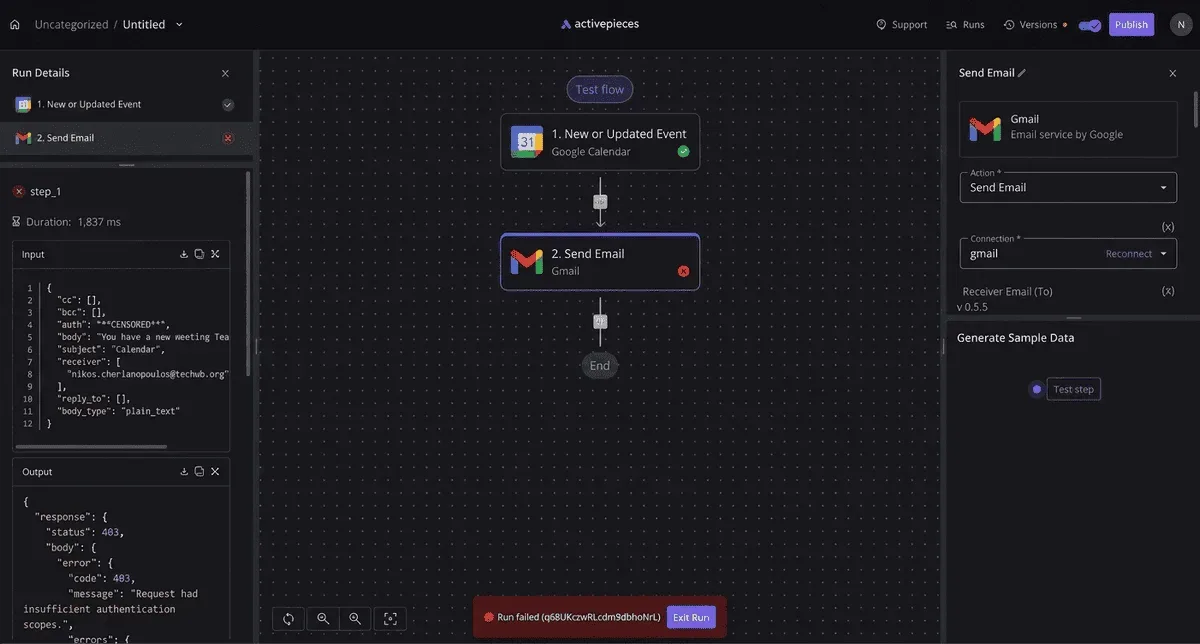
Bearer tokens in the request header handle authentication. This ensures that every interaction is encrypted and mapped back to the specific API key you generated during setup.
This takes minutes, not a project: automate it in Activepieces free.
Building a Glean search-to-Slack workflow
You build a Glean search-to-Slack workflow by configuring a Service Account to act as a listener. This account pushes indexed updates to a specific channel whenever new documentation meets your predefined query criteria.
Step 1: Provisioning a Glean Service Account
For automated workflows, creating a dedicated Service Account is the only way to isolate permissions from an individual employee’s seat. This prevents the bot from breaking when a staff member leaves the company.
- Open the Glean Admin Console.
- Select 'Create App' to generate a new client identity.
- Define Search Action to specify that this app will query the index.
- Map JSON fields to Slack blocks to format the raw data for human readability.
- Test and Enable the integration to go live.
Establishing the outbound connection
The connection between Glean and Slack is finalized within the Outbound settings of the Glean App configuration. This is where you input the Target Destination URL, which acts as the receiving end for the search results.
By selecting the Webhook option in the delivery settings, you instruct Glean to transmit the JSON payload to your Slack middleware or automation platform. This step bridges the gap between the internal search index and the external communication channel.
Step 2: Configuring the Search API Trigger
The Search API trigger functions as the heartbeat of the automation, executing a saved query at a set interval to identify new content across connected sources like Jira or Confluence.
Switching to a scheduled Search API call allows you to filter for specific metadata tags before the data ever leaves Glean. You must define the query string (for example, tag:release-notes) so the system knows exactly which subset of the enterprise knowledge base to monitor.
Mapping Glean JSON response fields to Slack
Mapping the JSON response transforms the structured data returned by Glean into a visual message that provides immediate value to the Slack user.
You need to pull the title, url, and snippet fields from the Glean response object and link them to the corresponding elements in the Slack Block Kit builder.
I use an LLM like Gemini 3.1 Pro to write the transformation logic here because it handles the nested arrays in Glean’s response without failing on null fields.
Step 4: Testing the connectivity in the sandbox
Testing in the Glean sandbox environment allows you to verify that the Bearer tokens and scopes are correct without triggering hundreds of notifications in a production Slack channel.
- Glean Sandbox isolates the API calls from production logs.
- Slack Developer Mode reveals the raw payload received by the workspace.
- Glean Activity Log shows if the Search Action failed due to permissions or a malformed query.
Once the sandbox test returns a successful 200 OK status and the message renders correctly, the workflow is ready for deployment.
How to resolve glean workflow errors
Production stability depends on distinguishing between a failure in the Glean API itself and a failure in the identity context of the agent.
Fixing Glean 401 Unauthorized and expired token errors
A 401 error indicates that the Bearer token in your request header is either malformed, revoked, or has reached its expiration timestamp.
| Likely Cause | Immediate Fix |
|---|---|
| 401 Unauthorized: The Service Account API key has been rotated or deactivated in the Glean Admin Console. | Generate a new API key in the Glean Workspace settings and update your environment variables. |
| 403 Forbidden: The agent is attempting to access a document that the specific Service Account does not have permission to view. | Adjust the Access Control List (ACL) in the source system to grant the agent's identity "Read" permissions. |
| 404 Not Found: The specific Document ID or Datasource slug in the request URL is mistyped or was deleted. | Verify the datasource name in the Glean Setup tab and ensure the document still exists in the source app. |
| 500 Internal Error: A transient failure within Glean’s indexing engine or a timeout from a downstream provider. | Implement an exponential backoff retry logic in your script to attempt the request again after a delay. |
Handling 'no Results found' in new data sources
Glean will return an empty results array if the crawler has not yet finished the initial ingestion of a newly connected repository, such as a Confluence workspace.
Check the "Crawl Status" in the Glean Indexing dashboard. If the status is "Processing," your agent will remain "blind" to that data until the status changes to "Live." For urgent deployments, you can trigger a manual "Fetch" for specific URLs.
Handling Glean API rate limit errors
The Glean API enforces a strict rate limit to ensure that high-volume agents do not degrade search performance. If your workflow involves a high-reasoning model performing a bulk analysis, you will likely hit this ceiling and receive a 429 Too Many Requests response.
To prevent this, wrap your API calls in a queueing system that staggers requests. By monitoring the X-RateLimit-Remaining header, your application can dynamically pause execution before the limit is breached.
You can follow the rest of this with the builder open. Start free, no card.
Automating Glean actions with Activepieces workflows
Activepieces puts every Glean-triggered agent inside the same access model as your employees: RBAC, SSO, and SCIM govern what it may connect to, not just what a person may open.
An SDK gives a Glean agent code to run, but it does not provide the tenant-wide audit log or role-based access required for enterprise governance.
Activepieces places every agent under the same access policies as your employees, ensuring it can only connect to authorized data sources.
You can open the run detail view for any agent step to verify that each tool call is logged individually with its specific input and output, rather than being collapsed into an opaque result.

Link search events to your workflow
You link Glean to Activepieces by configuring a Webhook trigger that listens for the Search API’s event payloads, which can then be processed by any of the 750 integrations available in the open source monorepo.
Because Activepieces provides a dedicated URL for its webhook listener, you can paste this directly into the Glean administrator console to begin automating with the MIT-licensed core.
Once the connection is live, a test run in the Activepieces builder displays the JSON structure of your Glean data, allowing you to map fields like "Document Title" to subsequent steps without writing code.

Every connector registered in Activepieces is immediately available as an agent tool. Once an integration is configured, it runs as a step in a flow and as a tool schema on a per-project MCP server, reachable from an agent you built or external models.
You can verify this in the Integrations Framework and MCP Server documentation, where the same integration action in the open-source repository is exposed as a reusable tool without a second migration.
Building a multi-step logic branch for search results
To handle complex enterprise routing, you use the "Branch" integration in Activepieces to sort Glean results based on their source or content type.
| Destination | Logic Condition |
|---|---|
| Salesforce | If the Glean result originates from a "Customer Success" folder, the workflow creates a Task in the Salesforce CRM. |
| Jira | If the result contains technical keywords or bug report metadata, Activepieces opens a new Issue in the relevant Jira project. |
| Webhook | For any results that do not fit standard categories, the workflow sends the raw data to a generic Webhook. |

Deploying the workflow to production teams
Moving a workflow from the builder to the team requires assigning a specific "Worker Identity" to the Activepieces connection to maintain a clear audit trail. This ensures that when a Jira ticket is created, the "Created By" field shows the AI agent's name.
You then publish the flow using the "Production" toggle. By monitoring the "Runs" tab, you can verify every execution and re-run any failed steps if a destination service is temporarily unreachable.
Frequently asked questions about Glean workflows
Glean workflows rely on the specific synchronization capabilities of your connected apps rather than a universal real-time standard across the platform.
Does Glean support real-time webhooks for all connectors?
Real-time execution is limited to connectors where the source system can actively broadcast changes to Glean’s listener URL. For services without this native push capability, Glean must rely on its scheduled crawler to identify updates.
This shifts the workflow from an "instant" trigger to a "delayed" trigger based on your organization's crawl frequency.
What is the difference between a Push API and a Search API?
The Push API allows you to send proprietary data into the Glean index from custom internal tools. The Search API allows your external agents to query that index to retrieve answers.
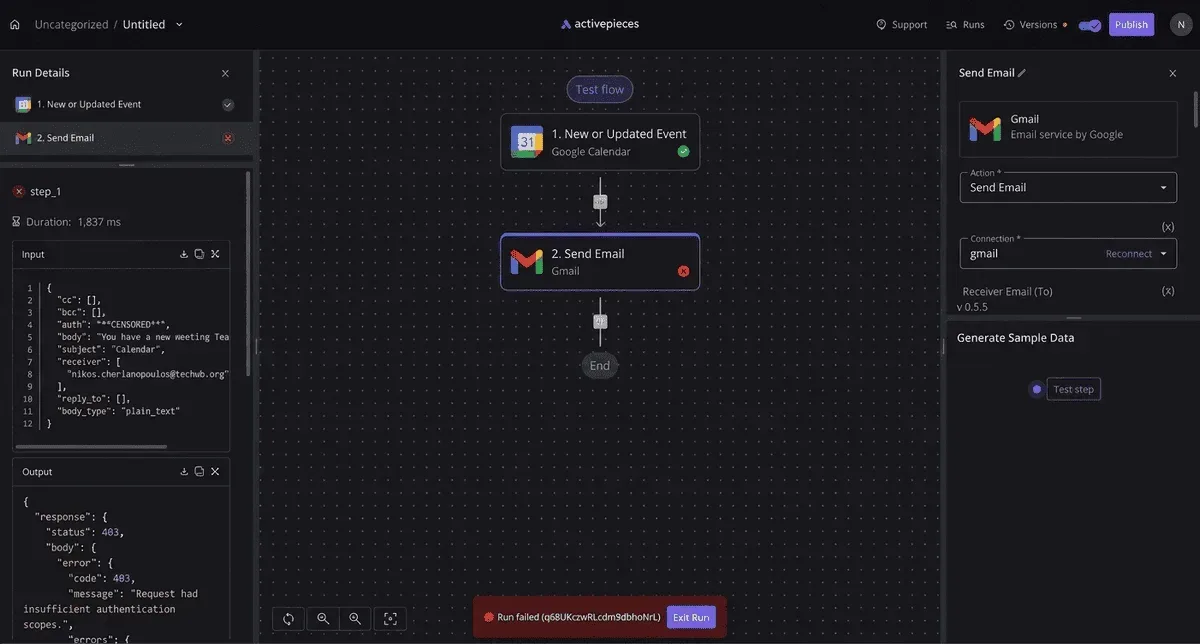
You use the Push API when you have a bespoke database that Glean cannot crawl natively. Conversely, you call the Search API when a model needs to ground its response in verified company facts before executing a task.
Can i build workflows on the Glean Free Trial?
Building and deploying automated workflows requires an active Enterprise tier subscription because API access is restricted on lower-level evaluations.
- The Enterprise Tier Subscription is required to unlock the API endpoints necessary for programmatic triggers and actions.
- Data Residency Configuration requires you to specify your region (US, EU, or APAC) during setup to ensure workflow data stays within your sovereign cloud boundaries.
- Connector Authorization requires that each of the 100+ native connectors be granted service-level permissions to allow the Glean agent to act on behalf of the system.
How do i secure Glean API keys in a multi-tenant environment?
Securing keys in a multi-tenant setup requires assigning a unique Service User identity to each workflow rather than using a broad administrative token.
This isolation ensures that if a workflow is compromised, you can revoke that specific credential without disabling the search capabilities for your entire workforce.
Build it
Set this up in minutes.
No code required. Connect your accounts, and Activepieces runs it from there.
Start free Talk to sales