
How to Replay a Failed Workflow Run on Each Platform

Nov 23, 202615 min read
Replaying a failed run means re-executing a failed execution, either from the step that broke or from the start. The right platform, whether a code-first orchestrator or an open-source builder like Activepieces, depends on whether your steps can safely run twice.
Workflow run replay is a workflow platform's ability to re-execute a failed run, either resuming from the failed step with earlier results reused or restarting from the first step, using the run data the platform has retained.
If they can't, pick a tool that resumes at the failed step; if they can, a full restart is fine. Vendor pages below are current as of 2026-11-23.
Platforms that replay failed runs best
What replay means: failed step versus whole run
When a step-level replay runs, it picks up at the node that failed and reuses the output of everything before it. A whole-run replay throws that state away and fires the trigger payload through again from step one.
The difference matters the moment a step has a side effect. If step two charges a card and step five fails, a whole-run replay charges the card again unless step two checks for an existing charge first.

Ask any platform two things: what replay re-executes, and what it does with the data from the first attempt. Platforms also differ on how long they keep that run data.
A replay button is useless if the failed run's input has already been purged by the time you notice the failure.
Best workflow replay platforms by team type
Sorted by who's doing the building, the list below narrows the choice.
- Zapier or Make, for no-code teams that want replay inside a hosted editor.
- n8n, for self-hosters who want to control where run data lives and how long it stays.
- Temporal or Airflow, for engineers who need retries and resumption written into code.
- Windmill, for teams whose workflows are mostly scripts.
Read the list as a split by risk. If your steps are safe to repeat, any of these works and you can choose on team skill. If they aren't, lean toward the engineer-grade tools, where you decide in code what runs again.
A replay feature is hard to clear in a security review when its behaviour sits behind a vendor's description, whether that is what a retry re-executes or how long failed-run input is kept.
Activepieces ships an MIT-licensed core, so a reviewer can clone the repository, read the queue and worker code that handles a retried run, and load-test it self-hosted or fully air-gapped.
A reviewer who has read the code has nothing left to take on trust, and that is usually what lets a review close.
Read the vendor's docs for three things before you trust a replay button in production.
- Where replay restarts: at the failed step or at the trigger.
- Whether steps that already succeeded are skipped or run a second time.
- How long the failed run's input and output stay available to replay.
If a doc doesn't answer one of these plainly, treat that as unconfirmed and test it with a deliberately failing run. The table that follows applies the same checks to each platform.
This takes minutes, not a project: automate it in Activepieces free.
Replay features, prices and limits
If you want all six platforms compared on the same columns, the table below does it. It shows the replay method and hosting model for each, but the vendors confirm only three prices and no retention window, so those cells say so rather than guess.
| Platform | Replay method | Run-history retention by plan | List price of that plan | Self-hosting | Main limit | Best for |
|---|---|---|---|---|---|---|
| Zapier | not confirmed | not confirmed | $39 per month | No | not confirmed | Short, simple chains |
| Make | not confirmed | not confirmed | $28 per month | No | not confirmed | Visual scenarios on a small budget |
| n8n | not confirmed | not confirmed | $60 per month (Cloud) | Yes | not confirmed | Teams that want to host it themselves |
| Temporal | not confirmed | not confirmed | $50 per million Actions | Yes | not confirmed | Steps that must survive crashes |
| Airflow | not confirmed | not confirmed | not confirmed | Yes | not confirmed | Scheduled batch pipelines |
| Windmill | not confirmed | not confirmed | not confirmed | Yes | not confirmed | Script-first workflows |
| Activepieces | — | — | — | Yes | — | Open source, self-hostable automation (MIT core, 750 integrations) |
For prices, the source is Integrately, checked 2026-11-23. Zapier's plan is $39 per month, Make's is $28 and n8n Cloud's is $60, so n8n Cloud costs more than twice Make's plan.
The cheapest hosted option isn't the one that gives you the most replay control. These are list prices and tell you nothing about how many days of failed runs each plan keeps.
For retention, the self-hosting column matters most. On Temporal, Airflow, Windmill and n8n you run the storage, so you decide how long run data stays. On Zapier and Make you accept whatever the plan allows.
Replay details vendors do not confirm
Wherever the table says "not confirmed", the pricing page or docs didn't state the answer plainly. Retention is the gap that costs you most, because a replay you can't reach after a week is no replay at all.
Don't read "not confirmed" as "absent". It means ask support, or test with a deliberately failed run, before you build on it.
Retention is the gap that costs you most, because a replay you can't reach after a week is no replay at all.
Zapier, Make and n8n replay features
All three let you re-run a failed run. They differ on where the re-run starts and on how much of the failed run's data you still have to start from.
That second point decides whether a replay is safe for your steps. As of November 2026, the vendors' docs describe the three behaviors below.
Zapier replay and autoreplay
When a Zap run errors, Zap history lets you replay it, and autoreplay retries errored runs without anyone clicking. Autoreplay picks up the failed steps, while replaying the entire Zap run starts at the trigger, using the data Zapier saved for that run.
If the failed step is a lookup or a read, resuming at it is convenient. If the failed step is "create invoice" and the first attempt actually landed before the timeout, it's a problem. Autoreplay doesn't know that, so it'll send the create call again.
Replay depends on run history, which is only kept for a limited window that varies by plan. Check the plan page for your tier.
This fits teams whose steps are idempotent or protected by a lookup-then-create pattern.
Make incomplete executions
By default, Make doesn't keep a failed run for replay. You switch on storage of incomplete executions in the scenario settings, and only then does a run that hits an error get parked.

From there you fix the cause, such as a bad field mapping or an expired connection, and resume it from the module that failed.
Anything you didn't enable beforehand is gone. So the setting belongs in the scenario's setup checklist, not in the post-mortem.
On retention, stored data follows your plan, so confirm it on Make's pricing page. It suits people who want a human to inspect each failure before it continues.
n8n retry of failed executions
On a failed execution in the executions list, n8n gives you a retry button. The editor gives a choice between retrying with the workflow as currently saved and retrying with the workflow as it was when the run happened.
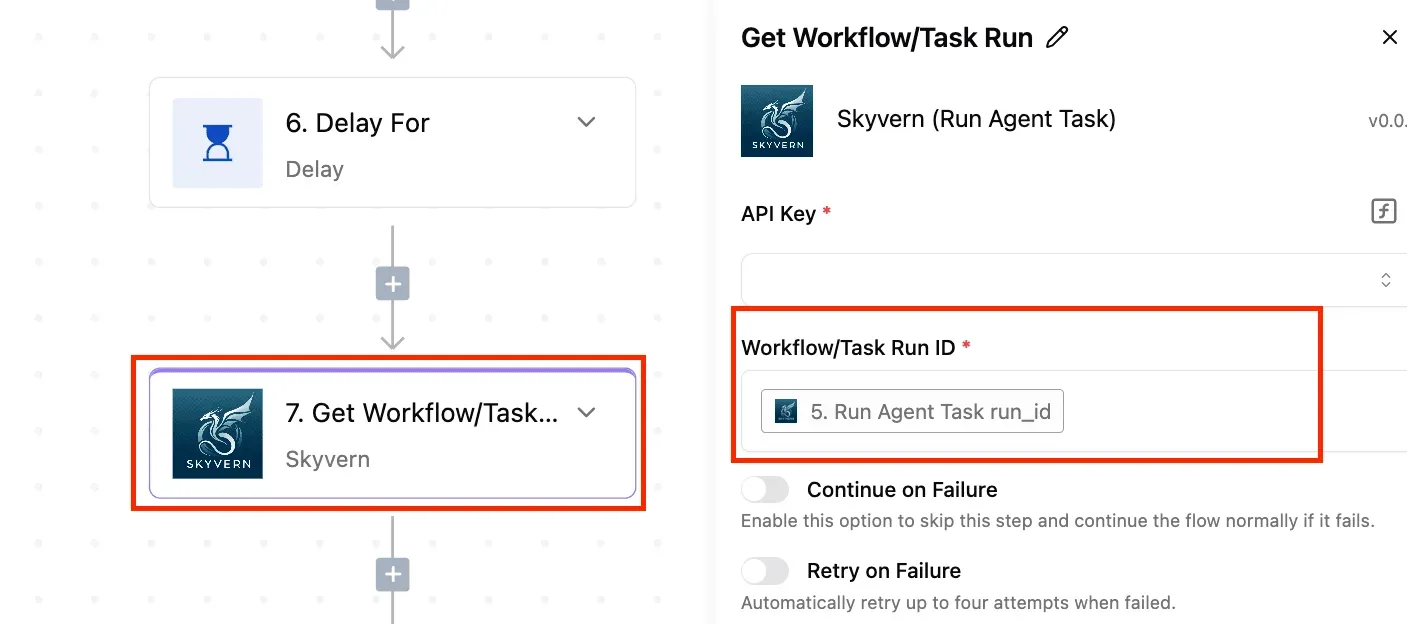
That choice matters. Retrying against the saved version picks up your fix but may not match the data the original run saw.
On a self-hosted install you control the pruning settings that decide how long executions stay; on n8n Cloud they vary by plan. n8n fits teams that want to decide how long failure data lives.
You can follow the rest of this with the builder open. Start free, no card.
Temporal, Airflow and Windmill: replay for engineering teams
For teams writing workflows as code, "replay" means three different things, and Temporal's version is the one where the workflow-version question from the last section bites There's no sentence in your message, only the word "hardest." Paste the sentence you want rewritten and I'll return just the revised version, keeping every number and product name and removing the competitor compliment.
The table shows what each tool does when a run fails, where it keeps the record, and how it's bought, so you can see which meaning you're signing up for.
| Tool | What replay means | Where state lives | Self-host vs cloud | Price basis |
|---|---|---|---|---|
| Temporal | Re-executes workflow code against its recorded event history to rebuild state, then continues | Event history in the Temporal service | Both: self-hosted open source, or Temporal Cloud | Cloud bills per Actions |
| Airflow | Clears failed tasks and re-runs them | Metadata database | Self-host; managed offerings exist from other vendors | Software is free; you pay for infrastructure or a managed provider |
| Windmill | Retries failed runs and steps | Windmill's database | Both: self-hosted or Windmill's cloud | Infrastructure when self-hosted; plan list price on cloud |
| Activepieces | — | — | Both: self-hosted (free Community Edition under the MIT licence) or Activepieces Cloud | Cloud bills in credits: Free is $0 with 1,000 credits a month, Plus is $20 a month with 10,000 credits a month, and a run is 1 credit however many steps it has |

Temporal event-history replay
Don't think of Temporal's replay as a re-run. After a crash, the worker replays your workflow code against the recorded history to rebuild its position, and completed activities return their stored results instead of executing again.
Your side effects therefore don't repeat, but your workflow code must be deterministic, and a changed workflow can break histories already in flight.
In January 2024 Temporal Cloud's list price per million Actions was $25, and it was still $25 in January 2025, according to PricingSaaS. By April 2025 it was $50, so the same workload costs twice as much per step.
List prices change, so recheck before you budget.
Airflow clear and re-run tasks
Clear a failed task in Airflow, and its downstream tasks if you choose, and the scheduler runs them again. That's a true re-run: if a task sent an email or wrote a row before it failed, it'll do so again.

Each task needs to be idempotent, or you need a guard inside it. Run state sits in the metadata database, so how long you can inspect or clear old runs depends on how you maintain that database.
Windmill retries for runs and steps
Windmill retries failed runs and individual steps, so you can target the one step that broke. Like Airflow, a retried step executes again, and the same idempotency rule applies.
You can self-host it or use its cloud, which makes it the easier choice if you want code-first flows without running a Temporal cluster.
Activepieces: retrying failed runs, and where it is not confirmed
From run history you can retry a failed run in Activepieces, and you can set retries on individual steps. What it re-executes on a retry is the part to verify against your own flow before you rely on it.
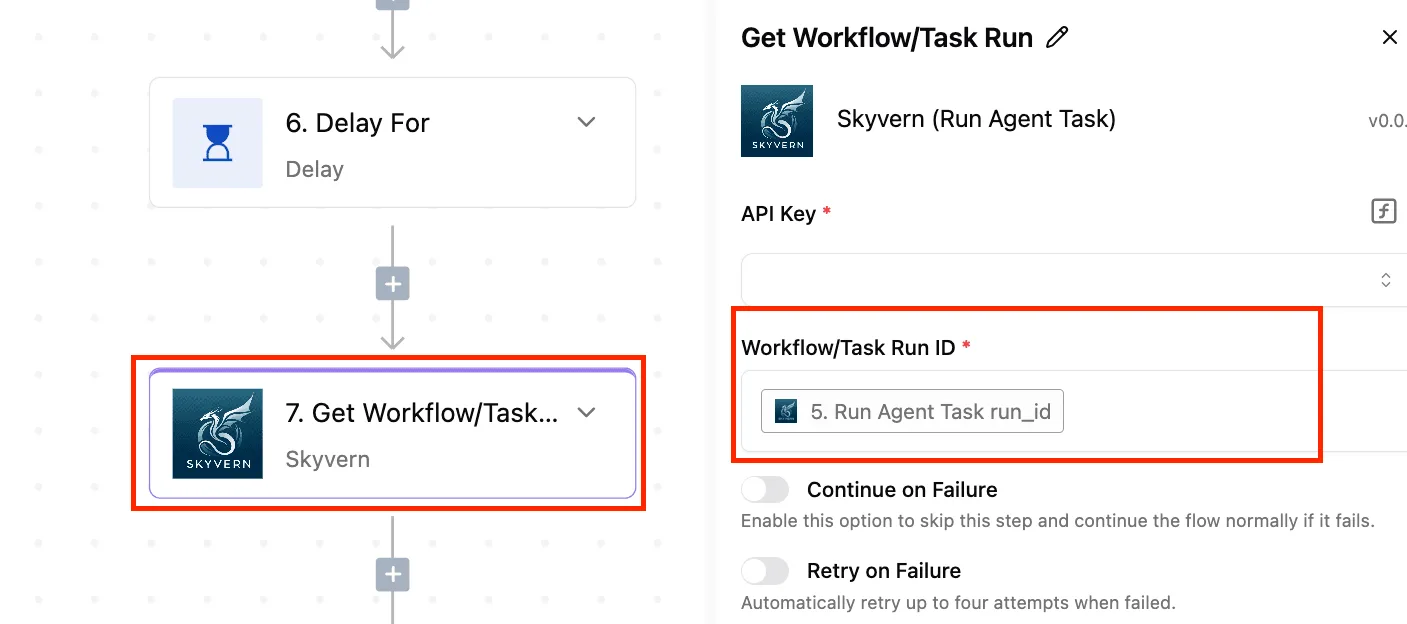
Activepieces has 750 integrations counted from its open source monorepo, and MoneyGram, Moneypenny, Alan and FundingSocieties run it, but none of that tells you what a retry repeats, so test it with a deliberately failing run.
If a step has side effects, the retry carries the same duplicate risk as on any other platform.
What the docs confirm
Open any run and each step shows its input and output JSON, because every run is recorded with its steps. That record is what you debug from, and it's what a replay starts from.
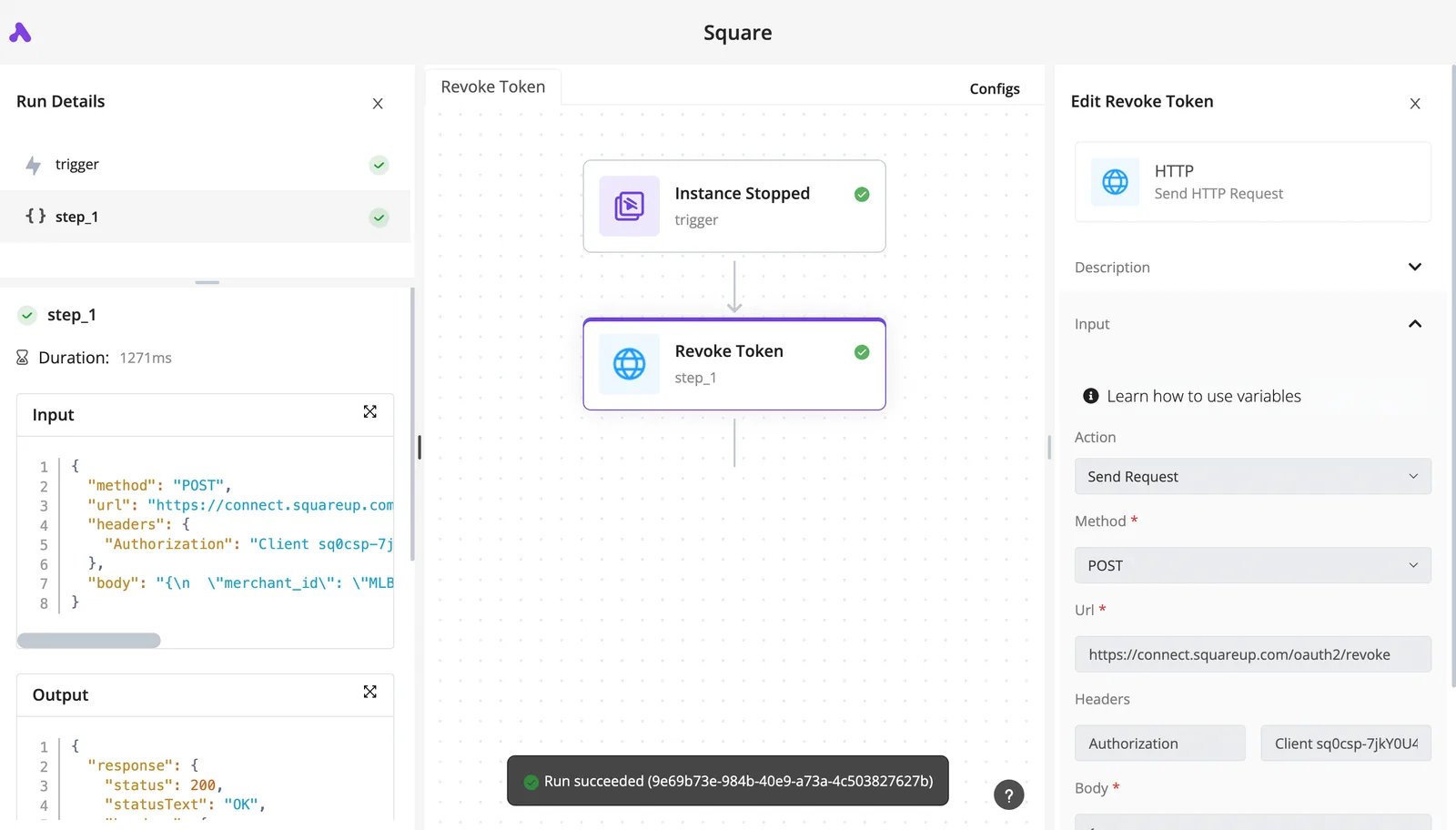
Steps also have their own failure settings, including a retry option, so a flaky call to an outside API can be retried without anyone opening the run.
You can self-host Activepieces, and the core is MIT-licensed; the packages/ee/ directories sit under a separate commercial licence. Self-hosting matters here because you decide how long run data stays in your own database, instead of accepting a vendor's retention window.
Where it is not confirmed or weaker
Nothing confirms a retention period for run history on the free or paid cloud plans, so none is stated here. If you need to replay a run from last month, ask the vendor before committing.
Nor is it confirmed that a step-level retry is idempotent-aware. Nothing in the docs deduplicates a repeated "send" or "create". If your steps can't safely run twice, that protection is yours to build, for example by checking for an existing record before creating one.
For long-running, durable workflows with strict guarantees about resuming from an exact point, a code-first orchestrator such as Temporal is stronger.
Activepieces builds flows visually across 750 integrations, with an MIT-licensed core, but it is not a durable-execution engine, so workflows may not survive service failures.
Retry one failed run, step by step
Picture a calendar trigger followed by a Gmail send; that is what a failed run looks like in the builder. The left panel lists run details with per-step timing and input and output JSON.
The right panel shows the Send Email action, where the connection and the "Receiver Email (To)" field are the first things to check. The failed run message sits at the bottom with an "Edit Run" button.
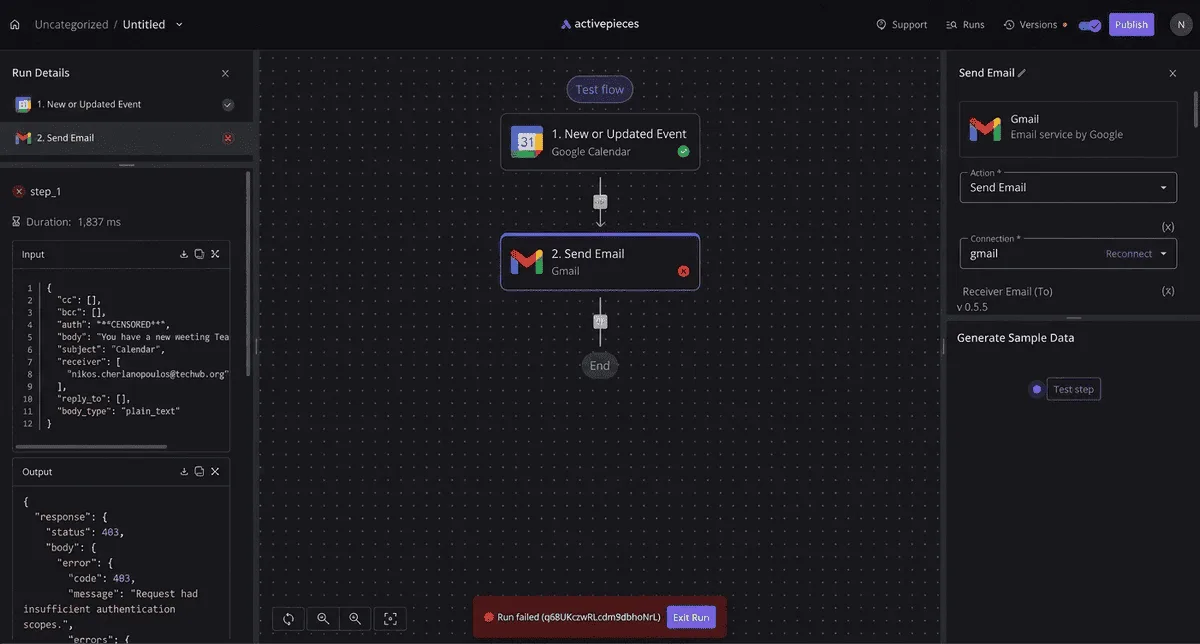
- Open the failed run from run history and read the error against the failing step's output.
- Check the Send Email step: is the Gmail connection selected, and is the "Receiver Email (To)" field mapped to a real value from the trigger?
- Fix the mapping or reconnect the account, then use "Test flow" to confirm the step now succeeds.
- Before replaying, check whether the earlier attempt already sent anything. A send that half-completes will go out twice.
Frequently asked questions
Will replaying a failed run charge me for the tasks again?
Usually yes, because a replay executes steps again and metered platforms count executed steps. Zapier's help-center page on replaying Zap runs says replayed steps use tasks.
Make meters by operations, and its incomplete-executions documentation treats a rerun as new work on the remaining modules, so budget for operations to be consumed.
Whether n8n Cloud counts a retry as a new execution isn't confirmed in the n8n docs. Self-hosted n8n has no meter to charge you. For Temporal Cloud, billing for activity retries isn't confirmed.
Can I replay a run after the history retention period ends?
No. A replay needs the stored input and step data, and pruning removes it. Temporal's documentation ties closed workflow history to the namespace's retention period, so once history is deleted there's nothing left to replay.
n8n's docs put execution pruning under your control through environment variables on self-hosted installs, which means the window is whatever you configured.
For Zapier and Make, exact retention periods aren't confirmed here. Check your plan's setting before you rely on a replay for anything older than a few days.
Does replay create duplicate records or emails?
It can, if the step that already succeeded runs a second time. A replay that restarts from the beginning repeats the email, the payment, and the record insert. A replay that resumes from the failed step avoids that, but only for steps before the failure.
Even the failed step may have partly completed before it errored. Temporal's docs are direct about this: activities run at least once, so they should be idempotent.
Pass a stable idempotency key to the payment API, or look up the record before you create it. No platform's replay button removes that duty.
Which platform retries automatically without me clicking anything?
Several do, each with a different mechanism. Zapier has Autoreplay, which reruns failed steps on its own, though which plans include it isn't confirmed here.
Make can retry through its Break error handler, with incomplete executions stored and rerun automatically. n8n has a per-node Retry On Fail setting. Temporal applies a retry policy to activities by default, and you tune it in code.
With nobody watching, automatic retry is the riskiest form of replay for non-idempotent steps.
Related reading
References
Build it
Set this up in minutes.
No code required. Connect your accounts, and Activepieces runs it from there.
Start free Talk to sales