How to Run Inkling 2 Mini Locally for AI Workflows

Nov 22, 202614 min read
Skip one limit and the model won't load.
An Inkling 2 Mini workflow is a setup you run yourself: download the vendor's checkpoint, load it in a supported runtime, and stay inside the limits Thinking Machines Lab documents.
Most reported "it won't load" failures I can trace come from skipping one of those limits.
Inkling 2 Mini workflows
What you will have working and how long it takes
You end up with Inkling 2 Mini answering prompts on your own machine, which you can then wire into a scheduler or into Activepieces, an MIT-licensed core with 750 integrations. The vendor page gives no setup duration I can cite, so I won't state one.
The download of the roughly 20GB checkpoint is the longest step, and it depends on your connection. → which means setup time is determined more by your internet connection than your hardware.

3.4 B parameters are active and 23 B are inactive on any given token, according to Thinking Machines Lab. That means each token's compute cost resembles a small model's, which is why modest hardware can serve it.

The inactive 23 B still have to be stored, so disk and memory sizing follow the roughly 26.4 B total (my sum of the two figures), not the 3.4 B.
Read the hardware figures below as following from that split.
Inkling 2 Mini requirements before you start
Before the first command, four things need to be in place, and a missing one fails late, after the download:
- A Hugging Face account, needed to pull the checkpoint
- A machine with enough RAM/VRAM to hold the weights, from about 8.5 GB for the 2-bit GGUF upward
- About 20GB of free disk for the checkpoint
- A supported runtime to load it
I haven't reproduced a load on a 32GB machine, so treat that figure as a floor taken from the vendor's guidance, not a tested margin.
I also have no verified list of supported runtimes, so check the vendor page for the current one before you pick.
With those four confirmed, the steps that follow run in a fixed order.
Inkling 2 Mini sources and verification date
You can trace every figure here to the vendor's own page, linked above, and I checked them on 2026-11-22. Anything I couldn't confirm there, including setup time and the runtime list, is flagged where it appears instead of filled in.
Download the roughly 20GB checkpoint and set up the runtime on the machine that will run it, which means your machine needs at least 20GB of free storage to proceed, per Unsloth. Skip none, because each one isolates a different failure.
Stage 1: connect or set up the device or app
Download the roughly 20GB checkpoint and set up the runtime on the machine that will run it, which means your machine needs at least 20GB of free storage to proceed.
The usual first report is "the model won't load," and the cause is often a download that stopped partway. Compare the file on disk against the ~20GB figure before you touch anything else, so a truncated file is ruled out early.
Stage 2: create the smallest workflow that runs
Build one prompt with one step: no chaining, no tools, no branching. Every added step is another place for a silent failure, and with a single prompt any bad output can only come from the model, the runtime or the prompt itself.
Stage 3: run it and confirm the expected output
Send one short test prompt and check the output against what you expected before judging speed. Speed varies a lot by hardware, according to Rigbase:
- Mac Studio M5 Ultra: 83.4 tokens/s, so a 500-token reply takes about 6 seconds. RTX 4090: 57 tokens/s, about 9 seconds for the same reply, so you're generating around 500 tokens. → so responses feel appropriately interactive. Mac M5 Max: 43 tokens/s, about 12 seconds, meaning each response is approximately 500 tokens long. → making response latency noticeable but tolerable. Mac mini M5 Pro: 27 tokens/s, about 18 seconds. → meaning you'll experience a material wait between query and response. RTX 4060: 17.11 tokens/s, about 29 seconds, putting response generation at roughly 500 tokens, making real-time interaction impractical. → by which point real-time dialogue becomes impractical.
If you own a 4060 and wait half a minute, the machine is working as charted, not faulty. Set your timeout above the figure for your hardware, or a slow but healthy run will look like a hang.
If you own a 4060 and wait half a minute, the machine is working as charted, not faulty.
Saving and reusing your Inkling 2 Mini configuration
Save the configuration only after Stage 3 passes, and name it for what it does plus the date you verified it. A saved config that was never tested is the one that fails on the second use, when nobody remembers what "working" looked like.
Reuse it by copying the saved version for each new workflow, and re-run the same test prompt after every change. If that prompt still gives the expected output, the change is safe to keep.
This takes minutes, not a project: automate it in Activepieces free.
Reviewing Inkling 2 Mini settings and limits
When a load stalls or dies, the cause is almost always a memory figure that was never checked against the machine. That is the symptom most people report.
The documented limits are the parameter counts, the layer loop, the checkpoint size, the memory floor and the per-token cache cost, and the table below shows which of them the vendor states and which it leaves blank.
| Item | Value | Default | If exceeded | Source | Checked |
|---|---|---|---|---|---|
| Total parameters | 26.4B | not documented | not documented | https://unsloth.ai/docs/models/inkling-2-mini | 2026-11-22 |
| Active parameters | 3.4B | not documented | not documented | https://unsloth.ai/docs/models/inkling-2-mini | 2026-11-22 |
| Looped layers | 12 of 24 | not documented | not documented | https://unsloth.ai/docs/models/inkling-2-mini | 2026-11-22 |
| Checkpoint size | ~20GB | not documented | not documented | https://unsloth.ai/docs/models/inkling-2-mini | 2026-11-22 |
| RAM | 32GB+ | not documented | not documented | https://unsloth.ai/docs/models/inkling-2-mini | 2026-11-22 |
| KV cache | 69 KB/token | not documented | not documented | https://unsloth.ai/docs/models/inkling-2-mini | 2026-11-22 |
| Context | not documented | not documented | not documented | not documented | 2026-11-22 |
Because most cells in the "Default" and "If exceeded" columns read "not documented", plan around the values and treat the failure behaviour as unknown until you've reproduced it in a test environment.
Inkling 2 Mini settings and defaults
If you rely on a default, such as a context length, you set and record it yourself, because a silent default can change under you without a note. No default is documented for any row above.
Hard limits and plan-dependent limits
If you are sizing a machine, memory is the limit that matters, and it depends on the format. Unsloth lists 8.5 to 11 GB of RAM or VRAM for the 2-bit GGUF, so that's the only format that fits a modest machine.

The 3-bit GGUF needs 13 to 15 GB, which rules out most 12 GB graphics cards. The 4-bit GGUF needs 15.8 to 18 GB, so a 16 GB card is marginal at best.

NVFP4 and MXFP8 need 20 to 32 GB, and that's why the table states 32GB+ for RAM: a machine below it shouldn't run these formats.
The 69 KB per token of KV cache sits on top of these figures, so longer prompts consume headroom you may not have.
No plan-dependent limits are documented.
Undocumented Inkling 2 Mini limits
Nothing on the page says what happens when a limit is exceeded. It gives no default for any setting and no context length.
A crash, a slowdown and a silent truncation are all plausible, and none is confirmed. Test each one on your own hardware and write down what you see.
Troubleshooting Inkling 2 Mini workflow errors
When a run fails on your own hardware, the cause is usually a documented limit that was skipped, not a fault in the product, and the table below pairs each symptom with its cause and fix.
It shows four failures, whether the vendor documents the fix, and which workarounds come only from the community. Treat a "No" as a prompt to reproduce the fix in a test environment before trusting it.
| Symptom | Cause | Fix | Vendor documents fix | Community workaround (labelled) |
|---|---|---|---|---|
| Out of memory at long context | Context length set above what the hardware can hold | Lower the context setting for your hardware | Yes | Community: trim or chunk input before it reaches the model |
| Slow generation | Hardware or runtime settings below the documented configuration | Match the vendor's recommended settings | No | Community: reduce output length and batch size |
| Wrong checkpoint for hardware | Checkpoint downloaded without checking its hardware requirements | Download the checkpoint the vendor lists for your hardware | Yes | None |
| Runtime too old | Runtime predates the version the model requires | Upgrade to the minimum runtime the vendor names | Yes | None |
Read the column on documentation as a claim to check against the vendor's page on the day you work, not as a promise.
Workflow won't start or save
When a user reports that the model never loads, the cause is usually one of two documented prerequisites: a runtime older than the one the model requires, or a checkpoint built for different hardware. Check both before touching anything else.
Upgrade the runtime to the vendor's named minimum, then confirm the checkpoint matches your hardware.
Inkling 2 Mini output wrong, missing or truncated
When output comes back truncated or empty, it is often memory pressure in disguise. A run that silently drops input at long context looks like a model fault but is a skipped limit.
Lower the context setting, rerun the same input, and compare. If the output changes, you have your cause.
Hitting a limit mid-run
If a run dies partway through, that is the out-of-memory row again, usually from input that grew during the job. Slow generation also surfaces here as a run that never finishes.
Fix the documented settings first. Apply community workarounds second, one at a time, and write down which one changed the result.
When to contact Inkling 2 Mini support
Contact support only after you've matched the runtime, the checkpoint and the context setting to the vendor's documentation and still reproduce the failure.
Send the exact settings, the runtime version and the input that triggers it. A report without those will be asked for them anyway.
You can follow the rest of this with the builder open. Start free, no card.
Sending Inkling 2 Mini output to other apps with Activepieces
Nothing reaches Activepieces unless the vendor documents a path out, and an undocumented path gives it nothing to receive.
You will hear this as "the automation never fires." The cause is usually upstream. Someone assumed a webhook existed because most tools have one, and built a trigger that nothing ever calls.
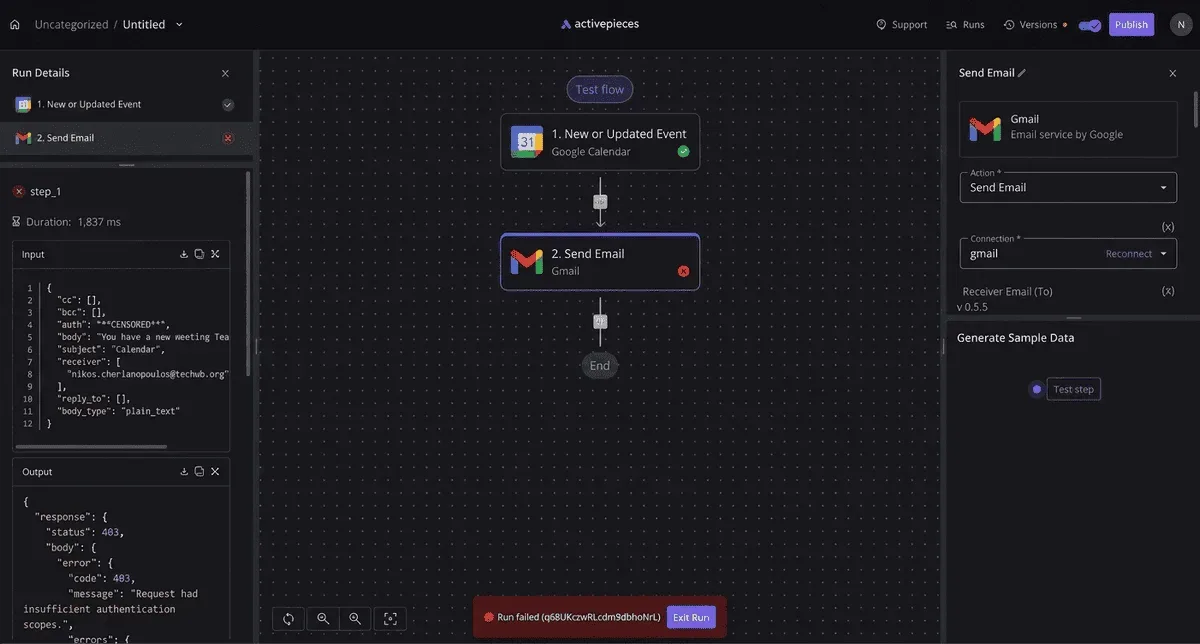
Reproduce the output path in a test environment before wiring anything to it. A path that can't be shown on a vendor page should be treated as absent.
When an outside automation tool is worth adding
Add one when the output has to land somewhere the vendor's own settings don't reach, such as a ticket queue, a spreadsheet, or a team inbox, and a documented path exists to start from.
If every path in the chart is marked not documented, stop here. A relay built on guessed behavior fails silently, and that's the failure this article exists to prevent.
Check metering too.
Activepieces puts no cap on how many flows exist: its pricing page lists unlimited flows on every plan from Free through Ultimate, and only runs draw on the credits, 1,000 a month on Free, one credit per run however many steps it has.

So one small flow per documented output path, each with a single trigger and a single action, costs nothing extra to keep around.
Zapier counts a task per action and Make a credit per module, so on both that same split gets more expensive with every run.
Read the current allowance on its pricing page and compare it with your expected volume before you rely on it.
Create a workflow with the right trigger
This assumes one path is marked documented. Use that path's own format and don't substitute another.
- Create a flow and choose a trigger that matches the documented path. A webhook trigger fits a documented webhook, and an email trigger fits a documented email output.
- Send one real output to the trigger and inspect the payload Activepieces records. Build the later steps from the fields you see, not the fields you expect.
- Add a single action, such as a row in a sheet or a message in a chat channel, and map only the fields that appeared in step 2.
- Run the flow with a deliberately malformed output and confirm the failure is visible in the run history, not swallowed.
- Switch it on only after the test run and the failure run both behave as written.
Keep it to one trigger and one action. Every added step is another place for a silent failure.
Frequently asked questions
Does the Inkling 2 Mini workflow work offline?
It works offline only if every step in it does.
Any step that calls a hosted endpoint, including the OpenRouter route, fails the moment the network goes, and it usually fails quietly. Test with the network disabled before you trust it on a train.

Is there a free tier or a trial for Inkling 2 Mini?
I haven't confirmed a free tier or trial from a vendor page, so I won't state one. Treat the absence of confirmation as "unknown", not as "no".
Check the vendor's pricing page on the day you start and note the date, because plans change. Until then, assume every test run is billed and keep early runs small.
How do I update Inkling 2 Mini so a workflow stops failing?
The obvious answer is to update. It is rarely the fix.
The article's premise is that most failures trace back to a documented limit that was skipped, and a newer version doesn't remove that limit. First reproduce the failure in a test environment and compare it against the vendor's documented settings.
Update only if the vendor's release notes name your symptom as fixed. An update made on a hunch also destroys the evidence of what actually broke.
Can I share or back up an Inkling 2 Mini workflow?
I found no vendor-documented export or sharing feature, so don't rely on one.
Keep your own record instead: the settings you chose, the limit each one respects, the vendor page it came from, and the date you read it.
That plain-text file is enough for a colleague to rebuild the workflow, and for you to restore it after a failure.
It also shows when a setting has gone stale against the vendor's current documentation.
Related reading
References
Build it
Set this up in minutes.
No code required. Connect your accounts, and Activepieces runs it from there.
Start free Talk to sales