IFTTT.ai: What It Is and How to Connect It (2026)

Oct 29, 202610 min read
Nobody else made this. ifttt.ai is a new release from IFTTT, the company behind the ifttt.com automation service, which has long sat in the same space as tools like Activepieces.
It's the maker's own AI-facing site, not a third-party product or a rebrand by someone else.
What it changes for your team depends only on what IFTTT's pages state, and everything below ties back to them.
To find out what it connects to and what it offers, read the company's AI services page and explore catalogue. IFTTT released ifttt.ai, and this article doesn't assign a launch date, because the date should come from IFTTT's own announcement and not from a guess.
Treat any date you see elsewhere as unverified until it matches the maker's pages.
IFTTT.AI launched: what IFTTT released and when
Read on 2026-10-29, those three pages are the only basis for every claim here. Anything they don't state is left out. A catalogue count is not a connector: a trigger or action has to exist for your use case before a listing helps you.
What a named step looks like
For any workflow tool, that distinction matters. A lead-routing flow in Activepieces, which has 746 integrations counted from its open source monorepo, starts from a HubSpot trigger (the CRM that captures the new lead).
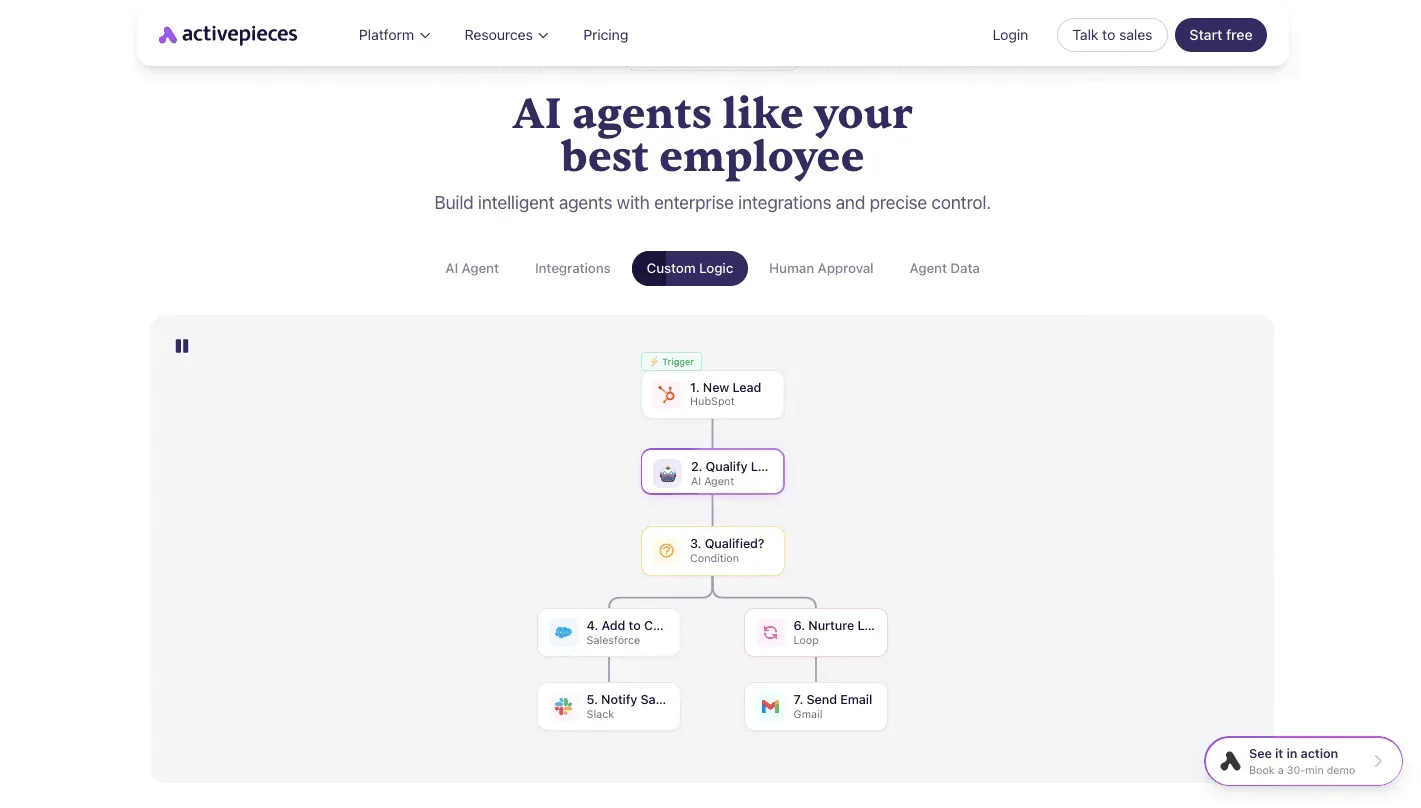
It passes the lead to an AI qualification step and a condition, then adds the record to Salesforce, alerts the team in Slack, loops through nurture contacts and sends mail through Gmail.
Count the hops and each one is a named trigger or action, and that's the standard to apply to ifttt.ai: find the specific step, or the flow doesn't run. The next sections check ifttt.ai against that standard.
This takes minutes, not a project: automate it in Activepieces free.
How IFTTT.AI helps teams automate with AI
Because AI use at work is now routine, ifttt.ai matters. A new release from an established automation maker should be checked against what its own pages state, not against assumptions.

AI adoption data behind the IFTTT.AI launch
21% of U.S. employees used AI at work in Q2 2023 and 27% in Q2 2024, by Gallup's count. It reaches 40% in Q2 2025, 45% in Q3 2025, 46% in Q4 2025 and 50% in Q1 2026.
With half of employees using AI, a team without an AI workflow is now the exception, and the question is where that AI connects to the rest of the work.
Users get time back, and the Census Bureau shows how much. Among AI users, 31% save one to two hours, 15% save three to four hours, and another 15% save over four. That makes 61% who save at least an hour.

A further 25% save under an hour, 10% save none, and 3% report added time. So 13% gain nothing or lose time, and the saving depends on how you wire the tool into the work.
What the IFTTT.AI launch figures leave out
Take the release date from the maker's pages and nowhere else. ifttt.ai is a new release from IFTTT, the automation maker, and this article takes no date from anywhere else.
For what ifttt.ai does, and what it's for, use only the maker's pages. The adoption and time-saved figures come from Gallup and the Census Bureau, and they describe AI use in general, not ifttt.ai.
Nothing here guesses at the maker's intent. If the pages don't state a capability, this article treats it as not stated.
What is measurably new, from IFTTT's own pages
Count only what IFTTT's pages state about ifttt.ai. The table below shows that record: what each page says, where it says it, and the date read, with "not stated" wherever the maker is silent.
Take from it that the capability and price rows are thin, so any plan built on them is built on little.
| Row | What the page states | Source URL | Date read |
|---|---|---|---|
| Capabilities | AI-powered tools as a virtual assistant that gives time back each day | https://ifttt.com/solutions/ai-services | 2026-10-29 |
| Access route | not stated | not stated | 2026-10-29 |
| Price | — | — | 2026-10-29 |
Nothing in that table names a trigger, an action or a field, so the next step is to read what each row does and doesn't give you.
What IFTTT.AI is and how to reach it
On its AI services page, IFTTT describes "your personal and always-on virtual assistant" and says its AI-powered tools can "give you hours back each day." That's a promise, not a spec.
It names no trigger, no action and no data fields, so you can't yet tell which of your workflows it would touch.
No API, webhook or connector is described, so the access route isn't stated either.
The pages don't say what one credit buys, so those numbers can't yet be turned into runs or a monthly bill.
They give no credit cost per action, no price in dollars on the pages read, no list of supported apps and no access route for outside tools. Until they do, treat each as not stated.

You can follow the rest of this with the builder open. Start free, no card.
Connecting IFTTT.AI in an Activepieces workflow today
There's no native integration to rely on: none of the 746 integrations in the Activepieces open source monorepo is specific to ifttt.ai in anything the pages state. That leaves general building blocks, and the three below run from simplest to most demanding.
Each option depends on what the maker's pages actually state.
This applies when the maker documents a plain web endpoint with a stated authentication method.
Even then the request is yours to build, but a missing connector doesn't leave you waiting on IFTTT's roadmap: Activepieces can generate one with AI and add it privately to your own instance, with no release from IFTTT.
Roughly 60% of its 746 integrations came from the community, a count taken from the open source monorepo.
To start a flow from ifttt.ai, you need a documented webhook or outbound call to point at an Activepieces webhook trigger, or you poll on a schedule, and a scheduled run costs 1 credit however many steps it has.
If the pages show no endpoint, this option's closed.
Option 2: an AI step with a custom provider
This applies only if ifttt.ai says it speaks the OpenAI-compatible request format. In that case, an AI step with a custom provider can take its base URL and key, and you get a model call without writing the request.
If the pages describe a different request shape, the step won't work, and Option 1 is the honest fallback. Don't assume compatibility because the product has "AI" in its name.
Option 3: an MCP server
This applies when the maker publishes an MCP server address and says how to authenticate.
It costs the most to set up and verify, and it's worth it only if the server exposes the specific actions your flow needs.
Whichever you pick, treat it as a stopgap. If a native integration ships, you'll be rebuilding those steps.
What IFTTT.AI means for cost and speed
Rebuilding those steps is only worth it if the new service is cheaper or faster, and the maker's pages don't yet say either.
What IFTTT publishes is the Applet model: a trigger, an action, and your customization. It gives no price or speed figure for ifttt.ai.
Where a direct model API publishes a per-usage price and an automation platform with AI steps publishes plan pricing, ifttt.ai gives you nothing to put beside them, so any claim that it's cheaper is a guess.
Budget from the two priced options and treat ifttt.ai as an unknown line.
IFTTT.AI speed compared with current options
Speed is the same story. Published latency or throughput for ifttt.ai doesn't exist on IFTTT's pages, so a workflow built on it has no stated delay to plan around. A trigger that must fire in seconds can't be promised on that basis.
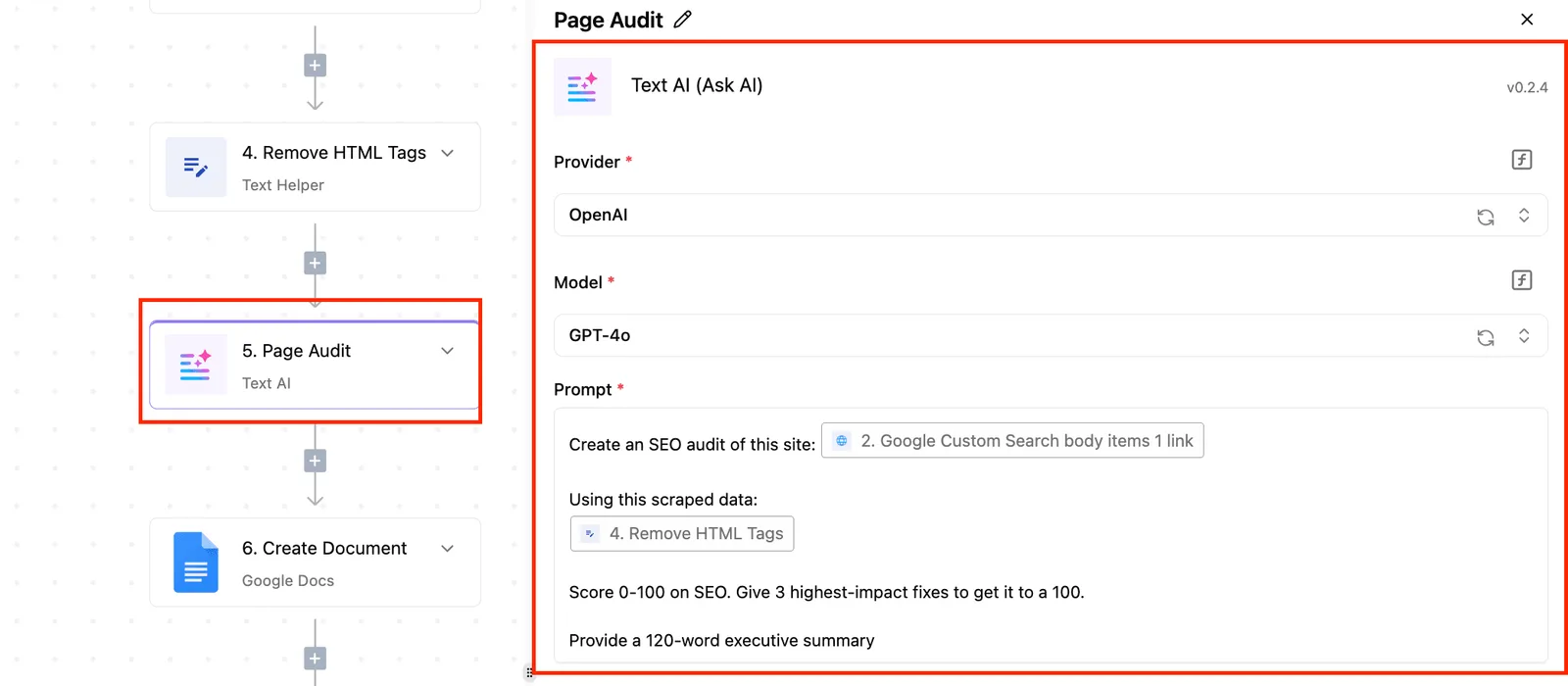
Side by side, the table sets the four options. Read it as a list of what each maker commits to in writing and what you'd have to measure yourself.
| Option | Published price | Published speed | What to measure |
|---|---|---|---|
| Direct model API | Per-usage price on the vendor's page | Vendor-stated where given | Cost per run on your own prompts |
| Automation platform with AI steps | Plan pricing on the platform's page | Not published for AI steps | Time from trigger to finished action |
| IFTTT's earlier AI services | Not published | Not published | Run cost and delay on one real Applet |
| ifttt.ai | Not published | Not published | Both, on a pilot before committing |
With "not published" in those cells, no one can rank these options on cost or speed from documentation alone.
Today you can't compare cost and speed for ifttt.ai, and I've run no tests to fill the gap. Until IFTTT posts figures, run one pilot Applet and record cost per run and trigger-to-action delay yourself.
What to watch next after the IFTTT.AI launch
Re-check five things on IFTTT's own pages. They're published pricing, documented endpoints or API access, the supported models listing, whether an ifttt.ai connector has appeared among the 746 integrations in the Activepieces open source repository, and the date you last looked.
For now your own pilot numbers cover cost and delay, but they only describe what you tested. Each item below tells you whether that pilot still holds or needs redoing.
- Published pricing. A posted price lets you compare your measured cost per run against the maker's own terms. Until one exists, your pilot figure is a sample, not a quote.
- Documented endpoints or API access. If there's no documented endpoint, a team has nothing to call from outside IFTTT, so any outside workflow has no reliable entry point.
- Supported models listing. A named list tells you which models a given Applet could actually use. Without it, you can't say what output quality you're buying.
- Connector search in the Activepieces repository. Search it for "ifttt.ai" by name. A hit means native support has arrived; no hit means you're still on general building blocks.
- The re-check date. Write it next to every finding, so a stale answer reads as stale.
IFTTT made ifttt.ai, and it's a new release. Beyond that, take the maker's word on the specifics. If a page gives no release date or version, record that gap rather than filling it from a blog post.
Count only the maker's pages as evidence: pricing, documentation, and the models listing. Expect third-party summaries to round a vague claim into a firm one.
If a claim isn't on IFTTT's pages, log it as unconfirmed and move on. When a page changes, update the re-check date, and rerun the pilot if pricing or models moved.
Related reading
References
Build it
Set this up in minutes.
No code required. Connect your accounts, and Activepieces runs it from there.
Start free Talk to sales