
Replacing Airtable API Keys with Personal Access Tokens

Oct 20, 202614 min read
When building secure connectors for modern data workflows, understanding the shift from Airtable API keys to Personal Access Tokens is essential for maintaining robust authentication standards.
While legacy systems often relied on static keys that posed significant security risks, the transition to granular tokens allows developers to define specific scopes and base-level permissions for every integration.
Whether you are manually configuring a custom script or using a workflow engine like Activepieces to automate your data synchronization, implementing these tokens ensures that your connection remains both functional and protected against unauthorized access.
This evolution reflects a broader industry trend toward OAuth-based security models, providing a more resilient framework for managing sensitive database interactions across diverse software ecosyste
Airtable Personal Access Tokens are a granular authentication method that replaces legacy API keys by allowing developers to grant specific, time-bound, and scoped permissions to external applications.
Airtable API keys and Personal Access Tokens compared
Airtable API keys function as permanent administrative credentials with unrestricted access to an entire account.
In contrast, Personal Access Tokens (PATs) utilize the OAuth 2.0 framework to restrict access to specific bases and defined actions.
This architectural shift eliminates the "master key" vulnerability where a single leaked string exposes every table, attachment, and base associated with a user profile.
How API key and token expiration differ
When a legacy API key is issued, it possesses no inherent expiration date. A compromised key remains active until you manually regenerate it and break every existing integration simultaneously.
In contrast, modern token systems like those found in the DevOps platform GitLab enforce a maximum expiry of 365 days, which means security credentials remain valid for an entire year before requiring a refresh.
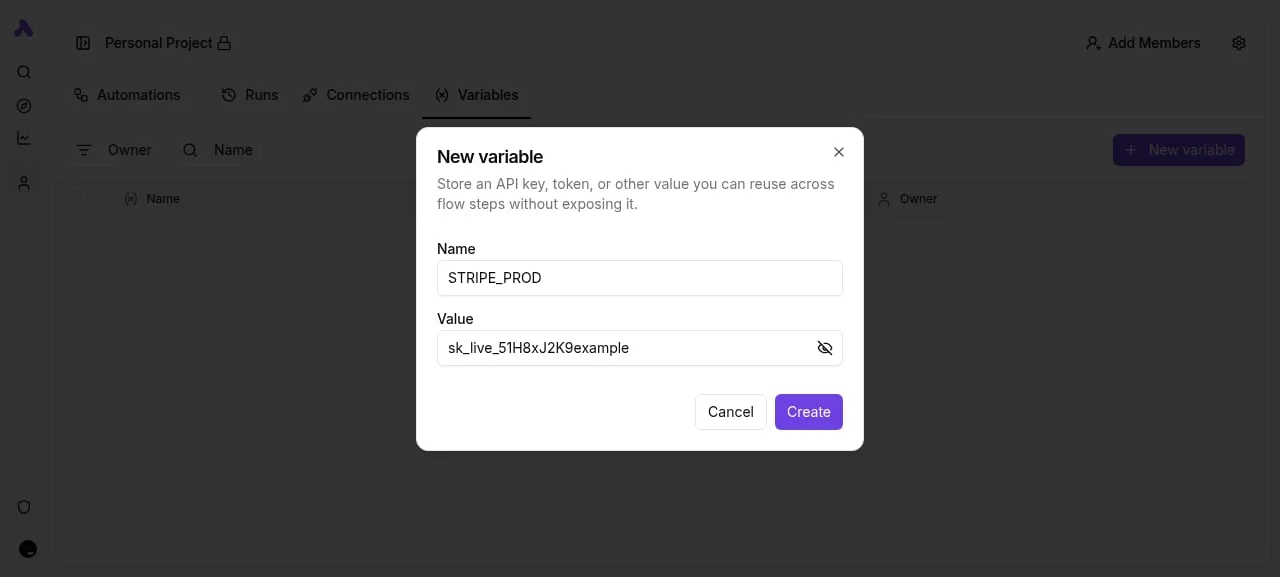
According to GitLab, while it sets a default expiry of 365 days for its fine-grained tokens, it allows a minimum expiry of 1 day, so administrators can enforce much tighter rotation windows for sensitive access.
By adopting this filtered approach, you ensure that a breach in a marketing dashboard doesn't lead to a data leak in the HR base.
Scope control and permission granularity
Precise resource mapping is the core strength of PATs, whereas the primary weakness of the legacy key is its lack of internal boundaries.
The software development platform GitHub offers up to 64 permission types for its tokens.
GitHub limits users to a maximum of 50 tokens. This forces you to audit and decommission stale connections rather than letting thousands of active entry points accumulate over time, according to Sfailabs.
Your AI agent is not code; it is a user, and treating it like one requires moving beyond simple SDK logic to a platform that enforces identity.
Activepieces brings every agent under the same governance as your staff, using RBAC, SSO, and SCIM to dictate which Airtable bases it can reach.
Your AI agent is not code; it is a user, and treating it like one requires moving beyond simple SDK logic to a platform that enforces identity.
You can verify this by opening the run detail view for any step, where every tool call is logged with its specific input and output rather than being collapsed into an opaque result.
, preventing the creation of "forever tokens" that bypass corporate rotation policies, ensuring that even the longest-lived credentials must eventually be updated, which means security teams can enforce a predictable lifecycle for all access keys.
Deprecation timelines for legacy API keys
In early 2023, Airtable began the formal deprecation of legacy API keys, with a 12-month deprecation period ending on Feb 1, 2024, after which they could no longer access the API, to force the adoption of the more secure PAT architecture.

This mandatory migration mirrors the industry-wide move toward time-bound, scoped credentials that provide clear audit trails for every request made to the server.
Everything below works on Activepieces' free plan. Start without code or a credit card.
Why Airtable deprecated API keys for enterprise connectors
Airtable transitioned to Personal Access Tokens because legacy API keys functioned as static, all-access credentials that bypassed modern security protocols like the Principle of Least Privilege.
The danger of account-wide read/write permissions
Full read and write access to every base and workspace associated with a user account is granted by default with legacy API keys.
Unlike Personal Access Tokens, which allow you to restrict access to specific bases, the legacy key is an "all-or-nothing" credential.
This lack of granular control results in the following risks:
- Unrestricted account-wide access by default, which exposes sensitive HR or financial bases to simple automation scripts.
- Anonymous logs that fail to attribute actions to specific integrations, leaving you unable to identify which third-party tool triggered a data change.
- Total exposure of the entire account environment if the key is hard-coded into a public repository or shared among team members.
Auditability gaps in legacy integrations
The legacy system lacks the metadata required to distinguish between different services using the same key.
When multiple platforms (such as Zapier for lead routing and Make for internal reporting) share a single API key, their actions appear identical in the system logs.
This anonymity makes it impossible to perform a root-cause analysis after a data corruption event.
Limiting damage from a stolen Airtable credential
By allowing you to revoke a single, scoped credential without disrupting every other integration connected to the account, Personal Access Tokens reduce the impact of a security compromise.
Because legacy keys link directly to the user identity, revoking a leaked key forces a total outage for every automated workflow that user owns.
By moving to tokens, you can isolate a leak to a single "sandbox" or project.
Evaluating the trade-offs between keys and tokens
Personal Access Tokens (PATs) exchange the immediate convenience of a single string for the precise control of granular scopes.
The following comparison illustrates how the structural differences between these methods dictate the security posture of your data stack:
| Dimension | API Key (Legacy) | Personal Access Token (PAT) |
|---|---|---|
| Setup Complexity | One-click generation | Multi-step scope and base selection |
| Security Granularity | All-or-nothing access | Base-specific and operation-specific |
| Maintenance Overhead | Low (until a breach occurs) | Moderate (requires periodic audits) |
| Connector Compatibility | Broad legacy support | Requires modern OAuth or PAT headers |
Why fast API key setup creates risk
The speed of generating a legacy API key is its primary vulnerability because it bypasses the critical step of defining intent.
In the legacy workflow, a developer generates a key in the account settings and pastes it into a tool like Zapier, a popular workflow automation platform.
The speed of generating a legacy API key is its primary vulnerability because it bypasses the critical step of defining intent.
Conversely, creating a PAT requires selecting specific scopes, such as data.records:read or schema.bases:write. You can't accidentally grant a third-party tool permissions it doesn't need to function.
Managing token expiration and rotation
Personal Access Tokens introduce a structured lifecycle to credentials that legacy keys lacked, preventing "zombie" integrations from persisting indefinitely.
Because you can name PATs and assign them to specific use cases, an IT auditor can identify exactly which token belongs to which service and revoke it without disrupting other workflows.
Previously, rotating a compromised key would break every integration connected to that account simultaneously.
Impact on legacy third-party middleware
The mandatory move to PATs forces an update to any middleware or custom scripts that rely on the legacy API key format.
For you, if you're using Make, a visual automation builder, this requires re-authenticating connections using their updated Airtable integration modules to ensure tokens are handled via the modern API standard.
Airtable has scheduled the complete retirement of legacy keys to ensure all traffic is governed by scoped permissions.
Easier to see it running than to read about it: set it up free, no card.
Transitioning existing workflows to Airtable Personal Access Tokens
Migrating to Personal Access Tokens (PATs) requires identifying all active integrations, mapping required scopes such as data.records:read, and generating tokens that restrict access to specific Bases rather than the whole workspace.

Identifying active legacy connections
Locating every instance where the apikey string is hardcoded in external scripts or third-party middleware is the first step in a secure migration.
Because legacy keys provided root-level access to every Base the user could see, missing a single connection during the sunset period means a critical business process will fail once Airtable disables the global key.
To migrate an active workflow to a Personal Access Token, follow these steps:
- Audit the workflow to identify the specific actions performed, such as reading, writing, or managing schema.
- Open the Airtable Developer Hub, a centralized dashboard for managing API credentials, and click 'Create new token'.
- Name the token according to the specific service it powers to ensure the audit log clearly identifies which system is making calls.
- Select the minimum necessary scopes and link the token to only the specific Bases required for that task.
- Replace the legacy API key in the external application's authorization header with the new Bearer token.
Defining granular scopes for specific tasks
Granular scopes replace the "all-or-nothing" permission model by allowing you to select only the specific capabilities a bot or integration needs to function.
data.records:read: Allows the token to see record data and metadata.data.records:write: Permits the creation, modification, and deletion of records.schema.bases:read: Enables the token to inspect table structures and field types.webhook:manage: Grants the ability to create and delete webhooks for real-time updates.
Mapping tokens to individual Airtable Bases
Restricting a token’s access to specific Bases ensures that a breach of one integration doesn't expose your entire organizational workspace.
Under the legacy system, a leaked key for a simple marketing form could be used to download a sensitive HR payroll Base.
However, PATs require you to explicitly select which Bases the token can "see."
In enterprise environments where departments share a workspace, this isolation prevents cross-departmental data leaks.
Managing Airtable connections securely with Activepieces
Activepieces simplifies the Airtable transition by providing a central credential manager that maps specific Personal Access Tokens (PATs) to individual automation flows.
Every credential the platform touches can be routed to your own secret manager instead of a vendor database, a feature available in both the self-hosted edition and the enterprise cloud tier.

By inspecting the database of a self-hosted instance, you can confirm that Activepieces never holds the secrets your business runs on.
This architecture moves the burden of security from the workflow logic to a dedicated connection layer.
When you replace a legacy API key with a PAT, the platform propagates that change across every linked step.
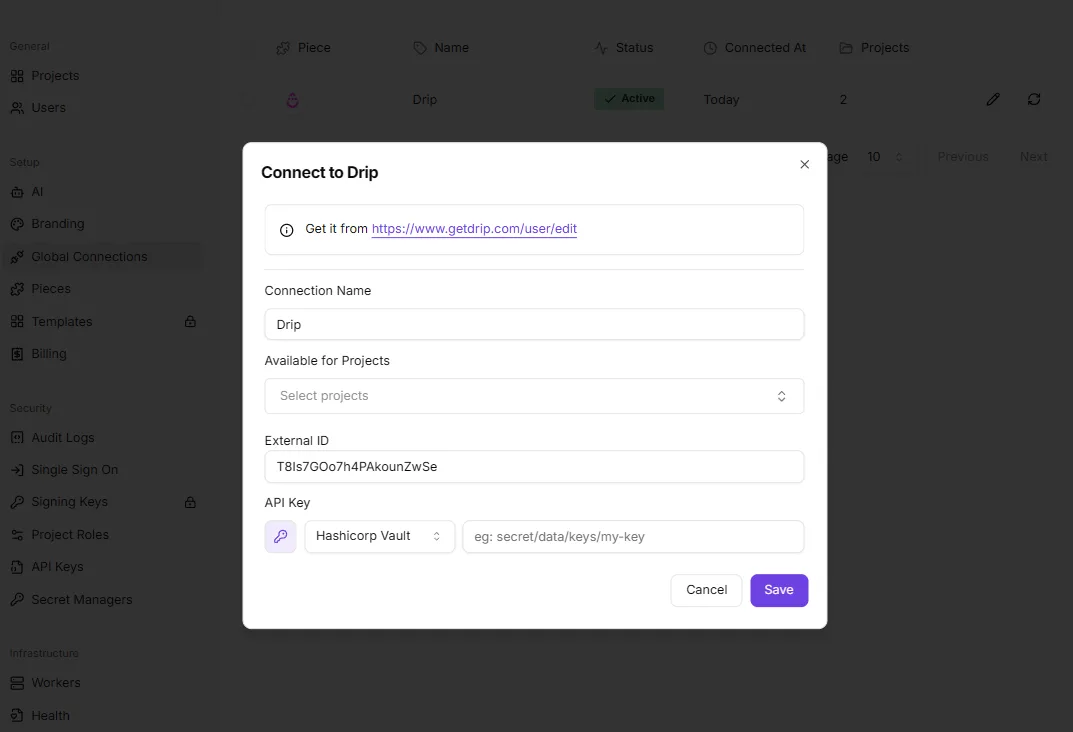
To maintain granular control, the platform uses a connection modal to isolate credentials from the automation builder.
The following interface demonstrates how Activepieces, which uses an MIT-licensed core for its 735+ integrations, abstracts sensitive data by allowing you to define a connection name and link it to specific projects.
By supporting external secret managers like Hashicorp Vault, Activepieces ensures that the actual characters of a PAT never reside in the automation platform's primary database. Companies like MoneyGram and FundingSocieties run this in production to maintain strict control over their credential storage.
This separation of concerns allows auditors to verify access levels within the vault while the operations team manages the triggers and actions.
Once a connection is established, the platform enforces the scopes defined within Airtable.
If a PAT is restricted to data.records:read, any attempt to add a "Create Record" step will result in an immediate execution error.
By treating the AI agent as a user that requires distinct oversight and granular access control, Activepieces is the better choice for organizations prioritizing security and auditability.
Its ability to isolate tool calls in the run detail view and route credentials through a private secret manager ensures that every agent interaction remains governed by strict enterprise policies.
A checklist for auditing your Airtable integration security
Auditing your Airtable integration security requires identifying every active connection still relying on the deprecated api_key parameter to prevent immediate workflow failure when legacy authentication is fully disabled.
Auditing existing Airtable API keys quickly
Locating legacy credentials involves scanning the account settings of every user with "Owner" or "Creator" permissions, as these roles historically generated the master keys used for high-level integrations.
- Locate all active integrations using Airbyte connector version 4.6.34 or similar, which signifies the system is using legacy authentication and will lose access once the API key endpoint is retired.
- Check the Airtable account settings for any generated API keys, as their presence indicates a security debt where a single compromised string could expose every base in the workspace.
- Review the "Third-party integrations" tab in the Airtable Admin Panel to see which external OAuth applications have been granted broad scopes without specific table-level restrictions.
Rotating Airtable API keys in production
Transitioning to PATs necessitates a phased rotation strategy where new tokens are validated in a staging environment before they replace legacy keys in live production systems.
If you swap a master API key for a PAT with insufficient scopes, the production workflow will fail silently or throw a 403 Forbidden error, halting business-critical data syncs.
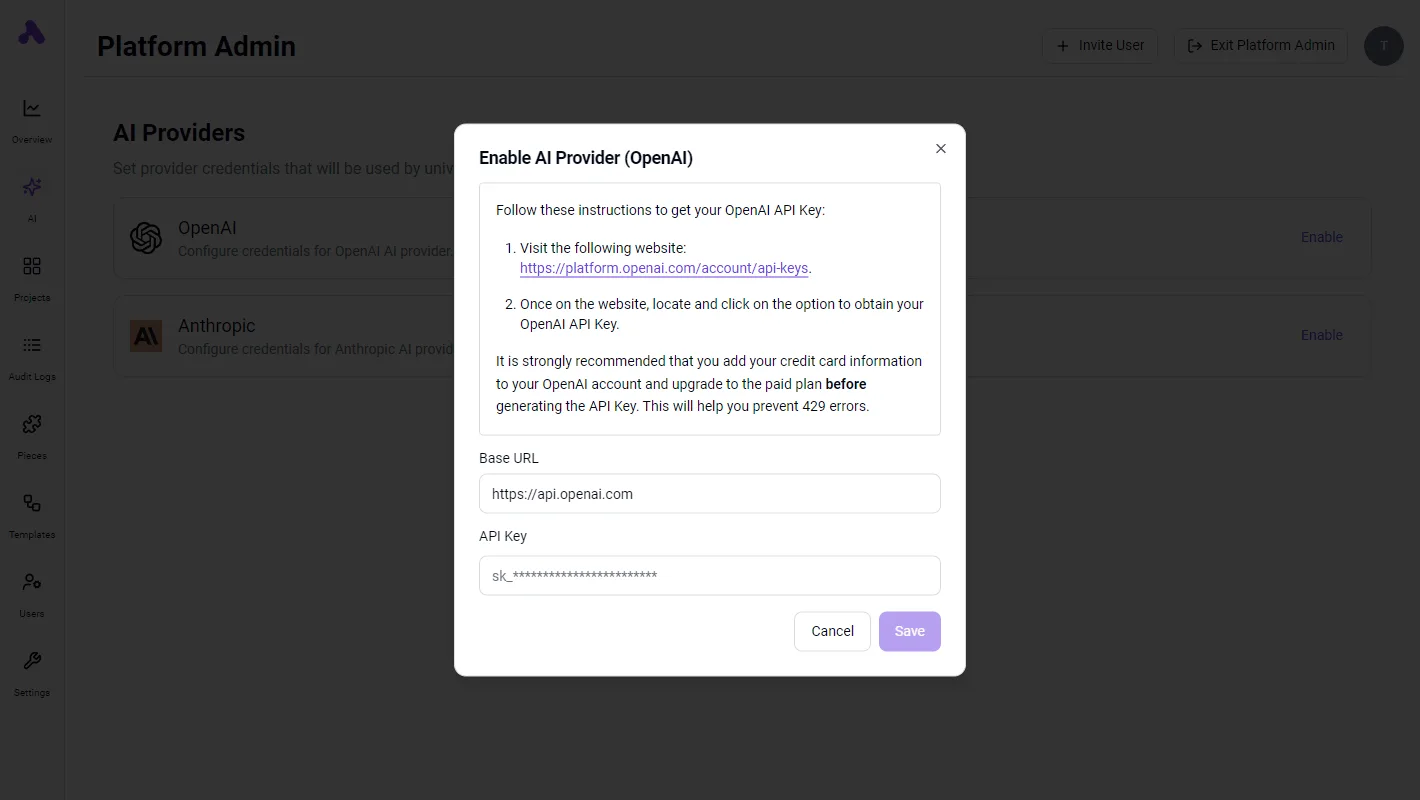
By generating a token with the specific schema.bases:read and data.records:write scopes required for a task, you limit the "blast radius" of a potential credential leak to only the specific tables defined in that token's configuration.
Documentation requirements for team-shared tokens
Every Personal Access Token must be paired with a metadata record that identifies the specific human owner and the exact business process it facilitates.
Without this documentation, your IT department can't safely revoke a token belonging to a departed employee without risking the collapse of unknown automated dependencies.
Each entry in the internal secret manager should list the token's specific Airtable scopes and the expiration date.
Frequently asked questions about Airtable credentials
Will switching to PATs affect my API rate limits?
Personal Access Tokens (PATs) maintain the same rate limit as the deprecated API keys, meaning that your integration throughput remains restricted to the same number of requests per second per base.
Because this limit is applied at the base level rather than the token level, creating multiple tokens for the same base won't increase your capacity; it only fragments your audit trail.
If your workflow exceeds this threshold, Airtable returns a 429 status code. This requires your code to implement an exponential backoff strategy to prevent the service from dropping subsequent requests.
Can one Personal Access Token access multiple Bases?
A single PAT can be configured to access multiple bases or entire workspaces, which allows a single integration to sync data across different departments.
This broad access carries a high blast radius, meaning a single compromised token grants an attacker entry to every base included in its scope.
To mitigate this, you should generate distinct tokens for each specific automation.
This practice ensures that a vulnerability in one script doesn't expose the data housed in unrelated bases.
How do I share a PAT with a team without compromising security?
You should never share a PAT directly between users, as these tokens are tied to an individual’s identity and permissions, making it impossible to distinguish which human performed an action in the audit logs.
Instead, use a dedicated service account, which is a non-human user profile, to generate the token.
By storing this token in a secret management tool like HashiCorp Vault, which is a platform for securing sensitive data, you can grant team members access to the credential's functionality without ever revealing the actual character string to them.
What happens to my scripts when the API key expires?
When an API key or an expired PAT is revoked, the Airtable server will reject all incoming requests with a 401 Unauthorized error, causing any dependent scripts to fail immediately.
This hard stop ensures that outdated or unauthorized code can't continue to modify your records, but it also necessitates a pre-planned rotation schedule.
Without a documented transition plan, your business processes will remain offline until a developer manually updates the environment variables with a fresh, scoped token.