
Job Posting Automation: How to Post to Multiple Boards

Nov 14, 202612 min read
By synchronizing a single source of truth with multiple external boards, job posting automation, which can be managed through platforms like Activepieces, ensures role requirements remain consistent across every channel.
A flexible workflow builder manages these handshakes, eliminating the repetitive data entry that typically consumes over five hours of administrative labor for every individual hire.
Automate job postings across multiple platforms simultaneously
The transition from manual entry to automated syncing
When the Talent Operations Lead logs into separate accounts for LinkedIn, Indeed, and niche boards to paste the same description, the process becomes high-friction. In this manual environment, the integrity of the data is at risk.

"Version drift" occurs the moment a salary range changes in the primary record but remains stale on a secondary board.
Establishing a one-to-many relationship is the primary benefit of moving to an automated sync. A single status change in the primary system of record initiates an immediate update across the entire distribution network.
"Version drift" occurs the moment a salary range changes in the primary record but remains stale on a secondary board.
Onrec reports that this transition reduces the time spent per hire from 6.5 hours of manual copy-pasting to just 1.5 hours of automated oversight, freeing up five hours for recruiters to engage directly with candidates, effectively tripling the potential for meaningful human connection in the hiring process, which allows staff to prioritize relationship-building over administrative drudgery, ensuring that talent acquisition becomes a more personal and less transactional experience, so recruiters are no longer tethered to repetitive data entry tasks.
Consequently, recruiters reclaim five hours of high-value candidate engagement time for every open requisition.
Limitations of built-in ATS multiposting tools
Teams often find themselves unable to reach specialized talent on niche platforms because built-in Applicant Tracking System (ATS) tools limit distribution to a fixed set of "premium" partners.
While a vendor might claim universal coverage, their API connections often limit access to the most common fields, frequently stripping out custom branding or specific tracking parameters.
Specific regional legal disclaimers are often mandated by organization-wide compliance. Many native tools do not support the conditional logic needed to append these based on the "Location" field.
Because the ATS provider controls the roadmap, teams find themselves stuck with rigid templates that cannot adapt to new social platforms.
The core components: Triggers, data mapping, and API endpoints
Moving a job description from a draft state to a live advertisement requires three distinct technical layers.
- Triggers are the specific event that starts the workflow, such as a row update in Airtable or a "Published" status toggle.
- Data Mapping is the translation layer where the source assigns the "Job Summary" field to the "Description" field of the destination board.
- API Endpoints are the digital doorways provided by platforms like the LinkedIn Jobs API that allow the automation tool to deliver the data securely.
When a step fails, perhaps due to an expired login token, the system must be configured to alert the administrator immediately via a tool like Microsoft Teams.
This ensures that a technical error does not result in a "ghost" vacancy that remains unfilled simply because the posting never reached the audience.
This takes minutes, not a project: automate it in Activepieces free.
Building your first posting workflow
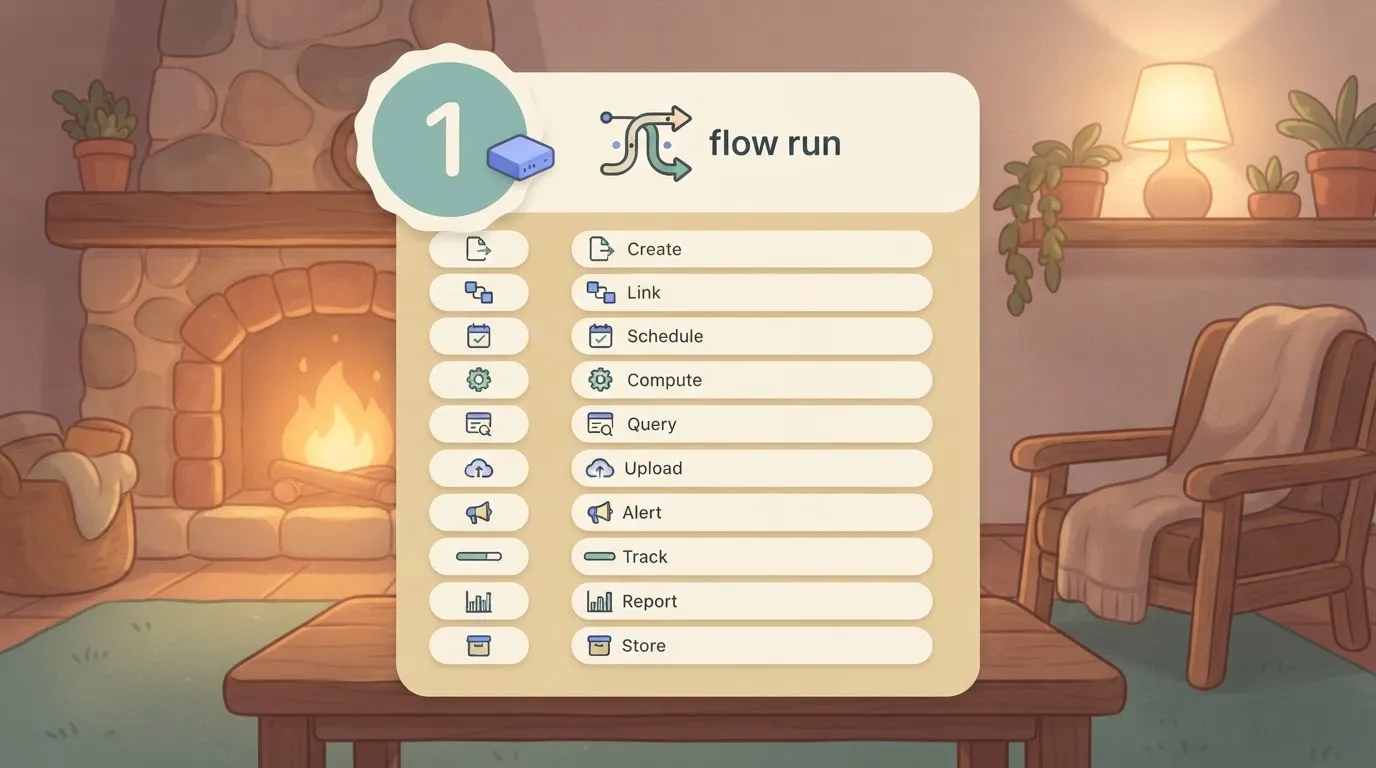
Connecting a primary database to your communication channels through a visual automation builder is the first step to handling the hand-off between APIs.
This specific sequence moves a vacancy from a structured record in Airtable to a formatted post on LinkedIn and an internal notification in Slack.
A complex distribution flow involving ten different boards may cost more to execute than a simple two-step notification, since Activepieces' effective price can still scale with the number of tasks a run performs.
This flat-rate approach, visible on the published pricing page as 1 credit per flow run regardless of step count, removes the financial penalty for building the granular, multi-stage validation steps that reliable recruitment data requires.
Stage 1: Setting the 'Source of Truth' trigger in Airtable
To ensure that hiring managers are not copying data from outdated email chains, Airtable serves as the central cloud-based relational database.
The automation begins with a "Watch Responses" or "New Record in View" trigger, which activates only when a record enters a specific filtered view, such as "Ready for Posting."
Broadcasting draft roles that have not yet received budget approval is prevented by this logic. By isolating the trigger to a specific view, the recruitment team creates a manual gate where a human must check a box to initiate the multi-platform distribution.

Stage 2: Formatting job descriptions for social platforms
Because raw data from a database often contains internal jargon or character counts that exceed limits, a transformation step is required.
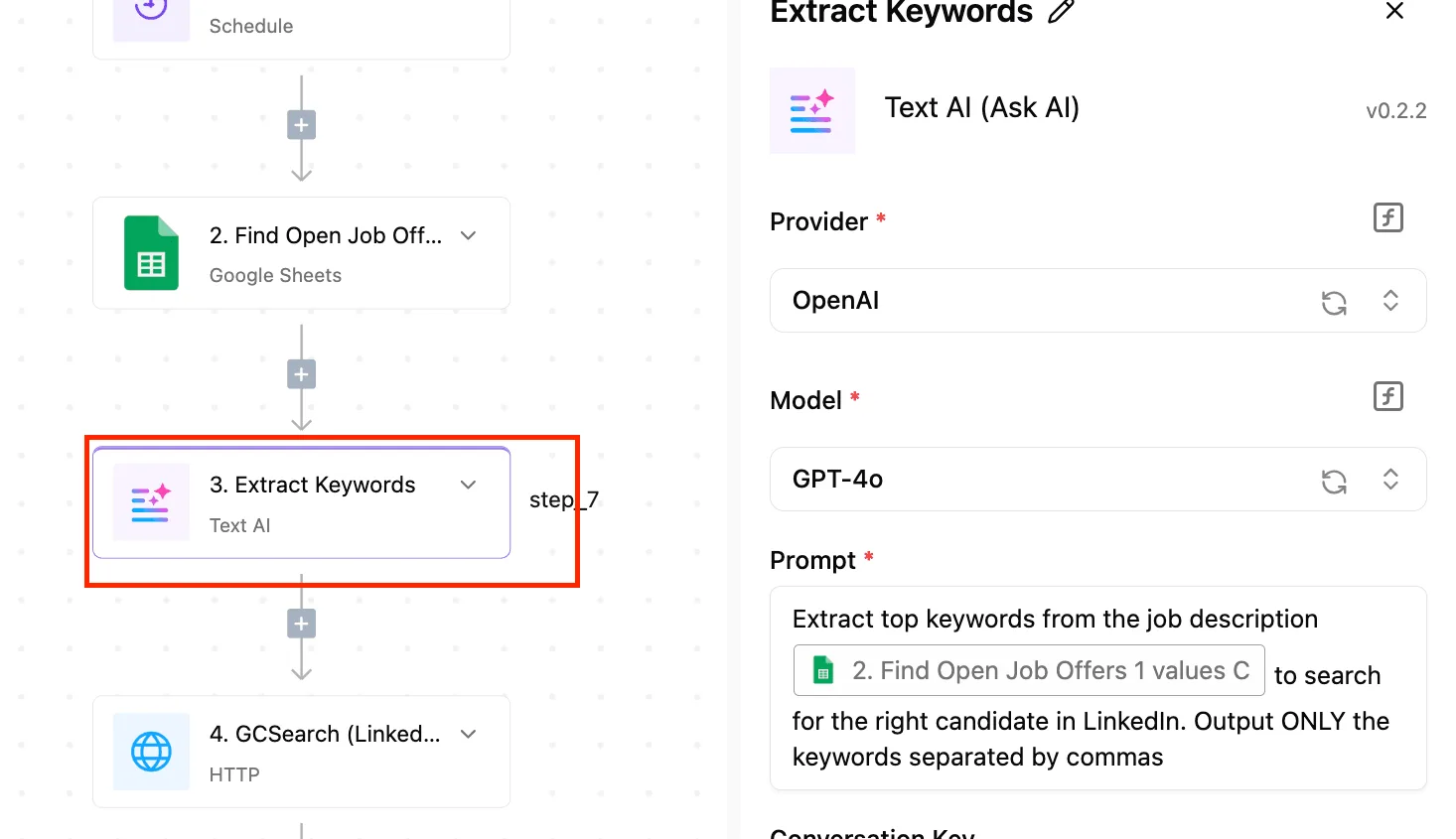
You can insert a formatting step using Gemini 4 Hydrogen to summarize the long-form Airtable description into a concise, three-bullet summary suitable for mobile scrolling.
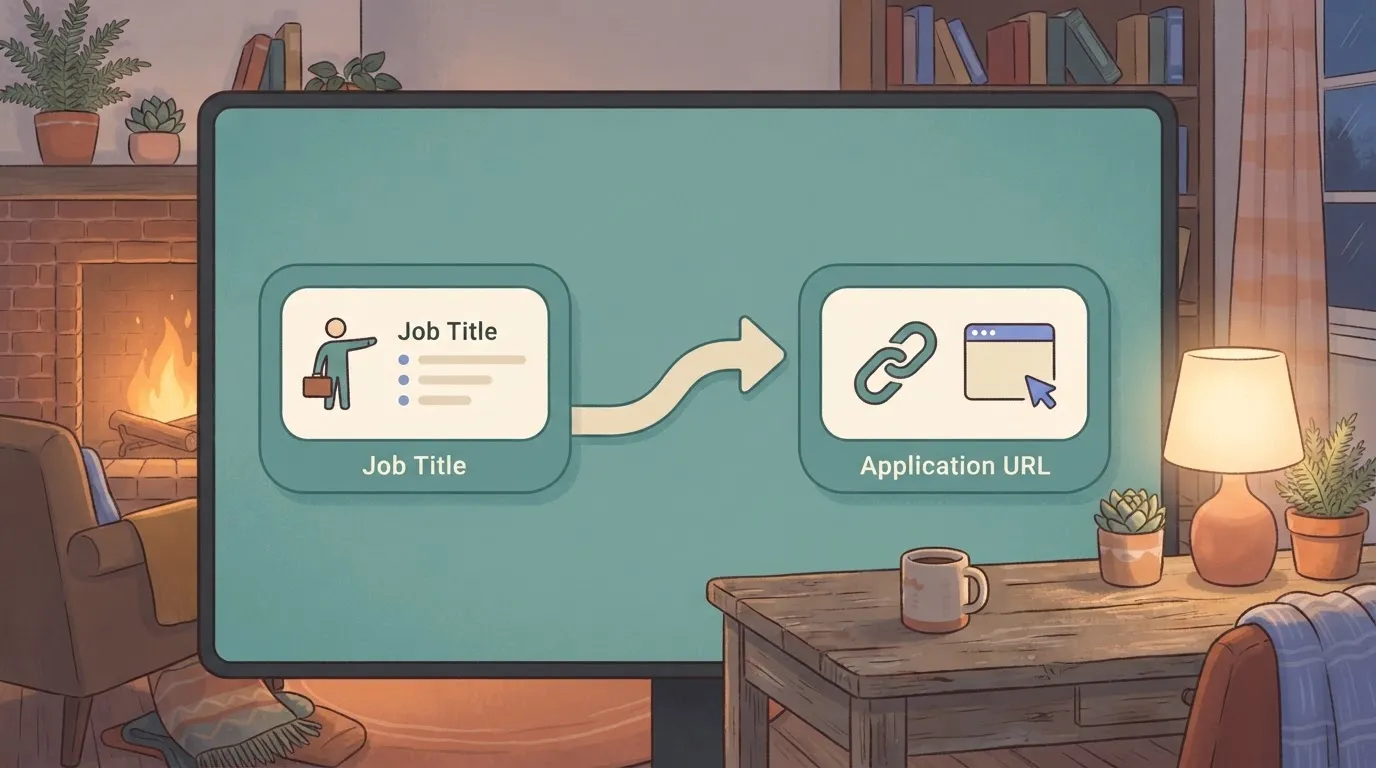
The screenshot below illustrates a similar logic where a spreadsheet record is prepared for a marketing tool. It shows how one data source is mapped into the specific input fields of a destination app.
Once the content is refined, the workflow maps the Airtable "Job Title" and "Application URL" fields directly into the destination schema. This mapping ensures that the link candidates click will always match the specific record ID in the backend tracking system.
Stage 3: Distributing to LinkedIn and internal Slack channels
Pushing the approved content to both external candidates and internal employees is the final stage to maximize referral opportunities.
LinkedIn: The "Create Share Update" action publishes the summarized text and the application link to the company page.
Slack: The "Send Channel Message" action alerts the internal team in a dedicated #hiring channel, providing employees with the link to share.
If a step fails, the builder is configured to send an immediate notification to the Operations Lead. This accountability ensures that a technical timeout does not result in a silent failure during a critical hiring window.
To start building these connections for your own team, you can browse the full library of integrations at https://www.activepieces.com/pieces and start free today.
Choosing the right automation platform for recruitment workflows
Selecting an automation platform requires balancing the technical overhead of maintaining API connections against the total cost of execution. While the Chief People Officer prioritizes speed to hire, the IT SteerCo must account for the long-term stability of third-party triggers.
| Platform | Price per 1k tasks | LinkedIn API Stability | Ease for Non-Coders (1-5) |
|---|---|---|---|
| Zapier | Highest | High | 5 |
| Make | Moderate | Moderate | 2 |
| Activepieces | Lowest | High | 4 |
This comparison highlights that the most user-friendly interface often carries a premium that scales poorly as candidate volume increases.
Zapier: The high-cost leader for simple tasks
Because its library of pre-built connectors requires zero understanding of API documentation, Zapier is the standard entry point. For a recruiter, this means a "Zap" can be live in minutes to move a candidate from a Google Form into a Greenhouse pipeline.
However, the platform’s task-based pricing model functions as a tax on growth. Every automated status update or rejection email incurs a cost. The reliance on "Paths" for conditional logic is only available on higher-tier plans, forcing organizations into expensive contracts for basic branching.
Make: Powerful logic with a steep learning curve
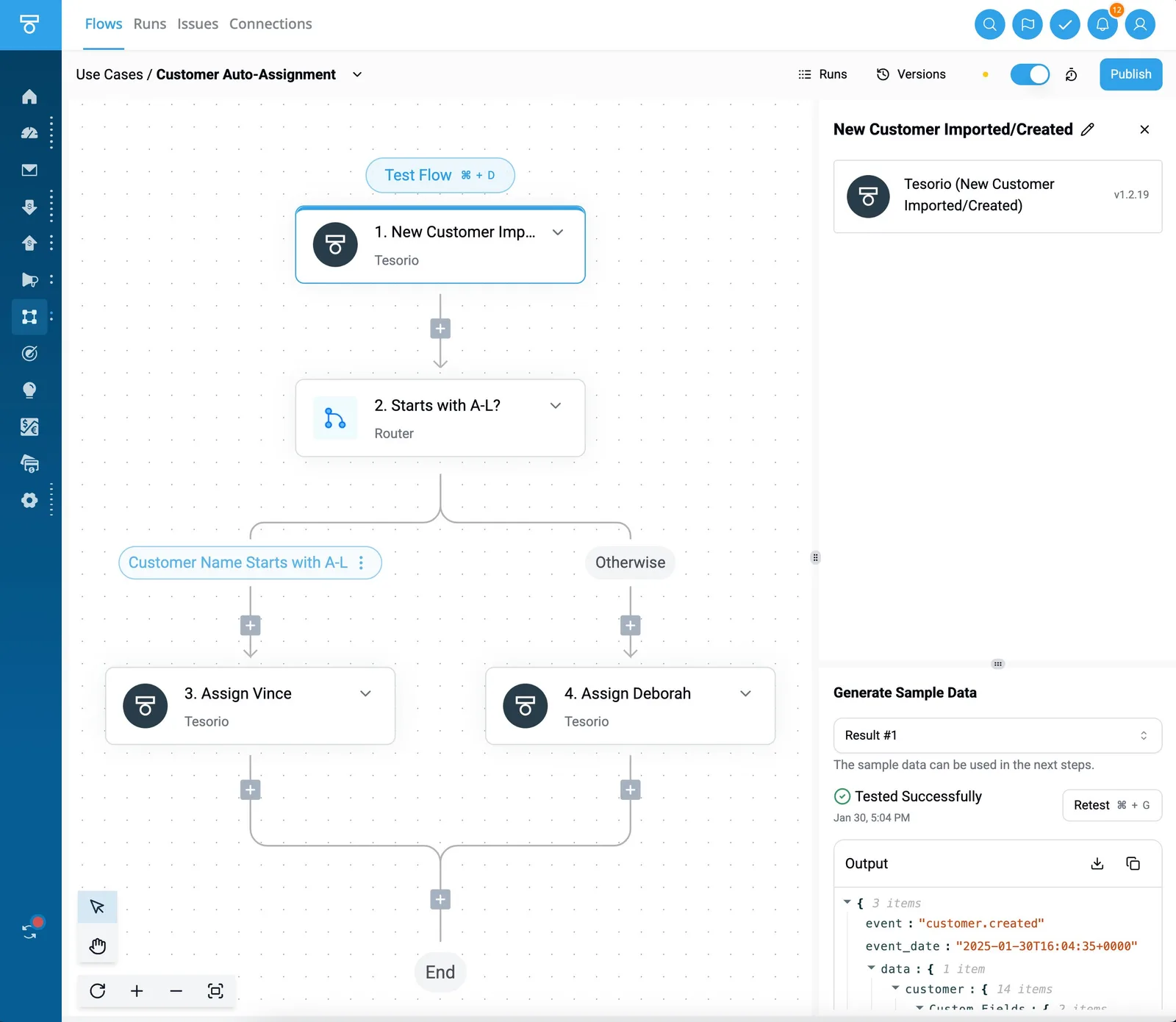
Make has a visual canvas that allows for complex data manipulation, such as reformatting a resume PDF via an OCR tool before injecting the text into a database. This granularity gives the builder total control over how data moves.
A steep learning curve is the trade-off, often necessitating a dedicated "Automation Architect." If a mapping error occurs, the visual interface can become difficult to debug, potentially stalling the hiring process until a technical resource can intervene.
Activepieces: The open-source alternative for high-volume hiring
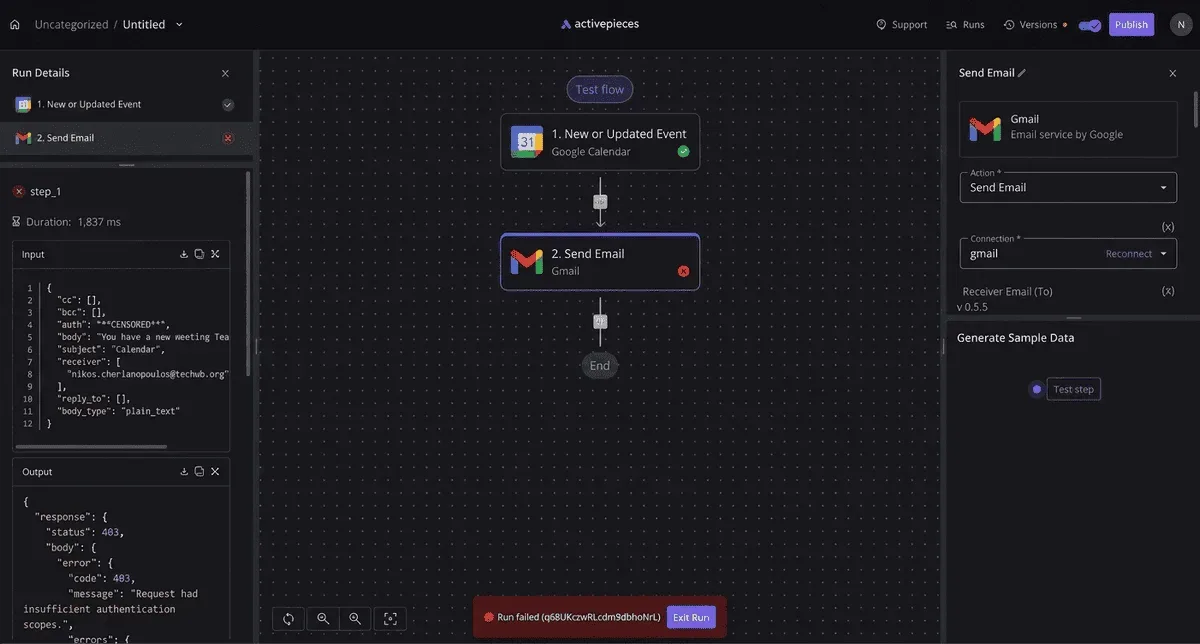
By offering a clean, block-based interface similar to modern SaaS tools while maintaining a cost structure that suits massive scale, Activepieces provides a middle ground.
If a specialized job board is missing from the catalogue, you can use AI to generate the necessary integration and deploy it to your own instance without waiting for a vendor to prioritize the request.
The open-source monorepo confirms that roughly 60% of the 748 integrations are community-contributed, meaning the ecosystem expands based on the actual needs of builders rather than a closed corporate roadmap.
The Chief Information Security Officer must sign off on this to ensure GDPR compliance.
This flexibility allows recruitment teams to run thousands of synchronization tasks without the linear price increases seen in proprietary competitors, so scaling operations no longer requires a proportional surge in the departmental budget.
By utilizing Claude Haiku 5.5 within an automated workflow, teams can automate the extraction of skills from diverse job descriptions at high speed.
Troubleshooting common errors in automated job distribution
When API handshakes break due to authentication lapses or formatting mismatches, automated job distribution fails. While a standard ATS often stops a sync without alerting the user, a flexible automation builder allows the Talent Operations lead to define specific retry logic.
Common Failure Points include LinkedIn Error 2009 (Duplicate Job), Expired OAuth Tokens, and Character Count Rejections. Failure to account for these specific rejection codes results in silent gaps where critical roles remain unposted.
Fixing 401 unauthorized token expiration errors
When the OAuth token expires, a '401 Unauthorized' error occurs. This means the automation loses its permission to post, resulting in a halt of external recruiting activity until a human manually re-authenticates.
To mitigate this, the Head of Talent Systems must ensure the automation uses a refresh token flow. If the platform does not support automatic refreshing, the flow should include an error branch that sends an urgent notification to the IT Security alias.
Managing platform-specific character limits and formatting tags
Rejection errors occur when a job description formatted for a career page exceeds the constraints of niche boards. Slack caps messages at a specific character count; long-form descriptions will be rejected.
Indeed supports basic HTML tags like headers, but it may still strip out complex CSS formatting. To solve this, the builder should include a step to strip HTML and a truncation function to ensure the text fits within the destination's specific payload limits.
Building 'Wait' steps to avoid API rate limiting triggers
When an automation sends too many requests within a short window, API rate limiting happens. This is common when a recruiter bulk-approves twenty requisitions at once, hitting the external server with a burst of traffic.
To prevent these lockouts, the workflow designer must insert 'Wait' or 'Delay' steps between each individual job posting action. This staggers the outbound requests, ensuring the volume stays under the platform’s threshold.
Frequently asked questions about job posting automation
Can i automate postings to LinkedIn for free?
Automating LinkedIn postings for free is restricted by the LinkedIn Primary Contact API, which requires developers to be part of the LinkedIn Talent Solutions Partner program to access job-posting endpoints.
While a recruiter can manually post one job at a time for free, any automated synchronization requires a paid LinkedIn Recruiter license or a middleware tool with an approved API integration.
Do i need an ATS to use job posting automation?
An Applicant Tracking System (ATS) is not a technical requirement for automation. A flexible builder can use a Google Sheets spreadsheet or an Airtable database as the primary source of truth.
Relying on an ATS like Workday or Greenhouse often locks the user into the vendor’s predefined integration list, which limits visibility on niche boards.
How do i prevent duplicate postings when updating a job?
Before executing a "Create" command, the automation builder must perform a lookup for an existing "Job ID" on the destination board to prevent duplicates.
If the system finds a matching ID, it triggers an "Update" action instead, which ensures the candidate sees a single, current listing rather than a cluttered history of revisions.
| Violation Type | Consequence |
|---|---|
| Duplicate Content | Shadowban |
| Low Quality/Spam | Account Suspension |
| Incorrect Categorization | Post Removal |
Is it possible to automate job deletions once a role is filled?
By setting a "Status" trigger in the source database that initiates a "Delete" or "Archive" call to every connected API, automating job deletions is possible.
When a recruiter moves a role to "Closed" in a tool like Airtable, the automation builder identifies every live URL associated with that Job ID and removes them simultaneously.
Build it
Set this up in minutes.
No code required. Connect your accounts, and Activepieces runs it from there.
Start free Talk to sales