
Lovable Cloud Automation: How to Set It Up (2026)

Nov 12, 202615 min read
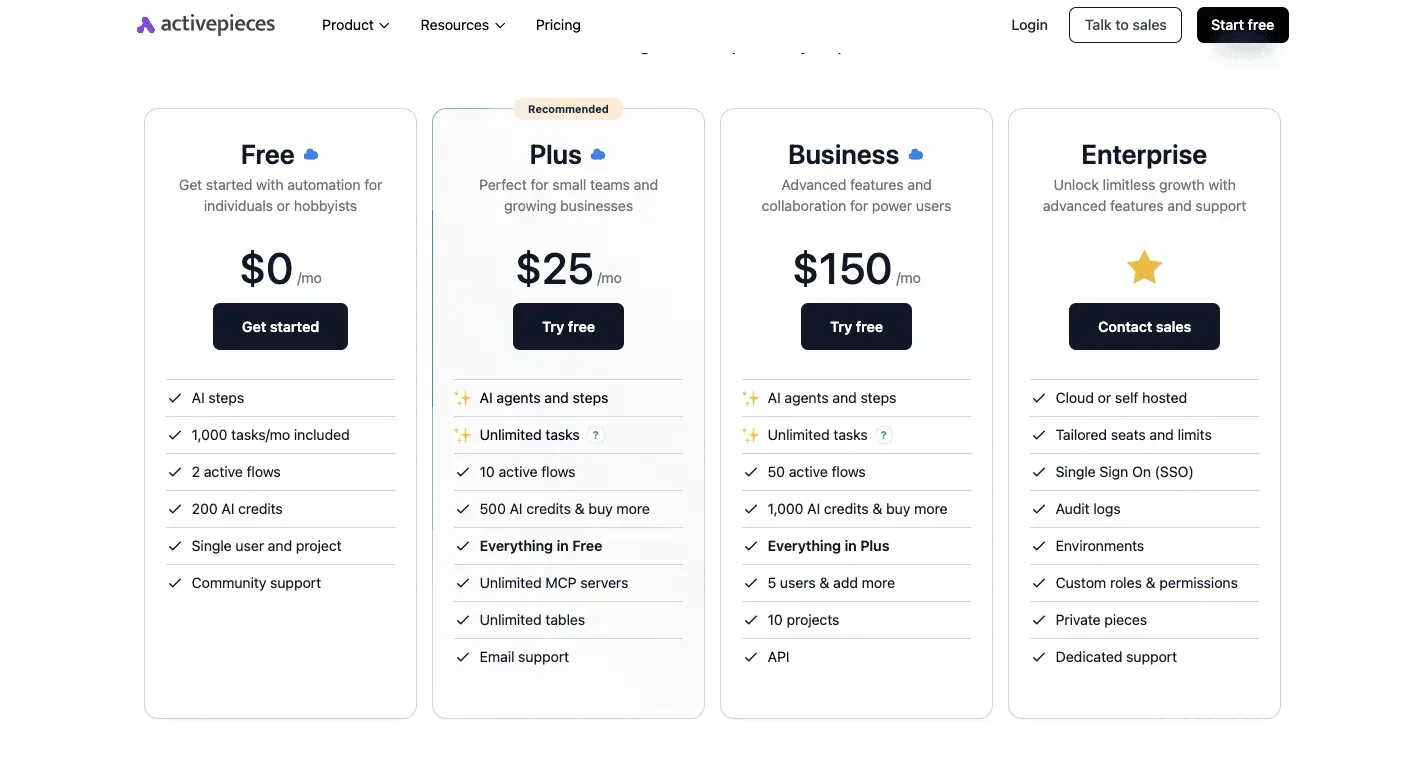
Start on Free to prove one automation works, whether that's a simple flow built in Activepieces or anything else you're testing. Move to Pro when the credit allowance becomes your bottleneck, and look at Business only when a team's access and admin needs outgrow Pro.
According to Vps, these plans were checked against Lovable's pricing page on 12 November 2026. Prices and credit counts change, so confirm them there before you commit.
What decides this is whether the credits you get cover the building you'll do, not the cost, so I've left dollar amounts out. The table maps each reader situation to a plan and names the catch that pushes you up a tier.
Which Lovable plan fits your automation
| Reader situation | Plan | Catch pushing you to the next tier |
|---|---|---|
| Solo builder testing one scheduled job | Free | The allowance is metered daily with a monthly ceiling, so a long build session stalls |
| Small team shipping automations for customers | Pro | The credit pool is shared, and one busy builder can drain it for everyone |
| Larger team needing SSO or admin controls | Business | Confirm exactly which controls are included before rolling out to everyone |
Solo builder
You can build one backend function, attach a schedule and see it run on Free. The catch is the daily cap: when you hit it mid-debug, you wait or upgrade.
If an automation is already tied to revenue, such as invoices or lead follow-ups, don't let a cap decide when you can fix it. Move to Pro at that point.
When a handful of people build and maintain automations together, Pro is the fit. The catch is that credits are spent while building, so five people iterating at once can burn through the allowance faster than one person would.

Agree who owns which automation before you start, and check how seats are priced on the pricing page.
Team of 25 needing SSO or admin controls
At this size you are in Business territory. The question is who can change a production function or read a secret, not how many credits you have. Verify that the specific controls you need, such as single sign-on, are listed under Business before you migrate.
If a job must reach apps Lovable doesn't connect to, Activepieces can sit alongside the plan, with 747 integrations counted from its open source monorepo, but that's a later decision.
Lovable plan credits for heavy automation usage
If you build or revise constantly, estimate your monthly edits first, then compare that against the credits on each plan. Heavy builders hit the credit ceiling long before they hit any feature limit.
The plan to pick is the one whose credits cover a normal month, not a quiet one.
This takes minutes, not a project: automate it in Activepieces free.
What Lovable Cloud automation actually covers
Lovable Cloud automation is logic that runs inside the app's built-in backend (database, auth, storage, functions and secrets), so there's no separate server for you to run. Once the integrations are connected, that backend is where most of the work happens.
The plan to pick is the one whose credits cover a normal month, not a quiet one.
What Lovable Cloud includes
The database stores your records, and a nightly function can flag invoices unpaid after 14 days as overdue, which means you'll never have an invoice unpaid for 14 days that isn't already flagged when you start your day.
- Auth handles sign-ups and logins, and a function can send a welcome email the moment a new user registers.
- Storage holds uploaded files, and a function can process each new upload, such as renaming a receipt or logging it against an order.
- Functions run your server-side code, and a scheduled function can pull in fresh data every morning.
- Secrets keep API keys out of the browser, so a function can call your email or payment provider without exposing the key.
Together these cover the jobs most small products need, which is why I'd start here before reaching for anything else.
$400 million in February 2026, $500 million in June and $600 million in September: that is Lovable's annualized revenue, according to TechCrunch. That's about $100 million added in each stretch.

What counts as automation
If your app takes an action without a person clicking a button, it counts as automation here. That covers a scheduled function that runs at a set time and a function triggered when a user signs up or a file lands.
It also covers a function that reads a secret and calls an outside service.
If the trigger and the work both live in your backend, it counts, and you can ship it fast because nothing new needs hosting.
What Lovable Cloud automation can't do alone
When a job has to reach an app Lovable doesn't connect to, the built-in backend can't do it alone.
Moving a lead into your CRM, posting to a team chat tool or syncing a spreadsheet you don't control needs either a function you write against that service's API or an outside workflow tool.
Because your plan and usage limits still apply, a heavy schedule can hit a cap you never planned for. Check those numbers first, then decide whether the job really needs to leave the app.
Setting up Lovable Cloud automation in five stages
If the limits fit your job, the build is five stages, and each one leaves something working, so a failure points at the stage you just finished and nothing earlier. Run them in order, even though you'll want to skip ahead to the schedule.
Stage 1: Enable Cloud and confirm the backend is live
Open your project, go to the Cloud tab and enable Cloud if it isn't already on. Lovable's button labels move between releases, so go by what the tab shows rather than a remembered name.
You're done when the tab lists a database and functions area with no setup prompt.
Open the database view and confirm you can see tables. If you can't, stop here, because everything after this depends on it.
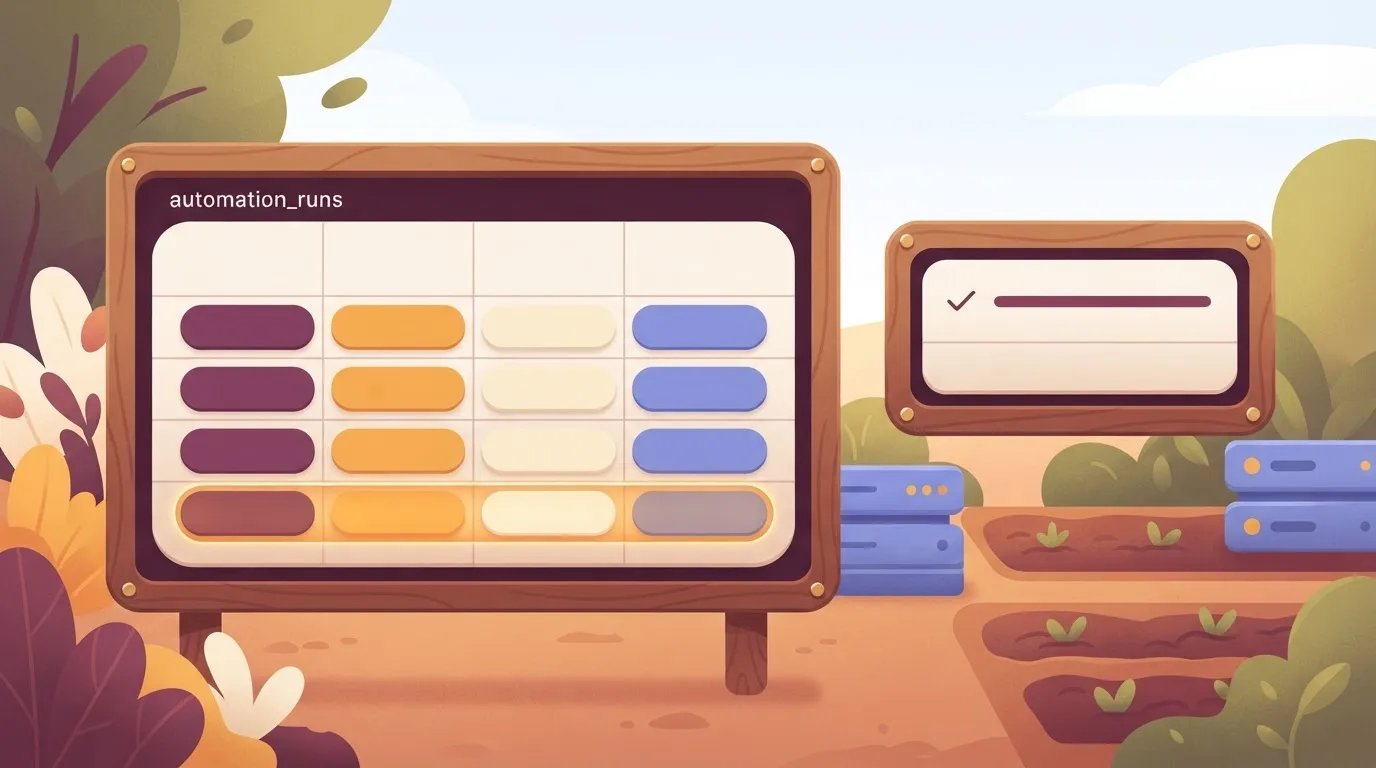
Stage 2 is a function that writes one row. Start with a function that does almost nothing, so the first failure isn't buried in business logic. In the chat, ask for it in plain words:
Create a backend function called
log_runthat inserts one row into a new tableautomation_runswith a timestamp and a status of "ok". Add a button on the dashboard that calls it.
Click the button once. You now have a working function, even though it does nothing useful yet.
Stage 3: Add secrets for outside API keys
Add secrets only when the function needs to call something outside the app, such as an email service, a payment provider or an AI model. Ask Lovable to add the secret, then enter the value in the secure field it opens, never in the chat.
Name it in capitals, for example EMAIL_API_KEY, and have the function read it from its environment.
Anything pasted into a prompt or written into code is exposed, so rotate any key that lands there. I haven't confirmed where the Cloud tab lists saved secrets afterwards, so check that screen in your own project.
Stage 4: Run it on a schedule or a webhook
Now the function gets its trigger, either a schedule or a webhook. Run log_run every morning at 8:00 and record each run in automation_runs, meaning you capture system state before the day's work begins.
For an event-driven job, ask for a webhook endpoint that calls the function when an outside service posts to it. Whether a given schedule granularity is allowed on your plan isn't something I can state, so check your plan's limits before promising customers a frequency.
Stage 5: Test it and read the logs
Trigger the function by hand, then open its logs from the Cloud tab. A good run shows your insert and no error. Now open automation_runs and confirm a new row with the right timestamp. That row is the proof.
When the scheduled time passes, confirm a second row appeared without you touching anything. If it didn't, the logs will say whether the trigger never fired or the function failed after it did.
You can follow the rest of this with the builder open. Start free, no card.
Lovable Cloud limits, errors and their fixes
Fix most Lovable Cloud failures inside the app before you add any outside tool. They trace to a handful of limits, and each leaves a recognizable symptom. The table lists each limit with its symptom and fix.
I've left out the figures because I couldn't confirm them, so check the numbers for your plan before you build around them.
| Limit | Source | Symptom | Fix | Status (2026-11-12) |
|---|---|---|---|---|
| Function wall-clock time | Lovable documentation | Long job stops partway, no result written | Split the work into smaller calls | Figure unconfirmed; differs by plan |
| Function CPU time | Lovable documentation | Heavy processing fails while waiting is fine | Move heavy transforms out of the request | Figure unconfirmed |
| Idle timeout | Lovable documentation | Slow upstream call drops with no response | Return early, finish in a follow-up call | Figure unconfirmed |
| File size | Lovable documentation | Upload rejected | Compress, or upload in parts | Figure unconfirmed; differs by plan |
| Schedule minimum interval | Lovable documentation | Job never fires at the interval you wanted | Choose a coarser interval | Figure unconfirmed |
| Cloud usage credits | Lovable documentation | Features stop when credits run out | Watch usage, trim calls, upgrade | Figure unconfirmed |
Read your plan page before launch, not after a customer reports the failure. Each row is the reason.
When a timeout hits, the job quietly never finishes, so the customer's order or report is simply missing. The cause is almost always one function doing too much.
Split it, return early, and do the slow part in a second call. Oversized uploads fail loudly, which makes them the easier fix.
It works in testing and fails live: that usually means a missing secret. Add the secret to the backend and redeploy.
Access rules blocking writes are different: the call succeeds but no row appears. Check the database rules against the signed-in user before you blame the function.
When a schedule seems dead, check the interval against the minimum allowed, then check that the function it calls runs by hand. Most of the time the schedule is fine and the function is erroring. Read the function's logs first.
Usage and credit caps
Everything stops at once, not just one feature. That is why a usage cap is the failure that costs revenue.
Know your plan's allowance before launch, watch usage weekly, and treat a steady climb as the signal to trim calls or move up a plan. Only a job that must reach apps Lovable can't, not a cap, justifies adding an outside tool.
Sending Lovable Cloud events to Activepieces workflows
When a Lovable Cloud function has to push an event into an app Lovable has no way to reach, Activepieces fits, and it allows unlimited flows on every plan, including free. Examples are a CRM, a Slack channel or a Google Sheet.
For everything else, the backend you already have does the job.
When to stay inside Lovable
If the logic only touches your own app, keep it there. All of that belongs in a backend function, a schedule and a secret:
- Sending a welcome email
- Flagging an overdue record
- Cleaning up rows on a schedule
- Calling a model with a stored key
Adding a second tool means a second place to debug, a second login, and a second thing that can fail at 2 a.m. The customer waits on a confirmation that never arrives.

I've rewritten flows that did exactly this, and the fix was always to delete the outside hop.
Every run of such a flow would also spend part of the free plan's 20 monthly Cloud credits on logic the backend already handles, reducing what users can do with their free tier.
When to hand off to an external workflow
Hand off when the next step lives somewhere Lovable doesn't. A new signup should create a lead in your sales CRM, and a failed payment should ping the team in Slack.
An order should land as a row in the sheet your ops person already lives in.
Writing and maintaining each of those API integrations yourself is slow, and it's the part a workflow tool already has built.
If you'd rather use a hosted service, Zapier and Make do the same job. n8n is the one to look at if you want to self-host. A direct API call from your function is fine for a single destination you'll never change.
When you want several destinations behind one URL and the freedom to change them without redeploying your app, Activepieces is worth choosing. The function sends one event, and the flow decides where it goes.
Those destinations come from 747 integrations, a count taken from the packages/pieces/community folder of its MIT-licensed open source monorepo on GitHub rather than quoted from a marketing page, and roughly 60% of them are community-contributed, built by people who don't work at Activepieces, which means the ecosystem isn't bottlenecked by Activepieces' internal roadmap.
Wiring the webhook end to end
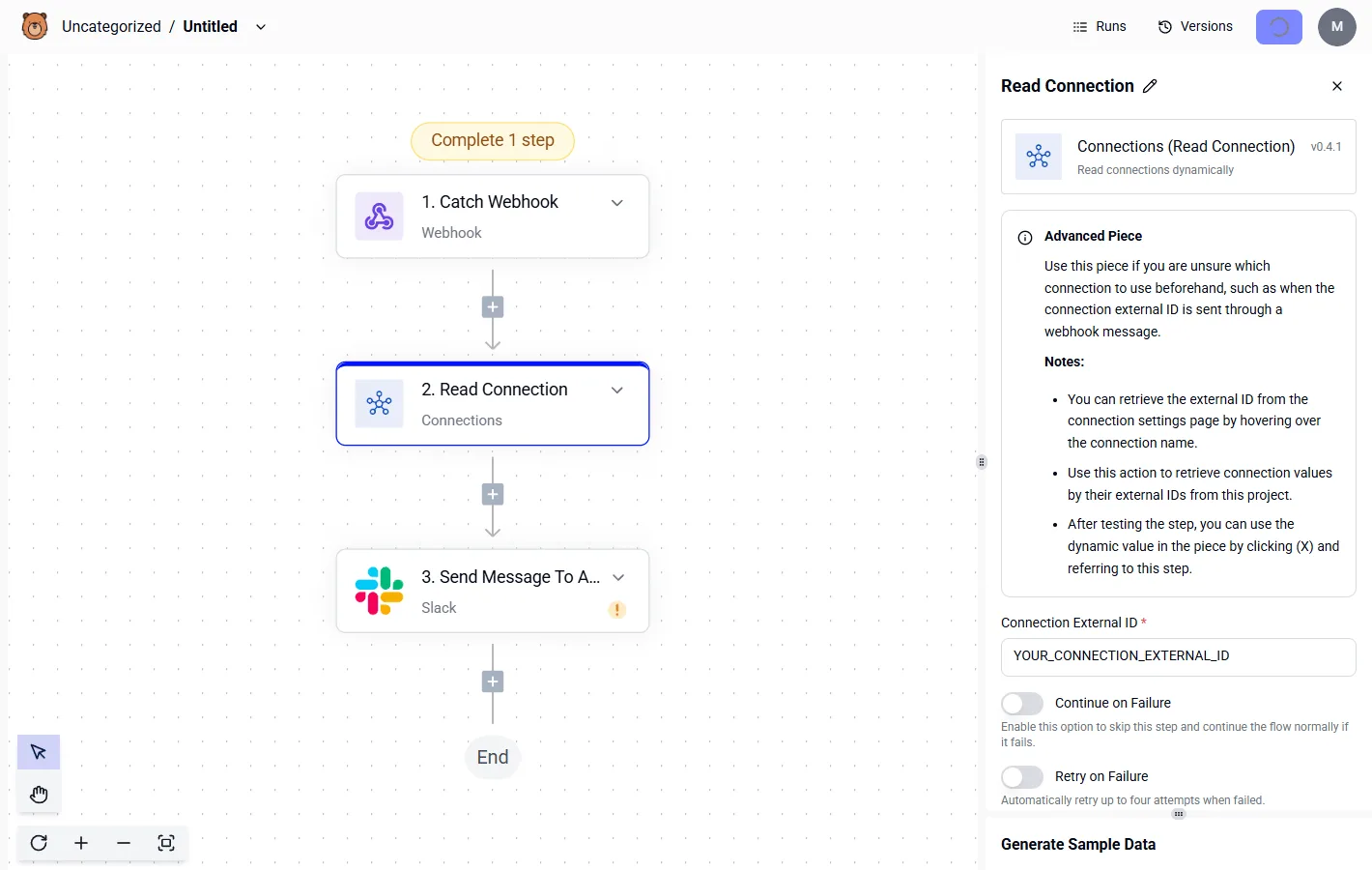
It takes minutes, start to finish. The numbered steps show the order to work in, and the point to take from them is that the secret is created before the function calls it, so nothing is ever hard-coded.
- Create a new flow in Activepieces.
- Choose the Catch Webhook trigger.
- Copy the webhook URL it gives you.
- Store that URL as a secret in Lovable Cloud, never in the function's source.
- Call the URL from your backend function with a POST request carrying the event as JSON.
- Trigger the event in your app, then open the flow's runs in Activepieces to see the payload arrive and each step succeed or fail.
Once the test run shows your payload, add the CRM, Slack or Sheets action behind it and map the fields.
Frequently asked questions
Can Lovable Cloud run a job on a schedule?
Yes. You describe the job in chat, Lovable writes a backend function for it, and a schedule in the project's database calls that function at the interval you set. A nightly cleanup or a weekly digest email never needs an outside tool.
Keep each scheduled job small and single-purpose, so a failure points at one thing. Lovable's documentation on backend functions is the place to confirm current scheduling behavior before you rely on it.
Does Lovable Cloud automation cost extra credits?
Yes, in two places. Building the automation costs credits, because every chat prompt that writes or changes a function is a normal edit.
Running it is metered separately, as backend usage under your plan. A job that fires often can therefore cost you even when you never touch the editor.
Check the usage page in your workspace and the current plan details before you schedule anything frequent. I'm not quoting a rate here because Lovable adjusts them.
Can I use Lovable Cloud without Lovable's chat editor?
Partly. Lovable can sync a project to a code repository, so you can read and edit the front-end and function code in your own editor and let the changes flow back.
The catch is that backend changes made outside the chat can drift from what Lovable expects.
Pick one place to make changes per feature. Don't edit the same function from both sides in one afternoon.
Can I move my automation off Lovable Cloud later?
Mostly, yes, and that's a reason to build there first. Your data lives in a standard Postgres database, and your functions are ordinary code, so both can move to another host.
You'll re-enter every API key by hand, because secrets don't travel with the code. Keep a private list of which keys each function needs. Moving takes a day of careful work, not a rewrite.
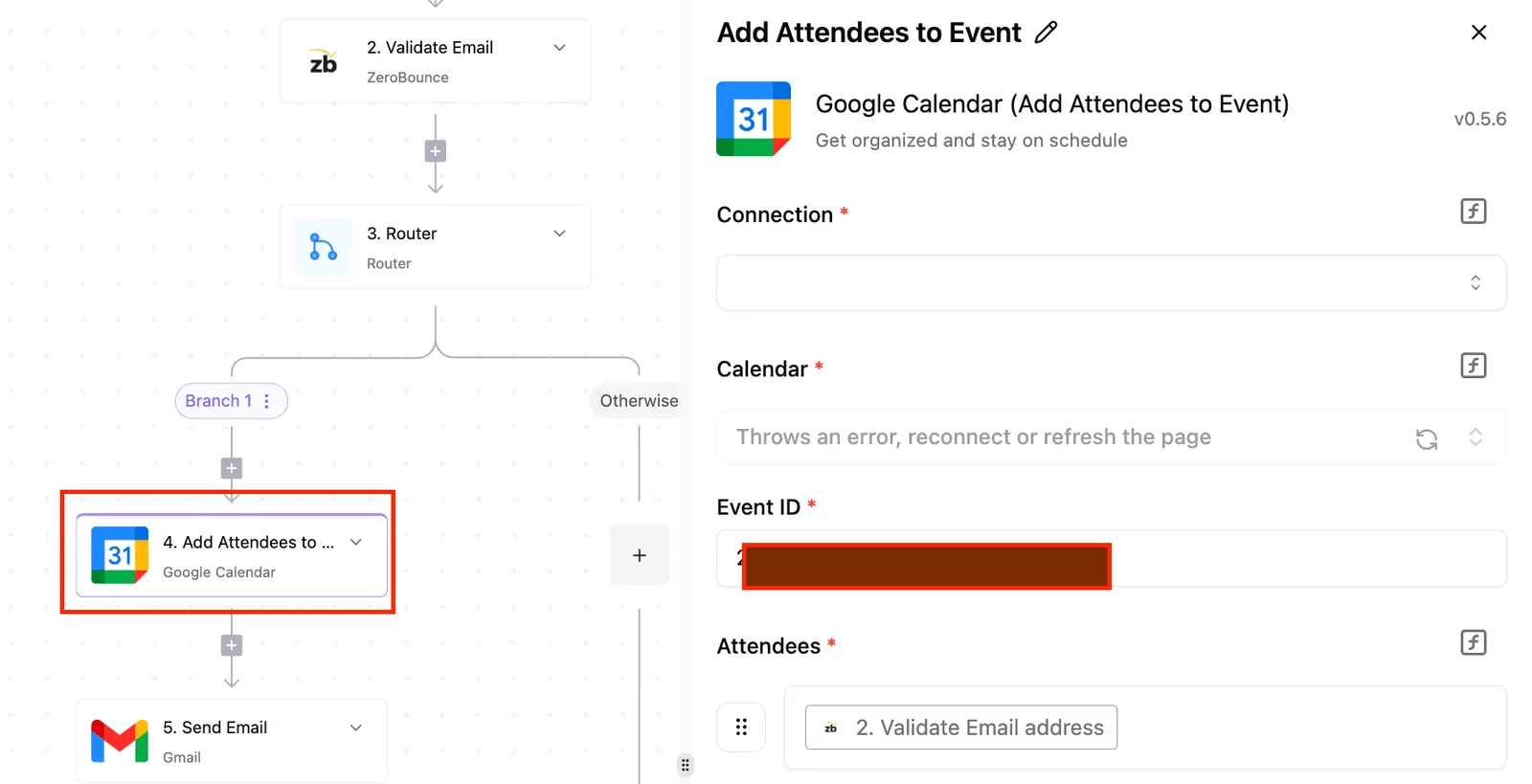
You don't need Zapier or Activepieces, whose MIT-licensed core is free to self-host, for jobs that start and end inside your app, such as sending emails, updating rows or calling an API with a stored secret.
You need an outside workflow tool when the job has to reach an app Lovable has no connection to, or when a non-developer on your team must change the flow without touching the project.
Start inside the backend. If you hit a wall, add the outside tool for that one flow only.
Related reading
References
Build it
Set this up in minutes.
No code required. Connect your accounts, and Activepieces runs it from there.
Start free Talk to sales