
Mastodon API Rate Limits and Auth for Developers

Nov 24, 202616 min read
Nothing about the Mastodon API is priced. It's a free REST API that every Mastodon instance exposes, authenticated with OAuth 2 and carrying no pricing tiers, so anyone can wire it into tools like Activepieces without negotiating access first.
The Mastodon API is the free, OAuth 2–authenticated REST interface that each Mastodon instance exposes for reading and posting data, with access governed by that instance's own permissions and rate limits rather than by any central pricing.

You register an app on the instance, get a token, and call endpoints. What limits you is each instance's own rules, not a plan you bought. Docs checked 2026-11-24.
Mastodon API pricing and authentication
What the Mastodon API is and what it covers
Code written against one instance mostly works against another, because the software is the same everywhere and each instance serves the same family of endpoints over HTTPS: reading timelines, posting statuses, uploading media, managing follows, searching, and streaming updates.

"Mostly" matters. Each instance's admin decides its own limits, moderation and permissions, so a bot that behaves on your test server can be throttled on a different one.
What it costs: no per-unit pricing
There's no key to buy, no quota to upgrade and no per-request fee. That removes the usual budgeting step, and it also removes the vendor who would otherwise tell you what the ceiling is.
The ceiling still exists. It's enforced by whoever runs the instance, so you find it by reading the response headers and the instance's rules, not a pricing page.
Example of a first Mastodon 429 error
Here's a composite case, assembled from the failure pattern rather than one named team. A scheduled-posting bot works all weekend because the queue is small.
On Monday the trigger fires at 09:02 with the week's backlog, sends every post at once, and the instance starts answering with HTTP 429, "too many requests."
You don't hire anyone to build that posting job: describe it to the built-in chat in Activepieces and it builds and publishes the same flow a builder would have assembled by hand.
It sits under the same RBAC and audit logs as every other flow, and each run, including the 09:02 burst the instance still answers with a 429, leaves a trace anyone can read without any certification.
Nothing is broken in the bot's logic. The burst itself is the failure, and it was invisible until real volume arrived.
If the bot treats 429 as an error to log instead of a signal to pause, those waiting posts are the ones that go missing.
What follows is how to read the limit the instance is telling you about, and how to build the bot so Monday morning is just another quiet minute.
Everything below works on Activepieces' free plan. Start without code or a credit card.
Registering a Mastodon app and getting a token
You register one app on the instance whose domain you choose, ask for the narrowest scopes, and exchange an authorization for a token; no paid plan gates any of it.
The list below runs in the order you'll do it, and every step is a request you can replay.
- Pick your instance domain. Every call goes to that server (
https://your.instance/api/v1/...), and an app registered there doesn't exist on any other instance. - Create the app, either in Preferences under Development, or with
POST /api/v1/apps. - Choose scopes, such as
read:accountsandwrite:statuses, and nothing wider. - Run OAuth to get a token.
- Call
GET /api/v1/accounts/verify_credentialsto confirm the token and the account it acts as. - Send
POST /api/v1/statuseswith astatusparameter.

Of the six steps, only the last changes anything public; steps one through five are what you repeat per instance, meaning you duplicate substantial work for each deployment target.
Create the Mastodon application and choose scopes
For a bot that acts as your own account, the Development page is the quicker route: it creates the app and shows you an access token directly. Use POST /api/v1/apps when you need to register programmatically, with client_name, redirect_uris and scopes.
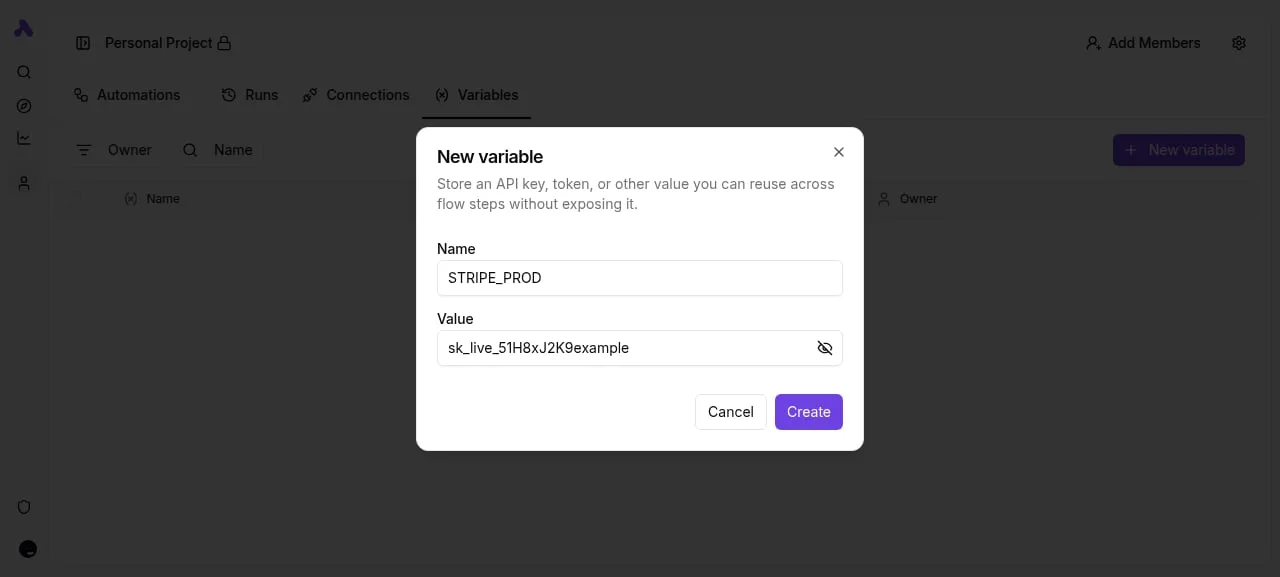
Once the app exists, you get a client_id and client_secret back. Request only the scopes the bot uses. A posting bot needs write:statuses, and a token that can't do more is a token that can't be misused if it leaks.
Authorization code workflow versus client credentials
Use the authorization code flow whenever the bot acts as a user: send them to /oauth/authorize, then exchange the returned code at /oauth/token.
Use the client credentials grant when you need no user at all. It yields an app-level token that can read public data but can't post as anyone, so it won't carry a publishing bot.
Choosing wrong here shows up later as a permissions error, not a setup error.
Verify first:
curl -H "Authorization: Bearer $TOKEN" https://your.instance/api/v1/accounts/verify_credentialsIf an account object comes back, the token works and names the account that will post. Then post:
curl -X POST -H "Authorization: Bearer $TOKEN" \
 -H "Idempotency-Key: first-test" \
 -d "status=Hello from the API" \
 https://your.instance/api/v1/statuses
Rate limits and 429 impact
When a retry ignores the flat ceiling of 300 requests within 5 minutes, where the 429 comes from, it only spends more of the same budget.
What the docs say the limits are, by scope
There are no tiers to buy your way out of the 3,600 requests per hour Mastodon allows, so the platform imposes this ceiling uniformly on every user.
GitHub, by comparison, gives authenticated callers 5,000 requests an hour and unauthenticated ones just 60, per its REST rate-limit docs, making authentication a critical choice for your GitHub API quota; without it, you're limited to one request per minute.
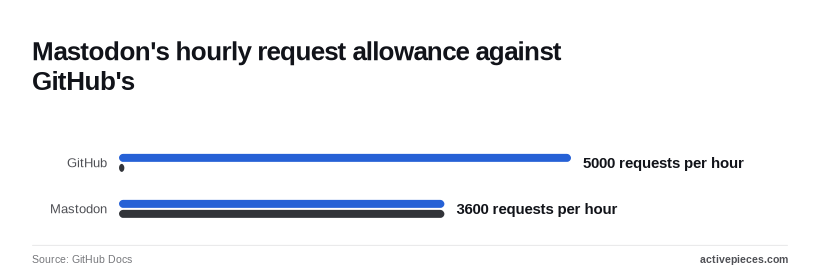
So Mastodon is more generous than an anonymous GitHub client and tighter than a signed-in one. Instance admins can change the numbers, so the figure you tested against may not be the one on the next server.
On every response you get X-RateLimit-Limit, X-RateLimit-Remaining and X-RateLimit-Reset. Log them on every call. When Remaining nears zero, sleep until Reset instead of waiting for the 429, because your retry logic then never spends budget it doesn't have.

Reducing Mastodon API requests with page sizes
Start with page size, the cheapest saving. Per the timelines docs, timelines and search return 20 items by default and cap at 40. Suggestions and the directory default to 40 and cap at 80.
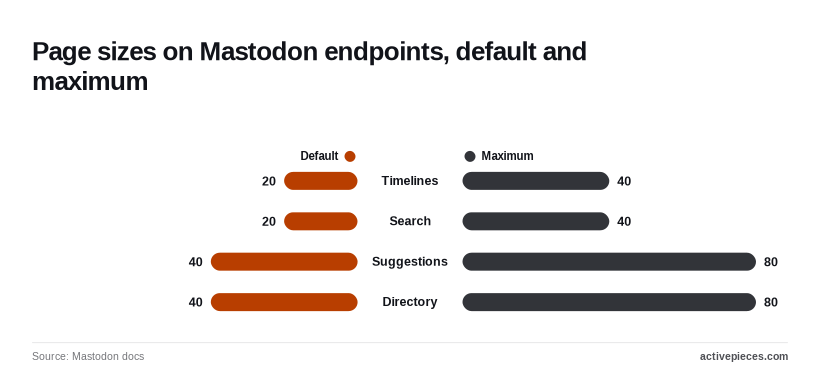
Paging 1,000 timeline items at the default takes 50 requests; at the maximum it takes 25, which means you can halve your request consumption by configuring maximum page size.
That halves your spend with one parameter, and the same holds for suggestions and the directory, where the 80 cap does it.
Cost of a Mastodon rate limit burst
Treat these costs as coming from our scenario, not from a measured benchmark.
A backfill job pulled timelines at the default page size and shared its hourly budget with the publishing job. The backfill drained the budget, the publisher started getting 429s, and scheduled posts went out late.
With no idempotency key in the first retry loop, some posts were created twice.
The cleanup meant finding the duplicates by hand, deleting them and apologizing to followers. It took hours that one limit=40 parameter, a header check and a separate token for each job would've saved.
Easier to see it running than to read about it: set it up free, no card.
Common Mastodon errors and solutions
Sort every Mastodon error into one of two groups before anything else: the ones a retry can fix (429 and 5xx) and the ones it can't (401, 403, 404, 410, 422).
Your handler has to tell them apart before it does anything else. Retrying a request that will never succeed only burns the same rate limit that caused your last disaster.
Read the last column first: it decides whether the error goes to a retry queue or to a human.
The table below lists each status the docs describe, what the docs say causes it, what your code should do, and whether repeating the request is safe.
| Status | Cause per the docs | Right handling | Is retry safe? |
|---|---|---|---|
| 401 | Missing, invalid or revoked access token | Alert; re-authorize the account | No, the token won't heal itself |
| 403 | Token valid, but its scope or the account's permissions don't allow the action | Fix the request or request the right scope | No, until scopes or permissions change |
| 404 | The record doesn't exist, or isn't visible to this token | Fix the request; treat as gone | No |
| 410 | The resource is gone, for example an account whose data is being removed | Stop and drop the record | No |
| 422 | The request is well-formed but fails validation | Fix the request body or parameters | No, the same input fails again |
| 429 | You exceeded the instance's rate limit | Back off until the reset time the response headers give | Yes, after waiting |
| 5xx | Server-side failure on that instance | Retry with growing delays; alert if it persists | Yes, with caution on writes |
In the first five rows, the decision is for you or your operator; in the last two, it's for your scheduler.
Authentication and permission errors
If you get a 401, the token itself is bad; a 403 means the token is fine but not allowed to do this. Treat both as alerts, not retries. For a 401, route the account back through authorization and pause its jobs.
For a 403, check the scopes you requested against the endpoint's documented requirement; a read-only token will never post, however many times you try. Because each instance and each job should have its own token, the error tells you exactly which one to fix.
Validation errors that retrying cannot fix
When a 422 arrives, it comes with an error message in the response body, so log it in full; it usually names the offending field.
When you see a 404 or 410, the thing you are acting on is missing or gone, so remove it from your queue rather than looping on it.
None of these improve with time, and a retry loop on them is how a job runs all night and accomplishes nothing.
When to retry Mastodon 429 and 5xx errors
On a 429, read the rate-limit headers, wait until the reset they report, then resume; don't guess a delay. For 5xx, use exponential backoff with a cap and an alert once it keeps failing.
If a post request times out, you can't tell whether the instance created the status. That is where writes get dangerous. I can't confirm from what I have that the docs support an Idempotency-Key header on posting, so do not build on it.
If a post request times out, you can't tell whether the instance created the status.
Instead, record what you tried to post and check the account's recent statuses before retrying, or you'll recreate the duplicate-post cleanup from the last section.
Calling the same Mastodon endpoints without code in Activepieces
Most Mastodon automation is scheduled or reactive jobs, and Activepieces runs both kinds with unlimited flows on every plan, including the free one, so giving each job its own flow and its own token costs nothing extra.
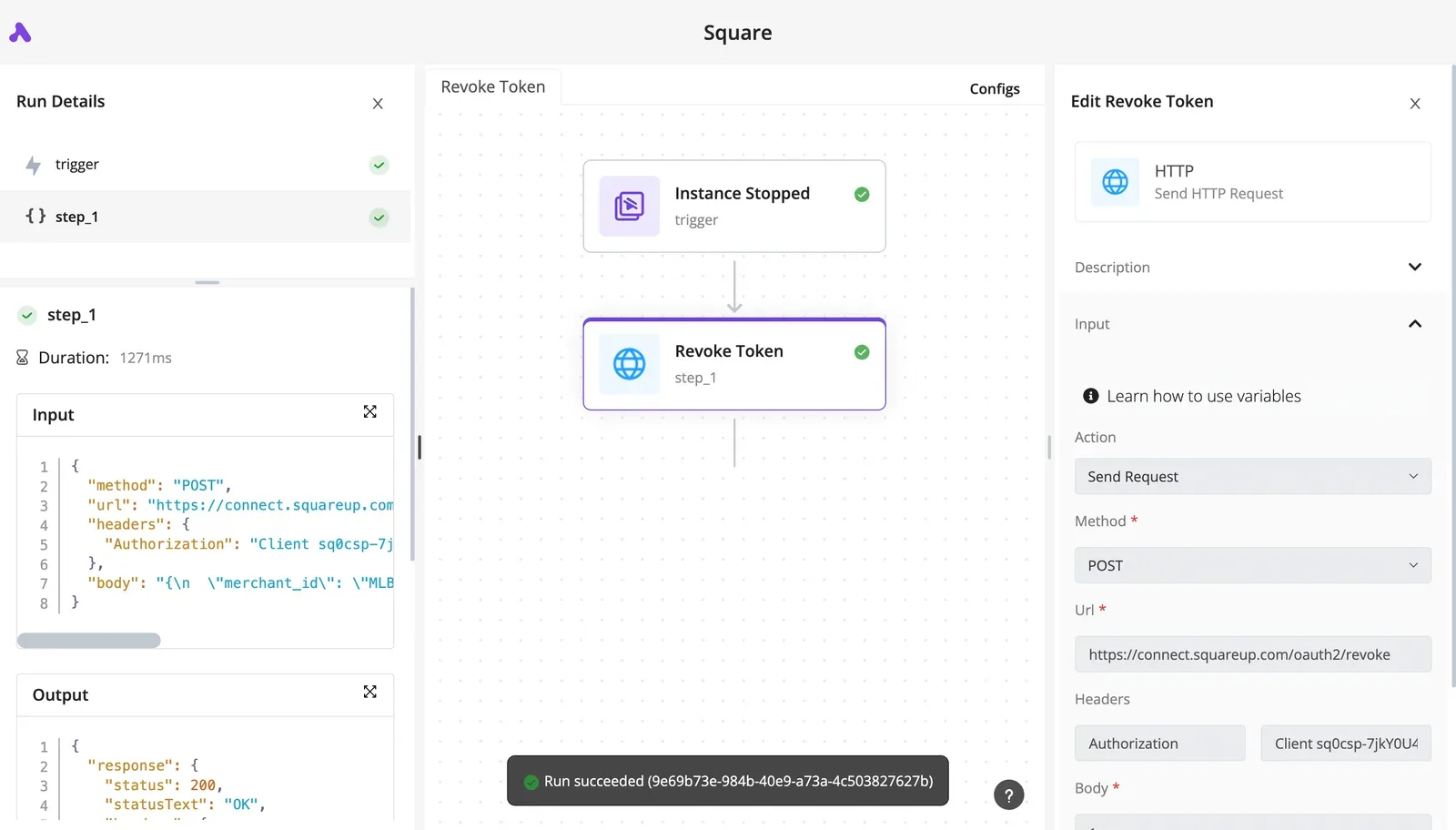
It does so by sending the same HTTP requests you would otherwise write yourself, which means it keeps the duplicate-post and rate-limit problems exactly where they were unless you build the guards into the flow.
Workflow or code for Mastodon API calls
If a job starts on a timer or an event and ends in one request, a workflow fits. That covers a scheduled post, a cross-post from a feed, a notification pushed to a team channel.
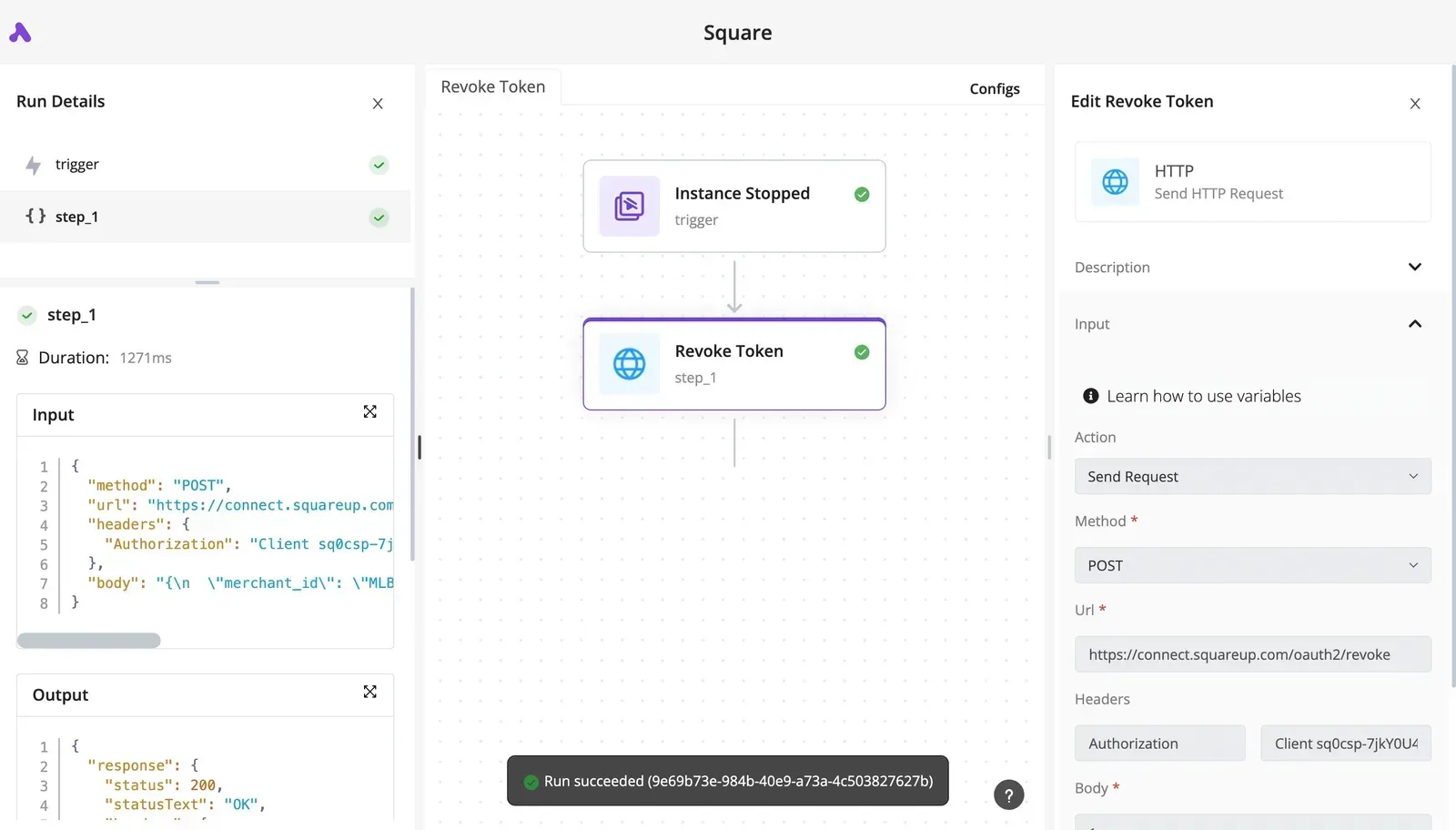
Activepieces has 750 integrations in its open source monorepo, roughly 60% of them community-contributed, but I can't confirm that one covers Mastodon, so check the integration list before relying on one.
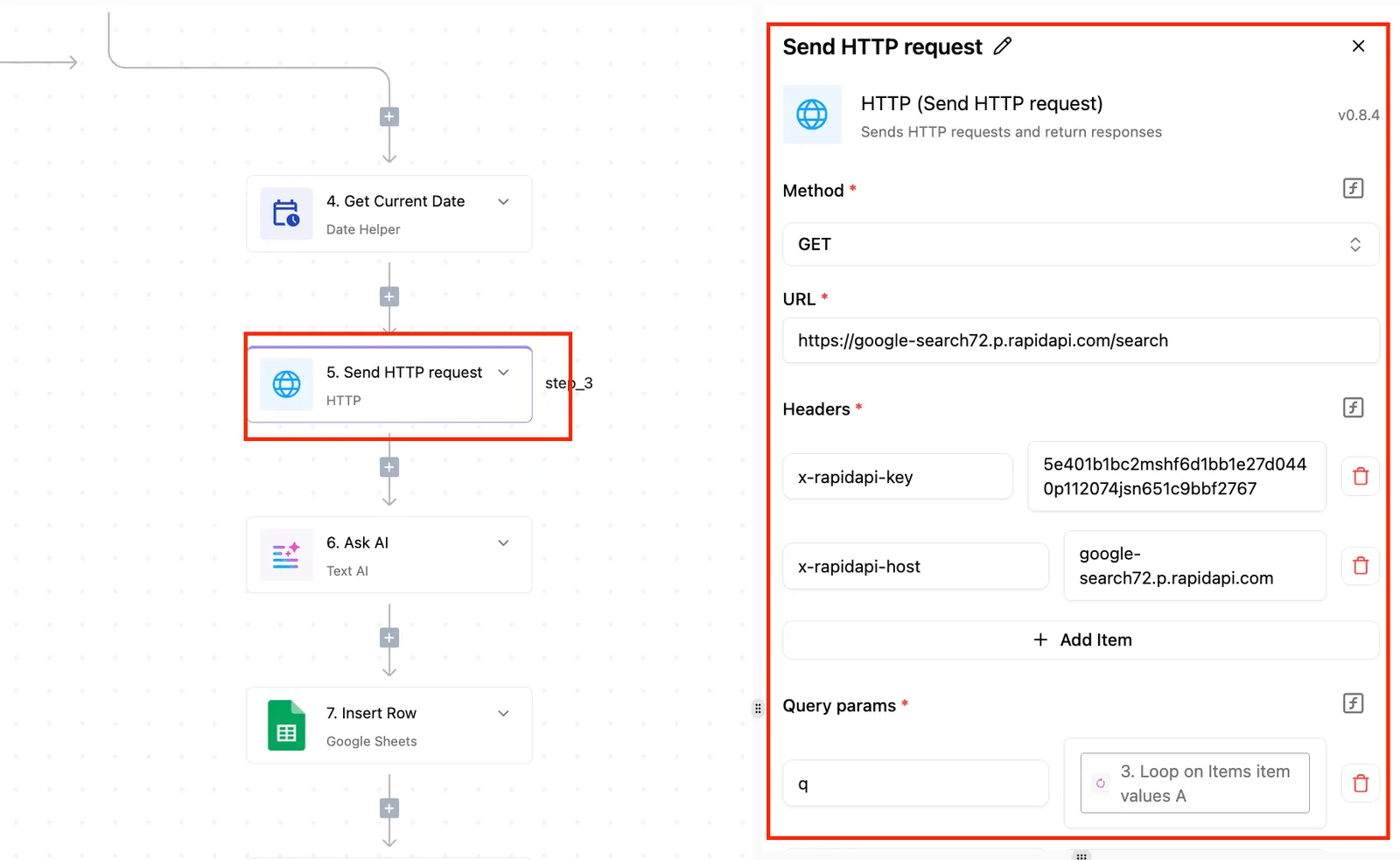
If there isn't one, its generic HTTP step reaches every endpoint in the Mastodon API, so the missing connector costs you some typing, not capability.
What a workflow can't do
What a workflow can't do is hold a connection open. Streaming needs a long-lived socket that pushes events to you, and a flow that runs, finishes and stops has no place to keep one.
A full client app, with its own sign-in screen and per-user tokens, is also code.
Limits still apply
A workflow gets no exemption from your instance's limits and permissions; they apply exactly as they apply to a script.
Activepieces won't raise them, and its own allowance is a separate budget, where a run costs 1 credit however many steps it has, so the instance's headers remain the thing to watch.
Building the smallest workflow
Start from the smallest flow worth running in production.
Take from it that the retry path ends in a human being notified, not in another blind attempt.
After the diagram, build it in this order:
- Create an application on your instance and generate an access token with only the write scope the post needs. Store it in Activepieces as a connection or secret, never pasted into the step.
- Add the Schedule trigger at the cadence you want, and keep it slower than you think necessary.
- Add a Delay step ahead of the request, so a burst of runs can't arrive at the instance together.
- Add the HTTP step: POST to
/api/v1/statuseson your instance's own domain, with anAuthorization: Bearerheader carrying the token and the post text in the body. - Route failures to the retry branch, then to an alert. Before any retry, query the account's recent statuses to confirm the first attempt didn't land.
That fifth step is the one most flows skip, and it's what separates a tidy integration from another cleanup.
Mastodon integration changes after a 429 error
Now every post goes out from a spaced queue, and X-RateLimit-Remaining is read before every one. The integration waits for reset on a 429 and handles 401, 403 and 422 as three different problems instead of retrying them.
Every failure gets exactly one response, and none of them is "try again immediately." The sequence below is what each post goes through.
- Take the next post from the spaced queue.
- Check
X-RateLimit-Remainingfrom the last response. - Send each post once and check for it before retrying.
- On 429, wait until the reset time in
X-RateLimit-Reset, then resend. - On 401 or 403, stop and alert a human.
- On 422, drop the post and log why.
Dropping on 422 matters just as much: the instance has said the content is invalid, and resending it only burns your allowance.
Test the rate-limit behavior before you adopt a client library. It saves you the endpoint plumbing, but that is where libraries differ. Check these:
- Whether it exposes response headers, so you can read remaining and reset yourself.
- Whether it sleeps and retries on 429 silently, which hides the problem from your queue.
- Whether it lets you set the
Idempotency-Keyon a post call. - Whether it separates 401 and 403 from 422 in its errors, rather than throwing one generic exception.
If it fails any of these, raw HTTP is less work than fighting the library.
Before the next scheduled batch goes out, confirm each of these:
- The queue spacing is set below what your slowest instance allows, not the friendliest one.
- Remaining is read on every response, not only after a failure.
- Every post has its own idempotency key, stored with the post.
- Alerts for 401 and 403 reach a person who can re-authorize.
- A 422 lands in a log someone reads, not a retry loop.
Frequently asked questions
Is the Mastodon API free to use? Yes. Mastodon is open-source software with no central vendor charging for API access, so there's no plan to buy.
What you can still pay for is the instance itself: a server's admin sets its rate limits and can restrict or suspend an app that misbehaves. The cost shows up as throttling, not as an invoice.
Do I need approval to get a Mastodon API key?
Not from Mastodon as a company, because there's no central key. You register an application on the instance you want to use, which returns a client ID and secret, and then you request a token through OAuth with the scopes you need.
Where approvals exist, they are local: some instances review new accounts by hand, and a token only carries the permissions its account and scopes allow. Request the narrowest scopes up front, since a 403 later usually means a scope you never asked for.
Can I use one token across different Mastodon servers? No. Each instance is its own server with its own app registrations and its own tokens, so a token from one is meaningless on another.
If your integration talks to several instances, store the client credentials and tokens per instance, and track rate-limit headers per instance too. One server's budget tells you nothing about the next.
How do I stream new posts in real time?
Use the streaming API instead of polling the timeline endpoints. It keeps a connection open and pushes events to you as they happen, which spares you the request budget that polling burns.
Be aware that some instances require a token even for public streams, and any connection can drop, so build reconnection and a catch-up fetch for the gap into the client from the start.
Can the same code post to other fediverse servers?
Sometimes. Mastodon's client API is also implemented by several other fediverse server programs, so code that targets it can work against them. Coverage varies, and some endpoints or fields will be missing or behave differently.
If a server uses its own API, it needs separate code. Test each server type you plan to support before you assume compatibility, and read the documentation of that software, not Mastodon's.