
Pipedrive Pricing Plans and Total Costs for 2026
Pipedrive pricing structures for 2026 help you determine which subscription tier provides the necessary features to support your specific sales volume.

Covers the fine print in project management tools: exact quotas, pricing tiers, and support-ticket receipts that contradict vendor demo claims.
ContributorSeptember 27, 202616 min read
This article was researched and fact-checked by an advanced research system.
Selecting the right CRM requires a careful evaluation of how subscription fees align with your long-term operational goals. As businesses scale, the initial cost per seat often becomes secondary to the efficiency gained through native features and third-party connectivity.
Many organizations prioritize seamless data flow, often opting to connect their sales stack using Activepieces to automate lead routing, which can significantly reduce the manual overhead associated with lower-tier plans.
Ultimately, understanding the total cost of ownership in 2026 involves balancing these monthly premiums against the potential for increased conversion rates and streamlined team collaboration.
Pipedrive Pricing Plans and Feature Tiers
When the 2026 pricing model takes effect, your monthly overhead depends on the volume of automated actions your team triggers. The interface remains intuitive, but the transition from a tool that manages data to one that executes tasks carries a price multiplier.
Essential: The Entry-Level CRM Pipeline
At $14 per seat monthly when billed annually, the Lite plan functions as a digital filing cabinet, which means users pay a recurring fee for basic storage rather than active sales tools. It lacks the automation engine entirely.
Because of this restriction, a growing team must manually update every stage change or contact detail.
This tier functions as a single source of truth for small operations that have more time than capital. By choosing this manual system, the team accepts the administrative burden of repetitive data entry.
Advanced: Adding Workflow Automation and Email Sync
Stepping up to the Growth tier at $39 per seat introduces the first cap on efficiency, so your workflow will inevitably hit a wall as your team grows. Only 30 active automations are permitted at this level.
When a sales manager hits this limit, they must choose which 30 sequences are vital enough to run.
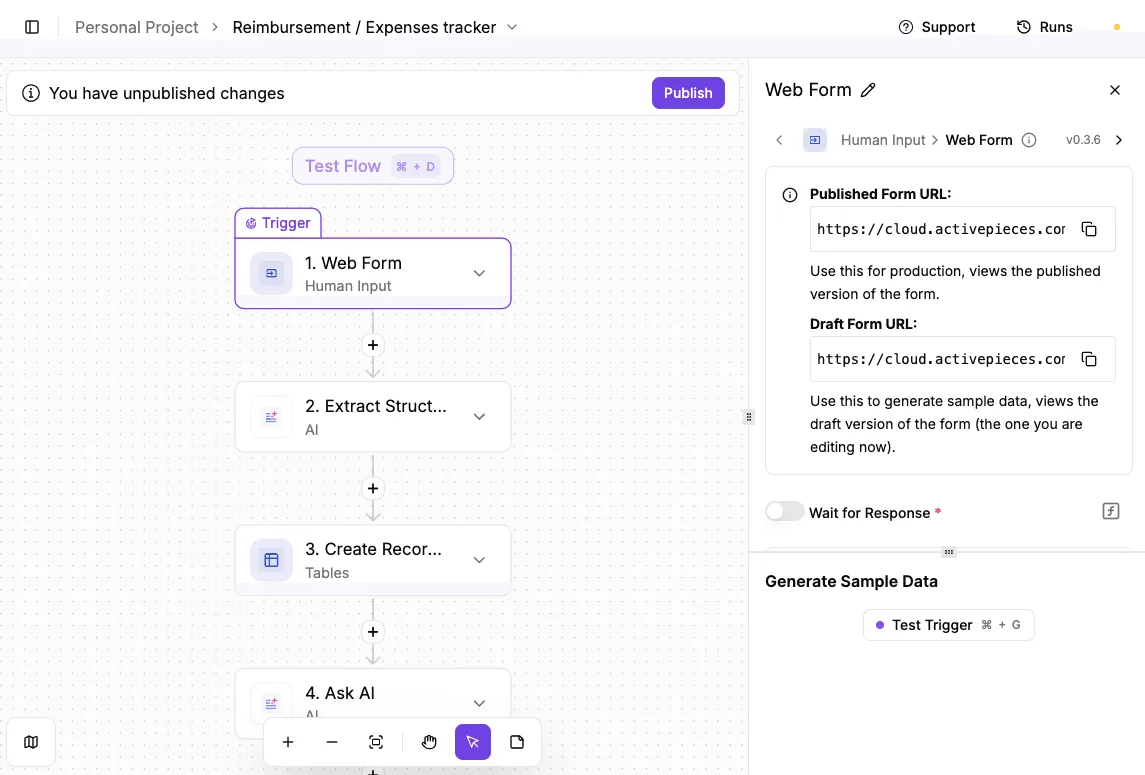
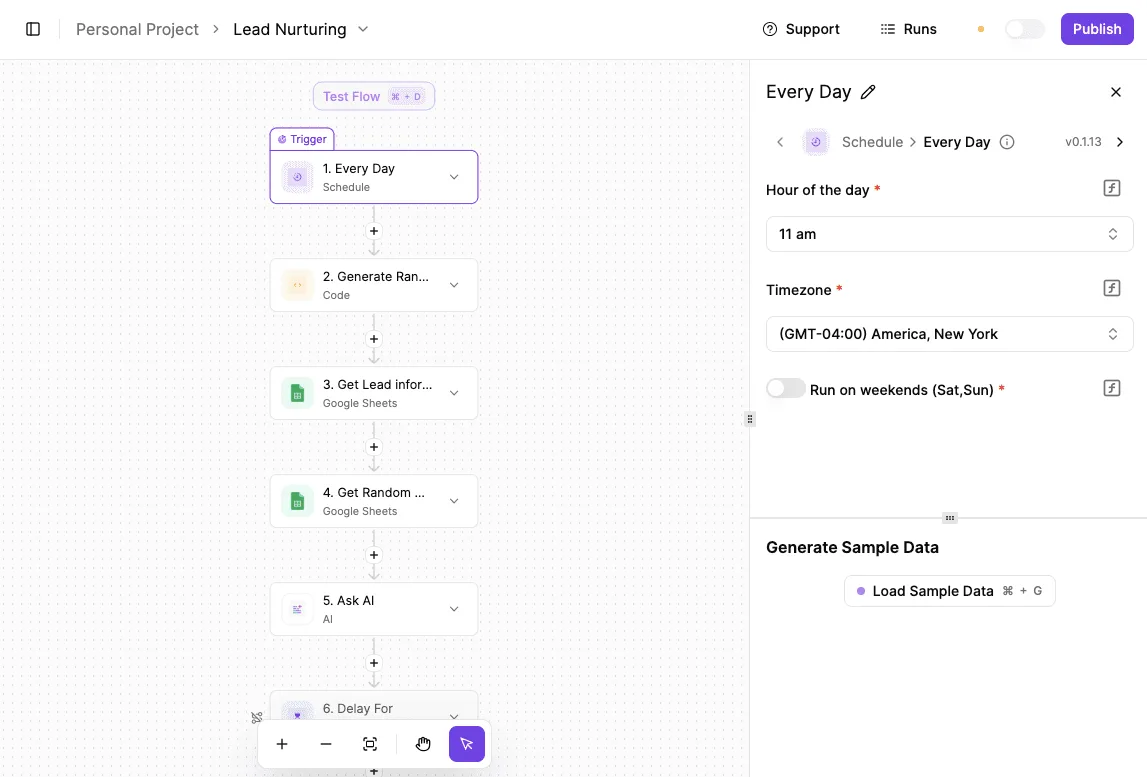
To avoid a forced upgrade, teams can offload the logic to Activepieces. The run is the meter, not the steps inside it, which means a complex ten-step sequence costs the same single credit as a basic two-step flow.
This prevents the "granularity tax" found in per-task billing models, allowing builders to break work into reliable, smaller steps without increasing their bill.
The published pricing page confirms this: 1 credit per flow run, regardless of the number of steps, which contrasts with the per-task or per-module metering found in other orchestrators.
Moreover, this tier also unlocks two-way email sync. This feature ensures that a representative’s inbox and CRM stay aligned without manual BCCing. The automation ceiling remains the primary driver for migration to higher tiers.
Professional: Advanced Reporting and Lead Routing
The Premium plan costs $59 per seat, placing a significant premium on the advanced automation features required for scaling operations. It's the first level where Pipedrive allows for complex distribution, including automatic lead routing based on territory or deal value.
Teams must upgrade to this tier to automate their sales workflows.
At this level, the automation cap increases to 60 active workflows. This doubles the operational capacity for teams running multi-stage nurturing campaigns. The "Revenue Forecast" dashboard provides a weighted look at the pipeline so that leadership makes hiring decisions based on probability.
Power and Enterprise: Scaling for Large Teams
The upper echelons of the 2026 structure serve high-volume environments where seat minimums and unlimited execution become the standard. The following table illustrates how Pipedrive scales its costs alongside these technical permissions:
| Plan | Price (Per Seat/mo) | Seat Minimum | Active Automations |
|---|---|---|---|
| Lite | $14 | None | 0 |
| Growth | $39 | None | 30 |
| Premium | $59 | None | 60 |
| Ultimate | $79 | 3 | 90 |
| Enterprise | $99 | 10 | Unlimited |
Prices and plan limits checked against pipedrive.com on September 27, 2026.

Pipedrive enforces a 3-seat minimum the moment you jump to the Ultimate tier at $79 per seat. A solo founder needing high-volume automation must pay for three licenses regardless of headcount.
The Enterprise tier removes the automation ceiling entirely but requires a 10-seat commitment. The baseline cost starts at nearly $1,000 per month before a single lead is contacted, meaning you must justify a substantial overhead expense before seeing any return on investment.
Monthly execution and task limits
The 2026 model introduces a specific cap on how many times your active automations can actually fire each month.
While the number of recipes you own is capped by the tier, the execution limit acts as a secondary ceiling that prevents high-volume usage on lower-cost plans.
The Advanced tier allows for 2,000 executions per month, which averages to roughly 66 actions per day across the entire company. The Professional tier increases this to 5,000 monthly executions.
If a team exceeds these limits, Pipedrive does not simply charge an overage fee; it requires a migration to the Power tier, which offers 10,000 executions, or the Enterprise tier for unlimited volume.
If you are running this arithmetic for your own team, see what the same workload costs on Activepieces.
Hidden Costs and Add-ons Beyond the Per-User Rate
Pipedrive’s total cost of ownership extends beyond the base subscription. Essential lead generation and document management tools are sold as separate monthly surcharges.
While the entry-level seat price remains competitive against industry giants, the modular approach means a functional sales stack often doubles the expected per-user spend.
It illustrates that while Pipedrive’s starting point is mid-market, it lacks the aggressive discounting found in project-management-first competitors. Starting at $14 per month, Pipedrive costs $2 more than Monday CRM’s $12 entry point.

A ten-user team pays an extra $240 annually before adding features, representing a significant overhead compared to cheaper competitors. It sits equal to Zoho CRM at $14, meaning there is no price advantage when choosing between these two specific providers.
Pipedrive is more affordable than HubSpot at $20 or Salesforce at $25, making it the budget-conscious choice for teams comparing these three CRMs. It has a lower barrier to entry for small teams that only need basic deal tracking.
This allows them to allocate more budget toward other operational needs.
Leadbooster: The Cost of Chatbots and Web Forms
Automating inbound lead capture requires the LeadBooster add-on. According to Pipedrive’s official pricing, this adds $32.50 per month to the bill, increasing your recurring operational expenses without any change in your team size. This flat fee applies regardless of how many users you have.
A solo founder effectively pays a 232% premium just to put a chatbot on their site, drastically inflating the cost of basic automation for small operations.
The Web Visitors tool, which identifies companies browsing your site, costs $41.00 per month, representing a significant recurring overhead for lead generation efforts. Teams seeking full intent data must commit nearly $500 annually for a single feature that's often bundled in rival marketing suites.
A solo founder effectively pays a 232% premium just to put a chatbot on their site, drastically inflating the cost of basic automation for small operations.
Campaigns: pipedrive’s Integrated Email Marketing Fees
The Campaigns add-on starts at $13.33 per month, providing a native way to send bulk marketing emails without exporting data to a third-party service.
Because this price scales based on subscriber counts, high-volume senders may find themselves paying more for the email module than for the CRM seats themselves.
For teams managing delivery, the Projects add-on at $16.00 per month is also necessary to track post-sale tasks. This creates a fragmented billing structure where full-funnel visibility requires three different line items. This complicates the process of reconciling software expenses against department budgets.

Smart Docs: Paying for Document Tracking and eSignatures
Centralizing the contract process costs an additional $32.50 per month for the Smart Docs add-on. This tool enables real-time tracking of when a prospect opens a proposal.
For users without the Smart Docs add-on, this fee is the only way to access unlimited eSignatures and document templates within the interface. Teams refusing the add-on must manually upload PDFs from external tools.
By gating these workflow efficiencies behind a monthly surcharge, Pipedrive ensures that power users who want to minimize tab-switching pay a premium for the convenience.
Usage Limits That Trigger Mandatory Plan Upgrades
Pipedrive’s 2026 pricing model forces upgrades by capping the volume of active business data you can manage.
This structural shift means a growing team might find their workflow halted not because they need new functionality, but because they have simply closed too many deals or tracked too many variables.
The Open Deal Cap Across Tiers
The most restrictive ceiling is the limit on open deals. This dictates the total number of active opportunities a team can juggle before the system blocks new entries.
In the Essential tier, users are limited to 3,000 open deals. A high-volume lead generation shop will hit a hard wall within months of operation.
The Advanced tier allows 10,000 open deals. The Professional tier allows 30,000. These figures mean that once a sales pipeline becomes sufficiently leaky or long-cycle, the CRM effectively holds the database hostage until the company pays for the next pricing bracket.

Custom Field Limitations for Data-Heavy Teams
Data granularity is similarly metered. Custom field limits prevent teams from capturing specialized lead intelligence without upgrading. The Essential plan has only 100 custom fields. A real estate firm tracking specific property attributes across different regions will quickly exhaust their metadata capacity.
Moving to Growth provides 150 fields, and Premium offers 300. Teams must often delete historical tracking data or consolidate fields to avoid a mandatory migration to the Power tier.
Report limits per user
Reporting capacity is capped per user to ensure that data-driven organizations pay a premium for visibility into their own performance. The following table illustrates how Pipedrive scales these insights across its subscription levels.
| Pricing Tier | Reports per User |
|---|---|
| Essential | 15 |
| Advanced | 30 |
| Professional | 150 |
| Power | 250 |
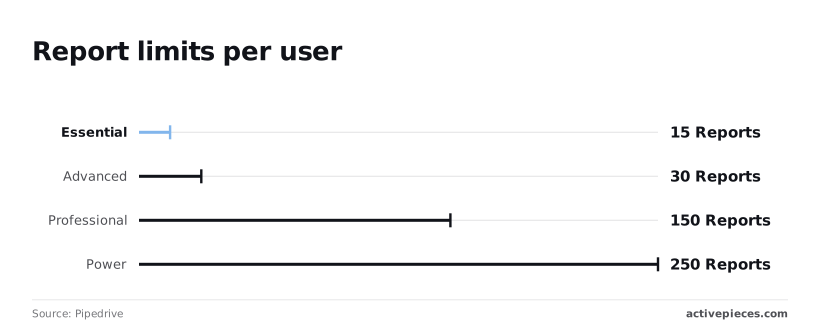
On the Essential plan, the limit of 15 reports per user means a manager can't track basic metrics like conversion rate for more than a few pipelines simultaneously.
Upgrading to Growth provides 30 reports. This still forces a mid-sized team to share generic dashboards rather than allowing each rep to customize their own view.
Scaling insights
The jump to 150 reports in Professional and 250 in Power finally removes the friction for enterprise-scale analysis.
However, it requires a significant jump in per-seat cost just to maintain basic operational awareness. These ceilings turn every new data point into a potential budget line item.
Worth checking against a plan that does not meter every step: one credit covers a whole run on Activepieces.
Pipedrive Cost Comparison Against HubSpot and Zoho CRM
Pipedrive’s mid-tier pricing often conceals a higher total cost of ownership because its functionality is capped by strict execution limits.
While a base subscription appears competitive, a 10-user team frequently encounters feature gates. Restricted custom fields or automation triggers necessitate an upgrade to the Power or Enterprise tiers to maintain basic operational workflows.
The following comparison illustrates the annual investment required for a 10-user team to access standard automation and reporting capabilities across three major providers.
| CRM Provider | Tier | 10-User Total Cost (Annual) | Included Value Drivers |
|---|---|---|---|
| Pipedrive | Growth | $4,680 | 30 active workflows; limited custom fields |
| HubSpot | Starter | $2,400 | Unlimited users (selected seats paid); basic marketing sync |
| Zoho CRM | Standard | $1,680 | 100,000 records; standard workflow rules |
This price delta represents the automation tax Pipedrive users pay to keep their logic within the native platform. Teams must decide if the interface's ease of use justifies a cost that can double that of its closest competitors.
Pipedrive vs HubSpot: The Gap Between Pro Tiers
Pipedrive’s Advanced tier positions itself against HubSpot’s Starter and Professional offerings, yet it imposes structural limits that HubSpot avoids through a different seat-based model.
In Pipedrive, the cost scales linearly with every user. A growing sales team sees their bill rise even if their automation needs remain static.
HubSpot allows for a mix of paid and free seats. A manager can view reports without the company paying for a full sales seat.
HubSpot’s entry-level automation is often more permissive regarding the number of active sequences allowed. Pipedrive Growth users must constantly delete old workflows to stay under their capped limit.
Pipedrive vs Zoho: Comparing Value for Power Users
Zoho CRM offers a higher ceiling for data-heavy teams. It provides more custom fields and higher API limits at a fraction of Pipedrive’s per-user cost.
For a power user, Zoho’s Standard tier includes mass email capabilities and advanced scoring rules that Pipedrive reserves for its higher-priced tiers.
Pipedrive focuses on a streamlined visual pipeline. Zoho provides a comprehensive suite of business tools that reduces the need for third-party subscriptions.
A team requiring deep customization will find that Pipedrive’s branding eventually requires expensive Power tier upgrades to handle the same complexity that Zoho manages in its baseline professional package.
Reducing Pipedrive Costs with Activepieces Automation
Activepieces moves high-volume logic out of the CRM and into a self-hosted or decoupled environment, bypassing Pipedrive’s execution limits.
Pipedrive enforces strict monthly caps on Workflow Automations. Every triggered action counts toward a ceiling that, once breached, forces an immediate migration to the Power or Enterprise tiers.
For teams that need maximum control over this infrastructure, Activepieces provides the same enterprise features (including SSO, SCIM, custom RBAC, audit logs, and release management) in its air-gapped, self-hosted build as it does in the managed cloud.
Regulated organizations like MoneyGram and FundingSocieties run this in production to maintain governance while bypassing the usage-based pricing walls of their primary CRM.
External automation architecture
Managing environment variables
The efficiency of this approach relies on how Activepieces handles environment variables and data mapping without requiring a developer to manage raw API calls.
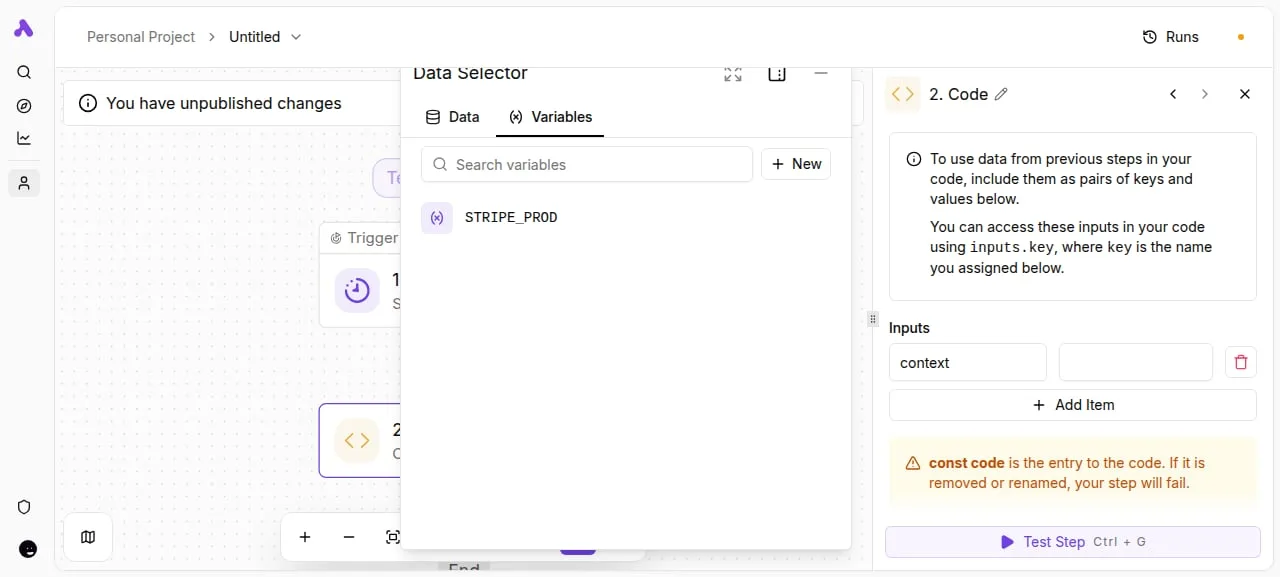
The platform allows users to store sensitive credentials and production keys globally. These can then be injected into specific steps of a flow.
Modularity and data mapping
The Activepieces flow builder demonstrates this modularity through its Data Selector. This allows users to map variables like Stripe production keys directly into a custom Code step.
This interface ensures that even when offloading logic to a script, the data remains structured and searchable rather than buried in a text editor.
Leveraging advanced AI models
Moving these processes to an external engine also unlocks the ability to use advanced AI models that Pipedrive’s native tools can't access. While Pipedrive offers basic AI summaries, Activepieces allows users to pipe CRM data into frontier models for deeper analysis.
Claude Fable 5.1 handles long-horizon agentic work like lead qualification based on historical email sentiment. GPT-6 Sol generates complex, personalized contract code based on deal variables. Gemini 3.8 Flash provides high-speed, cost-effective categorization of high-volume inbound leads.
Maintaining subscription tiers
By shifting these workloads, a team can maintain a Professional tier subscription for its core sales features while enjoying the automation capacity of an Enterprise-level stack.
This architecture prevents the success tax where a high-performing sales month triggers a permanent and expensive increase in software overhead.
The Monday Morning Pipedrive Subscription Audit
Controlling these overheads requires a granular review of how your team interacts with Pipedrive’s tier-based restrictions.
Because Pipedrive scales cost based on the volume of open deals and active workflow triggers, a neglected account quickly drifts into a higher pricing bracket without adding a single new user.
Auditing your current usage
The most effective way to prevent a forced migration to the Power or Enterprise tiers is to monitor the Usage dashboard within your billing settings. This allows you to identify how close you are to the hard caps on open deals.
If your open deal count exceeds the limit for the Professional tier, Pipedrive will prompt an upgrade.
Closing out stale leads or moving them to a Lost status is a direct cost-saving measure. To maintain this hygiene, execute a systematic review of your pipeline every week.
- Check 'Usage' in Billing settings to see if you are approaching the hard cap for open deals.
- Identify users with zero logins in 30 days to reclaim license costs.
- Count active vs. total automations to ensure you aren't paying for unused workflow capacity.
- Export and delete deals older than 2 years to stay within the storage and deal limits of your current plan.
Identifying redundant add-ons
Reviewing your active extensions, such as LeadBooster or Campaigns, ensures you aren't paying for features that duplicate your existing tech stack.
If you are already using a dedicated email marketing tool, Pipedrive’s Campaigns add-on represents a redundant expense that can be trimmed without losing core CRM functionality.
Smart Docs and e-signatures are often included in higher tiers but can be replaced by external document tools if your volume is low. This prevents the need for a full-tier upgrade just for one feature.
Consolidating seats for maximum value
Standardizing your user permissions allows you to identify view-only users who don't require a full, paid seat to perform their duties.
By exporting key reports to a shared dashboard or using a business intelligence tool, you can provide executive visibility without purchasing a dedicated CRM license for every stakeholder.
This consolidation ensures that every paid seat is occupied by a high-activity salesperson who actively manages deals. The process removes the cost of maintaining a passive observer on the payroll.
Related reading
References
Running the numbers
See what the same workload costs here.
Free forever plan, and every paid plan self-hosts at no extra cost.
See pricing Talk to sales