
AI Agent Development: Process, Tools and Steps for 2026
AI agent development is building systems that pursue a goal using an LLM and tools. Learn the process, components, frameworks and how to start.

Apr 3, 202616 min read
AI agent development is the process of designing, building, testing and deploying software that takes a goal, uses a large language model to decide what to do next, and completes tasks by calling tools such as APIs, databases and apps. To build agentic AI, you define the goal, pick a model, give the agent memory and tools, wrap it in an execution loop, and add guardrails and testing before it runs unattended.
This guide covers what agentic AI systems are, the main types of agents, their core components, a step-by-step development process, and the tools you need. If you are wondering where to start, you can also build an AI agent without code and learn the concepts as you go.
TL;DR
- AI agent development means building systems that take a goal, break it into steps, and complete tasks using tools.
- Different agent types handle tasks in different ways, from simple rules to multi-agent setups.
- Core parts include goals, memory, decision logic, tools, and workflow control.
- Tools and platforms like Activepieces help you build and run agents faster, even without coding.
Everything below works on Activepieces' free plan. Start without code or a credit card.
What Are Agentic AI Systems?
Many people treat artificial intelligence as something that responds to prompts, but that setup only manages single steps and stops after one answer.
Agentic systems take a different path by working toward a goal, which shows how teams now move from predicting to acting using generative AI in practical workflows.
You can see this clearly when building autonomous intelligent systems that use large language models (LLMs) as a reasoning engine. It decides what action comes next, selects tools, and continues the process until the task finishes.
These are the key concepts behind how agents differ from traditional software, so you will have a deep understanding of how these systems handle complex tasks:
- Autonomy runs tasks with minimal human input once a goal is set
- Proactivity takes action early
- Adaptability adjusts when a step fails and tries a new approach
- Integration connects to external tools and data sources to complete tasks
Types of AI Agents
Not every agent works the same way, and those differences come from how each one addresses input, makes decisions, and moves through a process.
You’ll see a wide range here, starting from a simple AI agent to more advanced systems, all focusing on how different agent types handle specific tasks in your workflow.
Reactive AI Agents
A reactive agent operates like a direct-trigger system that responds to user inputs using predefined rules. The process starts when the agent receives data, checks it against a condition, and runs an action as soon as it finds a match.
No memory carries over between steps, so every request gets treated as a new event.
You’ll usually see this setup in cases like:
- A support bot responding immediately to user inputs such as “reset password”
- A fraud filter blocking transactions based on known patterns
- A sensor shuts down a machine when it detects unsafe conditions
Each example follows the same process. Input arrives, the rule triggers, and the action starts without any adjustment.
Goal-Based AI Agents
A goal-based agent focuses on achieving an outcome rather than reacting to a single input. Once you define the objective, the system plans how to get there by breaking the process into steps.
During execution, the agent can gather information from different data sources, evaluate progress, and adjust actions if something blocks the path. Through that behavior, it can handle real-world scenarios where conditions change.
Let’s say the agent receives an objective like “deliver package.” It then checks routes, compares options, and reroutes if needed.
Individual steps connect to the final result, which makes the system capable of doing more than just answering questions.
Learning AI Agents
A learning agent improves performance by analyzing results from previous actions and updating its logic over time.
Each cycle follows an iterative process. The system performs a task, reviews the result, and adjusts before running the next attempt. A built-in critic evaluates each action and helps improve performance over time.
For instance, in recommendation systems, it:
- Tracks behavior from past interactions
- Compares outcomes with expected results
- Adjusts future responses based on that data
Autonomous AI Agents
Autonomous agents take control of the entire process once you define a goal. You set the objective, and the system completes it with little or no human intervention.
The agent plans tasks, performs actions, checks results, and updates the next step. As it encounters unseen data or unexpected situations, it adjusts the plan.
In a research workflow, the autonomous AI agent collects data, writes content, reviews output, and prepares the final result. Every step builds on the previous one, which allows the system to run without constant input.
Multi-Agent Systems
Some workflows become too large for a single system to manage. In those cases, you can set up multiple agents to work together on different tasks.
These systems rely on communication, where specialized agents interact and exchange results with other agents during execution.
As you break down complex tasks this way, each part of the process runs more efficiently since you don’t overload a single system.
Key Benefits of AI Agents
Now that you’ve seen how different agents work, it helps to look at what they actually change in day-to-day work. These are the common benefits of AI agents:
- Act as force multipliers that let you automate tasks that would normally require several manual steps
- Automate repetitive tasks, such as managing the time-consuming research and data entry
- Process large amounts of data that were previously too resource-intensive for manual labor, provide real-time insights, and reduce decision latency during decision-making
- Handle multi-step processes without stopping, which removes the need for constant human checks between steps
- Continue working even when something fails by adjusting the process and trying another path
- Improve results over time by learning from past outputs and adjusting how the process runs
Core Components of an AI Agent
Every agent follows a structured setup where each part has a specific role, and understanding the key steps involved helps you see how the whole process works better.
Goal and Task Definition
An objective connects directly to customer needs, so the agent does not run random actions.
For example, a goal like “Follow up with leads” turns into steps such as:
- Collect lead data
- Filter based on criteria
- Draft a message
- Send the message
Each step is small enough to execute smoothly, so that failure doesn’t break the entire process.
Memory and Context
Agents rely on memory to keep track of what has already happened and what should happen next. Without it, every step would reset and lose progress.
Short-term memory keeps track of the current task, while long-term storage keeps information from past interactions.
Systems often store customer data and preferences in long-term memory to provide personalized service. Vector databases help the agent search and recall facts from large datasets, which means it can pull relevant data.
Decision Engine
The decision engine controls how the agent moves from one step to the next. It manages decision-making by analyzing inputs, comparing outcomes, and selecting the next action.
That logic depends on AI processes that evaluate current data and determine what should happen next. Advanced machine learning algorithms help the system interpret results, detect patterns, and adjust behavior during execution.
If a tool returns incomplete data, the engine can decide to call another source or repeat the request with different parameters.
Tools and Integrations
External tools give your agents the ability to perform actions beyond generating text.
Connections to different data sources like CRMs or SQL databases allow the agent’s brain to retrieve and update information as needed. Without those integrations, the agent would not be able to complete real tasks.
Workflow and Execution Layer
Once decisions are made, the system needs a layer that manages complex workflows by tracking each step and making sure everything is in order.
It monitors tool calls, handles retries when something fails, and handles data processing during execution. When an application programming interface (API) fails, the system can retry or adjust the request instead of stopping.
Human in the Loop
Some actions require human approval, especially when the outcome affects users or business decisions. Human involvement allows actual users to review and approve high-stakes steps before execution continues.
Agents can also pause when they are unsure how to address customer queries, which prevents incorrect actions from going live.
Then, using user feedback, such as correcting an action or changing an output, the agent uses that input to adjust how it handles similar situations later.
Easier to see it running than to read about it: set it up free, no card.
AI Agent Development Process (Step-by-Step)
Once you understand how different agents behave, the next step is how to actually build one. This is the agentic development process most teams follow, from scoping to production.
Step 1: Define the Goal and Scope
Decide what problem the agent solves, which tasks it handles, what data it needs, and where a human must approve. Build an agent only where fixed rules fall short, such as workflows with judgment calls or unstructured data. Otherwise, a deterministic automation is simpler.
Step 2: Define How the Agent Thinks
Choose how the agent reasons through a task before writing anything. That choice controls how it handles decisions, avoids errors, and moves through the process.
- ReAct loop: The agent cycles through thinking, acting, and reviewing results after each step.
- Plan-first approach: The agent writes a list of steps before execution, so it does not lose track.
- Self-review: A second pass checks the output before it moves forward.
Start with a single focused agent. Add more agents only when one agent's job becomes too broad, since reliability drops as chains get longer.
Step 3: Build Memory That Persists Context
Basic models forget everything after one response, which makes them unreliable for multi-step work.
- Short-term memory keeps recent steps, so the agent knows what just happened
- Long-term memory stores large amounts of data, such as documents or past results
- User memory tracks preferences from past interactions, so the system can adapt
Pass only the context the next step needs. Oversized prompts raise cost, latency and errors.
Step 4: Connect Your Tools
An agent becomes useful only when it can act. It needs tools to retrieve data, send requests, and update systems.
When the system needs information or wants to perform an action, it generates a structured request. Your backend receives that request, runs the function, and returns the result. The agent reads that output and decides what comes next.
Step 5: Set Up the Execution Framework
Coordinate everything through a framework that handles how steps connect and how progress moves forward. Every action produces a result, and that result becomes the input for the next step. If something fails, the system retries or switches to another option. Progress gets tracked so the agent doesn’t repeat work or lose its place.
Step 6: Add Guardrails, Testing and Monitoring
Before letting the system run freely, you need limits and checks.
- Restrict how many steps it takes before asking for help
- Add approval points for actions that should not run automatically
- Run test cases with representative inputs after every prompt or model change
- Log every run so you can see what the agent did and why
These controls keep the system stable and prevent unexpected results during longer tasks, and monitoring after launch shows what to improve next.
AI Agent vs. Workflow: When to Build an Agent
Not every task needs an agent. Use this quick guide before you start building.
| Situation | Better fit |
|---|---|
| Fixed steps, predictable inputs | Deterministic workflow automation |
| Judgment calls, exceptions, context-sensitive decisions | AI agent |
| Heavy use of unstructured data (emails, documents, chat) | AI agent |
| High-stakes actions that must always follow a rule | Workflow with a human approval step |
Most production systems combine both: an agent handles the judgment, and a fixed workflow handles the steps that must never vary. Start with the smallest agent that solves the problem, then expand.
Tools Needed for AI Agent Development
You need the following tools to create production-ready agents:
AI Models and Providers
An AI model directs how the agent thinks and makes decisions. Selecting the proper machine learning model and provider is your most important decision, since a weak model limits what the agent can do.
Some models focus on reasoning and planning. There are others that handle basic responses.
Your model should be able to divide steps, manage tool calls, and continue the process automatically. The provider then handles where that model runs, how fast it responds, and how it connects to other systems.
AI Agent Frameworks
Most frameworks support popular programming languages like Python and JavaScript, so you can build logic using tools you already know.
Different frameworks solve different problems:
- LangGraph is for complex, looping logic, which helps when the agent needs to retry steps after failure
- CrewAI works well when you want multiple roles working together in one process
- AutoGen focuses on agents communicating with each other
A framework also helps monitor and audit agent performance so you can see what worked, what failed, and what needs adjustment.
Workflow and Automation Platforms
With workflow and automation software, you can connect the agent to external systems.
These platforms handle that connection by:
- Managing initial data collection from web sources or APIs
- Taking raw data and transforming it into something the agent can actually use
- Filtering inputs so the agent only sees the most relevant data
Integration Tools
Integration tools manage how the agent connects to systems and handles security. Instead of building every connection manually, these tools provide a way to connect and control access.
Many teams now adopt the model context protocol (MCP) to standardize how agents interact with tools.
You can further:
- Use integration tools to run automated testing on every tool the agent calls
- Keep authentication tokens outside the model so the system maintains complete control
- Solve potential security issues by limiting what the agent can access
These tools make sure the agent can act safely while still completing tasks across different systems.
How Activepieces Helps in AI Agent Development

Building agents usually means connecting models, tools, and workflows individually, but Activepieces gives you everything in a single platform.
You invite your team in one click, give them personal workspaces to experiment, and shared spaces to build together.
Agent creation starts with a simple instruction. You describe the task, connect tools, and run it immediately, which lets you test ideas before spending time refining logic.
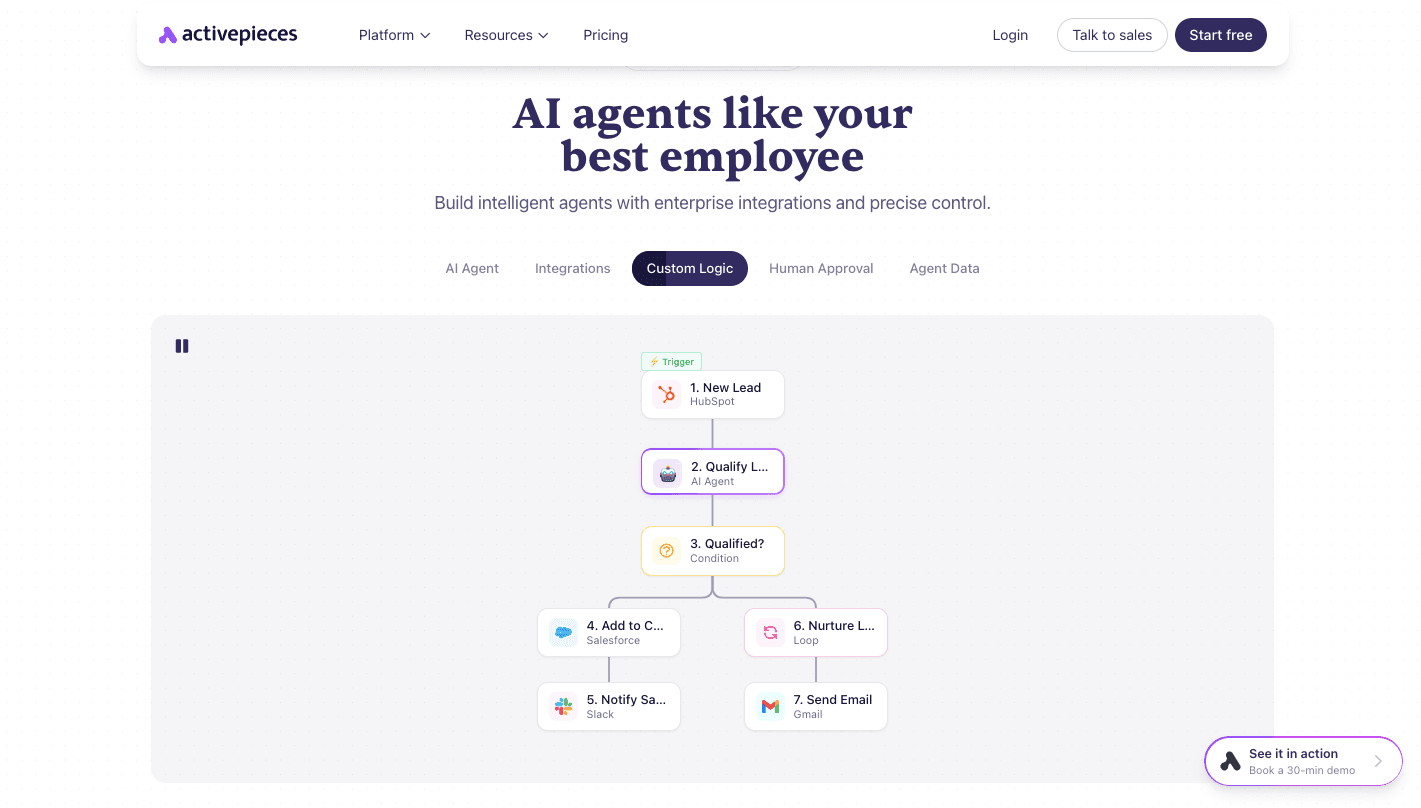
When the process needs more control, the visual builder lets you define conditions, loops, and multi-step execution so agents can manage complete workflows.
Every run logs inputs, outputs, and each step taken, which makes debugging clear when something fails. Access control, SSO, and centralized credentials keep everything secure while allowing you to reuse connections.
Step-by-Step Guide to Building AI Agents
To create your own AI agent in Activepieces, you need to:
- Sign up and open your dashboard, then go to the Agents section so you can manage and create new agents in one place.
- Click “New Agent” to start the process, which opens the workspace where the agent will be defined and configured.
- Enter a name and description so the agent has a purpose and context for how it should handle tasks.
- Write detailed instructions that explain what the agent should do, what data it should use, and how it should respond during execution.
- Add tools by selecting “From Piece” to use built-in integrations or “From Flow” to convert an existing workflow into a tool the agent can call.
- Test the agent immediately through the chat interface so you can see how it handles inputs and adjust instructions if needed.
- Insert the agent into a flow by adding it as a step, which allows it to process data and pass results to the next part of the workflow.
- Provide a prompt within the flow so the agent knows what task to perform when it runs in that specific step.
- Create additional agents or select existing ones to chain together, which permits each agent to handle a different part of the process, such as research, writing, or review.
Build Agent Systems for Your Business Workflows With Activepieces
Activepieces gives you a system your team can actually use without setup delays.
First, you can brand the platform with your logo so it feels internal, then invite your whole team in one click. Each user gets their own workspace while still collaborating on shared projects.
Building agents does not require coding first. You describe the task, connect tools, and run it immediately. When the process grows, the visual builder lets you add logic like conditions, loops, and multi-step flows.
Getting started also becomes easier with templates that match your business use cases. Activepieces then guides users based on their role and activity, so they do not waste time figuring out what to build next.
Control remains tight through roles, SSO, and approval layers, while deployment works in cloud or self-hosted setups, depending on your needs.
FAQs About AI Agent Development
How do AI agents work?
AI agents follow a loop where they take input, plan actions, execute steps, and review results. The AI agent’s functions include decision-making and connecting with systems so they can complete real-world applications.
What tools are required?
The tools used in building agents include AI models, frameworks for logic, and integrations with external systems and data sources.
Can beginners build agents?
Yes, beginners can build agents using platforms that handle setup, logic, and integrations without requiring advanced coding.
How long does development take?
Simple agents take minutes to build, while more complex workflows take longer, depending on the number of steps and integrations involved.