
Procurement Automation Examples: 6 Workflows (2026)

Oct 19, 202616 min read
Build these six first: request intake, approval routing, PO creation, invoice matching, supplier onboarding and renewal alerts, because each one replaces a person forwarding something to another person, and whether you wire them up in a workflow tool like Activepieces or elsewhere, that handoff is the thing to eliminate.
Procurement automation examples worth building first
What procurement automation means
A trigger fires, a rule checks the data, and the next action happens without someone relaying it. That is procurement automation: rule-driven handling of repeatable buying steps.
The trigger matters more than the tool. If you can't name the exact event that starts the flow, such as a submitted form or an invoice landing in a shared inbox, you don't have a process yet, just a habit.
I'd also be wary of anyone calling this "set and forget." A flow that works on clean test data tends to break the first time a requester types a vendor name three different ways, so the rules need an owner who reads the failures.

The handoffs each automation removes
Read the set below as each example next to the handoff it removes. Take from it that every item is a single step with a clear start, which is why they make a better first build than a full suite rollout.
Where someone emails or messages to ask for a purchase, request intake takes over, so every request arrives in one form with required fields.
When the requester would otherwise chase a manager, approval routing sends the request to the right approver based on amount or department.
Re-keying approved requests into the purchasing system is what PO creation replaces, so the order is built from the approved record.
When someone compares invoice, order and receipt by hand, invoice matching takes over, so only mismatches reach a person. Supplier onboarding replaces the back-and-forth collecting tax and bank details, so the supplier fills in one request and finance reviews the result.
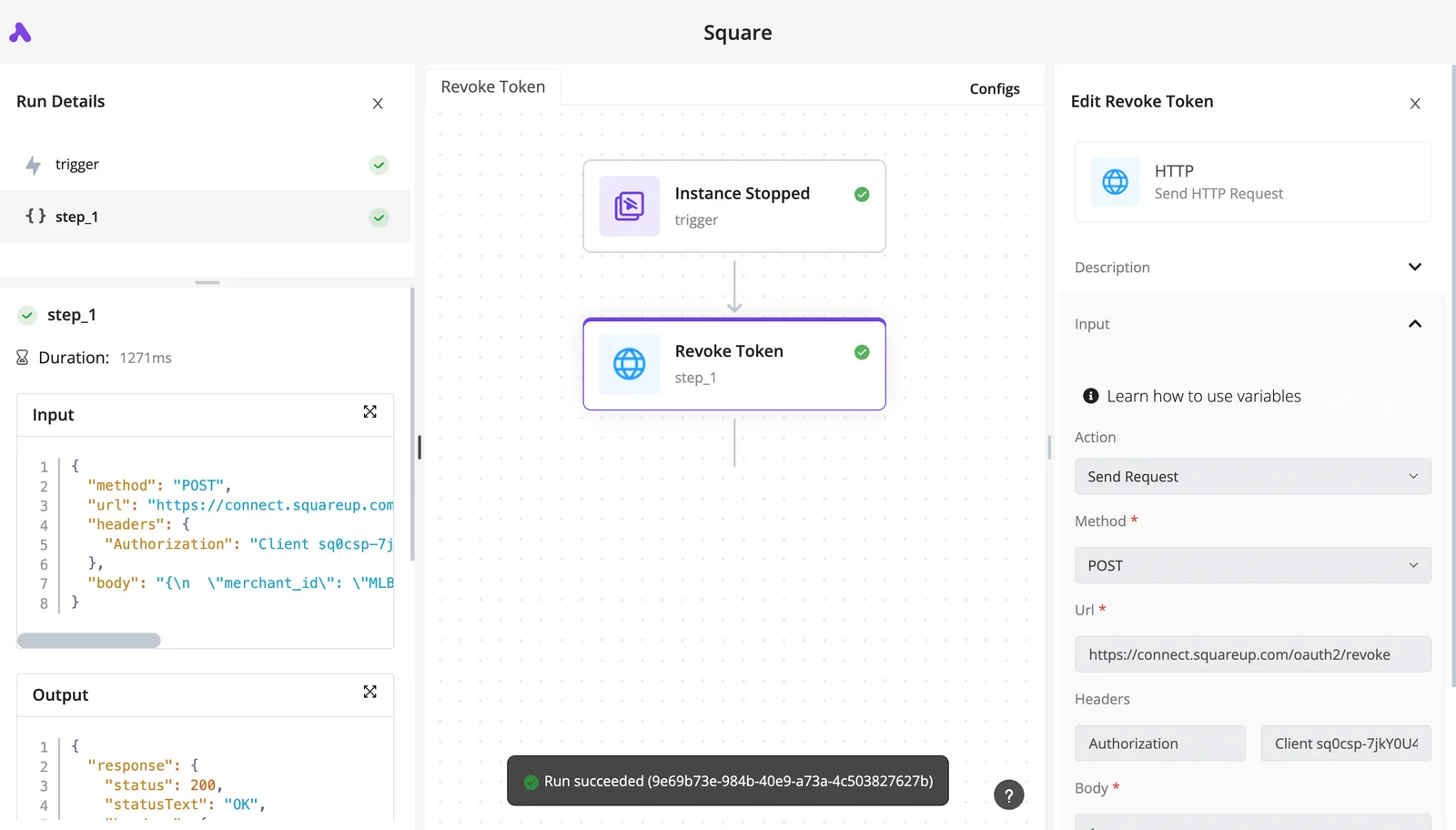
Renewal alerts replace a contract date living in someone's calendar, so the system warns the owner before the notice window closes.
Which steps to automate and which need judgment
Automate the steps where you can write the rule down and the inputs are structured:
- Routing by amount
- Matching three documents
- Sending reminders
Keep a person on anything that weighs tradeoffs:
- Choosing between suppliers
- Negotiating terms
- Deciding whether to approve a mismatch that falls outside tolerance
Ask whether two competent colleagues would give the same answer from the same data. If they would, write the rule. If they wouldn't, automate the handoff into their queue and leave the decision with them.
Everything below works on Activepieces' free plan. Start without code or a credit card.
Six procurement workflows as trigger and steps
Before any tool touches them, each of the six flows below needs a named trigger and a named approval step, and that is why they are the ones to build first.
The table shows what starts each flow, what it does, and which manual habit it retires.
| Flow | Trigger | Steps | Apps | What it replaces |
|---|---|---|---|---|
| Request intake | Form submitted | Validate fields, route to owner | Web form, Slack | Requests by email |
| Threshold approval | Request logged | Check amount, ask approver | Slack, spreadsheet | Chasing sign-off |
| Three-way invoice matching | Invoice email arrives | Extract, compare to PO and receipt | Gmail, ERP | Manual line checks |
| Supplier onboarding | Supplier approved | Create checklist, request documents | Form, Google Drive | Tracking by memory |
| Renewal reminders | Contract date approaches | Notify owner, escalate | Calendar, Slack | Missed notice windows |
| Low-stock reorder | Stock falls below minimum | Draft PO, request approval | Inventory sheet, ERP | Weekly stock walks |
Request and invoice workflows
Purchase request to approval in Slack. When a form is submitted, it triggers a check on amount and cost center, then a Slack message to the approver with approve and reject buttons.

Requests with a blank cost center bounce back to the requester, so bad data stops at the door.
Invoice arrives, match to PO, flag exceptions. Once an invoice email lands, the flow extracts the PO number, quantity and price.
It compares them with the PO and receipt, and only mismatches reach a person, so reviewers see exceptions instead of every invoice.
Supplier, renewal and reorder workflows
New supplier onboarding checklist. As soon as a supplier is approved, a checklist is created and tax and bank documents are requested.
The flow reminds the supplier of each missing item automatically, so nobody tracks onboarding in a private spreadsheet.
Renewal alerts 60 days before contract end, giving you roughly two months to prepare for renewal. Sixty days out, a date field triggers a notice to the contract owner, which leaves enough time to renegotiate or cancel. If nobody replies, it escalates to their manager.
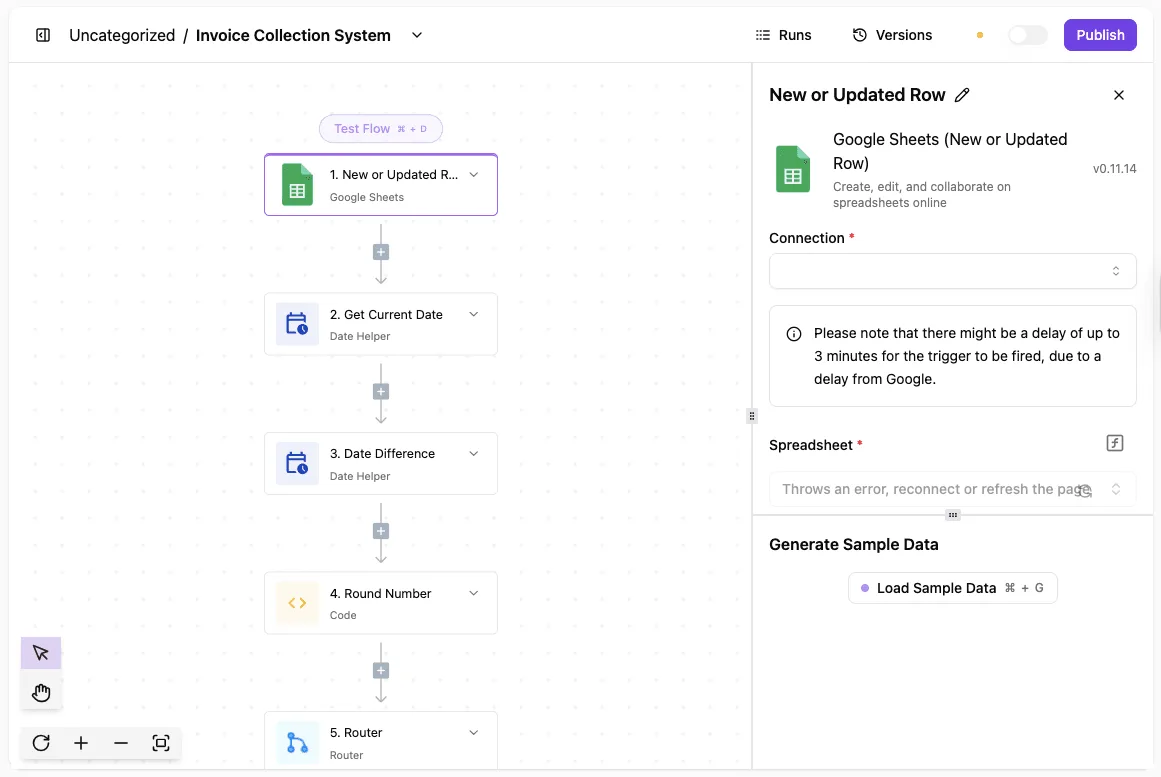
Reorder trigger from stock levels. When stock drops below the minimum, the flow drafts a PO and sends it for approval. It only works if the stock sheet is accurate, so fix the counts first.
Expect far smaller gains end to end than the single steps suggest: approval or PO creation shrink dramatically, but a whole ERP cycle includes waits these flows never touch.
How procurement automation works under the hood
Because the flow itself is a short chain, those waits sit outside it. The chain is a trigger, a rule, a lookup, a human approval and a log entry, and each link can break on its own.
Follow one request through that chain below, and you can see where a person is still required and where a silent failure can hide.
- A trigger fires: a submitted intake form, an inbound email to a shared mailbox, or a webhook from another system.
- A rule checks the amount against an approval threshold and routes the request accordingly.
- The flow looks the supplier up in the supplier record to confirm it exists and is active.
- A named approver gets the request and accepts or rejects it.
- The result is written to a log, and any error raises an alert to a person.
Step five is the one teams skip. A flow that fails without alerting anyone looks identical to a flow with no requests, so build the alert before you trust the rest.

Matching: two-way versus three-way
Compare the invoice to the purchase order and you have two-way matching. Three-way matching adds the goods receipt, so you only pay for what arrived.
Both fail the same way: a PO number typed as "PO-1042" on one document and "1042" on another reads as no match. Normalize the format at intake, and send true mismatches to a person with both documents attached rather than rejecting them quietly.
Keep supplier data in one source of record
Pick one place for supplier details and have every lookup read from it. If the flow checks a copy, bank details or payment terms go stale, and the automation will confidently approve against the old values.
A messy field, such as a supplier name entered three different ways, will break the lookup long before the logic does.
Procurement automation costs and requirements
Price the step you chose, not the platform. Suites and ERP modules demand the most setup because they replace your whole process, while general workflow tools let you automate one step at a time.
Suites and ERP modules
Intake, approvals, purchase orders and matching in one system: that is a procurement suite, and Coupa, SAP Ariba and Procurify are examples. ERP modules do the same job inside the finance system you already run.
Both need your vendor records, approval chains and invoice formats mapped into their structure before the first request flows through. If those are still messy, you pay to configure the mess.
Ask each vendor for a written quote that itemizes implementation, licensing and per-user charges, and ask who owns the approval rules after go-live.
General workflow tools
Connect the apps you already use and a general workflow tool does the rest. A form submission triggers a request, a message goes to the approver, and a reminder fires if nobody answers in two days.
Setup is hours or days, and you rebuild a flow when your process changes. The limit is depth: you assemble matching and audit trails yourself, so test each flow against a malformed record before trusting it.
Rebuilding is where a template library runs out, because the flow you need next is rarely the one it contains.
Activepieces doesn't search templates: its built-in AI chat takes a plain-language description of a flow, say a failed payment that should open a CRM task and ping the account owner in Slack, and builds and publishes it as a runnable flow rather than returning a search result.
MoneyGram, Moneypenny, Alan and FundingSocieties run Activepieces in production.
Published cost-per-invoice and cycle-time figures
$12.88 is what Gennai puts on a manually processed invoice on average, and $19.83 in the worst case. That means a team handling 1,000 invoices a month could be spending between roughly $12,900 and $19,800 on processing alone.
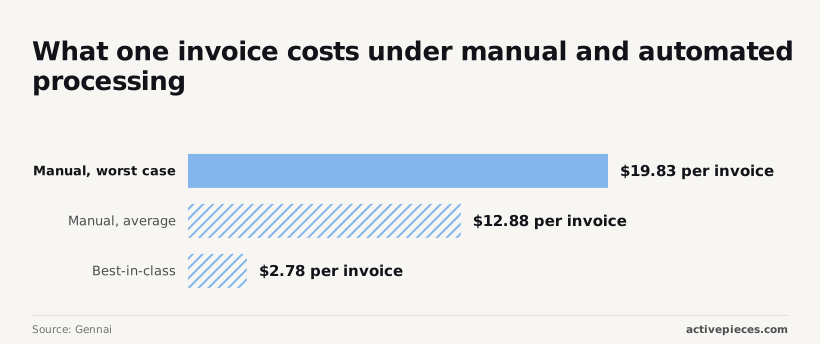
According to Gennai, the best-in-class figure is $2.78, so the gap between average manual and best-in-class is about $10 per invoice.
Treat $2.78 as a ceiling on what is achievable, not a forecast for your first quarter.
It describes teams with clean inputs and few exceptions, which is why the cleanup comes before the purchase, and why the savings you can bank are the ones from handoffs you actually removed.
Easier to see it running than to read about it: set it up free, no card.
The strongest objection to procurement automation
Start with one step that a named person owns and can measure, or the strongest objection to automation stands: that it hardens a broken process.
It has four parts, and each is fair:
- Automating an unclear approval path just runs the unclear path faster, so the wrong approver now gets every request instantly.
- Suites take months to configure, and a team can spend the whole rollout on the tool while its buying habits stay put.
- A small team with few requests a week may not save much, because the handoffs were never the bottleneck.
- Maverick spend, meaning purchases made outside the process, never enters a workflow at all, so a flawless approval flow can sit beside a large pile of unrouted buying.
Of these, the last is the sharpest, because it says a workflow only governs people who choose to use it.
What to take from it is that the gap between a disciplined function and an immature one is wide, and it comes from how people buy, not from which software they own.
So the answer is to shrink the first bet, not to skip automation. Pick one step, such as intake or approval routing, and give it one owner.
Before you build, write down how requests reach that step and where they stall. Then track three things from the first week:
- Adoption: what share of requests actually go through the flow.
- Exceptions: how many get handled by hand, and why.
- Cycle time: how long a request takes from submission to decision.
Watch adoption to see whether maverick buying is leaking around you. Exceptions show which part of the process was broken before you touched it.
Cycle time tells you whether you removed a handoff or only moved it. If none of the three improves, you've lost a few weeks on one step, not a year on a suite.
Common procurement automation mistakes and their fixes
Before you touch a tool, you can apply the fix for each of the six mistakes behind most failed pilots.
When intake is unstandardized, the fix is one request form and required fields. With no exception path, name an owner and a route for every request that doesn't fit.
Where one person approves everything, add a named backup approver and a time limit on each approval.
If supplier master data is poor, clean duplicates and missing fields before any matching runs. With no before-and-after measure, record today's cycle time and rework first. When tools were bought before mapping, draw the current process, handoff by handoff, before comparing products.
Here is how these play out in practice, in three groups.
Automating a process nobody agreed on
If requests arrive by email, chat and spreadsheet, a trigger fires on whichever format it was built for and misses the rest. Intake, supplier data and tool choice fail the same way.
Duplicate supplier records make matching fail quietly, so a flow that looks fine in testing stalls on real invoices. Map the process first, agree on one entry point, and clean the supplier list. Only then compare tools.
No exception path
If a flow handles the normal request and nothing else, it isn't finished. Name the trigger for an exception, such as a missing purchase order, a price mismatch or an approver on leave. Then name who receives it and what they do next.
One-person approvals belong here too. If the single approver is away, every request waits silently. Give each approval a backup and a deadline that escalates, so a stuck request surfaces instead of disappearing.

Skipping a baseline measurement. Without a record of how long approvals and matching took before, you can't tell whether the automation helped.
Record cycle time and the number of requests sent back for correction before you change anything. Then you can say which step improved, and which one you should stop paying for.
Build procurement workflows with Activepieces
For the handoff steps (intake, approval, reminders, sheet updates), Activepieces connects the forms, inboxes, chat and sheets where those steps already happen through 742 integrations, roughly 60% of them community-contributed, and it leaves the procurement suite or ERP alone, so you don't have to rip out existing systems.
It replaces the chasing, not your system of record.
The automated range sits lower but still overlaps the manual one, so a flow only helps where a handoff was the delay. Each flow below assumes you've already fixed the step it automates.
Six workflows to build
Purchase request to approval in Slack. Trigger: a new row in the Google Sheets request log. Steps: post the request to the approver in Slack with approve and reject buttons, wait for the click, write the decision back to the row.

The approver never opens the sheet, and the requester never asks where it stands.
Invoice arrives, match to PO, flag exceptions. Trigger: an invoice email in a shared inbox. Steps: pull the PO number, look it up in the PO sheet, compare amounts, then either mark the row matched or message the buyer.
Check what happens when the PO number is mistyped, because that's the case that breaks this flow first.
New supplier onboarding checklist. Trigger: a supplier added to the vendor sheet. Steps: email the supplier the document request, create one task per missing item for the owner, and update the sheet when each arrives.
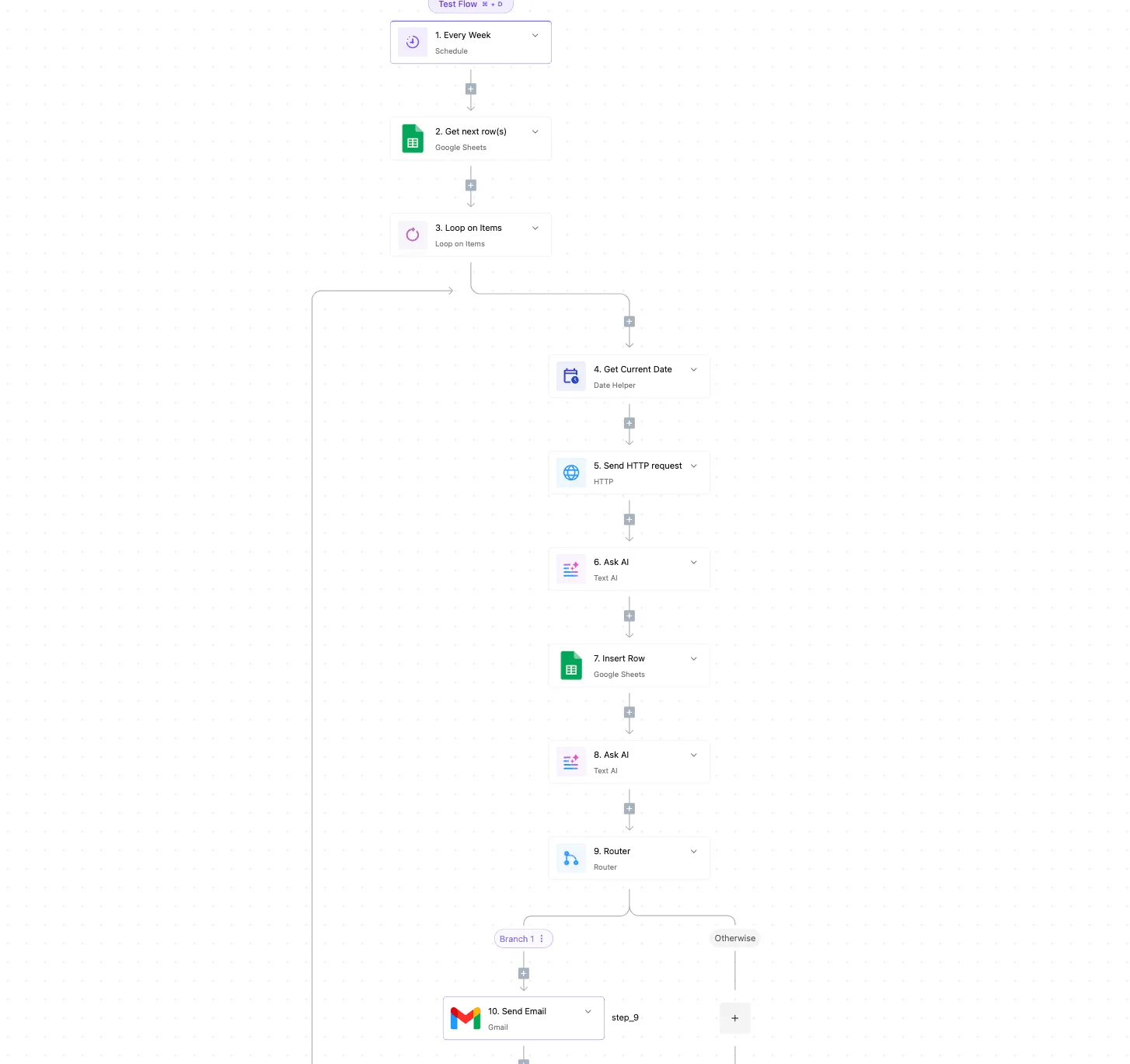
The checklist becomes a record of who is holding things up.
Renewal alerts 60 days before contract end, giving procurement time to renegotiate or source alternatives. Trigger: a daily schedule. Steps: read the contracts sheet, filter rows whose end date is 60 days out, and message the contract owner.
A blank end-date cell produces no alert, so require that column.
Reorder trigger from stock levels. Trigger: a schedule that reads the stock sheet. Steps: find items below their reorder level, draft a purchase request row, and send it into the approval flow above. Stock counts are only as current as whoever updates them.
Where to start with procurement automation
On Monday, pick the one handoff your timing records show losing the most days, and build only that flow. Start on the free plan, no card needed.
Frequently asked questions
Can a small business automate procurement without an ERP?
Yes. Intake, approval and reminders run fine on a form, a spreadsheet or shared inbox, and a no-code automation tool.
The trigger is a submitted request, the approval is one named person, and the reminder fires when that person sits on it. You need an ERP-grade system only when three-way matching has to read receiving and ledger data you can't export.
How long does procurement automation take to set up? A single no-code flow takes days to a few weeks, while a full suite takes months, and most of that time goes to fixing the process rather than configuring software.
If nobody can say who approves a purchase over a given amount, no tool fixes that. Settle the approval step first and the build gets short.
What is the difference between procurement and purchasing automation? Purchasing automation covers the transaction: requisition, purchase order, receipt and invoice match. Procurement is wider. It adds sourcing, supplier selection, contracts and ongoing supplier management.
Start with purchasing, because its handoffs are repeatable and easy to see. Procurement-level automation depends on that layer already being clean.
Does AI replace rule-based procurement workflows?
No. AI is good at the messy input, such as reading a PDF invoice, classifying a free-text request or flagging a vendor name that nearly matches an existing one.
Rules should still own the decisions: who approves, at what threshold and what happens on a mismatch.
Put the model in front of the rule to clean the data, then let the rule route it. A model deciding approvals on its own is the "set and forget" setup that breaks the first time a field comes in malformed.