
Quickbase Pricing: Plans, Tiers and Costs (2026)

Oct 24, 202616 min read
I couldn't confirm the dollar figures as of 2026-10-24, so every unconfirmed cell below reads contact sales, including the tiers for tools like Activepieces where the published numbers didn't match what I found elsewhere.
What I can say is that Quickbase sells four tiers, a free trial, Team, Business and Enterprise, and each is priced per user per month with a platform minimum and usage limits attached, so the actual cost depends on multiple variables.
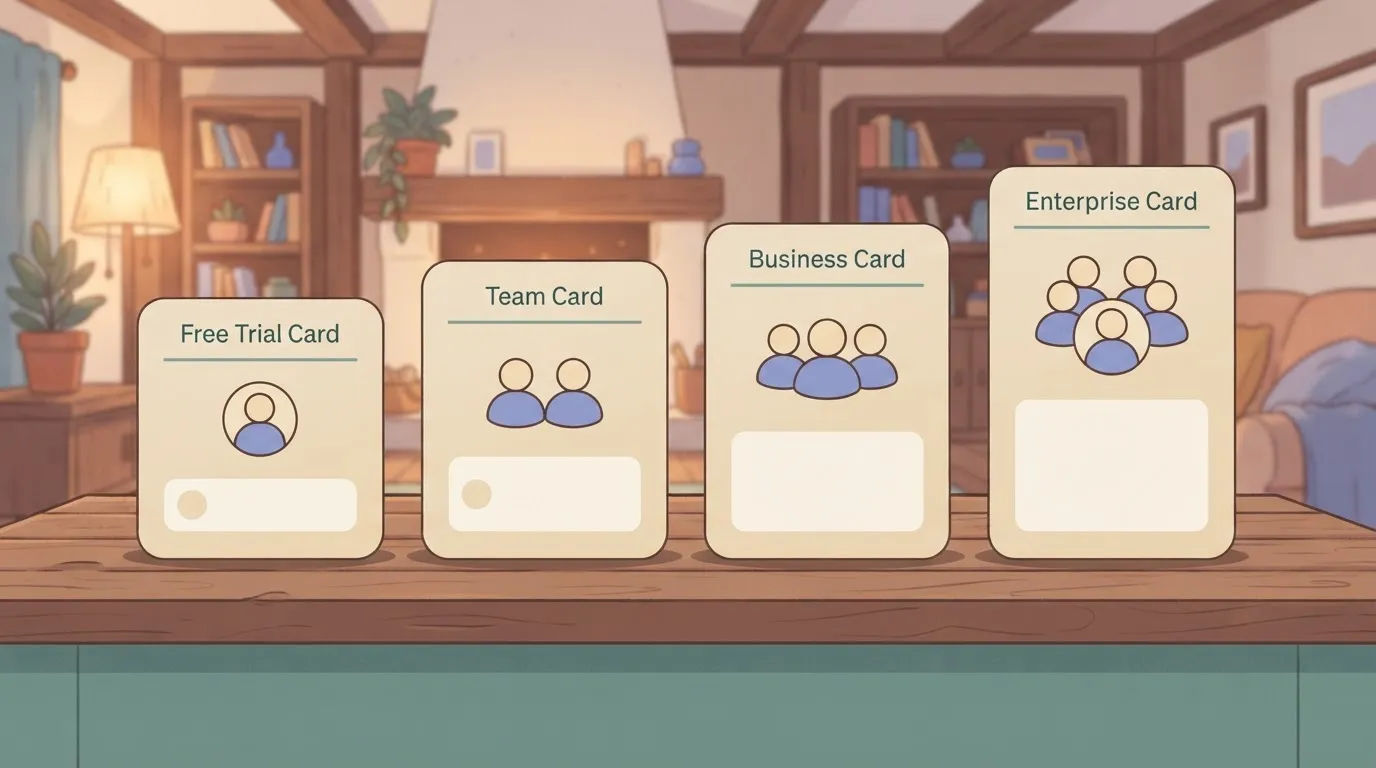
Quickbase Pricing Table With Every Current Plan
What Quickbase is and how it bills
Quickbase is a low-code platform for building internal business apps on top of relational tables, with forms, reports, permissions and automations.
The metered units come before any price. You pay for user seats, and the plan you sit on caps how many apps and how much table data you can run.
Until you know how many seats, apps and records your team needs, a seat price tells you little.
Teams that also run automation outside the platform, say through Activepieces, whose Free plan includes up to 5 users and unlimited flows, should count only the seats that need Quickbase itself.
Plan-by-plan table: price, inclusions, limits
Read down the platform minimum column first, because a minimum sets the floor on your bill whatever your real headcount. The table below follows the structure of Quickbase's pricing page.
| Plan | Price per user per month (annual billing) | Platform minimum | Apps | Table/storage limits | Inclusions |
|---|---|---|---|---|---|
| Free trial | $0 | Contact sales | Contact sales | Contact sales | Contact sales |
| Team | $35 | Contact sales | Contact sales | Contact sales | Contact sales |
| Business | $55 | Contact sales | Contact sales | Contact sales | Contact sales |
| Enterprise | Contact sales | Contact sales | Contact sales | Contact sales | Contact sales |
Prices and plan limits are from quickbase.com; where a figure is not published, the table reads contact sales.
Because no cell is confirmed, the table is a checklist of what to ask for in writing. It's not a quote, and you shouldn't budget from it.
Quickbase Pricing Details That Require a Quote
When you request the quote, every column in the table needs an answer, and the platform minimum and the limits move your total most.
Ask for the minimum in writing, then ask what happens when you exceed an app, table or storage limit: whether you're blocked, throttled or moved up a tier.
Whether your bill stays flat or steps up as usage grows depends on the answer to that last question. The next section works through those mechanics at a realistic headcount.
If you are running this arithmetic for your own team, see what the same workload costs on Activepieces.
Quickbase Costs at 20, 100, and 500 Users
At the published Team rate of $35 per user per month, billed annually, 20 users cost $8,400 a year, which means even a modest team carries a meaningful annual cost.
At 100 users the total is $42,000 and at 500 it's $210,000, before any plan minimum or add-on. The unit metered is the seat, so the total scales in a straight line with headcount.
Treat the table below as a calculation from list price, not a quote. It shows what the rate alone produces, so you can see how much room a minimum or add-on has to move the figure.

| Users | Users x rate x 12 | List-price total (Team) |
|---|---|---|
| 20 | 20 x $35 x 12 | $8,400 |
| 100 | 100 x $35 x 12 | $42,000 |
| 500 | 500 x $35 x 12 | $210,000 |
The Business rate starts at $55 per user per month, billed annually, but I have no verified platform minimum, so the table stops at Team list price. Your bill is the higher of this total and whatever minimum your plan sets, and that comparison needs a written quote.
Quickbase Pricing for a 20-User Team
If the plan floor sits above the $8,400 list total, you pay the floor, and the effective rate per seat is higher than $35.
That is where a minimum is most likely to bite. Divide your quote by 20 to see what a seat really costs you.
Use the 30-day free trial, which costs $0, to count how many people need an editing seat rather than guessing, so you avoid overbuying unused seats.
At $42,000 for a 100-person department, a minimum is unlikely to be the deciding factor, since the per-user cost dilutes any platform minimum across the full headcount.
User tiers, usage limits and add-ons are. Each is a separate meter on top of the seat, so a department that outgrows one limit can pay for it even when the seat count hasn't changed.
For a 500-user company-wide rollout, the list total of $210,000 is where the seat rate stops being the headline, meaning other cost components become more important than the per-user rate.
A 10 percent swing from an add-on or a higher tier is $21,000 a year, more than the entire 20-person bill, which means small percentage variations at scale exceed what smaller teams spend entirely.
Negotiate the whole package, and price it at the headcount and workload you'll actually have in year two.
Hidden Costs and Limits Quickbase Customers Hit
Five things move a Quickbase bill more than the per-user rate. Check each one against your own headcount and data before you sign:

- An unpublished platform minimum, so a small team may pay for seats it never fills.
- A 50-app cap on the Team plan, so app sprawl pushes you toward the next tier.
- A 500 MB limit per table, so large record sets must be split or moved up a plan.
- Features reserved for higher plans, which can force an upgrade.
- Renewal increases reported by customers (anecdotal, not published terms).
You learn your floor only by asking for a quote, because the platform minimum isn't published. Ask what ten seats cost against what thirty cost, since a floor means the first seats are the expensive ones.
Count the meters: apps, table size and API calls. At 50 apps on Team, a company that builds one app per department can reach the ceiling sooner than expected.
At 500 MB per table, a busy transaction log becomes a reason to restructure data or upgrade, which means you're now managing technical debt that compounds if deferred.
You may find that a feature you saw in a demo sits above the plan you priced. Get a written list of what your tier includes. A gated feature turns a base price into a tier jump.
Quickbase Build and Admin Time Costs
Even though none of the hours spent building apps, managing permissions and handling limit workarounds appear on the invoice, they're part of what the platform costs you.
At renewal, the cost compounds. One customer on the Quickbase Community forum describes a bill of $250k per year before increases.
Even though none of the hours spent building apps, managing permissions and handling limit workarounds appear on the invoice, they're part of what the platform costs you.
The first renewal added $100k and the second added $200k, so the current bill is $550k per year. That's more than double the starting figure, from a single customer's account that Quickbase hasn't confirmed.
Treat it as a warning to ask for renewal caps in writing, not as a forecast.
Worth checking against a plan that does not meter every step: one credit covers a whole run on Activepieces.
Quickbase Compared With Airtable, Smartsheet and Appian
If your apps run on shared data and need governance, Quickbase suits; Airtable and Smartsheet fit lighter or spreadsheet-shaped work. Whichever you pick, get caps and limits written into the quote, because that's where each vendor's real cost sits.
Price and limits side by side
Here the four platforms are lined up on the five things that set your bill.
I quote no figures because I couldn't confirm current ones, and every cell a vendor doesn't publish says contact sales. Treat that as the finding: a missing number means you must request the quote before comparing.
| Entry price per user per month | Minimum seats | Record limits | Automation limits | Best fit | |
|---|---|---|---|---|---|
| Quickbase | From $35 (Team, annual billing) | Contact sales | Contact sales | Contact sales | Governed operational apps on shared data |
| Airtable | Contact sales | Contact sales | Contact sales | Contact sales | Small teams building flexible, database-style trackers |
| Smartsheet | Contact sales | Contact sales | Contact sales | Contact sales | Project and work management in a spreadsheet layout |
| Appian | Contact sales | Contact sales | Contact sales | Contact sales | Large process automation programs with heavy compliance needs |
Ask each vendor for the same quote at your headcount and workload, then compare totals instead of headline rates.
When Airtable or Smartsheet is the better fit
When a small team wants a tracker without an administrator, Airtable, a spreadsheet-database tool, is usually the faster start.
Smartsheet, a work-management tool built around sheets and timelines, fits when your people already think in rows, gantt views and status columns.
In both cases, a plan with fewer governance features may cost you less than Quickbase's structure, and you give up little you would have used.
When Quickbase wins
When many roles touch the same data and you need permissions, audit trails and relationships between tables to hold up, Quickbase pulls ahead. In that case, the extra spend on tiers buys control you would otherwise rebuild by hand.
Appian, a low-code platform aimed at enterprise process automation, is the stronger pick only when the program is large enough to justify its scope.
Connecting Quickbase to Other Tools With Activepieces
When the job is moving Quickbase records to and from a CRM, an email tool, a web form or a database, and you want to avoid paying Quickbase-side usage costs for every sync, Activepieces connects to each of those tools across its 744 integrations, and its MIT-licensed core means the flows can run on your own server.
You can run Activepieces, whose core is MIT-licensed in its public GitHub repository, on your own server.
That matters because the other pieces of this article are about metered bills, and the unit that gets metered in a connector is the task or run, not the user.
What the Quickbase integration can do
Activepieces builds flows from a trigger followed by one or more actions.
The Quickbase connection, one of the 744 integrations counted from the open source monorepo, lets a flow react to or change records in a Quickbase table, so the table becomes the hub and the other tools sit around it.

Read it as a rule of thumb: every arrow is a flow, and every flow is something you count when you price it.
Typical flows follow that shape. A form submission creates a Quickbase record. A changed deal stage in the CRM updates the matching row. A new record sends an email. A nightly flow copies a table into a database for reporting.
What it costs to run workflows
Two cost points follow from this. Activepieces has a hosted cloud plan that starts at $0 on the Free tier, and an MIT-licensed Community Edition you can self-host, so licence cost can be low.
On the hosted plan, the meter is credits per run, and a run is 1 credit however many steps it has.
Activepieces' public pricing page lists "unlimited flows" on every tier from Free through Ultimate, whereas Zapier's pricing page bills a task per action and Make's a credit per module. Multiply runs by your own record volume before trusting any headline price.

On a self-hosted install, that meter disappears, but you take on the server, upgrades and monitoring, which is a labour cost rather than a licence cost. Either way, the sum is yours to run at your real workload.
When Quickbase Built-In Automation Is Enough
When a workflow starts and ends inside Quickbase, its own automation does the job, and it adds no second system to maintain. Examples are notifying a user when a field changes or updating related records.
Reach for Activepieces when the flow crosses into another tool, or when you want the cost of that crossing to sit on a meter you chose, such as Plus at $20 a month for 10,000 credits or Team at $200 a month for 50,000.
What to Do Before Signing a Quickbase Contract
Do six things in order before you sign. Count users by role, estimate apps and records, check both against the plan's limits, get a written quote, pilot one real process, and price one alternative.
Each step shrinks the gap between the headline per-user price and the bill you'll actually pay.
As the sequence below shows, each step feeds the next: a wrong headcount in step one corrupts every quote that follows.
- Count users by role: who builds, who edits, who only views or approves.
- Estimate apps and records: how many apps you'll run, and how many rows each will hold after a year of use.
- Check both against the limits table: plan minimums, user tiers, record and storage caps, and API or usage ceilings.
- Get a written quote that covers renewal uplift and every add-on you assumed.
- Pilot one real process on the plan you intend to buy.
- Get one alternative quote, priced on the same headcount and workload.
Count Quickbase Users and Data First
Start with roles, not seats. A person who approves a purchase request twice a month is a different cost from a person who builds apps all day, and a plan that treats them the same will either overcharge you or cap you.
Write the count per role, then add the people you expect to bring on within the contract term, because a tier boundary crossed mid-term is a repricing event, not a rounding error.
Then size the data. List each process you plan to move, estimate how many records it creates per month, and multiply out to the end of the term.
Compare those totals to the limits table, line by line. Whatever exceeds a limit becomes an add-on or a forced upgrade.
Ask for the quote in writing, with every line itemized. Then ask:
- What's the minimum number of users or the minimum spend on this plan, and does my headcount clear it?
- What happens to the price at renewal, and is the uplift capped in the contract?
- Which of my estimated records, API calls and storage needs exceed the included limits, and what does each overage cost per unit?
- Which features I assumed are add-ons, not part of the plan?
- What does it cost to move up a tier mid-term, and to move down at renewal?
A verbal answer isn't a price. If a figure isn't on the paper, treat it as unpriced.
Run a One-Process Quickbase Pilot
Pick one process that is real, with real users and real volume, and build it on the plan you intend to buy.
A demo built on sample data tells you the tool works; a pilot tells you which limits you hit, who actually needed a builder seat, and how many records a month produces. Feed those observed numbers back into steps one through three and reprice.
Last, request one alternative quote on the same headcount and workload. You don't have to switch. The second quote gives you a reference price, and it shows how much of Quickbase's total comes from the per-user rate and how much from everything around it.
Frequently asked questions
As checked on 2026-10-24, the pricing page offers a free trial as the entry point rather than a standing free tier.
Treat the trial as a way to test your workload, not as a price. Whatever you build in it still has to fit the paid plan's user and usage limits afterward.
You are billed per user, with plan minimums and usage limits set around it. Apps aren't what you're billed per.
Many apps shared by the same people cost less than a few apps spread across separate teams, because each added person raises the count the plan is priced on.
Don't assume month-to-month terms exist, because Quickbase's published pricing is framed around plans and quotes, not a monthly toggle.
Ask the sales team to state the billing term on the quote itself. An annual commitment at your headcount is a fixed cost whether or not you fill every seat.
Do read-only or external users cost extra on Quickbase?
It depends on whether a role counts toward your licensed users or sits under a separate allowance. Don't infer that from the headline rate.
Ask for a written list of which roles count as billable seats on your plan, then count your viewers, contractors and customers against that list. If a role counts, it changes the total as much as any full user does.
How much does Quickbase cost compared with Airtable?
At a glance the headline rates look comparable, because Airtable, a spreadsheet-style database tool, also prices by seat, but they aren't.
Compare them at your real headcount and workload, with each vendor's plan minimums, usage caps and add-ons included.
The cheaper sticker price can become the more expensive quote once a minimum or a cap applies to your team. Get both quotes on the same assumptions and compare the totals.
Related reading
References
Running the numbers
See what the same workload costs here.
Free forever plan, and every paid plan self-hosts at no extra cost.
See pricing Talk to sales