
Shopify Workflow vs Chat-Built Automations: Which Scales Better?

Sep 27, 202614 min read
Internal store automation finds a visual, event-driven home in Shopify Flow.
By contrast, AI-generated scripts allow you to bypass native UI limits by writing custom logic for external systems. Between the safety of a closed ecosystem and the extensibility of raw code, a fundamental divide emerges.
Shopify Workflow and AI-generated scripts defined
The native constraints of Shopify Workflow
Triggers and actions are strictly governed by the Shopify API schema when you work within Shopify Flow. This ensures that an automation can't accidentally crash your core storefront.
Rigid logic is the price of this safety. If a specific data transformation or third-party integration isn't supported by a pre-built connector, your workflow stops.
The threshold for when you must switch to custom scripts moves higher as the native ecosystem grows. Bespoke business logic is the only remaining reason to leave.
How LLMs generate custom app logic
Functional JavaScript or Python code is now within reach via Large Language Models (LLMs) like OpenAI’s GPT-6 Astra. This code performs tasks Shopify Flow can't, such as complex data mapping between disparate APIs.
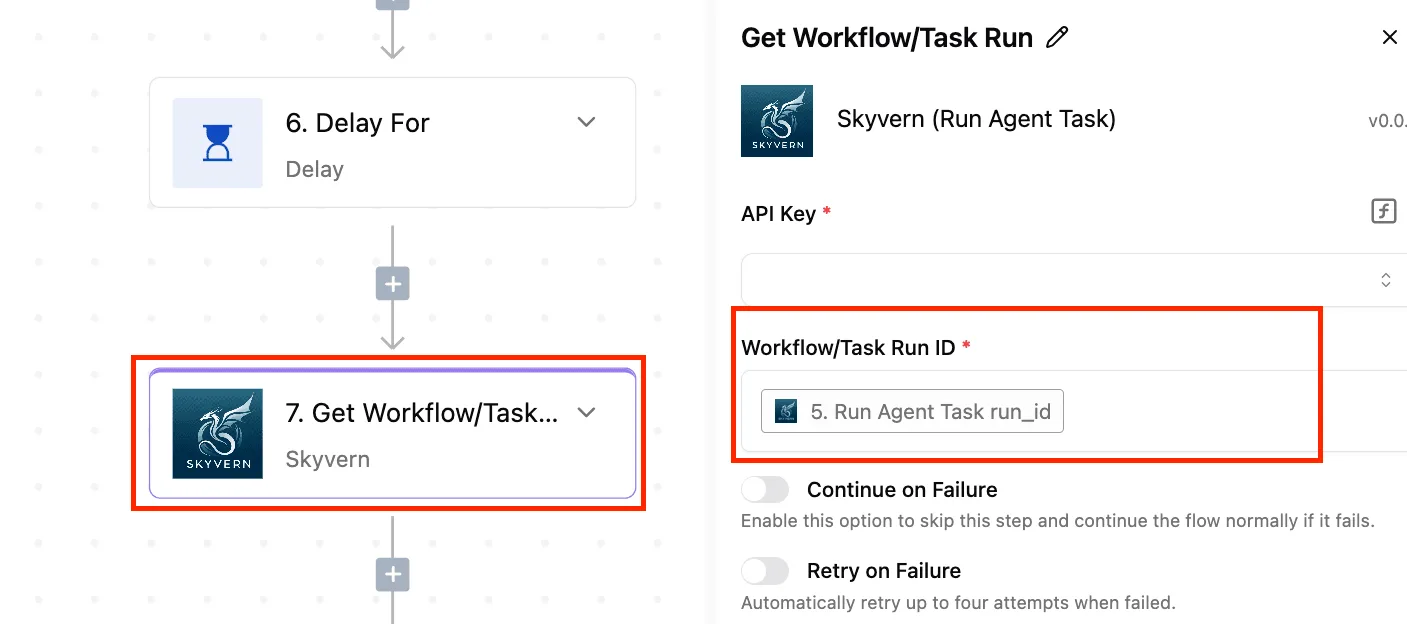
By describing a business requirement in plain English, you can produce a script that interacts with the Shopify Admin API to modify line items or sync inventory with a legacy ERP.
Error handling and state management are often missing from LLM scripts. A single API rate limit or a null value in a JSON response can cause the entire automation to fail silently.
The hybrid approach to store automation
A hybrid model is the foundation of modern store architecture. Shopify Flow handles internal triggers.
Activepieces manages the complex, cross-platform logic generated by AI, placing an Agent step alongside deterministic automation steps inside one flow definition rather than two products bridged by a webhook.
This separation of concerns ensures that your core store remains stable while allowing for the high-velocity changes required in competitive e-commerce.
Offloading the execution of AI-generated scripts to a dedicated environment provides the logging and debugging tools necessary to monitor for logic drifts. These drifts occur when a machine writes the code rather than a developer.
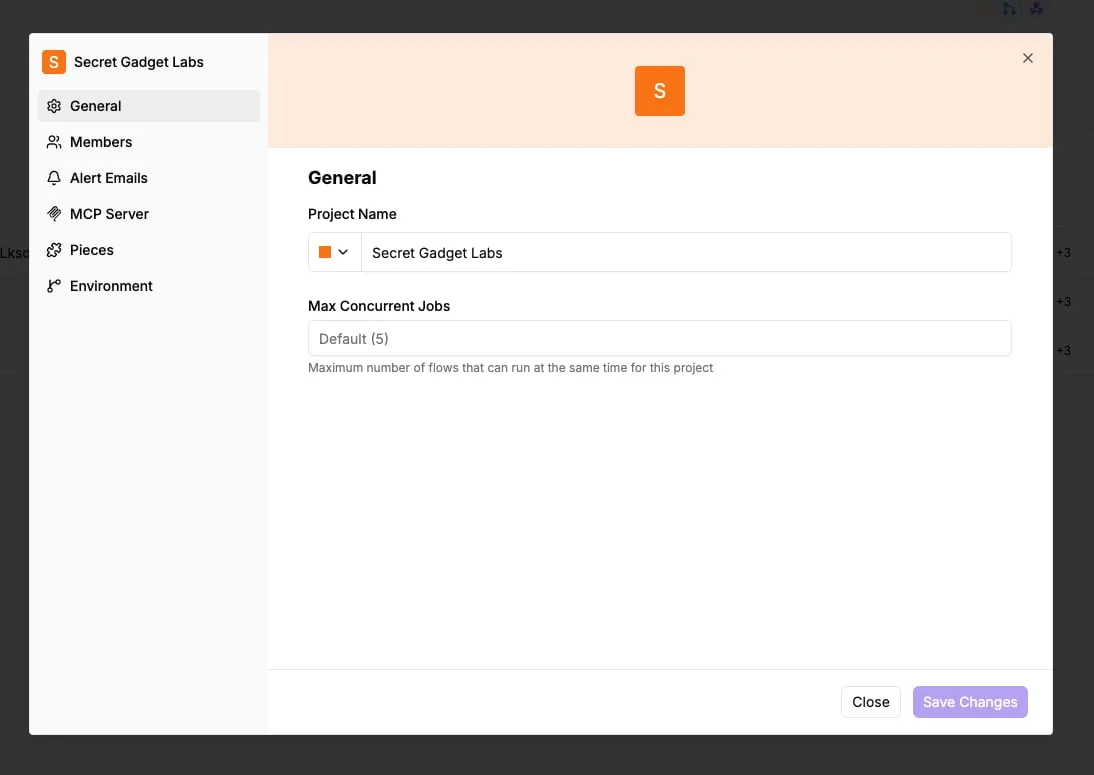
The fastest way to settle a shortlist is to try one. Activepieces is free to try, no credit card.
Criteria for choosing an automation strategy
The immediate gratification of a functional script must be weighed against the long-term cost of keeping that script alive. The choice depends on whether the task stays within the Shopify ecosystem or requires the expansive connectivity of external libraries.
The immediate gratification of a functional script must be weighed against the long-term cost of keeping that script alive.
Speed to first execution
A basic "if-this-then-that" workflow can be deployed in under five minutes using Shopify Flow. Common tasks like tagging high-value customers require no environment setup or syntax validation.
In contrast, chat-built scripts offer near-instant generation of complex code blocks. To ensure the AI hasn't hallucinated a non-existent API endpoint, they necessitate a 15-minute overhead for testing and deployment in a secure execution environment.
Handling complex multi-step logic
Infinite logic depth is possible with chat-built scripts because they aren't constrained by the visual nesting limits of a drag-and-drop interface.
Shopify Flow becomes difficult to navigate after four or five conditional branches. This increases the risk that you miss a logic gap in a nested loop.
Without the visual clutter that leads to configuration errors, a script can process thousands of lines of data across multiple arrays.
Comparing maintenance and debugging needs
Zero maintenance is required for Shopify Flow because Shopify manages the underlying infrastructure. A platform update won't break your existing triggers.
Scripts built by LLMs carry high maintenance overhead. A single change to a third-party API schema can cause a silent failure, requiring you to manually re-prompt the AI and re-verify the entire code block to restore functionality.
Judgment and deterministic rules run in the same flow, on the same engine, in the same run trace.
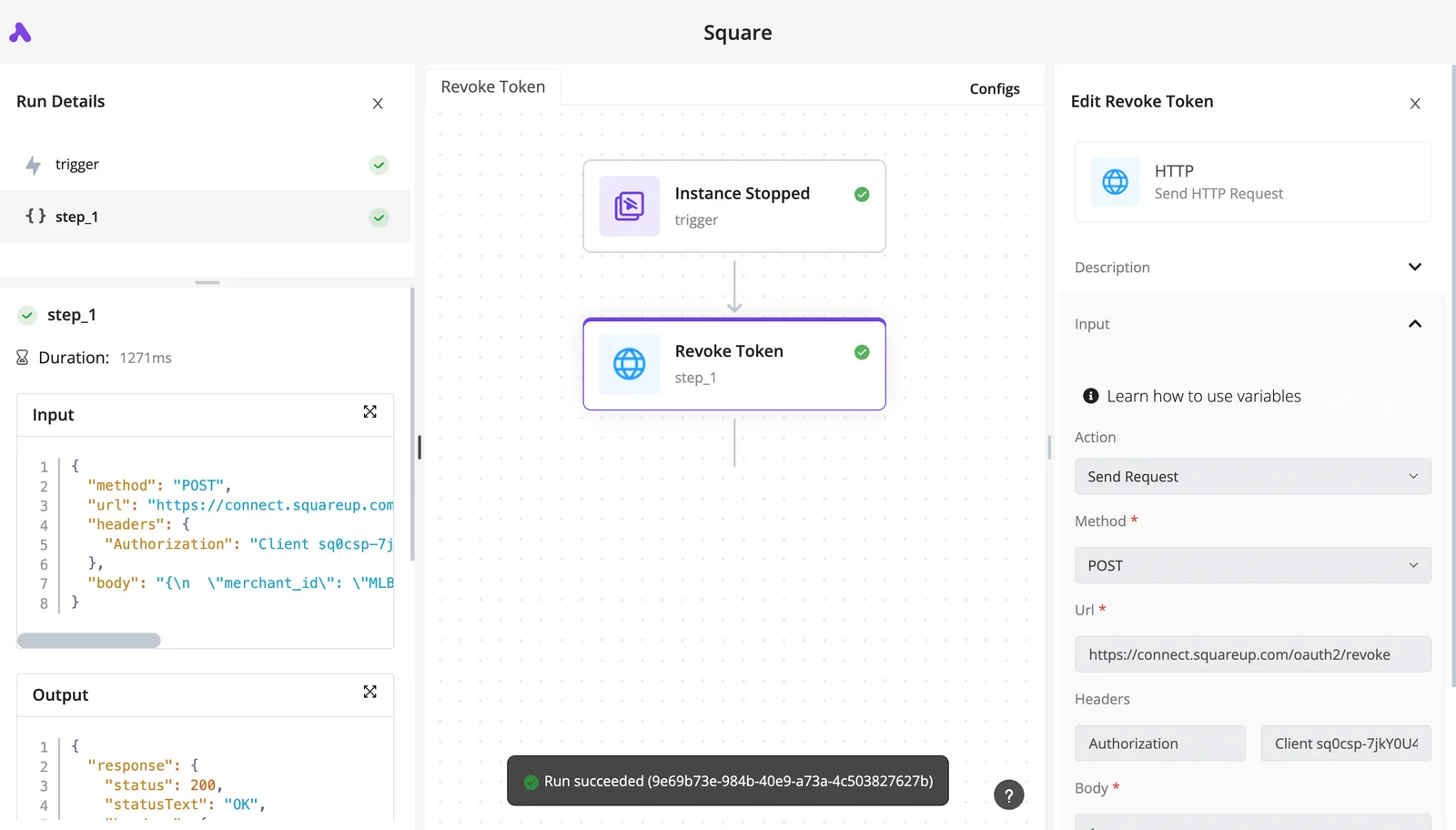
Activepieces places an Agent step alongside automation steps inside one flow definition, so you can open the run trace and see one execution logged from start to finish rather than two systems bridged by a callback.
API access and third-party reach
The library defines the scope of an automation, and the disparity in integrations determines whether a workflow can leave the storefront at all.
Shopify Flow supports 140 apps. This limits you to a specific subset of curated partners within the Shopify App Store.
Activepieces has 735 integrations, with roughly 60% of them contributed by the community. A chat-built strategy utilizing an external orchestrator can bridge data between niche CRMs, custom databases, and project management tools that Flow can't see.
| Strategy | Speed | Complexity | Maintenance | Reliability |
|---|---|---|---|---|
| Shopify Flow | Fast | Low | Zero | Native |
| Chat-Built Scripts | Instant | Infinite | High | Variable |
Flow is a sturdy foundation for your internal store operations, but it lacks the reach required for a truly connected tech stack.
Prioritize stability with Shopify Workflow
Store stability is the priority for Shopify Flow, a closed-loop system that restricts logic to the platform’s internal data schema.
This architectural choice eliminates the risk of a broken automation crashing your storefront. It also prevents the execution of custom scripts that would allow you to manipulate data outside of Shopify’s predefined parameters.
Visual building for non-technical staff
The node-based interface makes constructing logic without writing code possible, which reduces your reliance on a development team for basic inventory updates.
Because the builder uses a restricted set of blocks, you can't accidentally create an infinite loop that exhausts API rate limits.
This guardrail ensures that Shopify will throttle or pause even a poorly designed workflow before it can impact the performance of the checkout page or the admin interface.
Shopify Workflow's native triggers and data consistency
Every step of an automation is tracked in the Shopify admin logs thanks to Flow's standardized execution cycle. This sequence represents the safest path for data because it never leaves the Shopify environment.

The Shopify Flow Safety Loop consists of selecting a native trigger, applying an internal filter, executing a Shopify-managed action, and auto-logging the result.
This loop is a verifiable audit trail for every order update. Troubleshooting requires only checking internal logs rather than debugging third-party webhooks.
The ceiling of pre-built connectors
Specific API fields exposed by Shopify and its partners in their pre-built connectors cap the integration depth.
If you use a CRM like HubSpot, you can only sync the specific customer attributes that the connector developers have mapped.
If your business needs to sync a custom object that isn't included in the standard integration, the workflow hits a hard wall.
Unlike tools like Zapier, which has a utility to catch any incoming data packet, Flow requires a dedicated app to be installed for every external service.
Reading a table only gets you so far. Build the same workflow in Activepieces and compare it yourself.
Chat-built scripts offer infinite flexibility with high risk
AI-generated scripts bypass the rigid constraints of pre-built connector blocks by allowing you to write custom Node.js or Python logic.
This move from visual configuration to raw code eliminates the "walled garden" effect.
Handling tasks beyond Shopify Workflow's native actions
Complex data manipulation, such as calculating weighted averages across multiple line items, is possible with custom scripts. Standard Shopify Flow actions can't process these natively.
While a standard automation tool might offer a "Filter" step, a script can utilize the full standard library of a programming language to perform regex matching or deep-nested JSON parsing.
This illustration highlights the primary failure mode of AI-assisted development. The model generates syntactically perfect code that targets phantom infrastructure.
When a script calls a non-existent endpoint, the automation fails silently or returns a generic 404 error.
Ongoing maintenance costs of AI-generated scripts
Technical debt is inherent in every line of AI-generated code, requiring manual oversight whenever the underlying platform updates its versioning.
Native integrations are maintained by the service provider. A custom script is an isolated island of logic that will break if a field is deprecated in the Shopify GraphQL API.
Technical debt is inherent in every line of AI-generated code, requiring manual oversight whenever the underlying platform updates its versioning.
Activepieces syncs these flows to git and promotes them through Release Management, moving them from test to production as versioned software.
Check the Activepieces documentation for Git Sync to see how this makes promotion a deliberate step rather than an accident of clicking "publish" in a vendor's UI.
Security risks in AI-generated automation scripts
Functionality often takes priority over secure coding practices in scripts generated by Large Language Models.
They frequently omit essential error handling or input validation. An AI might suggest a script that passes raw user input directly into a database query, creating a vulnerability to injection attacks.
Without a rigorous manual code review, these scripts can inadvertently leak API keys through verbose error logs.
Integration capabilities with external business tools
External connectivity in Shopify Flow is restricted to pre-built connectors or basic HTTP requests.
This often fails when a non-Shopify CRM requires complex authentication flows. While a native connector for a tool like HubSpot handles the handshake automatically, connecting to a bespoke or less common CRM requires manual header configuration.
Chat-built scripts can generate the necessary boilerplate for these requests, but they frequently stumble on the specific sequence of OAuth2 token refreshes.
Connecting to non-Shopify CRMs
Lack of native support for diverse authentication methods within Shopify Flow is the primary barrier to syncing store data with external platforms.
When your business uses a specialized tool like a custom ERP or a niche marketing platform, you're forced to use the "Send HTTP Request" action. This action doesn't natively support OAuth2 flow.
Hard-coding API keys into the request headers becomes necessary due to this limitation. This creates a security vulnerability where any staff member with Flow access can view sensitive credentials.
To prevent immediate connection rejection, the script must distinguish between static API Keys and dynamic OAuth tokens.
The system must acknowledge the incoming data payload before the source service times out. If it fails, the CRM will flag the endpoint as unreachable and disable the sync.
Shopify Workflow's data transformation limitations
A native expression language for complex data manipulation is missing from Shopify Flow.
If a destination tool requires dates in DD/MM/YYYY format but Shopify provides them in ISO 8601, Flow can't perform the conversion without an external helper app.
AI-generated scripts can perform these transformations using JavaScript, but they often lack the error handling necessary for edge cases.
When the script encounters an unexpected data format, it may return an undefined result.
This causes the external API to reject the entire batch of data and leaves your store out of sync with its logistics providers.
Managing API rate limits and retries
Strict execution limits are imposed on standard Shopify plans, which can throttle automations during high-traffic events like flash sales.
When an automation sends data to an external tool, it must respect the destination's rate limits. A basic API tier might only allow a few requests per second.
A burst of orders will trigger a wave of 429 Too Many Requests errors if the chat-generated logic doesn't include a "back-off" or retry mechanism.
Without a middle layer to queue these failed attempts, the data is simply dropped.
Activepieces balances AI speed with platform stability
AI-generated logic is contained within discrete, testable steps by Activepieces. It doesn't let it run as an unmonitored script.
By shifting the execution environment from a black-box server to a visual canvas, it prevents the "silent failure" state where a script crashes without alerting you.
Using AI to build specific steps, not whole apps
Code for specific data transformations can be generated through the platform's AI assistant.
This ensures that the LLM only handles the logic for a single function rather than the entire workflow. When an AI writes a 500-line script to sync inventory, a single syntax error halts the whole process.

By restricting AI to a single "Code Integration," the rest of the automation remains functional even if the custom logic fails.
Visual debugging for custom code blocks
Input and output of every step are exposed in a readable sidebar in Activepieces.
An engineer can see exactly which JSON payload caused a specific logic branch to fail. In a standard Node.js script, you must hunt through CloudWatch logs to find the point of failure.
Here, the visual flow highlights the specific step in red. You know immediately if the error lies in the Shopify API response or the custom formatting code.
Centralizing logic outside the Shopify admin
Shopify admin remains a clean record of sales when complex cross-platform logic is moved into Activepieces.
Activepieces automates multi-step retries for external APIs like NetSuite or Xero across its 735+ integrations, ensuring that transient network errors don't result in dropped orders.
It also manages complex conditional branching that exceeds the native nesting limits of Shopify Flow.
The system provides long-term storage of execution history for auditing purposes. The heavy lifting of data synchronization is offloaded to the orchestration layer.
By unifying deterministic logic and autonomous agents into a single execution trace, the platform eliminates the fragmentation caused by bridging disparate systems via webhooks.
Activepieces is the better fit for teams prioritizing visibility and reliability, as it allows users to monitor a complete workflow from start to finish in one place. This integrated approach ensures that AI-driven steps remain testable and transparent within the broader automation framework.
Frequently asked questions about Shopify automation?
Does Shopify Workflow cost extra on basic plans?
Shopify Flow is included in all Shopify plans. The barrier to entry for basic automation is now a matter of configuration rather than subscription tier.
While it was previously gated behind higher-tier plans, its current availability across the board allows you to standardize internal workflows without increasing your monthly overhead.
Can I use ChatGPT to write Shopify Liquid scripts?
Liquid code snippets can be generated by large language models.
They often hallucinate filters or syntax that don't exist within the specific restricted environment of Shopify Plus scripts.
Because the Shopify script editor lacks a comprehensive local compiler, an AI-generated error might only surface during a live checkout session. This could cause a total failure of the payment gateway for your customers.
What happens to AI scripts when Shopify updates its API?
AI-generated scripts frequently break during API version updates.
The model relies on training data that predates the deprecation of specific fields or endpoints.
When Shopify retires a version of its Admin API, any hardcoded logic generated by a chat interface becomes technical debt. This requires manual refactoring, as the AI can't know about changes made to the platform after its last training cutoff.
Is Shopify Workflow powerful enough for wholesale B2B?
Basic B2B tasks like company tagging are handled by Shopify Flow.
It lacks the iterative logic required for the complex pricing matrices and multi-step approval chains common in wholesale operations.
For you, if you need to sync inventory across a dedicated ERP system and a B2B storefront, the native triggers often fail to capture the granular data changes necessary to keep stock levels accurate across both platforms.
Related reading
References
Still comparing
The fastest way to settle it is to build something.
Open source under MIT, so you can self-host the same thing later.
Start free Talk to sales