
Spotify Automation: Ways to Set It Up (2026 Guide)

Nov 15, 202615 min read
When you want music to start, queue or save without you tapping, the fastest way today is an iPhone Shortcut built in a single sitting, though if you'd rather trigger things from outside your phone, a workflow tool like Activepieces can handle that part.
Spotify automation is the practice of using Shortcuts, app settings, the Web API or a connected workflow tool to make Spotify play, queue, save or organise music automatically, triggered by a time, place, action or event instead of a manual tap.
The built-in settings are quicker still but do less, and the Web API does the most but costs real build time.
Set up your Spotify automation
Three routes compared
Look at the table to see how the three routes trade setup effort against control.
If your job is "play this playlist when I arrive at the gym," you want the top row. If it's "save every track I skip to a review list," only the bottom row can do it.
| Route | Setup time | Level of control | Spotify plan needed |
|---|---|---|---|
| iPhone Shortcuts | Minutes, in one sitting | Starts a playlist, album or track from a time, place or tap | Premium for choosing exactly what plays |
| Spotify built-in settings (sleep timer, crossfade, Autoplay) | Seconds, a toggle | Fixed behaviours you switch on or off, not script | Some settings on free, others Premium |
| Spotify Web API | Hours to days: app registration, authorisation, code | Queue, save, edit playlists, move playback between devices, read state | Premium for playback control; a free developer account to register the app |
Use the built-in settings first, since they don't need building at all, and stop there if one covers your job.
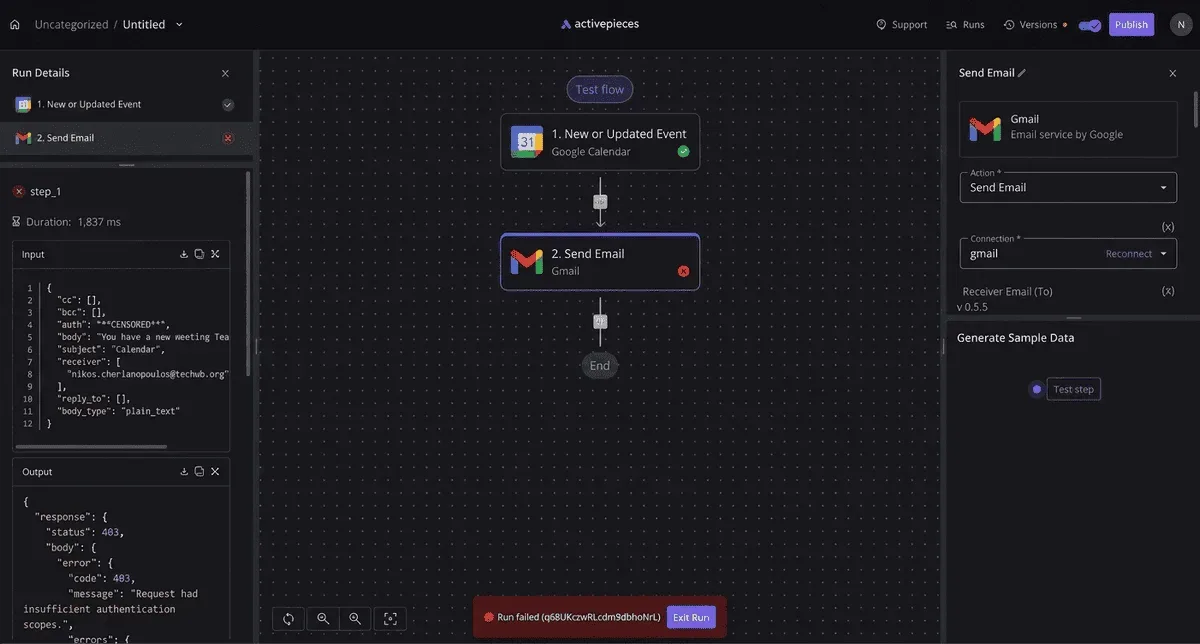
All three routes work only on Spotify's side of the fence. A job that must react to something outside it, such as a calendar event or a form submission, needs a workflow tool to sit between the two apps.
Requirements for Spotify automation
Check these before you pick a route, because each one decides which row of the table you can use.
- An iPhone with the Shortcuts app and Spotify installed, for the first route.
- A Premium account, if you want playback chosen by name rather than shuffled for you.
- A Spotify developer account and a registered app, for the Web API only. Without that registration, none of the API calls will authorise.
Don't treat a free account as a dead end. It still gets you the settings route, and it lets you build and test a Shortcut's structure.
You'll hit the plan wall at the playback step, so find out which plan you hold before you spend an evening on a build.
Spotify documentation sources and check date
Everything above was checked against Spotify's own documentation and the Shortcuts app on 15 November 2026. Spotify changes which actions and endpoints sit behind Premium without much notice, so treat the plan column as a starting point.
Open the relevant Spotify page again before committing to a route that depends on it.
From here, the next sections take the jobs that outgrow these three routes.
This takes minutes, not a project: automate it in Activepieces free.
Build a Spotify Shortcut for iPhone
You build it in three stages: add the Spotify play action with the exact playlist and run it once, attach an automatic trigger, then give it a Siri phrase. Skip the first run and you'll debug the trigger when the action was the problem.
Stage 1: add the Spotify action and run it once
- Open Spotify and confirm you're signed in. An action that fires while the app is logged out fails silently, and you'll blame the Shortcut.
- In the Shortcuts app, create a new shortcut and search for Spotify's play action.
- Pick the exact playlist, not a search term. A name can match a similarly titled playlist; a selected item can't.
- Tap run once, by hand, and listen. If the right playlist starts, the action is sound.
Stage 2: trigger it automatically
Open the Automation tab and choose Personal Automation. The triggers that matter here are time of day, CarPlay, Bluetooth, a Focus turning on, or an NFC tag.
Attach your shortcut, then set it to Run Immediately instead of Ask Before Running. The ask-first setting leaves a notification waiting for a tap, so a car or gym routine still needs your thumb. Run Immediately is what makes it hands-free.

Add a Siri phrase to your Spotify Shortcut
Rename the shortcut to something you'll actually say aloud and that no other shortcut shares, because its name is the phrase Siri listens for.
Test it by voice with the phone locked, then trigger the automation for real: connect to the car, or tap the tag. Testing only by tapping inside the app proves nothing about the conditions you built it for.
Automate Spotify on Android with routines
If you're on Android, there's no Shortcuts app, so the pattern moves to routines. Google Assistant routines and Samsung's Modes and Routines both take a trigger such as a time, a Bluetooth connection or a location, and can start Spotify as the action.
Check that the routine opens the specific playlist, not just the app, or you land on the home screen with silence.
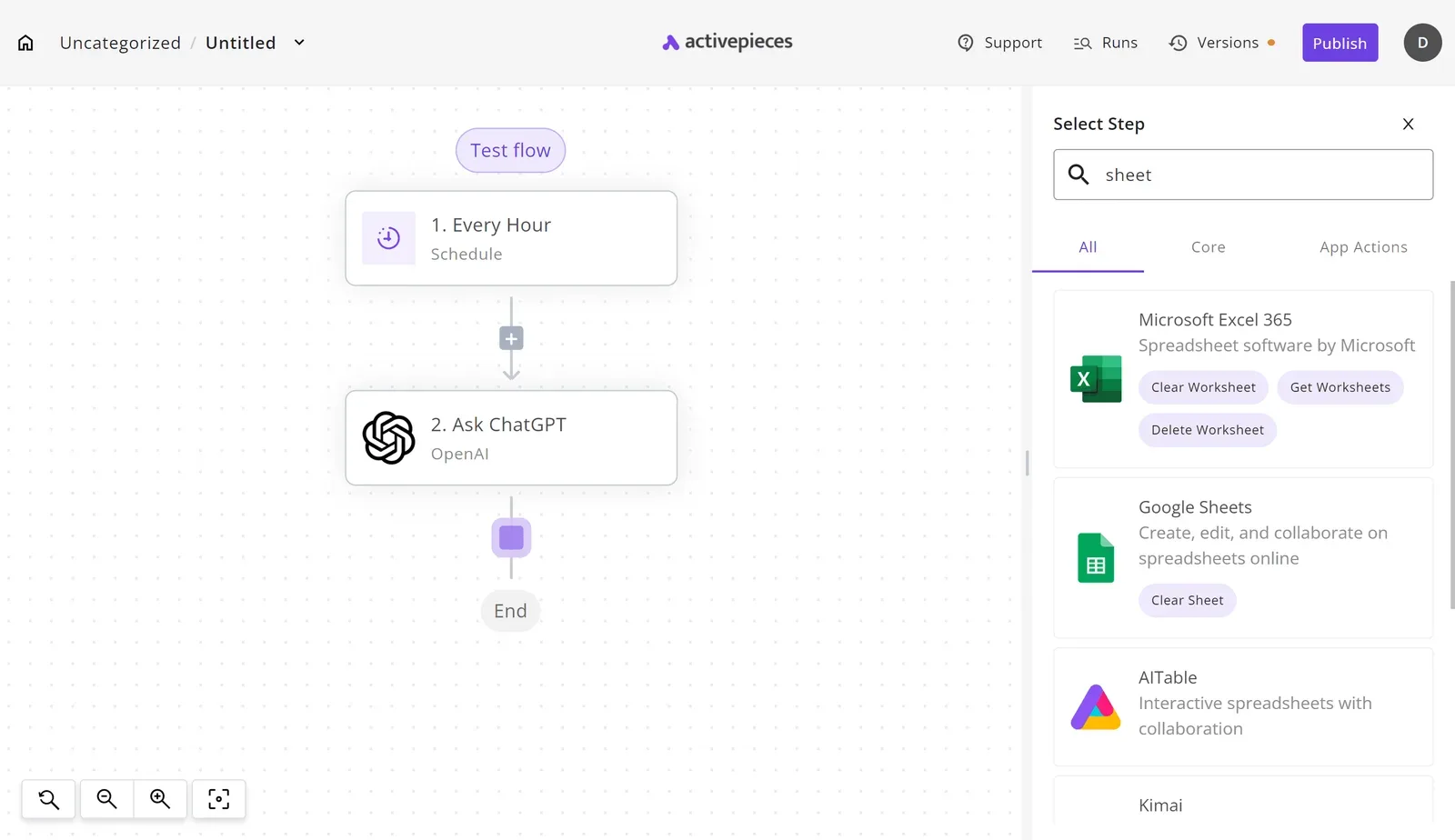
Look at the stages again and each one is a single trigger feeding one action inside one app. A workflow builder keeps the same shape but lets the output of one step feed the next.
In the canvas below, a trigger runs two OpenAI steps, and the final step publishes to a WordPress site, with its Title and Content fields mapped to those OpenAI steps' outputs, which means the publish will fail if either step produces an error.

That field mapping across apps is what Shortcuts can't do for you, and it's where the jobs in the next sections begin.
Automate Spotify through the Web API
When you need to choose the fields yourself, the Web API is the route, and it takes five steps before the first call works.
Spotify's Q3 2026 earnings release puts monthly users at 788 million and Premium subscribers at 306 million.

Playback control only works for the Premium share, so anything you build to start, pause or queue music will fail for roughly three in five listeners. Check who will run the workflow before you promise it.
**Playback control only works for the Premium share, so anything you build to start, pause or queue music will fail for roughly three in five listeners.
Next come the setup steps in order, then the limits that shape what you build.
Create a Spotify app and get API credentials
Get the order wrong and authorisation fails, because the redirect URI and scopes must exist before it can succeed:
- Create an app in the Spotify Developer Dashboard.
- Add a redirect URI to the app settings.
- Request the scopes your job needs, such as
playlist-modify-privateanduser-modify-playback-state. - Authorise, so the user grants those scopes and you receive a token.
- Call the endpoint.
One stray trailing slash and you get an error with no useful hint. The redirect URI must match the one in the Dashboard character for character, and it is where authorisation fails most often.
Premium is required for the playback endpoints, but not for playlist edits.
Scopes that matter for automation
Two scopes cover most automations. playlist-modify-private lets a workflow add tracks to private playlists. user-modify-playback-state lets it start, skip or queue playback, and it only works on a Premium account.
Ask for only what the job needs. Every extra scope appears on the consent screen, and a broad request makes users hesitate.
Spotify Web API quota and rate limits
Build around the ceiling on items, because each call has one. Spotify's reference allows 100 items per request when adding to a playlist, and 50 each for recently played and top items.
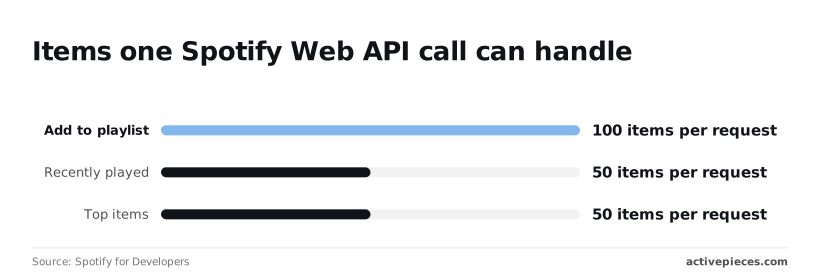
So a 250-track playlist build needs three add calls, and a history pull longer than 50 plays needs paging. Build the loop from the start, rather than finding the cap when your workflow quietly drops the tail.
Start a new app and it sits in development mode, which limits how many users can authorise it. That's fine for a personal automation. It's a hard stop for anything you hand to a team or client.
You can follow the rest of this with the builder open. Start free, no card.
Run Spotify steps across other apps with Activepieces
When a Spotify event has to land in another app, Activepieces fits: a saved track becoming a spreadsheet row, a playlist addition becoming a Slack message. That's the point where Shortcuts and Spotify's own settings stop and a catalogue edge begins.
When a workflow tool is worth it
While the job stays inside Spotify, native tools win. Once a second app is involved, Shortcuts has no way to hold state or retry a failed step, and you end up with a fragile chain.

A workflow tool takes the Spotify event as a trigger and passes its fields to an action in the other app.
On that catalogue edge, Activepieces does something specific.
Its core is MIT-licensed and its integrations, which it calls pieces, are extensible: the packages/pieces/community directory of the open source monorepo on GitHub holds 748 of them, so the count comes from the code itself rather than from a marketing page, and roughly 60% were contributed by the community.
If a integration lacks the trigger or action you need, you can write one against the Spotify Web API rather than wait for a vendor.
Read the Spotify integration's trigger and action list before you commit, because that list decides whether your job works as-is or needs a custom integration.
It's also a server-side tool, so it can't do the things that belong to your phone and your speakers:
- Respond to a Siri phrase
- Fire from CarPlay
- Start playback on a device
Those jobs stay with Shortcuts and Spotify's own controls.
Zapier and IFTTT also offer Spotify connections, and both are reasonable to compare. Check each one's Spotify trigger list against your job rather than trusting a headline catalogue count, since the count says nothing about whether your trigger exists.
Build: new saved track to a spreadsheet row
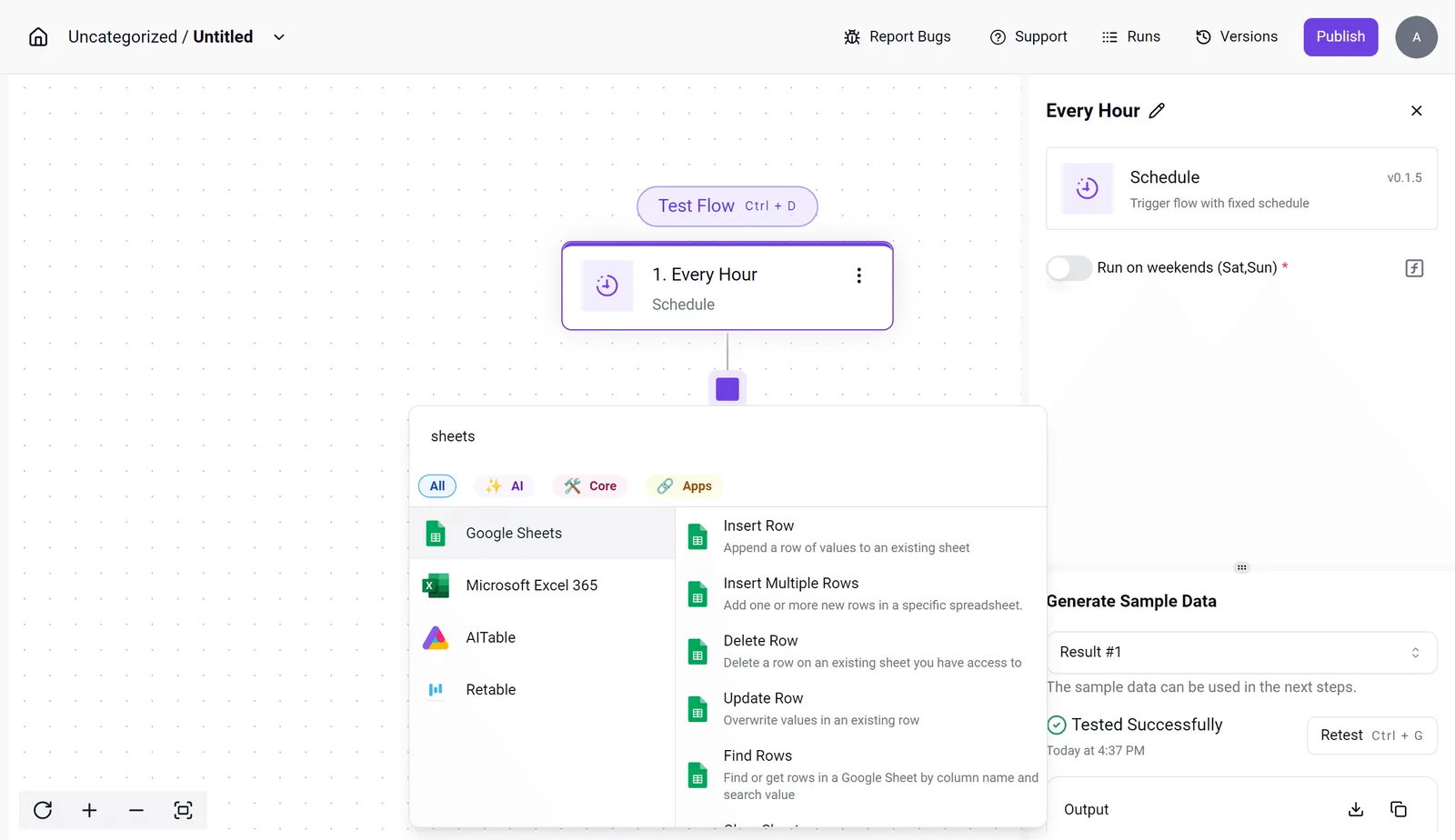
- Create a new flow and choose the Spotify integration's saved-track trigger as the starting step.
- Connect your Spotify account when prompted and approve the access it asks for.
- Add a Google Sheets action that inserts a row, and connect your Google account.
- Map the fields: track name to one column, artist to another, and the save date or link to a third. Match them to your sheet's headers.
- Save a track in Spotify, then run the test step and confirm a row appears with the right values in the right columns.
- Publish the flow so it runs without you opening the editor.
Take the test step seriously. A mapping that looks right in the editor can still put the artist in the wrong column, and you find that out only when you save a real track and look at the sheet.
That covers the single-app edge. The next question is which route to pick for a given job.
Spotify automation errors, limits and fixes
When a Spotify automation fails, it is usually one of five causes: no device to play on, an account tier that blocks the call, a token that's lapsed, a rate limit, or a permission prompt nobody approved.
That's useful because you can diagnose each one from its symptom alone.
Match each symptom to its cause and fix in the table below. Read it as a triage order: match what you see in the run log, then apply the fix in the last column.
| Symptom | Cause | Fix |
|---|---|---|
| Shortcut opens Spotify but nothing plays | The action hands off to the app, and no device is ready to start playback | Open Spotify once on the target device, sign in, and rerun |
| NO_ACTIVE_DEVICE 404 | The API found no device currently playing or recently active | Start playback manually, or call the transfer-playback endpoint first |
| Premium-required 403 | The playback-control endpoints reject free accounts | Run the job from a Premium account, or drop the playback step |
| 429 with Retry-After | You hit the rate limit | Wait the number of seconds the header gives, then retry; add a delay between loop iterations |
| 401 expired token | The access token's lapsed | Refresh it with the refresh token; don't store a one-off token in the flow |
| Confirmation prompts | iOS asks permission before an action or automation runs | Approve once, then set the automation to run without asking |
Two of these are the same failure seen from different routes, which is the point of the next two subsections.
Shortcut problems
Spotify has nowhere to send audio, and that one problem sits behind both the "opens but doesn't play" symptom and NO_ACTIVE_DEVICE. The Shortcut succeeds because it launched the app, so the run log shows green while your speaker stays silent.

Confirmation prompts are the other Shortcuts trap. An automation that waits on a tap isn't automatic, and it'll stall unattended, overnight or in a background trigger.
API error codes
Retrying a 403 changes nothing, because a 403's about the account, not your code, and people misread it and the 401 more than any other codes.
A 401's about time: build the refresh into the flow from the start. For a 429, honour Retry-After rather than hammering the endpoint, since repeated retries just extend the wait.
Spotify automation checklist before you run
- Confirm the account running the job is Premium.
- Open Spotify on the target device and make sure it's signed in.
- Check that the token refresh path works, not just the first login.
- Add a delay inside any loop that makes repeated calls.
- Set automations to run without asking, then test once unattended.
Frequently asked questions
Does Spotify automation work without Premium?
Only for the read side. Looking up tracks, searching, and reading playlists work on a free account, but the Web API's playback controls (play, pause, skip, transfer to a device) need Premium.
If your job is "start this playlist at 7am", a free account will fail at the first playback call, however well the rest is built.
Can I automate Spotify on Android without Shortcuts?
Yes, because Shortcuts is an Apple app and Android never had it. Tasker, MacroDroid and Automate can all trigger on time, location or a connected device and then fire a media action or open a Spotify link.
For anything beyond play and pause, such as adding the current track to a playlist, you call the Web API directly from the tool's HTTP action or hand the job to a workflow platform.
Check that the HTTP step can refresh an access token before you commit, since that's where many of these macros break.
Is automating Spotify playback against its terms?
Calling the official Web API with your own app credentials and a user's consent is the intended use.
What the developer terms restrict is what you do around it: circumventing the service, scraping, or reusing Spotify content in ways the terms exclude, such as training models on it.
Read the current developer terms before building anything you plan to share or sell, because a personal automation and a published app are held to different standards.
Can I schedule a playlist to start at a set time?
Yes, with a catch about devices. A time-of-day trigger in Shortcuts, Tasker or a workflow tool can send the play request on schedule.
The Web API plays on an active device, so if Spotify isn't open anywhere when the trigger fires, the call errors instead of waking a speaker. Build in a step that opens the app or names a target device first, and the schedule becomes dependable.
Why did my Spotify automation stop after an update?
Usually one of four things changed, and each can be checked in turn:
- The Spotify app renamed or reshaped an action, so a Shortcut now points at something that no longer exists.
- Your authorisation token lapsed or lost a scope after you changed the app's permissions.
- Spotify retired or altered an API endpoint your flow relied on.
- The device you were targeting is no longer registered as active.
Re-run the flow step by step and read the exact error on the failing action. That tells you which of the four it is, and a vague "it stopped working" almost never survives that test.
Related reading
References
Build it
Set this up in minutes.
No code required. Connect your accounts, and Activepieces runs it from there.
Start free Talk to sales