Workable API Access Tokens for Integrations (2026)

Nov 1, 202615 min read
The Workable API is a REST API over HTTPS for reading and writing recruiting data in a Workable account. Whoever owns the integration gets paged when it fails at 2am on a Tuesday, so "who owns this now" is worth settling before the first call.
Workable API access is the set of credentials, endpoints and usage limits (access tokens with defined scopes, plan-dependent endpoints, and per-token rate limits) that determine which recruiting data an integration may read or write in a Workable account, and how often.
The Workable API and what it exposes
Whoever owns the integration gets paged when it fails at 2am on a Tuesday, so "who owns this now" is worth settling before the first call.
What the API is for
It moves data between Workable and the systems around it: an Activepieces flow (MIT-licensed core, unlimited flows on every plan, free included), an HRIS, a reporting database or an internal script. Most of that traffic is reading candidates and jobs, plus writing back status changes.
Workable's own product tips advertise a 15-day free trial, which is a short window to learn which parts of the API your plan actually opens, so test the endpoints you depend on early.
Endpoint families in the official reference
I checked the official API documentation on 1 November 2026. It groups the API into these resource families:
- Jobs: the openings in the account, with their stages and details.
- Candidates: the people in your pipeline and their application records.
- Offers: the offers made to candidates.
- Requisitions: the approved requests to hire that precede a job.
- Talent pools: saved groups of candidates kept outside a specific job.
- Employees: the people who've been hired.
- Time off: leave records for employees.
- Time tracking: worked-time records for employees.
- Performance reviews: review records for employees.
Past recruiting, the API reaches into employee records, as the list shows. Each family can sit behind different token scope or plan access, so check a family against your account before you design around it.
Workable API account subdomain in request URLs
Because requests are addressed to your own account, the account subdomain appears in every URL. Hard-coding it in a single script is how a sandbox account's address ends up in production.
Keep it in configuration, record who owns it, and treat a change of account as a change to the integration.
Everything below works on Activepieces' free plan. Start without code or a credit card.
Access tokens and a first working request
Generate a token as an account administrator, send it in a Bearer header, and request your jobs; whoever generated it is the person paged when it expires at 2am on a Tuesday.

Beyond expiry, the two token types differ in other ways:
| Account token | OAuth 2.0 token | |
|---|---|---|
| Where generated | Account settings, in the integrations area | Through an authorization flow run by your app |
| Who can generate | An account administrator | The administrator who authorizes your app |
| Expiry | 30 days to 2 years, chosen at creation | 2 hours by default |
| Scopes | Selected when generated | Requested during authorization |
| Rate limit | 10 requests per 10 seconds | 50 requests per 10 seconds |
Prices and plan limits checked against resources.workable.com on November 1, 2026.
With a two-hour default, the OAuth token makes refresh logic a requirement, not a refinement. An account token needs only a calendar entry, which people forget.
Generate a token in the account
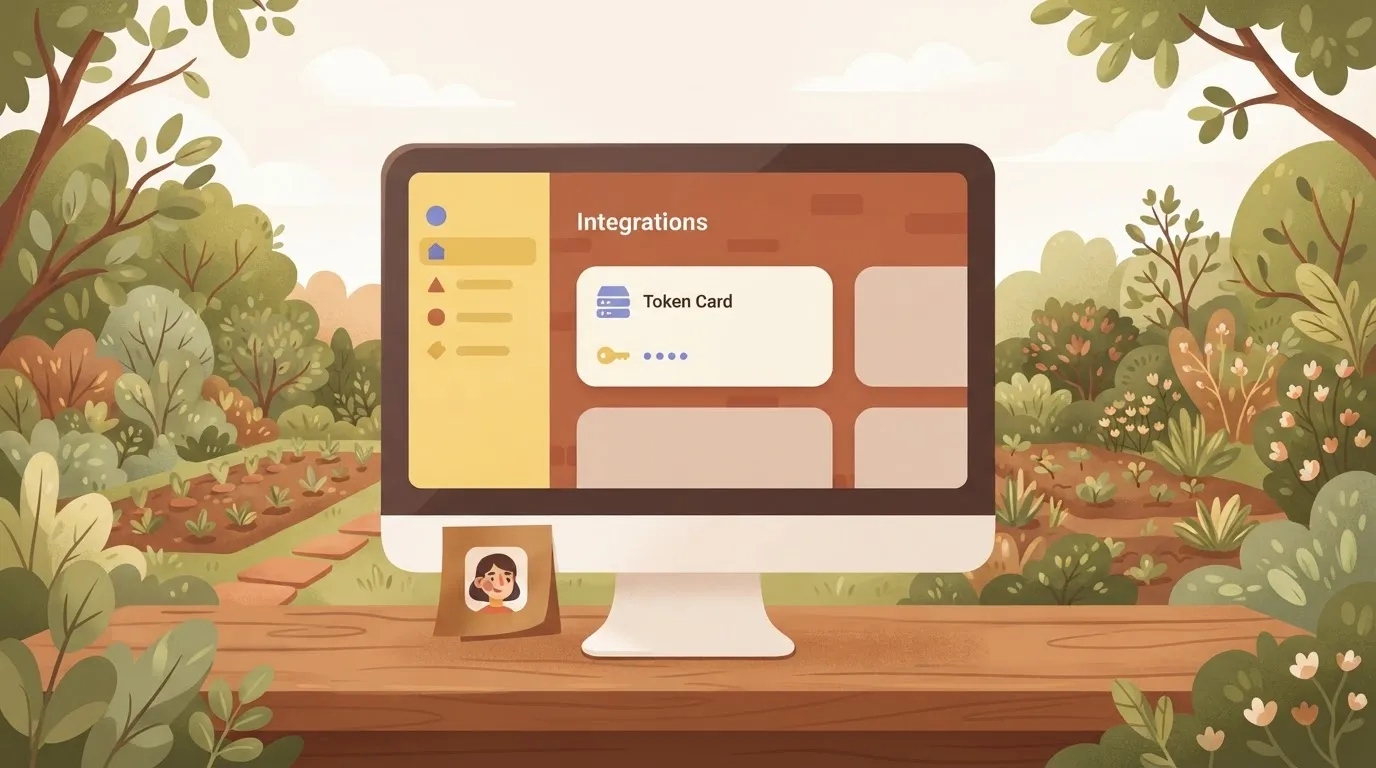
Sign in as an administrator and create the token under the account's integration settings. A non-administrator can't do this, so the token's owner's a named person with a role that can change. Record that name beside the token.
Choosing narrow Workable API token scopes
At creation you choose the scopes. A job-listing integration needs read access to jobs and nothing about candidates. Widening a scope later means issuing a new token and redeploying, so start narrow and let the first 403 tell you what's missing.
Sending your first Workable API request
Address your account's own subdomain and pass the token as a Bearer credential:
curl https://YOUR-SUBDOMAIN.workable.com/spi/v3/jobs \
 -H "Authorization: Bearer YOUR_TOKEN"
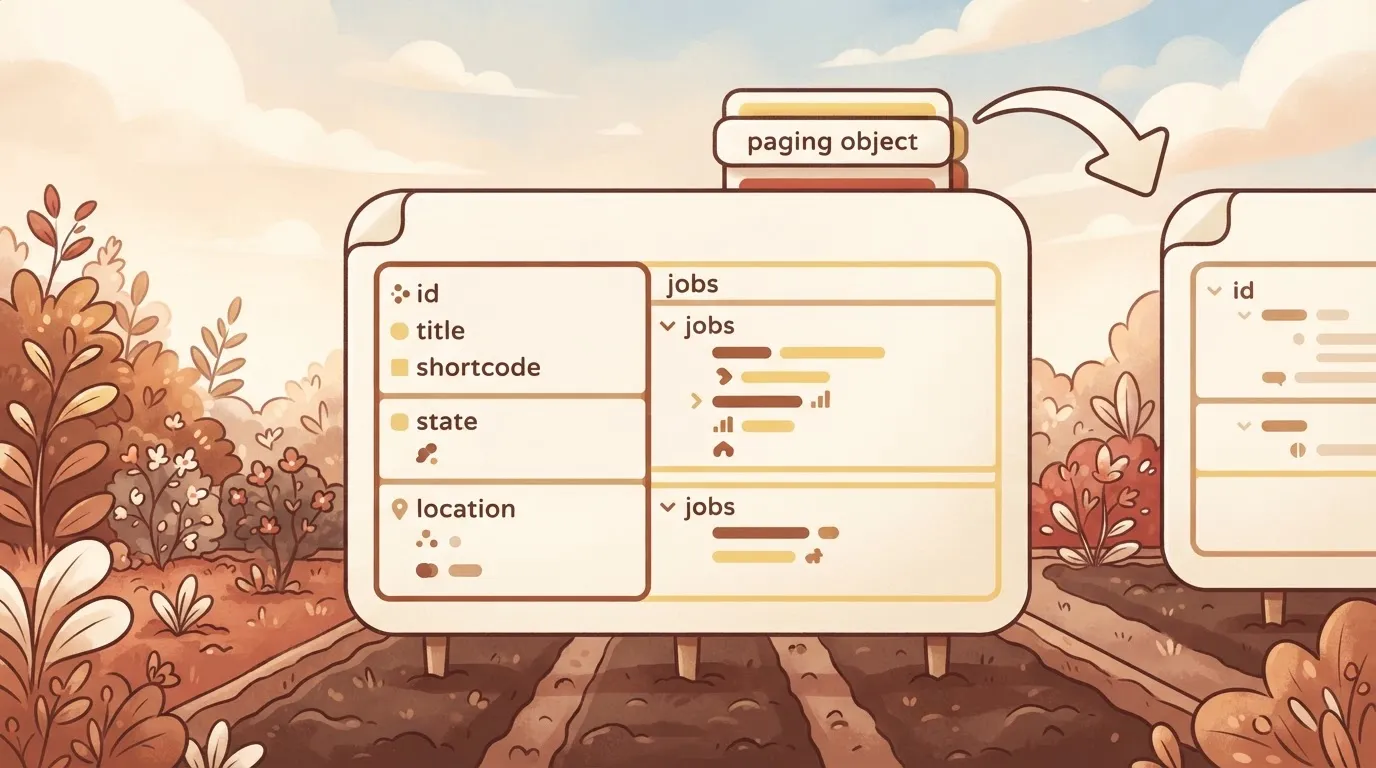
You get back a JSON object with a jobs array, each entry carrying an id, title, shortcode, state and location, plus a paging object whose next URL you follow for further results. Ignoring paging means you silently process only the first page.
Rotate and store the token
Keep the token in a secrets store, never in the repository, and rotate it before its expiry date rather than after the first failed call. Issue the replacement, deploy it, confirm a request succeeds, then revoke the old one.
Workable API pricing and rate limits by plan
Do not expect limits broken out by plan: Workable publishes them per token type, and it publishes no per-unit API price. Whoever owns the integration should assume that gap's theirs to close with Workable before launch. Figures below were checked November 2026.
Which plans include API access
If you need to know which subscription tiers include API access, Workable's rate-limit reference won't tell you.
Treat access as a contract question, not a technical one: ask your account manager in writing, because a plan change can cut off an integration that the on-call engineer never knew depended on it.

Workable API per-call pricing in the docs
You will not find a per-request or per-call price in the Workable API reference. Cost is therefore not metered by call volume in anything published, so budget against your subscription terms, not against traffic.
Rate limit by plan and window
10 requests per 10 seconds is all an account token is allowed, so a sync that fetches candidates one by one stalls after the tenth call, per Workable's API reference.
An OAuth 2.0 token is allowed 50 requests per 10 seconds, five times the headroom for the same job. Greenhouse, another applicant tracking system, allows its Harvest API the same 50 per 10 seconds, which makes OAuth the like-for-like comparison.
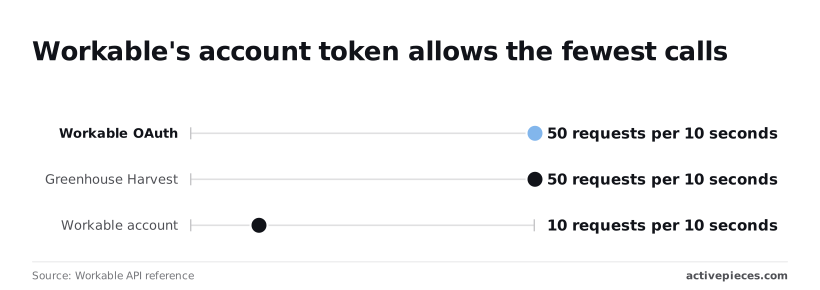
Set side by side in the chart, the three limits make the takeaway plain: the account token is the outlier, and a script that works in testing on OAuth may throttle the moment someone swaps in an account token.
| Token | API access | Price per unit | Request limit and window | Response when exceeded |
|---|---|---|---|---|
| Workable account token | Not published by plan | Not published | 10 per 10 seconds | Not published in the page checked |
| Workable OAuth 2.0 token | Not published by plan | Not published | 50 per 10 seconds | Not published in the page checked |
| Greenhouse Harvest API (comparison) | Not applicable | Not published here | 50 per 10 seconds | Not published in the page checked |
Because exceeding the limit returns an HTTP 429 response, your client should back off on that signal and alert a named owner, not retry in a tight loop.
Easier to see it running than to read about it: set it up free, no card.
Common Workable API errors in production
Whoever owns that alert will mostly see one of six failures, and each has a cause you can name and a fix you can write into the runbook before the first page arrives.
The table sets them side by side, so assign each row an owner and a response before go-live.
| Symptom | Usual cause | Documented fix |
|---|---|---|
| 401 | Token wrong, expired or revoked | Issue a new token and update the secret store |
| 403 | Token lacks the scope, or the plan excludes the endpoint | Re-issue with the needed scope; confirm the plan |
| 404 | Wrong account subdomain or a stale ID | Check the subdomain; re-fetch the ID from a list call |
| 429 | Request rate over the limit | Back off, then resume slowly |
| Missing candidates | Only the first page was read | Follow the paging cursor until none is returned |
| Timeout | Request too broad | Narrow filters, shrink pages, retry with backoff |
Look down the table and most rows are configuration faults rather than code faults, so the sections below take the ones that need more than a one-line fix.
401 and 403: token, scope and plan
Read a 401 as a failed credential and a 403 as a credential that was recognised and refused, and treat them differently. Rotate the token for the first.
For the second, compare the scopes granted with the endpoint called, then check whether your plan includes it. Retrying either one never helps.
429: staying under the limit
Queue outbound calls through a single throttle rather than letting each job pace itself. On a refusal, pause the whole queue, back off with growing delays, and page the owner if the pause persists.
Workable API pagination and missing records
Nothing errors when a job reads one page and reports success, which makes it the quietest failure here. Loop on the cursor until it's absent, and reconcile your record count against the source periodically.
Duplicate Workable API writes after retries
After a timeout you can't tell whether the write landed. Before retrying a create, look up the record by a stable identifier such as the candidate's email on that job.
Keep your own log of what you sent so a duplicate can be traced to its run.
Calling the Workable API from Activepieces workflows
You can run the Workable calls described above on a schedule in Activepieces without writing code, but it only changes who maintains the plumbing; the token's scope, your plan's access and Workable's rate limits stay exactly as they're.
A run costs 1 credit however many steps it has, so the paging loop and retry steps below add nothing to the bill.
A retry that follows the lookup-before-create rule belongs in the same flow, and so does a named owner for the flow, because when it stops at 2am the first question is whose pager it is.
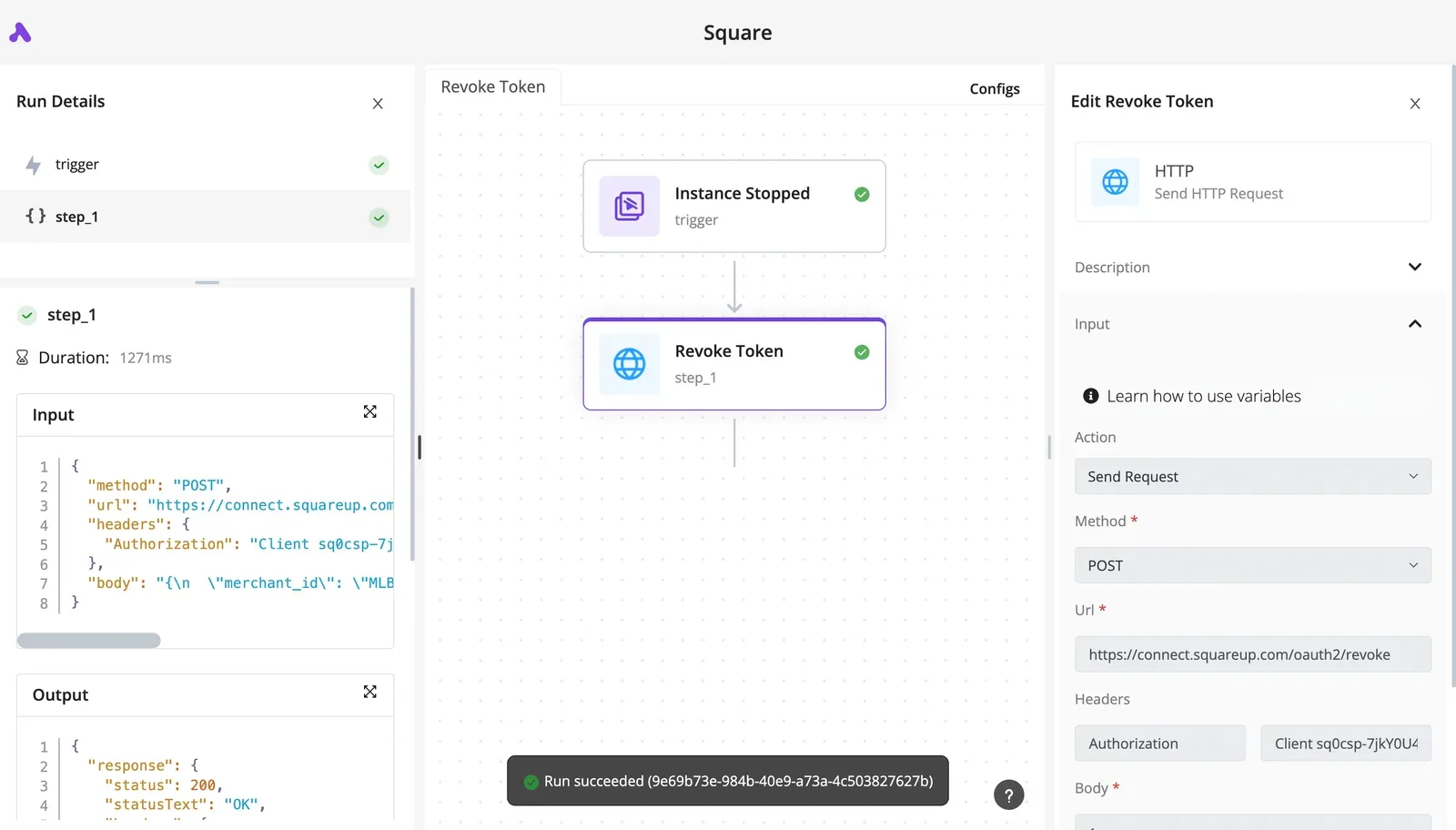
On a schedule, the flow below calls Workable through an HTTP step that reads its token from a stored connection, loops through a delay and retry step whenever Workable answers 429, and then branches to a spreadsheet, a chat alert and the HRIS (the human resources system that holds employee records).

Take from it that the rate-limit handling sits in the main path rather than off to one side, so no branch runs on a half-fetched result.
Store the token once
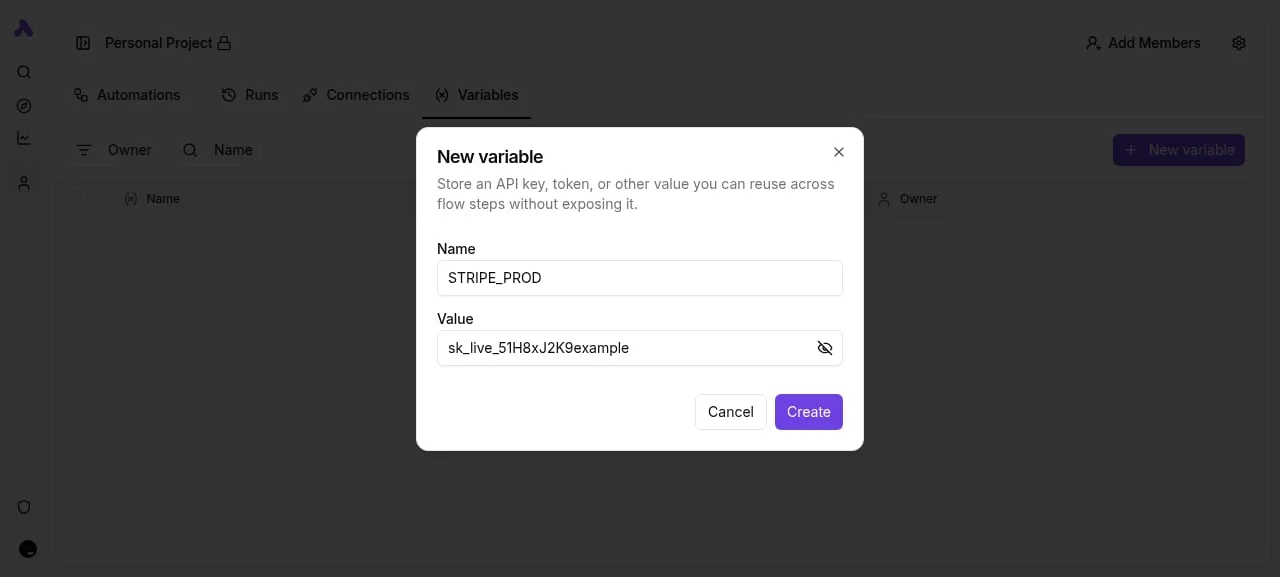
Create the Workable token as a connection in Activepieces and reference it from the HTTP step, rather than pasting it into each step's headers.
The consequence's practical: when the token is rotated or its scope is narrowed, you change it in one place, and the audit question of who can read it has one answer.
On the Ultimate plan and in the self-hosted enterprise edition, where the secret-manager integration is listed alongside SCIM, custom RBAC, SSO/SAML and audit logs, connection secrets can be routed to your own secret manager, so the token need not sit in Activepieces' database at all.
Create the token with only the scopes the flow needs. If a call returns a permission error, check the plan and scope before suspecting the step, because Activepieces can't grant access Workable has withheld, whichever of its 746 integrations the flow uses.
Page through results in a loop
When Workable returns lists in pages, the flow has to follow the pagination link in each response until none is returned, collecting results as it goes.
Use a loop step for this and keep the fetch inside it, so the delay and retry step covers every page and not only the first.
Write to the spreadsheet or HRIS only after the loop completes. A flow that writes per page and then fails leaves a partial record that someone must reconcile by hand.
Retrying and alerting on Workable API failures
On a 429, wait and retry a limited number of times, and honor any wait time Workable states in its response.
Past that limit, stop and send a chat alert that names the flow, the step and the run, so the person paged can find the log of what was sent.
Don't retry creates blindly; run the lookup from the previous section first. The next question is what you can safely automate against the plan you hold, and which endpoints it excludes.
A Monday checklist for a safe Workable integration
Six steps, in this order, settle what you can automate and who answers when it stops: confirm the plan, scope the token, test, harden, count, and re-read the changelog.
Decide the owner before the first call, because whoever's paged at 2am on a Tuesday inherits every shortcut taken below.
Workable integration checklist before writing code
Skipping the first three steps is how an integration ends up running on a departed employee's credentials. They establish what you're allowed to do and under whose name, and they cost an afternoon.
- Confirm on the pricing page that your plan includes API access, and note which endpoints it leaves out. A missing entitlement looks like an authorization failure, so you'll otherwise debug your code for a problem in your contract.
- Create a service user, not a personal account, and issue the token under it with only the scopes the automation needs. A personal token stops working when that person leaves, and an over-broad one lets a bug write where it should only read.
- Make one test request that reads a single, harmless resource. If it succeeds, you've shown that the plan, the account and the scope agree, which is more than any later call will show you.
Workable integration checklist before going live
If the first three held, the remaining steps protect you from the failures that appear only under volume or over time.
- Add backoff and paging. Retry rate-limited calls with increasing delays, and page through results instead of assuming one response holds everything. Without paging, a growing candidate list silently truncates your data.
- Log your request counts against the documented rate limit. A counter you can chart tells you that you're approaching the ceiling before the API starts refusing you, and it gives the on-call person evidence instead of guesses.
- Re-check the changelog on a schedule, and give that task an owner. Endpoints and behaviors change, and a quarterly glance is cheaper than an outage you learn about from a recruiter.
With these in place, the integration has an owner, a bounded credential and a measurable load. What remains is deciding which workflows deserve to be built on top of it.
Frequently asked questions
Whoever's on call for this integration will meet these five questions first, so the answers belong next to the workflows. Each points to Workable's official API documentation, which is the authority if anything here has changed.
Is the Workable API free to use?
Not as a standalone product: API access depends on the plan your Workable account is on. Check what your plan includes before you scope any build, because a plan that lacks access turns a finished integration into a support ticket.
Workable's pricing and API documentation pages state what each plan covers.
Does Workable support webhooks for new candidates?
Yes, Workable lets you subscribe to events, including a candidate being created, and delivers them to a URL you control. Use that instead of polling, which spends your rate limit on questions that usually have no new answer.
The webhook section of the API documentation lists the available events and how to register a subscription.
Can I create candidates through the API?
Yes, you can create a candidate against a specific job, provided your token carries write access to candidates. Read-only tokens will fetch candidates all day and fail the moment you try to add one.
The candidates section of the API reference shows the required fields and scopes.
Why does my token work for jobs but not candidates?
Almost certainly, your token was issued without the candidate scope. Scopes are granted per token, so reading jobs and reading candidates are separate permissions.
Generate a new token with the scopes you need and record who owns it, since the old one'll keep succeeding at the wrong things. The authentication page of the API documentation lists the scopes.
How do I find my Workable subdomain?
It's the first part of the address you use to sign in, in the form yourcompany.workable.com, and it's the account identifier every API request is addressed to.
A wrong subdomain looks like a broken token, so check it before you debug anything else. Workable's API documentation shows how it forms the base address for requests.