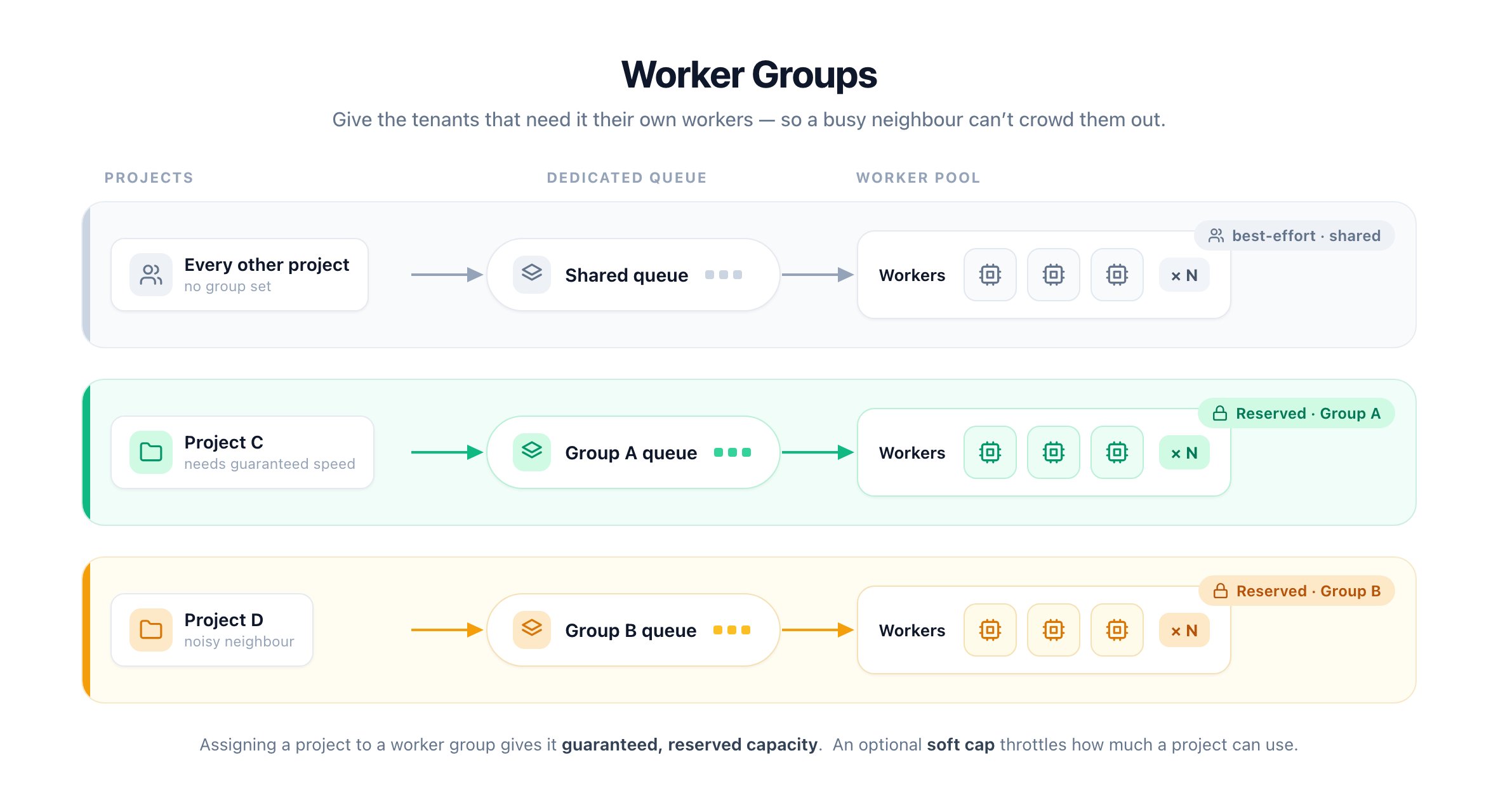
Reserve dedicated worker capacity for specific projects
By default every worker serves every project from one shared queue. When one busy project floods it, everyone else waits.Worker groups fix that. A group is a named pool of workers with its own dedicated queue. Assign a project to a group and its runs get reserved workers no other project can take.
A worker joins a group by setting its group ID at startup. AP_PROJECT_WORKER selects the group’s scope:
Project group — leave AP_PROJECT_WORKER=true (the default). Assign individual projects to it from Platform Admin → Operations → Workers → Worker groups.
Platform group — set AP_PROJECT_WORKER=false. Serves the whole platform’s runs; used for dedicated/canary fleets.
# Project group, e.g. 1cpu_machine (AP_PROJECT_WORKER defaults to true)AP_WORKER_GROUP_ID=1cpu_machine# Platform groupAP_WORKER_GROUP_ID=canaryAP_PROJECT_WORKER=false
Grouped workers must set:
AP_REUSE_SANDBOX=true # or false, must be set explicitly
Routing runs to worker group queues is done by the project rate limiter, so the app server must run with AP_PROJECT_RATE_LIMITER_ENABLED=true. Without it, assigned projects keep using the shared queue and grouped workers stay idle.
Once a project is assigned to a group, its flow and webhook runs are routed to that group’s dedicated queue (project-<group-name>-jobs) and picked up only by workers carrying the matching AP_WORKER_GROUP_ID with AP_PROJECT_WORKER=true. If no worker in the group is online, runs wait in the group queue until one connects — they are never executed by shared workers. Changing a project’s assignment — to a group, between groups, or back to shared — also moves its waiting runs to the new queue. Projects without a group keep drawing from the shared queue.
You can assign a project to a project group in two ways:
UI — go to Platform admin → Operations → Workers → Worker groups (/platform/workers/groups) and pick the group for each project.
API — set workerGroupId on the project via the projects API. Use the bare group name (the same value as the group’s AP_WORKER_GROUP_ID); pass null to unassign and return the project to the shared queue.
The same request also sets maxConcurrentJobs — the project’s concurrency limit (the soft-cap ceiling). It’s the maximum number of flow runs the project executes at once:
Omit it (or send null) and the project uses the default: min(plan limit, group slots) — i.e. it can use the group’s full reserved capacity, up to the plan’s limit.
Set a number to cap the project below that. The value is clamped to the group’s slot count (a project can’t run more concurrently than its pool can serve).